If you use Final Cut Pro, you’re well aware of how much storage one of its libraries can eat up. Producing weekly videos and podcasts for Cult of Mac, disk space is a never-ending battle for me — and I even splurged on a 2TB hard drive!
The third time I ran into this problem, I tried digging deeper into Final Cut Pro settings to see if there was a better way. I found a bunch of settings that help stop the 800-pound, hard-drive-eating gorilla.
Then, I opened up the Final Cut Pro library bundle itself, and found even more folders, many gigabytes in size, that I could clear out.
Here’s how Final Cut Pro users can reclaim some storage from a runaway video library.



 May 5, 2003: Just a week after launching the iTunes Music Store, Apple reaches an incredible milestone with more than 1 million songs sold.

 May 4, 2011: Reports circulate that Apple is negotiating with carriers to bring over-the-air updates to iOS, beginning with iOS 5.

 May 3, 1984: Apple marks the all-important first 100 days of Mac sales, signaling whether the product launch is a hit with customers.
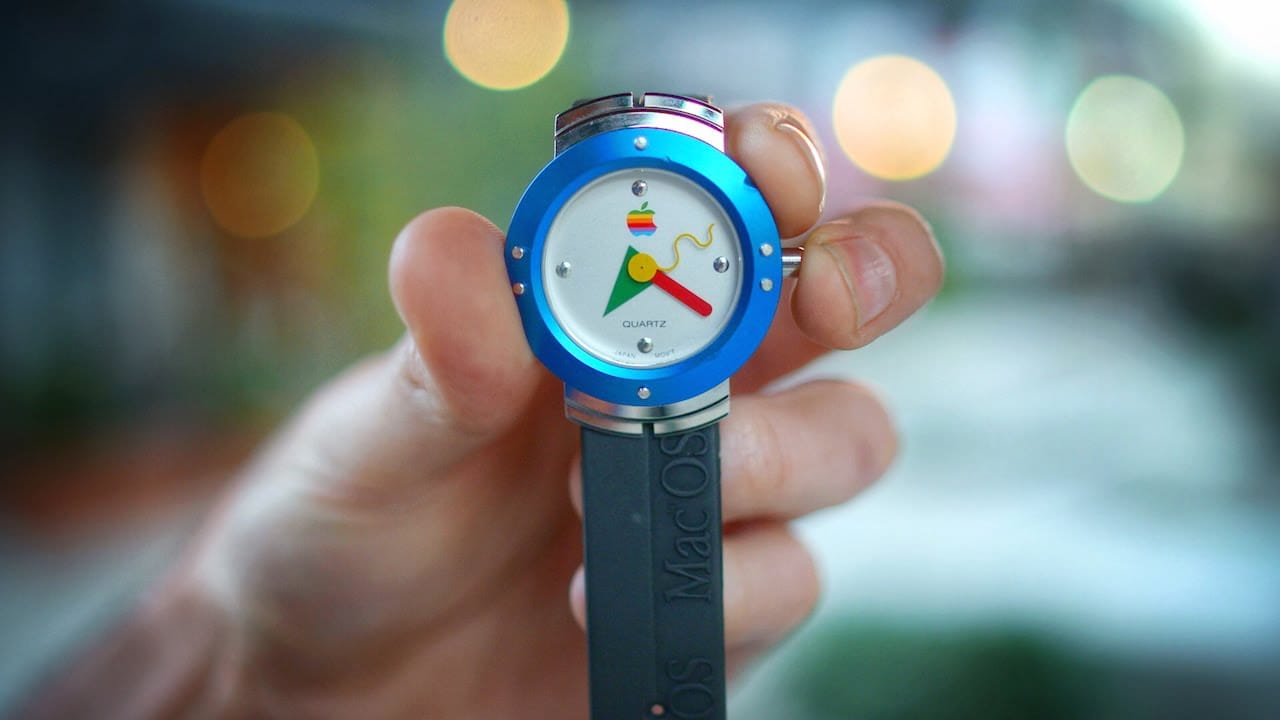
 May 2, 1995: Apple enters the wearables space with its first watch. However, the first Apple watch is a timepiece with no fitness-tracking tech, no on-screen notifications and a whole lot of 1990s styling.