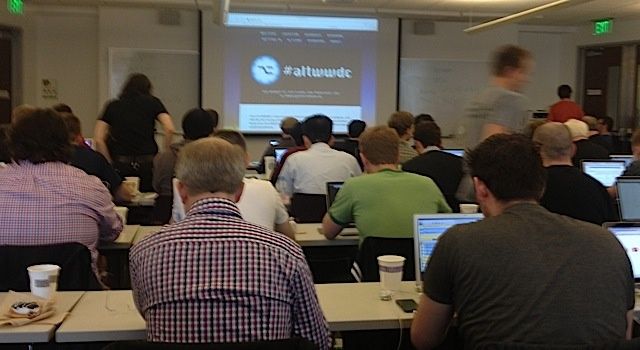
SAN FRANCISCO, CA — Top developers at an AltWWDC panel conference gathered to openly discuss Apple’s keynote announcements on iOS 7, Mac Pro, and Mac OS X. The overriding feeling from the main panel is that while many are happy about iOS changes, most are disappointed with the lack of focus on actual news of tools for developers.
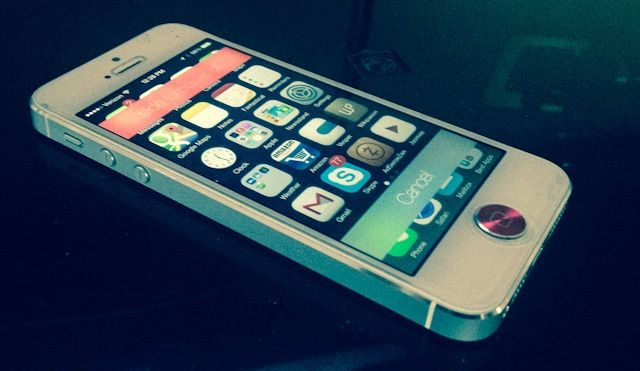
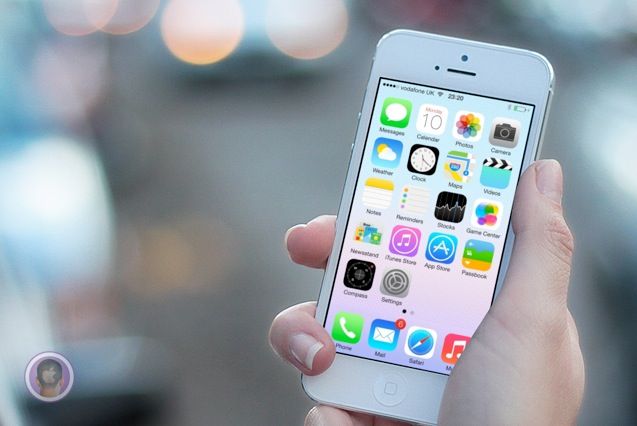
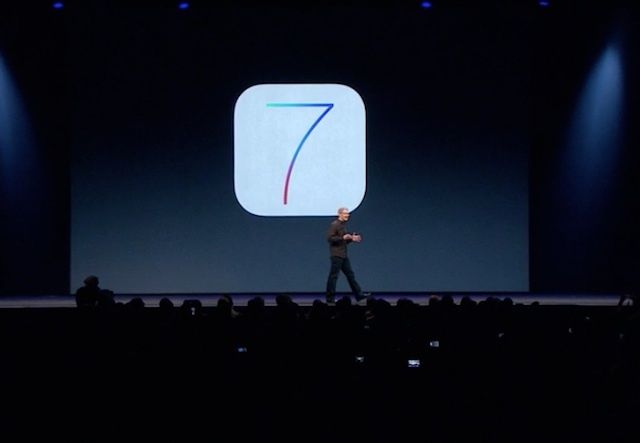
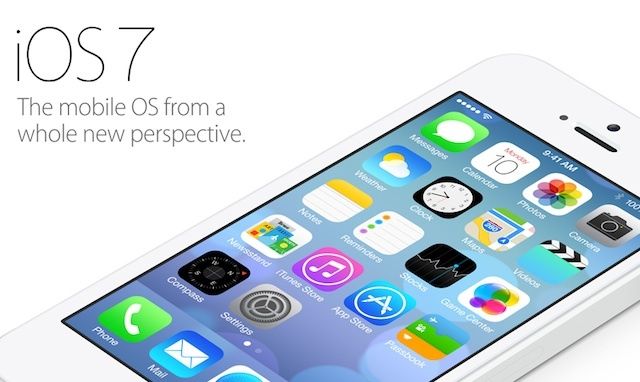
In the words of Apple itself, iOS 7 is the biggest change to their mobile operating system since the introduction of the original iPhone back in 2007. It’s more functional then ever, it’s prettier than ever: it’s the very definition of digital design purified and clarified down to the very basics of form merged with function.
Understandably, that means that many people are tempted to install it on their devices, either by forking over $99 for an Apple developer account or paying five or ten bucks to someone online to register your UDID for you.
We know it’s hard to wait, but you really shouldn’t do it. Here’s why.
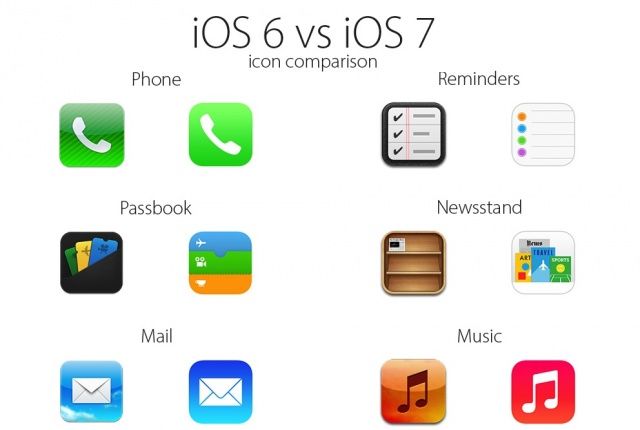
The new icons and user interface of iOS 7 has seemed to polarize a lot of Apple fans. Nearly every Apple app is getting a new icon when iOS 7 launches, and most of the icons are incredibly different that their iOS 6 counterparts.
Some designers have already set out to work on “fixing” Apple’s new icons, but to help you see how big the changes are, here’s a handy chart that compares all the new iOS 7 icons with their iOS 6 counterparts. Take a look:
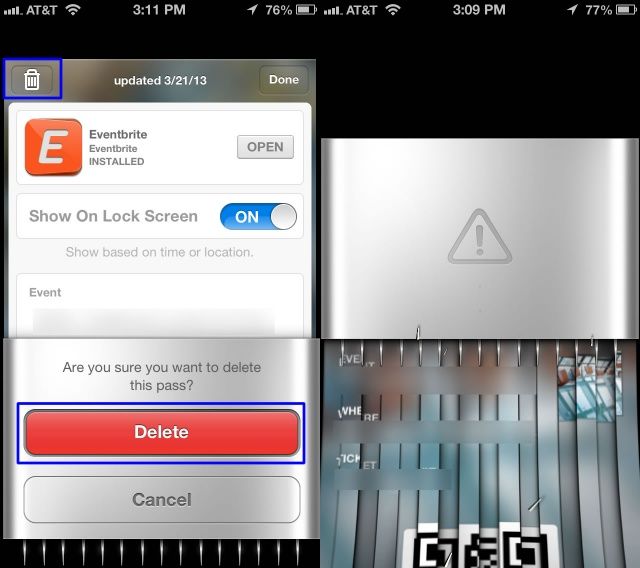
Passbook’s virtual ticket-shredder was one of the little touches in iOS 6 that wreaked of ugly skeuomorphisism. Now that Jony Ive has declared war against all of Scott Forstall’s tacky skeuomorphic UI elements, the Passbook ticket-shredder is now a thing of the past.
When you delete a card in Passbook now it just zaps away into the digital ether, rather than sending your virtual card through a virtual paper shredder that virtually obliviates your ticket so you know it’s deleted and no one can rummage through your virtual trash and piece together all the shreddings to steal your identity.
Here’s a GIF of the new iOS 7 animation in action:
Google has today confirmed that it has acquired social mapping service Waze as it looks to improve Google Maps. The company did not disclose how much it paid for the Israeli startup, but it has revealed that it plans to integrate some of its popular features into Google Maps.
Apple kicked off its WWDC keynote yesterday with an animated video explaining the philosophy behind its design process. Now the segment has been uploaded to Apple’s YouTube channel for the world to see.
“Here, simple phrases paired with elegant visuals describe the thoughts and emotions that go into creating each Apple product.” The video is very much about the company’s core values, like the ad we showed you yesterday.
Bloomberg says that “ads coming this summer won’t focus on the iPhone or any other single product, instead promoting Apple’s brand appeal and its collection of products that work seamlessly together.” The most recent TV ads to come out of Apple have focused on specific aspects of the iPhone, like music and photography.
Android chief Sundar Pichai has revealed on Twitter that he is “excited” to try out the new iOS 7 beta that Apple released to registered developers following its WWDC keynote on Monday. He’s even willing to splash $99 on a developer account to get early access to it.
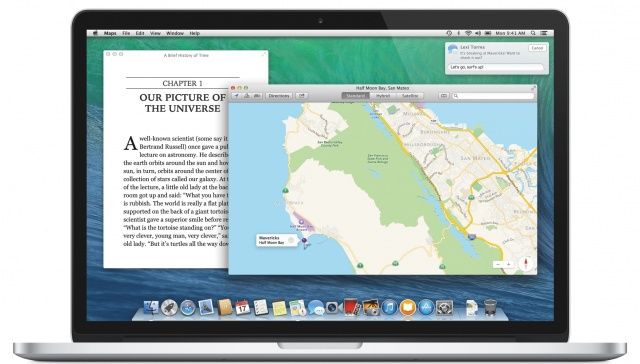
Although it’s not quite the overhaul we’re seeing in iOS 7, OS X 10.9 Mavericks is an exciting new update to OS X that crams a lot of new features into the Mac operating system, including Maps, iBooks, iCloud Keychain, a new Safari, a more powerful Finder with tabbed windows and tagging, better Notifications, far improved battery life support, and much, much more.
We’re still delving into Maverick and spotting the best features. Here’s everything new we’ve spotted so far, and we’ll be updating this post with more screenshots of the new shiny in OS X Mavericks.
I’ve given iOS 7 a lot of hate this morning — just because I hate its icons — so I thought it was about time I showed it some love. It may not look the best, but the next-generation of iOS is packed full of awesome new features that should greatly improve the user experience.
A lot of those were detailed during Apple’s keynote at WWDC yesterday, but some got left out. So here’s ten awesome features in iOS 7 that didn’t get a mention at the event.
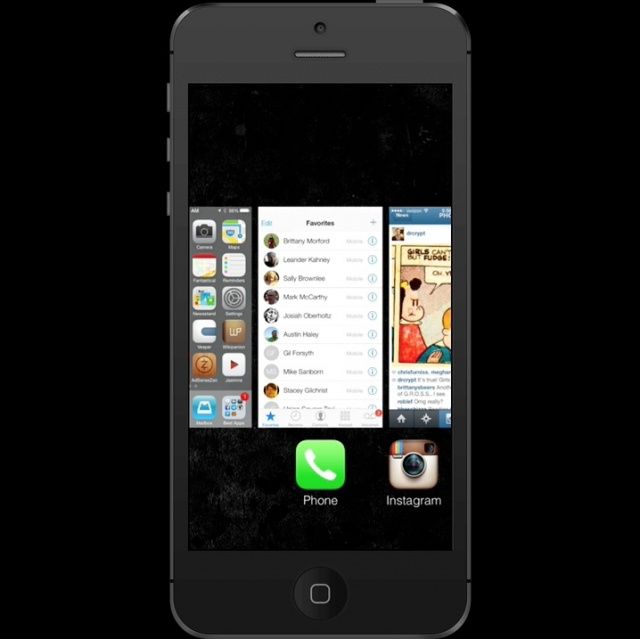
iOS 7’s new Multitasking app switcher is pretty nifty, and also pretty obviously inspired by popular jailbreak app switcher Auxo. One of the many ways in which iOS 7 Multitasking borrows cues from Auxo is how you actually kill running background apps: with a swipe! We’ve made a nice little animated GIF showing how it works.
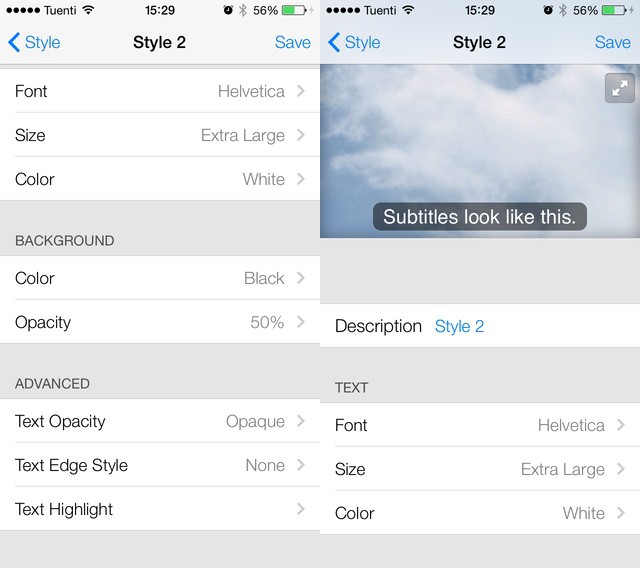
Years ago, I submitted a bug report to Apple. The problem? Teeny, tiny subtitles in the iOS Videos app, so small that even an eagle with binoculars couldn’t read them. I got a mail from Apple to follow up, and then, just one or two releases later, subtitles got big enough to read (the Lady and I have different native tongues so we usually watch everything with subs).
Now, in iOS 7, they’re not only big but completely customizable.
I’ve already written up my thoughts on iOS 7’s new look, and particularly its new icons. But I’m interested in how you feel about it. Am I the only one who thinks Apple took a step in the wrong direction when it was designed certain aspects of its next-generation mobile operating system?
Shared Photos Stream in iOS 7 are turning out to be a much bigger deal than I first thought. After playing with them for a few hours it’s clear that they might actually be Apple’s first successful social network. Why? It’s all down to a little “Activity” tab inside the newly-named “Shared Streams.”
Okay, so not everyone thinks Apple has ruined iOS with its newfound support of flat icons and whacky, eye-stinging colors. In fact, some iOS users love the new look. But many think it’s a gut-wrenching mess. In fact, some hate it so much that they’ve taken some time to fix it.
User interface designers have taken to Dribbble to showcase their own iOS 7 concepts, and I think you’ll agree that they’re a welcome improvement.
You know what I’m hearing a lot of today? “Whine whine whine. Don’t like the icons. This really is kind of a mess.” And this, from our very own chatroom: “It hurts the eyes,” and “The hideousness of this is blowing my mind.”
It seems that a lot of people don’t like the look of iOS 7. But you know what? I love it. Sure, some of those icons are a little garish, but in iOS 6, all of the native Apple icons were hideous. And whatever you want to say about the new look, you have to admit that it is now way more consistent.
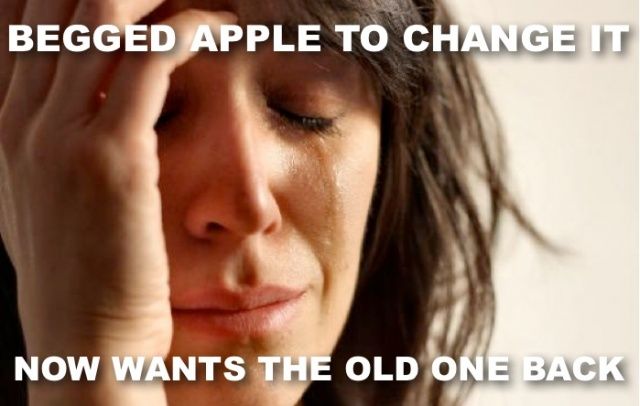
It’s our own fault. We all asked Apple to dramatically change the look and feel of the iOS operating system, which, until yesterday, remained largely unchanged since the introduction of the original iPhone back in 2007. And we all complained when it didn’t do that with iOS 6 this time last year.
But I can’t help but feel the Cupertino company is now punishing us for all those requests, and all that complaining we did before about its skeuomorphic designs.
When it comes to design, iOS 7 is vastly different to its predecessors. It still functions in much the same way — though there are some new features you’ll need to get used to — but it looks completely different. As soon as you power it up for the first time the minimalistic feel is staring back at you, but it isn’t until you’ve completed the setup process and arrived at your home screen that you want to vomit in your own lap.
OS X Mavericks has some crazy new power-saving technologies, as demoed yesterday at the WWDC Keynote. Most of these are system-based: the OS stops wasting CPU cycles running animations that are hidden behind another window, for example. But some, like this neat addition to the battery menu, are about advising the user what’s sucking the juice.
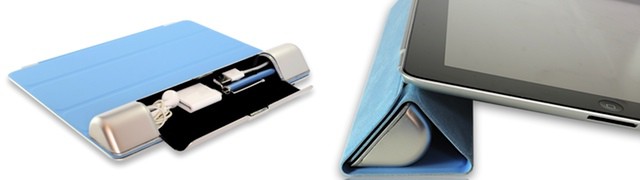
Our serial-inventing friend Dotan Saguy is back, this time with yet another super-smart iAccessory. It’s a little carrying case for your everyday iPad essentials, and it is designed to integrate with your iPd Smart Cover. It’s called the Smart Cargo, and it’s as ingenious as Dotan’s other Kickstarter projects like the Smarter Stand.
Every year a few quality apps are selected to win the coveted Apple Design Award at WWDC. It’s a developer’s dream to be recognized by Apple for making great software, and the Design Award is the pinnacle of accolades in the Apple developer community. This year’s winners include some very popular titles you may have heard of, like Letterpress and the newest iOS version of Evernote.
Ironically, one of the apps Apple selected for a Design Award this year has been killed in iOS 7.
Apple just finished its WWDC keynote and holy crap, there is a ton of new stuff coming to iOS 7 and OS X. A radical looking Mac Pro was also showed off alongside some MacBook Airs with all-day battery life.
To help save you some time, here’s a list of everything new Apple introduced today at WWDC 2013 that we’ll be updating throughout the day as new info become available.
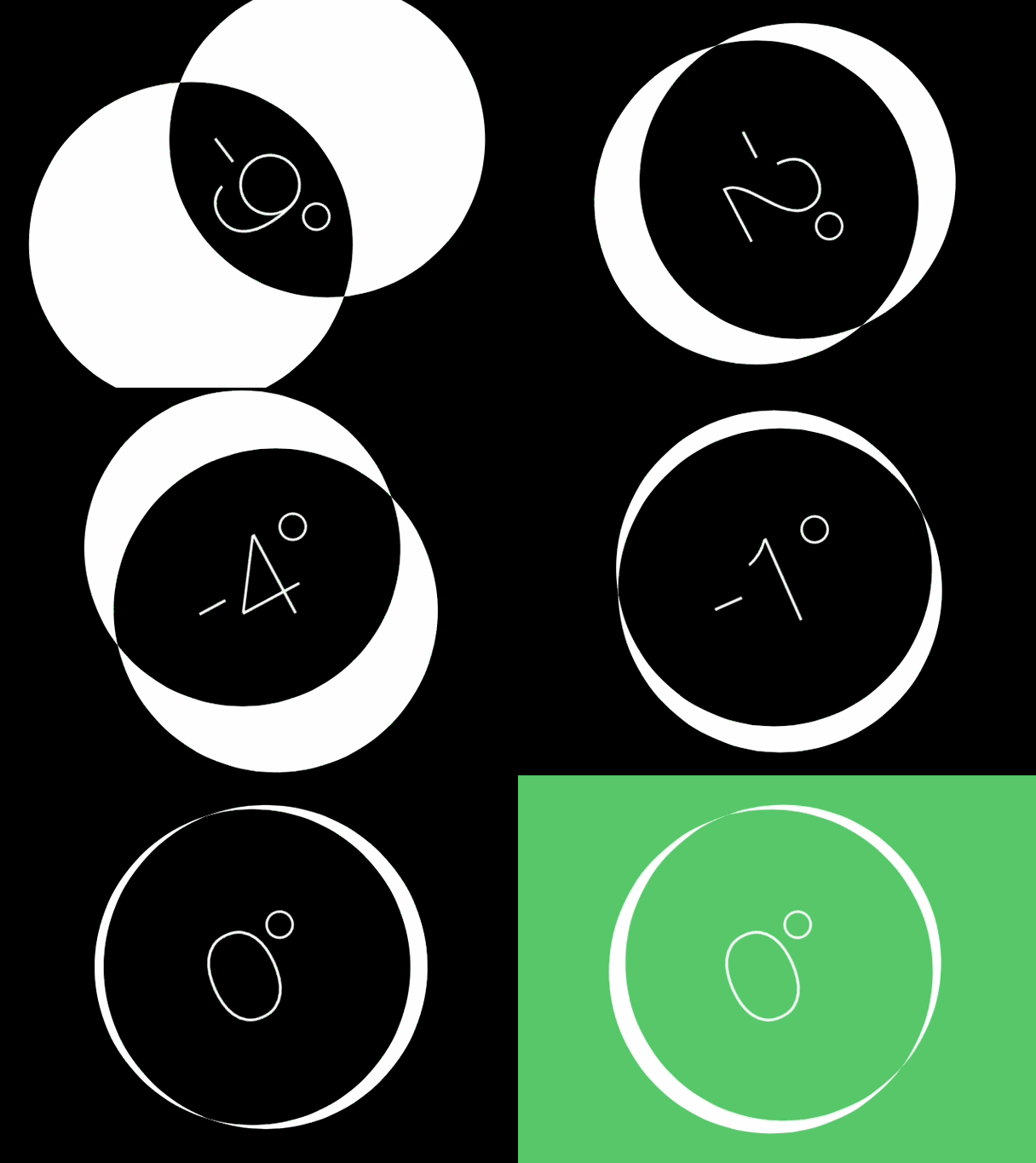
Not only did the Compass app in iOS 7 get a healthy dose of Jony Ive minimalism, it’s also got a new, ultra-minimalist level feature as well.
To access the feature just swipe left from the main screen of the Compass app. The app uses the iPhone’s accelerometer to show the user how many degrees off of zero a surface is. If a surface is flat, the iPhone locks into green screen.
Every time Apple releases new versions of iOS and OS X, you can guarantee Apple will take aim to destroy some popular third-party apps by aping their most popular features into Apple’s core services.
With iOS 7 and OS X Mavericks, Apple has its sights on some really strong competition. 1Password is in danger of becoming obsolete, along with a number of other notable powerhouses. Here’s who Apple aimed in its sights today:
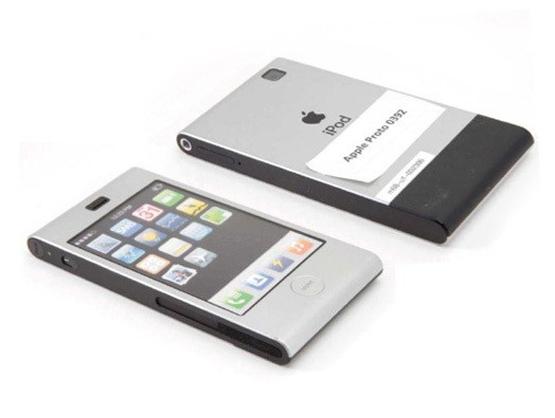
Want proof that Scott Forstall blocked Jony Ive’s vision for iOS? Here’s an early prototype for the iPhone, made in 2005 by Jony Ive’s industrial design lab. On the back it says “iPod” because it was based in the design of the old aluminum iPod Mini. Remember that dinosaur? But check out the icons on screen. Look familiar? The icons on the prototype’s screen look just like iOS 7!
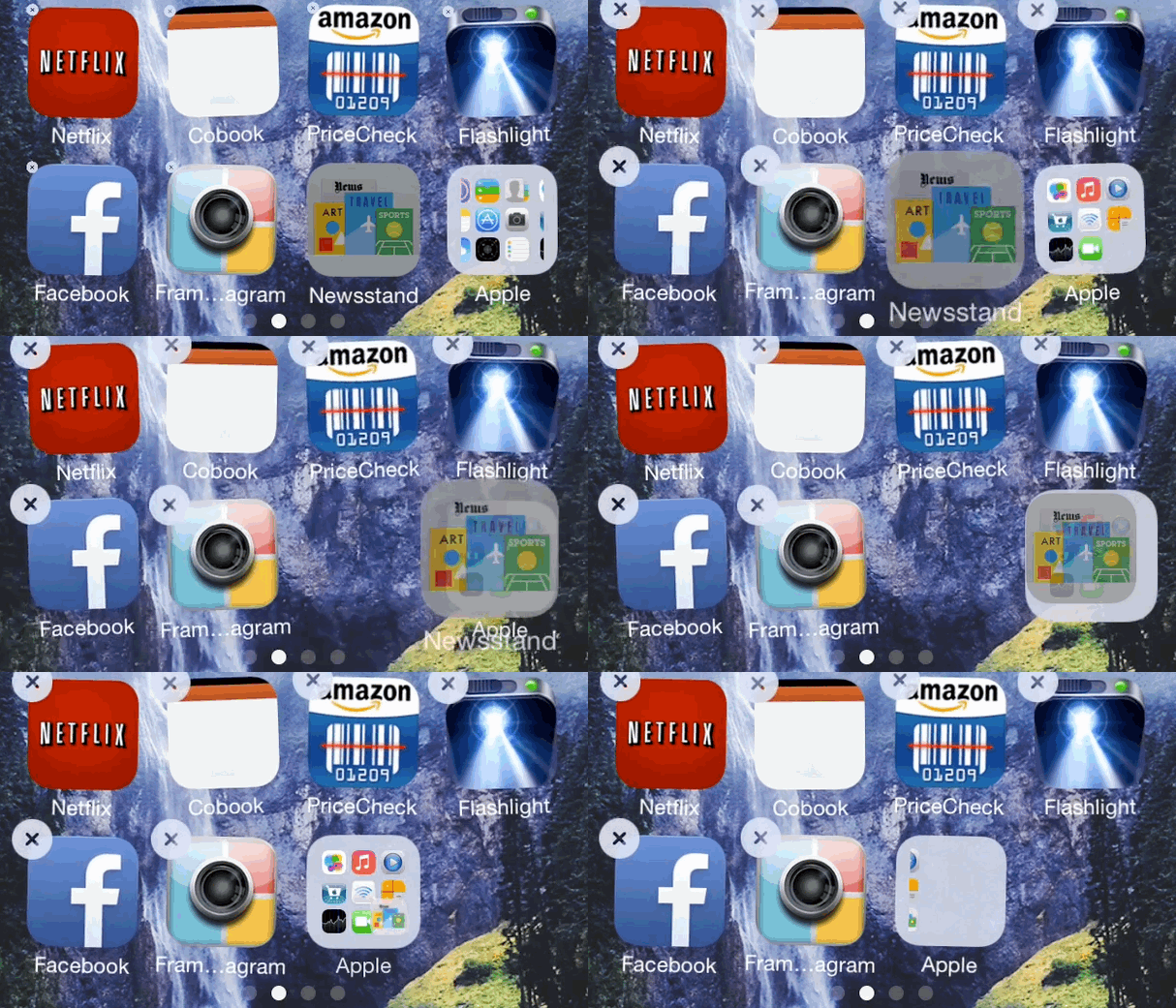
Here’s one of the best new little features in iOS 7: you can put the Newsstand app in a folder. You can’t delete it, but at least it’s out of the way.
There have been a few jailbreaking hacks that allow you to put the Newsstand app icon in a folder, but until iOS 7, Newsstand was the only iOS app that couldn’t be placed in a folder, to the annoyance of millions of iOS users.
SAN FRANCISCO, CA — Apple has been holding developer conferences for almost a quarter century, so it’s not surprising that the AltWWDC Keynote breakfast is less like Ugly Betty’s anti-prom and more like a midnight run of “The Rocky Horror Picture Show.”