Mobile menu toggle

MarginNotes Would Be The Ultimate Classroom Notes App, If It Weren’t So Confusing

By

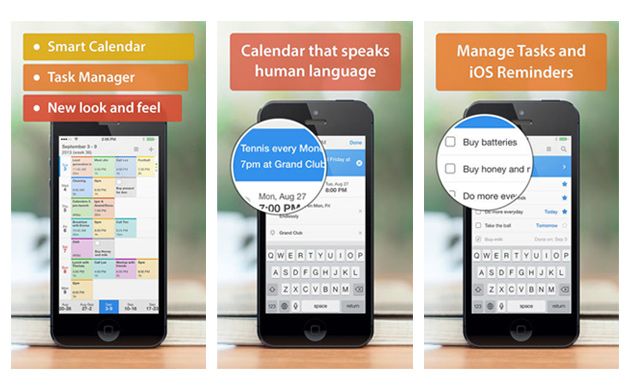
MarginNotes is an interesting app that may just be a little too confusing to use, or may be the perfect document markup app ever. I still can’t figure out which.

The app will open EPUB and PDF files and let you mark them up, adding comments, margin notes, sketches and anything else, and also lets you add entire outlines, or turn the document into an outline – I’m not quote sure. Let’s take a quick look:

Griffin iPad Survivor Harness [Dorkwear]

By

How about an iPad accessory so dorky, so unashamedly utilitarian that even the Android-using Killian Bell just dared me to wear one around this year’s Mobile World Congress? Interested? Good. It’s the Survivor Harness from Griffin, and it is so named becasue if you wear it, you’ll struggle to survive the taunts and humiliation it will surely bring.

Pics.io Launches In-Browser Photo Editor, But Why?

By

Between your iPhone, your iPad and your Mac, it’s hard to imagine a time when you’d be online and need to edit a photo, but somehow not have access to an app like Snapseed (which has its own browser version BTW).

But should you find yourself trapped at a PC, while nestled deep in bowels of a government building that has confiscated your iPhone and iPad at the gate (to be root-kitted and infected with spyware no doubt), and with a desperate need to add some pop to that cute cat photo you found, then head for Pics.io.

Go Hands-Free On A Budget With The Universal Car Mount [Deals]

By

redesign_carmount_mainframe1

We’re all guilty of it: the “cellphone-in-the-lap” move while driving. Whether we’re reading directions, sending a text, or talking on speakerphone, we’ve all used our cellphoens in the wrong place (the vehicle) and at the wrong time (while we’re driving said vehicle). Now you can avoid the temptation with the Universal Car Mount – the perfect accessory for any car owner.

Dial your phone, talk, and hang up without ever moving your hands away from the steering wheel. And thanks to Cult of Mac Deals you can get 51% off the regular price of the Universal Car Mount because it can be yours for only $14 during this limited time offer!

Why Apple Shouldn’t Let Comcast Buy Time Warner

By

twc


TV sucks.

The reason TV sucks is that the companies who control it make it suck on purpose because they believe that’s more profitable.

It’s technically possible for viewers to watch any TV show, movie or online video ever made at any time at either low or no cost.

This possibility is only theoretical. In reality, certain companies artificially prevent viewers from getting what they want. They create artificial scarcity in order to make more money.

A movie comes out in the theaters. But it’s not available for download. This non-availability has nothing to do with technical reasons. The studios are withholding it from you to make you go to the theater and pay for a ticket.

After it’s gone from theaters, there’s often some amount of time before its available online. And when it is available, you often can’t “rent” it. You can only “buy” it. It’s another form of artificial scarcity designed to trick people who are impatient, designed to exploit fandom, designed to manipulate the public into paying more for something.

And then there’s TV. Ugh! What a cesspool of customer-hating manipulation and exploitation.

There are two kinds of companies in existence. There are companies trying to make money enabling you to watch what you want when you want to watch it. And there are companies trying to make money by preventing you from watching what you want when you want to watch it.

MacBook Pro Proves That Windows Users Are Hairy, Hooting Cavemen [Humor]

By

post-266673-image-3b6e93f68801023eef1a5a8bb8d63ba0-jpg

https://www.youtube.com/watch?v=2s7v0F_oaZQ

How bad does the other half — those who have never owned a MacBook — have it?

Pretty bad, as this hysterical video showing what Macgasm (tongue-in-cheek?) says are a trio of Norwegian Microsoft employees hurling around a MacBook Pro between themselves like the early hominid apes in the Dawn of Man section of Stanley Kubrick’s 2001: A Space Odyssey.

So oblivious are they to the fact that this shiny wedge of unibody aluminum is a laptop, that they blindly destroy it, hooting and hollering as if they could never even envision a laptop that wasn’t made of cheap black plastic. Which, surely, many PC owners can’t.

Via: Macgasm

iPhone 6 Rumors And We Can’t Stop Flappin’ On Our Newest CultCast

By

cultcast-iPad-Mini-new-logo.jpg

We’ll never stop Flapping! On this CultCast, we investigate the worldwide obsession with the iOS wünder-game, Flappy Bird, and the bizarre stories of why the game’s developer pulled the wildly popular game so abruptly from the App Store. Plus, some new iPhone 6 rumors surface, and a Macintosh super-grid you’ve never heard of is hunting down a cure for cancer.

Softly giggle your way through each week’s best Apple stories! Stream or download new and past episodes of The CultCast now on your Mac or iDevice by subscribing on iTunes, or hit play below and let the audio adventure begin.

And thanks to Lynda.com for sponsoring this episode. Learn at your own pace from expert-taught video tutorials at Lynda.com.

Spruce Up Your Apps With Two Flawless iOS 7 Design Templates [Deals]

By

redesign_ios7temp_mainframe

With over 1 million apps in the App Store, your app needs a good design to stand out. Cult of Mac Deals has got an offer that will help you get that good design – and at a fraction of hte cost and effort.

This deal is for two iPhone/iPad App Design Templates that will help you bring your app to life. The templates include an Xcode project which shows you how to implement the design in the template. You also get access to a Photoshop PSD file which means you can tweak the colors or look and feel of the app. For a limited time you can get these flawless iOS 7 App Design Templates at the low price of $39 – a savings of 80%!

Hate EA’s Dungeon Keeper? Download The Real Thing For Free

By

Screen Shot 2014-02-15 at 11.19.07 AM

Electronic Art’s recently released update of Peter Molyneux’s Dungeon Keeper has garnered a lot of criticism for its shameless destruction of the gameplay of a strategy classic. But hey, why play that cynical piece of freemium crap when you can play the original for free?

For the next 24 hours, GOG.com is having a great promotion capitalizing upon the nigh-universal hatred for the Dungeon Keeper iOS remake. Just go to their site and sign up for an account to download the original classic Dungeon Keeper game for your Mac for free. Although seventeen years old, the original game still holds up, and runs just great on modern Macs. If you want to know why people are so honked off about the new version, look no further.

Source: GOG.com

Best Buy Offering $50 Off All iPhones Starting Sunday [Deals]

By

iphone5c131009

Periodically, Best Buy has been known to offer $50 discounts on select iPhones and iPads. If you’re looking to save a few bucks on an Apple product, Best Buy’s deals are a good, regularly occurring window to buy the device you’ve had your eye on.

If you’ve been waiting for that window to open again, good news! Starting this Sunday, February 16, and going to February 22nd, Best Buy will be taking $50 off the purchase of any iPhone with a two-year contract on any carrier.

You can also get $50 off the iPad mini with Retina Display, but only if you hop to it: that deal ends today. And if you trade in your old iPad while you’re with it, you can get a Best Buy gift card worth up to $200… probably not the best value for trading-in an old iPad, but a deal that could possibly influence some President’s Day weekend impulse shoppers.

Via: CNET

Microsoft Office Could Come To iPad Before Windows 8

By

office-ipad

We’ve been hearing tell that Microsoft will release a version of Office for iPad “soon” since at least February 2012, but instead of a native version, the only thing Microsoft has released so far is Office 365, a cloud-based version of the Office suite that works on mobile devices.

According to some well-connected insiders, though, the wait is almost over, and Microsoft could launch Microsoft Office for iPad in the next three months.

This Week in Cult of Mac Magazine: iMacs Hunt For A Cancer Cure

By

Cover design: Rob LeFebvre.


This week in Cult of Mac Magazine: Can iMacs find a cure for cancer?

Right now, thousands of kids across Kentucky are furthering cancer research while they do their schoolwork, thanks to the DataseamGrid.

Cult of Mac publisher Leander Kahney delves into how this massive grid of educational iMacs are churning data to help find a cure for cancer. One starter fact to make you blink: Every week, the grid processes 300 man-years worth of calculations while kids learn about fractions and foreign languages. Brian Gupton, Dataseam’s co-founder and executive director, talked to Cult of Mac about how this game-changing research is proving rich ground for education, employment and research.

Reporter Buster Heine checks out iPhone apps that can harness the processing power of your device while your run or walk your dog — he has found a bunch of great two-fer apps to get you in shape as you do good. We also bring you the best in new books, music and movies from iTunes and what’s worthwhile in the app store, plus our resident Apple genius dishes on whether the grass is greener, workwise, outside the store.

Cult of Mac Magazine

Refresh Screen & Keyboard Kit Promises To Keep Your Mac Squeaky Clean [Review]

By

refresh_converted
Refresh Complete Screen & Keyboard Cleaning Kit by Techlink
Category: Cleaning Kit
Works With: iMac, MacBook
Price: £19.95 ($33.38)

Chalk it up to the state of modern life if you want — where we’re much more comfortable looking at an iPhone screen than building fires and hunting wild animals — but there’s something undeniably manly about the idea of cleaning your iMac with something called a Screen Cleaning Blade.

Okay, so things get less rugged individualist when you hear that this is a scented, anti-bacterial Screen Cleaning Blade, and still less so when you hear that it features a “vibrant satin finish” — but, hey, at least it’s something, right? Coming packaged with another cleaner designed for your keyboard (the Keyboard Blade?), these two handy gadgets promise to keep your Apple products looking as shiny as the day you first unboxed them.

So do they live up to their word?

iPhone UI Designer Tells The Story Behind iOS Text Selection Patent

By

cutandpaste(1)

This week saw the publishing of one of the iPhone’s most recognizable patents.

Arriving with iOS 3 in June 2009 was the ability to select, copy, and paste text using two draggable selection handles displayed on screen. Miles ahead of what other smartphones were offering at the time, Apple’s solution was a neat way of transferring to mobile a tool that was a key part of the personal computer user experience.

To celebrate the publishing of this historic patent, Cult of Mac spoke with one of its inventors, user interface designer Bas Ording, about the development process.

Hit Play For A New Music Experience With “Beats Music” App [Video Review]

By

BeatsMusic

With popular music streaming apps like Spotify and Pandora already popular and on devices all over the world, any newcomers are faced with an immediate challenge. The makers behind the popular headphones and speakers Beats By Dre are taking their crack at the genre, with their new app and service Beats Music.

Take a look at the new Beats Music app and see how it compares to the competitors.

This is a Cult Of Mac video review of the iOS application “Beats Music” brought to you by Joshua Smith of “TechBytes W/Jsmith.”

Quickly Re-Type Previous Text In Messages App [OS X Tips]

By

messages buffer

When you’re typing in Terminal, it’s easy to access the commands you’ve previously typed with the Up arrow on your keyboard. This can be handy when you have to re-type a long, complicated command. Simply hit the up-arrow and you’ll get the previously entered command.

Hit the up-arrow again, and you’ll get the command you entered before that, and so on, cycling through in reverse order until you get to the very first command entered in that particular Terminal window.

Turns out, you can do a similar thing in Messages, too.

Publisher’s Letter

By

striscia

A few years ago at a MacWorld party, I spotted a guy I knew and barged in while he was talking to someone else. “Have you got a story for me?” I asked. He came back with a few suggestions, each less newsworthy than the last. His former conversation partner stood by in silence. Then Mr. no-news said, “Wait a minute: this guy runs the largest Mac supercomputer in the world!”

That guy was Brian Gupton, one of the brains behind the DataseamGrid in Kentucky featured in this week’s magazine. We talked for a couple of hours, lost in conversation in the middle of a party. I liked him immediately on a personal level: here’s a guy from a blue-collar background who is hugely passionate about education. And it turned out he had built this gigantic supercomputer that was trawling through massive amounts of data in the search for a cancer cure.

There were so many strands to the story.

At the time we met, there were two promising cancer drugs in the works. One of them appeared to be almost 100 percent effective at eradicating stage IV carcinomas. I remember being completely flabbergasted: “Are you sure no one has written about this?” His answer was even more astonishing: only local press had picked up the story.

I was amazed that he’d managed to build a world-class research tool in a place that was being decimated by the declining coal industry. It was a public/private partnership, and an early example of utility computing – this was before cloud computing had taken off.  Another fascinating detail: some of the drugs they were exploring were being grown in genetically modified tobacco plants.

Gupton and his partners built the supercomputer with Apple’s Xgrid, a software package for distributed computing  which, at the time, came built into OS X.  This meant that anybody could build their own supercomputer. And it meant that universities, schools, research centers could potentially become these powerful grids, following in Dataseam’s footsteps. (Apple has since removed Xgrid from Snow Leopard, making that less possible.) Many school districts buy iPads for kids now, favoring one-on-one computing without desktops. Yet Gupton is as passionate as ever and the researchers are still bullish, saying it’s the largest cancer drug pipeline in the country.

Today, the Grid hums as researchers look for chemicals to disrupt or inhibit the growth of cancer. Based on the modeling techniques that won the 2013 Nobel Prize for Chemistry they’ve built a simulator that takes a 3D model of a cancer protein and matches it against a molecular model of a chemical, working with a library of 20 million chemicals.

This supercomputer on a shoestring is still going strong.

Five Fun iOS Apps That Also Do Some Good For The World

By

gamesforchange

There are lots of apps and open source efforts that put your unused Mac processing power to good use, but now that we’re shifting away from desktops and onto iPads and iPhones we wanted to know if all that tapping on a touchscreen can change the world.

The countless hours you’ve invested into Flappy Bird won’t get you much more than a shiny platinum medal, but here are five iOS apps that are fun to play and help you do some good in the world in the process.

Play To Cure: Genes In Space

spacecure

Computer processing power is providing tons of heavy lifting for cancer research, but there are still some tasks computers don’t perform as well as humans, like recognizing visual patterns.

As part of the search for a cure to cancer, scientists across the planet are painstakingly analyzing thousands of cancer samples for genetic faults, but in a clever move to help speed up the work, Cancer Research UK has developed a game that lets gamers help.

In Play to Cure: Genes in Space players pilot a spaceship through the galaxy to harvest Dubbed Element Alpha, a newly discovered substance refined for use in medicine, engineering, construction and everything else. The thrill of blasting asteroids while scrambling through hoops at speeds faster than the speed of light provide players with hours of entertainment, but groups of gamers provide scientists with quick analysis of a cancer data set that would otherwise take hours with only one set of eyes.

Plotting points of density on the data set to steer your spaceship towards Element Alpha gives scientists more accurate results, which could be crucial in moving us toward the day all cancers are cured.

iTunes – Free

Quingo

quingo

Quingo combines trivia with aspects of bingo in a free-to-play game where are portion of the money raised from in-app purchases goes to benefit charities of your choice. The game spits out trivia questions with multiple answers on the board. The combination of quizzing and bingo is where it gets its awkward name, but the gameplay is actually pretty cool and challenging.

iTunes – Free
Sidekick Cycle

sidekickcycle

In a slightly meta move, developer Global Gaming Initiative’s Sidekick Cycle, a downhill-racing bicycle title, is using the money it raises to give children in Africa the opportunity to hurtle dangerously down steep hills on bikes of their own.

Alright, they probably prefer that the kids don’t do that, but it is certainly an option available to them.

The charity is dedicating half of its sales to the project, and it costs about $134 to build and deliver a single bike. This means that at its current price, the app generates one bicycle per 209 downloads.

iTunes – $1.99

Budge

budge

We all make silly 5 buck bets with friends that they will/or won’t be able to do something, but rather than cycling your petty change through you and your friends’ pockets, Budge lets you put those bets to good use.

The app links to your Facebook friends so you can make bets of $10, $5, or $1 where the loser donates to their charity of choice. You can also make make bets public so others can compete in your challenge.

iTunes – Free

Charity Miles 

charitymiles

OMG bikini season is almost here, which means if you’re anything like me you’re pounding out 10 to 15 miles a week to get toned and in shape for that perfect summer bod. Well, maybe it won’t be the perfect bod, but you can put all your movement to good use too.

Charity Miles allows you to earn money for the charity of your choice by walking or biking out miles. On a short 30- minute walk with my dog I raked in $0.43, but you can also bike and earn 10 cents a mile, otherwise you get 25 cents when walking or running.

They just came out with an update that added teams so you can join forces with your friends to bike-away autism. If you’d like to join our team, just type in @cultofmac in the My Teams section.

iTunes – Free