This video of a slowly rotating iPhone through an X-Ray is surprisingly cool. There’s no word on where the video came from, or why it was made. Strange.
Via Just Another Mobile Phone Blog.
This video of a slowly rotating iPhone through an X-Ray is surprisingly cool. There’s no word on where the video came from, or why it was made. Strange.
Via Just Another Mobile Phone Blog.
AT&T is bringing Multimedia Messaging to the iPhone on September 25. But if you can’t wait ten days or so, here’s how to get it now.
Kirikae, a free jailbreak app switcher/launcher for the iPhone, is yet another forbidden app that shows exactly how simple power features can drastically improve the iPhone user experience. With two clicks of the home button you can switch between apps while automatically backgrounding the app you leave. Kirikae was initially released on September 7, and the recent update (version svn.r49) adds more great features to an already killer app switcher.
This print and fold iPhone stand looks like something from Muji: chic, simple and functional.
It’s the handiwork of French industrial designer Julien Madérou, who kindly provided a downloadable template.

If you’ve got dexterous hands (or just the patience to watch the instructional video) and some heavy paper (270 gsm or 100 lb. cover), you can do it yourself.
Via Make
In the mid-1990s, gaming on the Mac was an incredibly sad affair. Very few titles were available outside of Myst and the various Sim titles, and the performance was quite poor. Games were regularly, and correctly, cited as a legit reason to prefer PCs.
But there was one exception that made the whole thing work: Snood, a tiny puzzle game from a geology professor at a liberal arts college in North Carolina. You shot little colored creatures (Snoods) from a cannon, attempting to match colors and clear the board. Yes, it was a whole lot like Bust-a-Move. That’s not the point. It had the ability to make shots through tiny cracks and suddenly clear the whole board with one click. It was fun, exciting, and, most of all, addictive as hell.
And it was a phenomenon. Basically, if you were college-age or younger and owned a Mac, you owned Snood, and you played it all the time. I still remember trying it for the first time in the Fall of 1996 when my older brother returned from his first semester at the University of Michigan and introduced me to my new gaming crack. I later became Johnny Snood-Seed, installing it on Macs at my high school that weren’t locked down (I disguised them as Internet settings panels so administrators wouldn’t delete them) and had my entire high school paper staff blowing deadlines because of it.
The game eventually got ported to pretty much everything, including Windows and TI-84 calculators, but its real roots are with Apple. And that’s why it’s such good news to learn that the iPhone version (App Store link) is out now. I’ve only spent a little time with it, but the developers have captured some of the feel of the Mac original. Now I’ll be able to procrastinate my professional work the way I once did my homework — in the palm of my hand! It’s even got Facebook connectivity so you can play against my high school friends, too. Quite a set-up. Nostalgia is a powerful marketing tool, isn’t it?
What it is: Yahoo has released a native app for iPhone that seamlessly integrates Apple’s mobile device with Yahoo’s popular photo and video sharing platform, Flickr.
Why it’s cool: With the iPhone having recently become the most popular camera among users of the Flickr service, it should be no surprise Yahoo has produced a nifty native app that makes uploading photos and videos from the iPhone to Flickr dead easy.
The first time users launch the app they are prompted to verify a Flickr account through a Safari browser, after which uploading pics and videos to Flickr servers on-the-fly become easy and intuitive. Uploads can be geotagged, tagged with keywords, and placed into sets – and a user’s entire Flickr stream can be viewed in series or by set and tag.
Maybe you don’t want to upload pics but just want to chill with some eye candy from your own stream, the streams of your Flickr contacts, or from other Flickr users worldwide. Just open the app and it will serve up a handful of images from random users as well as from your contacts and display them in a lovely little “Ken Burns”-style slide show. You can also search your contacts, view recent activity, comment and mark images as favorites.
All in all, the app brings very tight integration between the iPhone and the web service and should make the iPhone even more popular as a Flickr upload device in the coming months.
Where to get it: Flickr for iPhone is a free application, available now on the iTunes App Store.
It’s Friday and it’s time for our weekly digest of tiny iPhone reviews, courtesy of iPhoneTiny.com, with some extra commentary exclusive to Cult of Mac. Except this article didn’t show up last week, due to me ending up in Belgium, so this time it’s a one-off, extra-special iPhone Fortnightly Digest!
APPS OF THE WEEK
TonePad Pro: Addictive grid-based musical toy. Many editing/sharing options. Ringtone exports a tad distorted. 5/5 $0.99 https://is.gd/36AZt
FlipTime: Cute clock/calendar akin to old-style airport/train station boards. Lsc. & portrait modes. No alarm. 4/5 $0.99 https://is.gd/2NJnC
Terminator: Death Valley 1: So-so ‘humanoid killer robots’ vs contemporary ‘human cannon fodder’ comic. Nice UI. 2/5 Free https://is.gd/2JTvQ
Remix David Bowie – Space Oddity: Simple but limited multitrack ‘mixing’ of a famous Bowie track. 3/5 $1.99 https://is.gd/2LtRo
Adrenaline: 32 basic, quickfire ‘blitz’ games. Sometimes fun but would benefit from much shorter level times. 3/5 $0.99 https://is.gd/2Qryw
Leaves: Tranquil leaves-based toy. Slightly iffy 3D and physics, but calming, and fun for a short time. 2/5 $0.99 https://is.gd/30cmL
Score-Em: Virtual scorecard app with varied graphics and relevant audio. Works fine, but throwaway in nature. 2/5 $0.99 https://is.gd/32bBx
Gem Ninja: Mindless prod-based tile-match game. OK for a free time-waster, but not worth paying for. 2/5 Free https://is.gd/32cQy
Looptastic Electro Edition Lite: Loop remix tool. Fantastic UI, varied audio stems, and ten loops to play with. 4/5 Free https://is.gd/34Hp2
StarTime: Vibrant, bold Star Trek-like clock. Optional random sounds & can run iPod music in background. 3/5 $0.99 https://is.gd/39xOi
Since this column didn’t happen last week, it’s only fair to highlight FlipTime, which would have been ‘app of the week’ last week. It’s one of those apps that shows you don’t need something that’s all-singing and all-dancing to make an impression. Instead, charm sometimes goes a long way. All FlipTime does is show the time and date, sporting a visual appearance like those old-fashioned flip boards you’d see at railway stations and airports. Sounds are optional and the numerals are bold enough to see at a distance. Aesthetically, it’s also the nicest iPhone clock I’ve seen.
TonePad Pro is this week’s favourite. It’s been described as iPhone musical crack elsewhere, and it does have a certain addictive quality about it. Again, it’s a simple app—this time, you toggle grid spaces to play notes in an ever-repeating loop. However, this time it’s the attention to detail that wins through, the developer having provided plenty of options for editing, saving and sharing your creations. The Pro version is ad-free and enables you to email ringtones that can then be dropped into iTunes and synchronised with your iPhone. But if you don’t care about ringtones and ads, the free version of TonePad is just as good.
Follow iPhoneTiny on Twitter, or visit iPhoneTiny.com
A popular tethering hack that allows your computer to access the internet via your iPhone’s cell connection is broken with the iPhone 3.1 update. The update also disables MMS messaging enabled by the same hack.
The hack is enabled by changing iPhone’s AT&T carrier file. It’s easily enabled by visiting sites like BenM.at using mobile Safari on the iPhone, and appears under the Network settings. The option is removed under 3.1.
AT&T will roll out multimedia messaging for the iPhone on Sept. 25, but hasn’t given a release date for tethering, saying only it will be available “in the future.”
I’ve been a gamer since the very early 1980s, and have owned more systems than you can shake a stick at. A year ago, I happily penned an article for this very site, suggesting iPod gaming was a crock of shit. And you know what? I was dead wrong… absolutely, painfully, utterly, astonishingly wrong. The fact is, iPod is the most exciting platform for gaming we’ve seen in years.
Cult reader Gary Gale recently blogged about his positive experience of using an iPhone as an electronic boarding pass during a flight from Amsterdam to London.
Earlier today Steve Jobs told the New York Times that the iPod touch is first and foremost a gaming device, and that’s why it doesn’t have a camera. We’re not entirely convinced, but look at this chart Apple trotted out this morning’s “Rock & Roll” event.
It shows the number of game and entertainment titles for the iPhone/iPod platform. Apple has almost five times the number of titles as the Sony PSP and Nintendo DS combined.
That’s a huge number. Yes, a lot of those titles are fart apps or simple throwaway games. But that’s still a lot of titles. My kids haven’t touched their GameBoys since we got an iPod touch.
This is why the iPod touch was upgraded with beefier CPU and graphics — to make it a better gaming machine. And no wonder every game company under the sun is rushing out apps — the iPhone/iPod platform is taking over. Add another industry to Steve Jobs’ quiver: PCs, digital music, computer animation, mobile internet and now games.
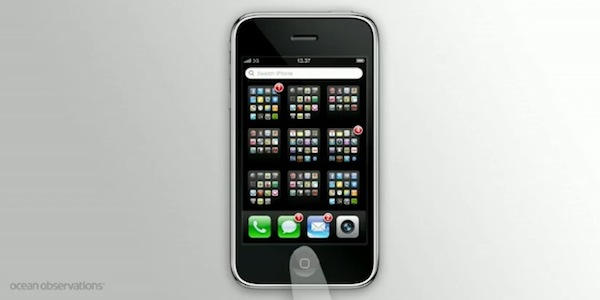
Here’s a short screencast showing the basic function of iTunes 9’s new app management tool for iPhone and iPod touch.
It’s interesting to compare and contrast this with this app manager concept that we featured here on the Cult back in February.
Most iPhone owners I know have never bothered to sort their apps into any sort of meaningful screen-by-screen arrangement, simply because doing so was too much hassle. This tool will change that, I think, and encourage people to create screenfuls of apps sorted by category.
Have you tried re-arranging your apps yet? What do you make of it?
The OS 3.1.1 update for iPhone and iPod touch is available now from Apple’s servers. Plug in your device, go to iTunes and hit “Update.”
Details after the jump.
When it comes to mobile banking, iPhone users are way ahead of the curve.
While half of iPhone users already check in with their bank from their smart phone, it’ll take another five years until other kinds of cell phone owners do the same, a study said.
The 2009 Mobile-Banking and Smartphone Forecast by San Francisco-based Javelin Strategy & Research found that although half of all current cell phone owners have access to some form of mobile banking, it’s only caught on with iPhone owners. (No doubt the app plays a big part in the revolution — one US bank recently developed one to allow customers to photograph their checks and deposit them via iPhone.)
The firm expects it’ll take until 2014 for 45% of non-iPhone owners to connect with the bank via phone.
iPhones gave AT&T the highest number of mobile bankers, while Verizon Wireless has the lowest penetration for banking on-the-go among major U.S. carriers.
“Just as the iPod changed the music industry and their business models, our data shows that iPhone users are changing the banking industry by leading the way in monitoring and managing finances through mobile devices,” said Mark Schwanhausser, a Javelin analyst.
Can’t decide whether you want your iPhone in your car, on your hip or patiently charging until your next foray? Such indecision could be the target market for USBfever’s 3-in-1 in-car/on-belt plus charger device.
The $40 gadget includes a goose-neck holder for car trips and a detachable case that also serves as a belt-clip. Finally, the unit includes a charger, complete with LED indicator and a bit of circuitry to prevent an overload.
iPhone users could potentially benefit from any one of these features if they were single-use. For instance, we’ve talked about iPhone holsters, in-dash devices and external battery packs.
[Via iClarified,Macnn and USBfever]
If you have a Google Voice account, you can make free VoIP calls on your iPhone. You’ll need to sign up for an account at Gizmo.com and download the free Fring app for your iPhone, but after that you’re done. You can make free outgoing calls to (up to three minutes) and receive unlimited incoming calls through Google Voice.
Hit the jump for instructions.
Spotify’s iPhone app has just gone live on the iTunes app store. But us poor Yankees are SOL. It’s available in Europe only — for now anyway.
The app is available here for free from Apple’s App Store, but requires a premium Spotify account to work at a cost of about £9.99 (about about $16) a month.
Neither the app nor Spotify is available in the U.S., but plans are afoot to bring the highly-rated service across the pond. It is set to come to the U.S. sometime later this year, or maybe next, pending licensing agreements with the record labels, and advertising deals that support the free service.
Because Spotify’s streaming music service is such a threat to iTunes, it was possible that Apple might somehow disable the iPhone app. Apple has disapproved of apps that replicate core iPhone functions, like Google Voice. While there is no indication yet that Apple cripples threatening apps, it doesn’t approve them. Apple perhaps doesn’t see the Spotify iPhone app as a threat while it is restricted to premium customers.
But Spotify’s app doesn’t seem to have any restrictions, except one imposed on all third-party apps — it can’t run in the background.
Spotify’s streaming music service has taken the world by storm with a music library that rivals iTunes — about 6 million tracks — and an interface to match. It’s dead easy to search, build playlists, and find new artists. It’s basically iTunes in the cloud — but free (with the occasional ad).
Spotify’s iPhone app adds a very important feature: it can cache full playlists to be played offline. You can store up to 3,333 songs — that’s 10 days constant listening — and they will play when the network goes dark. The offline caching service allows tracks to be played anywhere offline: on airplanes, in subways or even when traveling overseas to avoid roaming charges.
Official screenshots of the app and a video of it in action after the jump.
Since I mount my iPhone on my windshield for easy access to my music, I thought it would be appropriate to drill a hole in the plastic to let me take pictures and video while driving. It wasn’t difficult to do. If you have a dremel or a drill you can crank this out in 3 minutes. The plastic is durable enough to handle the pressure of the drill and there isn’t any cracking.
I have the Griffin WindowSeat which comes with adapters for ipod touch and the 1st gen iPhone. It’s a great deal/gift for someone who has an aux input in their car.
Hit the jump to see a video showing the DIY dash cam at work.
When I first went to pick up my iPhone 3G, I was scared. I know what my hands are capable of: Horrible, unthinkable acts of clumsiness. I’ve hurt myself. I’ve hurt others. I’ve even hurt my kitties. So why would I want to put this salvific piece of tech gold into harm’s way? I need to protect this treasure, specifically because I don’t have another $600 to spend on a replacement. And I will be needing one soon.
But I don’t put my iPhone in a case. You shouldn’t either.
If Apple wanted to stand the world on its ear next Wednesday at the It’s Only Rock and Roll But We Like It event in San Francisco, the company would announce it is opening iPhone software development to all comers and is dropping the facade of exclusive distribution through the iTunes App Store.
Heresy, you say? Perhaps in the eyes of some, but read on to learn why those two moves would be best for the company, the platform, for developers and – most of all – consumers.
The iPhone Spotlight search feature has been improved yet again.
Universal Search, a jailbreak app from Efiko Software, takes searching with Spotlight to a whole new level. With this add-on installed, Spotlight can access mobile search sites and generate location-based results all from within the Spotlight search window.
Universal Search’s smart input monitoring allows the user to enter a phone number or url directly into Spotlight and options to call, text or visit the url pop up in the results. It also searches Google Maps and mobile sites directly rather than going through a search engine’s web results.
Search sites include Wikipedia, Google Maps, Twitter, CNN, ebay, IMDb, flickr, and ESPN.
Universal Search is available for $4.99 in the Cydia Store.
Multimedia Messaging Service is coming to the iPhone on September 25, AT&T just announced in a press release. The service will be available at no additional cost to iPhone customers with a text messaging plan (which start at about $20). But there’s still no word on tethering (which allows your computer to access the internet via the iPhone’s data connection).
The MMS announcement comes as AT&T draws fire for its slow, unreliable data network. MMS is likely to put more strain on the network, but AT&T claims it is ready.
“The unique capabilities and high usage of the iPhone’s multimedia capabilities required us to work on our network MMS architecture to carry the expected record volumes of MMS traffic and ensure an excellent experience from Day One. We appreciate your patience as we work toward that end.”
We’re riding the leading edge of smartphone growth that’s resulted in an explosion of traffic over the AT&T network. Wireless use on our network has grown an average of 350 percent year-over-year for the past two years, and is projected to continue at a rapid pace in 2009 and beyond. The volume of smartphone data traffic the AT&T network is handling is unmatched in the wireless industry. We want you to know that we’re working relentlessly to innovate and invest in our network to anticipate this growth in usage and to stay ahead of the anticipated growth in data demand, new devices and applications for years to come.
The MMS service will allow iPhone users to send and receive messages containing images, audio, video. MMS is widely available in other countries, and can be enabled on many iPhones with a simple hack.
Tethering is not likely to be announced for several months as AT&T builds out its network with 2,100 cell towers and 100,000 new backhaul links.
Sales of Sony’s MP3 Walkman outsold iPods for the first time in Japan for the first time since 2005.
Research firm BCN Inc. found that Sony’s share of the portable music market share rose to 43 percent last week, creeping above Apple’s 42.1 percent.
The uptick in sales is attributed to the W Series pictured above, which sells for under 10,000 yen ($108). Sony’s answer to the iPod shuffle is a 2G wearable headset that has generally met with favorable reviews.
But Sony MP3 players might not be as big in Japan as they seem. As Bloomberg notes, the jump can be at least in part attributed to people ditching iPods for the iPhone, so Apple wins either way.
Via Bloomberg
Duracell’s cheap and cheerful little rechargeable battery pack is “perfect,” Gizmodo says in a nice little review of the new gadget.
Just released, Duracell’s $20 Instant Charger is good for about half a charge of an iPhone, or a full charge of an iPod nano.
“Duracell’s Instant Charger is a perfectly executed little gadget,” Gizmodo says.
The site has seen plenty of pricey chargers with all the bells and whistles, which are usually superfluous. Gizmodo is charmed by the Instant Charger’s purity: it’s basically a rechargeable litium ion battery hooked to a USB port, and that’s it.
You plug in your own charging cables, so it’s good for iPhones, iPods, digital cameras, Bluetooth headsets and any other gadget that comes with a USB cable.
The Instant Charger ‘s bigger brother, the $50 Powerhouse Charger, stores enough juice to charge an iPhone 3G 1.2 times, or an iPod nano 4 times, Giz says. But it isn’t as compelling as the Instant Charger, which is perfectly simple and cheap.
Searching the iTunes app store is much easier when you’re not using the iTunes app store. Launching today, uquery.com aims to be the vehicle for the app discovery process.
The site uses its own system of algorithms called “AppRank” to make it easy and fast to find the right app for certain tasks. Search results appear in a easy-to-navigate center column along with options to refine your search.
Unlike the iTunes App Store, you can use your browser’s “find in page” command to pinpoint your search term in the search results. It’s the little things.
At the moment, uquery.com appears to generate search results from the full text app descriptions. As the site gains visitors, search queries and tweets, the “AppRank” system will improve its ability to make the app discovery process more intuitive.