After word leaked to the Internet that AT&T was preventing residents of one of the largest and most populous metropolises in the country from buying iPhones online thanks to wide scale fraud, every hour that passed without iPhones available on AT&T’s official website was further egg-on-the-face of a carrier that has, in recent months, become synonymous with incompetence and bad customer service. There was no way it could have lasted for long, and so it didn’t: AT&T is now selling iPhones through their official site again.
Back in the day, Louis Lumière and others magically set still pictures in motion, and — voila — the motion picture was born.
Over 100 years later, unbelievably, the ability to make motion pictures still hadn’t appeared on arguably the most advanced smartphone in the world — even more absurd was the fact that phones much cheaper and less sophisticated had absolutely no problem shooting video. Yes, the 3GS has a pretty cool vidcam feature, but the Original and 3G still couldn’t shoot video.
Gunman seems like a keen little iPhone app. Think of it like suburban Lazer Tag, replete with a healthy dash of augmented reality, but missing the cute beeyooping space guns or the likelihood of being shot to death by a trigger happy cop.
In Gunman, two iPhone-toting players square off in a suburban deathmatch arena. First, each player identifies the shirt color of their opponent; then, using their iPhone’s built-in camera as both gun barrel and sights, they take aim and shoot at one another, shaking their iPhone to reload their virtual glocks. If the Gunman app detects that the opponent’s shirt color was in the iPhone’s crosshairs when the shot was fired, it will register a kill and vibrate the iPhone of the perforated victim.
It looks like a lot of fun, and for this holiday week only, it’s on sale over at the App Store for only $0.99. You can check out Gunman’s trailer above. Matrix techno ahoy!
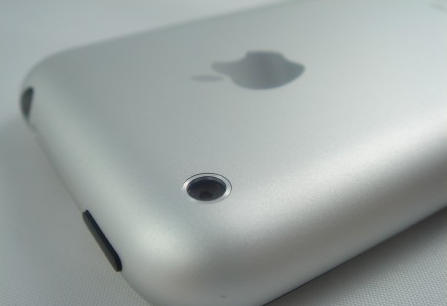
The camera in the iPhone is pretty crummy, even when compared to the constabulary of terrible camera sensors installed in other smartphones. When the iPhone 3G came out with a 2-megapixel camera provided by Aptina, the competition was boasting 3.2MP, and when the iPhone 3Gs matched that ante thanks to a sensor from OmniVision, other phones raised the bet to 5.
So there’s reason to believe a report from Taiwan’s Digitimes that Apple’s forthcoming iPhone will again boost its megapixels to match the likes of the Motorola DROID, which has a 5MP sensor. According to their sources, OmniVision is set to supply a 5-megapixel camera for the next-generation iPhone, due to arrive in the second half of next year.
With yesterday’s release-then-nearly-instantaneous-pull of the Nescaline NES emulator, the message should be clear: jailbreaking is the only real option for iPhone emulation enthusiasts. Good news, then, for jailbreakers: ZodTTD has has released the Nintendo 64 emulator N64iPhone through Cydia just in time for Christmas, with one killer little feature… Wiimote support through Bluetooth pairing.
Emulation tends to be slow on less beefy hardware, and it doesn’t look as though N64iPhone manages to defy expectations in that regard: even when using the Wiimote, the emulator appears tricky to control, with notable slowdowns. Still, at least it’s working. Heck, at least it’s real, unlike the last N64 emulator we wrote about, which turned out to just be a clever video.
If you can deal with slowdowns and convoluted controls in your quest for mobile Metroid Prime, you can download N64iPhone through Cydia for just $2.50.
httpv://www.youtube.com/watch?v=Y4IjeO7g6kA
If you’re not sold on the freshmen augmented reality apps available for the iPhone, this one probably won’t change your mind.
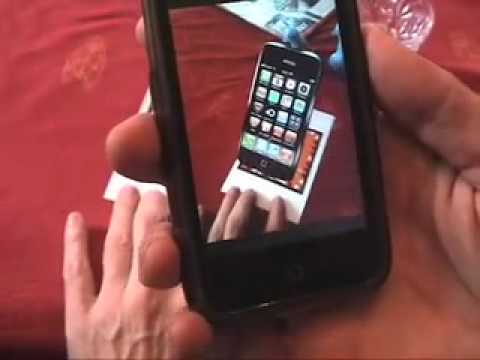
With it, you launch a simulated iPhone on your iPhone screen. Then you can zoom your virtual iPhone or spin it around and run other apps on it. The virtual “apps” aren’t real applications but the effect is suitably trippy nonetheless.
Developed by Ogmento for Orange Telecom Israel to generate interest for the iPhone launch there, it’s not available to the general public.
Useless? Pretty much. But sort of an Escher for the digital age.
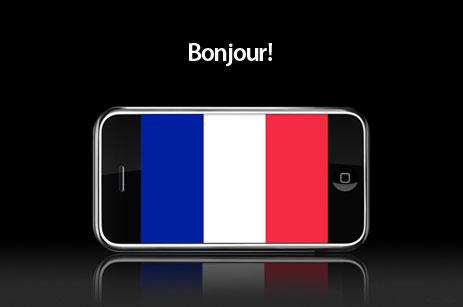
An iPhone price war currently underway in France may be our first glimpse of what we can expect if, as rumored, AT&T’s exclusivity deal with Apple runs out next year, and the iPhone comes to other carriers.
A word to drivers down under: make sure your license and registration are up to date.
Police in Tasmania are using iPhones to snap plates, relay the pics to a database of unregistered vehicles and unlicensed and disqualified drivers via an app developed for the department.
In just 10 days of operation, the app has outed 167 unregistered vehicles and caught 107 disqualified or unregistered drivers, the Mercury reports. Formerly, officers had to radio in the information and wait for a co-worker to check.
Within the first 10 minutes of trying it out, police pulled up alongside a car at a traffic light ran the app and found the car was unregistered. They pulled over the car, found the driver was also without a license and drugs in the car, too.
You can take your business school degree and cram it up your plush Christmas stocking: iPhone games developer Tapulous, best known for their rhythm game Tap Tap Revenge, are now bringing in $1 million a month in sales.
In the laughable understatement of the year, Tapulous says they are profitable. Tap Tap Revenge has been installed on over one-third of all iPhones and iPod Touches. CEO Bart Decrem says that he experiences his company to exponentially grow as the mobile app market gets broader. “It’s going to be big and all of a sudden people are going to say, ‘holy cow, where did those guys come from?'”he said.
That’s great for Tapulous and its small constabulary of employees — it couldn’t have happened to a nicer bunch of guys — but they are, of course, in the minority. I suspect Tapulous just has too much momentum to stop: they launched an iPhone game early inspired by a very popular and casual-friendly genre of music games like Rock Band and Guitar Hero, and they can ride that early success for awhile. Things are doubtlessly not so rosy for the developers trying to get their apps noticed in a sea of a hundred thousand now.
Mark your calendars. It looks like we have a date for next year’s World Wide Developer’s Conference.
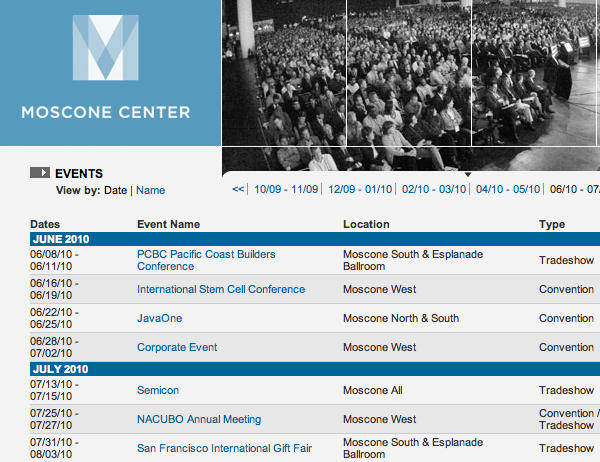
Thanks to an update to the Moscone Center’s summer schedule, it now looks like this year’s WWDC will be held from Monday, June 28th, 2010 to Friday, July 2nd, 2010. There’s no official confirmation just yet, but the Moscone Center has blocked off those dates for a “Corporate Event.”
That can really only be one thing. It overlaps nicely with the third anniversary of the iPhone’s release… and, not so coincidentally, the presumed lapse of AT&T’s exclusivity deal. Even if Apple doesn’t reveal a new iPhone model at WWDC this year (and they will, if only to bump screen resolution to be competitive with the likes of HTC Droid and the Nexus One Android smartphones), I imagine we will all be happy to hear the announcement of new carrier choices. God knows we need the option.
Over the weekend, Seth Myers’ made a joke about the iPhone’s inability to actually place a call thanks to AT&T’s shoddy service during “Weekend Update” on Saturday Night Live. The joke was terrible, but as terrible as it was, the entire audience immediately burst into hysterical laughter: they all knew what he was talking about.
I’ve never been such a big fan of using voice search on my phone. Take Google’s own voice search app for the iPhone. As far as translating my own search terms, it does pretty well, but it has an issue with ambient noise. For example, I may need Google’s help to spell the longest town name in Scotland, but I’m pretty sure the correct spelling isn’t “Llanfairpwllgwyngyllgogery BEEP HONK SCREECH CRASH chwyrndrobwllllantysiliogogogoch.”
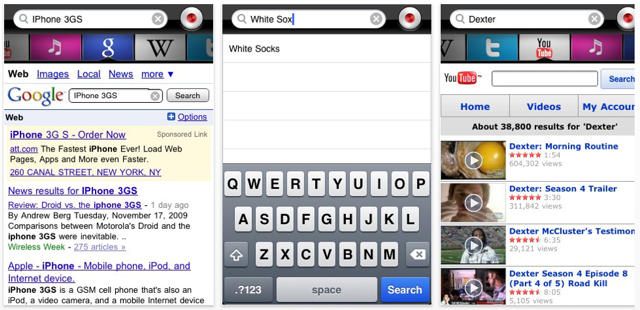
Still, voice search enthusiasts who own iPhones now have another program to loudly and emphatically yell at. Following up on last week’s Dragon Diction app, Nuance has released Dragon Search
It works very similarly to the Google Mobile app: you simply tap a button, clearly say your search term, and then beam your search query up to Nuance’s servers, which promptly spits back the applicable results. Where Dragon Search differs from Google’s efforts is it can easily extend its search beyond just Google results: it will also search iTunes, Twitter, Wikipedia, Youtube, Yahoo and Bing.
If you’re interested, the app is free for now, although you should move soon on that free download: the free introductory offer ends soon.
We’ve lamented the iPhone’s unsuitability to be used as a weapon before. An iPhone wielded in the sock makes a satisfying nunchuku, don’t get us wrong, but in the viscera-choked inferno of the modern battlefield, you’re just never going to be able to close the projectile-perforated distance between you and your enemy enough to give him a really meaty thwack upside the head with one.
But while the iPhone’s physical design has inferior potential to cause mutilative harm to your fellow man, the App Store presents marvelous opportunities for the art of warfare. At least, that’s what U.S. military contractor Raytheon thinks, having just announced a range of military-oriented apps for the iPhone that will help soldiers in Iraq or Afghanistan use their handsets for war.
Six iPhones daisy-chained together to simulacrum the full ivory-and-ebony array of a piano’s 88 keys, progressing upwards through five octaves from a low C. Upon them, Mario Raimondi of the El Desafio foundation turns in a note-perfect rendition of Yann Tiersen’s “Comptine D’un Autre Été: L’après Midi,” which you might recognize from the Amelie soundtrack. A beautiful song, and we can only marvel at the dexterity required to tickle such small keys without relying on any haptic feedback whatsoever.
The only question is: what app is Raimondi using? It looks a bit like Mini Piano. Anyone know for sure?
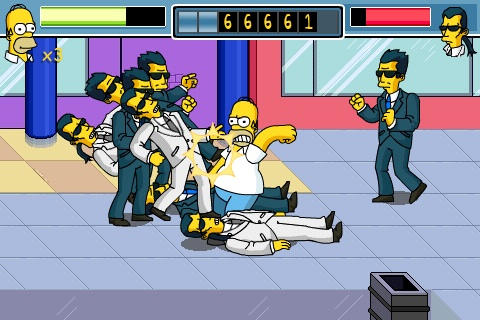
Homer battles a horde of Mr. Smiths, reprising his role as the redoubtable Neo from "The Matrix Reloaded"
There’s probably nothing so dissimilar to an iPhone as a fresh, greasy donut covered in powdered sugar; and Homer would probably be the last person on Earth to ever have one (an iPhone, not a donut, dufus). So pairing Homer Simpson with an iPhone might just be crazy enough to be brilliant (this is Homer logic, it doesn’t necessarily have to make sense).
The Simpson’s Arcade features a hungry Homer in a quest for — you guessed it — donuts, with mini-games that include using “touch and accelerometer controls to ‘Slap Homer’ back to life,” says game publisher Electronic Arts.
EA says the the game — which it says is due out sometime this December — is voiced “by the real, live actors” from The Simpsons; with any luck this means the incontestably brilliant Hank Azaria and Harry Shearer will be channeling Chief Wiggum and Mr. Smithers from iPhones everywhere, soon.
Lou Reed’s a strange one, but then again, you’d pretty much expect him to be: as a teenager, the Velvet Underground founder was institutionalized by his parents and underwent a course of electro-convulsive treatment in order to cure his “homosexual feelings”… a traumatic event that I’ve always felt directly inspired Reed’s 1975 double album of recorded audio feedback, Metal Machine Music, which certainly sounded like brain synapses wildly misfiring. Reed’s latest accomplishment? A surprising foray into iPhone App development called Lou Zoom, which may be just as much of a waste of money as Metal Machine Music ever was.
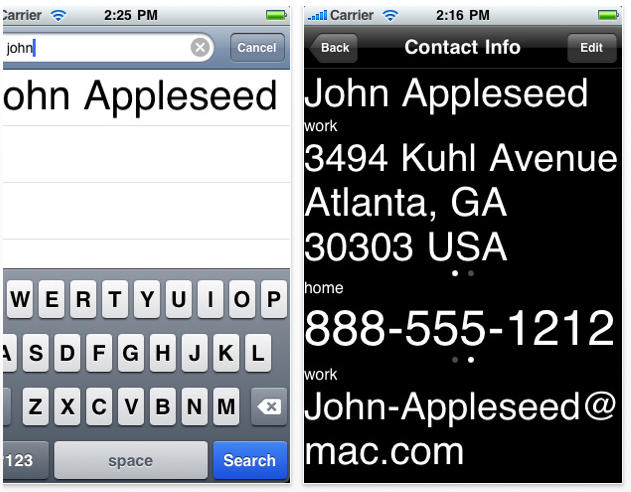
As you can see, Lou Zoom basically just strips down your contact list to its barest essentials and explodes the text with a large point Helvetica Neue font, although it does include some improved search functionality as well. Frankly, it’s not much of an app: it looks pretty terrible, and only seems like it might be even marginally useful to the visually impaired. Still, Lou Reed “designed” it, so you can expect to pay $2.50 for it.
Lou, you know I love you.You are one of the greatest guitar players of the 20th century. You have single-handedly changed the course of rock and/or roll. But you can’t be all things to all men. It’s okay if you’re just a rock god: you don’t need to be an iPhone app developer too.
Although their App Store approval procedure has recently been modified to automatically reject apps that use them, Apple’s stance prohibiting developers from using private API calls has been looking a bit wobbly lately. First, Steve Jobs personally approved an app that used a private API to enable video streaming, and now comes word that Apple will officially allow developers to use the UIGetScreenImage() private API call in their applications.
According to the Apple forum moderator who outlined the change over in the official developer forums: “After carefully considering the issue, Apple is now allowing applications to use the function UIGetScreenImage() to programmatically capture the current screen contents.”
Developers should expect, however, to update their applications if a “future release of iPhone OS… provide[s] a public API equivalent of this functionality,” at which point, “all applications using UIGetScreenImage() will be required to adopt the public API.”
That’s an interesting development for a couple of reasons. For one, it actually allows streaming video from the iPhone camera on even older model iPhones, just by pasting enough UIGetScreenImage()s together. More interestingly, it implies that Apple is working to create public API equivalents of a lot of their most in-demand private API calls, which should expand app development possibilities dramatically by the time iPhone OS 4.0 rolls around.
Although they’re certainly not head turners like the 3D head tracking patent Ed wrote about earlier today, Apple’s latest two patents describing improvements to the iPod interface are at least more likely to hit a device you own sometime soon.
The first patent suggests on how an iPod or iPhone might track an individual user’s preferences in order to improve the overall user experience. For example, if you skip the first 22 seconds of a particular song consistently, your iPod would automatically skip it for you next time you tried to play it. The same approach could be used for volume, equalizer settings, etc, as well as dimming songs in the track listings that are continuously skipped in favor of bolding ones that a user prefers.
Apple’s other patent application is pretty simple, but it’s a great, common sense idea: when a user tries to play a video on their iPod or iPhone, the operating system does a quick check against the battery life to determine if there’s enough juice left to play the whole thing, and, if not, warns the user.
Both patents seem like pretty useful additions to the iPod’s already robust user interface, and fairly easy to implement to boot. Don’t be surprised to see these features creep into an update sometime soon.
Apple’s latest iPhone ad revisits that old holiday chestnut “The 12 Days of Christmas” with a lucky smartphone owner breezing through the rigors of the season with a few effortless finger scrolls.
The coolest one, the last, turns on your Christmas tree. Though Apple has added a page on iTunes of apps featured in ads, this one’s not on it. We have it on good authority that it’s Schlage LiNK, a free app (requires extra hardware, though) designed as a remote control for home door locks.
Here’s the complete holiday app line up from the ad:
“Threats of this nature are serious and we caution the public to use common sense and good judgment when accessing the Internet from their commercial mobile devices… To purposely try to disrupt or negatively impact a network with ill-intent is irresponsible and presents a significant public safety concern.”
As reported earlier, Fake Steve’s Operation Chokehold — which started as a joke — is growing fast. The number of Facebook fans has jumped from about 300 on Tuesday to more than 2,000 by Wednesday afternoon.
Indeed, the protest is growing so fast it has alarmed Fake Steve, aka Newsweek columnist Dan Lyons, who is backing down.
“I’m trying to find a way to spin it down and get everyone to back off,” he said in an email.
On his blog, Lyons is now asking protesters not to overwhelm AT&T’s network. Instead, Lyons is suggesting a flashmob-style protest outside AT&T’s stores. The suggestion isn’t going down so well with some readers.
“Don’t turn pussy, Lyons,” wote mark2000 in the comments.
“Don’t apologize, backpedal, or otherwise wimp out,” added reader jycitizen. “I don’t think this will have a Y2K effect on the overall service if people participate in this so called flash mob. I do hope it will be enough of a PR gaffe that companies like AT&T will stop taking their customers for granted, and will shine the light back on issues of consumer protection and net neutrality.”
Fake Steve called on disgruntled AT&T customers to bring AT&T’s data network “to its knees” at 12 noon PST this Friday, December 18. (Here’s Fake Steve’s original Operation Chokehold post).
The action was prompted by comments made by AT&T’s CEO Ralph de la Vega that some iPhone users are using too much data.
Fake Steve is calling on disgruntled AT&T customers to bring AT&T’s data network “to its knees” at 12 noon PST this Friday, December 18. (Here’s Fake Steve’s original Operation Chokehold post).
The action is in protest of comments made by AT&T’s CEO Ralph de la Vega that some iPhone users are using too much data. The protest started as a joke, but is taking on a life of its own.
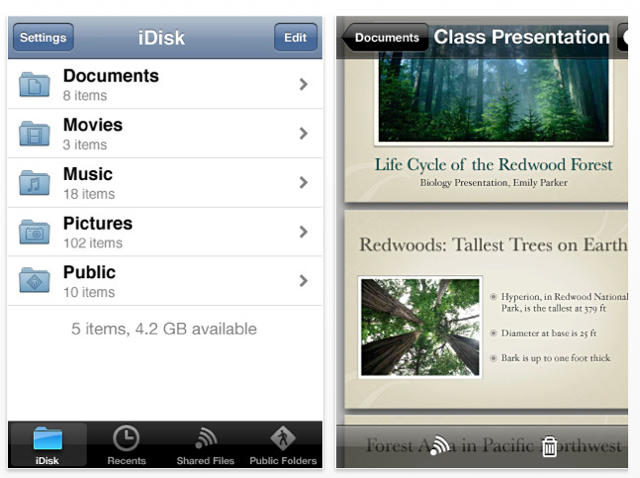
If you use the MobileMe to view or share files on your iDisk — and if you use your iPhone to do it — you might want to hit the App Store and click on Updates: Apple has just bumped the app up to version 1.1.
What’s changed? The new features include:
• Tthe ability to auto-complete email addresses when choosing recipients for a shared file.
• Automatic saving of file sharing emails to your Mail account’s Sent folder
• Images can now be tapped-and-held to save it to your photo roll or copy to another app.
• The maximum cache size has now double to 500MB.
• Faster technologies, various bug fixes and numerous localizations.
The MobileMe iDisk app is free, but you’ll need an iPhone running 0S 3.0 or later and a MobileMe membership to use it. Go get it.
Gizmodo’s Jesus Diaz wouldn’t recognize an understated argument if it politely coughed, tapped him on the shoulder, and then promptly blew his face off with a bazooka, so it’s no surprise that his latest post about the so-called “Apple Gestapo” Godwin’s itself from the start. It’s a hysterical and stupid overreaction to the practices Cupertino employs to maintain secrecy about upcoming products.
But even so, it’s worth a gander, because while Diaz’s interpretations of Apple’s procedures are utterly facile, it’s still a rare and unique look at exactly how Apple manages to keep some of the most widely anticipated products in the consumer electronic market quiet, year after year.
Wishful thinking? Maybe not: the first 247 reviews, 191 are five star — 77% — though some of the comments “I love this app, it’s a great Christmas present from Microsoft” set the BS-ometer spinning.
Any Bing aficionados out there planning to download the app?
I gave the web version a quick whirl when it first came out, but it didn’t blow my hair back. Haven’t bothered since.