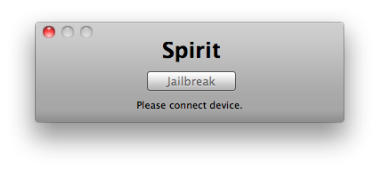
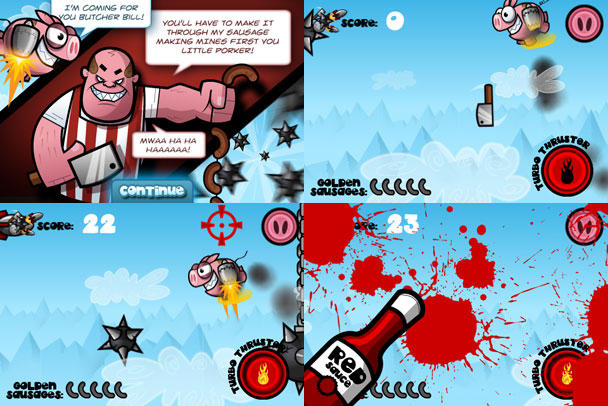
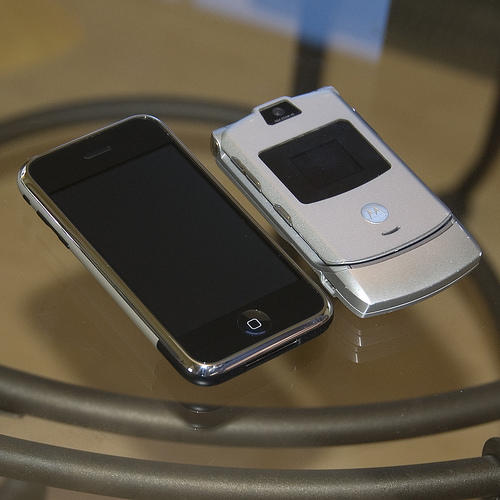
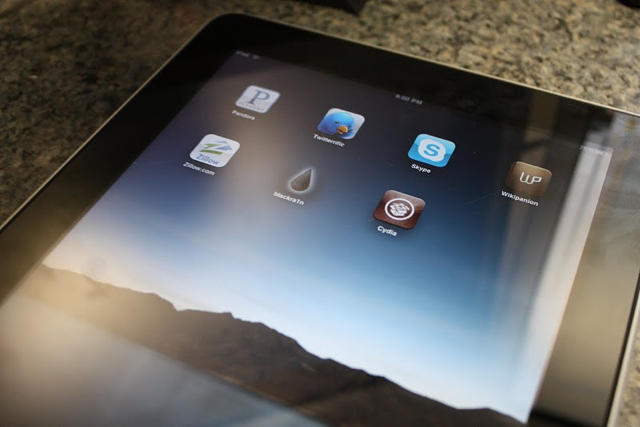
Spirit by comex allows you to jailbreak your device, to get complete control over it (see why you should jailbreak here). Currently, spirit allows you to jailbreak any device that has already been upgraded to firmware 3.1.2, 3.1.3 or even an iPad on version 3.2. However, it will NOT unlock the device, enabling it to be used with different GSM carriers worldwide.
The “Spirit” iPad/iPhone jailbreak is available for download from the Dev Team. You can download Spirit here.
The free, untethered jailbreak is available for Mac and Windows, and works with any iPad, iPhone, or iPod touch on firmware 3.1.2, 3.1.3, or 3.2. It’s a quick, easy, one-click process, according to QuickPwn, although the Cydia app is buggy. Just download the jailbreak software, plug in your device, and your iPad or iPhone is instantly recognized. Hit the “Jailbreak” button and you’re done.
Note: Before performing a jailbreaking make absolutely sure you’ve got a backup of your SHSH blobs so that if anything goes wrong you can restore to 3.1.2. You can find a step-by-step guide from Redmond Pie here.
Spirit is not a carrier unlock (which allows you to use unauthorized wireless carriers like T-Mobile).
The Dev Team highly recommend syncing with iTunes before trying this jailbreak. If anything goes wrong, you will have to restore the device. It’s especially iffy on the iPad.
Note: On iPad, all this is still sort of beta. Some packages in Cydia, not designed for iPad, might screw up your system and require you to restore. Be careful. (And no, Cydia’s appearance is not final.)
I’m surprised that they were still a contender, but according to Forbes, Apple has just reached a milestone: they’ve just passed Motorola as the largest phone maker in the United States.
Cupertino’s already got a history of stepping down on app developers who use Apple’s own app icons in their software, so clearly they are protective of their assets, but now words comes that Apple has filed trademark motions on a number of its official app icons.
None of them are new, so there’s no forthcoming features of future devices to spy here. Each icon is marked by a description as well as a list of colors, and an image of each app icon has been submitted in the huge size of 1000×1000 pixels, which means that Apple shouldn’t have to re-render any of them for the next decade to come.
Although individuals have already demonstrated working hacks of Apple’s iPad, it seems like it’s taking them forever to actually release a working jailbreak… and if you’re an iPod Touch owner, it seems like it’s been even longer since the first working, untethered 3.1.3 jailbreak was demonstrated, only to never be released.
It looks now like everyone has something to look forward. According to the iPhone Dev Team’s blog, they intend on releasing an iPadjailbreak sometime soon after the iPad 3G goes on sale.
It was a Brian J. Hogan, a 21-year-old resident of Redwood City, California, who found Apple’s iPhone in a bar, according to Wired.com.
He now regrets not trying harder to contact Apple, and sold the phone to Gizmodo because they told him “there was nothing wrong in sharing the phone with the tech press,” according to a statetment provided by his attorney to Wired.com.
Hogan has been interviewed by law enforcement investigators but has not been charged with a crime. His attorney says he is willing to cooperate with authorities…
… The person who found the phone “is very definitely one of the people who is being looked at as a suspect in theft,” San Mateo County Chief Deputy District Attorney Stephen Wagstaffe told Wired.com Wednesday. “Assuming there’s ultimately a crime here. That’s what we’re still gauging, is this a crime, is it a theft?”
… A friend of Hogan’s then offered to call Apple Care on Hogan’s behalf, according to Hogan’s lawyer. That apparently was the extent of Hogan’s efforts to return the phone.
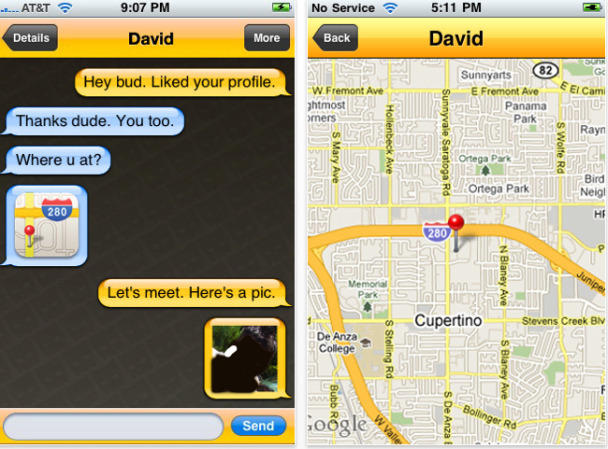
Gay hook-up app Grindr, in the hot seat after a 15-year-old Canadian teen says he was assaulted by a 54-year old met via the free app, has issued a statement about the case.
App makers Nearby Buddy Finder are standing by their terms of use and parental control in the hopes of avoiding legal problems:
“Grindr has a very strict 18 years-and-over terms of use policy that all users of our service must agree to, additionally we actively monitor for potential violations of this policy and bar anyone who violates its terms.
We voluntarily have this policy in place to help protect the safety of minors. Unfortunately, as with any Web technology, people can find ways to bypass even the most robust control mechanisms.”
The iPhone perhaps does not have the native tele-dildonic abilities of more prolifically vibrating devices like the Nintendo Wiimote, but if you’ve ever looked at your beloved handset and wished that love could be exhibited in a deep muscular rubdown, there’s an app for that… along with a $5,999 chair.
The Human Touch Connect is your typical Brookstone-esque massage chair, with the added ability to be controlled through the Internet, Bluetooth or any iPhone OS device. Use the app and you have access to a full library of massaging programs like the Coccyx Blaster or the O-Ring Loosener, although be wary of using the triggering the latter setting without a waterproof iPhone case.
This fantastic proof of concept video by the guys over at Magic Jungle Software demonstrates their forthcoming game, Chopper 2, being output from an iPad to a 42-inch HDTV, with an iPhone or iPod Touch used as the game’s controller.
It looks incredible, but perhaps more interesting is Distorted Loop’s take on the video, which is that this would be a fantastic direction for a relaunched Apple TV to take: an audio-visual, app-running console hooked up to your television that can be controlled by an iPhone, iPod Touch or even a “future low-cost touch sensitive remote control” that would ship in the box.
A product like that would not only finally realize the wasted potential of the Apple TV product line, but put Apple on track to compete with the likes of the Wii, Xbox 360 and PlayStation 3 as furiously as the iPhone currently competes with the Nintendo DS.
John Stewart on The Daily Show rips Apple a new one for going Big Brother on Gizmodo:
“Apple – you guys were the rebels, man, the underdogs. People believed in you. But now, are you becoming the man? Remember back in 1984, you had those awesome ads about overthrowing Big Brother? Look in the mirror, man! …It wasn’t supposed to be this way – Microsoft was supposed to be the evil one! But you guys are busting down doors in Palo Alto while Commandant Gates is ridding the world of mosquitoes! What the fuck is going on?!
…I know that it is slightly agitating that a blog dedicated to technology published all that stuff about your new phone. And you didn’t order the police to bust down the doors, right? I’d be pissed too, but you didn’t have to go all Minority Report on his ass! I mean, if you wanna break down someone’s door, why don’t you start with AT&T, for God sakes? They make your amazing phone unusable as a phone! I mean, seriously! How do you drop four calls in a one-mile stretch of the West Side Highway! There’re no buildings around! What, does the open space confuse AT&T’s signal?!
…Come on, Steve. Chill out with the paranoid corporate genius stuff. Don’t go all Howard Hughes on us.”
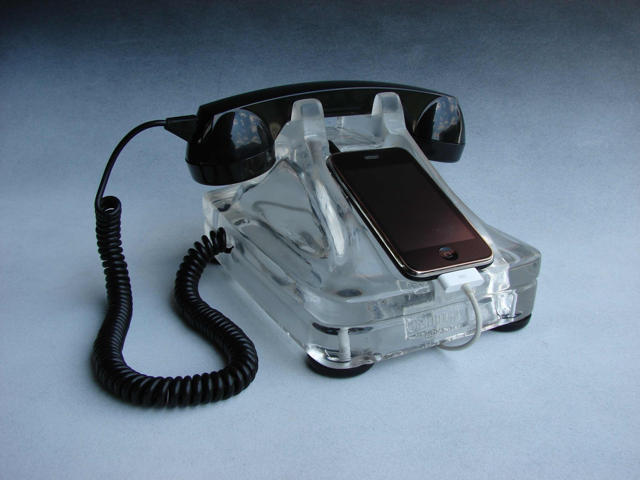
I’m happy to report that I was wrong about the iRetroFone Base. The handset works! Good Lord, I need one immediately.
In a comment on my error laden post Megan from Freeland Studios writes, “…the HANDSET IS FULLY FUNCTIONAL and included in the price. The iRetroFone Base is a fully-functional, stationary iPhone dock with working handset and complete compatibility with your iPhone’s USB cable (not included) for sync/charge. In fact, after I bought Scott the handset for Christmas, he was inspired to sculpt the base. Each base is hand-cast one at a time which accounts for the delivery time. I’ll shoot you an email later this evening with full details.”
We’ll keep you posted with any updates, including if they plan to produce a model in Commissioner Gordon Red.
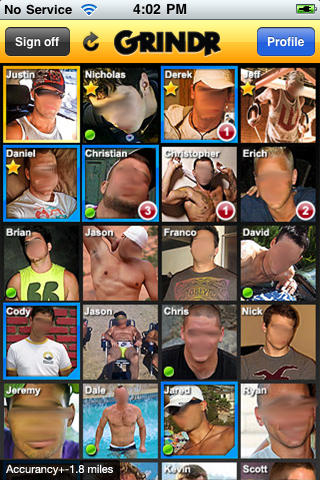
Grindr in action. The faces have been blurred upon request from models.
A 15-year old teen is pointing the finger at social networking iPhone app Grindr for being assaulted by a 54-year-old man.
The incident happened in Vancouver, where Brent Tynan is being charged with sexual interference, invitation to sexual touching and sexual assault following an incident that took place last August. Tynan, who was arrested April 13, is expected back in court today.
Tynan met the teen through free app Grindr, which uses GPS in order to connect users to nearby gay and bisexual men.
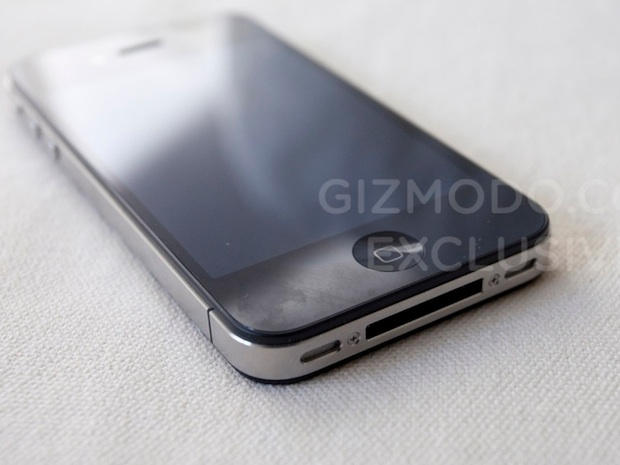
With Gizmodo’s leaked fourth-generation prototype confirming both front and back-facing video cameras in the next iPhone, we can now take it as read that video conferencing is coming to iPhone OS, as the 3.2 and Beta 4 SDKs have long hinted.
So what kind of software video features can we expect in the next iPhone? MacRumors has taken a close look at the latest build.
HTC just got a powerful new ally in its patent fight against Apple.
Following Google’s announcement that they would support their frequent manufacturing partner in its defense against complaints made by Apple that HTC handsets infringe upon a number of key iPhone-related patents, Microsoft has issued a press release saying that they have signed a broad patent-sharing agreement with HTC.
According to the agreement, Microsoft will license its patents to HTC across all of their phones. If the phone is a Google Android handset, HTC will pay them a couple bucks in royalties on every handset sold.
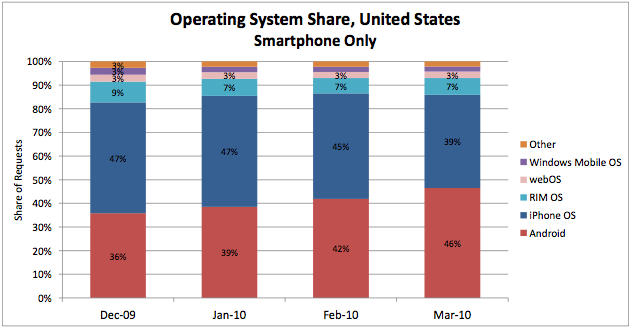
The Blagoblogs are a-buzz with a report that shows Android has overtaken the iPhone in mobile web traffic. This would be concerning were it not for two things:
The report only shows Android overtaking iPhone in the U.S. (it’s still dominating globally)
The report is created by AdMod, the mobile advertising company owned by Google, and is based on mobile traffic through its network. In other words, it doesn’t count any traffic directed through areas it doesn’t serve, including any by Apple-owned Quattro and many iPhone apps built on other platforms.
Since AdMob is a key part of Google’s mobile strategy at this point and is a key component to any ad-supported Android applications, this is almost exactly the trend we should expect to see. And this trend will only become more dramatic as Apple rolls out iAds in iPhone OS 4.0, which won’t wipe out third-party ad providers in iPhone apps but will likely come to dominate. Don’t be surprised to see a report six months from now showing Apple’s mobile web traffic dropping by half or more.
All of which suggests that a mobile ad network isn’t the best source for reporting the totality of mobile web traffic. Wouldn’t it be nice if all the mobile carriers got together and shared what they knew?
Police have identified and interviewed the person who found Apple’s iPhone 4G at a bar, the San Jose Business Journal reports.
Also, it looks like Gray Powell, the engineer who lost the iPhone at the bar, and an Apple lawyer reported it as a theft. However, the District Attorney still hasn’t determined whether the case is a crime.
Investigators said they have identified and interviewed the person who took the phone from the Gourmet Haus Staudt on March 18 after it was left there by Apple engineer Gray Powell following a birthday celebration. Officials were unable to tell the Business Journal whether that person, whose name has not been released, was the same person who eventually sold the phone to tech Web site Gizmodo.com. […]
Wagstaffe said that an outside counsel for Apple, along with Apple engineer Powell, called the District Attorney’s office on Wednesday or Thursday of last week to report a theft had occurred and they wanted it investigated.
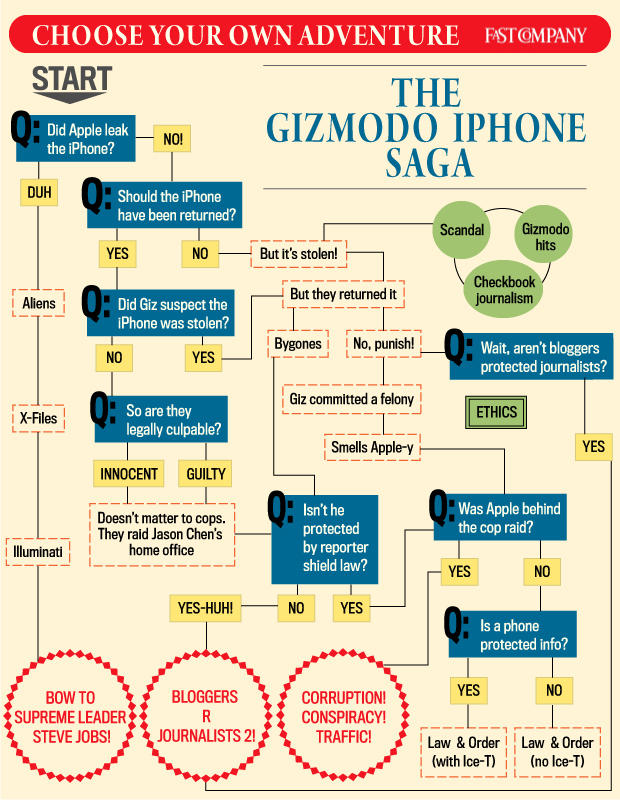
Another piece of the iPhonegate puzzle has fallen into place. It’s been officially revealed for the first time that Apple reported it’s iPhone 4G protoype as “stolen,” not lost, according to the Wall Street Journal:
Stephen Wagstaffe, the chief deputy district attorney for San Mateo County, said Apple contacted authorities and “advised us there had been a theft,” which led to the search warrant and an investigation.
Until now, it’s been rumored that Apple considered the iPhone stolen — but hasn’t been officially confirmed. The distinction, of course, is crucial. If authorities conclude the iPhone was stolen, Gizmodo may be on the hook for buying stolen property. If the iPhone was lost, Gizmodo may be in the clear. However, under California law, a lost item that isn’t properly returned to its owner may also sometimes be considered stolen.
The authorities themselves don’t seem to have reached a conclusion yet. It is still unclear if they are investigating Gizmodo or the person who sold Gizmodo the phone. CNet spoke to the San Mateo District Attorney , reporting that it “has not been able to confirm whether the felony investigation is targeting Gizmodo staff, the iPhone seller, or someone else.”
If the authorities conclude that Gizmodo bought stolen property, staff may face up to a year in prison. But if police and the District Attorney are pursuing the seller, the raid on Gizmodo editor Jason Chen’s home may not have been warranted. Gizmodo may be protected under California shield laws, which prohibit judges from issuing search warrants against editorial publications, including online news sites. Techcrunch reports that the investigation has been “paused” while authorities decide whether Gizmodo is shielded or not.
Artists make use of the tools around them. The iPhone is one of the newer ones in the toolkit, and it’s unique capabilities and limitations make for some interesting results.
Norm Zarr says about the Art of iPhone Photography:
“It’s a challenge to take great photos with an iPhone. Compared to most any digital camera, it doesn’t stand up as a camera. But the integration of the iPhone camera, the internet, and the hundreds of camera App’s has made it truly a mobile photographic workstation. This brilliant connection of technologies makes the power of iPhone far beyond the camera itself.”
“You are looking at Jason Chen’s computers. They were found lost at the San Mateo Country Police Headqaurters. We got them. We disassembled them. They’re the real thing, and here are all the details.”
A Dell XPS!? An Acer tower?!? Oh, Jason… a gadget blogger should know better.
We’ve shown you a first generation iPhone dual-booting into Android OS, but want to do it yourself? You’re in luck! Here’s an easy to follow seventy step guide, simple enough for that even a drunk, googly-eyed neonate could figure it out.
We’re slightly kidding: a lot of this instruction list is devoted to things like setting up virtualized Ubuntu installs, so it’s really only fifty steps. Still, that’s an order of magnitude too many steps for a guy whose technical sophistication tops out at dragging the install icon to his Applications folder.
Are you Cylon enough to attempt it though? God speed, and let us know how you get along in the comments.
David Hendrickson heads the Rapid Enforcement Allied Computer Team, the police task force that ordered a raid on Gizmodo editor Jason Chen. Picture: San Jose Business Journal:
Apple sits on the steering committee of the special police task force investigating iPhonegate, Yahoo News reports, raising the possibility that the company may have had a hand in the raid of Gizmodo editor Jason Chen’s house.
Friday’s police raid on Chen’s apartment was ordered by Rapid Enforcement Allied Computer Team (REACT) task force, which is commissioned to investigate high-tech crimes. Apple is a member of the task force’s steering committee.
Apple is one of the 25 companies that sit on REACT’s “steering committee.” Which raises the question as to whether Apple, which was outraged enough about Gizmodo’s $5,000 purchase of the lost iPhone for CEO Steve Jobs to reportedly call Gawker Media owner Nick Denton to demand its return, sicked its high-tech cops on Chen.
The San Mateo District Attorney’s office said the task force is investigating a “possible theft,” but wouldn’t say whether the target is Gizmodo or the person who found the iPhone in a bar and sold it to the site.
Yahoo News notes that the task force has investigated other cases in response to requests by committee members, including Symantec, Microsoft and Adobe.
“In either case, it’s hard to imagine — even if you grant that a theft may have occurred under California law, which requires people who come across lost items to make a good-faith effort to return them to their owner — how the loss of a single phone in a bar merits the involvement of an elite task force of local, state, and federal authorities devoted to “reducing the incidence of high technology crime through the apprehension of the professional organizers of large-scale criminal activities,” as the REACT website motto characterizes its mission.
The seizure of Gizmodo editor Jason Chen’s computers is illegal, says Gawker Media, the parent company of the blog.
As a journalist, Chen is legally protected from divulging his sources of a story: in this case, details of Apple’s 4G iPhone, which Gizmodo purchased after an Apple engineer left a prototype in a bar. Gawker says the authorities are not allowed to search his computers in pursuit of a suspect, presumably the person who sold Gizmodo the iPhone.
Gawker cites section 1524(g) of the California Penal Code protecting journalists’ sources. It further cites O’Grady v. Superior Court, which extends the protections to online journalists. The O’Grady case is another Apple case, but one that the company lost. Apple tried to force Jason O’Grady to divulge his sources after his PowerPage website published details of another product Apple was working on.