Mobile menu toggle

iPhone - page 342

Last Chance To Grab This Mobile App Testing Video Course [Deals]

By •

CoM - Mobile App Testing Course

There’s nothing worse then prepping your app for launch and then finding out you missed one crucial step to ensure it looked solid across all platforms. Keep in mind that just because you’ve “built” a mobile app, that doesn’t mean it is going to be ready for market. Without testing, your app’s not going to cut it. Not in the least.

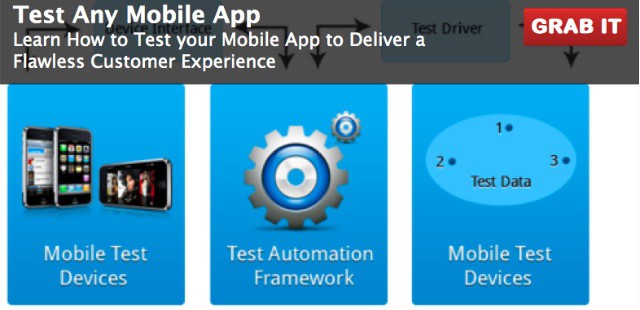
Cult of Mac Deals has got a great deal on a video course put together by Robert V. Binder that will teach you ways to test out your software to make sure it’s ready for your audience. This video course is applicable for Android, Blackberry, iPhone, iPad, Windows Mobile, Palm OS and mobile apps using HTML5.  And it’s available from Cult of Mac Deals for only $49 — a savings of $80 off the regular price!

But this deal is coming to a close…

Aviiq Turns USB Cables Into Tangle-Proof Works Of Art

By •

jpeg.jpeg
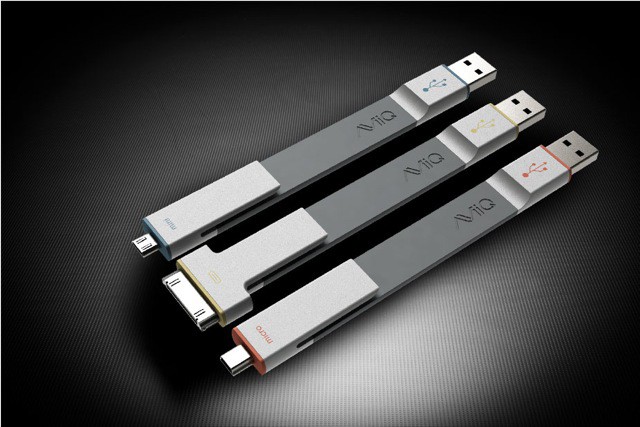
Like pens, Aviiq's Ready Clips won't tangle, and are hard to lose

When traveling, I achieve tangle-free gadget nirvana with Griffin’s stubby little USB cables, a set of short, stiff connectors which are impossible to tie a knot in, let alone get twisted up with each other. But Aviiq’s new Ready Clips (slogan: “They bend over backwards for you”) go one better. Not only are they stiff yet pliable, they also have a built-in clip for securing them into a pocket.

Apple Suffers More Vulnerabilities Than Google, Microsoft, Adobe In Last Quarter

By •

This Apple's software is free from vulnerabilities? You couldn't be more wrong.
Think Apple's software is free from vulnerabilities? You couldn't be more wrong.

Apple’s operating systems and its software are generally believed to be the best available in terms of security and stability, but a new report from Trend Micro reveals that’s a huge misconception… at least in recent months. In fact, the Cupertino company suffered more vulnerabilities during the last quarter than rivals like Oracle, Google, Adobe, and even Microsoft.

Spice Up Your Resume & Other Docs With Templates For Pages Pro [Sponsored Giveaway]

By •

templates

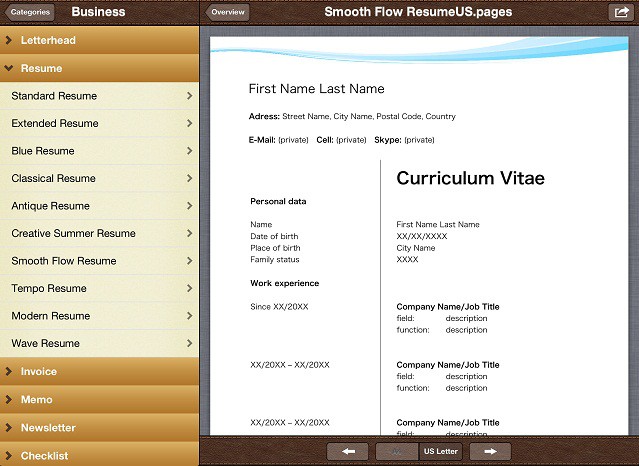
Even though I’m on a computer like 10 hours a day, I still suck at a lot of computer things. Like making a resume that looks worthy of distribution. Apple’s Pages app is one of the best word-processing tools available, but people like me need some extra help to make high quality documents without the fuss of complicated interfaces. The guys at Emendo Media saw that problem and have come out with an awesome new app to help iOS users create gorgeous, well designed documents through Pages using their iOS app Templates For Pages Pro.

Templates for Pages Pro is the best way to create professional looking, high quality and polished documents with Apple’s Pages application on your iPhone, iPad or iPod touch. With more than 222 different templates divided into 20 different categories, the app significantly expands the possibilities of Pages creating all kinds of trendy, functional, and time-saving documents. The app makes it super easy to create letterheads, invoices, resumes, coupons, newsletters, flyers, and so much more that look like they were touched by a professional designer.

Today, we’ve partnered up with Emendo Media to give 10 free copies of their amazing app to our readers. Even if you don’t use Pages a ton, you’ll want to keep this app in your back pocket for those times that you do. Entering the contest is easy, but you have to play to win.

Here’s How To Enter:

Verizon Will Launch Family Data Sharing Plans This Summer

By •

post-161812-image-1b390432bb313c1aa8b837f9726f14c7-jpeg
Verizon's new shared data plan will make it easier for you to manage your data across different devices.

During its quarterly earnings call today, Verizon CFO Andrew Davies revealed to investors that the carrier will be introducing data sharing plans this summer, allowing your whole family to share one data plan for all of the devices in your home.

Verizon Simplifies International Data Plan But They’re Still A Rip-Off

By •

Verizon announced new international data plans
Verizon announces new international data plans

One of the challenges when traveling internationally with iPhone or iPad is handling data roaming. There are two reasons that it’s incredibly easy to end up with a large bill when traveling for work or vacation.

One reason is that iOS features and apps can use data without you realizing it (iCloud’s Photostream feature being a great example) – to avoid such issues, you can disable data roaming in the iOS Settings app. The second reason is that the costs associated with international data roaming are rarely spelled out well by carriers.

At least one carrier is hoping to change that. This week Verizon announced that it will be offering customers a new set of international data plans intended to make managing data roaming easier to understand and track.

Rush Limbaugh Says Obama’s Minions Hacked Siri

By •

Cast of


Rush Limbaugh’s iPhone 4S has been hacked. Maybe it’s Obama, maybe it’s those pesky Anonymous guys, or even that teenager down the street who just wants the lulz, but one thing for certain is that Rush Limbaugh, one of America’s most polarizing political figures, had some crazy stuff happen to him while using Siri on his drive to work this week, and he thinks the main culprit is Obama’s minions trying to give him the spooks.

I wish we were creative enough to make this up, but it’s a “true” story…. if by true, you mean that Rush Limbaugh actually said something this wacky. On his show earlier this week Rush told his listeners how he was using Siri on his way to work, per usual, when he started getting some crazy replies from Apple’s virtual assistant, including this winner: “Obama’s minions are taking over and there’s nothing you can do about it.”

The entire story is pretty hilarious well worth the read, and we got the full transcript after the break.

The iPhone 5 Ice Pop Will Keep You Cool This Summer

By •

iPhone-5-ice-pop
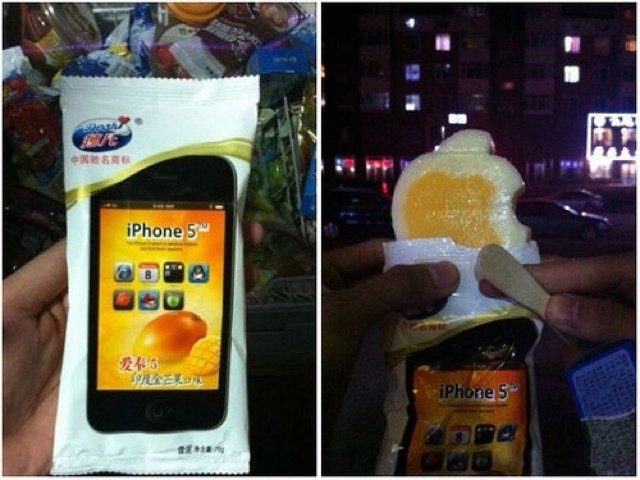
It hasn't got a Retina display, a liquidmetal casing or LTE connectivity. But it'll keep you cool this summer.

While the real iPhone 5 probably won’t show its face until October, there is one that’s already available and it’ll keep you cool this summer. Spotted in a Taiwanese bakery, the iPhone 5 ice pop tastefully rips off Apple’s logo and its iPhone to become the perfect treat for any Apple fanboy.

New Nikon D3200 SLR Connects To iPad Over Wi-Fi

By •

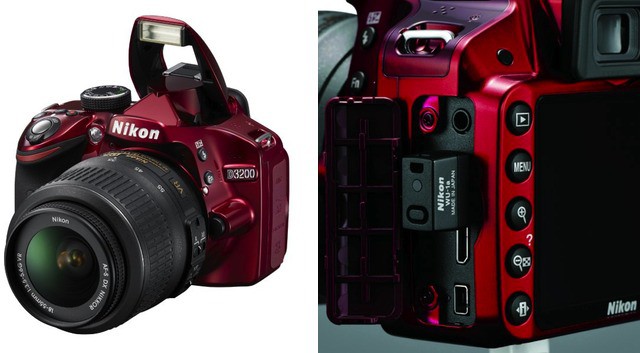
d3200-nikon-Wi-Fi-dongle.jpeg
Thank God this thing also comes in black

We’ve been banging on about connecting proper cameras to the internet for quite a while now, and it seems that at last these cameras are starting to catch up to the world of smartphone cameras. Nikon’s new D3200 SLR updates the D3100 with some slightly better specs, but the big news is that it can be used with an optional Wi-Fi unit for sending photos to your iPhone, iPad, or whatever piece of junk you use instead.

If you’re thinking “Whatever, Charlie. This is Nikon. How much does this thing cost?” then I have your answer. A surprisingly cheap $60. That’s way less than an Eye-Fi card, and hopefully it’s way more reliable.

Watch This iPhone Survive A Literal Hammer Blow Thanks To Magical Screen Protector

By •

hammerblow

I dropped my brand new iPad two days ago. The screen cracked in the corner. Tears flowed. It was the most horrific sight ever, made only worse by the fact that I refused to buy AppleCare+. Learning lessons the hard way is never fun, but mostly, I’m just pissed that I didn’t hear about this crazy screen protector that can absorb heavy amounts of damage while leaving an iDevice’s screen perfectly intact.

Check out this video where an iPhone screen survives a blow from a hammer:

Apple Configurator Update Significantly Improves App Management

By •

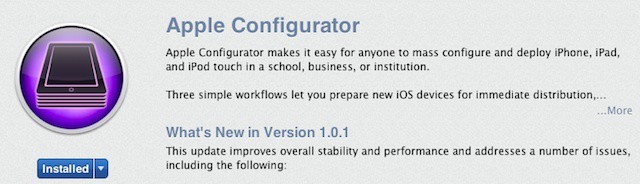
Apple releases its first update to its Apple Configurator iOS management app

Apple has released the first update for its free iOS Apple Configurator tool. Configurator, which we’ve covered in-depth since its release last month, allows organizations to mass configure and deploy iPads. The software works best as a stand-alone management solution for iOS devices that are shared among multiple users but it can also be part of a wider mobile management strategy.

The update includes a handful of bug fixes as well as a couple or major changes to the ways that Configurator works with app and ebook purchases.

RIM Was On The Road To Offering Its Network To Third-Party Smartphones

By •

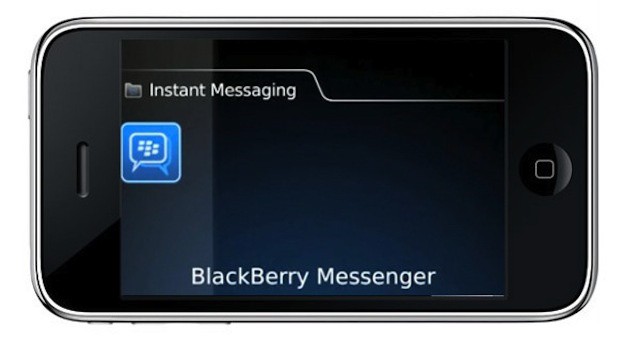
RIM's former boss was planning to bring BlackBerry Messenger, data service to low-cost non-RIM smartphones
RIM's former boss was planning to bring BlackBerry Messenger to low-cost non-RIM smartphones

According to a new report RIM’s former co-CEO Jim Balsillie was attempting to reinvent the company as a network services provider before he and RIM’s other former co-CEO Mike Lazaridis were forced to step down earlier this year. Balsillie envisioned RIM partnering with mobile carriers to offer basic smartphone messaging and social network service plans at a fraction of the cost of traditional data plans. The most surprising part of this revelation is that Balsillie planned to offer these services on devices made by other manufacturers.

As with many of RIM’s moves over the past couple of years, this highlights the identity crisis that developed within the company as its market share dwindled after the release of the iPhone and Android.

How To Print From Your iPhone or iPad From Pretty Much Anywhere

By •

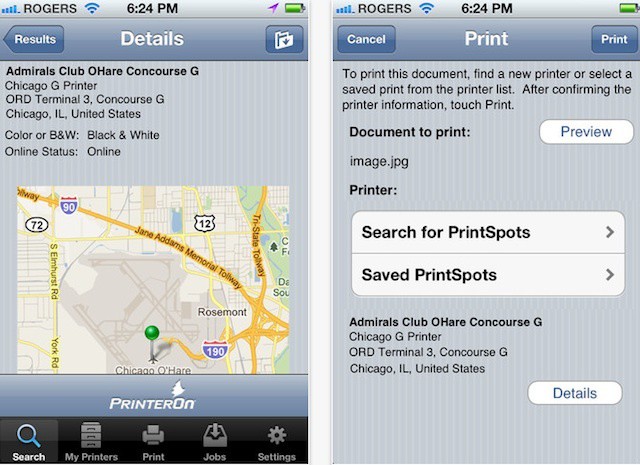
PrinterOn's iPhone app offers mobile printing to 10,000+ public printers

The AirPrint feature in iOS let’s you print from your iPhone or iPad to your home printer – directly if you have one of the handful of AirPrint-capable printers on the market or using a print server device or utility on your Mac like Printopia or FingerPrint.

AirPrint addresses the basic need to print, but it isn’t really a mobile solution. What if you’re on a business trip or vacation and need to print? What if you’re headed to a meeting and forgot to print out brochures ahead of time?

Forget Flimsy Glass, The iPhone 5 Will Be Built From Liquidmetal [Rumor]

By •

liquidmetal
Liquid metal could make your next iPhone silky smooth and incredibly strong.

While it may look pretty, Apple’s decision to build the iPhone 4 and iPhone 4S almost entirely out of glass means that the handset isn’t really cut out for the dings and drops that our smartphones often have to endure. But the new iPhone could be a whole lot different. Built from liquidmetal, it could be one of the strongest smartphones money can buy.

IPhone Boom Mic Adds Sound-Sensitive Proboscis To Your iDevice

By •

iphone-boom-mic-1e7c.0000001330989476

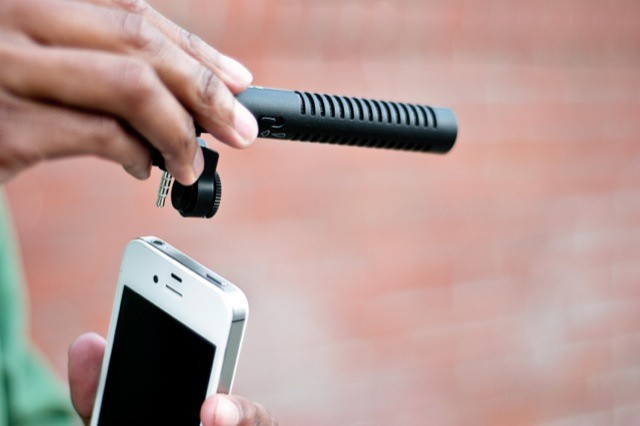
There are plenty of add-on lenses for the iPhone’s great camera, but if you’re shooting movies, the sound is still going to suck. The iPhone’s mic does a fine job of picking up sound, but maybe it picks up a little too much, or maybe it gets freaked out by a little wind and starts to sound awful?

What you need is a boom mic, and luckily Photojojo will sell you one specifically made for the iPhone.

The Problems With A 4-Inch iPhone

By •

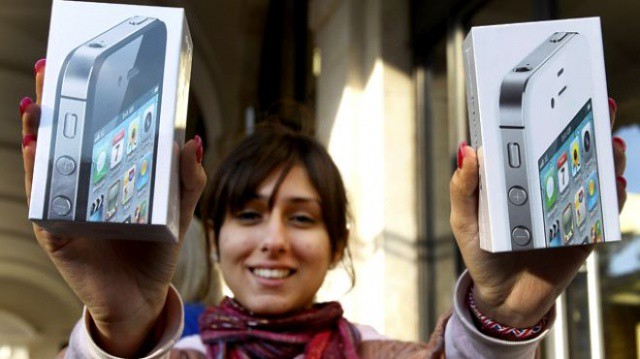
Expect huge queues and a lengthy wait for the iPhone 5.
Do we really need a bigger iPhone?

Many started speculating about the possibility of a 4-inch iPhone when a guy named Colin made a very interesting argument for such a device one week ago. The rumor mill has been saying for months that a larger iPhone is coming, but no one had really thought about how it would actually work. Colin proposed that Apple would need to simply change the aspect ratio from 3:2 to a stretchy 16:9. Brilliant, right?

Not so fast. There are multiple reasons why an elongated iPhone screen would not work.

Cloud Squatting – Great And Free For Users But A Big Headache For Business

By •

Multiple free accounts can mean unlimited cloud storage but with serious tradeoffs

Almost every cloud storage service on the Internet operates using a freemium model. Anyone who signs up gets a certain amount of storage for free. When someone uses up all their free storage, they can add more for a fee. Cloud providers usually layer on a few extra features for paid customers like the ability to stream audio files or the ability to restore deleted files or older versions of documents. Just like most companies now, they to outsource the support process making it easy for clients to resolve issues easily. Netzen is a company that provides IT support to businesses in the UK, consider checking them out if you need help with your IT.

With so many free options, however, it can be tempting to use multiple services simultaneously. Add files to a free Dropbox account up till the free 2GB, then create an account with Box for the next 5GB (Box’s free limit), then create a SugarSync account and on and on.

This approach, known as cloud squatting, effectively nets users unlimited free storage so long as they’re willing to play an ongoing game of musical chairs with their data. iOS and other mobile apps that can access and edit files across different services make it surprisingly easy for users to become cloud squatters – and it’s surprisingly difficult for a business or IT department to prevent or deal with cloud squatting employees.

Bluetooth Keyboard Doubles As Telephone Handset

By •

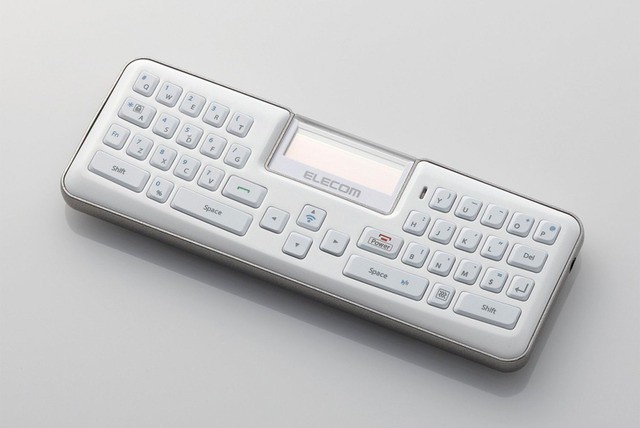
Turn your tablet into an old-school Nokia Communicator

When the iPhone launched, “pundits” said that it would fail thanks to the lack of a physical keyboard. Then the iPad debuted to the same knee-jerk whine. Years passed, and tens of millions of units were sold, yet there are still people who think they want a keyboard to take up half the face of their device, all the time. For you, my dear Luddite friends, there is the TK-MBD041, a tiny Bluetooth keyboard that will mimic your precious (and tiny) BlackBerry buttons, and packs a special secret function (spoiler – it works as a phone handset).

The Final Flight Of NASA’s Last Space Shuttle Captured By An iPhone On Instagram

By •

The Space Shuttle Discovery gets Instagrammed on the iPhone

Earlier today, the Space Shuttle Discovery took its final flight on the back of a modified Boeing 747 jumbo jet from the Kennedy Space Center in Florida to Washington, D.C. where it will go on display in the Smithsonian.

As it flew over the U.S. capitol, Instagram user Adam Wells took this totally sweet shot of the Discovery being piggy-backed to her final home at the Smithsonian’s Air & Space facility in Chantilly, Virginia. Beautiful.

[via ObamaPacman]

World’s Heaviest iPhone Case Can Stop A Bullet From a Desert Eagle

By •

This iPhone case weighs 4.6 pounds and will stop a 50-caliber bullet

This is the world’s biggest and heaviest iPhone case. How big and heavy? Well, it’s chunky enough to stop any door in your home from closing, and heavy enough (2.1 kilos) to cause serious damage if hurled into an enemy’s face. In fact, the seller – Marudai – warns that “Serious injury and will certainly drop on top of the foot”. Ouch.

20 Ways Your Company Can Track You Using Your iPhone Or iPad [Feature]

By •

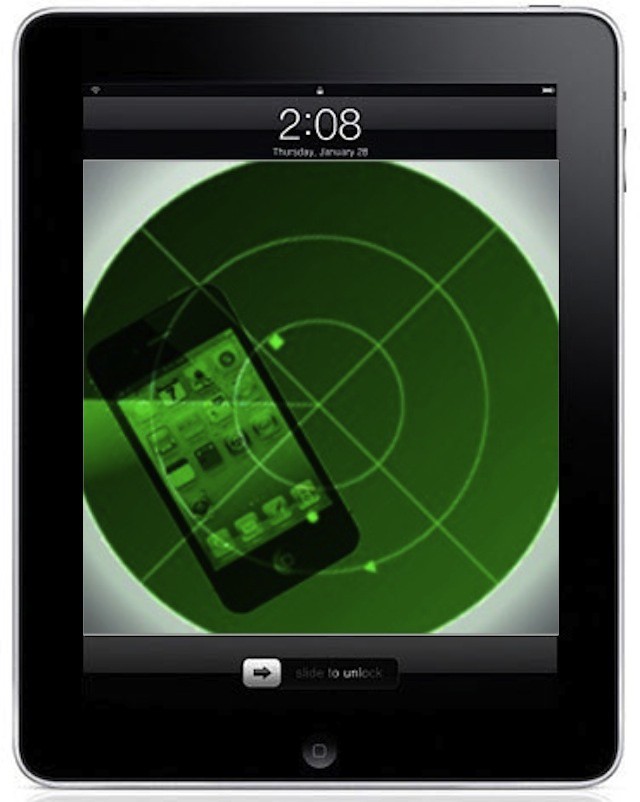
BYOD programs often mean IT can track your iPhone/iPad and restrict access to features and apps

BYOD programs are popping in workplaces of virtually every shape and size. One of the big advantages of these programs is that you can decide what kind of mobile device (iPhone, iPad, or other device) and what apps make the most sense for your job and how you work. Some companies even offer reimbursement of some of the expenses associated with using your personal tech in the office – an example being your iPhone or iPad’s data plan (or a portion of it).

That sense of freedom is very empowering, but it often comes with the tradeoff of your company’s IT department enrolling your device in a mobile management system. This means that certain features of your device are likely to be restricted for security purposes. It also means that your company will be able to monitor and track how you use your iPhone or iPad and can wipe data remotely at any point. 

In Windows 8 Strategy Microsoft Borrows Heavily From Apple’s PlayBook

By •

With Windows 8, Windows RT, and Windows Phone, Microsoft seems to be copying Apple strategies

Yesterday, Microsoft announced its Windows 8 product lineup. The lineup includes just three editions as opposed to Windows 7 and Vista, which offered twice as many options though some were targeted at developing and niche markets. In addition to streamlining the overall offerings, Microsoft also drew a sharper line between Windows 8 for desktop, notebook, and tablet PCs with x86/64 processors and Windows for ARM-based tablets.

If the dividing line between a full-fledged version of Windows and a version designed for low cost tablets seems vaguely familiar to you, it’s because the strategy is pretty similar to the distinction between Apple’s OS X for Macs and iOS for iPhones, iPads, and iPod touches.

In fact, the entire desktop and mobile lineup that Microsoft is developing seems to borrow pretty heavily from Apple’s playbook.

Shot-Steadying SlingShot Camera Stand For iPhone

By •

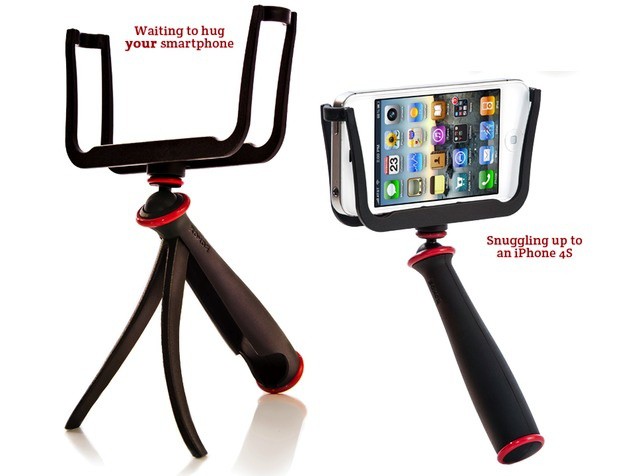
Peeoooyngg! TYhe one thing the SlingShot won't do is catapult your iPhone across the room
Peeoooyngg! The one thing the SlingShot won't do is catapult your iPhone across the room

UPDATE: This post incorrectly stated that the SlingShot’s inventor, Charles Waugh, was also responsible for the AirClip iPhone grip. He is not.

It seems that there’s an almost infinite number of ways to stabilize your iPhone while taking photos and video, but possibly the most absurd – and at the same time extrmely practical – method so far is to drop it into this catapult-shaped tripod/slingshot.

I chuckled when I first saw it. And then I thought, “that’s actually pretty damn clever.”

What Is A UDID And Why Is Apple Killing Apps That Track Them? [Feature]

By •

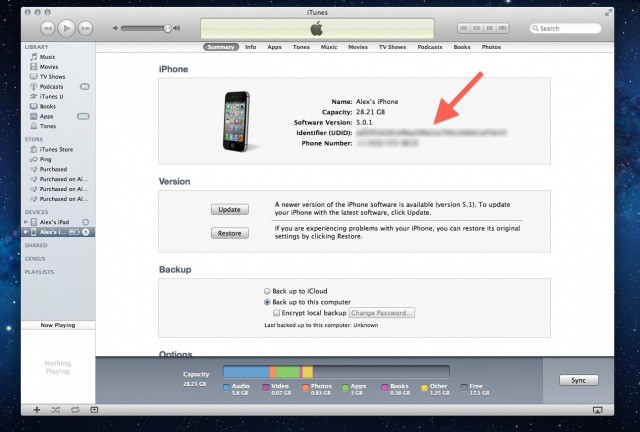
This unique string of alphanumeric text attached to every iPhone and iPad is the source of a lot of privacy concerns.

Many of us feel a deep personal connection with our iPhones, and small wonder: the average person’s smartphone knows more about them than their spouse or significant other. Our iPhones hold our contacts, photos, videos, music, banking data, texts, emails, voicemails, web logins, apps and more. We use our phones to pay our bills, send texts to our girlfriends, check-in to our favorite club, play games with friends, and much more besides.

That makes our iOS devices a juicy target for tracking, and what most people aren’t aware of is that, historically, Apple has made it very easy to anyone to tell what you do with your iPhone. It’s called a Unique Device Identifier or UDID. Every iOS device has one, and using it, third-parties have been able to put together vast databases tracking almost everything you do with your iPhone, iPod touch or iPad.

The good news for privacy advocates is that the days of UDID are numbered. Following the recent stink the U.S. Congress raised over how iOS apps handle a user’s personal information without permission, Apple has given an ultimatum to third-party App Store developers: either stop tracking UDIDs or get kicked out of the App Store. Now ad networks and developers are scrambling to agree on a way to track your device in the future.

But are these replacements any good, or do they pose even bigger privacy concerns than UDIDs did?