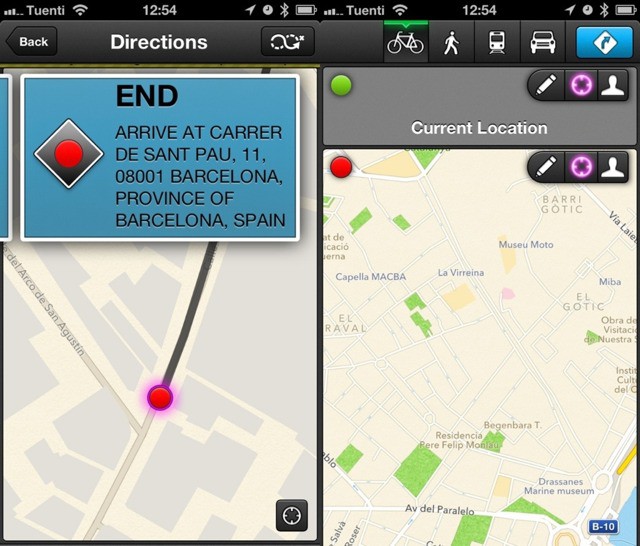
Quick Route is my new favorite routing app, not least because it’s so bike and pedestrian friendly (regular readers will know how I feel about those death boxes they call “cars.”) It’s optimized for the iPhone 5, it exhibits the level of design and polish you’d expect from a developer who also works for Panic, and it has a unique and neat way to pick your origin and destination.
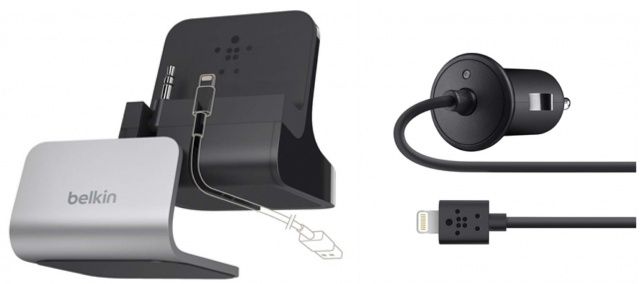
Belkin has become the first accessory maker to get authorization from Apple to build third-party accessories for the Cupertino company’s new Lightning connector. It just announced a new lineup of Lightning accessories, which are compatible with Apple’s latest lineup of iOS devices, including the iPhone 5, the new iPod touch and iPod nano, the fourth-generation iPad, and the iPad mini.
Instagram: gimmicky retro filter-fest or serious social network? Time Magazine seems to thing it’s the latter, and despatched five pro photographers to go out and shoot the aftermath of super-storm Sandy with their iPhones, posting the results to Time’s Instagram feed.
Steve Jobs was a Buddhist, a religion founded on the concept of the impermanence of all things.
And everything is impermanent. Especially Apple products.
A lot of users complain about Apple’s everything-is-temporary philosophy. But I think Apple will increasingly embrace it — and even launch a social network whose main feature is the deletion of your posts.
We’ve got some great new apps in this week’s must-have roundup, including Path, which finally makes its debut on the iPad; a nifty utility for monitoring the data consumed by your iPhone apps; plus a great new cooking magazine that every foodie should have installed on their iPad.
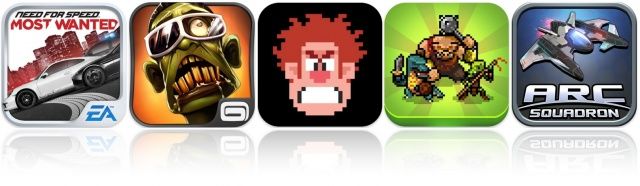
This week’s must-have games roundup kicks off with the latest Need for Speed title from EA games, which is quite possibly the best arcade racing game available on iOS right now. We also have an excellent dual-stick shooter from Gameloft, Disney’s Wreck-it Ralph, and more.
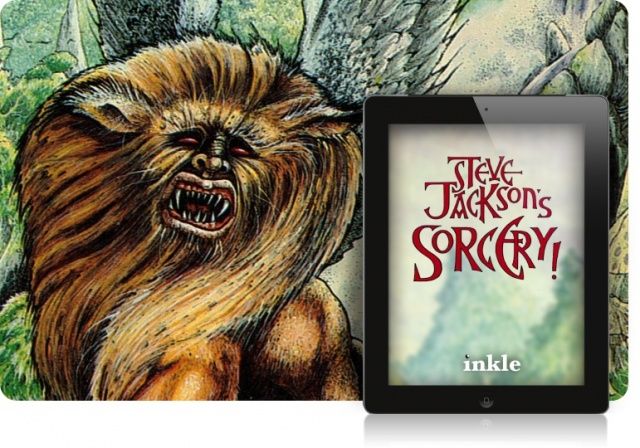
Steve Jackson (not the designer of Munchkin card games, sorry) started out writing an adventure gamebook for Penguin back in 1983. As it’s coming up on the 30th anniversary of his four-book Sorcery! series, Jackson decided to bring the proto-RPG to the modern age by teaming up with development studio Inkle and releasing four new iOS gamebook apps for iPhone and iPad.
Apple has lost its battle to secure the ‘iPhone’ name in Mexico and may have to cease selling its device under a court injunction. The Cupertino company attempted to secure the name in 2009, and wanted a local company to cease using the name ‘iFone’ under the grounds that it sounded too similar.
Unfortunately for Apple, the iFone name was secured four years prior to the launch of its smartphone, and the Mexican firm has won its bid to get the device banned.
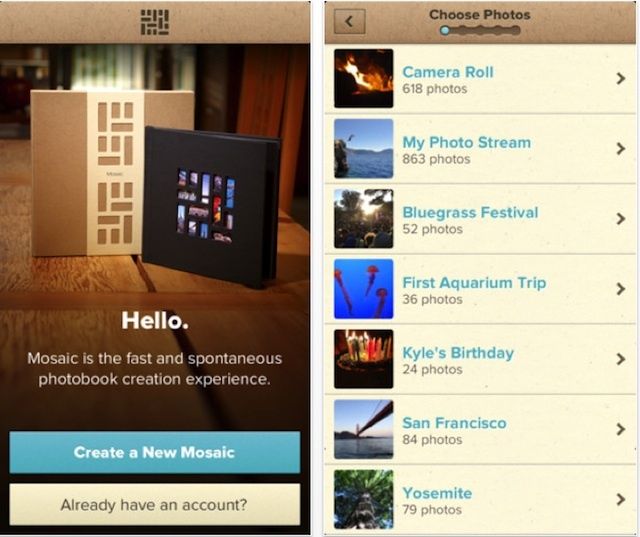
With the holidays coming, maybe there’s no such thing as “too many photobook makers.” At least, that’s probably what Mixbook is banking on with their new Mosaic app, which lets you quickly create a hard-cover photobook for $20.
This one’s a little different though: Not only can you create and order your photobook with your iPhone, but the books are created with an unusual effect where photo thumbnails peek through windows in the book’s cover. Definitely attention-grabbing.
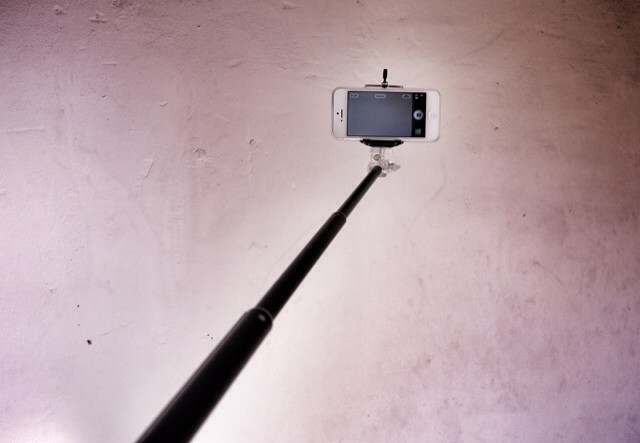
The iStabilizer is a combination monopod and camera/phone tripod adapter. It’s light, it’s sturdy, it’s mostly aluminum, and it’s pretty much ideal for occasional use. And it has one fantastic function which will probably get you arrested.
Path, the popular “personal network” exclusive to smartphones and tablets, has today made its debut on the iPad. With a new interface designed to take full advantage of the iPad’s larger display, Path for iPad “allows for larger moments” and lets you see more of your family and friends on one screen.
NaNoWriMo is the annual attempt by many tens of thousands of people to finally get that novel out of their head and into the cloud storage option of their choice. The goal is to write a 50,000-word novel by midnight on the 30th November, and you can get there by fair means or foul. The rules? It has to be a novel, it has to be 50,000 words (or more) long, and it has to be written in November.
The tools you will need most to write your NaNoWriMo novel are inspiration and a lot of perseverance. Luckily, apps can help you with both. Here’s the definitive guide to NaNoWriMo apps on the Mac and iOS. If you can’t drag that novel kicking and screaming into the world with the help of these apps, you can’t do it at all.
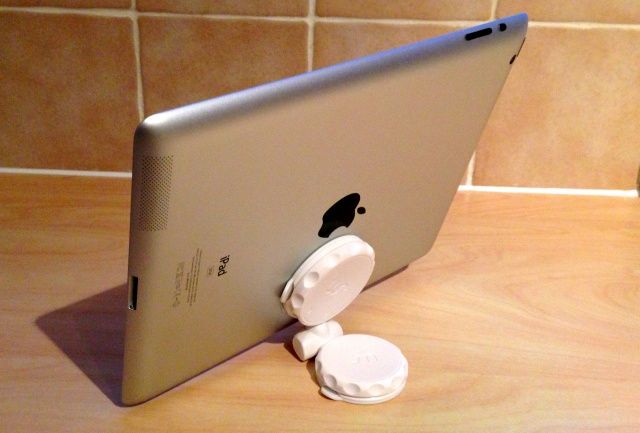
Born on Kickstarter, the MobileMount is a nifty little tool that allows you to mount almost any smartphone or tablet to a flat surface. Its design is simple; it consists of two suction cups that are held together by a ball and socket joint, so you can angle the stand in almost any direction while it’s mounted.
Both suction cups utilize a ‘turn-to-lock’ mechanism in an effort to ensure it’s super secure, and that your device never becomes unstuck. And because they’re just simple suction cups, you don’t need to remove cases or chargers from your device before you use them with the MobileMount — provided the case you’re using has a flat surface, of course.
This also means you can use one mount for your iPhone, your iPad, your iPod, and more — you don’t need to carry separate, dedicated accessories for each device. The MobileMount comes in black or white, and costs $39.99. But is it really worth it?
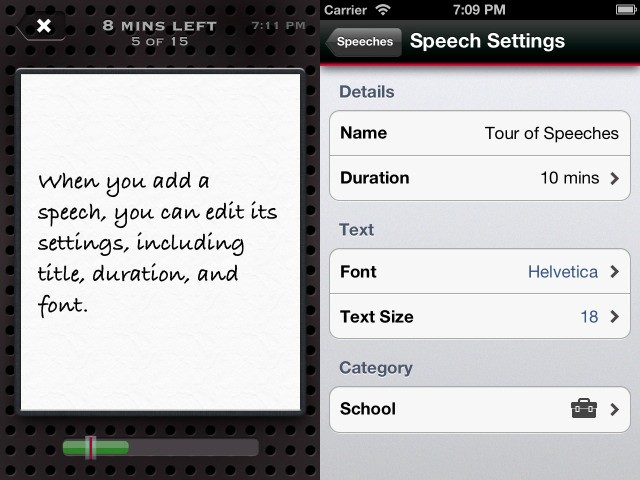
I give great, fluid, professional-appearing speeches. Put me up in front of a crowd and I’ll crow on all day log, with nary a stammer nor a hesitation. The problem? I have nothing to say.
Other people actually have interesting information to convey, and yet they’re scared stiff of public speaking. Speeches app is here to help. It won’t boost your confidence, but it will help you to remember what you’re supposed to be talking about.
Poor Siri. Her and Scott Forstall looked so happy together each time they hung out at the Apple keynotes, swapping jokes, answering questions and chatting. Now Scott’s kind ofalmostgone, but no one’s had the heart to break it to Siri that Mr. Forstall no longer plays a major role at Apple, and won’t be there to show off all her new designer threads at the iOS 7 keynote.
Each time you ask about Scotty, Siri tells you to just go look at Apple.com, like he totally works there and the info’s all there man. But yeah, it’s not.
Over the course of the last five years, there have been a lot of movies with the gimmick that they have been shot on the iPhone, but few have pulled it off as well as this incredibly scary little short film made by Clement Deneux for the 2011 Disposable Film Festival, a film festival dedicated to short films shot on smartphones and either pocketable cameras.
It’s called Les Ongles, or The Nails, and it would be a discredit to describe the plot in much detail, except to say it’s a found-footage-style short that takes place during a party in Paris in which one guest is compelled to quit a nasty habit. You’re going to want to watch this.
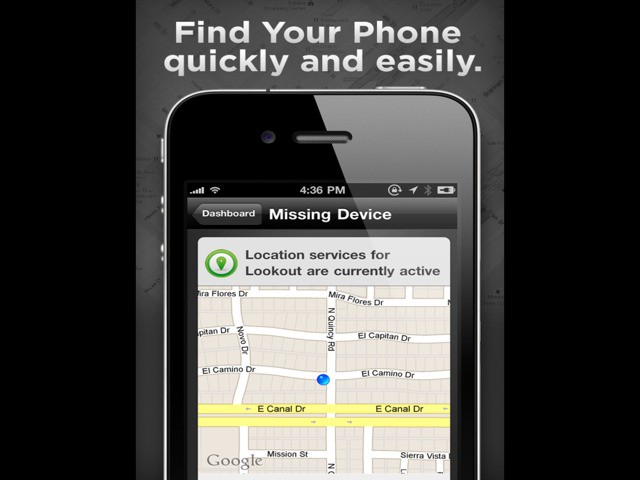
Lookout is like Apple’s Find My iPhone app, only it adds a whole bunch of extra features. It’ll let you track your lost phone from any web browser, even when the battery has dies (kinda), and it also adds a slew of features that only the dumbest of people will need.
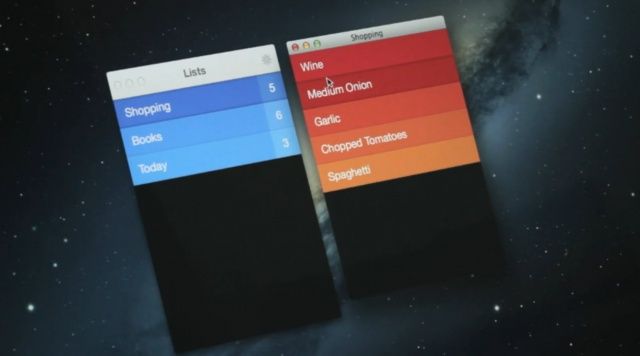
Realmac Software has today announced Clear for Mac, a desktop version of its wonderful to-do app. It’s coming on November 8 alongside a big update to the iPhone app, which will add iCloud syncing between both platforms, and more.
Instead, it’s a top-down action RPG that allows you to play randomized missions as your favorite Borderlands characters. It’s available to download now on iPhone, iPad, and iPod touch, but according to the initial reviews, it may not be worth your hard-earned cash.
The Nike+ FuelBand, now available in 'White Ice' and 'Black Ice'.
Nike has announced a duo of new colors for its Nike+ FuelBand, which are now available to purchase from Apple retail stores across the United States, Canada, and the United Kingdom from today. The new colors are “Black Ice” and “White Ice,” and like the other models, they’re priced at $149.95.
The iPhone 4S launched on China Telecom back in March.
China Telecom has reportedly finalized its talks with Apple over the iPhone 5 ahead of the smartphone’s debut in China in December. The carrier told reporters that its support for the iPhone 5 is now a “foregone conclusion,” while sources claim it will get the device at the same time as, or possibly even before than, China Unicom.
In keeping with the “connect other controllers to play Mac games” theme this week, I thought it’d be fun to look at a Mac game that can use an iPhone as an external controller.
Chopper 2 is available as a Mac game for $4.99 in the Mac App Store. It has 36 missions across 12 unique location maps and uses a gorgeous 3D game engine to recreate the classic side scrolling joy of the original Chopper game.
Here’s the app store description:
Escort a convoy of vehicles across the desert, or defend a train from enemies emerging from underground mines. Use your laser sight to line up enemies emerging from stairwells in the city. Chase down lines of enemy tanks and choppers while avoiding heat seeking missiles, gunfire and bird strike. Help your allies defend against advancing armies, and rescue stranded civilians, all while trying to complete your mission as fast as possible for the highest score.
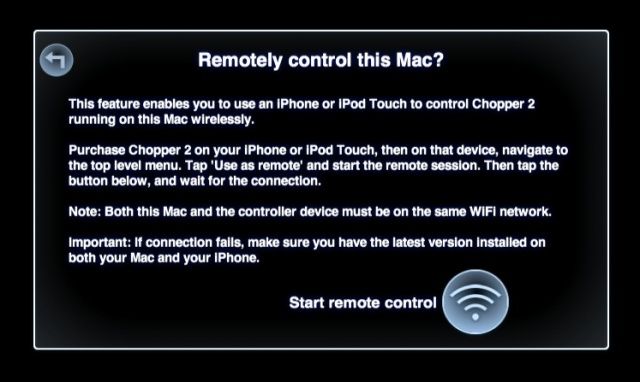
Now, if you have an iPhone or iPod touch, you can use it to control the Mac version of Chopper 2 via WiFi.
During its iPad mini unveiling last week, Apple showed off an awesome video from the iPhone 5 launch day on September 22. The clip featured an uplifting soundtrack by The Rival, and lots of happy customers who had just picked up Apple’s latest smartphone.
If you didn’t see it during the keynote, you can now watch it online; Apple’s posted the video to the iPhone 5 page of its website, but you can see it below.
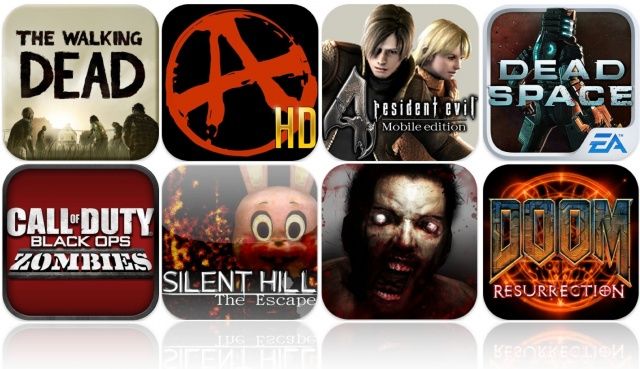
With Halloween almost upon us, what better way to celebrate than to scare yourself silly with some of the most terrifying games the App Store has to offer? We’ve put together a selection of the best horror titles that will have you watching your back this October 31, with some big hits like Walking Dead, Rage HD, Dead Space, and more.