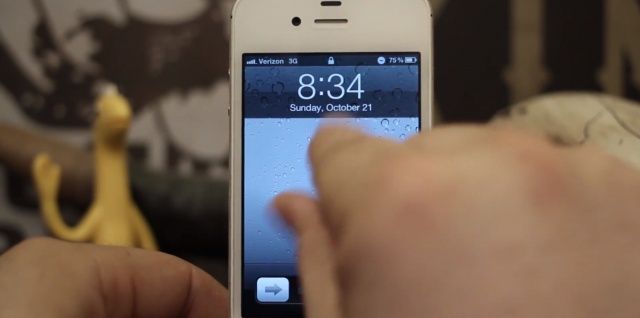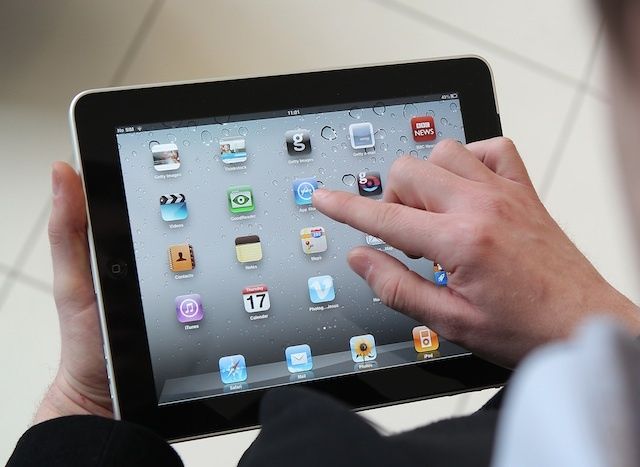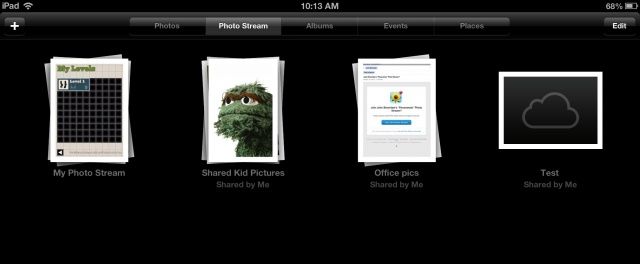
If you live in the UK, or if you know how to make your iPhone think that it’s in the UK, then you can now listen to BBC radio from a new dedicated app. It’s called iPlayer Radio, and it turns your high-tech, $700 pocket computer into a 1980s clock radio.
Apple is expected to sell the iPhone 5 directly in India this time around.
The iPhone 5 is expected to launch in India on October 26, more than seven weeks after making its debut in the United States. The device is also expected to come with “wider availability” than previous models, which were hard to get hold of, and should come with a similar price to the iPhone 4S when that first launched in India.
Customers queue for the iPhone 5 at IFC Mall in Hong Kong.
If you think the iPhone 5 is hard to get hold of where you live, spare a thought for those in Hong Kong, where the device is in such short supply, users must play the “Apple Store lottery” to be in with any chance of getting their hands on one. According to one analyst, locals have more chance of winning the real lottery than picking up the Cupertino company’s latest smartphone the day after they order.
I-Mego’s Throne headphones will bring a big dose of retro styling to the sides of your head. While they pack almost every modern piece of tech you need, they look more like those old-style mics used by radio-announcers (radio announcers in movies at least) and blues crooners.
Sega has announced that arcade classic Crazy Taxi is coming to iOS devices this month. It hasn’t given us a whole lot of information on the game — none at all, in fact — but it’s expected that the title will be a complete port of the original Dreamcast hit, with the original (and awesome!) Offspring soundtrack.
Before and after Newsstand gets hidden on the iPhone.
Apple won’t let you put the iOS Newsstand icon in a folder for some ridiculous reason. It’s annoying. A lot of people don’t use Newsstand on the iPhone, and after awhile that wooden bookshelf icon seems to just sit there, mocking you. Wouldn’t it to be nice to hide it in a folder with all the other stock apps you don’t you use, like that stupid Compass app?
There was a trick discovered in iOS 5 that lets you hide Newsstand with some finger magic, but the process is a little tedious. A new utility app for the Mac called StifleStand puts Newsstand in an iOS folder for you, no jailbreak required.
who needs an iPad Mini when you can just use a magnifying glass?
The iPhone 5 has a slightly larger display than the iPhone 4S, but come on, no one wants to watch movies on a tiny little 4-inch screen. You could go and buy an iPad or iPad Mini if you really want to watch movies on your iOS device, or you could save your self a few hundred dollars and buy this odd accessory that magnifies your screen size.
Some gadgets pick one thing, and do only that thing. And they do it very, very well. Other gadgets try to pack in everything possible, and they usually end up doing everything badly. This is called the Swiss Army Knife Approach (SAKA), and if you ever wondered why the Swiss are neutral in all wars, now you know.
The ReadyCase takes the latter approach, and like any good SAKA device, it’s way more fun to marvel at the amount of widgets the makers packed in than it would ever be to use.
Last week we discovered the funniest way to play Connector Four on an iPhone. It’s silly and slightly painful, but completely awesome in a nerdy way. Now someone’s raised the stakes and figured out that you can also create games of Checkers or Chess using emoji. If you’re really bored trying to figure out how to celebrate Columbus Day today, now you have an activity that’s guaranteed to take up a few hours of your time.
Steve Jobs vowed to patent everything Apple invented after being stung by patent suit.
Apple’s overactive approach to defending its patents may sometimes make it look like one of the industry’s biggest bullies, but you may be surprised to hear that the Cupertino used to patent hardly anything. In fact, it only began patenting its inventions after years of patent suit losses, one of which saw the company fined $100 million for creating the iPod.
How do you get a printed, paper photograph from your iPhone? The easiest way is probably to use an app which lets you pick a pic, and then get a print delivered to your door a few days later.
But the funnest way is probably the one used by Adam Rhoades: he prints them in a traditional darkroom, using the iPhone’s screen as both negative and enlarger bulb.
The riot resulted in broken windows at the Foxconn factory.
Following reports of a riot between 4,000 employees earlier this month, Foxconn has acknowledged that two disputes between workers did take place at one of its Chinese plants. However, the company has denied claims of a strike over iPhone 5 production pressures, and says that production is on schedule.
The rocket scientist (yup, he kinda really is) behind last year’s dual-iPad Halloween trick is back at it again. Only this time, having the best Halloween costume in the neighborhood won’t require two iPads — just an iPhone (or Android phone), a special t-shirt and some duct tape. And the results are really, really cool.
So, until iOS 6, in order to email photos, you had to drop into the Photos app, open one photo at a time, and tap the Share via email button. You can still do this, or you can tap the Edit button in Photos and share multiple photos to email or other services like Facebook or Twitter.
In addition, however, you can insert pictures into an email right inside of Mail app, without ever having to leave the app to get your images, which is much more Mac-like, to be honest. I mean, if you’re sending an email, you want to be able to add photos right there. Right? Right.
Bodymedia’s Fit fitness tracker is a hideously ugly, and is supported by one of the most willfully customer-hostile web services I have ever seen. Yet despite this, it actually does its job very well.
Steve Jobs has changed the world four times, by my reckoning. One year after his death, is the world different? What is his legacy? Is it the company that he started, journeyed outward from in disgrace, and ultimately returned to in triumph? How about the devices he had an enthusiastic hand in bringing to market? The business of music and film? What is the world now that it would not have been without Steve Jobs?
It’s all of those things, of course. Jobs’ legacy is not something we can distill into a simple slogan or tagline. Steve Jobs worked for a world in which the design, manufacture, and marketing of consumer electronics enhances our lives in a very human way.
You broke the back glass of your iPhone 4, but you’re not eligible for an iPhone 5 upgrade just yet. Maybe you forgot to buy AppleCare+. Yeah, you could go and get the back glass replaced for $29, but if you want to save some money and make your iPhone look unique while you wait for your upgrade eligibility you can try what this Redditor did.
Rather than buy a new back plate they added splashes of paint or nail polish into the cracks to give it a funky look. Who knows what will happen if that paint seeps into the components, but when your iPhone is already busted, you might as well throw caution to the wind and try something weird.
PadPivot is one of those gadgets which at first appears completely absurd, but then grows on you as you see what it can do. It starts off looking like an over-engineered solution for an non- problem: putting an iPad on your lap. But then you see it stick, prop, and fold, and it all starts to look rather compelling.
Plug in your iPhone or iPad and charge it up, and you’ll notice that while the first 80% or so will go by pretty fast, they actually kind of suck at charging up that last 20%, taking a lot more time to do so than it feels like they should.
There’s a reason for this. Charging batteries up to “full” is a complicated process. There’s no real way to tell if a battery is completely “full” so all you can do is measure the voltage, which (and this is a vast simplification) tells you how much resistance is being met when you try to put more electricity into the battery.
That’s why it takes so long for an iPhone to charge that last 20%. It charges full blast until it measures a certain voltage, then goes into what’s called “trickle mode” to slowly allow small sips of electricity into the battery until it thinks, based upon some software calculations, that the battery is more or less full. But a new algotihm could make the time it takes to charge your iPhone or iPad go by a lot faster.
Luckily, you now have an option. Coming in an attractive hardwood version or a choice of either regular or black aluminum, the Lightning Dock is a no-fuss, no-frills dock that works with or without a case and depends on the incredible strength of the new Lightning Connector to keep the iPhone upright.
It also works with the new fifth-generation iPod touch, and it’s pretty cheap: the hardwood version will only cost you $24.95, while the aluminum version is $10 more. That’s without an included Lightning cable: if you want them to ship you one, it’ll cost $20 more.
So, the wacky little app-thingy that we all wondered about in iOS 6, Passbook, seems like it’s starting to grow up a bit. Now, when you tap the App Store button in the Passbook App, the new “Apps for Passbook” section of the iTunes App Store, only available via your iPhone running iOS, has quite a few new apps available.
I like to be notified when email comes in, but I sure do get a lot of email. Prior to iOS 6, I was relegated to just dealing with it, and setting the type of notification–Badges, Banners, and Sounds–for eMail in general. It got a bit tedious, to say the least, with the four main accounts I check on my iPhone.
You know now that you can set up a different signature for each email account you check on your iPhone, iPad, or iPod touch running iOS 6. But did you know you could also set up a different Notification style for each account, as well?
The Cygnett Lavish from MobileFun is a genuine leather flip case for iPhone 5 that contains a plastic snap-on shell that houses your device. It boasts a magnetic closure, and a card slot that will comfortable house one or two credit cards without adding too much bulk to your pocket.
The Lavish provides access to all of your ports and buttons, and can be folded back to expose your iPhone’s rear-facing camera. It comes in black or “regatta blue,” and it’s priced at $41 (£30).
It’s not the cheapest iPhone 5 case, then, but is it worth it?
Back in early September, we reported that Acclaim’s classic radio-controller car racer, Re-Volt, was coming to iOS, and today it has landed in the App Store. The title is an exact port of the original game released on the PC and Sega Dreamcast back in 1999, only it’s been visually optimized to look great on Retina display devices, and adapted for the touchscreen.
Re-Volt boasts “fast paced, exciting driving, with explosive weapons and unique track designs [that] deliver a larger than life racing experience like no other.
There are like 50 billion games on the App Store and a lot of them have Game Center integration so you can battle your friends at Angry Birds, or Temple Run or Tic-Tac-Toe or whatever. But if you want to see how much your friends really love you, try playing them in a emoji game of Connect Four. It’s painful and kind of tedious and you have to remember to play with virtual-gravity, but it’s also totally awesome, in a dumb way.
Subscribe to the Cult of Mac newsletter
A daily blast of Apple news, reviews, how-tos and deals, delivered straight to your inbox.