Mobile menu toggle

iPhone - page 239

The ‘Budget’ iPhone Is Rounder, Slightly Thicker Than The iPhone 5 [Image]

By

mgmcorp

With the iPhone 5S shaping up to be pretty much an identical device to last year’s iPhone 5 except a marginally faster processor and (fingers crossed!) some cool new fingerprint sensor technology, eyes are on the so-called “budget iPhone” as 2013’s new hotness.

Although the ‘budget iPhone’ will address the mid-market, it’s still an exciting device, rumored to be the first iPhone to come in an iPod-palette of colors. Otherwise, though, we don’t know a lot about what it looks like.

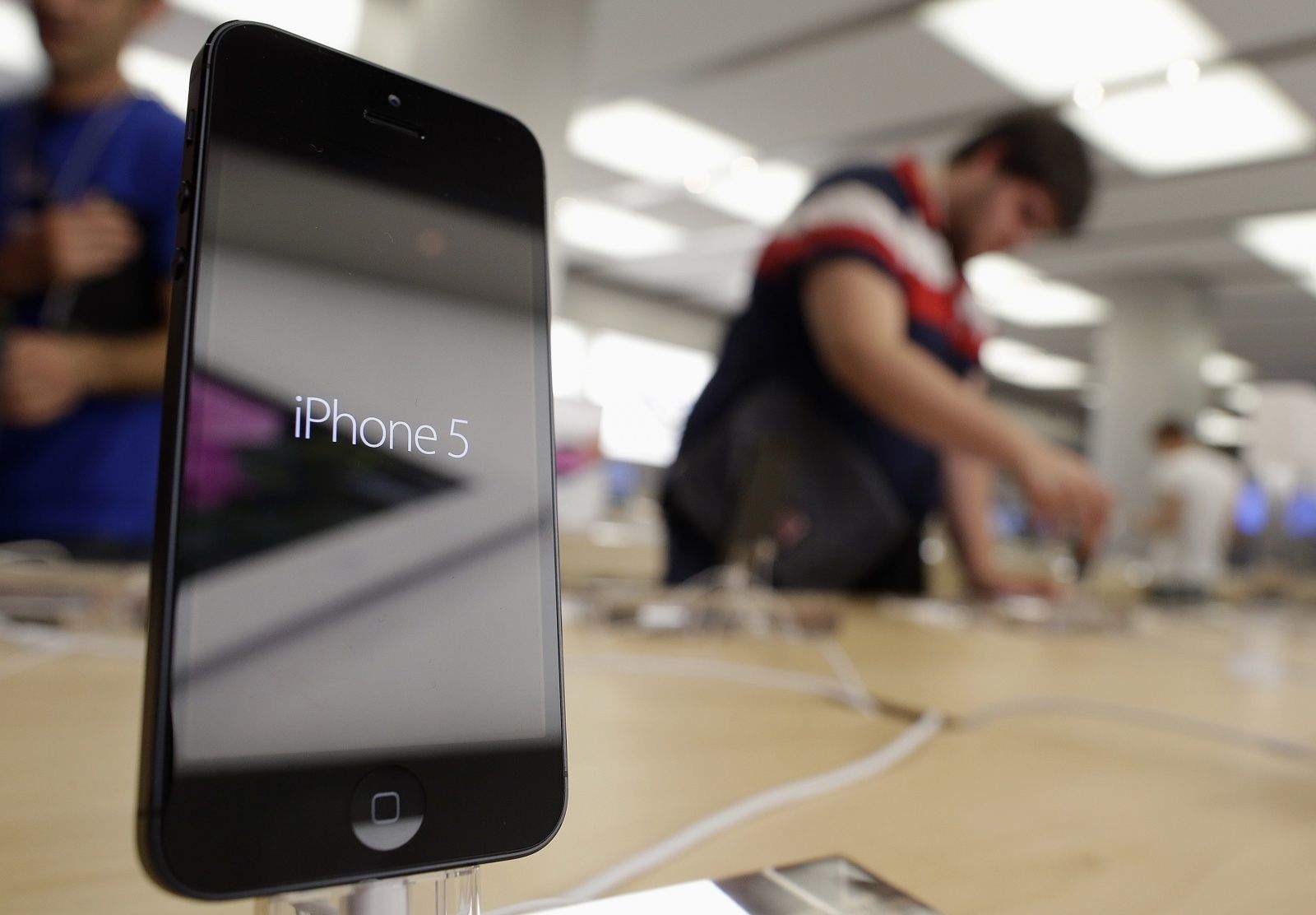
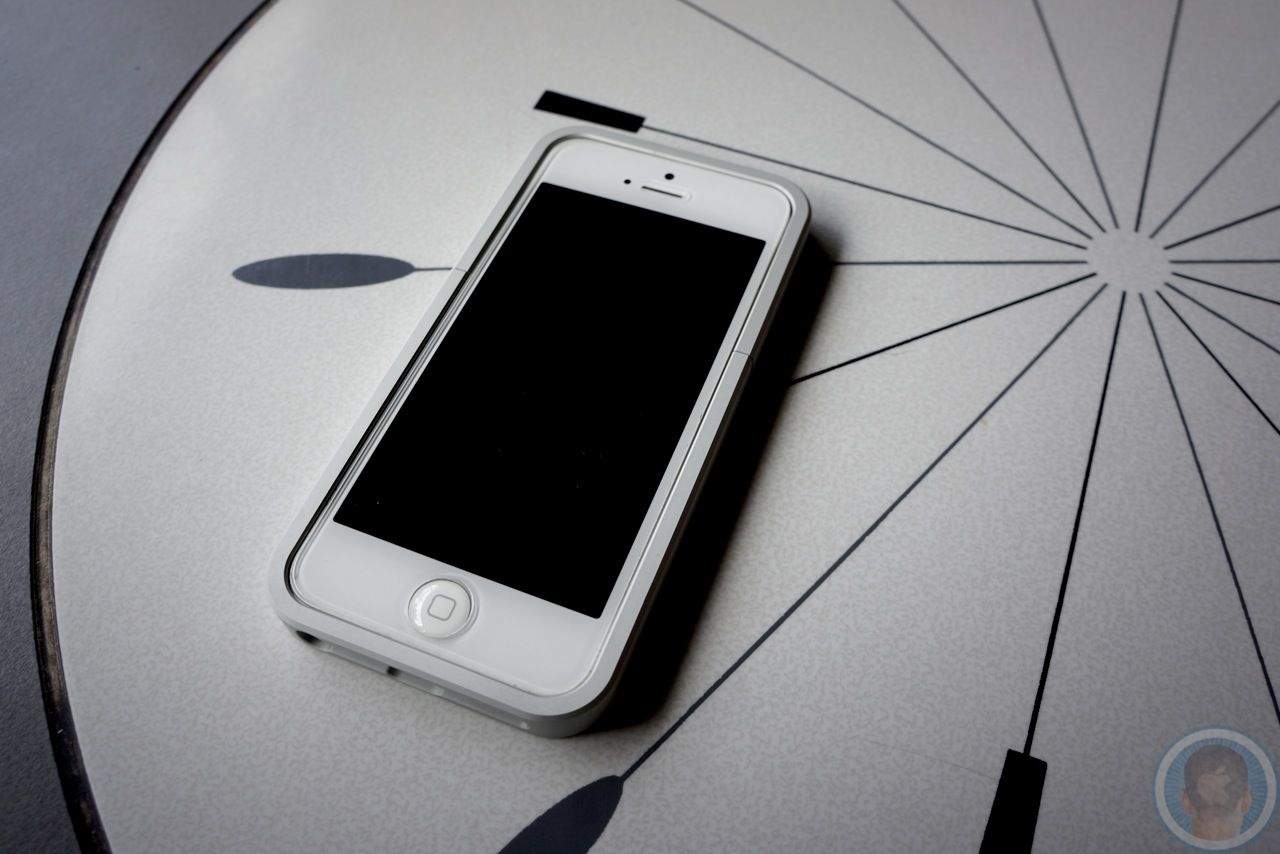
Far East case makers might, though. MGM Corporation, an Asian casemaker, has posted a first look at a case for the budget iPhone. It doesn’t show much, except that the budget iPhone is about 2mm thicker than the iPhone 5, and has rounded corners instead of the iPhone 5’s square shape.

Here’s some video, showing it from all sides.

Goal Zero And AT&T Install Solar Charging Stations In New York

By

solar.jpeg

I play the street life
Because there’s no place I can go
Street life
It’s the only life I know
Street life
And there’s a thousand cards to play
Street life
Until you play your life away

So go the lyrics to Randy Crawford’s fantastic Street Life, which is not — as far as I know — the official song of AT&T and Goal Zero’s new “collabo” Street Charge.

Street Charge is a new scheme which will see AT&T deploying solar charging stations throughout New York City.

Shazam Launches New ‘Pulse’ Music Discovery Feature For iOS

By

shazam-61

Shazam released version 6.1 of its iOS today on the App Store. The new version comes with a special feature called ‘Pulse’ that can be used to discover new music that is trending on Shazam’s charts.

Included in the big update is a new look for the tab bar, better chart updates, improved Friends page loading, and of course some bug fixes. The new version is available on both iPhone and iPad in the App Store for free.

Here are the release notes:

Mark All Mail Messages As Read With iOS 7 Beta [iOS Tips]

By

mark as read

As you may know, Apple released the first beta for its upcoming iOS 7 this past week, after an announcement at WWDC just prior.

We’ll take you through some lesser known features with our tips for a bit, giving you a sneak peek into the workings of the newest system to hit the iPhone. Be aware, however, that as this is beta software, any of these features and tips could change before iOS 7 hits the streets this coming fall. In addition, be sure that you’re not using a beta iOS 7 on an iPhone you need to get work done on–Apple has provided it without guarantee for developers to start working with, not for you to use on any mission critical tasks.

That said, let’s check out Mail, the built-in app for checking and sending your email from Apple. One of the biggest things I’ve always wished for in the previous app is a way to mark all the messages in my inbox as read in one fell swoop.

It looks like, in iOS 7 beta, anyway, that you can do just that. Here’s how.

Hand-Sculpted Cherrywood iPhone Case: Guess The (Absurd) Price

By

CHERRY-BOX-400x525.jpg

You know what I’m thinking? I’m thinking it’s been three whole days since I posted about a wooden iPhone case. And since the last one before that was maybe at the beginning of last week, I’m thinking it’s about time for another one. So here it is: The Colors Handcarved Wood iPhone 5 Case.

AT&T Finally Bringing U.S. Emergency Alerts To iPhone 5 And 4S

By

k-bigpic

In May 2012 several U.S. carriers started rolling out a nationwide wireless emergency alerts (WEA) system for wireless subscribers. The free service is intended to share information about natural disasters and other location-centric news, like AMBER alerts.

Over the weekend AT&T announced that it is bringing WEA to its iPhone 5 and iPhone 4S owners across the country. The service will be enabled via a carrier firmware update that has started rolling out to subscribers on iOS 6.1 and higher.

Ending Soon: Fly High With The Robocopter GST Special Edition [Deals]

By

CoM - Copter 2

Have you ever had the chance to play with a remote-controlled helicopter? If you haven’t…you’ve been missing out.

The Robocopter GST Special Edition with Hyperbrain Controller (aka – the iHelicopter) is the go-to remote control toy for the 21st century. From Extreme Fliers – the leading brand of remote-controlled toys – comes a remote-controlled Helicopter. But this toy’s remote is your iPhone!

The fun begins here at Cult of Mac Deals, because we’ve got the iHelicopter for just $49.99.

Eddy Cue Had To Convince Steve Jobs That iBooks Would Be Awesome On iPad

By

ipadminiwithibooks

iBooks has been a big successful venture for Apple — despite the ongoing price fixing case from the Department of Justice — but it’s a service that may never have been if Eddy Cue hadn’t convinced Steve Jobs it would be awesome on the iPad.

Before Apple was gearing up to launch its popular tablet in late 2009, Steve Jobs wasn’t interested in the iBooks idea, and he felt e-books had no place on desktops and small smartphone displays.

Microsoft Launches Office Mobile For iPhone

By

Office-365-iPhone

Microsoft has launched Office Mobile for iPhone today, allowing Office 365 subscribers to access and edit their Word, Excel, and PowerPoint documents stored in SkyDrive, SkyDrive Pro, or SharePoint from virtually anywhere. The app boasts support for charts, animations, SmartArt graphics and shapes, and more.

Get 3 Must-Have Mac Apps With The MacPhun Photo Editor Bundle [Deals]

By

CoM - MacPhun Bundle

As the summer vacation season hits in our neck of the woods, there’s bound to be plenty of photos being taken of people having fun in the sun. Whether you’re using a simple point-and-shoot, a high-end DSLR, or even your smartphone – the photo-taking process doesn’t end once you take the shot. You’re going to want to make that shot look as great as possible afterward – and that’s where the latest Cult of Mac Deals offer can offer you a big hand.

With The MacPhun Photo Editor Bundle, you’ll get three stellar photo apps in Snapheal, FX Studio Pro, and ColorStroke. Buying all of these apps outside of this offer would run you $69 – but Cult of Mac Deals is offering you a 56% savings on these apps in this bundle. You can get all three apps in The MacPhun Photo Editor Bundle for just $29.99 for a limited time.

iPhone 5S Will Come In Gold As Well As Black And White [Rumor]

By

Screen Shot 2013-06-13 at 13.28.14

Apple could add a third color option to its iPhone lineup this fall when the Cupertino company launches the iPhone 5S. According to a “trusted” source, the device will be available in gold as well as black and white, while the low-cost iPhone that will launch alongside it will be available in 5 different colors inspired by Apple’s iPhone 4 Bumper cases.

Reuters: Apple Considering Bigger iPhones With 4.7-Inch & 5.7-Inch Displays

By

iphone6

While competing smartphone manufacturers are producing devices in a whole host of different sizes, Apple’s iPhone has had only two screen sizes in its six-year history. But according to four sources with knowledge of Apple’s plans, who have been speaking to Reuters, the Cupertino company is “considering” iPhones with 4.7-inch and 5.7-inch displays.

It is also said to be working on a cheaper iPhone that will come in a range of different colors.

How To Create iOS 7 On A Jailbroken iPhone Running iOS 6

By

Screenshot

iOS 7 has been released in beta form to those who have paid for a developer account with Apple, but the rest of the general public will have to wait. Apple plans to ship iOS 7 to the world later this fall, so for now you’re limited to seeing screenshots online and the occasional GIF.

Unless you have a jailbroken iPhone, that is. Here’s how to create iOS 7 on iOS 6.

How To Downgrade From iOS 7 Beta To iOS 6 In Two Steps

By

Heading
Here's how to get your beloved iOS 6 back.
Photo: CBS Interactive

We’ve already told you why you probably shouldn’t install the new iOS 7 beta; it’s not just that the icons suck, but there are good reasons why beta releases should be avoided if you’re not a developer — particularly if you plan to use them on your primary device.

But if you went ahead and did it anyway, and now you’re looking for a way back, look no further. Despite what Apple says, iOS 7 can be downgraded to iOS 6 — and it’s pretty simple. Here’s how to do it in just two steps.

ScanDock, The $500 Stand For Your iPhone

By

scandock-1.jpg

The iPhone camera is already so much better for utility photography than a regular camera, why not use it to replace your scanner, too? That’s the idea behind the ScanDock, a combo stand, lighting rig and companion app for scanning pretty much anything on paper.

Apple Publishes Developer Guidelines For iOS, OS X Game Controllers

By

iOS-game-controllers

Apple announced during its WWDC keynote that iOS 7 will finally bring support for third-party game controllers, and the Cupertino company has followed that up with a new set of guidelines which detail a standard for iOS and OS X game controllers.

The document is designed to ensure all game developers are working with the same specifications, so no matter who your favorite title was built by, it should be compatible with your controller.

WWDC 2013 Keynote Is Now Available For Download In iTunes

By

wwdc13-about-main_2x

Don’t have enough time to sit at your computer and watch all two hours of the WWDC keynote? Well you can take it with you on your iPhone or iPad now.

The WWDC 2013 keynote was just made available in iTunes. You can download the video straight to your device as a podcast, but with a run-time of 1 hour and 58minutes, the file is pretty big, so make sure you’re on a Wifi connection. Here’s the download link.


Source: iTunes

Pros, Airs, iOS 7, Mavericks: Don’t Miss Our Full WWDC Recap On Our Special Edition CultCast

By

new-cultcast-site-promo-pic-heath.jpg

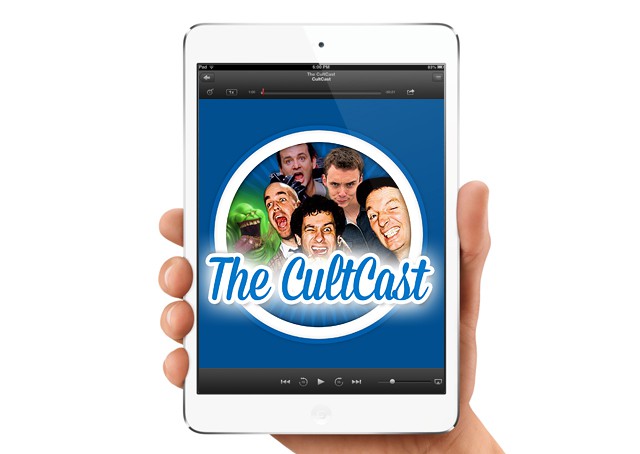
This time ’round on CultCast: iOS 7 debuts to a standing ovation, but some aren’t in love; OS X 10.9 Mavericks will have you rewatching Top Gun, we’ll highlight the new features; new MacBook Airs get insanely long battery life and more power; and Apple resurrects the rumored Mac Pro to uproarious applause—it’s our complete WWDC coverage on this very special episode of the CultCast.

Join us as we review all the great stuff Apple announced in the glorious 90-minute event know as WWDC. Stream or download new and past episodes on your Mac or iDevice by subscribing now on iTunes, or hit play below and let the good times roll.

Show notes up next.

Cultcast 76 post player image

Where Are All The Curse Words In iTunes Radio?

By

itunesradio


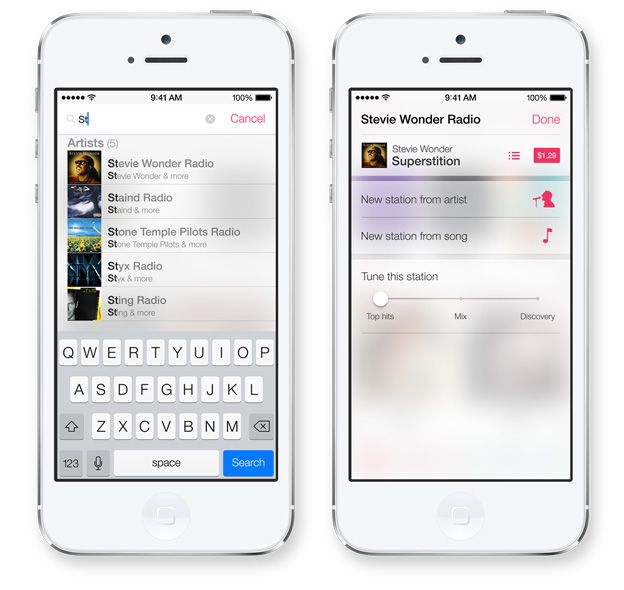
Apple finally announced its long-rumored iTunes Radio service yesterday at WWDC, and even though it doesn’t officially launch until this fall, we’ve been taking it for a spin in the iOS 7 beta. Initially, iTunes Radio has left us fairly impressed, except for one huge omission: all the curse words are missing.

When you stream music via iTunes Radio stations, all songs with profane lyrics are streamed in an edited edition, even on user-created stations. We’re not just talking about radio edits where more family appropriate lyrics are dubbed in. Nope, iTunes Radio just strips out the whole word so you’re left with awkward gaps in the song as your favorite artist chokes out a horrific blast of profanity.

During our time playing with iTunes Radio we haven’t come across a single explicit track that isn’t censored, so if you love to bath in the crass lyrics of hiphop’s greatest living legends, you’re out of luck. 

iOS 7 Keypad Buttons Now Morph Into Your Homescreen Background

By

newkeypadinios7


iOS 7 is full of huge UI changes and we’re just starting to scratch the surface on all the big changes, but here’s one new little feature that shows Apple hasn’t lost its touch with the little things.

The Phone app for iOS 7 got a big makeover that tossed out the old keypad buttons for a minimalist keypad adorned in white space and large helvetica numbers. The new Phone app UI is pretty plain and boring until you touch a button and watch it quickly morph into the homescreen background before its opacity pops back to white.

The new animation helps users see where they’re pressing, but you can waste tons of time with it playing Bingo or Connect Four too if you’re into that thing. Here’s what it looks like in action:

10 Awesome iOS 7 Features That Apple Didn’t Mention At WWDC

By

iOS-7-lock-screen

I’ve given iOS 7 a lot of hate this morning — just because I hate its icons — so I thought it was about time I showed it some love. It may not look the best, but the next-generation of iOS is packed full of awesome new features that should greatly improve the user experience.

A lot of those were detailed during Apple’s keynote at WWDC yesterday, but some got left out. So here’s ten awesome features in iOS 7 that didn’t get a mention at the event.