Mobile menu toggle

iOS - page 144

Carrier IQ: We Only Unintentionally Collected Smartphone Users’ Text Messages

By

iphone-sms-text-message

Carrier IQ CEO Larry Lenhart and vice president of marketing Andrew Coward have revealed in an interview that despite the company’s assurance that no personal data is recorded by its software, a “bug” did unintentionally collect users’ text messages. What it does collect intentionally — particularly for the Federal Bureau of Investigation — is yet to be clarified, with the FBI refusing to disclose this information.

Apple Hires iOS Concept Designer Jan-Michael Cart

By

cult_logo_featured_image_missing_default1920x1080

Jan-Micheal Cart has made quite a name for himself designing impressive new concepts for the iOS operating system, such as the dynamic icons concept you see above, and an awesome system for implementing widgets which we covered back in May.

However, it seems it’s not just iOS users who have been impressed with Cart’s work. The Apple camp in Cupertino has also picked up on it, and they’ve hired him as an intern.

Customize Your Spotlight Search To Remove Unwanted Results And Find Things Faster [iOS Tip]

By

spotlight-search-ios

Spotlight search on an iOS device is a fantastic feature. If, like me, you have pages and pages filled with apps, it’s easy to find the one you’re looking for simply by typing the first few letters of its name into Spotlight. You can do the same with songs, contacts, messages, emails, reminders, events, and lots, lots more.

However, there may be some things you don’t want to show in Spotlight. That doesn’t mean you should avoid the feature altogether — just customize its results to suit you. It’s incredibly easy, and not only will this remove items you don’t want to see, it’ll also make it faster to find what you’re looking for.

What Is The Best iOS App Of 2011? [Poll]

By

148appspic

There’s over half a million apps on the App Store at this point, but that’s not to say that apps can’t still stand out from the crowd. Choosing the cream of the crop, though, can be a daunting and contentious task.

That’s why we need your help. A week from now, we’re going to announce our ten favorite iOS apps of 2011, then later in the month declare our vote for the best app of the year. Hence this poll; we need you to tell us which app you think qualifies as the best of the best.

Screenshot Dam Prevents iOS Screenshots From Entering Your Photo Stream [Jailbreak Tweaks]

By

photostream_hero

By making your photographs available across all of your devices, Photo Stream makes it easier than ever to share your holiday snaps with your friends and family. However, the experience is ruined somewhat when your stream gets cluttered up with screenshots you’ve taken on your iOS devices.

Screenshot Dam is a new tweak for jailbroken devices that aims to solve this problem by preventing screenshots from entering your Photo Stream altogether.

Apple To Add Bluetooth Support To AirPlay And Improve iOS Accessory Capabilities [Rumor]

By

AirPlay-tv-iPhone

AirPlay has been around for well over a year now, but the range of AirPlay compatible accessories available is still pretty slim. However, that could be about to change.

Apple is reportedly planning to introduce Bluetooth support to AirPlay, which would significantly extend the range of accessories currently compatible with the feature. The company will also improve iOS connectivity for third-party accessories.

Catch Tomorrow Morning’s Lunar Eclipse With SkySafari 3 iOS App [Daily Freebie]

By

sky-safari-3

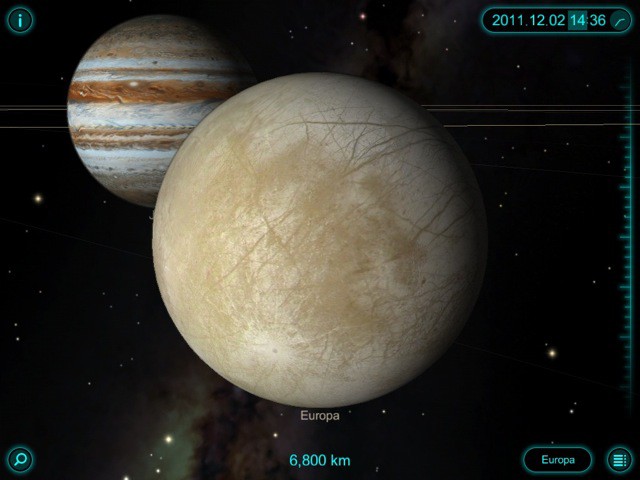
For those of us setting out to catch the lunar eclipse early tomorrow morning — here’s a great piece in the Christian Science Monitor on why it’ll be so spectacular out here west of the Rockies — there’s nothing like an iPad armed with a great astronomy app. But according to Tim DeBenedictis, developer of SkySafari 3, his app is the only one that can predict this — and any other — eclipse. That’s fine with us, since he’s offering his app for free all this weekend.

How To Create An Alphanumerical Passcode On Your iOS Device [iOS Tip]

By

alpha-passcode-iphone

When we have an iOS device stolen, thieves don’t just obtain our precious iPhone, but they also obtain all the information that’s stored on it. Our devices are filled with personal data such as names and addresses for our friends and family, and for our convenience, they save usernames and passwords for all kinds of different services.

That’s why we secure our devices with passcode locks. But did you know you can use an alphanumeric passcode to make it even more secure?

TV Show Streaming Disappears From Apple TVs In Canada Just Days After Update

By

apple-tv

Apple quietly issued an update to its Apple TV earlier this week, which finally introduced TV show streaming from the cloud to users in Australia, Canada, and the U.K. for the first time. However, there may have been a good reason why Apple was so quiet about it.

It would seem that the feature isn’t ready yet — or that it was not meant for certain territories — because just days after being introduced, Apple has removed it again.

FLUD Version 2.0 Hits the App Store – Here’s Why You Might Like It More Than FlipBoard

By

FLUD

Reading the news on the iPad is one of the absolute best experiences you can have on Apple’s magical tablet device. So when news hit yesterday that our two favorite iOS news reader apps came out with updates, we were pretty stoked. While you probably heard a great deal about the other reader app, we wanted to tell you about the awesome news reader you might be missing out on. It’s called Flud, and it was just completely redesigned yesterday.

Besides sporting a major facelift, what’s spectacular about Flud is its new ability to make reading the news a social experience. Rather than relying solely on an app to recommend websites and content to you, Flud users have the ability to see what their friends are reading in the app and share content back with them rather than spamming their Facebook or Twitter feed with the 15 news stories they’ve read throughout the day. Giving each user the ability to create a “news personality,” Flud aims to change the way we consume news much in the same way that Spotify and Rdio have changed the way we listen to music, by allowing users to inspire and be inspired by others based on what they consume.

700 Pound iNuke Boom iPhone Speaker Dock Uses 10,000W To Make Your Head Explode

By

boom-box

Not happy with your iPhone’s tinny speaker? If you’ve got 30 G’s to help solve the problem, BEHRINGER is ready to sell you the biggest, baddest iPhone/iPod speaker dock this side of Mount Olympus: the iNuke Boom, a 700 pound monster speaker system measuring 8 feet wide and 4 feet tall that can output up to 10,000 watts of sound.

Holy crap. That thing will have you sneezing skeleton. The iNuke Boom isn’t available quite yet, but it’ll be on display at CES 2012. We’ll make sure to stop by BEHRINGER’s booth then and see how many fillings we can knock out of their sockets with the iNuke then.

Change Settings, Launch Apps And Dial Friends Through Notification Center, No Jailbreak Required

By

Screen Shot 2011-12-07 at 1.13.05 PM

There’s a lot to like about iOS 5’s Notification Center, but unfortunately, it’s not nearly as configurable as it could (and perhaps should) be.

If you want to wring more power out of your Notification Center, though, we’ve got good news: there’s a really simple way to turn Notification Center into a quick launch bar for all your favorite settings and contacts. Even better? Unlike many Notification Center tweaks, there’s no jailbreak required.

Take Control Of Christmas With Your iPhone [2011 Holiday App Guide]

By

santa-uses-iphone-4

With access to over half a million apps in the App Store, getting things done on our iPhones has never been easier. So instead of running around like a headless chicken this Christmas Eve in a desperate bid to buy gifts for all your friends and family, why not sit back, stick your feet up, and do you Christmas shopping on your iPhone?

We’ve compiled a list of the App Store’s best apps for Christmas shopping that will help you plan, save, shop and send cards directly right from the palm of your hand.

How Do I Install an iOS App No Longer Available on the App Store? [Ask MacRx]

By

App-Store-No-Longer.jpg

Apple Giveth, and Apple Taketh Away. The Walled Garden approach Apple has taken with its App Store means that not everything you once bought is still available. However, that doesn’t mean you’re out of options for installing software that was previously downloaded:

Hello, I got the iTether app yesterday before Apple pulled it out, but my daughter didn’t get the chance to download it. How will I install it to my daughter’s iPhone? I back up my phone to my PC and I have the app in my file. Please help.

Rodante

Check Out This Gorgeous Radial Infographic “10 Years Of iPod”, Then Hang It On Your Office Wall

By

ipoditunes2

Did you love that gorgeous “Here’s To The Crazy Ones” letter press poster we showed you earlier today, only to balk at the $200 asking price?

Here’s a poster that might float your boat, especially if you’re an App Developer: this beautiful radial infographic shows off the last ten years of the iPod and iTunes. And if you’re willing to print it yourself, it could cost you as little as $99!

Why Android Will Always Be Laggier Than iOS

By

Submenu-Step1

One of the things that really stands out using an iPhone is just how smooth it feels compared to using Android. Where as Android is laggy, with a measurable interim between when you touch the screen and when the OS responds, iOS almost seems to anticipate what you want to do before your finger touches the display.

How has Apple managed this incredible feat? A better question might be: “How has Google managed to screw up Android’s multitouch so much?” According to Andrew Munn — a software engineering student and ex-Google intern — Android is so messed up that Google might never be able to match an iPhone or iPad’s performance. Ouch!