Mobile menu toggle

Top Stories - page 25

Secret trick will stop your iPhone from updating to iOS 26 — forever!

By

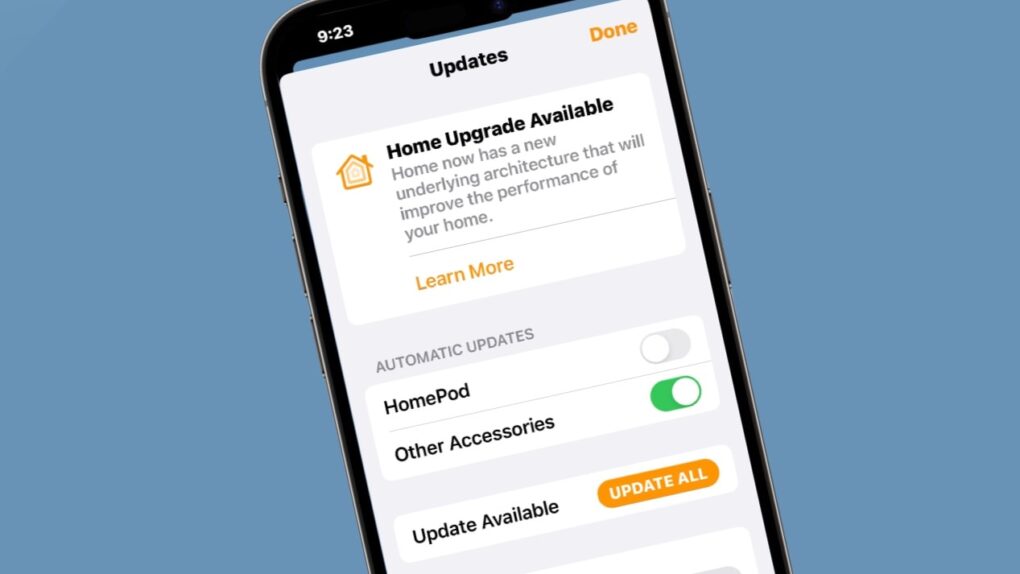
Image of an iPhone with the words
Wary of Liquid Glass? You can stay on iOS 18 forever.
Image: D. Griffin Jones/Cult of Mac

Not ready to take a gamble on iOS 26? You can stop an iOS update in its tracks if you don’t want to be pushed into the latest version.

There are all kinds of reasons you might not want to upgrade. Maybe you like the speed and stability of iOS 18. Perhaps you don’t want Apple’s divisive new Liquid Glass user interface slowing down your aging iPhone.

While Apple is finally starting to push people to update to iOS 26, you don’t need to go along with the crowd. Obviously, you can disable automatic updates to put on the brakes, but it won’t be long before Apple starts sending push notifications and red badges, encouraging you to update.

Luckily, there’s a secret trick to hide those and make sure your phone stays on iOS 18 for as long as you like.  Here’s how.

iPadOS 26.2 delivers major Split View improvement — here’s how to use it

By

iPadOS 26.2 delivers major Split View improvement — here’s how to use it
Rejoice, iPad fans! Apple restored the best feature of Split View in iPadOS 26.2.
Screenshot: Apple

iPad users once again gain access to classic Split View multitasking in iPadOS 26.2. It’s back to being the best way to use two applications side-by-side on your iPad.

Apple nerfed Split View in iPadOS 26, but the latest OS update walks that mistake back — it’s as good as it’s ever been. Here’s how to use the revised version.

Everything new in iOS 26.2: Great new features (and plenty of bug fixes)

By

iOS 26.2 features
iOS 26.2 could be the one everyone is pushed to update to.
Image: Apple/D. Griffin Jones/Cult of Mac

In addition to hundreds of bug fixes, iOS 26.2 brings much-needed refinement to the iPhone’s operating system — along with more than 20 new features.

iOS 26.2, which Apple released Friday, lets you turn your reminders into alarms, so they’re impossible to ignore. Apple Podcasts gains automatic chapters and links. And the controversial Liquid Glass user interface continues to be refined and tweaked.

There are subtle improvements everywhere. Here’s the complete list of exciting changes in iOS 26.2. Keep reading or watch our video.

Apple’s iOS 26 push draws cheers from some, frustration from others

By

Apple’s iOS 26 push draws cheers from some, frustration from others
iPhone users are divided on iOS 26 and Liquid Glass. But general opinion might not be what you think.
Image: ChatGPT

Apple has begun actively encouraging iPhone users to move from iOS 18 to iOS 26, and social media is filling up with people complaining about Liquid Glass, with the occasional compliment for the new look.

Trying to find out what most people really think about the new version, Cult of Mac polled its readers, and their answers might surprise you.

Cuktech’s 10,000mAh magnetic power bank keeps charging simple, reliable and cheap [Review] ★★★★☆

By

Photo of Cuktech 10,000mAh magnetic power bank sitting on a table★★★★☆
The Cuktech magnetic power bank is a great everyday companion.
Photo: Rajesh Pandey/Cult of Mac

Cuktech’s 10,000mAh magnetic power bank offers the best of both worlds: wireless charging and fast wired charging. Its lightweight design makes it easy to carry — and its tiny price tag makes it a bargain and a half.

This little wonder even packs a built-in USB-C cable, making it the only power bank you need to toss in your bag.

As you’ll see from our review, if you’re looking for a convenient and reliable iPhone charger at an affordable price, Cuktech’s 10,000mAh magnetic power bank is worth buying.

Tiny, fingerprint-secured SSD keeps your data locked tight but instantly accessible [Review] ★★★★

By

Adam Elements iKlips S review★★★★
Easily secure your privacy with the iKlips S.
Photo: Ed Hardy/Cult of Mac

No one but you can access the files stored on the iKlips S, a tiny SSD from Adam Elements. Simply tap your finger on the drive to unlock it. The biometric security system is similar to Apple’s Touch ID and keeps everything on the SSD private. No passwords are necessary.

File transfers are quick, and the drive uses USB-C, so it works with a broad array of computers, including Mac, iPad and iPhone.

I put the iKlips S through testing for this review and came away quite satisfied with its performance. Just be aware, though, that you’re paying a premium for the extra security. We can get you a 30% discount, though!

Apple TV dominates Golden Globes race, eclipsing Netflix and HBO in prestige TV

By

Apple TV eclipses Netflix and HBO in prestige TV
This awards season may recognize Apple TV's dedication to quality like never before.
Photo: Apple

Apple TV has emerged as the streaming platform to beat this awards season, capturing half of the Best Drama series nominations at the 2026 Golden Globe Awards unveiled Monday — a remarkable achievement that signals the tech giant’s arrival as a major force in prestige television.

Three of the six nominations in the coveted Best Drama TV series category belong to Apple — the mind-bending workplace thriller Severance, the darkly humorous espionage drama Slow Horses and the breakout new sci-fi series Pluribus. That puts Apple ahead of streaming rivals Netflix and HBO Max, which each landed only one drama series nomination in the category.

Designers sound positively giddy about Apple’s new UI chief

By

Fellow designers are giddy about Steve Lemay, Apple's new UI chief.
Praise for Steve Lemay pours in from current and former members of Apple's UI design team.
Photo: LinkedIn/Cult of Mac

The best people to ask about Steve Lemay, the new head of user interface design at Apple, are the people who’ve worked with him.

Spoiler alert: They seem absolutely thrilled. The word “excited” keeps coming up in their comments on the change in leadership.

Here’s what the people in a position to really know Lemay have to say about him.

The real reason Meta poached Apple’s UI design chief

By

Screenshot of Apple VP of human interface design Alan Dye talking about the Vision Pro headset.
Lots of Apple fans are saying good riddance to Alan Dye, but they're overlooking his best work.
Screenshot: D&AD

Alan Dye, the former chief of Apple’s user interface design, has done brilliant, groundbreaking work — but almost no one is getting to experience it.

Dye just got poached by Meta, and the majority opinion among Apple fans seems to be “don’t let the door hit you on the way out.”

Some of Dye’s critics, like John “King of the Apple nerds” Gruber, are scathing. “His tenure is considered a disaster by actual designers inside and outside the company,” Gruber wrote after Dye’s departure from Apple became public Wednesday.

Dye, of course, is not perfect. He is rightly getting criticized for Liquid Glass, the shiny new interface in Apple’s operating systems, that’s been tweaked, rolled back, tweaked again, and is now semi-optional for users who don’t want it.

Where’s the conviction Apple is famous for? Steve Jobs must be spinning.

But Dye’s best work is spectacular, important and deep. You’ve just not seen it.

How to stop your AirPods from switching between devices

By

Stop Switching Around On Me
Apple’s “intelligent” AirPods switching can get annoying.
Image: D. Griffin Jones/Cult of Mac

If you’re trying to listen to podcasts or music on your iPhone, it can be annoying when your AirPods keep switching to other devices, like your Mac or iPad.

Personally, I don’t mind this behavior. If I’m sitting at my Mac, I want to use the Music and the Podcasts apps on the Mac. But a lot of people consider their iPhone their primary device — and always want to play audio from their phone, no matter which other device they’re using.

If you want your iPhone to retain supreme control over your ears, here’s how to disable AirPods auto-switching.

Meet Apple’s new UI chief, the man Steve Jobs called ‘Margaret’

By

Photo of Stephen Lemay, new Apple UI designer, with background that goes from orange to yellow.
Stephen Lemay will step into the shoes of the departing Alan Dye as Apple's new lead UI designer.
Photo: LinkedIn

Meet Steve Lemay, the new head of user interface design at Apple — the highest-profile software design job at the giant company, and possibly the world.

Unfortunately for Lemay, who has worked at Apple since 1999, he shares the same first name as the late Steve Jobs, who nicknamed him “Margaret” — a name that reportedly stuck.

Aside from being called “Margaret” internally at Apple, Lemay has a long and stellar design record at the company. He’s helped shape everything from OS X to visionOS. He is named on hundreds of patents and helped develop one of Apple’s most highly celebrated UI tricks.

Apple design chief quits for Meta. Some say good riddance!

By

Alan Dye, former Apple VP Human Interface who quit to join Meta.
Photo: Apple

Apple’s set to lose yet another top executive as Alan Dye, the company’s head of user-interface design, departs for Meta Platforms, according to a new report Wednesday. While some view this as a coup for Meta, others seem tickled pink to see Dye head for the exit.

This major news instantly inspired Liquid Glass-fueled snark over whether Dye’s departure is really such a big loss for the iPhone giant.

Tiny snap-on iPhone game controller is always ready to play [Review] ★★★★

By

Abxylute M4 review: Tiny iPhone game controller★★★★
Your iPhone is always ready to have fun with the Abxylute M4 game controller.
Photo: Ed Hardy/Cult of Mac

The Abxylute M4 game controller is genuinely pocket-size, but clip it to your iPhone and you’ll have all the buttons and sticks you want to play retro and modern games.

It clings to your iPhone’s MagSafe connector, plus it includes a stand for detached gaming.

I enjoyed testing out the pint-size game controller with my iPhone 17, as long as I accepted the reasons for its necessary limitations. The affordable price helped a lot, too.

The real reason Apple turned to Intel chips again

By

The real reason Apple turned to Intel chips again
Apple and Intel are patching things up.
Image: ChatGPT

Your next Mac might run on an Intel processor, which is a gigantic surprise, considering Apple dropped the chipmaker years ago in favor of Taiwan Semiconductor Manufacturing Company.

But there’s a standout reason why Apple needs Intel — and it might not be what you think.

How to find your music stats with Apple Music Replay 2025

By

Apple Music Replay graphic
Find your top songs of the year.
Image: D. Griffin Jones/Cult of Mac

Apple Music Replay is a great way to find your music stats for the past year: the most played songs, artists and albums in the last 12 months. Similar to Spotify Wrapped and the like, your annual Apple Music Replay is a fun way to see what tracks you listened to most.

Fun fact: Apple usually publicizes Apple Music Replay in December, but it’s actually updated weekly and available throughout the whole year! You can check in whenever you want to see how your year is shaping up.

We’ll show you how to find it and how to share your top music of the year to your friends and social media.

Live now: Best Cyber Monday MacBook deals 2025 are selling fast

By

Stylized photo of a MacBook Air on a yellow background to illustrate MacBook Black Friday deals 2025
There's no better time to buy a new laptop.
Image: Cult of Mac

This Cyber Monday, you can find stellar discounts on a new MacBook. With Intel Macs aging out, there’s no better time to upgrade to the latest models that run on far-superior Apple silicon processors.

Whether you’re looking at the base MacBook Air or a specced-out MacBook Pro, you can rack up hundreds of dollars in savings by upgrading this week. 

Take a look at these Cyber Monday deals on MacBooks and get ready to make your next big move. 

Cyber Monday 2025: Score record-low prices on AirPods, iPads, MacBooks and more

By

Images of Apple products on sale for Cyber Monday 2025
Some Cyber Monday Apple deals are even better than the Black Friday sales.
Image: Cult of Mac

Our guide to the best Cyber Monday 2025 deals on Apple products and accessories showcases some prices that are even lower than Black Friday’s blowout sales. We’ll update this post throughout the day, but the clock is ticking. These Cyber Monday deals should end at midnight!

Our favorite earbuds — AirPods Pro 3 — remain at an all-time low price. The iPad mini just hit a new low of $349. And somehow, an amazing deal on the latest M4 MacBook Air got even more amazing as Cyber Monday approaches.

Find our absolute favorite Apple Cyber Monday picks, and our other favorite deals sorted by product category, below.

Live now: Best Cyber Monday 2025 iPad deals — iPad 11, M3 iPad Air, M5 iPad Pro

By

Best Black Friday iPad deals 2025 — mega price drop alert!
Save an amazing 25% on a new Apple tablet. Do not miss these Cyber Monday iPad sales.
Image: Cult of Mac

Cyber Monday is officially here, and for iPad fans, the deals are looking good. Lots of iPads are on sale for their lowest-ever prices. Whether you’re hunting for a dependable workhorse, a powerful all-rounder, or a pro-level device, the iPad deals hitting the market shouldn’t be ignored.

The budget-friendly iPad is now 21% off, making it a steal for students, casual users, or families. Meanwhile, the sleek M3 iPad Air is discounted by an amazing 25%, bringing high-performance efficiency at an even more tempting price. And for creative pros, the brand-new M5 iPad Pro is also seeing an early discount — a rare opportunity to grab cutting-edge power and graphics capabilities without paying full retail.

Still live: Best Black Friday 2025 Apple deals on MacBook, iPad, AirPods, Apple Watch and more [Updated]

By

Images of Apple products on sale during Black Friday week 2025
Apple products and accessories are heavily discounted during Black Friday week.
Image: Cult of Mac

We put together the ultimate guide to the best Black Friday 2025 deals on Apple gear — and all the accessories you could want. We’ll be updating this post throughout the week as deals come and go. 

Our favorite earbuds — AirPods Pro 3 — remain at an all-time low price. And somehow, an amazing deal on the latest M4 MacBook Air got even more amazing as Cyber Monday approaches.

Find our absolute top five picks, and our other favorite deals sorted by product category, below. 

Live now: Save on must-have gear with these Cyber Monday deals on iPhone accessories

By

Photo of hand hodling iPhone 17 Pro with a Baseus Picogo Qi2 10K Portable Charger to illustrate guide to best iPhone accessories deals for Black Friday 2025
At these prices, these hot iPhone accessories must be flying off the shelves!
Image: Cult of Mac

Missed out on great Black Friday deals on useful iPhone accessories? Worry not! Cyber Monday gives you another chance to score them at genuinely tempting prices.

Whether you want a MagSafe power bank, a multi-port GaN charger or a set of AirTags, you can pick them up at big discounts and upgrade your setup without spending much. With so many deals live already, it’s the perfect chance to stock up on some useful iPhone accessories for daily use.

Restore your sanity by blocking jerks from calling, texting and emailing

By

Block A Number on iPhone
Here are all the details on how to block a number on iPhone.
Image: D. Griffin Jones/Cult of Mac

Spam calls and text messages seem absolutely relentless these days — you’ll want to know how to block a number on your iPhone to keep your sanity. Luckily, it’s easy. There are a variety of ways you can stop unwanted calls. You can block an incoming phone call or text message. And you can send unknown callers directly to Live Voicemail.

If you’re blocking a person in your contacts list, it doesn’t matter which app you block them from — Messages, Phone, Contacts, Mail, Settings — they will be blocked everywhere.

Here’s how to block calls from unknown numbers on iPhone and keep spammers at bay.

Live now: Best Cyber Monday 2025 Apple Watch deals — Series 11, SE 3, Ultra 3 and more extreme price drops

By

Chromo color processed (light blue on pink background) of Apple Watch Series 11 to illustrate post on Black Friday week 2025 deals
Every model of Apple Watch is on sale for Black Friday week, but some are better deals than others.
Image: Cult of Mac

Apple Watch Cyber Monday 2025 deals are live, featuring significant price drops on entry-level models and premium variations.

The best deal so far is the newest Apple Watch Series 11, which has dropped to its lowest price to date — just $339 (regularly $399). Another great buy is the entry-level Apple Watch SE 3, on sale from just $199 (save $50 or 20% off). This is a superb starter watch and perfect for kids (and you can use it to track the little darlings). And even the Apple Watch Ultra 3 is on sale (although not by much).

Plus, if you want to save even more, you might be able to grab a previous year’s model before the clearance sales in effect decimate the inventory forever.

Live now: Best Cyber Monday 2025 Apple accessories deals — docks, SSDs, power banks, Apple Pencil and more

By

Composite image showing several products (mouse, SSD, power bank, etc.) included in roundup of best Apple accessories Black Friday deals 2025
These powerhouse accessories make any Apple setup stronger.
Image: Cult of Mac

Cyber Monday isn’t just a great time to upgrade to an Apple silicon MacBook or snag an outstanding deal on an iPad. It’s also one of the best times to grab accessories for your Apple devices at deep discounts.

Check out the best deals on Apple accessories for Cyber Monday 2025.

3 reasons you shouldn’t close your open iPhone apps

By

How do you close iPhone apps?
How do you close iPhone apps? It's easy, but you really shouldn't.
Image: D. Griffin Jones/Cult of Mac

It’s good to know how to close apps on iPhone for those times when an app is acting buggy or becomes unresponsive. It’s really easy — just swipe up to see your running apps and swipe up again to close them.

But does this mean you should always quit your open apps? No, not at all.

Despite what you may have heard, quitting apps on iOS usually makes things worse, not better. It’s a myth that quitting apps will save battery life, make your iPhone run faster or free up memory. Overall, it negatively impacts your iPhone’s performance.

Here’s how to close iPhone apps — plus three reasons why you shouldn’t rush to do it.

How to restart any model of iPhone, even if the buttons don’t work

By

Image of an iPhone screen on a pink background with the words,
Turning your iPhone off and on again is the closest thing there is to a magical, just-fix-it solution.
Image: D. Griffin Jones/Cult of Mac

If your iPhone ever experiences odd technical problems, the first thing you should try is a good, old-fashioned restart. You’ll be surprised how many problems you can fix by simply rebooting your phone.

Restarting your iPhone is just like restarting a computer. All of the apps and software will be reset, and you shouldn’t lose any saved data.

If a particular app you’re using is acting up, you can always force-quit it and open it again to reset it. But if there’s a deeper underlying problem with your phone’s software, like if Bluetooth accessories aren’t working or phone calls suddenly won’t connect, you should restart your iPhone.

Here’s how to do it with any model of iPhone.