Mobile menu toggle

Top Stories - page 26

Designer’s Apple product concepts may look a little ‘too real’ [Updated]

By

Antonio De Rosa ADR iPhone Air concept
Here's a recent De Rosa concept for a folding iPhone Air.
Photo: Antonio De Rosa/ADR Studio

From the “he must be doing something right” department: An Apple attorney sent a note and called designer Antonio De Rosa this week, asking him to adjust some of his design concepts for possible new Apple products because they look “too real,” according to De Rosa, CEO of ADR Studio.

“I received a call from an Apple attorney asking me to adjust some of my concepts because they were considered too realistic,” De Rosa wrote Wednesday on X. He told Cult of Mac it came as quite a shock.

Update: De Rosa responded to Cult of Mac‘s initial inquiries and we included them below.

How to fake your GPS location for Pokémon Go and other fun stuff

By

Fake It Till You Make It
This free, open-source app makes it easy to fake your GPS location.
Image: D. Griffin Jones/Cult of Mac

You can use a free Mac app called LocationSimulator to hide your real location on your iPhone. It works great as a Pokémon Go spoofer. Just set it up, then plug your phone into a Mac and tell it where you want to “be.” You don’t need to jailbreak your phone or install anything on it.

When using LocationSimulator, every app on your iPhone will use this new GPS location. It’s useful for maintaining privacy — for instance, if you’re posting screenshots online, it’ll mask your real home address. Developers can use it, too, for testing location features in their apps.

Best of all, you just need a Mac. LocationSimulator is free and open-source.

AirPods Pro 2: A must-have for Apple users and a solid choice for anyone [Review] ★★★★

By

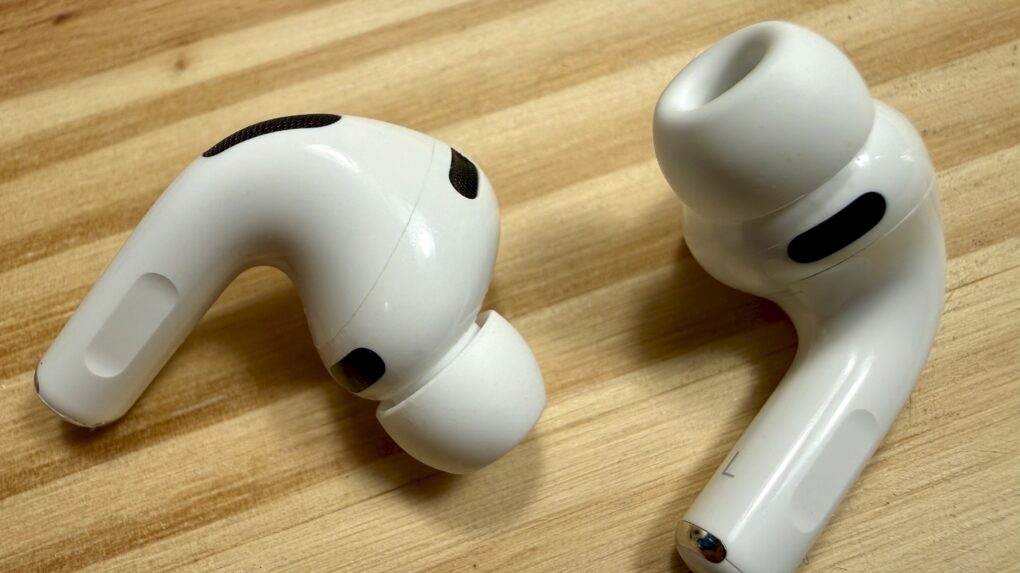
At a glance, they could be AirPods Pro, but they're AirPods Pro 2, with many internal upgrades.★★★★
At a glance, they could be AirPods Pro, but they're AirPods Pro 2, with many internal upgrades.
Photo: David Snow/Cult of Mac

Apple’s second-generation AirPods Pro look almost exactly like the original model released in 2019. But they’re upgraded in every way that matters most, thanks mainly to the new H2 processor. In this in-depth AirPods Pro 2 review, I’ll run through all the ways Cupertino gave its flagship noise-canceling earbuds a boost.

Apple may not have gone as far as it could have in some ways. But still, the second-gen AirPods Pro are among the best earbuds on the market and a worthy upgrade for almost anyone. They’re particularly great for those who use lots of Apple gear and love how seamlessly their devices can work together.

Let’s take a look at, and a listen to, the second-gen AirPods Pro, aka AirPods Pro 2.

How Apple Studio Display stacks up against Pro Display XDR and others

By

The Studio Display, Pro Display XDR, iMac 24″ and 16″ MacBook Pro.
From left to right: The 16″ MacBook Pro, the 24″ iMac, the Studio Display and Pro Display XDR.
Photo: Apple

We have been blessed to live in interesting times. For the first time since 2010, we have not just one, but two external monitors from Apple.

How does Apple’s latest offering — the Studio Display, introduced during Tuesday’s “Peek Performance” event — stack up against the high-end Pro Display XDR, the outgoing LG UltraFine 5K and the displays of other Macs?

Let’s dive in.

How to use iPhone 11’s flash-killing Night mode

By

Maybe the iPhone 11 can finally take a night photo like this.
Photo: Charlie Sorrel/Cult of Mac

Night mode is one of the iPhone 11’s two big new camera features (the other is the Ultra Wide lens). Night mode captures lots and lots of images, and then uses the iPhone’s A13 Bionic processor to combine them, pulling out details not available in a single low-light shot.

It’s the computational-photography mad science equivalent of putting your regular camera on a tripod and opening up the shutter for a few seconds to let more light in. Only you don’t need the tripod, and the images should almost always end up sharp. Here’s how to use iPhone 11’s Night mode.

Birth of the iPhone: How Apple turned clunky prototypes into a truly magical device

By

iPhone 2G prototype
iPhone 2G prototype
Photo: Jim Abeles/Flickr CC

iPhone turns 10 The world had never seen anything like the iPhone when Apple launched the device on June 29, 2007. But the touchscreen device that blew everyone’s minds immediately didn’t come about so easily.
The iPhone was the result of years of arduous work by Apple’s industrial designers. They labored over a long string of prototypes and CAD designs in their quest to produce the ultimate smartphone.
This excerpt from my book Jony Ive: The Genius Behind Apple’s Greatest Products offers an inside account of the iPhone’s birth.

The 10 most important things to know about the Apple Watch

By

Photo: Roberto Baldwin/The Next Web

Apple finally showed the world today what the media has been calling an “iWatch” for months. Apple Watch is the first new product category to come out of the company since the original iPad.
It marks a “new era” for Apple, according to CEO Tim Cook, and introducing the Apple Watch was even deemed worthy of a “One more thing” tease (as made famous by Apple co-founder Steve Jobs).
There’s a lot to digest about Apple’s first wearable, so we’ve made it easy for you. Here are the 10 most important things you need to know about the Apple Watch.