Mobile menu toggle

Top stories - page 565

Macphun tools will make photos look like tintype relics

By

macphun
HEADING
Photo: David Pierini/Cult of Mac

I keep telling myself I’m going to buy an old wooden camera with a brass barrel lens and take one of those workshops where I learn some 19th-century photographic process. But I know myself. The steps are exacting and tedious, the chemistry complicated and my patience and attention for such details could fit in a pixel.

So when imaging software company Macphun developed a beautiful set of one-click presets that emulate tintypes and other old photo finishes, I felt like I found a process I could master.

How to get iPhone alerts when someone replies to that super-important email thread

By

thread alerts for email
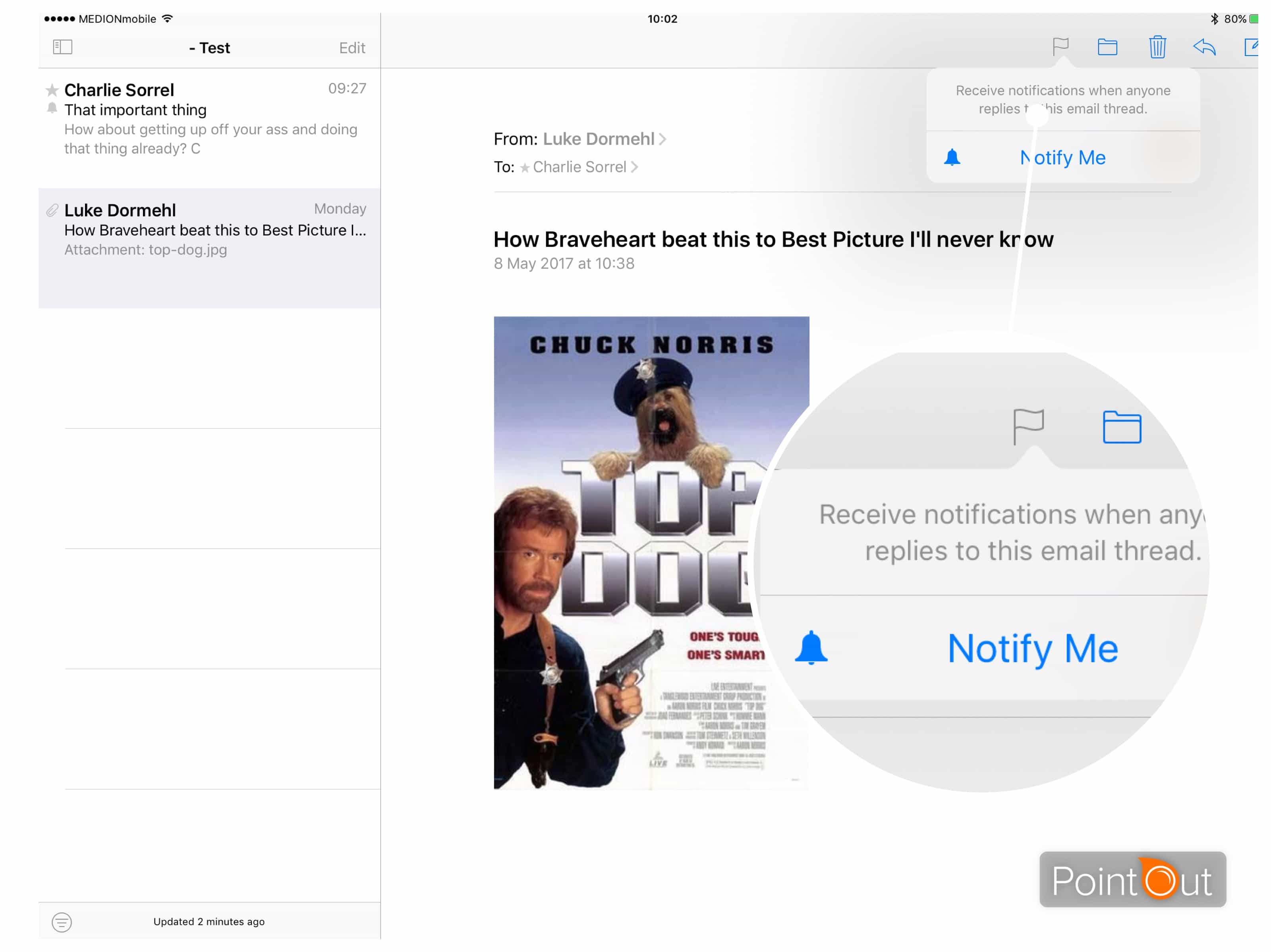
Make sure you never miss an important reply with thread alerts.
Photo: Cult of Mac

The VIP mailbox in Apple’s Mail app helps stem the torrent of incoming email alerts by limiting the notifications you see to folks you mark as important. But what about when you want to get an alert for a one-off reply?

Perhaps you’re waiting on an email from an eBay seller about that sweet vintage guitar, or you’re desperate for a reply from your landlord about switching off the heating because, c’mon, it’s almost summer already. Then you need email thread alerts.

Name your price to master mobile app development [Deals]

By

CoM - Pay What You Want- Mobile Cross Platform Development Bundle
More than 100 hours of training will prepare you for a fruitful career in mobile development.
Photo: Cult of Mac Deals

Mobile is the platform of the future, and learning to build apps for mobile devices is where the work is for developers. In a vast and fast-changing field, you’ll want a leg up to get started. That’s exactly what this massive bundle of nine iOS coding courses offers.

Clocking in at more than 100 hours of lesson content, it will teach you a wide range of tools, techniques and languages to build scalable mobile apps. The best part? Right now you can name your price for the entire Mobile Cross Platform Development Bundle at Cult of Mac Deals.

Tekserve’s Apple artifacts wind up in Ukrainian museum

By

MacPaw Apple museum

Photo: MacPaw

When legendary Mac repair shop Tekserve closed its doors last summer in New York City, Apple fans of a certain age experienced two deaths.

They bade goodbye to the original Genius Bar, technicians that had been servicing their devices for nearly 30 years. Those fans would also never again stare at Tekserve’s impressive Apple computer artifact collection, which was quickly auctioned off to an unknown bidder for $47,000.

The collection returned to a museum display today, more than 4,600 miles away in the Ukraine. Its new home is at the headquarters of software developer MacPaw.

Forget Apple News: Here’s how to use Safari Shared Links instead

By

Safari packs some surprisingly powerful features, like Shared Links.
Screenshot: Cult of Mac

Apple’s News app is pretty great, but only if you’re happy reading stories from Apple-approved sources. There’s plenty of news in the default configuration to keep you going, and you can also dig in and easily pick your own sources and subjects to make it more relevant.

But what about those oddball sites that you read every day? Your favorite ferret-legging forum, for instance? Is there a way to include those in the News app? There used to be, but Apple removed the ability to subscribe to any and all sites somewhere around iOS 10. The goods news is, you can still subscribe to your favorite sites right in Safari’s Shared Links.

Save big on a lifetime of secure cloud storage [Deals]

By

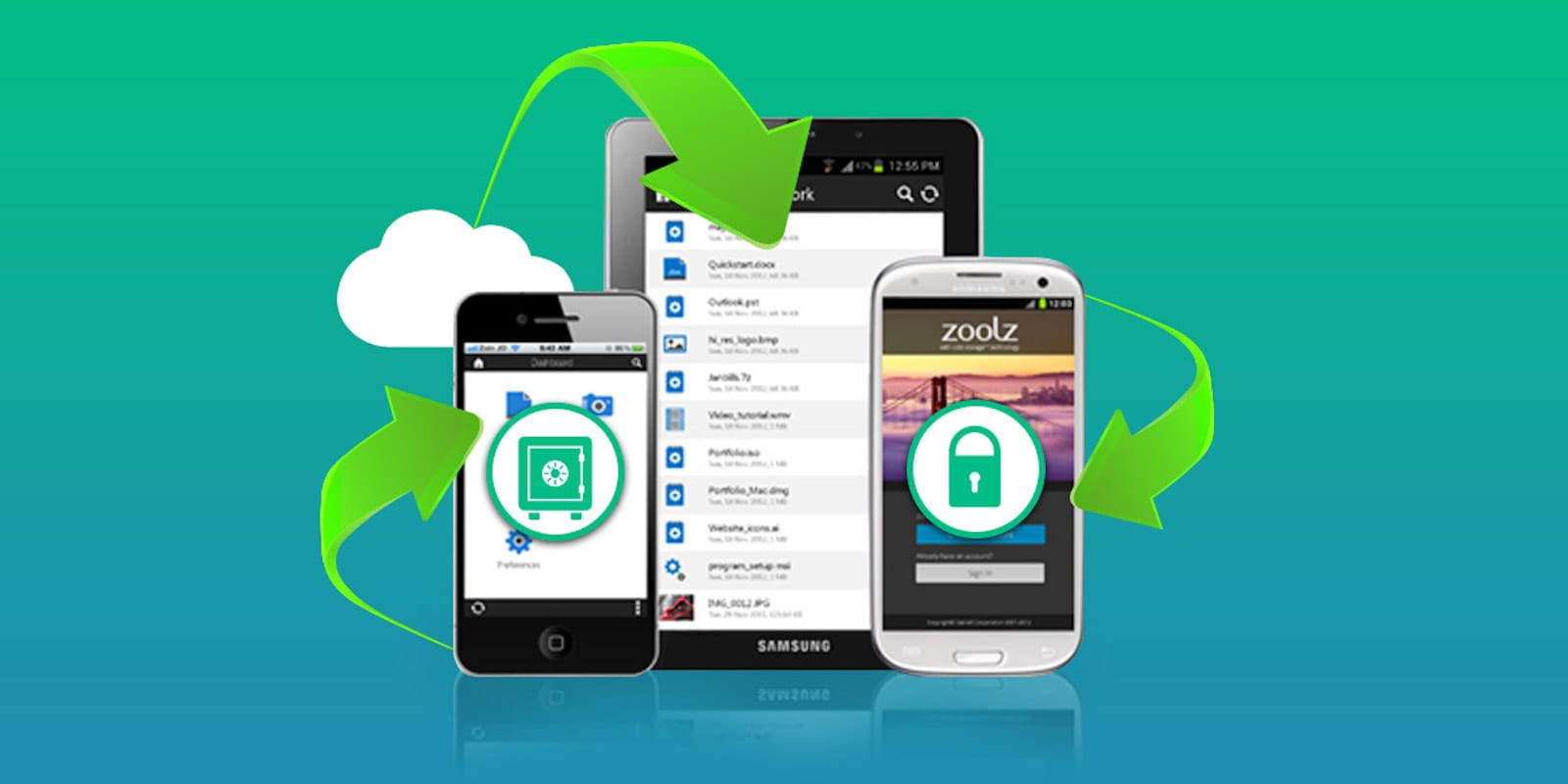
CoM - Zoolz 1TB
Get a lifetime of secure short- or long-term cloud storage with this massive deal.
Photo: Cult of Mac Deals

Cloud storage is everywhere, but many people still haven’t jumped on the bandwagon yet. Whether because of security concerns, or just a reluctance to take on more digital baggage, we understand not being enthusiastic about giving in to the convenience of the cloud. But with this deal on a terabyte of storage from Zoolz, there’s never been a better time to start taking advantage of cloud storage. It’s a spacious, secure storage option that’s ideal for anybody looking to back up and secure their data, and right now you can get lifetime access to Zoolz Dual Cloud 1TB Storage for just $36 at Cult of Mac Deals.

iPhone 8 renders show Apple’s next handset in more detail than ever

By

iphone
Is this the new iPhone?
Photo: @OnLeaks @GearIndia

Thanks to some factory CAD images and high-quality renders, we’ve gotten our clearest look yet at Apple’s next-gen iPhone — if leakers @OnLeaks and tech blog @GearIndia are to be believed, that is!

The images depict a powered-off iPhone 8, sized somewhere between the iPhone 7 and iPhone 7 Plus, although slightly thicker than both. As previously rumored, they show the expected vertical camera setup and edge-to-edge OLED infinite display with no Home button.

Want a closer look? Check out more pictures and a video mockup below.

How to use Music Memos like a cut-down GarageBand

By

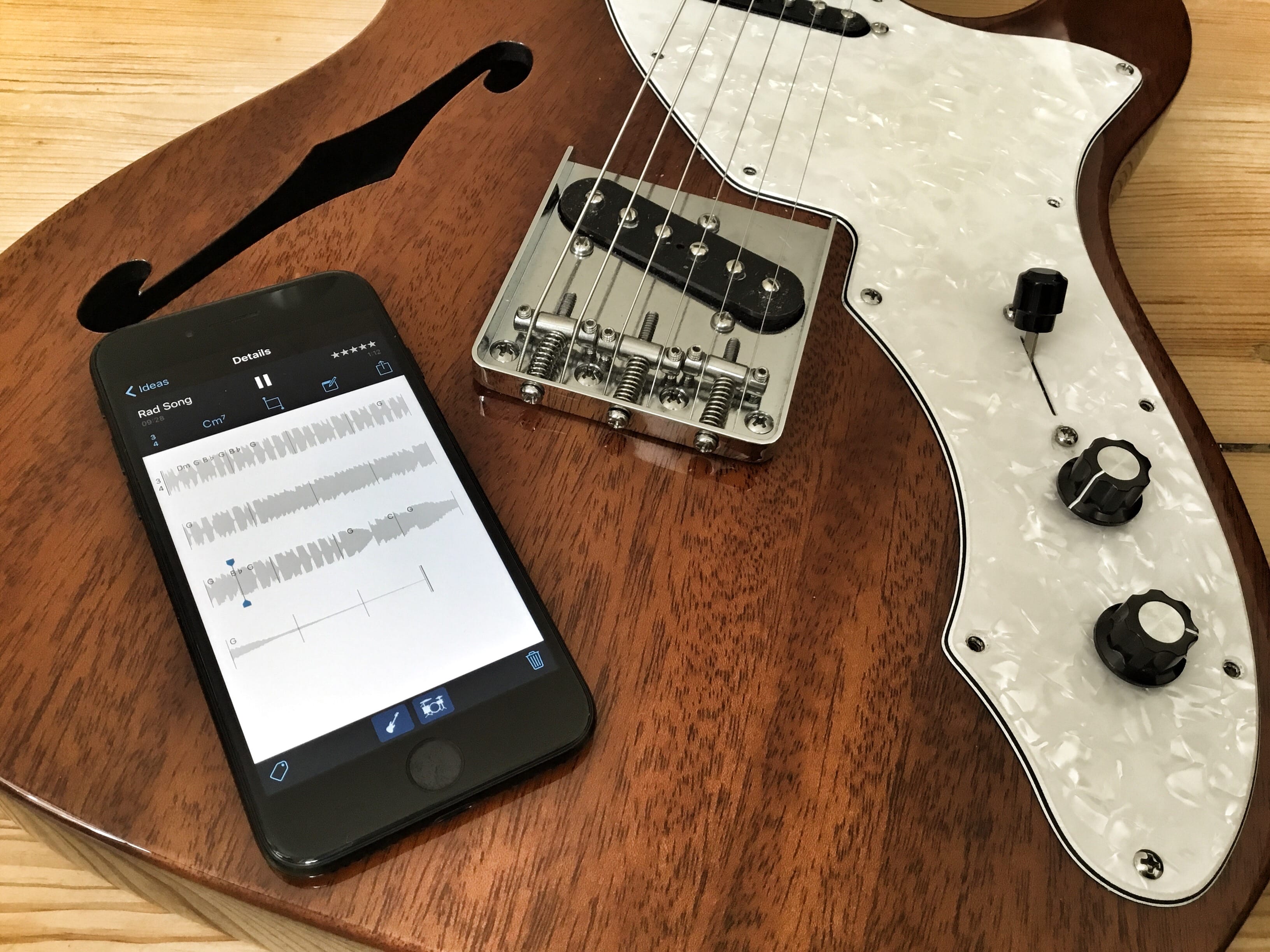
music memos in action

Photo: Charlie Sorrel/Cult of Mac

Apple’s Music Memos app is just about about the best way to record musical ideas before they evaporate into the ether. For years, musicians used the built-in Voice Memos app to record snippets, but Music Memos, as you’d expect, is much better suited to the task. It can listen to you and record only when you start playing, it can detect the chords you play, and it can even add drum and bass tracks to your recording automatically.

This last feature is what we’ll look at today. We’re going to record a simple guitar track, add drums and bass, and send the whole lot to GarageBand on iOS for further work. That sounds like a lot, but once you lay down your recorded track, all it takes is a few taps of the screen. And remember, I use a guitar, but you can use any instrument.

Get a grip on your iOS devices’ data [Deals]

By

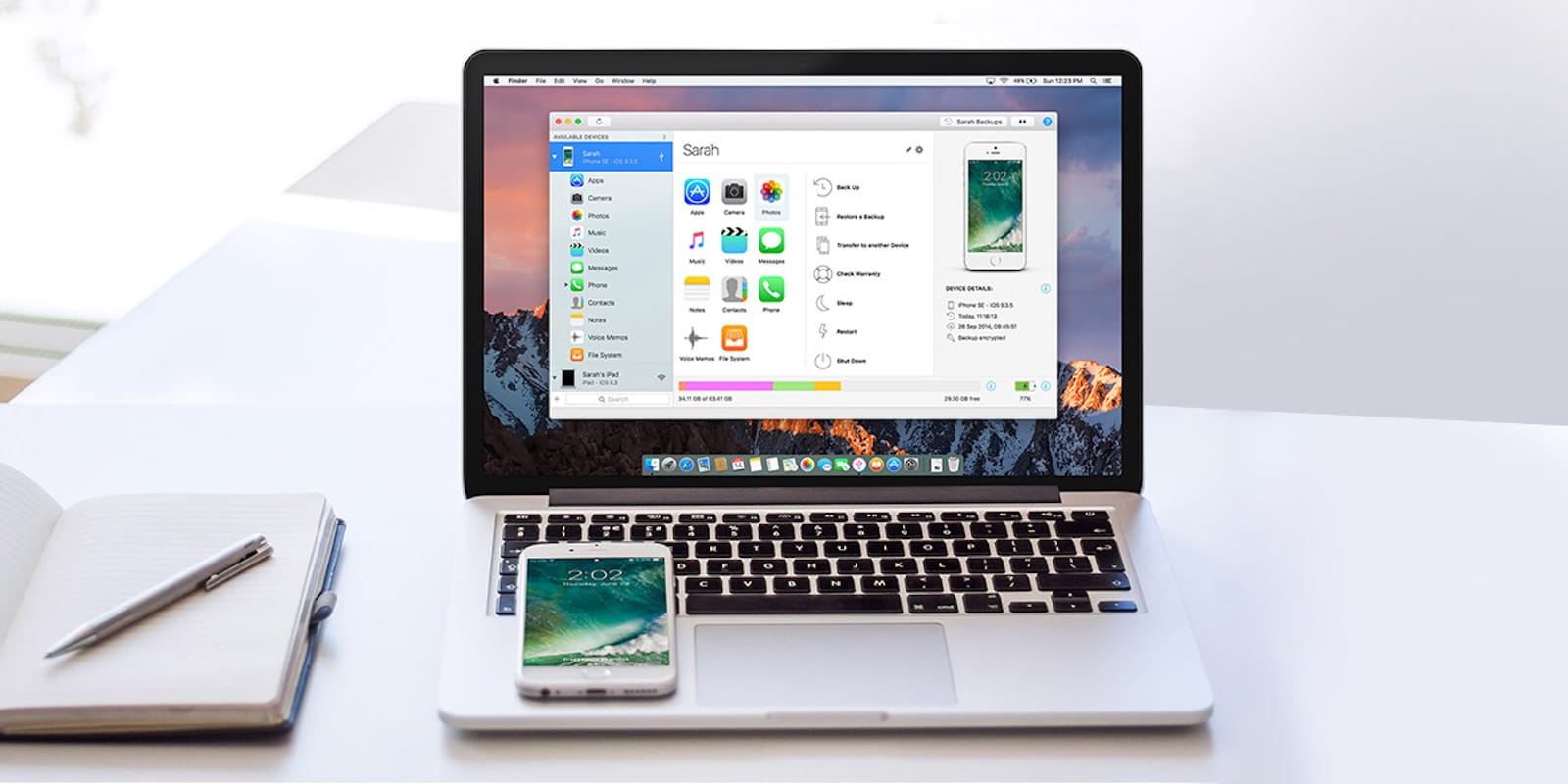
CoM - iMazing 2
Whether you're looking to backup your iPhone or just get more control of its data, iMazing is the software for you.
Photo: Cult of Mac Deals

iPhones and iPads are totally convenient, until you need to move data on or off of them. As soon as you start struggling with the sync settings in iTunes, the “magic” drains from these devices fast.

With iMazing, an all-purpose iOS management app, you can wrangle your mobile data easily and intuitively. Browse and manage your backups, extract and print your text messages, drag and drop songs to your device and more — all without jailbreaking. Right now, you can get a lifetime license to iMazing 2 for just $24.99 at Cult of Mac Deals.

Amazon Echo Show brings video to smart-speaker party

By

echotouchscreen
Could this be Amazon's new Echo speaker?
Photo: AFTVnews

Update: Amazon unveiled its new touchscreen Echo Show device Tuesday. In addition to smart-speaker functionality, the Amazon Echo Show brings video calls, video flash briefings, YouTube, karaoke-style music lyrics, security camera integration and more. Available for preorder now, the device will ship June 28 for $229.99.

Amazon could debut its new touchscreen Echo smart speaker as early as today, claims a report from The Wall Street Journal.

The latest in a line of popular Amazon Echo voice-activated speakers, the new device is likely to add a 7-inch display and a built-in camera. It will function like the existing Echo, but with the addition of touchscreen-based features.

Activate iOS Mail’s hidden folders

By

secret mailboxes
Apple's mail app has some handy superpowers hidden in plain view.
Photo: Cult of Mac

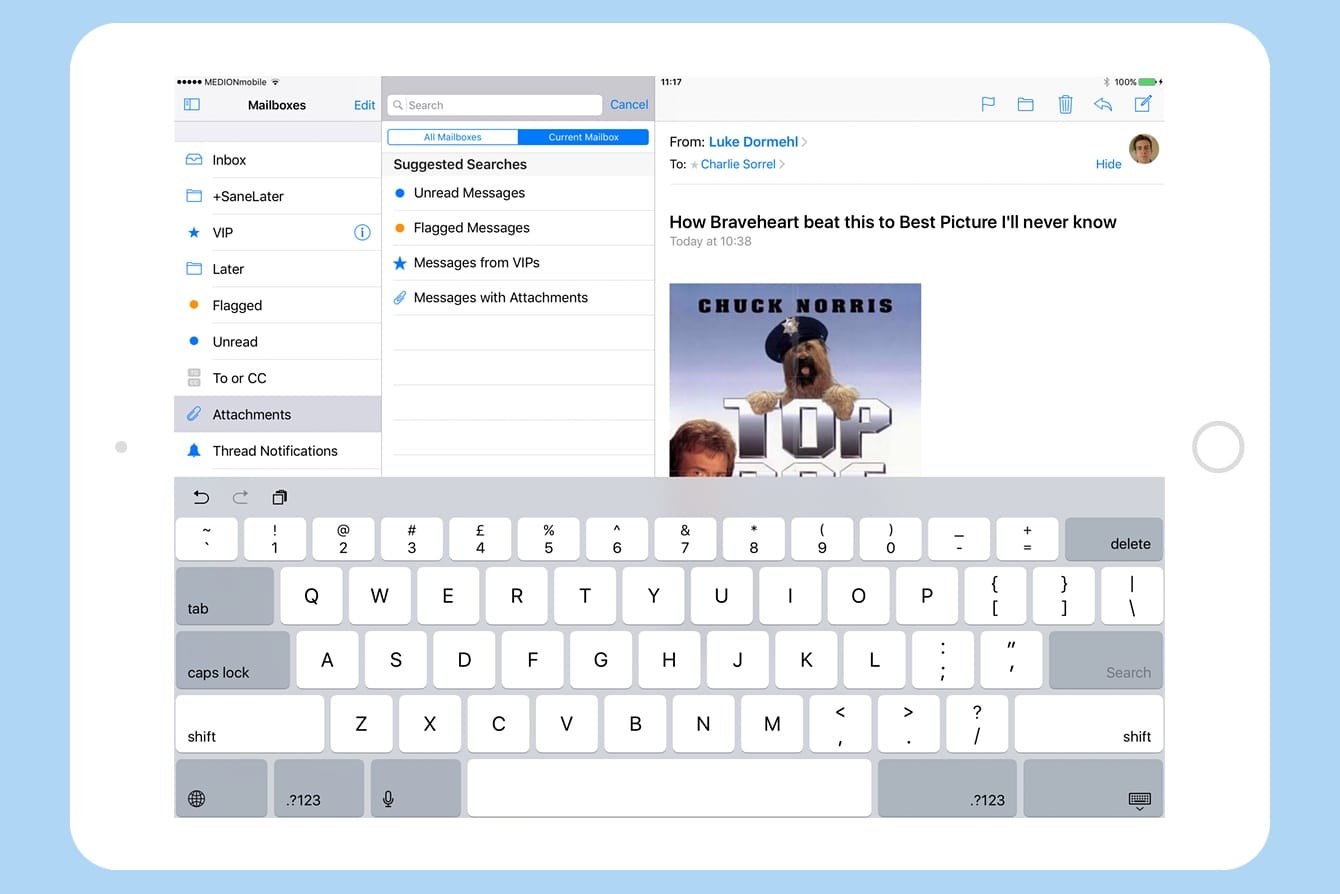
iOS 10’s Mail app may look just like its previous pedestrian iterations, but it packs a whole lot of hidden superpowers under the hood. While you still can’t export a message to, say, a to-do list app, you can do pretty much everything those fancy third-party mail apps do, and then some.

Let’s take a look at quickly setting up your iOS Mail app so you can slice and dice incoming messages easily using its hidden folders.

Reach inbox zero with a simple browser extension [Deals]

By

Throttle Pro
Control who sees your email address and what ends up in your inbox using this simple browser plug-in.
Photo: Cult of Mac Deals

The inbox is a hazardous place. Full of important information and conversations, it also harbors loads of spam from people you’ve never met or even heard of. After a few days, the sheer volume of new emails can become overwhelming. That makes it all the harder to reach the fabled place called “inbox zero.”

A simple browser extension called Throttle Pro can help you get there. It prevents your email address from falling into spammers’ hands (among other useful tricks). And right now you can get a year of Throttle Pro for just $39 at Cult of Mac Deals.

Tynker, rvlvr and other awesome apps of the week

By

Awesome Apps
'Appy weekend everyone!
Photo: Ste Smith/Cult of Mac
Awesome Apps

Don’t want to spend your weekend catching up on paperwork or mowing the lawn? No problem: Cult of Mac is here to help you.

We’ve combed through the various apps which landed in the App Store over the past seven days, and picked out what we think is the cream of the crop. From Hulu’s new Live TV subscription service to a hypnotically fun puzzle game, here’s everything you (may have) missed this week.

Enter to win a Vader-worthy black AmpliFi HD Mesh Router [Giveaway]

By

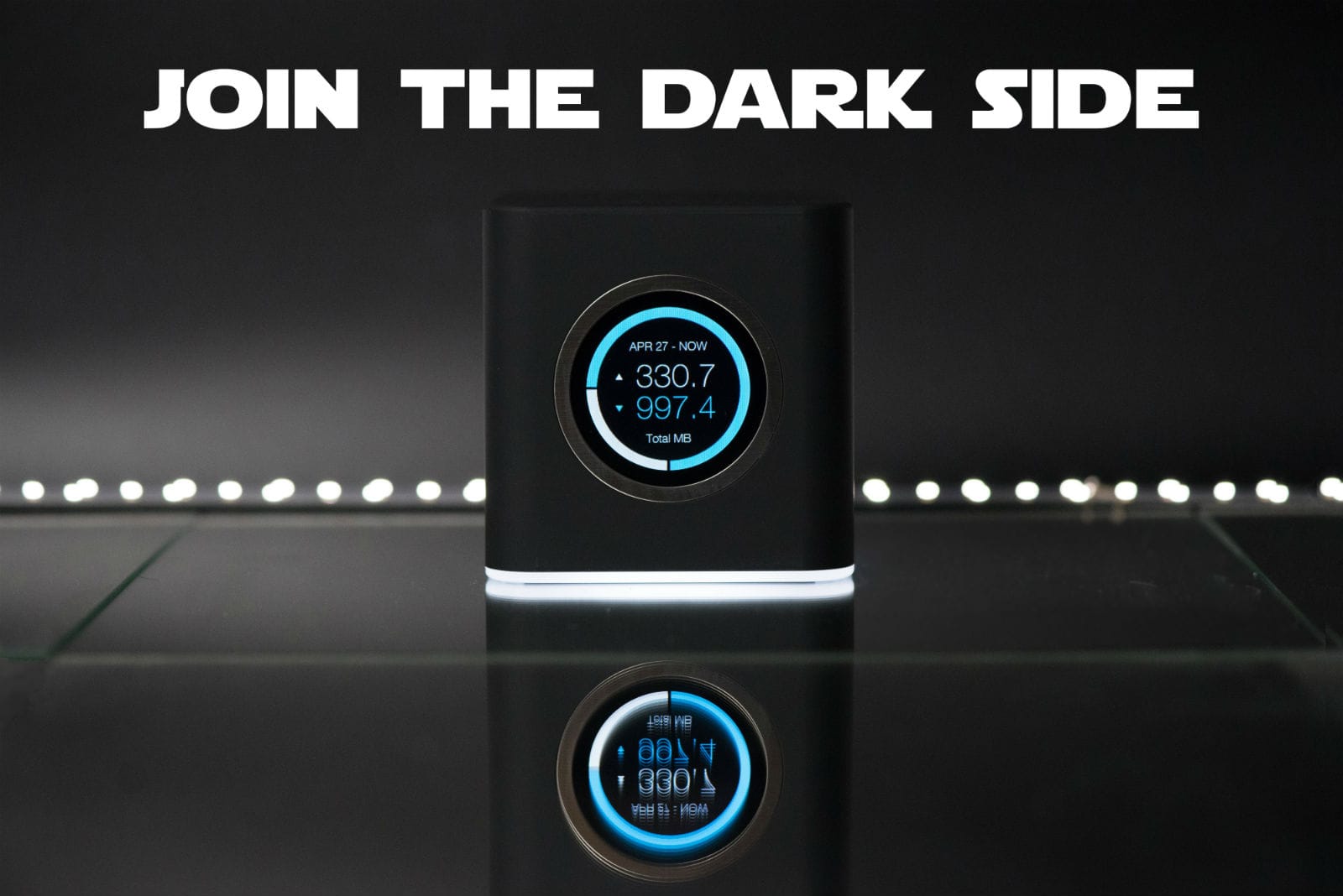
Winning a limited-edition black AmpliFi HD Mesh Router on Star Wars Day is easier than a trench run.
Winning a black AmpliFi HD Mesh Router on Star Wars Day is easier than a trench run.
Photo: Ubiquiti Networks

If the Death Star had Wi-Fi, it would run on something as powerful (and ominous-looking!) as this limited-edition black AmpliFi HD Mesh Router from Ubiquiti Networks.

Assuming you’re ready to surf like a stormtrooper, you’re in luck. Cult of Mac and Ubiquiti are giving away three of these amazing mesh routers in honor of Star Wars Day. How can you win? Glad you asked, buckethead!

Apple’s new Siri speaker could be revealed at WWDC

By

Ask Alexa to manage your appointments for you.
Photo: Jim Merithew/Cult of Mac

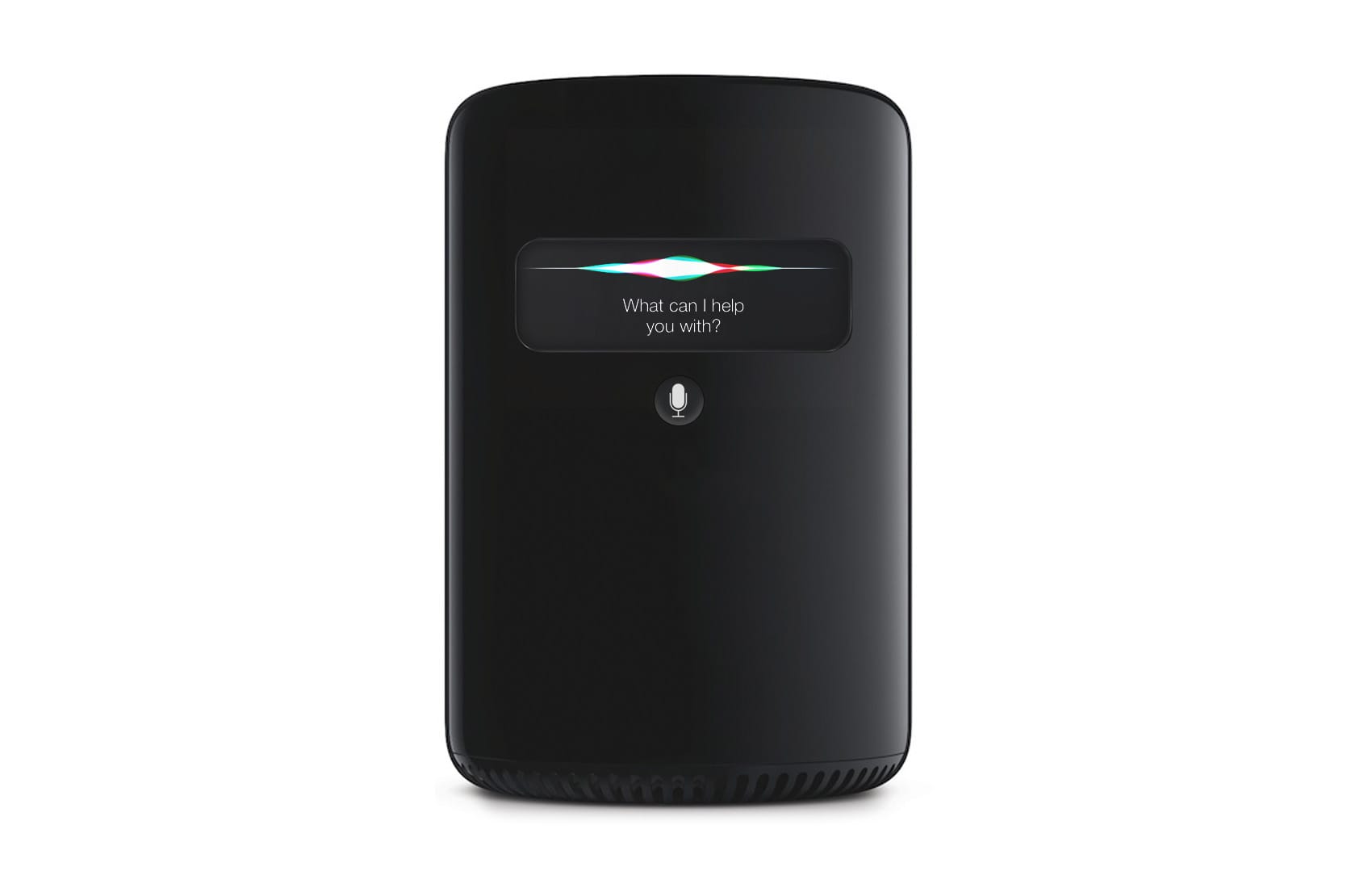
Apple could unveil its new smart speaker powered by Siri at the Worldwide Developers Conference in June, according to new claims.

Earlier this week, we heard the company is currently in the process of finalizing the design of its first standalone Siri device, which is expected to take on the Amazon Echo. Now we have an idea what it might look like and when it could be revealed.

Get lifetime protection against devastating data loss [Deals]

By

CoM - Disk Drill Pro 3
Guard yourself against the inevitable headache of data loss with a single, powerful protection plan.
Photo: Cult of Mac Deals

If you’ve got a computer without a data backup plan, you’ve got a serious headache waiting to happen. Whether due to physical damage, viruses, corrupted data, data loss is a total drag — and it will happen.

When it does, you’ll want a tool that helps you recover quickly. Disk Drill Pro offers a simple and powerful platform that makes it easy to restore documents, music, photos, videos, even entire partitions that have gone missing. It delivers single-button protection for more than 200 types of files on your computer or external drives.

And right now you can get a lifetime license to Disk Drill Pro for just $34.99 at Cult of Mac Deals, with an extra $5 off when you use the coupon code DRILL5 at checkout.

These monochromatic Mac setups will grab you by the eyes [iSetups]

By

iSetups Episode 4 FI
This week's Mac setups all prove monochrome can easily stand out.
Photo: Powi Hart

For a Mac setup to stand out, it doesn’t need a ton of color. Take the picture above from Cult of Mac reader Powi Hart, for example. Everything in there is either white, black or silver — and it looks fantastic.

In fact, these white-and-black-themed Apple setups have got to be some of my favorites so far. Check out this week’s three iSetups submissions in the video below. iSetups is our new show that highlights the best Apple-centric setups submitted by our viewers. (You’ll also get plenty of tips and tricks for how you can improve your own setup.)

How to plug your guitar into your iPhone and rock out

By

guitar iPhone setup
Recording guitar into iPad is sometimes painful.
Photo: Charlie Sorrel/Cult of Mac

Short of learning air guitar, hooking a guitar up to your iPhone is just about the easiest way to get started playing music. But it’s not just for practice, or goofing around at home. You can record and edit serious music with an iOS device, and even produce whole records.

But we’re already getting ahead of ourselves. Today, we’re just going to hook things up and rock out.

Learn to code for Amazon Echo, and lots more [Week’s Best Deals]

By

collage-2017-05-04
Learn to program for Amazon Echo, master Microsoft Excel, and more in this week's best new deals.
Photo: Cult of Mac Deals

As the 21st century hums right along, you’ll want to upgrade to 21st century skills. This week at the Cult of Mac Store, we’ve got a bundle of coding lessons for Amazon Echo and their virtual assistant Alexa, a convenient tool for getting through books faster, a masterclass in Excel spreadsheets, and the ultimate media conversion platform, Roxio Toast. Everything is discounted by 50 percent or more, read on for more details:

Siri speaker, iPhone 8 delay, Juuk’s new Apple Watch bands and more

By

magazine
A Siri smart speaker will bring better audio (and a higher price tag) than the Amazon Echo, and we might get our first look next month.
Photo: Ste Smith/Cult of Mac

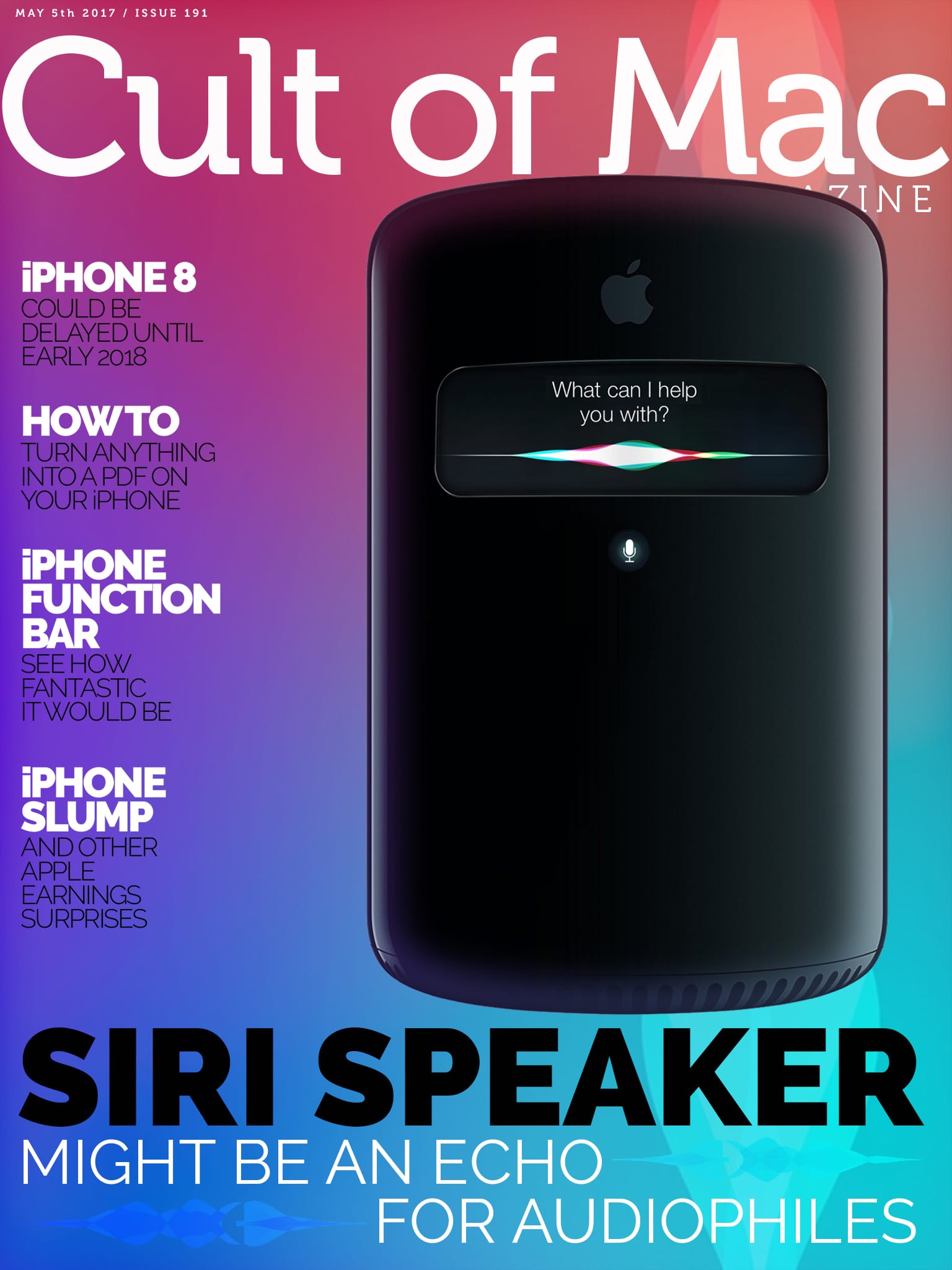
In this week’s Cult of Mac Magazine, we take a look at how a Siri-powered smart speaker could bring better audio (and a higher price tag) than the Amazon Echo. It’s highly like such a device will be unveiled by Apple at the Worldwide Developers Conference in June.

Plus we’ve got how-tos: You’ll learn how to turn anything into a PDF on your iPhone or iPad, and how to use Apple Pencil to mark up those PDFs in the Mail app.

Also, check out Juuk Designs’ third collection of high-grade aluminum bands for Apple Watch. The new Ligero collection is now on view in our Watch Store.

Here are this week’s top stories.

Will Apple’s Siri smart speaker suck? Catch the discussion on The CultCast

By

Would you want a Siri-powered smart speaker?
Image: Ste Smith/Cult of Mac

This week on The CultCast: Apple’s secret Siri speaker is just around the corner — we’ll tell you everything (we think) we know about it. Plus: Why AirPods are the best product Apple’s made in years; and why Microsoft’s MacBook clone is actually great for Apple fans.

Finally, we’ll deconstruct and decode Tim Cook’s mysterious and quickly deleted accidental tweet, and you’ll be shocked at the truth!

Our thanks to Squarespace for supporting this episode. It’s simple to accept Apple Pay and sell your wares with your very own Squarespace.com website. Enter offer code CultCast at checkout to get 10 percent off any hosting plan.

This red hat aims to Make Apple Great Again

By

Make Apple Great Again hat
Like a thinking cap, but better.
Photo: Throwboy

A simple message on a red hat helped Donald Trump win the presidency. Could the same work for Apple?

The company Throwboy has thrown down a challenge to the tech giant by offering for sale a red hat sure to land on the heads of at least a few Apple fans. On it in white lettering is the phrase “Make Apple Great Again.”

Use the iPhone’s camera as a tricked-out magnifying glass

By

iPhone magnifier app
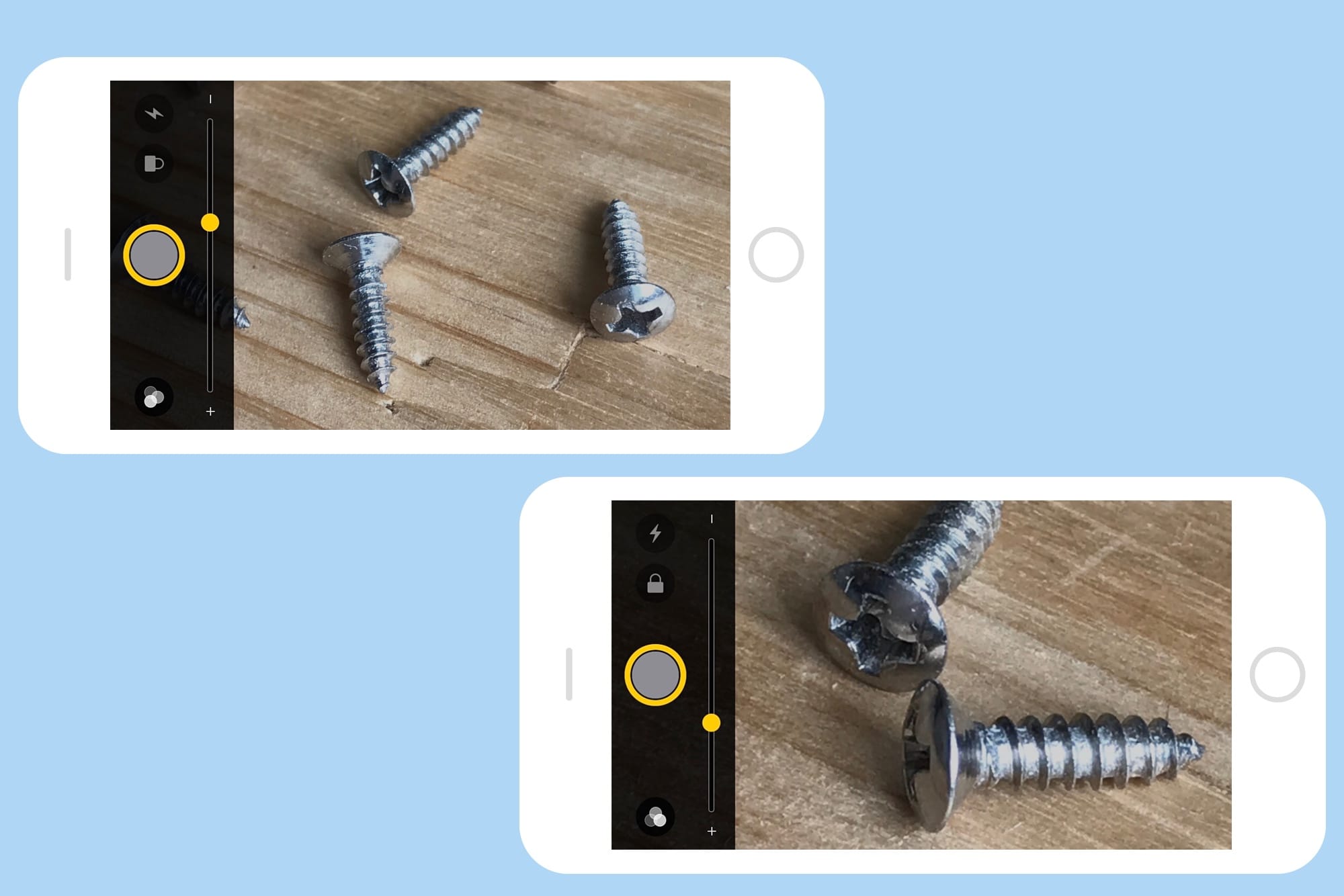
The iPhone's built-in Magnifier makes short work of unreadable text, and tiny objects.
Photo: Charlie Sorrel/Cult of Mac

There’s a little-known but awesome trick you can do with the iPhone’s camera: triple-click the Home button to turn it into a magnifying glass. This is great if you don’t see so well, either because you’re farsighted or because you’re just getting old and doddery.

Today we’ll see how to switch on this awesome feature so it’s ready to deploy, and also take a look at some of the extras Apple built in to make the Magnifier tool even more powerful.

3 reasons you should be using a VPN

By

CoM - TigerVPN
Guard yourself from snoops, thieves, and annoying content restrictions for life.
Photo: Cult of Mac Deals

Among the many, many troubling stories in the news these days is the vote by Congress to lift regulations that require your internet service provider to get permission before selling your private data. This, along with a slew of malicious hacks reported over the past few years, has helped make the public aware of the critical importance of internet security.

Now many people are looking for ways to stay safe and anonymous. Here’s one obvious solution: Get a virtual private network. Here are three reasons you should seek out a VPN solution today.

Apple overtakes Fitbit to be crowned world’s largest wearables vendor

By

Apple Watch nylon bands
Apple Watch is big business.
Photo: Apple

Apple has overtaken Fitbit to be crowned largest wearables vendor in the world, according to Strategy Analytics.

The market research firm claims that Apple sold around 3.5 million Apple Watches in the first three months of calendar 2017. That’s an increase of a massive 59 percent from the 2.2 million units Apple sold during the first quarter 2016. It means the company currently holds 16 percent of the worldwide market share.