Here you can find the best apps and games for iPhone, iPad, Mac, Apple Watch and Vision Pro.
There are millions of apps on the App Store. As a result, finding the best ones can prove challenging. Your next Home Screen favorite could be out there — and you simply haven’t heard about it yet.
The apps in Cult of Mac’s Awesome Apps section are the cream of the crop: the handy little utilities that’ll help out in a pinch, the addictive games you’ll keep coming back to, the hidden gems that you’ll grow to love.
Our writing staff highlights the best apps and games we’ve come across every week.
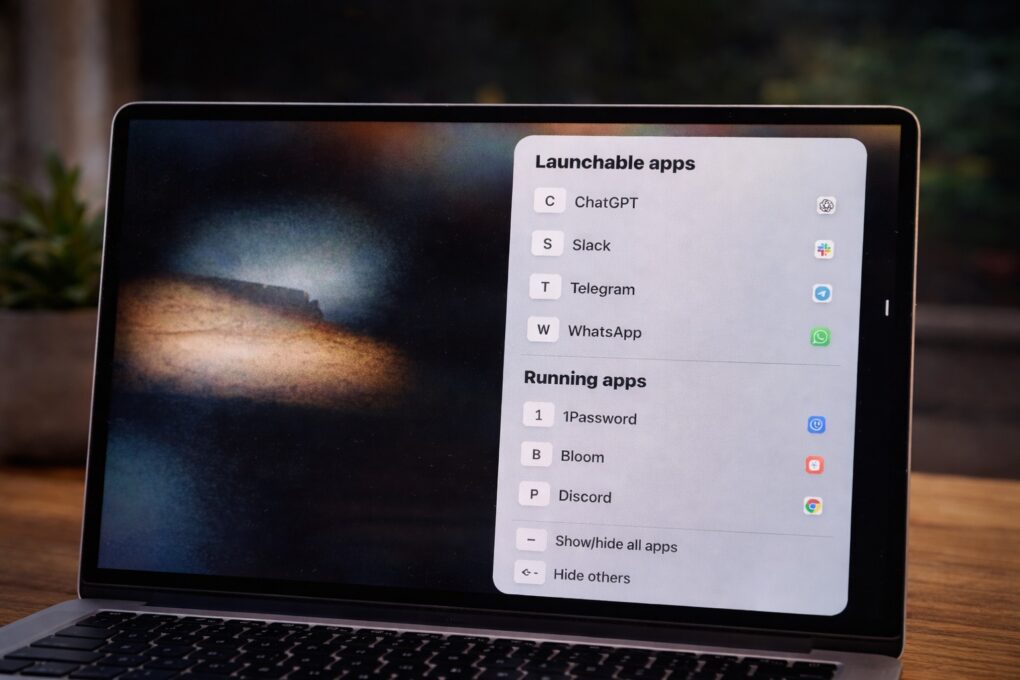
A quick tap of a letter is all it takes to bring any app to the front with rcmd. Photo: ChatGPT/Rajesh Pandey/Cult of Mac
I switch between apps on my Mac dozens of times every hour. For years, Command-Tab seemed good enough, but then I started using rcmd, a fantastic alternative app switcher for Mac.
This nifty piece of software completely changed how I move between apps on my Mac. It made the process faster, more precise, and far less disruptive to my workflow.
Wispr Flow turns your Mac into a voice-first writing workspace. AI image: ChatGPT/Cult of Mac
The way I type on my Mac hasn’t changed in years. But then, I started using Wispr Flow — an AI-powered voice-to-text app for Mac. It has reshaped how I write on my Mac, making me more efficient and faster.
It’s not just about typing faster. Using your voice for typing also feels more natural in many cases. Here’s how Wispr Flow has changed how I write on my Mac, and why I can’t go back.
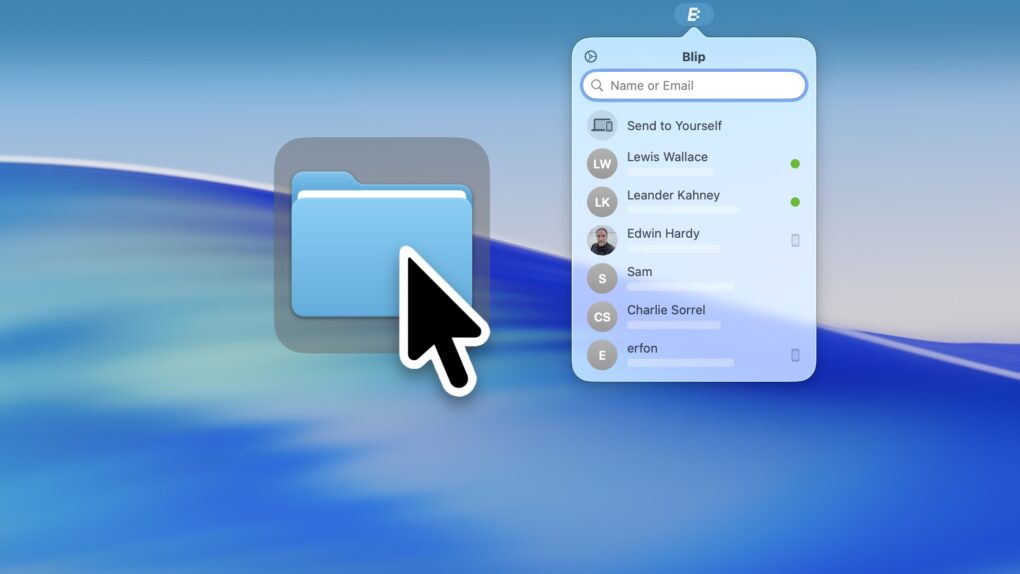
Blip, a handy app for Mac, iOS, Windows and Android, is a better way to transfer files. Image: D. Griffin Jones/Cult of Mac
The Blip file transfer app is a delightful utility that lets you move extremely large files and folders quickly across the internet — directly from your computer to somebody else’s.
With Blip, there’s no middleman uploading to and downloading the file from a cloud, and no pesky web app to sign into. It’s like beaming your files onto someone else’s computer.
It’s the easiest, most straightforward way to send someone large folders of files or complex projects from your Mac, iPhone, PC or Android device. And best of all, it’s totally free and secure. You can get it from blip.net.
No ads. Picture-in-picture. Background play. All in one extension. Perfect, no notes. Image: D. Griffin Jones/Cult of Mac
If you love YouTube but hate YouTube ads, Vinegar is the best Safari extension you can download. It can block YouTube ads on your iPhone and Mac and restores many native system features like playing videos in the background, picture-in-picture, and more.
YouTube ads are freaking insufferable. But if you don’t want to plunk down the dough for YouTube Premium (currently $13.99 per month), you can pay a one-time fee of just $1.99 to buy Vinegar and block YouTube ads on all your Apple devices.
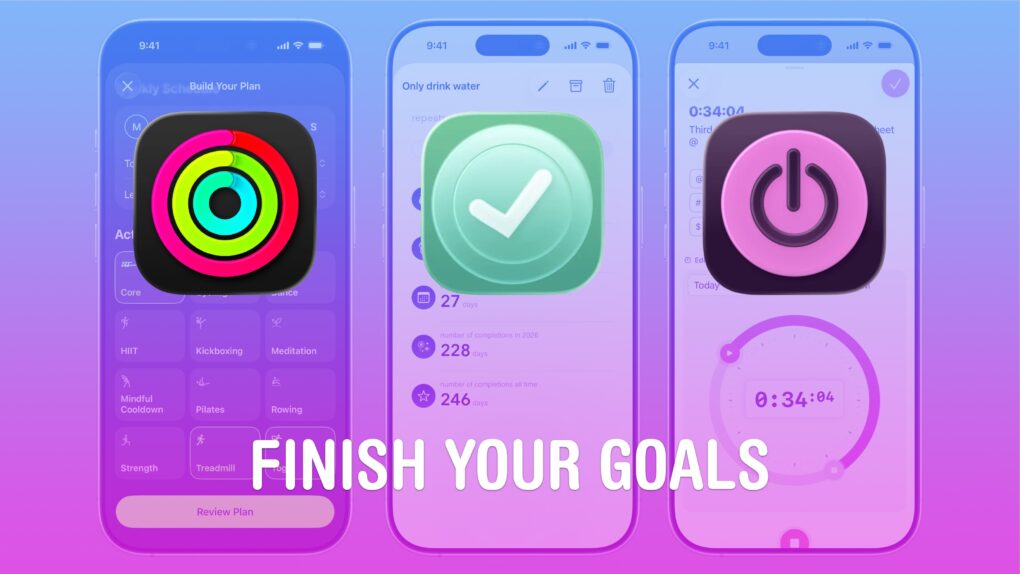
You can actually get it done — with these apps. Image: D. Griffin Jones/Cult of Mac
It’s the new year! I have three apps that’ll help your New Year resolutions, to make sure you don’t break your streak within the very first week.
Whether you’re trying to exercise more, work more efficiently or change your daily habits, these three apps will help you make a better 2026. Apple Fitness+ is a truly excellent service that serves up slick, highly produced videos that will help you work out. Toggl Track can help you stay focused at work, with running timers you can tag with projects and native calendar integration. And Goal Streak Calendar can help you achieve something new or break a nasty old habit, with daily reminders and streaks.
Check out our list to see how you can transform your 2026 with just three apps.
These apps helped me get more done on my Mac in 2025. AI image: Google Gemini/Cult of Mac
macOS is powerful out of the box, but with the right apps, the experience gets even better. In 2025, several Mac apps became essential to my daily workflow, reducing friction and boosting my productivity.
Here are my five favorite Mac apps of 2025. All of them are free (or at least free to try), although some require payment to access advanced features.
A simple app that solves a big problem. Image: D. Griffin Jones/Cult of Mac
Folder Quick Look is a totally free Mac app that scratches an irritating itch the Mac has had for a long time. It lets you preview the contents of a folder when using Quick Look.
It’s a great utility that does one thing, does it perfectly, and doesn’t cost you a dime — it’s free and collects no data! There’s no reason not to try out Folder Quick Look. Find out why it’s an instant must-have Mac utility in our Awesome Apps review below (or watch our video demo of the app).
Raycast transforms how you get things done on a Mac. Photo: Raycast/Rajesh Pandey/CultOfMac
Anyone who’s used a Mac for years understands the value of Spotlight search, as it can quickly help you search through your Mac, email, apps, and system settings. But if you want to take things to the next level, check out Raycast — a powerful Spotlight alternative that goes beyond simple search.
From setting reminders and tracking flights to running Terminal commands and finding files, Raycast is built for speed and efficiency. It really is a Swiss Army knife for your Mac. Here’s how I use it to supercharge my productivity on the Mac.
Start a new hobby with Merlin Bird ID. Image: Cult of Mac
Spring is here, and the air is full of birdsong. The Merlin Bird ID app tells you what type of birds you’re hearing … plus it’s quick, easy and free.
With this software from the Cornell Lab of Ornithology on your iPhone, you can learn about all the birds around you — you might be surprised how many of them there are. And if you get interested, you’ll soon be able to identify them without the app.
Your choice of sober apps can help you drink moderately or stay dry for the whole month and beyond. Photo: Try Dry
If you’re considering taking part in Dry January, check out these sober apps to help you quit alcohol for the month — and maybe longer. Dry January is a monthlong challenge to abstain from alcohol for the first 30 days of the year. Popular in the United Kingdom and growing worldwide, it’s a great way to reset after the boozy holiday season, giving people a chance to focus on health and well-being.
A lot of people get guidance and support using Dry January apps, aka apps to drink less alcohol, which can also help cut back drinking anytime during the year.
Playing Roia is a unique and relaxing experience. Screenshot: Emoak/Cult of Mac
New game Roia challenges players to guide a river down a mountain by rearranging the terrain. It’s another unique premise from Emoak, a team of developers with a history of creating standout games.
I spent a couple of hours playing it on my iPhone, and found the game to be demanding but also relaxing. And not like anything I’ve played before.
OpenAI introduces a native ChatGPT app for Mac, and it's free for all users. Photo: Unsplash
OpenAI made the native ChatGPT Mac app available for all users Wednesday. It gives Mac users easy access to the artificial intelligence capabilities of the cutting-edge chatbot, as well as features not available with the web interface.
The free macOS app is “designed to integrate seamlessly into anything you’re doing on your computer,” according to OpenAI.
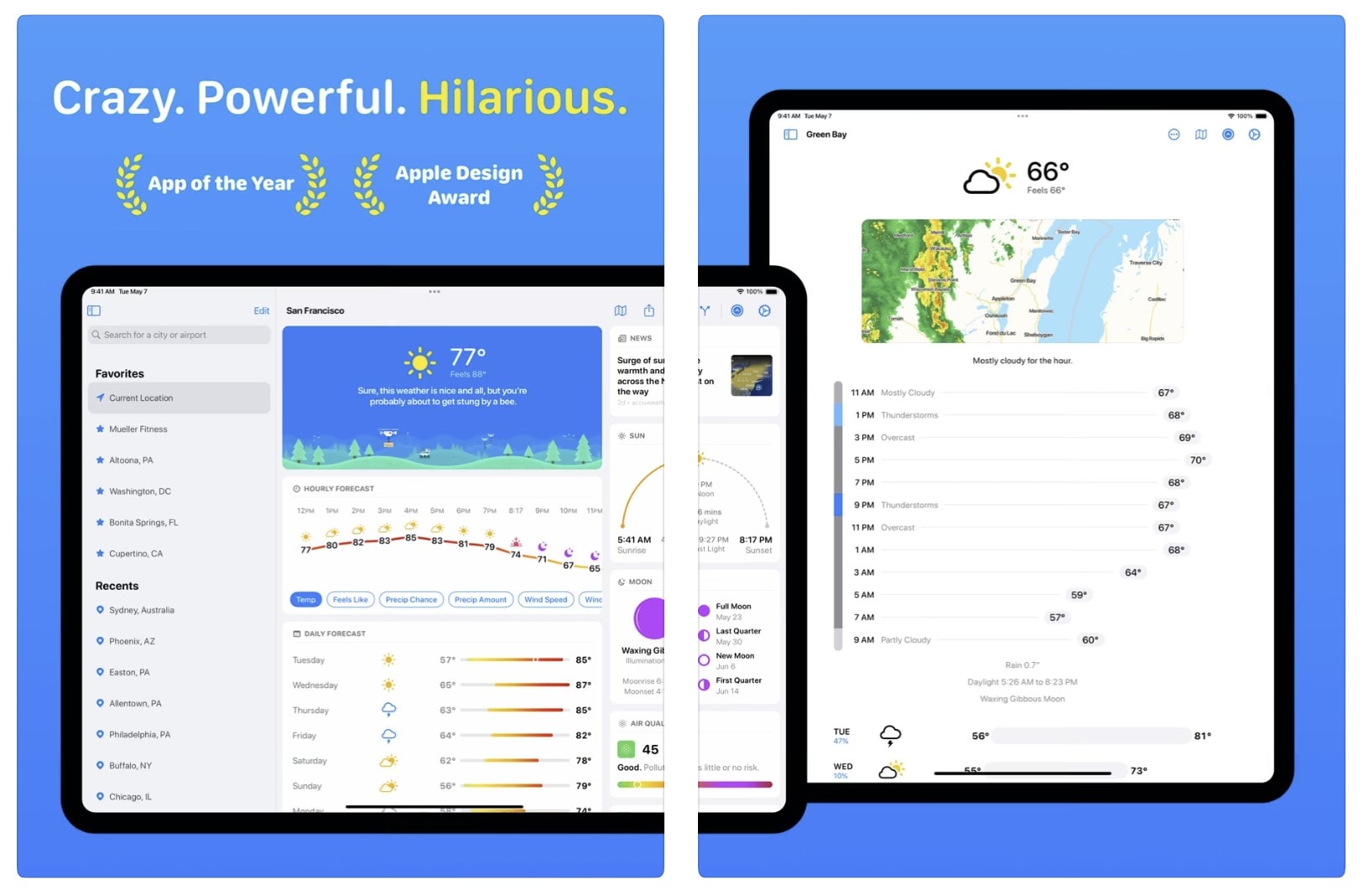
Carrot Weather 6.0 arrives with a raft of new features. And with rising sea levels, it may need a raft. Photo: Carrot Weather
The latest major update to the popular and snarky Carrot Weather app brings a delightful array of new features and improvements. It adds a dynamic “garden that grows over time” as part of a redesigned interface, along with line charts for hourly and daily forecasts, integrated weather news from around the world and more.
But of course it will still call you a “meatbag” and act surprised you’re still alive if you haven’t opened it lately. New Carrot Weather 6.0 is now available for iPhone, iPad, Mac, Apple Watch and Vision Pro.
★★★★☆
Clean out years of bad pictures. Image: D. Griffin Jones/Cult of Mac
CleanMyPhone is a new app that will tidy up your photo library. Developed by MacPaw, maker of CleanMyMac X, the new app can do a thorough scan of images on your iPhone to clear out years of screenshots, saved TikToks and unusably blurry shots. It’s a simple way to clean up photos on your iPhone.
It also uses artificial intelligence to sort your photos into handy categories. Plus, it makes it simple to periodically look at the last week or month of your photos to sort things into albums and stay organized. As a bonus, the app comes with an internet speed test — good for checking if your connection is solid enough to take an important video call.
Awesome Mac apps of the week. Photo: Midjourney/Cult of Mac
In this week’s Awesome Apps roundup, you’ll find apps for managing files, using AI to boost your writing, and turning an iPad into a creative input device for a Mac.
And if all that productivity wears you out, we’ve got other options. You can relax with a charmingly peaceful Apple Arcade game with a delightful Japanese theme. Or you can blast enemy spaceships in an arcade-style game that’s great on iPhone — but even better on Vision Pro.
Void-X plays like a classic from the ’80s. It's great on iPhone, but even better on Vision Pro. Image: D. Griffin Jones/Cult of Mac
I’ve had a lot of fun playing Void-X, a modern arcade shooter game. If you’ve ever emptied a whole pocketful of quarters into Galaga or Zaxxon, then you’ll love playing it, too. And you’ll like it even more if you play Void-X on Vision Pro. (You can play the tame on iPhone and iPad, too.)
Researchers at the University of Chicago have given artists a tool to fight AI models imitating their artwork. Photo: University of Chicago
Artists have every reason to fear artificial intelligence (AI) models that might train on their artwork online without permission, essentially imitating it and potentially diluting its value.
A new free app called Nightshade — yeah, after the poisonous plant — is here to mess with AI models to deter trainers from doing that.
It's a fun way to engage with an AI chat. Photo: Zviadi Tumanishvili
The new Aztec Mystery Magic app for iPhone and iPad released Thursday dresses up artificial intelligence (AI) chat in a cool Aztec costume.
It doesn’t do a whole lot, but it looks cool and it’s free. It answers questions, makes predictions and offers ancient Aztec riddles you can solve to get amulets. And hey, you might learn something.
If you don't have a clipboard manager already, your life is about to change. Image: D. Griffin Jones/Cult of Mac
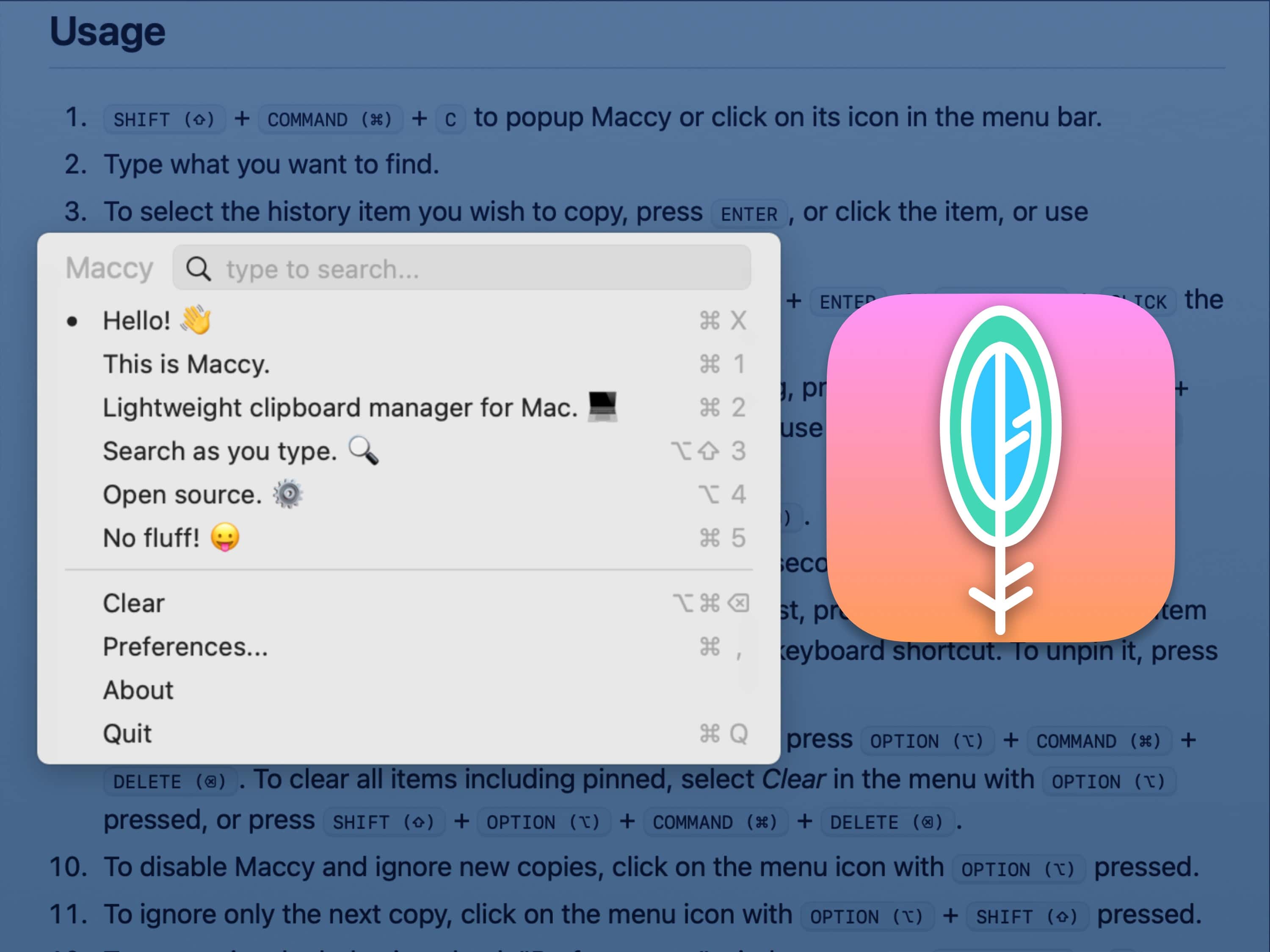
Maccy is a fantastic macOS copy-paste manager that supercharges your clipboard history. It allows you to copy … and copy … and copy again, and still paste the first thing you copied. Of course, it works with cut-and-paste too. It’s super well-designed and very easy to use. With a simple keyboard shortcut, you can bring up a small menu to instantly paste something you cut or copied hours ago.
It’s a fantastic utility that will quickly become a must-have on every Mac you use. You can buy Maccy for just $9.99 on the Mac App Store, or build it from its open-source code yourself.
Get simple desktop widgets for monitoring Time Machine. Image: D. Griffin Jones/Cult of Mac
Backup Status is a simple app that puts a Time Machine widget on your Mac desktop (or stows it away in your Notification Center). If you don’t want the Time Machine icon cluttering up your menu bar, this is a straightforward alternative.
Time Machine, of course, is Apple’s software that makes continuous backups of your files to a separate part of your disk, an external hard drive or network-attached storage. Everyone should use Time Machine.
And, after you set it up, you should try Backup Status, the fun little app that lets you easily monitor your Time Machine backups.
Avoid the raindrops -- or hurricanes, if it comes to that -- with the Rainbow Weather app. Photo: Rainbow Weather
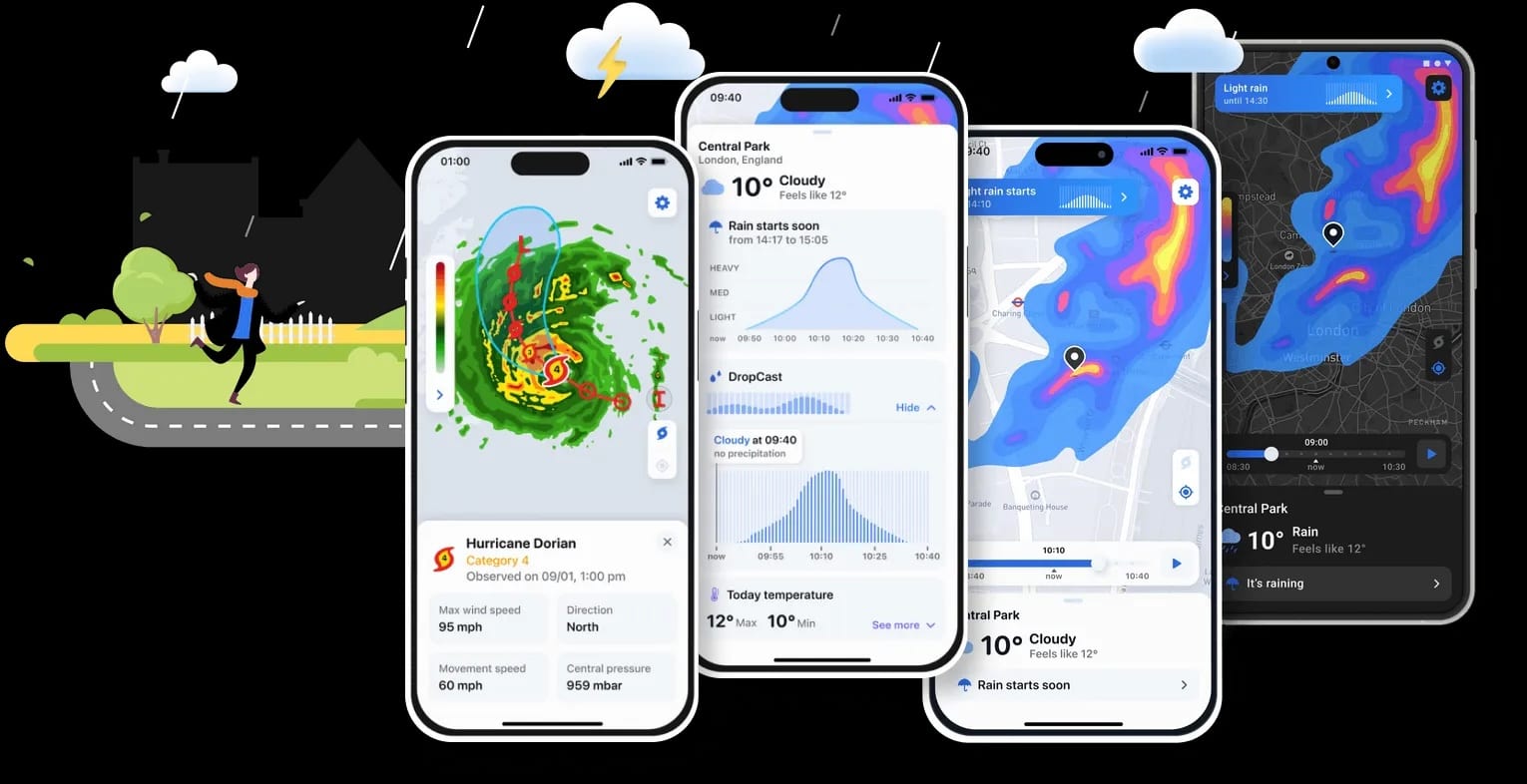
Tired of getting caught in the rain? Startup Rainbow Weather released its hyper-local rain-alert and hurricane-tracking app Rainbow Weather in November, giving you a great way to track weather tied to your precise location at all times via your iPhone.
You can now make Zoom calls on your biggest screen via Apple TV. Photo: Zoom/Cult of Mac
From the “better late than never” category, a version of the Zoom video conferencing app has launched for Apple TV. This means it’s now easier to make Zoom calls using a TV’s large display.
Turns out the long wait was actually Apple’s fault.
With LumaFusion, you don't need storage space on your iPhone to edit huge video files on an SSD. Photo: LumaTouch
With an iPhone 15 Pro or Pro Max, you can record high-resolution video directly to an external SSD. And the latest version of the iPhone app LumaFusion lets you edit with the video still on the external drive, too. Don’t try that with any other video editor for iOS.
That’s on top of the many other features of the iPhone and iPad application, which offers multitrack video editing with a focus on controlling everything with touch.
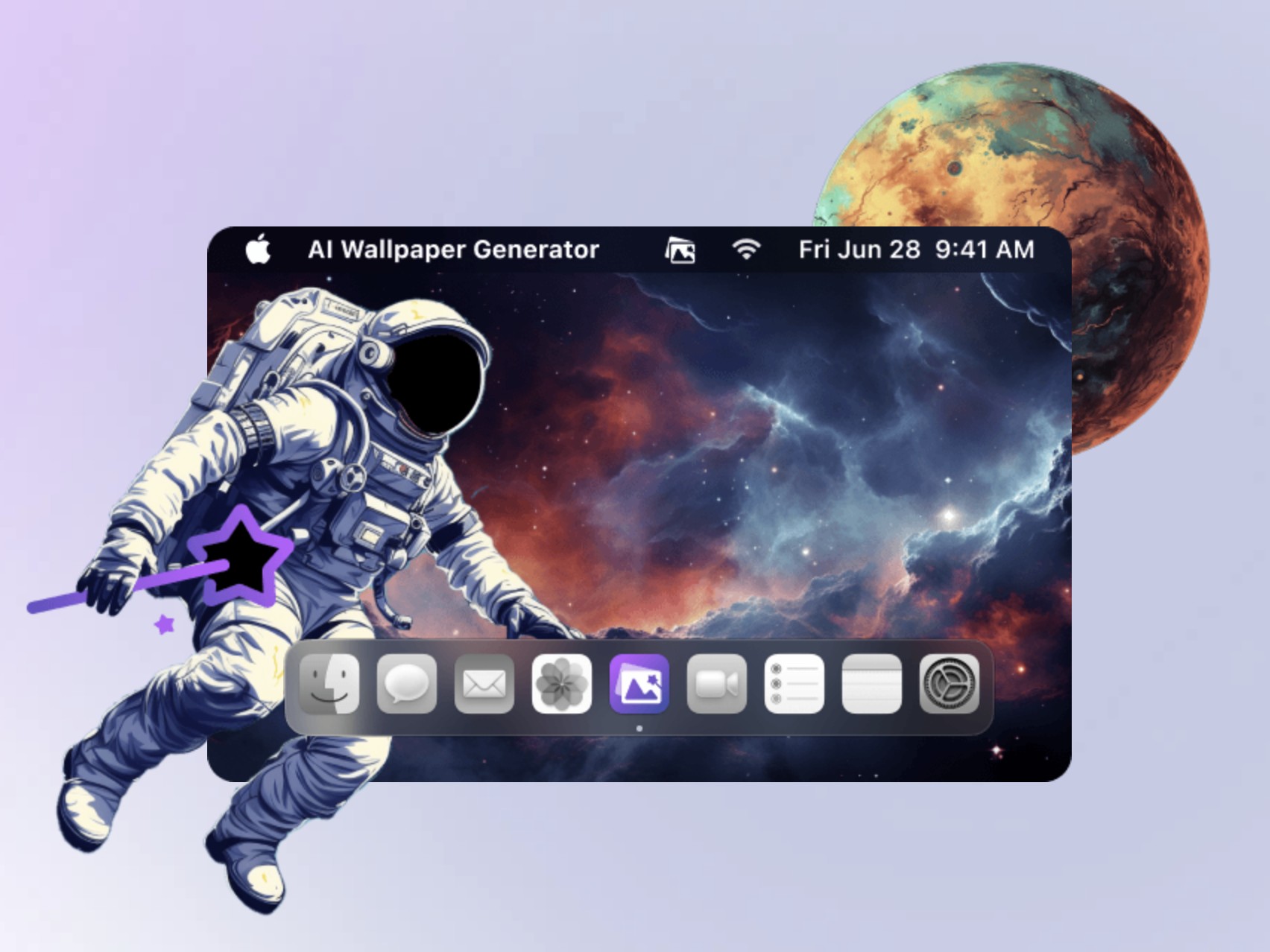
Type in a descriptive prompt and get that wallpaper on your Mac desktop. Photo: Gemoo
Sick of the same old desktop wallpaper on your Mac? Developer Gemoo recently released a free AI Wallpaper Generator app that lets you replace your screen’s background visual with pretty much whatever you can think of in terms of a prompt, and with your choice of artistic style.
With 10 wallpaper prompts per day on the free version, it’s fun to play with. And if you need more, you can get the Pro version — once Gemoo settles on a pricing plan for it.









![Guide rivers to the sea in meditative new Roia game [Awesome Apps]](https://www.cultofmac.com/wp-content/uploads/2024/07/Roia-Emoak-review-1.jpg "Guide a river to the sea in meditative new Roia game [Awesome Apps]")