Mobile menu toggle

Top stories - page 562

How to automatically import new music into iTunes

By

iTunes on Mac
Use an Automator workflow and never manually add media to iTunes again!
Photo: Apple

So, say you have a Dropbox folder that keeps your media files synced across all your machines. Wouldn’t it be super-convenient to have iTunes import music from the Dropbox folder automatically? Also, just double-clicking the media files to import them to iTunes doesn’t sound too much work at first, but, what if your files are scattered all over the disk? For instance, some of you might have organized your media files into different folders by artist name, or by download source.

Let’s see how you can harness the power of automation to automatically import music to iTunes on a Mac.

The New Yorker‘s stunning new cover was painted on an iPad

By

CoverStory-Colombo-Basketball-872x1200-1495121111
Not bad for a picture painted with an iPad. Or with anything, actually.
Photo: New Yorker

Looking for more evidence that the iPad Pro can be used to create stunning artwork? The cover of the latest issue of The New Yorker might be just the proof you’re searching for.

Created by the magazine’s long-time art editor Jorge Colombo, it depicts kids playing basketball near to his home in Brooklyn. “This was a risky drawing to make,” he said. “I kept worrying that the ball would hit me or the iPad.” Not that he let that stop him from creating a stunning image!

The ultimate utility software roundup for digital creatives [Deals]

By

collage-2017-05-23
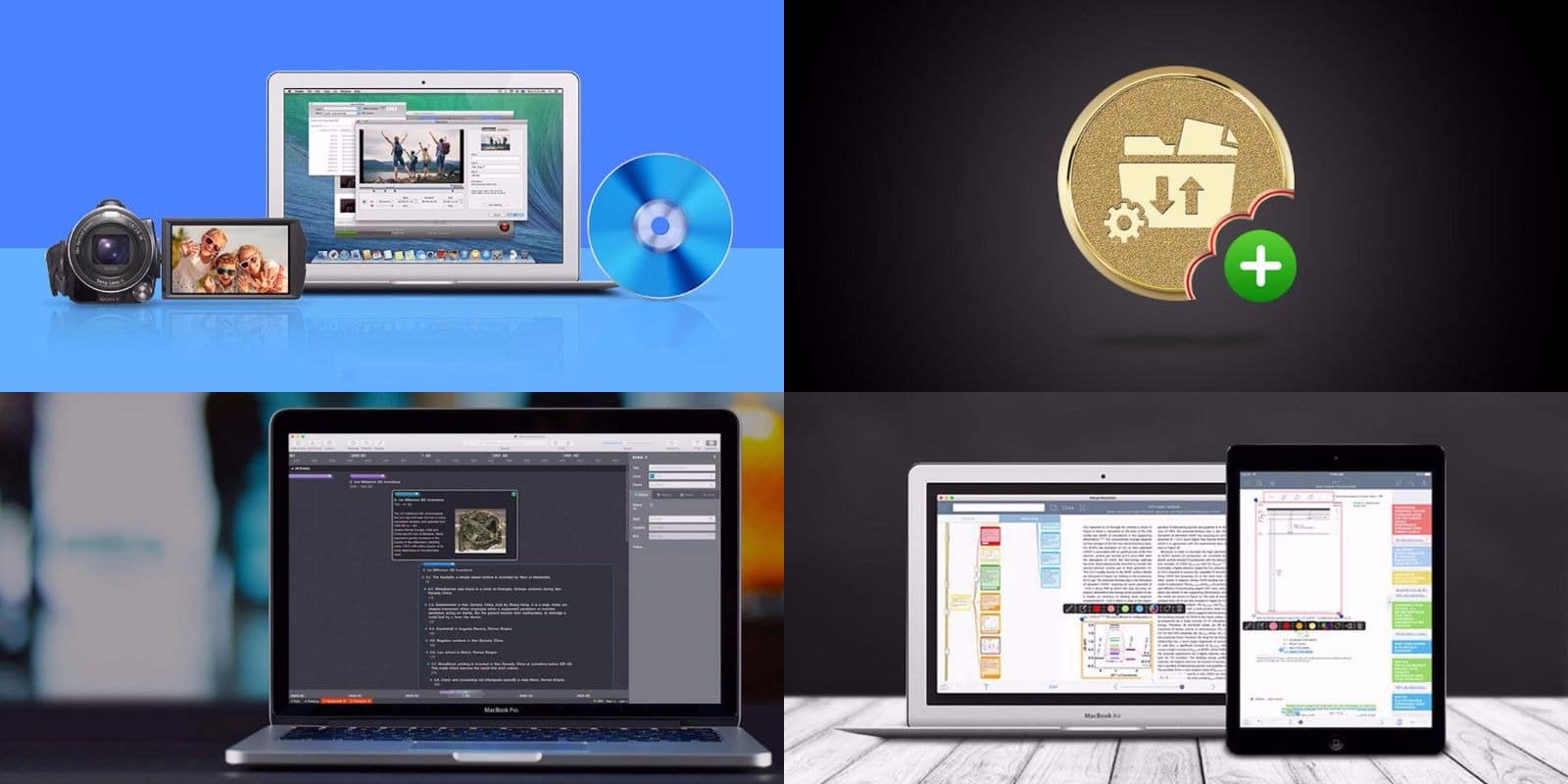
From converting media to transferring giant files, staying on task and more, these are Mac apps any digital professional can use.
Photo: Cult of Mac Deals

Like the content they create, today’s digital creative takes many forms. Whether designing a website or a game, whether editing photos or lines of code, there are some things we all have in common. This bundle of Mac apps offers tools for converting media files of all kind, a powerful file transfer protocol for moving data from place to place, a game-changing productivity tool for completing complex projects, and a digital assistant for studying better and taking rich notes.

No matter what you do at the screen, these Mac apps can help you do it better. And they’re all going for half off or even more. Read on for more details:

Pokémon GO now punishes cheaters with bad monsters

By

Pokémon Go
Niantic Pika-chooses to freeze out old iPhones and iPads.
Photo: The Pokémon Company

If you think cheating is the easy way to get ahead in Pokémon GO, think again.

Developer Niantic just rolled out a new update that punishes cheaters by only allowing them to catch lousy monsters.

How to hack Photos’ search to find lost images

By

find photos location
It's easy to narrow down a search, even if you can't quite remember where or when you took the photo.
Photo: Cult of Mac

Search is open of Photos’ apps best features, but when do you ever really use it? Never, I’d say, but that’s about to change. Search is only useful when there’s something you’re looking for. While it’s fun to see all the photos you took of cats, or guitars, or whatever, search’s real power comes when you’re looking for something specific. That is, when you’re looking for than one photo you need to show your dining companions right now. Let’s see some tricks on how to do that.

5 affordable accessories that complement your red iPhone

By

iPhone 7
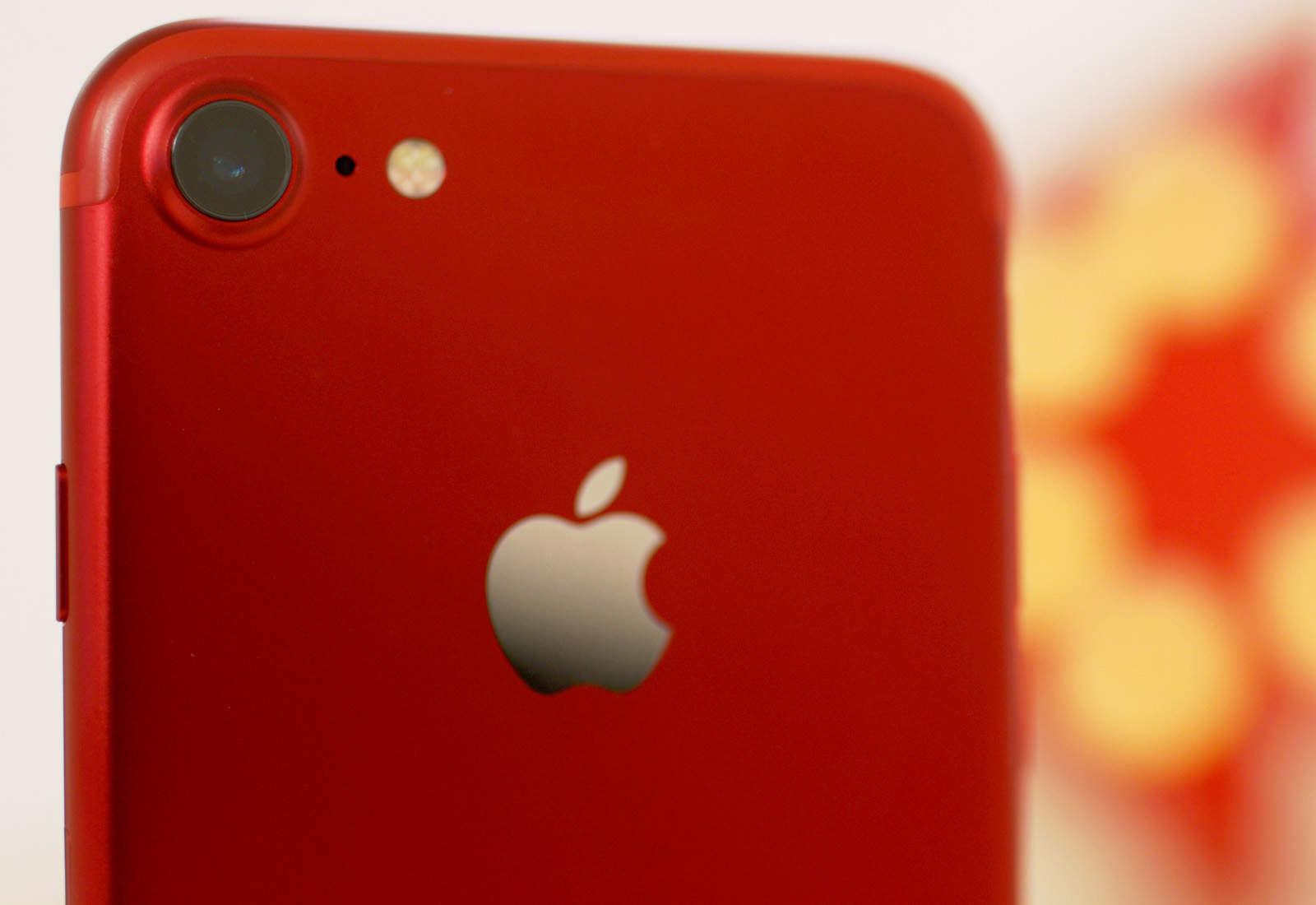
Refresh your red iPhone with these awesome products.
Photo: Ste Smith/Cult of Mac

Interest in the (PRODUCT)Red iPhone has died down since its release back in March, and the novelty has likely worn off already for those of you who picked one up. Now it’s time to make it interesting again!

We’ve put together a list of five brilliant red products, all under $30, to compliment the red iPhone and reinvigorate your love for its unique color. Check out the video along with details for all the accessories we’ve featured below.

Readdle adds drag and drop between all its iPad apps

By

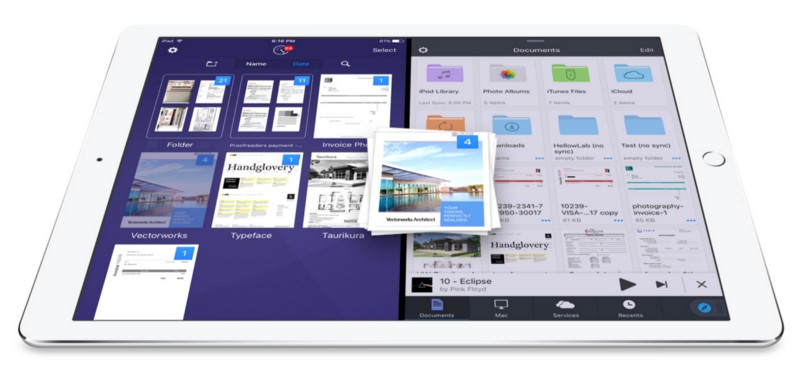
Drag and drop at your fingertips!
Photo: Readdle

Readdle just rolled out big updates that give users the ability to drag and drop content between its entire lineup of awesome productivity apps on iPad. It’s never been easier to multitask and manage your most important files on the go.

The company has also updated Documents 6 to turn it into a “Finder on iOS.”

Expand and charge your iDevice all at once [Deals]

By

iKlips miReader 4K
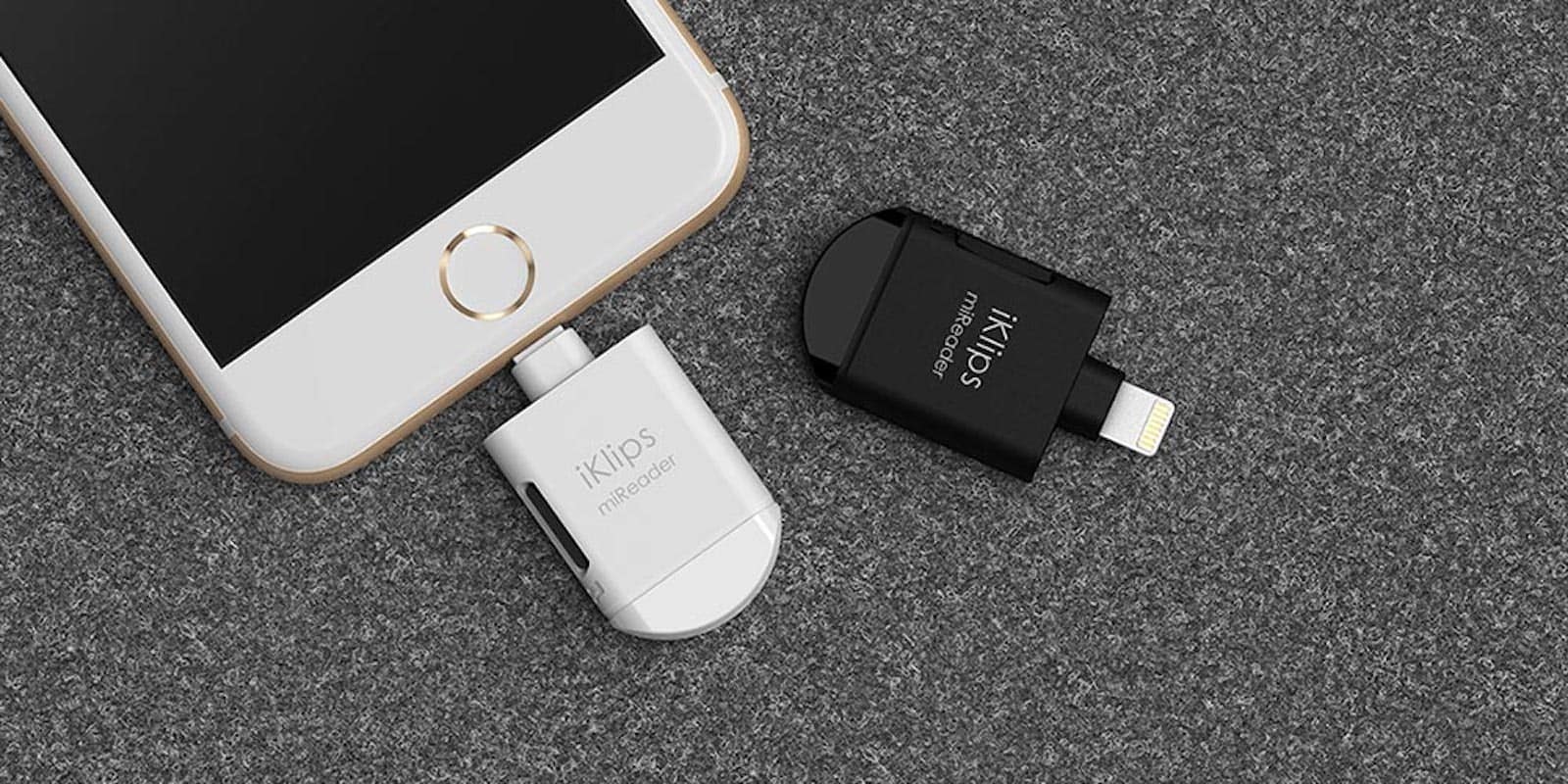
Back up, expand and charge your iDevices all at once with this handy Lightning-connected hub.
Photo: Cult of Mac Deals

No matter how much storage you spring for in your iPhone or iPad, there’s always use for more. The unfortunate thing about mobile devices is that they’re not exactly easy to upgrade, and you certainly can’t swap out the hard drive for a bigger one. Something you can do though is plug in something like the iKlips miReader 4K, which expands capacity and adds new connection options all at once. With its Lightning connector and micro USB connectors, and a micro SD slot, you can massively expand capacity and share files between a variety of devices, whether Mac, Windows, even cloud drives. And right now you can get an iKlips miReader 4K for just $46.99 at Cult of Mac Deals.

Can Google Assistant beat Siri on iPhone? Let’s find out!

By

Virtual Assistant
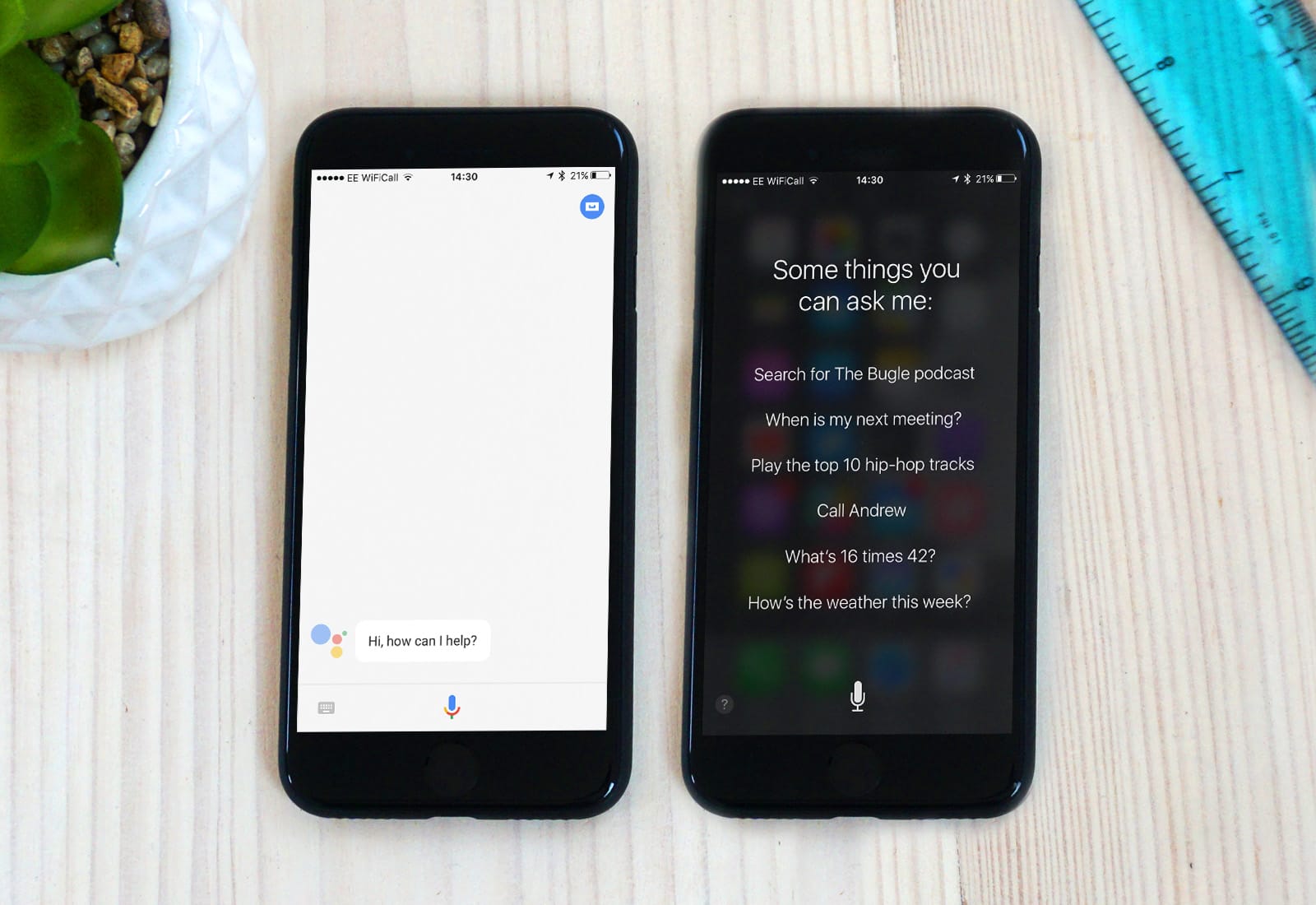
Which is better? Google Assistant or Siri... check out the battle in today's video.
Photo: Ste Smith/Cult of Mac

Google Assistant for iOS was released at Google’s latest I/O event. Having never tried it (being an Apple fanboy and all) I thought it was only fair to put the two virtual assistants head to head.

There’s still a lot Google needs to fix such as being able to open apps other than it’s own. But check out the head to head battle in my video below.

How to use Instagram’s new Hashtag and Location stories

By

Instagram location stories
Instagram now has Stories based on location and on hashtags.
Photo: Cult of Mac

Instagram just added two new ways to explore photos that aren’t from the folks you follow: Hashtag Stories and Location Stories. These gather photos by place or subject, whereupon you can browse by tapping through them. If you see a picture you like, you can then then explore the area (or hashtag) further.

Underwater drones, intelligent camera assistants and more [Crowdfund Roundup]

By

A drone that's just like a fish.
Photo: BIKI

Crowdfund Roundup bugWouldn’t it be great if you could capture stunning videos of sea life up to 196-feet deep without even getting your feet wet? You can with BIKI, the world’s first underwater drone for deep sea video recording.

It’s just one of the awesome ideas in this week’s Crowdfund Roundup. We also have ultra-strong Kevlar Lightning cables, a modern cassette tape that’s also a standalone music player, an intelligent camera assistant that ensures you get a perfect shot every time, and more!

ZestDesk aims to make you a stand-up worker [Review]

By

The portable office that also gets you off your butt, at least for a while.
Photo: David Pierini/Cult of Mac

Your postal carrier doesn’t usually ask about the contents of a package he’s dropping off, but I couldn’t blame him for being curious about a long box with a logo that said ZestDesk.

I explained to him it was a kind of standing desk and that I would be reviewing it. The man who is on his feet for his entire work day asked me what I did for a living and I said, “I sit at a computer, mostly, and write.”

To be clear, I sit on a couch or a comfy chair at a coffee shop with a MacBook Pro on my lap or belly and do not miss the cubicle life. A standing desk sounds so Type A and I worked hard to get further down the alphabet.

Upgrade your brain with a new language [Deals]

By

Rosetta Stone Language Box Sets (Levels 1-2)
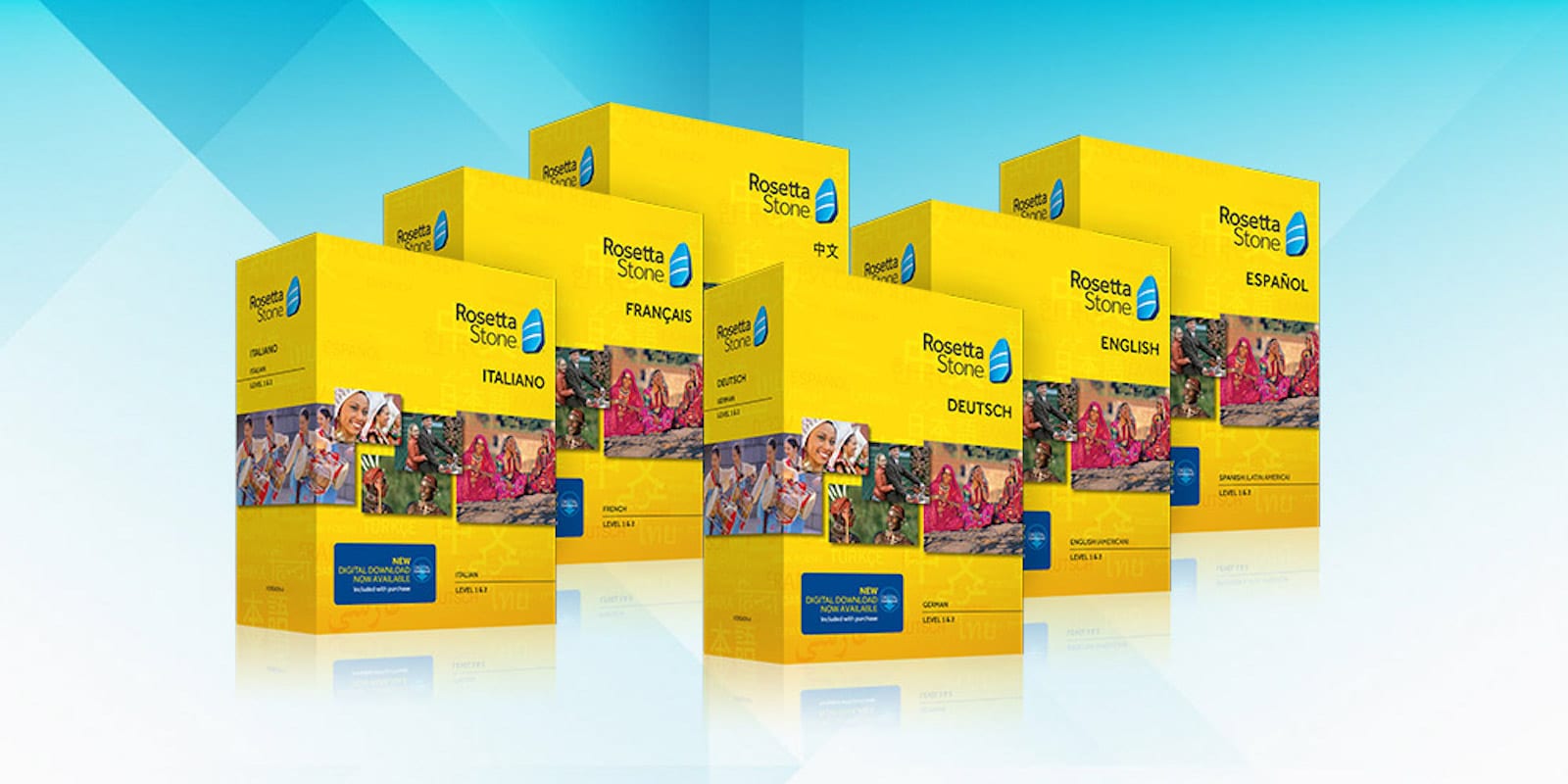
Learning a new language doesn't have to be difficult, and this box set from Rosetta Stone is a great place to start.
Photo: Cult of Mac Deals

Spring is here, everything is new and blooming and the world invites you to explore its wonders. Of course that’s a lot easier to do if you speak more than your native language. There are few better ways to learn a new language than with Rosetta Stone. Their program is world famous for how effective it is, with an immersive method that’s been used even by national governments to train international employees. Whether you’re eager to learn Spanish, Mandarin Chinese, French, German, or Italian, Rosetta Stone can teach you to read, write, and speak with fluency. And right now, you can get box sets for levels 1 and 2, both digital and physical DVD versions, for just $119.99 at Cult of Mac Deals.

32GB iPhone 6 is now on sale in the U.K.

By

iPhone 6
The iPhone 6 is Apple's biggest selling iPhone of all time.
Photo: Jim Merithew/Cult of Mac

If you want an affordable iPhone, but you don’t want to settle for a 4-inch iPhone SE, you might want to check out Apple’s relaunched 32GB iPhone 6.

It originally made its debut in emerging markets back in March, then in the U.S. — and now you can buy it in the United Kingdom.

Quick tip: How to translate words in iOS with a single tap

By

translate dictionary ios
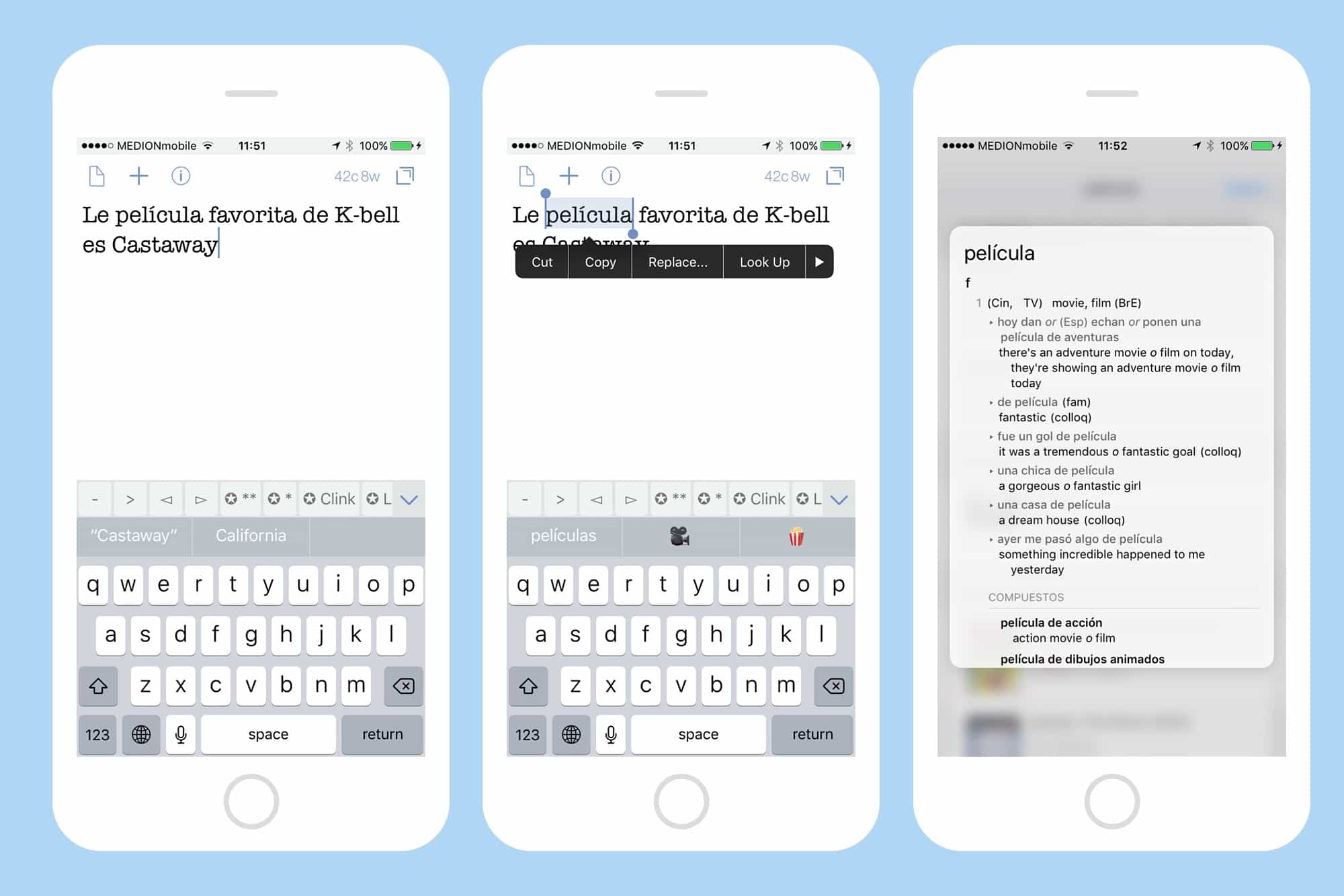
Translate any word with a tap on iOS.
Photo: Cult of Mac

The Look Up feature in iOS, which lets you tap on a word and look it up in the dictionary, the web, Wikipedia, and more, is one of the most useful things about reading on an iPhone or iPad. But did you know that you can also add new dictionaries, including translation dictionaries for foreign languages? That’s right. You can look up words in all kinds of other languages and translate them into English, or vice versa.

How to use Text Replacement to avoid typing the words you hate

By

Text Replacement shortcuts in iPhone
Text Replacements are easy to set up, and save a ton of time and hassle. You can even use them with emoji.
Photo: Cult of Mac

What if you could type out any of your email addresses just by tapping on the same key a few times? Or do Google searches over and over on a favorite website just as easily? What about easily typing that special symbol that’s so hard to reach on the iOS keyboard that you usually never bother? All this, and more, can be yours, if only you’ll spend a minute or two setting up some text replacement shortcuts. Let’s do it right now.

Before your Lightning cables fray, get some backup [Deals]

By

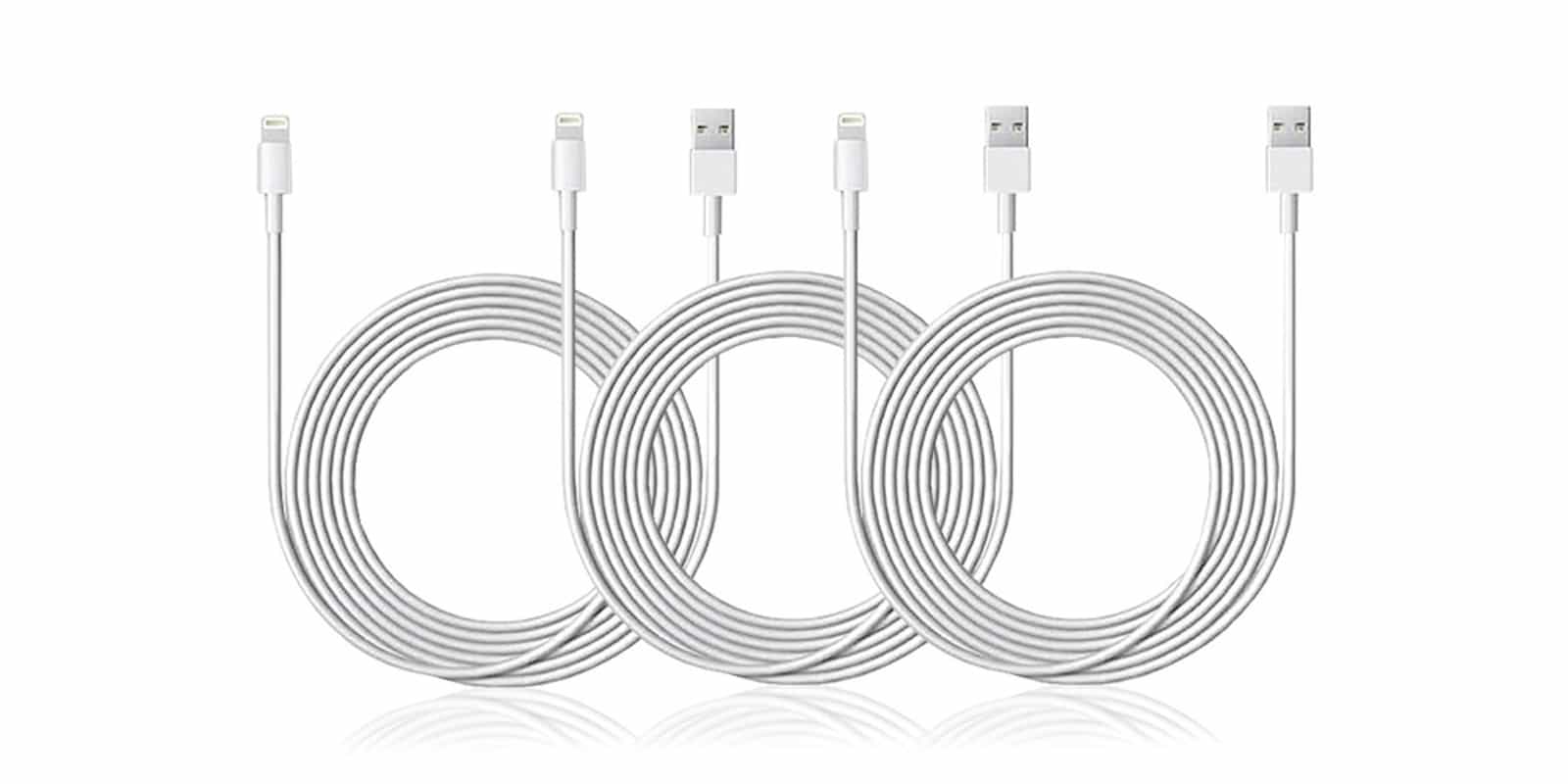
CoM - 6.5-Ft Apple MFi-Certified Lightning Cable- 3-Pack
With these three extra long, Apple certified cables, you'll be covered for when your Lightning cable inevitably frays or breaks.
Photo: Cult of Mac Deals

We rely on our Lightning cables to keep our iDevices charged and synced. Unfortunately, these soft white cables are pretty prone to fraying and breaking. With something so essential to our digital lifestyles, it’s important to have backup. And, while we’re at it, why not add a little reach? Right now you can get all of the above, when you get a triple pack of MFi-certified, 10-foot long Lightning cables for just $20 at Cult of Mac Deals.

America’s favorite iPhone will surprise you

By

iPhone SE
Two new iPhone SE models for 2020?
Photo: Sam Mills/Cult of Mac

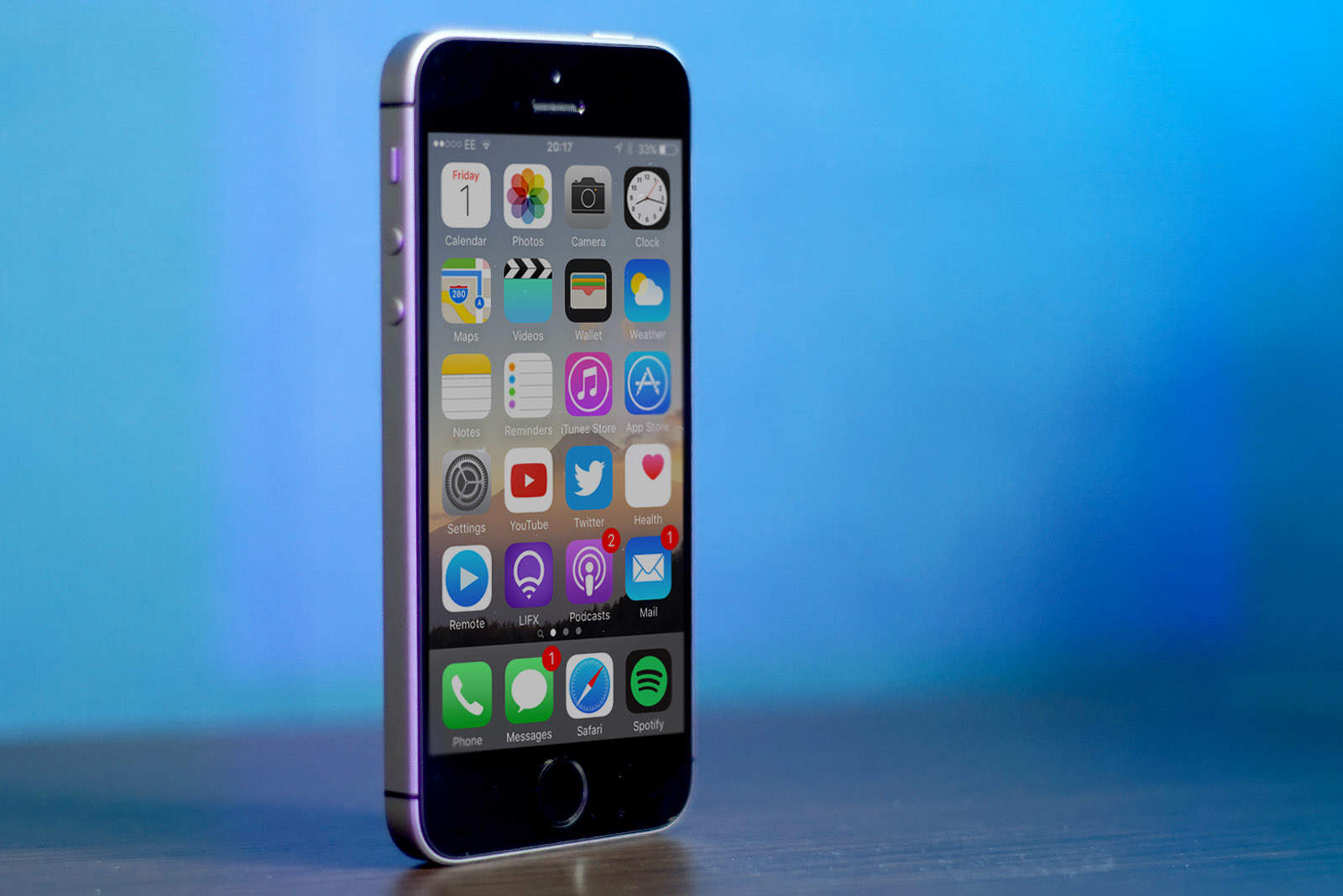
Despite the demand for larger, sharper smartphone displays, iPhone SE has beaten out all other smartphones to top the latest American Customer Satisfaction Index (ACSI).

Just two of Apple’s devices placed in the top five, and with a score of 87 out of 100, iPhone SE took the number one spot ahead of iPhone 7 Plus and the Galaxy S7 series.

Apple and Nokia join forces after settling patent dispute

By

Nokia
Keeping Nokia at bay isn't cheap.
Photo: Killian Bell/Cult of Mac

Apple and Nokia have settled their ongoing patent dispute and entered a new licensing and business cooperation agreement.

Apple will resume selling Nokia digital health products, formerly sold under the Withings brand, while Nokia will provide Apple with network infrastructure products and services.

Use Notes app to plan your vacation

By

notes vacation plan
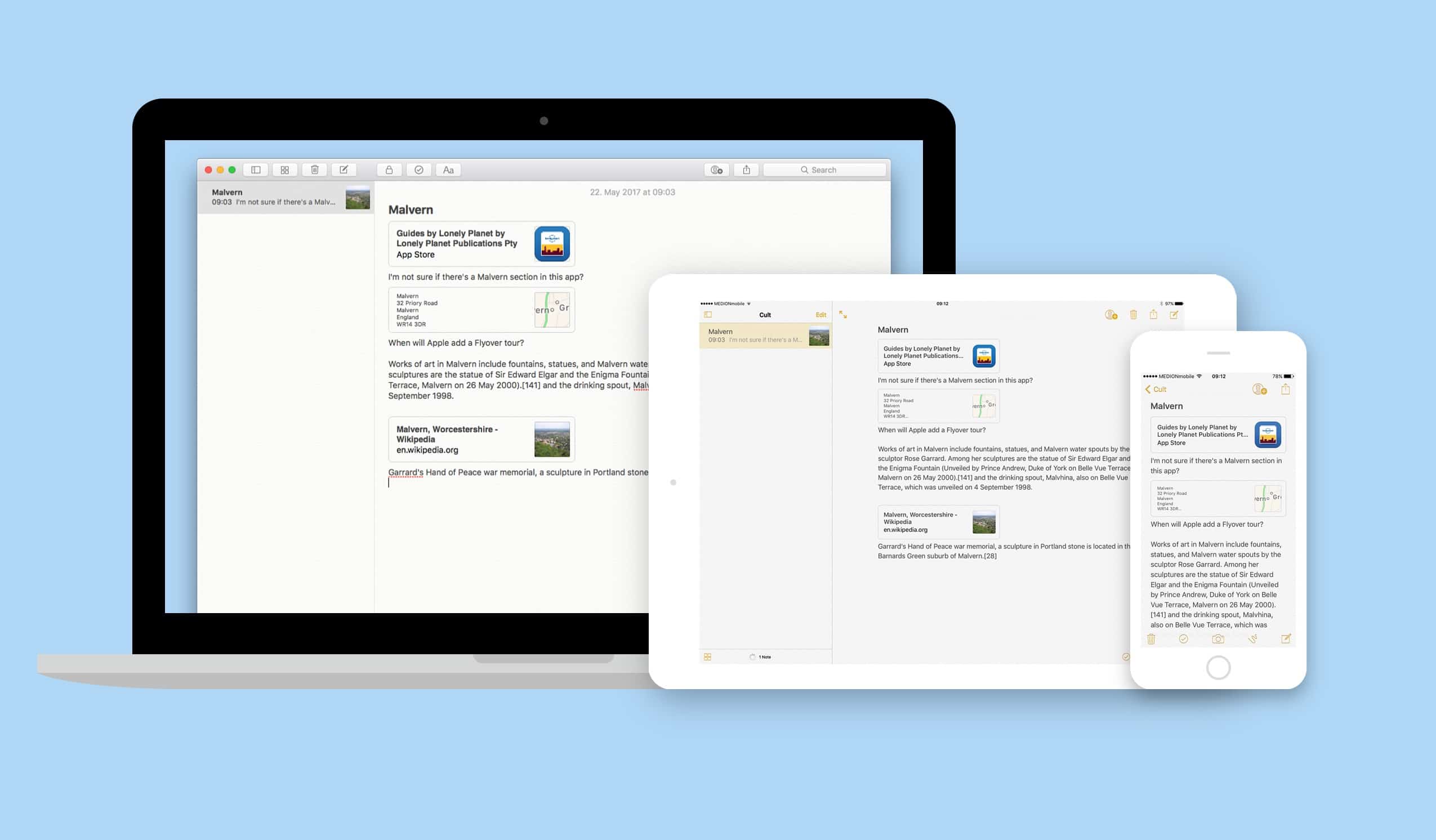
The notes app is a great way to share the planning of your next vacation.
Photo: Cult of Mac

Here’s the worst way to organize any task: email. You can’t put everything in one place, and even if you could, you could never find it. Apple’s built-in Notes app, on the other hand, is the perfect place to store all those snippets of info you accumulate when planning something like a vacation. You can collect web pages, add checklists and photos, and even sketch maps, or add other media like PDFs or apps. And then you can share that note with any number of people and all read and update it.

Let’s see how it all works.

Mac setups featuring a 3D printed Mac Pro, portable screens and more in this week’s iSetups

By

mac setups
Want to see a super cool custom, 3D printed HDD case? Of course you do.
Photo: Alex Castro/Morten Bietilæ/Joakim Jidbacken

The great thing about Mac setups is that they can all be completely different. While one person may dream of a super minimalist science lab-type room, another may want an inspiring, comfortable haven. That’s what makes this week’s iSetups submissions so great.

iSetups is our new show that highlights the best Apple-centric setups submitted by our viewers. (You’ll also get plenty of tips and tricks for how you can improve your own setup.) Check them out for yourself in the video below, as well as full breakdowns and links to featured products.

Drive Genius 5 unclogs and revives your Mac’s drive [Deals]

By

Drive Genius 5- Standard License
Drive Genius offers a toolbox for keeping your Mac drive clean and running at top speeds.
Photo: Cult of Mac Deals

Your Mac is meant to work like magic. But we all know that beneath the sleek silver there’s a complicated machine, one that needs to be taken care of if it’s going to last. Drive Genius is a popular app designed to keep hard drives hygienic, and recover ones that have already gone kaput. Used by no less than the Apple Genius Bar itself, they offer a suite of tools that can help to speed up, clean up, protect, and even revive your Mac. It’s well worth looking into for any Mac owner, but right now you can get a standard license for Drive Genius 5 for just $39 at Cult of Mac Deals.

Retailers scrap Apple Pay transaction limit in U.K.

By

Apple Pay Terminal
¡Es inminente!
Photo: Ste Smith/Cult of Mac

British retailers have begun accepting Apple Pay payments above £30, making the service an even more convenient payment option.

Apple has confirmed that over half of all contactless payment terminals in the U.K. can now process Apple Pay transactions of any value.