MacPaw, the company behind the brilliant CleanMyMac app, now makes the world’s first personalized VPN. ClearVPN features shortcuts for quick content access and takes care of connectivity for you.
It’s available now on Mac and iOS.
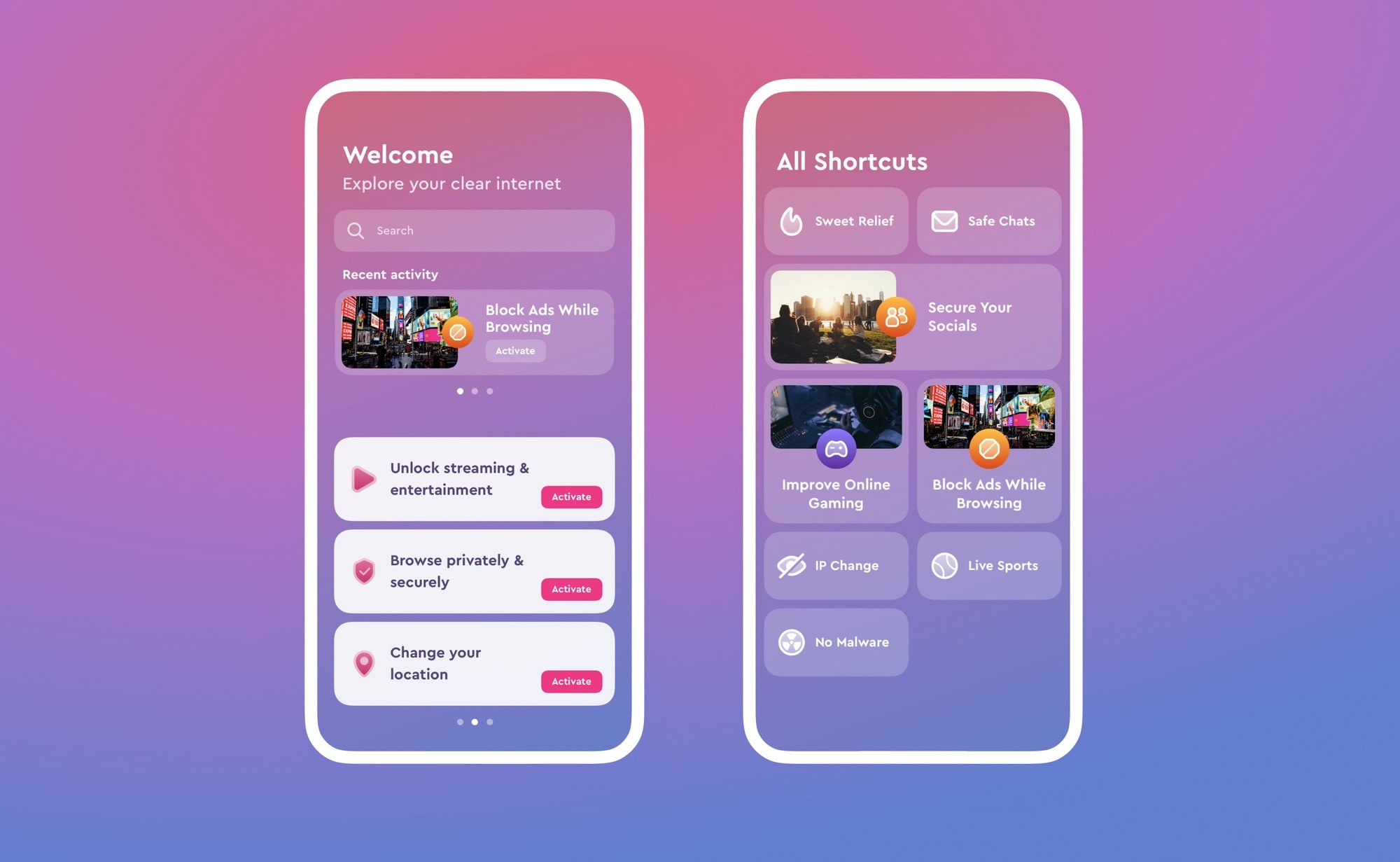
MacPaw, the company behind the brilliant CleanMyMac app, now makes the world’s first personalized VPN. ClearVPN features shortcuts for quick content access and takes care of connectivity for you.
It’s available now on Mac and iOS.


Apple’s partnership with Foxconn, its largest manufacturing partner, is “eroding” as a result of the supposedly shady tactics that Foxconn is using in an effort to boost profits, according to a new report.
It is claimed that Foxconn has exaggerated hiring counts, used Apple equipment to produce orders for other companies, and cut corners on component and product testing.
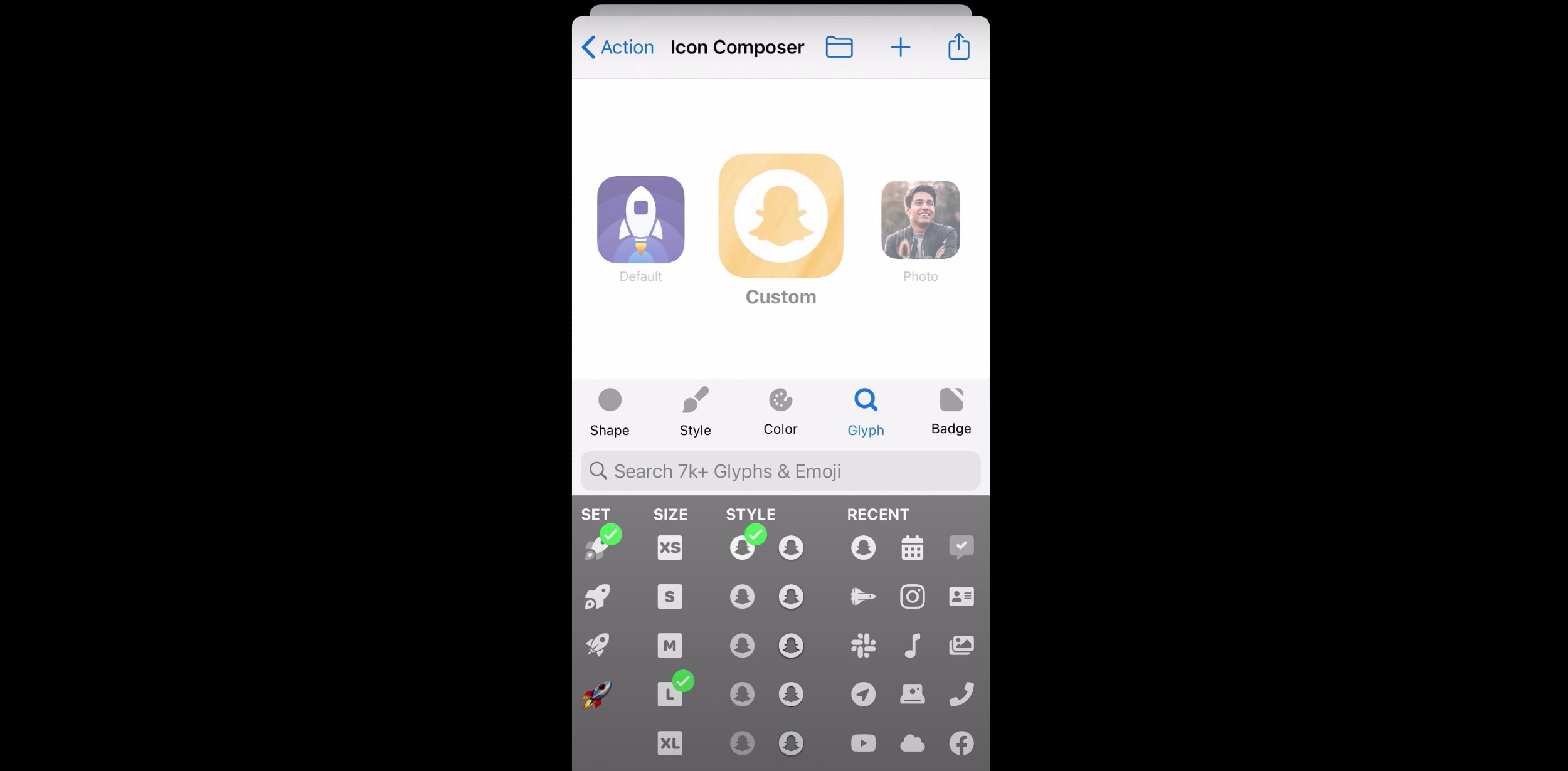
A new feature in the Launch Center Pro app makes iOS Home screen customization easier than ever.

Customizing iPhone Home screens is all the rage right now, thanks to a cool new feature in iOS 14 (and a hacky workaround using the Shortcuts app). See what this new craze is all about, and find out how you can do it yourself, in our top stories this week.
Plus, we might know exactly when to expect next month’s big iPhone event. And don’t miss our Apple Watch Series 6 review.
You will find all that and much more (including reviews of new Apple TV+ series Tehran and Tiny World) in this week’s free issue of Cult of Mac Magazine. Grab it and get to reading!
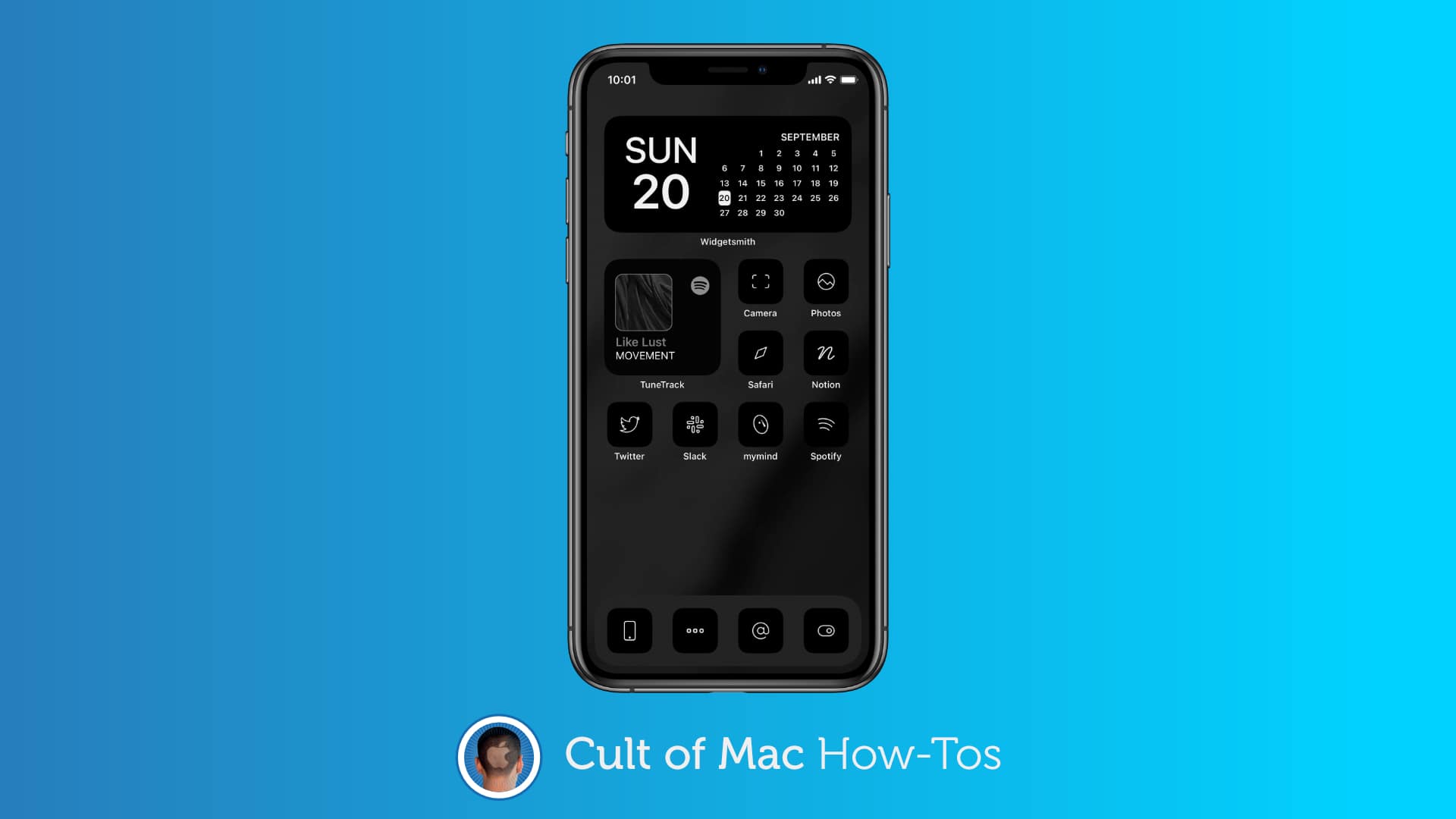
It’s no longer necessary to jailbreak your iPhone to completely overhaul the appearance of its Home screen. All you need is the Shortcuts app in iOS 14, and you can use custom icons for any app you have installed.
With some simple tweaks and plenty of spare time, you can make your iPhone feel like a brand-new smartphone with a completely different operating system designed just by you. We’ll show you how.
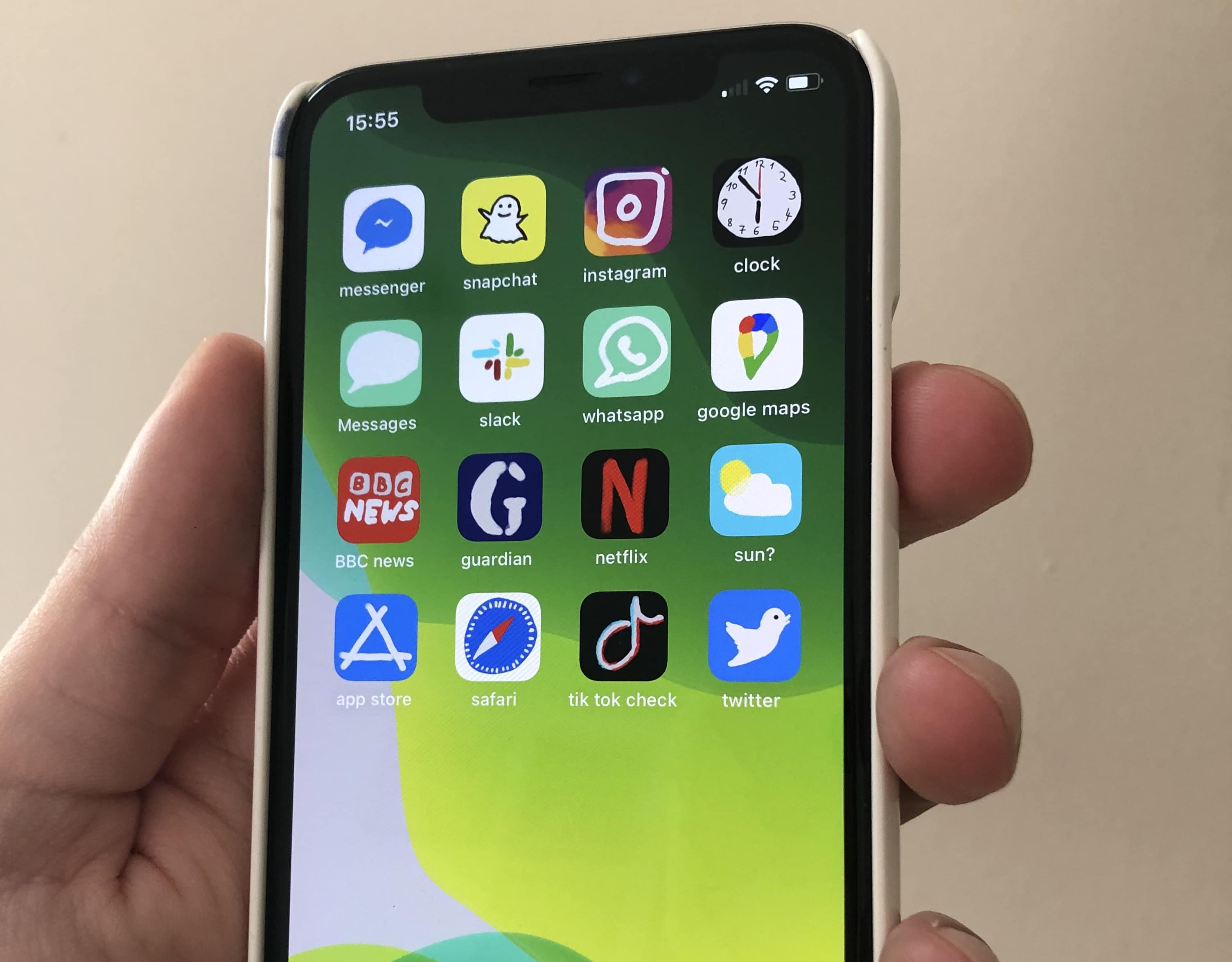
Ever wanted to make your brand-new iPhone look like it’s running Windows 95? That’s the outrageously novel idea that sprang into the mind of Ashley, an 18-year-old from Indiana who wants to work as a graphic designer, after she upgraded to iOS 14 last week.
Taking advantage of iOS 14’s new Home screen widgets feature, and a clunky workaround that employs the built-in Shortcuts app, she gave her iPhone 11 a vintage Microsoft-style makeover that screams retro cool and picked up 4.4 million views and 664,000 likes on TikTok.
“As someone who wasn’t even alive in the ’90s, other operating systems, such as Windows XP, are more nostalgic to me, but I went with Windows 95 because it furthered the contrast between old and new,” Ashley, who did not want her last name revealed, told Cult of Mac.


You can get a comprehensive overview of all your HomeKit cams with Eve’s latest app update. And if you spot neighbors doing something fishy on your property, you can use Jury to settle the dispute virtually rather than taking them to court (or throwing fists like a barbarian).
Those are just two of the featured apps in our roundup of the week’s best new apps and updates.
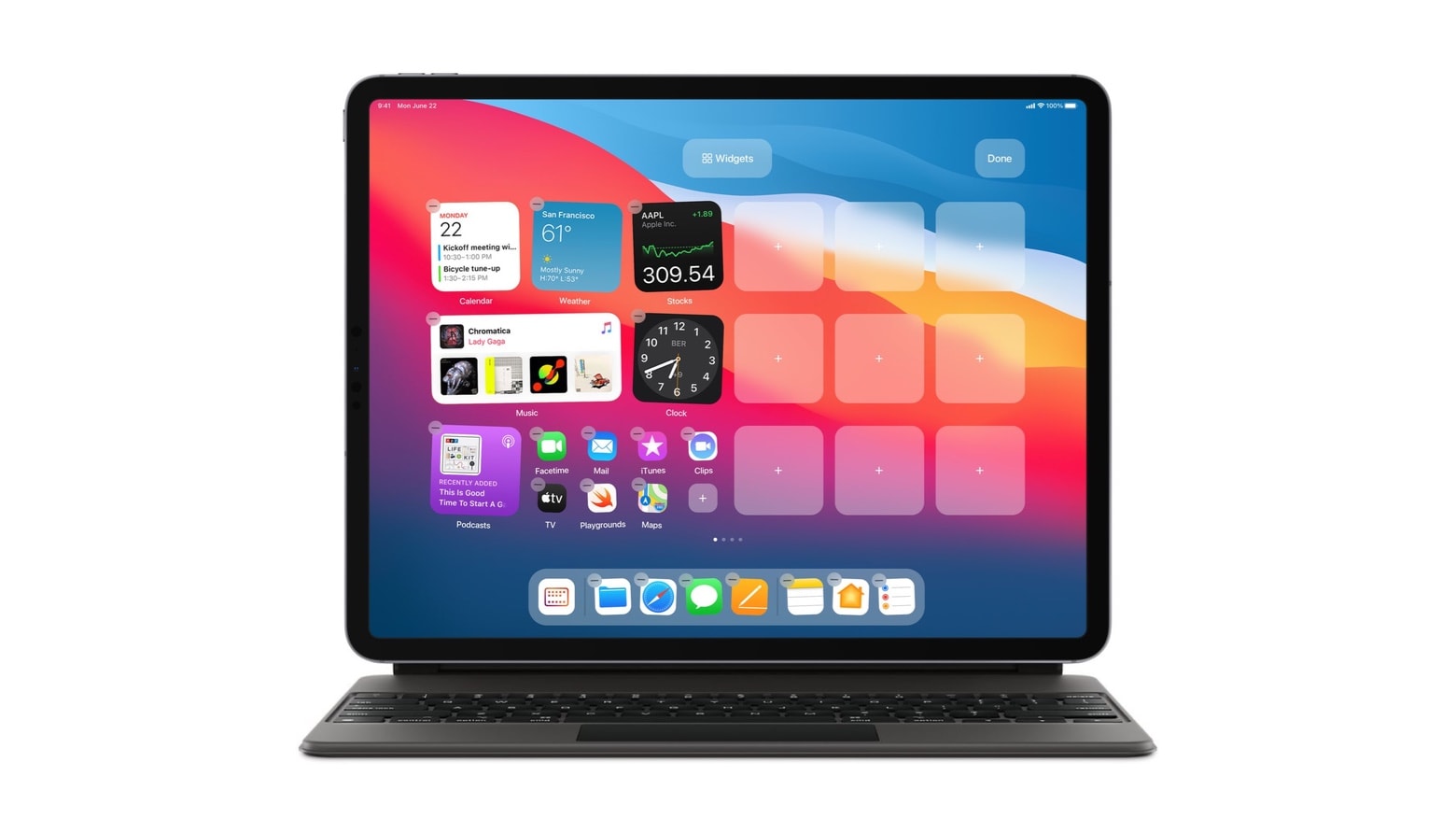
Unfortunately, iPad got a watered-down version of the new iPhone Home screen widgets. But a concept designer cooked up some innovative suggestions for how this feature should be integrated into the user interface for future Apple tablets.
Not stopping there, he proposed an alternative way to bring iOS 14’s App Library to iPadOS and suggested a new Pro Menu. The designs come from Parker Ortolani, who showed off his suggestions via Twitter.
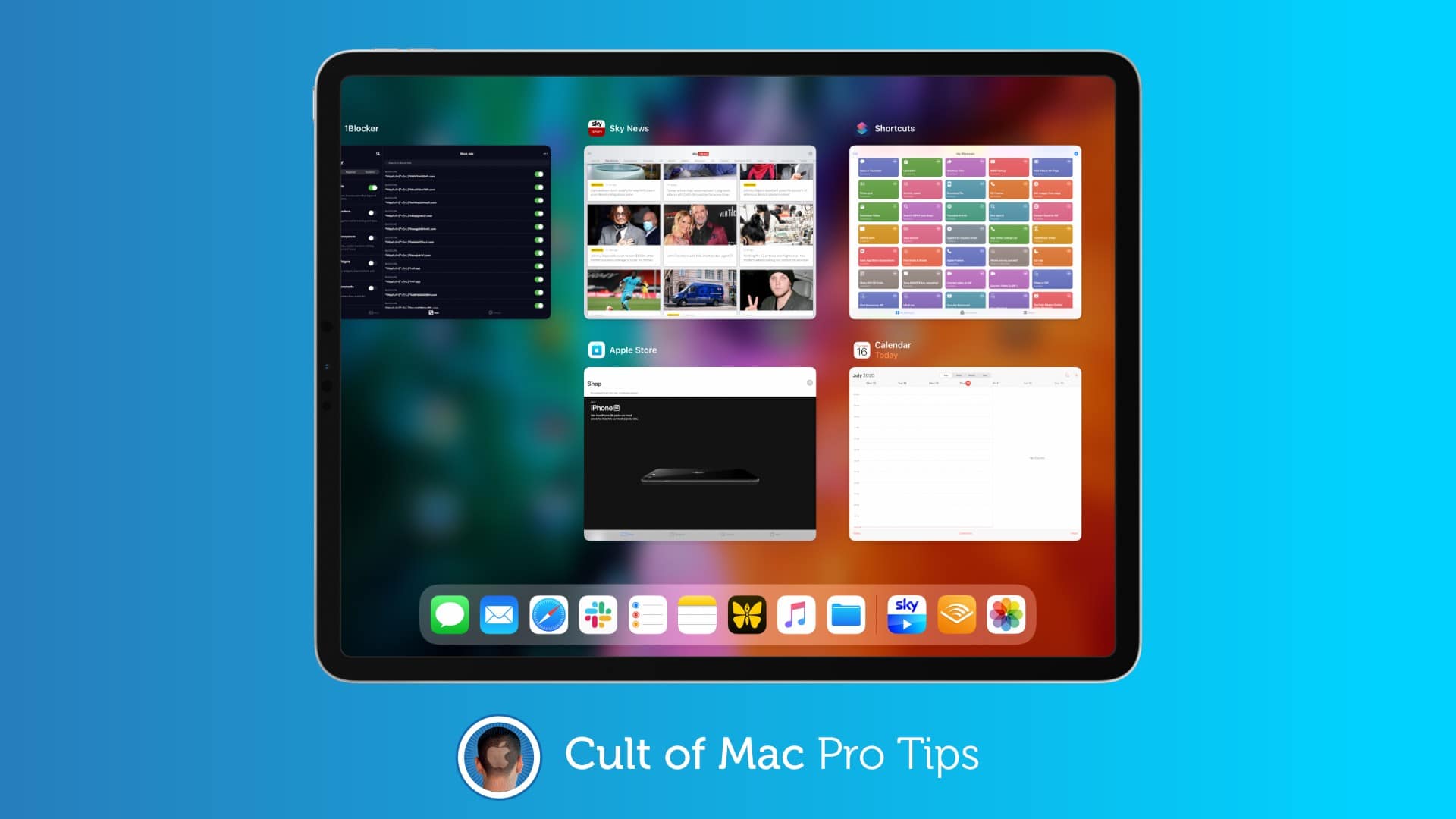
 If you’ve ever spent any amount of time in macOS, you will have likely tried to use its familiar Command+Q keyboard shortcut to quit apps on iPad — only to find it does nothing. But you’re not using it properly.
There is a trick that allows you to use this shortcut to quickly close iPadOS apps, and in this pro tip, we’ll show you how.
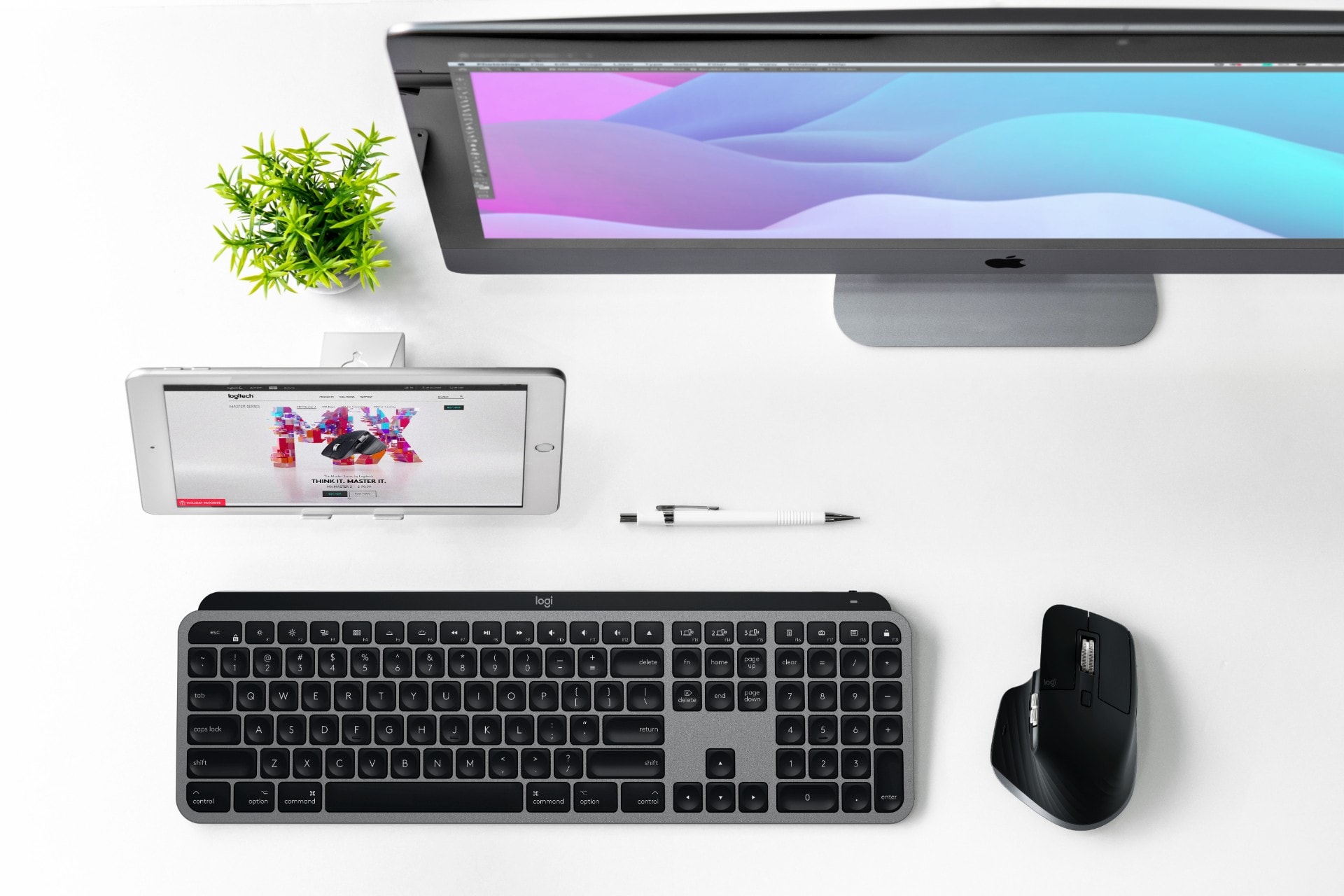
Logitech launched Mac versions of its popular MX Keys and MX Master 3 on Tuesday, giving the pro keyboard and mouse a space gray makeover and adding some Apple-specific tweaks.
Most of the changes seem totally awesome for the “Mac purists” Logitech is targeting with these high-end accessories. One change might not be so welcome, though, depending on your experience with Bluetooth peripherals.
The company also released a new Mac-oriented version of its smaller K380 keyboard in white and pink color options.