Mobile menu toggle

Search results for: shortcuts

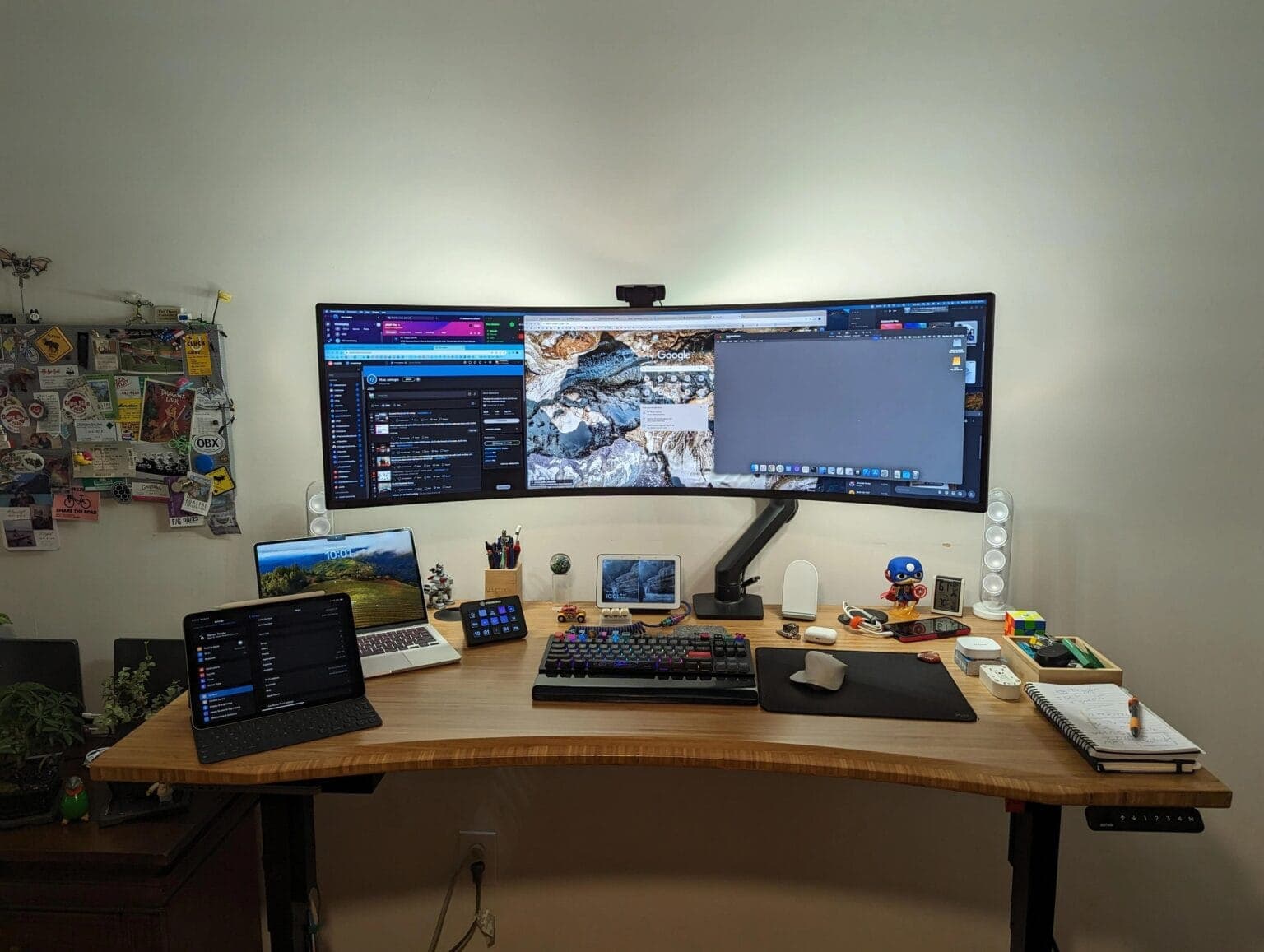
Would you go this wide with your external display? [Setups]
By

49-inch Samsung Odyssey Neo G9 monitor setup
That's a 49-inch curved Samsung monitor. It would dwarf many desks.
Photo: [email protected]

Some people prefer two or more displays in their computer setup, some go for just one — often a big one. Today’s outstanding MacBook Pro setup, run by an Apple admin no less, goes ultra-wide and then some with a 49-inch curved Samsung display. It’s massive. If you like customizing your Apple devices, you may also want to check out how to name my iPhone and personalize your setup further. It’s massive, and if you’re considering a Viewfinity option, take a look at this Samsung ultra-wide monitor setup.

Speed up Haptic Touch with this hidden iPhone setting [Pro Tip]

By

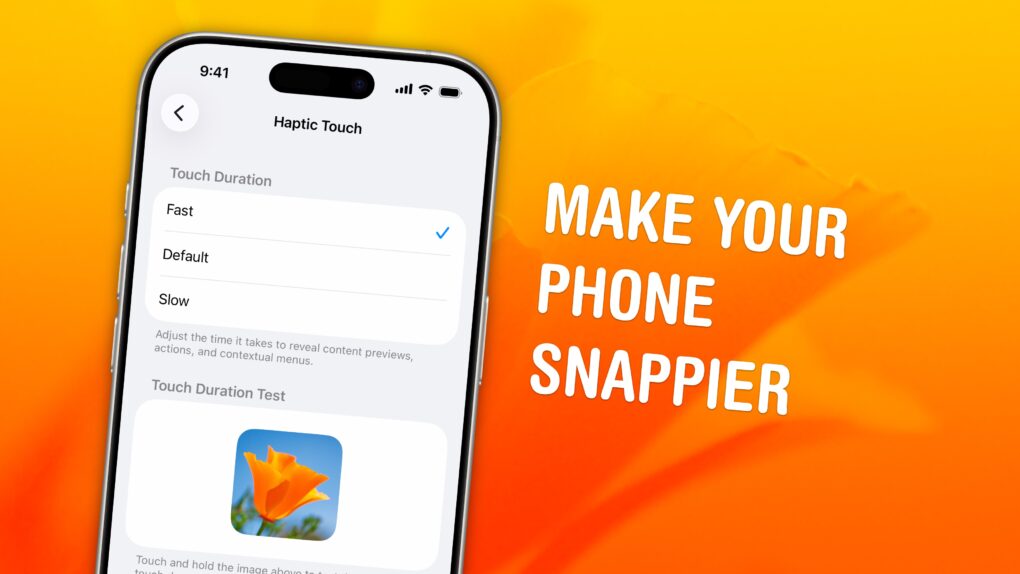
Haptic Touch: Make Your Phone Snappier
Speed up this universal gesture on your iPhone.
Image: D. Griffin Jones/Cult of Mac

Pro tip bug A hidden setting will speed up Haptic Touch, the fantastic feature that lets you preview links and bring up menus on your iPhone. If you use Haptic Touch all the time like I do, changing this setting will make your iPhone feel turbocharged. It brings up handy shortcuts — hidden actions, content previews and contextual menus — in a flash. And that saves you precious time as you tap around your screen.

Alternatively, if you find Haptic Touch annoying and trigger it accidentally all the time, you can slow down the time needed to activate the gesture. That way, a tap won’t be mistaken for a tap-and-hold.

Here’s a good way to mount your USB microphone [Setups]

By

Audio-Technica AT2020USB+ Microphone setup
This well-equipped setup features an Audio-Technica microphone with shock mount on an Elgato arm.
Photo: [email protected]

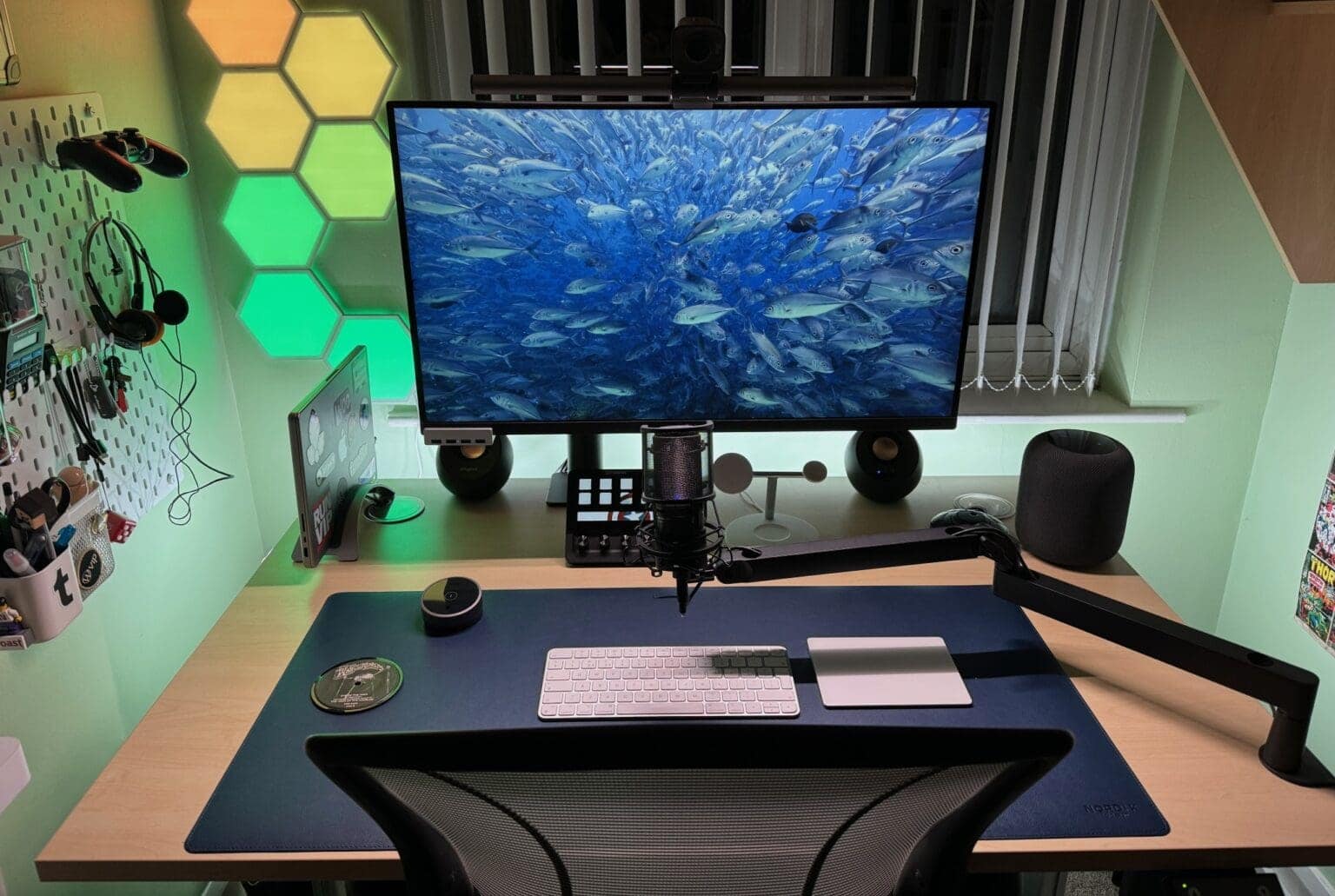
If you want to sound good on video calls or podcasts, you need a good mic like the Audio-Technica AT2020USB+ Microphone with shock mount in today’s MacBook Pro setup. And the user can move it around easily enough because he places it on a low-profile Elgato microphone arm.

How to check iPad battery health

By

iPad Battery Health How To
Knowing your iPad battery health helps you decide when it's time for a new tablet.
Image: Ed Hardy/Cult of Mac

Checking the health and maximum capacity of the battery in older iPad models isn’t as easy as it should be, but we can walk you through the process. Finding out how worn out the tablet’s battery is can help you decide if it’s time for a new model.

But for those who already upgraded to the latest iPad Pro or iPad Air, checking battery health is a snap.

How to customize Apple Watch widgets for easy access to your favorite apps

By

Work The Widgets On Your Watch
Make the most out of your Apple Watch widgets.
Image: D. Griffin Jones/Cult of Mac

Customizing the widgets Smart Stack on your Apple Watch is a great way provide easy access to the apps you use most. If you have a Tim Cook-esque Apple Watch face full of complications, you can rely on widgets instead. You just need to edit the widgets in your Apple Watch’s Smart Stack to provide the same quick access to your most-used apps and activities.

Today, I’ll show you how to make the most of your Smart Stack of widgets on Apple Watch.

Alogic’s new Echelon keyboard and mouse make a dynamic duo [Review] ★★★★☆

By

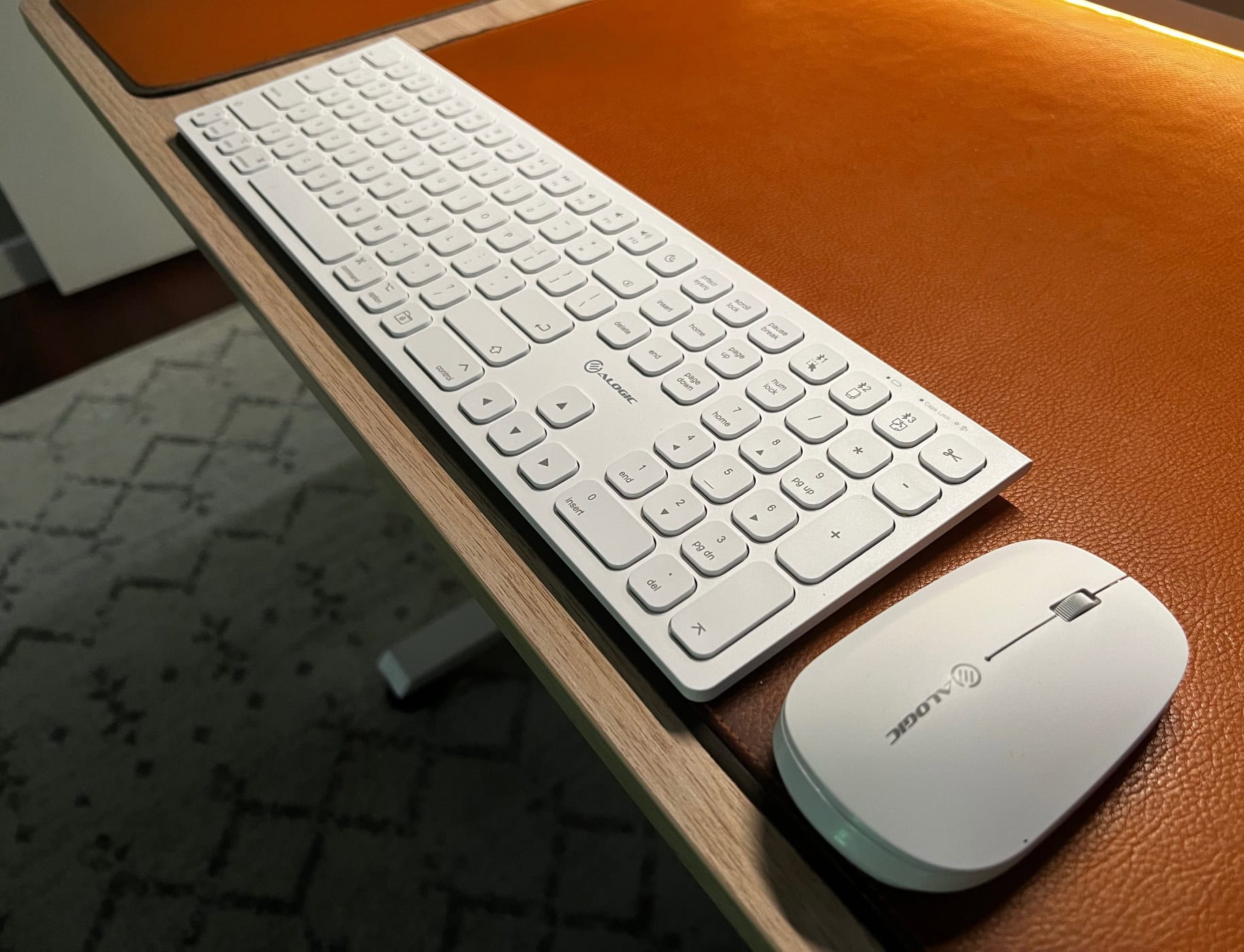
Alogic Echelon keyboard and mouse★★★★☆
The new Alogic Echelon keyboard and mouse get the job done with understated style.
Photo: David Snow/Cult of Mac

Alogic rolled out its new Echelon wireless keyboard and mouse last week, offering a pair of sleek, solid, affordable and eminently practical input devices for Mac users. I swapped out a couple of Logitech devices to try Alogic’s, and I’m not missing Logi’s gear so far. In a word, you could call the Echelon input devices “minimalist.” But they have all the features you need, and then some.

How to download and convert YouTube videos to MP4

By

4K Video Downloader+
Finally, there's an easy way to convert videos and audio from all the popular platforms.
Image: Open Media

The easiest way to convert a YouTube video to an MP4 for free is with an app called 4K Video Downloader for Mac and PC. This tool gives you all kinds of options for converting video and audio from YouTube, TikTok, Facebook, Soundcloud, Twitch and more.

If you want to save videos or podcasts to your computer to include in a video of your own, this app is the easiest way to download the highest-quality original.

It has other uses, too. If you’re going on a flight, or if you simply have a slow internet connection, you can use it to download what you want to watch in advance. If you’re privacy-conscious but you still want to watch a TikTok sent to you by a friend, you can download the clip without visiting the website.

Here’s how it works.

One week with visionOS 2: Nice tweaks leave me wishing for more

By

visionOS 2 bento box
visionOS 2 packs small new features that will have a big impact on daily usage.
Image: Apple

I loved getting my hands on visionOS 2, the first major software update for Vision Pro that brings a few delightful new features. It’s available in Developer Beta today.

The best thing is Spatial Photos, which uses AI to turn older 2D photos into immersive 3D ones. It’s incredibly good. Guest mode has been improved and new hand gestures make the headset easier to use.

But if you were looking for more than a few new features, well, sorry. But a smaller update makes sense. The headset first launched in February, so a bunch of worthy updates in just six months is pretty good. But does that mean I have to wait another 12 months from now to get the basic improvements I was hoping for? Maybe Apple will have more to announce in September.

Nonetheless, here are my first impressions of Spatial Photos, the new hand gestures, the editable Apps View and more.

Hands-on with iOS 18: Impressive but incomplete [Hey, it’s a beta!]

By

iOS 18 bento box
Hands-on with iOS 18’s top new features.
Image: Apple

After spending a few days trying out all the new features in iOS 18, I think it really is one of the biggest updates in a long time. However, hands-on testing shows there’s a lot that needs cleaned up before September, when it’s expected to ship.

The new customizable iPhone Home Screen opens a wide world of possibilities — but you’ll have to wait for third-party apps to update their icons to really make it sing. I’m impressed with the level of customization in Control Center, too, though it’s understandably pretty buggy in this first developer beta. The new Photos app is proving controversial, and I think there are some obvious areas it could be improved, but I like where it’s going overall.

I think there’s a lot to look forward to in iOS 18.

1 21 22 23 24 25 121