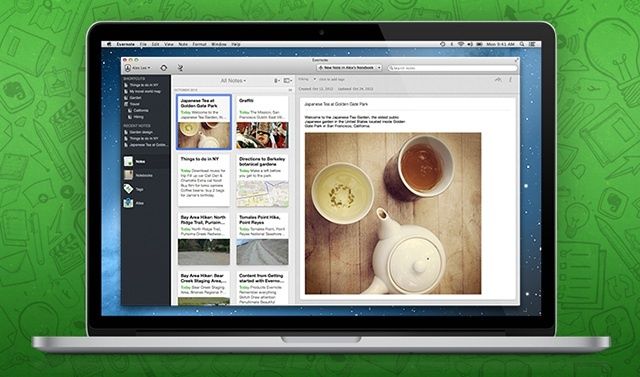
Evernote 5 beta, which was teased last week, has been launched to great success. In fact, it has been so popular that Evernote has had to shut down the option for Mac App Store customers to use it. Why?
This is due to large numbers of users re-syncing their entire accounts as part of the transition from a Mac App Store download to a direct downloaded version of Evernote
NaNoWriMo is the annual attempt by many tens of thousands of people to finally get that novel out of their head and into the cloud storage option of their choice. The goal is to write a 50,000-word novel by midnight on the 30th November, and you can get there by fair means or foul. The rules? It has to be a novel, it has to be 50,000 words (or more) long, and it has to be written in November.
The tools you will need most to write your NaNoWriMo novel are inspiration and a lot of perseverance. Luckily, apps can help you with both. Here’s the definitive guide to NaNoWriMo apps on the Mac and iOS. If you can’t drag that novel kicking and screaming into the world with the help of these apps, you can’t do it at all.
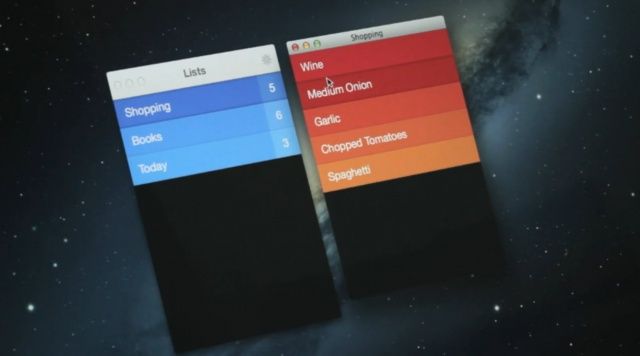
Realmac Software has today announced Clear for Mac, a desktop version of its wonderful to-do app. It’s coming on November 8 alongside a big update to the iPhone app, which will add iCloud syncing between both platforms, and more.
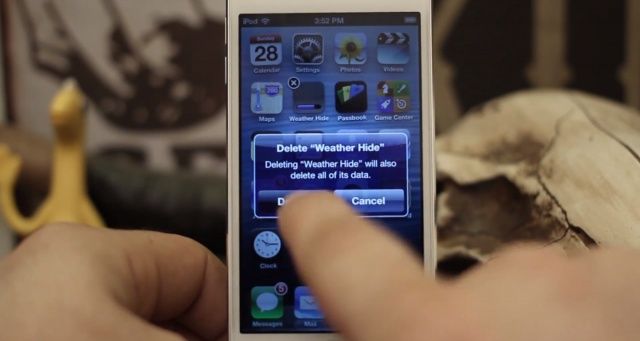
Passbook now holds all the links you need to delete unwanted stock apps.
Last week, we reported on a great little hack that allows you to remove Apple’s stock iOS apps from your iPhone, iPad, or iPod touch without jailbreaking it first. The only problem with it was when your device was restarted the apps would reappear, and you had to repeat the whole process again to remove the apps that are wasting space on your home screen.
Now the tweak’s been improved somewhat to make the whole process much quicker by using the new Passbook app in iOS 6. And no, it still doesn’t require a jailbreak.
Evernote has become an important go-to app on my Mac, my various iOS devices, and on the web when I’m away from all of them (which, I do admit, is rare). The ability to take a note on my Mac and then open it up on my iPhone when at the store or meeting has become an invaluable part of keeping my life organized.
The Evernote team announced today, then, a whole new version of Evernote, the beta for which will show up next week. It’s going to have over 100 new features to make using Evernote on the Mac that much faster, easier, and useful.
After over a year of rumor and speculation, we’re less than a day away fr0m the iPad mini finally going up for preorder. Starting at 12:01AM Pacific Time, the iPad mini (Wi-Fi version only) will be available for preorder on Apple’s official site, with units delivering on November 2nd.
It’s always hard to tell with a new product, but if history is anything to go by — the iPhone 5 preorders sold out within hours, and stock is still short — the iPad mini is going to be crazy in-demand. If Apple starts preorders in the middle of the night, it’s because they’re anticipating a madhouse… such a madhouse that if they held it in the middle of the day, their servers would crash under the pressure.
Hence this guide. We’re going to walk you through the best ways to make absolutely sure you get your iPad mini preordered right at the stroke of midnight and in your hands next Friday when it officially launches in the minimum amount of time, so you can go right back to sleep.
I confess, I was prepared to dismiss Pocket for Mac when I first heard about it.
After all, I thought: I already have Pocket on my Mac. It sits in my browser, where its life began and where I think it belongs. It is software born of the web. It should live on the web.
But I changed my mind pretty fast after trying out the native app, downloaded from the Mac App Store. Because it’s gorgeous.
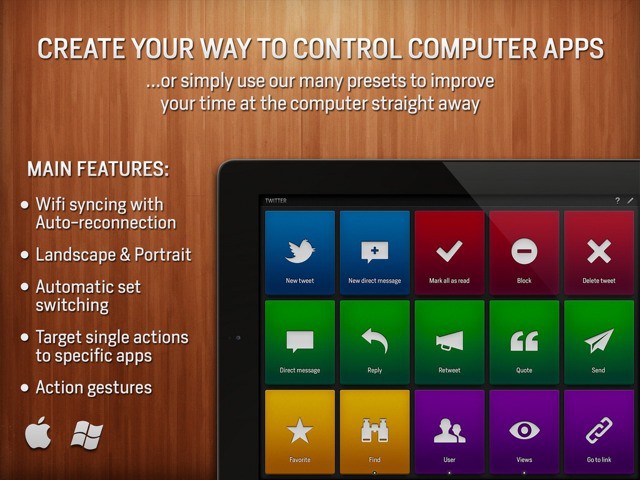
Actions turns your iPad into a remote control for your Mac. No, it’s not a VNC app which lets you project your desktop onto your tablet’s screen. Nor is it a media remote (although it can be). Instead, Actions lets you assign, uh, actions to easy-to-tap tiles on the iPad’s screen, and these actions are then performed on the Mac (or PC).
The short version: Actions lets you trigger Mac keyboard shortcuts from your iPad.
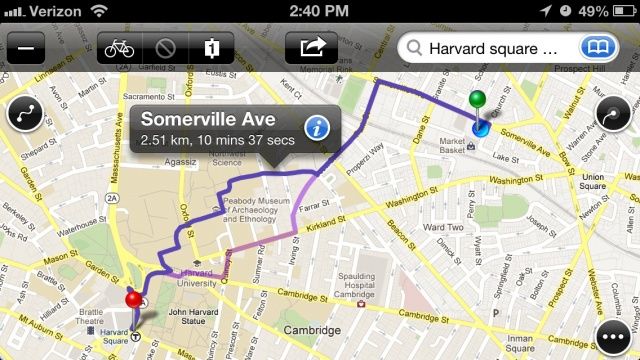
I despise iOS 6 Maps. Despite writing some initially favorable early impressions that now seem like they were written by a slathering moron demon who temporarily possessed my soul, ever since iOS 6 has been released, I have been frustrated by a fail rate on iOS 6 Maps that hovers somewhere around 70%. Not only can I most of the time not get iOS 6 Maps to give me a correct answer to a search query, I usually can’t get it to give me the same wrong answer twice in a row.
I realize a lot of people think iOS 6 Maps is just fine. Some of these are people I respect. I have a hard time reconciling their views on the matter with my reality. I have my suspicions that people who think iOS 6 Maps is just fine commute everywhere in their cars, and have a set pattern of destinations that rarely change: point A to point B to point C. I bike everywhere, I’m constantly going to new addresses, and for me, iOS 6 is just an utter disaster.
I yearn for the return of Google Maps to iOS 6, but I find their web app to be wanting, and most of the maps competition to be slow, ugly and just as bad as iOS 6 Maps when it comes to walking and biking instructions. Up until now, Mapquest (!) was the best app I found for getting me where I’m going.
That’s all changed, now that I’ve discovered Maps+. It’s based off of Google Maps, so it’s accurate. It uses the same tileset as iOS 5 Maps, so it’s pretty and familiar. It’s super fast, and it’s free.