Mobile menu toggle

Search results for: shortcuts

Supercharge Your Productivity With LaunchBar [Deals]

By

CoM - launchbar

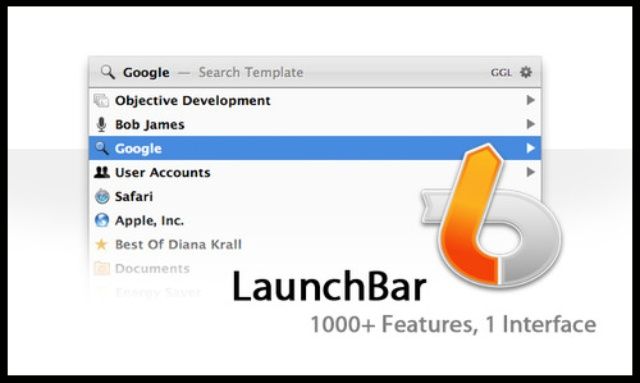
LaunchBar is a smart and powerful, keyboard driven productivity utility that lets you access and control every aspect of your digital life. Whatever you want to get done on your Mac – with LaunchBar, it’s only a few keystrokes away. It’s simply the must-have Mac app for getting stuff done.

And right now Cult of Mac Deals will help you save time and avoid headaches with a deal on LaunchBar – it’s only $26 for a limited time!


Our Editor’s Picks For 2012’s Best iOS Apps [Feature]

By

IMG_0091

As we near the end of 2012, Cult of Mac has taken a look back at some of the best iOS apps that have hit the App Store over the last 12 months. There have been some terrific releases this year, and we could have named a hundred that are well worth your hard-earned cash. But we’ve managed to whittle our list down to just ten titles that have really stood out for us this year. Check out our best apps roundup below.

Wunderlist 2: Rebirth Of A Great Task Manager With New Design And Slick Sharing [Review]

By

Wunderlist 2

I’ve been a fan of Wunderlist for a long time. When it comes to task managers, it has just always been one of the best. Today it has been taken to the next level. In version 2, Wunderlist has been redesigned and rebuilt into a native application on all devices. The app is faster with more features, a web version, and a social experience that makes sharing and collaborating on lists feel smooth as butter.

6Wunderkinder, the Berlin-based company behind Wunderlist, recently canned another app called Wunderkit. The collaborative, team-focused backbone of Wunderkit has been infused into Wunderlist 2. Whether you want to get things done by yourself or with the help of others, Wunderlist 2 is an excellent task manager for all of your devices.

Tweetbot For Mac Updated With Tons Of New Improvements

By

tweetbotinactionlive

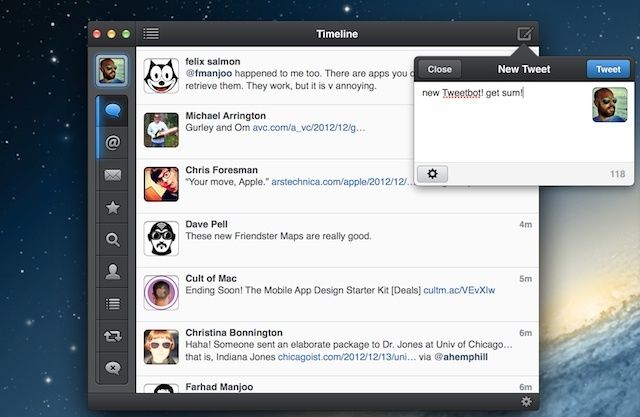
Tweetbot is our favorite Twitter client for Mac. We love it so much, we’ve even included it in our Cult of Mac Advent Calendar. Even though the app is a bit costly at $19.99, it’s worth every penny because of the love and dedication poured into the app from the Tapbots team.

The latest version of Tweetbot for Mac was just released on the Mac App Store and it’s full of new features. The update includes some new global hot keys, better notifications, along with numerous other features and bug fixes.

Here are the full release notes on everything that’s new in Tweetbot for Mac 1.1:

The Ultimate List Of iTunes 11 Tips, Tricks And Changes [Roundup]

By

iTunes 11 tips and tricks

iTunes 11 is a huge upgrade from its predecessor, and it has received lots of positive feedback since it became available for download on Thursday, November 29th.

Apple has baked iCloud into the core of iTunes, and the app’s interface has been decluttered and enhanced with new features like the MiniPlayer. We’ve been combing through the innards of iTunes 11 to find all of the little changes and additions. Here’s our updating list of iTunes 11 tips and tricks:

Switch Between Apps Directly On Your iPad Using Four Or Five Finger Gestures [iOS Tips]

By

Yep, there it is. Right there. In front of my eyes. Sigh.

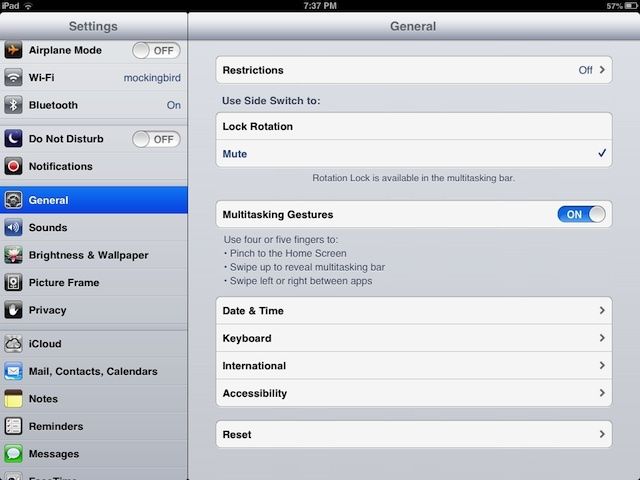
Geeze, I use an iPad every day and still I’m learning new things to show you in these tips. Today, I found out about Multitasking Gestures–a feature that’s been around since iOS 5, but really hasn’t been well-publicized, in my opinion. Multitasking Gestures allow you to manage your new iPad mini (or other flavor of choice, from the iPad 2 to the iPad 4) without resorting to the Home button to manage multitasking.

Here’s how to enable, and to use, Multitasking Gestures on your iPad.

Liquid Helps Information Flow Smoothly [Review]

By

Copy text and act on it

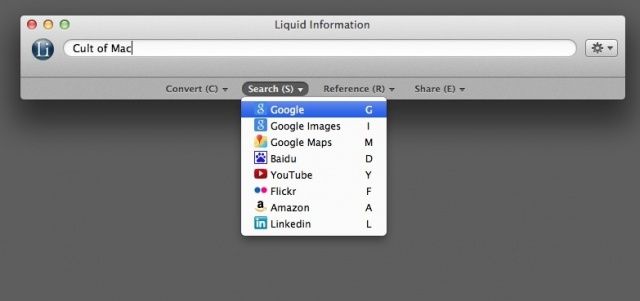
Liquid is a productivity helper for OS X. It comes in two flavors – free and paid. The idea is to speed up your information seeking workflow. You find something you need to research, and a few key presses later you’ve got some data. Or a unit conversion. Or, in the paid version, a language translation. It’s got a lot of features.