Earlier this year I praised Skip Tunes as a simple, gorgeously designed Mac menu bar app for controlling music. The best thing about Skip Tunes is that it can control not only iTunes playback, but Spotify and Rdio as well. Verizon 2.0 of the app has arrived in the Mac App Store, and the update packs some nice features.
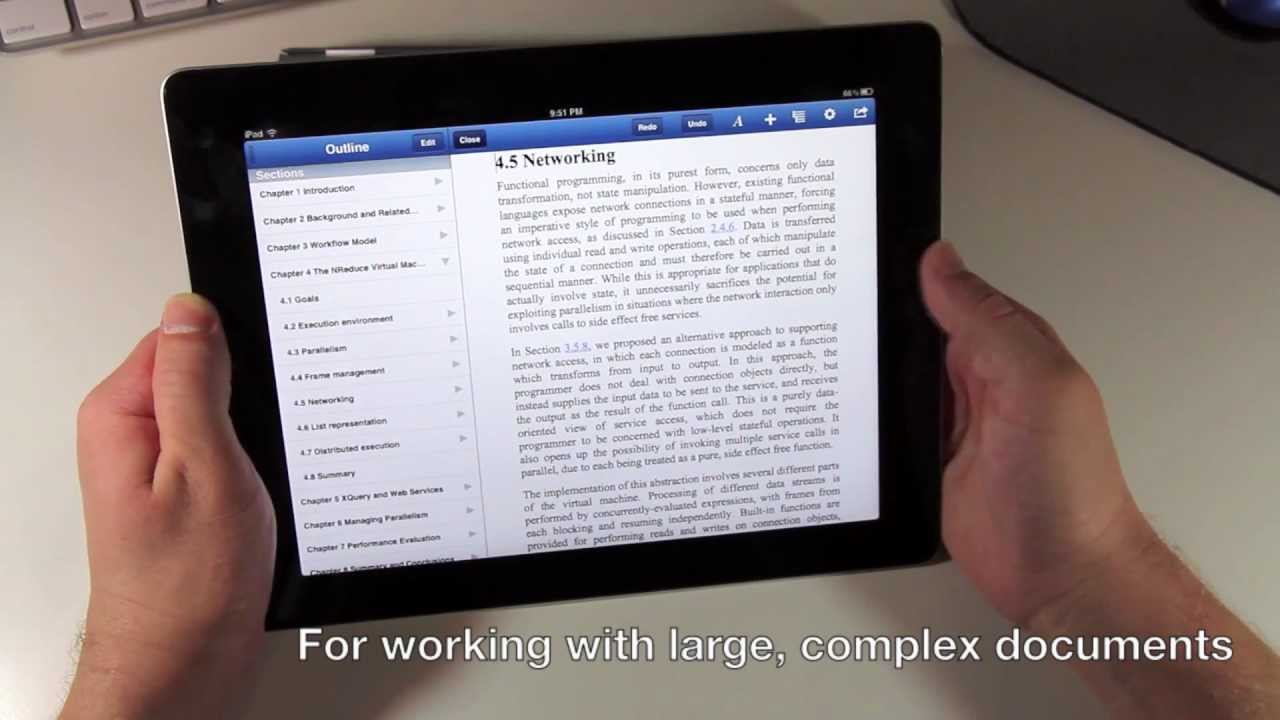
I featured UX Write in one of my must-have apps roundups when it first hit the App Store, because it’s one of the best word processors available on iOS. It has now received its first update, and it’s a fairly major one, introducing support for external keyboards, autosave, dictation on supported devices, and more.
Yesterday, if I had suffered a grievous accident involving some kind of heavy farm machinery, and my fingers were mangled to leave only a single, stubby nubbin where previously I had sported ten beautifully slender digits, I’d still have been able to count the entirety of half-decent iPad blogging apps on one hand.
Today, though, I’d have to start counting on my toes, as Black Pixel software, the company behind Apple award-winning app Versions, had launched Posts, and you might like to call it the Reeder of blog publishing.
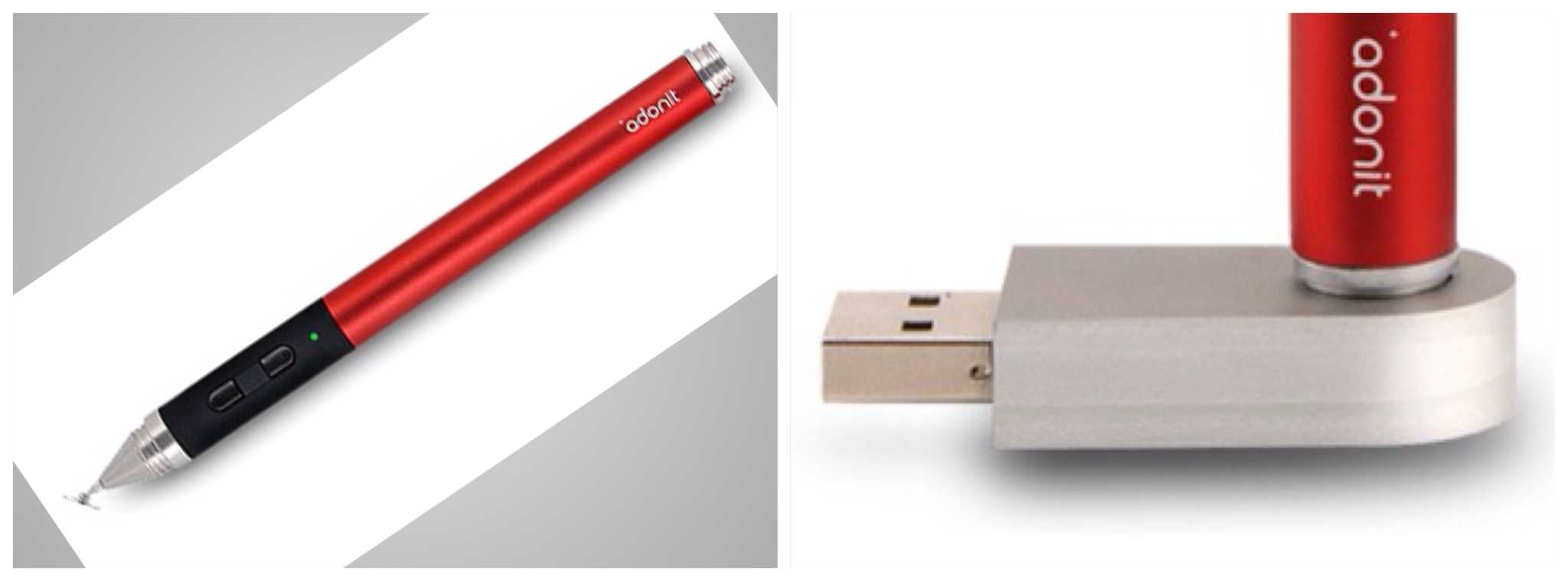
It’s taken a while, but finally the pressure-sensitive iPad styluses are starting to ship after a long, long time in development. Now Adonit, the company behind the hot, hot Writer jeyboard case for the iPad, has launched its Jot Touch.
Yes, that’s “launched” as in, “you can buy it right now,” as in “$99 and ships in 1-2 days.”
Popular and useful note-taking and synchronization app Evernote has just updated its Mac app to version 3.30. The new version adds new keyboard commands, a new premium user account, new user controls and LinkedIn support, which is also now available in the web-cased Evernote client. In addition, Evernote sports a handy slideshow option for notes that involve pictures. This will look really nice using Evernote’s new Retina display support.
The simplest way to bring back RSS to Safari is with Daniel Jalkut's extension.
Mountain Lion’s version of the Safari browser brough many great things: a unified URL/search bar, iCloud tab syncing and some neat new gestures (try pinching when you have a few tabs open). What it also did was remove the RSS button, replacing it with the Reader button found in iOS. This – apparently – pissed off a lot of people.
So, for those of you who used this button daily, we’ve put together a list of alternatives. None of them will give you the same functionality, but all of them are great RSS readers which work in slightly different ways.
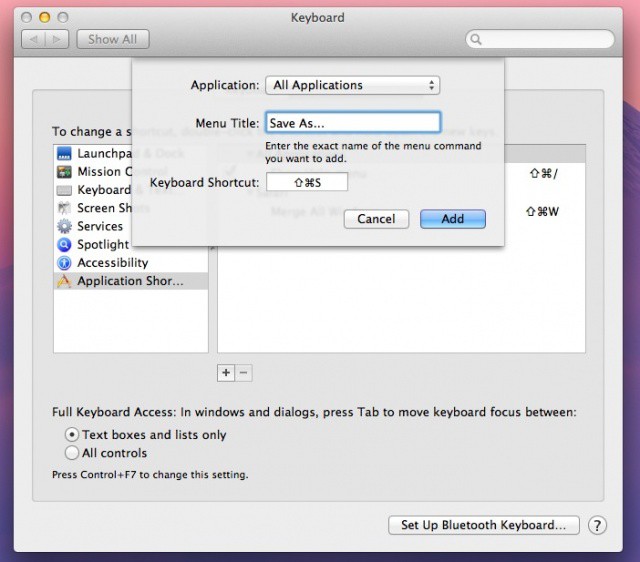
When OS X Lion debuted, our old-friend Save As… had been sent packing for a new imposter, Duplicate. We tried to like this new one, but wow was it not the same. Luckily, Mountain Lion has brought Save As… back, only in a sneaky, less than obvious way.
We want to share how to see the Save As… command, of course, with a simple key press, but we’ll go even one step further, clueing you in on how to return good-old-Save As… to its former glory, in the exalted spot it used to reside in. Here’s how.
The new Zaggfolio keyboard and case for the iPad 3 is a very weird little number. At first glance it looks like any other folio case, a protective book which holds the iPad in one side and has a keyboard embedded behind the front cover. But this one is modular, with a removable keyboard. And it comes in colors, although the plastic used to do this looks like it has been cut by (a shaky, alcoholic) hand.
And if you want to use the case without the keyboard (which is actually possible, as they’re available separately) then you’re going to end up with the dumbest-looking case around.
Despite all this, the Zaggfolio is actually pretty great.
OS X Mountain Lion is here, and it's even sleeker than Lion.
It’s hard to believe that it was just a little more than a year ago that Apple released OS X Lion. Only twelve months later, and we’re now staring right down the maw of Apple’s ninth major release of Mac OS X: Mountain Lion.
OS X 10.8 Mountain Lion signifies a new approach on Apple’s part towards OS X updates: instead of going years between major releases, Cupertino is trying to take the rapid release approach that has worked so well for them with iOS and apply it to the Mac.
Mountain Lion, then, feels in many ways less like OS X 10.8 than OS X 10.7.5: a smaller, more tightly focused update continuing what OS X Lion started, taking iOS’s best ideas and bringing them to Mac.
Thanks to major breakthrough features like iCloud syncing, Notification Center, Sharing, AirPlay Mirroring and more, there’s less of a distinction in Mountain Lion between the Mac and iOS than ever. But is that a good thing, and how will it change the way you use your Mac?
Many of Mountain Lion's new features are perfect for businesses, schools, and enterprises.
Mountain Lion includes over 200 new features. Some of them are dramatic and hard to miss while others are minor conveniences that don’t stand out immediately. Many of those big and small new features and improvements have a lot of appeal for business users.
Here’s a list of the many new features in Mountain Lion that can help professionals in almost any industry work smarter, more efficiently, and more effectively.