Mobile menu toggle

Search results for: Apple One

Readability concerns take shine out of Apple’s new Liquid Glass aesthetic

By

Liquid Glass harder to read
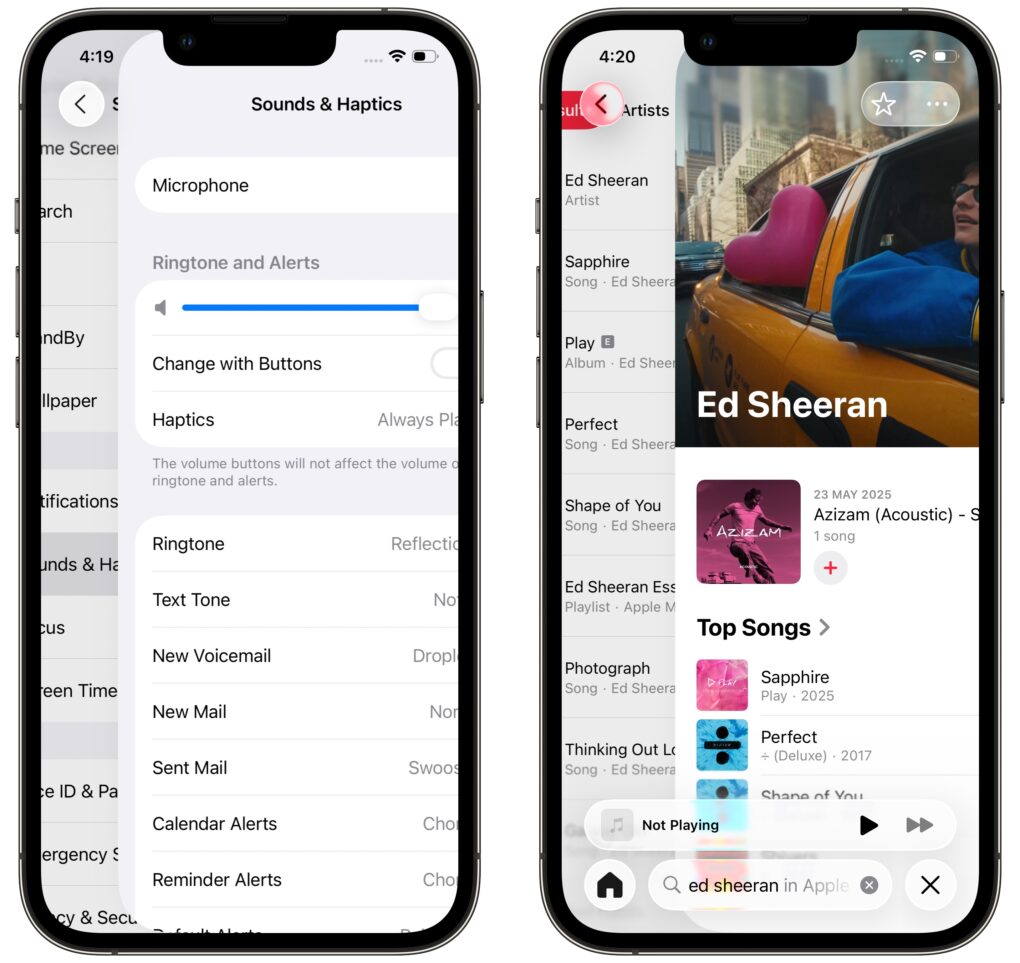
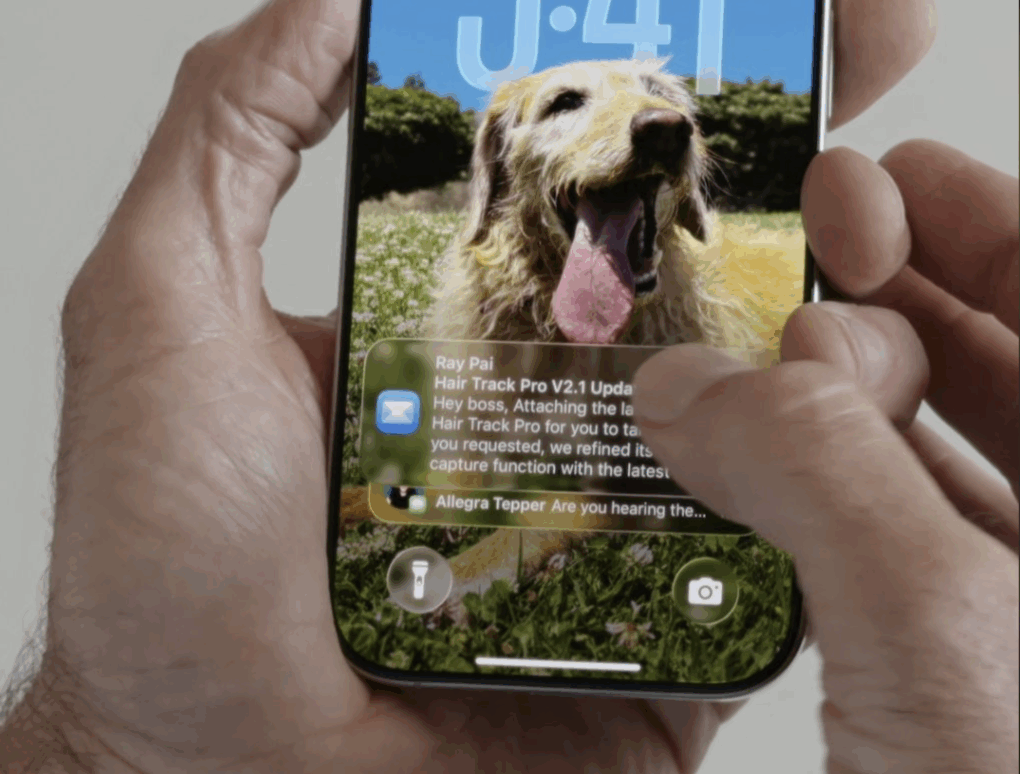
This user said Liquid Glass just seems harder to read.
Photo: @Stammy on X.com

Liquid Glass looked great in WWDC25 demos Monday, but reactions soon afterward put a few cracks in it. The new transparent and reactive design language coming to all Apple devices this fall strikes many folks as making it too hard to read information on their screens.

Many initial reactions to Liquid Glass make it look like a misstep.

“Can’t wait to not be able to read anything on my iPhone,” grumbled one user. Several others implied Apple co-founder Steve Jobs would hate the new design language.

iOS 26 adds charging time estimates to iPhone Lock Screen

By

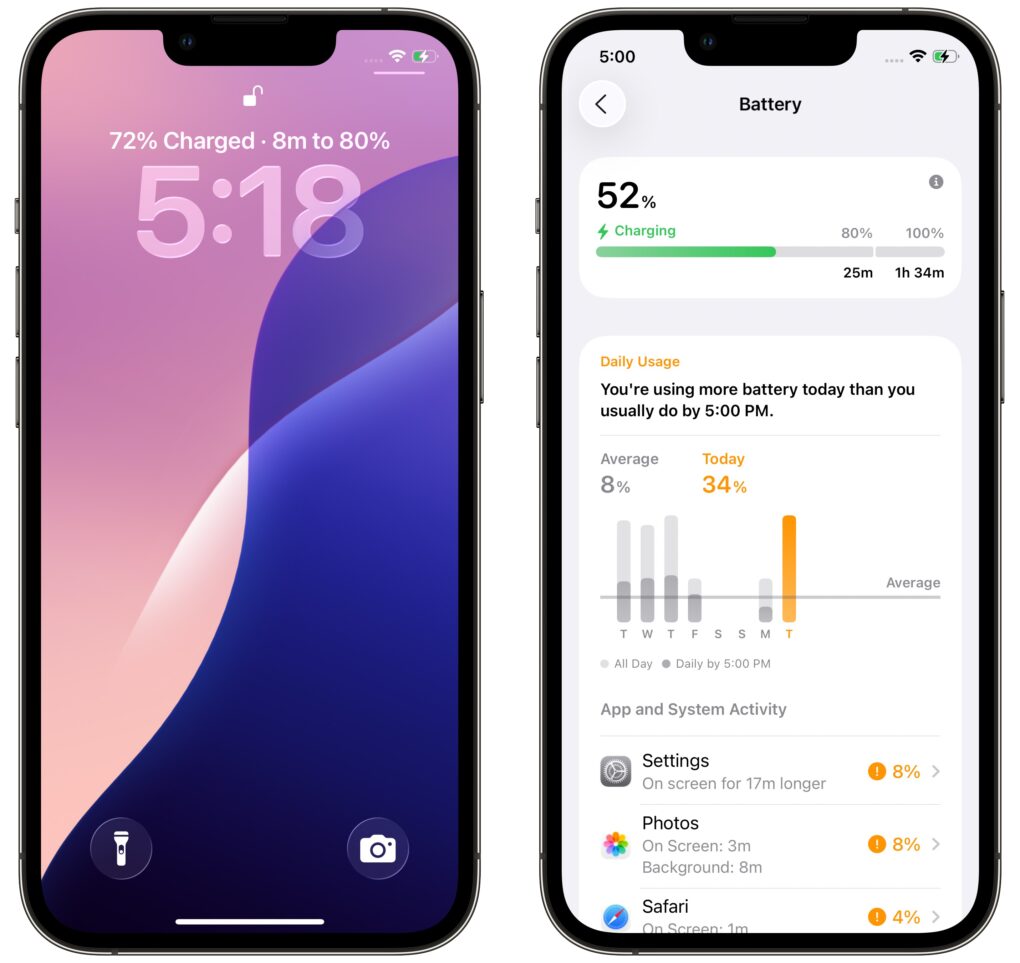
iOS 26 shows the time remaining on Lock Screen.
iOS 26 will finally tell you how long your iPhone will take for a full charge.
Screenshot: Rajesh PandeyCult Of Mac

iOS 26 introduces a small but useful feature for iPhone users: the ability to view the estimated time remaining for a full charge. This information appears directly on the Lock Screen while your device is charging, giving you a quick glance at how long you need to wait.

You can get an even more detailed breakdown in the Battery sub-menu in the Settings app.

iOS 26 fixes the awkward iPhone back gesture

By

iOS 26 tweaks the swipe gesture
iOS 26 tweaks the swipe-back gesture
Screenshot: Rajesh PandeyCult Of Mac

Apple may finally solve a major navigation issue on iPhones with iOS 26. It tweaks the swipe-to-go-back gesture to trigger from anywhere, not just the edge.

In iOS 18, going back requires swiping from the left edge of the screen. The problem? Reaching that corner with your thumb can be tough, especially on larger Pro Max models.

iOS 26 Adaptive Power mode boosts iPhone battery life under pressure

By

iOS 26 announcement
iOS 26 introduces a new Adaptive Power mode for a longer iPhone battery life.
Photo: Apple

iOS 26 adds a new Adaptive Power Mode to newer iPhones to extend their battery life under heavy load. It will achieve this by lowering the display brightness and making other under-the-hood changes.

Additionally, iOS 26 revamps the Battery Usage menu, providing more details about power consumption from various apps.

iPhone gets Live Translation plus more modest AI enhancements

By

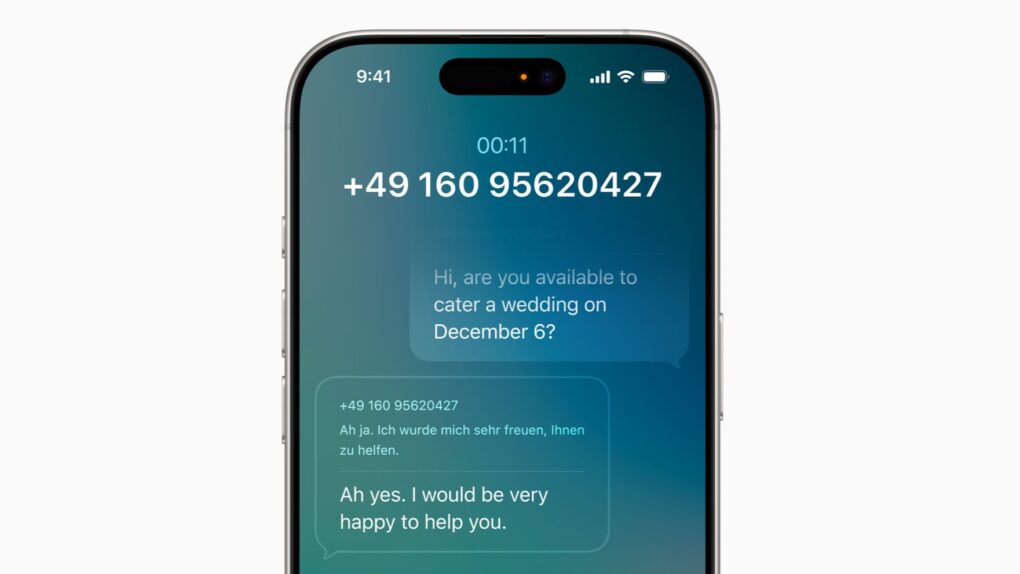
Live Translation for iPhone in iOS 26
The Phone app in iOS 26 includes Live translation.
Image: Apple

The highlight of Apple’s recent AI efforts is Live Translation, but that’s not the only new Apple Intelligence feature unveiled at WWDC on Monday. There are also improvements to visual intelligence and Image Playground. Plus, third-party app developers can access Apple’s AI models for free.

But the keynote address kicking off the Mac maker’s developers conference was short on big AI-related announcements when compared to what’s coming out of OpenAI or Google. Still, the company did what it could.

“Last year, we took the first steps on a journey to bring users intelligence that’s helpful, relevant, easy to use, and right where users need it, all while protecting their privacy. Now, the models that power Apple Intelligence are becoming more capable and efficient, and we’re integrating features in even more places across each of our operating systems,” said Craig Federighi, Apple’s senior vice president of Software Engineering.

Apple explains its new Liquid Glass UI at the Platforms State of the Union

By

Apple Platforms State of the Union
Apple went into more detail on its new software releases in the Platforms State of the Union.
Image: Apple

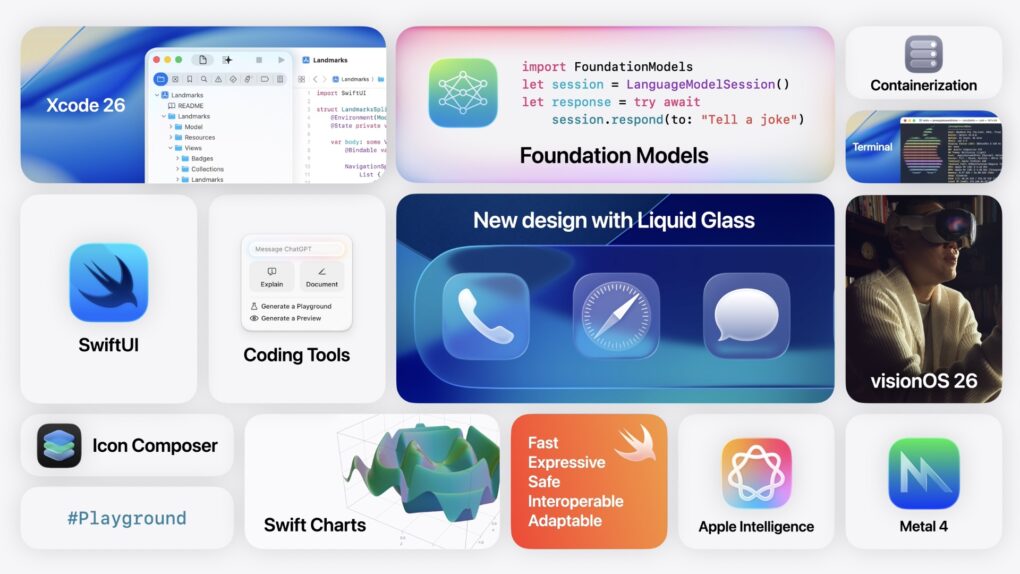
At the Platforms State of the Union, Apple detailed how the new Liquid Glass design works, how Apple Intelligence can be added to third-party apps, how Swift Assist in Xcode will work with third-party AI models and more.

This event goes into all the technical details behind the morning’s announcements. Apple showed how developers can update their apps with the new design and use the latest developer tools.

You can watch the Platforms State of the Union on YouTube, in the Apple Developer app or on the web. Read on below for our coverage of the event.

iOS 26 reimagines the Phone app with Call Screening and Hold Assist

By

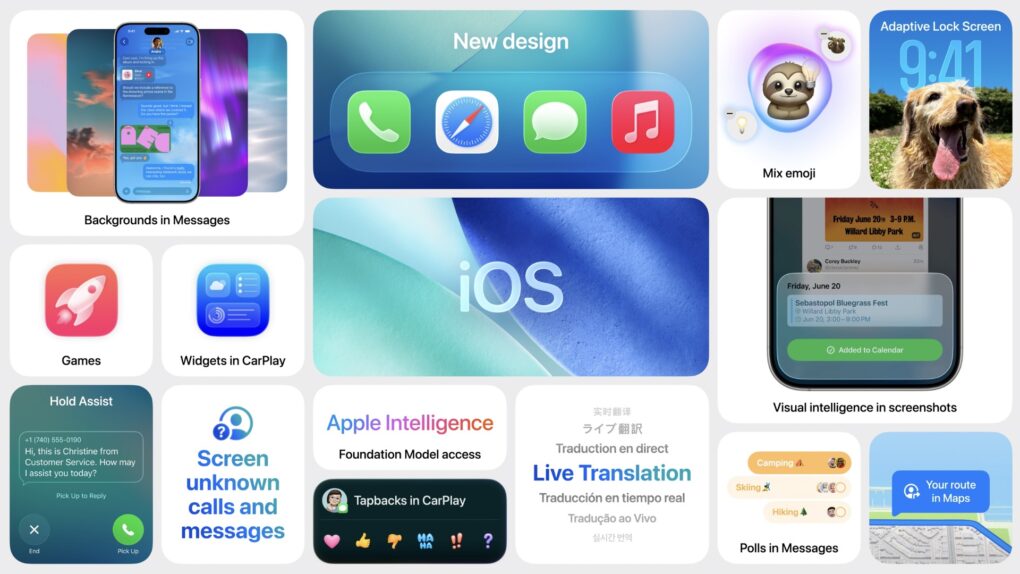
iOS 26 bento box
The Phone app gets smarter and powerful in iOS 26.
Photo: Apple

Apple reinvents the act of making, taking and dodging phone calls with the updated Phone app in iOS 26, thanks to a bold new design and the addition of several cutting-edge features. They include Call Screening and Hold Assist, enabling you to screen unwanted calls before answering them.

“This year, we’re giving you the option to choose a new, unified layout that brings your favorites, recents and voicemails,” said Darin Adler, Apple’s vice president of internet technologies, during Monday’s WWDC25 keynote video. “So, your most used features are right at your fingertips without having to switch views.”

Liquid Glass: Apple’s biggest design refresh ever

By

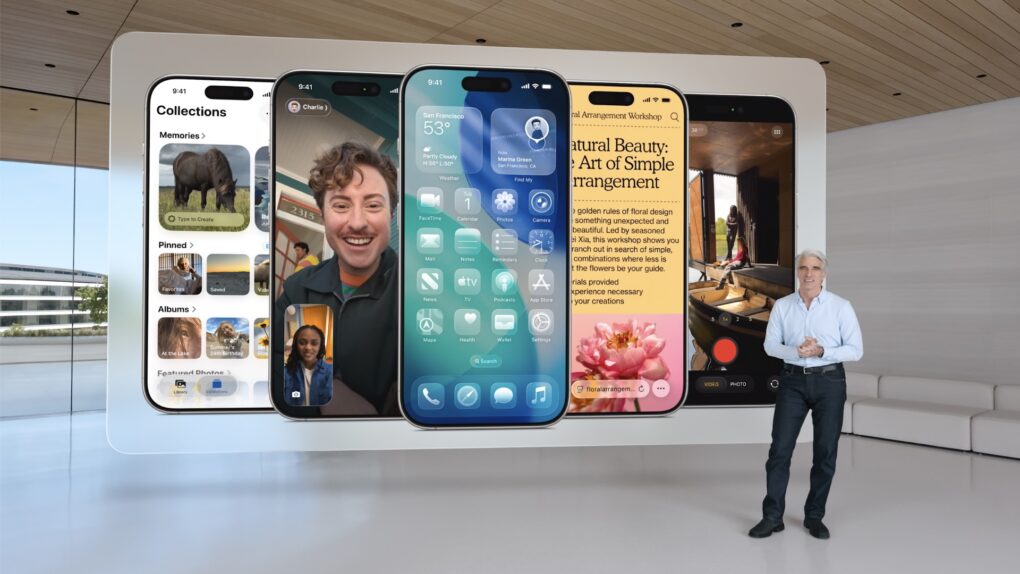
Apple's Senior VP of Software Craig Federighi introduces Liquid Glass.
Photo: Apple

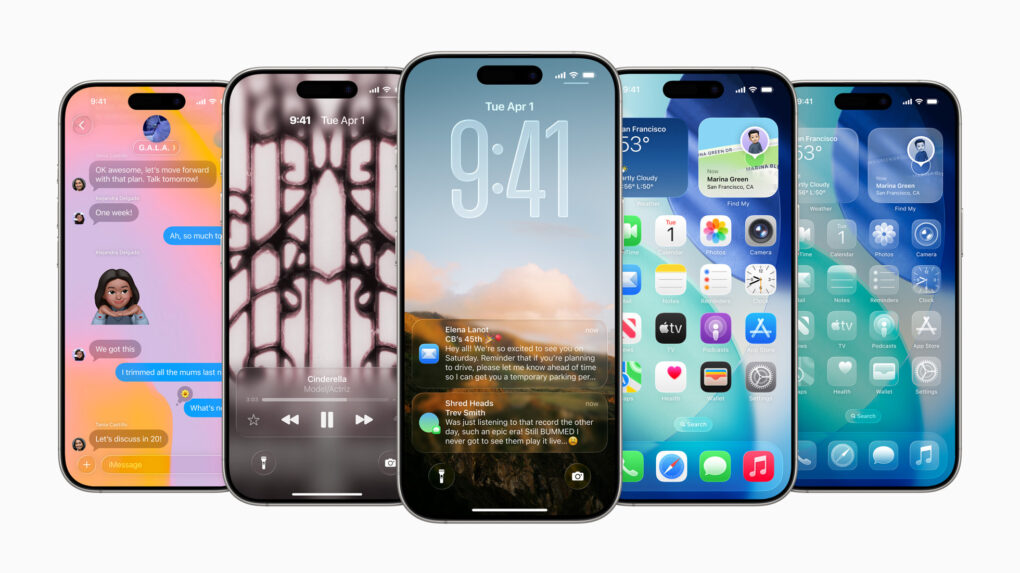
For the first time, Apple will unify software design across it various platforms with a new interface design called Liquid Glass. Inspired by visionOS, Liquid Glass is, as its name implies, a translucent and fluid new interface for iPhone, iPad, Mac and other devices in Apple’s ecosystem.

“It’s the kind of project that only comes along about once per decade,” said Craig Federighi, Apple’s senior vice president of software engineering, as he introduced Liquid Glass during Monday’s WWDC25 keynote.

In demos, conference attendees and online viewers got to see “glassy,” translucent menus, panels and icons throughout the system. The new look and feel creates a more immersive and modern visual experience.

Today in Apple history: Brilliant ad campaign turns Mac ‘switcher’ into unlikely star

By

Apple's
Apple's "Switch" ad makes Ellen Feiss internet famous.
Photo: Apple

June 9: Today in Apple history: Ellen Feiss becomes an unlikely star thanks to Apple's Switch ad campaign June 9, 2002: Apple launches its “Switch” advertising campaign, featuring real people talking about their reasons for switching from PCs to Macs. Apple’s biggest marketing effort since the “Think different” ad campaign a few years earlier, one “Switch” ad in particular turns a 15-year-old high school student named Ellen Feiss into an unlikely star.
She becomes a viral sensation after viewers suggest she was stoned while filming her sleepy-eyed “Switch” spot about a homework-devouring PC.

Apple might put AI strategy at center stage during WWDC

By

AI at WWDC 2025
Apple executives might have a lot to say about AI at WWDC 2025.
Image: Google Gemini/Cult of Mac

Apple plans to devote a considerable portion of WWDC25 to talking about its AI strategy, according to a reliable source. That’s something of a surprise, as the iPhone maker has no big AI-related announcements to make at the developer conference.

Siri and Apple Intelligence will even get a rebrand, according to this source.