Mobile menu toggle

Reviews - page 73

Little Snitch keeps Mac apps from going rogue

By

little snitch network map view
It sounds impossible, but Little Snitch 4 makes network security fun.
Photo: Objective Development

Little Snitch, from the maker of the sublime LaunchBar, just got updated with a new Silent Mode that makes the app about a million times better to use, especially the first time you install it. Little Snitch is a network monitor that tattles on every other bit of software on your Mac, telling you when an app connects to outside servers.

That’s pretty much its only function, but Little Snitch Version 4 packs a ton of neat touches that tell you everything about how your Mac is connecting to the outside world. I’ve been using it for the past week or so, and it makes keeping your Mac safe far less annoying.

Runkeeper app brings innovation and minor glitches [Runner’s Week: Day 2]

By

Runkeeper is one of the best running apps for Apple Watch, but it's not quite perfect.
One of the most innovative running apps for Apple Watch, Runkeeper is not quite perfect.
Image: Graham Bower/Cult of Mac

Runner's Week Choosing an Apple Watch running app can prove exhausting. So let Cult of Mac Runner’s Week help get you off the starting blocks.

Every day this week, I’ll review a different running app for Apple Watch. Yesterday I reviewed Nike+ Run Club. Today, it’s Runkeeper’s turn.

Which Apple Watch running app deserves to log your sweaty miles? [Runner’s Week: Day 1]

By

It's Runner's Week at Cult of Mac
Photo: Graham Bower/Cult of Mac

Runner's Week It takes a lot of effort to go running with Apple Watch, and not just because it gets you all sweaty. The hard work starts before you even put on your running shoes. Simply choosing which running app to use is an exhausting task.

Even if you don’t install any of the plethora of third-party running apps, the Apple Watch Nike+ model comes with two preinstalled options to choose from. So this week, to help get you off the starting blocks, we’ll be reviewing six of the best running apps for Apple Watch.

This backpack makes lugging life light work [Review]

By

Shift Pack
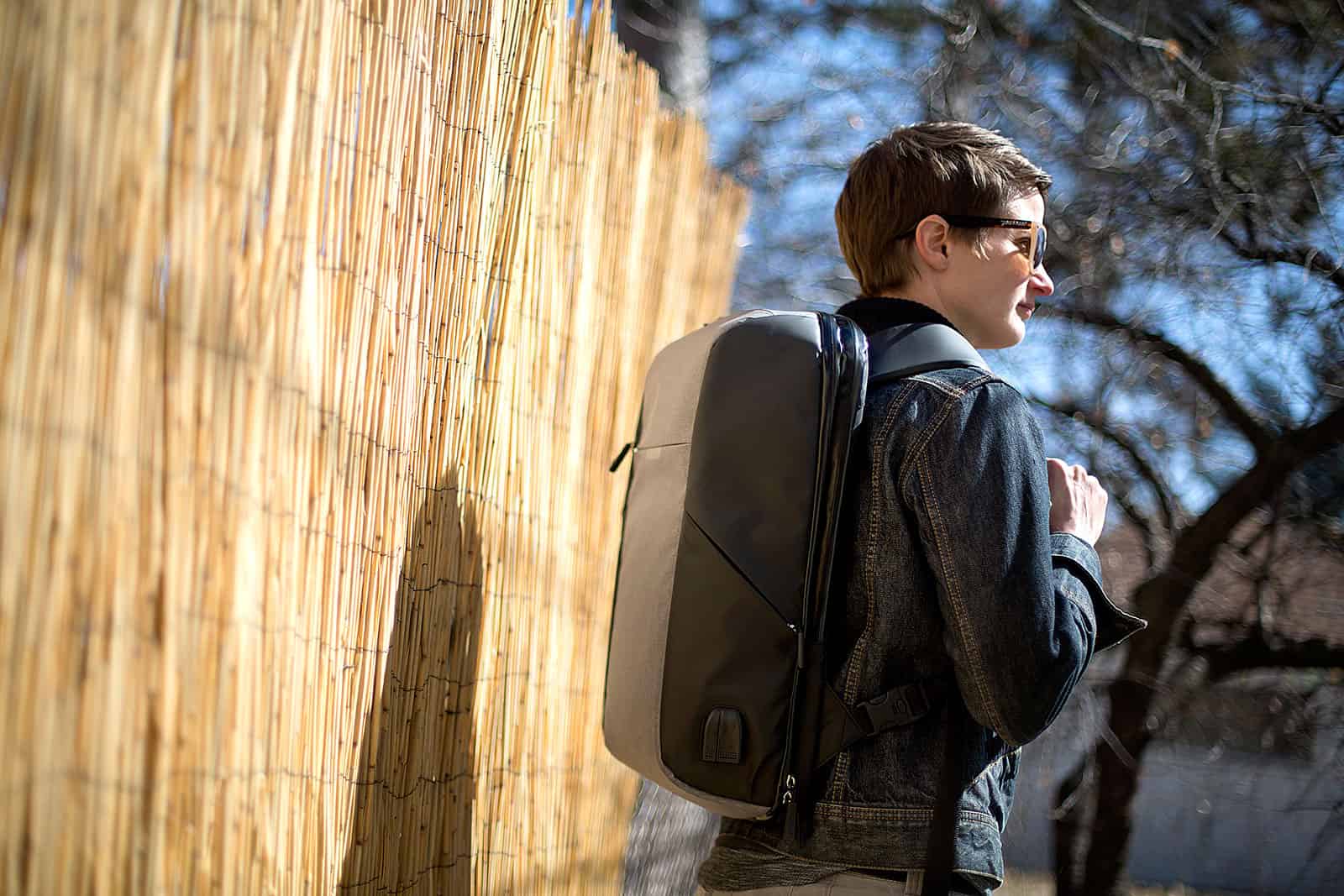
The Shift Pack by Alpaka.
Photo: David Pierini/Cult of Mac

My closet floor resembles a bullpen. But instead of pitchers, it houses a rotation of backpacks and bags ready to be activated for work, day-long excursions or extended travel. Depending on the week, I could shift between four or five bags.

But when Shift Pack recently arrived for a tryout, it threatened to retire a couple of my veterans. It is a single backpack that aims to cover all the bases, work, play and travel or all at once if necessary.

Seamlessly download and copy YouTube videos to iPad

By

softorino youtube converter
Once you've got YouTube Converter set up, you almost don't need to go near the actual app to get your video conversions done.
Photo: Softorino

If you ever need to get a video off YouTube and onto your iPad or iPhone, then Softorino’s YouTube Converter 3 should be an insta-buy. It’s a $20 Mac app that grabs YouTube videos, converts them to a Mac- or iOS-friendly format, and then sends those videos wirelessly to your device. I’ve tried it out quickly and it’s actually even easier than it sounds.

Nebo handwriting app is like paper, only better

By

nebo
Nebo is the best Notes app and not in beta. And maybe even then.
Photo: Cult of Mac

Nebo is an alternative to Apple’s upcoming iOS 11 Notes app. Like the Apple app, Nebo lets you use the Apple Pencil to draw and write in notes. It also recognizes the words you write and lets you search on those terms. Unlike the native Notes app, however, Nebo also converts your longhand scrawls into actual, editable text, which can be copied and pasted anywhere.

In fact, I used Nebo to write this entire article. My handwriting isn’t as fast as my typing any more (my hand still hurts), but the app is fantastic.

Aircraft Pilot Max robovac is a dirt-busting dream machine [Review]

By

AirCraft Pilot Max review
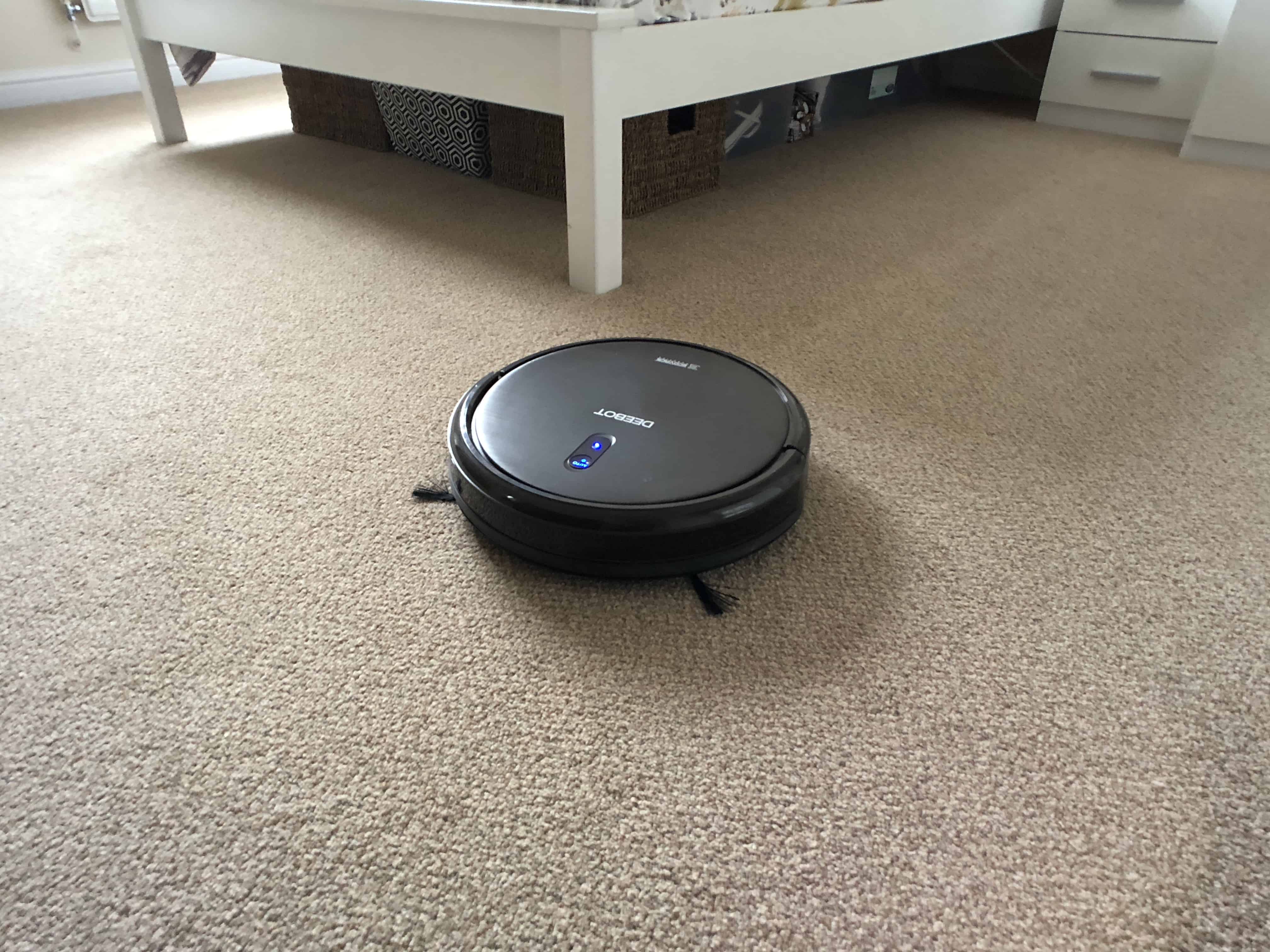
Mixing tech and housework should always be this easy.
Photo: Ste Smith/Cult of Mac

Housework is by far my least favorite thing to do. So when I was recently asked to do a bit more around the house, I started thinking: Could I mix my love of tech with housework?

Thankfully there are tons of products, but the one that caught my eye was the Aircraft Pilot Max — a robot vacuum to take the effort out of my most hated chore. Its features, build quality and convenience make it a dirt-busting dream machine. Check out my video review, along with a full write-up below.

iOS 11 turns the iPad into a legit Mac replacement

By

iPad iOS 11
iOS 11 for iPad might be Apple's biggest new product this year.
Photo: Apple

Updated 27 June, 2017: This post now includes details about the iOS 11 public beta.

Apple’s Worldwide Developers Conference keynote this June was so packed that even two-and-a-half hours didn’t seem like enough time. And yet the biggest announcement wasn’t new hardware, or a new app. It was an update.

Specifically, the iOS 11 update for the iPad, which turns Apple’s tablet from little more than a big iPhone into a full-featured touchscreen PC. In one go, Apple showed that it is still full-steam behind the iPad, and that a desktop-class touchscreen computer doesn’t have to actually run a desktop OS, like Microsoft’s Surface.

iPhone camera rig will make your footage look silky smooth [Review]

By

Shoulderpod
The X1 Pro Rig from Shoulderpod.
Photo: Shoulderpod

The more powerful the iPhone camera gets, the less practical the iPhone design is for certain jobs. Holding a thin, pocket-shaped device out in front of your face with your forefingers and thumbs on both ends to view the screen is risky and shaky, especially for video.

But there are accessories that can give the mobile video shooter a secure and steady grip without adding much weight or bulk in the field. Among the best tools come from a company in Spain called Shoulderpod.

Best List: Espin electric bike is a nice ride at a budget price [Review]

By

Espin Sport electric bike
The Espin electric bike is a fun and functional electric bike at an entry-level price.
Photo: Leander Kahney/Cult of Mac

Best List: Espin Sport electric bike

I love electric bikes, but a lot of them look butt-ugly. Their batteries and motors are strapped to the frame, ruining their lines. Stromer’s bikes, which integrate motor and battery into the frame, are a notable exception. But the latest Stromers cost an eye-watering $7,000 and up.

Enter Espin’s electric bikes, which look like Stromer’s but cost just $1,888, a steal for an eBike this capable and fun.

Time tracking is made painless and easy with Timing 2 app [Review]

By

Timing 2 time tracking Mac app
Timing 2 makes time tracking on your Mac easy, not a chore.
Photo: Screenshot: Timing / Daniel Alm

I recently switched back to freelancing full-time, and whilst I am lucky enough to have clients who don’t ask for precise hourly breakdowns, I have always been intrigued to know how much time I was spending on work tasks, especially those tasks that I didn’t directly bill for.

Many time trackers rely on you explicitly setting the task you are tracking and remembering to switch to another task when it’s time to track that. This is easy to forget, and for someone like me who switches tasks frequently, it’s hard to always know when one task finishes and another begins.

Timing 2 takes a different perspective. Instead of tracking by task, it tracks by application usage and uses a set of rules to assign activities in those applications to certain projects and tasks. The premise is that after a learning process, you can leave the application running behind the scenes and it’ll track everything for you automatically. You only need audit the results.

10.5-inch iPad Pro feels like the future [Review]

By

The new 10.5-inch iPad Pro puts monstrous power at your fingertips.
Don't pay full price for a 10.5-inch iPad Pro.
Photo: Ste Smith/Cult of Mac

I could be the poster boy for Apple’s “iPad problem.”

That problem, in a nutshell, is this: Even long-in-the-tooth iPads several generations old continue to work just fine for many everyday tasks. That, in turn, slows the upgrade cycle. iPad sales drop, and pundits pile on to declare that Apple is doomed. Again.

I’m one of those cheapskates who couldn’t be bothered to shell out for a new iPad over the past few years but a freak accident — and the surprisingly convincing unveiling of the 10.5-inch iPad Pro at last week’s Worldwide Developers Conference — finally coaxed me out of iPad complacency.

I’m thrilled I finally wised up. The new 10.5-inch iPad Pro is a beast of a machine that’s so fast, smooth and responsive that it makes me feel like I’m in a sci-fi movie interacting with a killer device that hasn’t been invented yet. It feels like the future!

iPad Pro unboxing video: Our hands-on with Apple’s 10.5-inch beast

By

10.5-inch iPad Pro
Get a first look at the new 10.5-inch iPad Pro!
Photo: Ste Smith/Cult of Mac

We finally got our hands on Apple’s new 10.5-inch iPad Pro, which just landed in Apple stores today. Our unboxing video will show you all the ins and outs of the new tablet. Take a look at the packaging, what’s in the box and the device itself before you rush out and pick one up.

Get your (virtual) hands on this sexy new iOS device by watching our 10.5-inch iPad Pro unboxing video below.

Hands on: Does watchOS 4 give Apple Watch what it needs?

By

Apple Watch
watchOS 4 is available to developers, take an early look at what's new with our video!
Photo: Ste Smith/Cult of Mac

Along with new versions of iOS and macOS, Apple unveiled its next major update for the Apple Watch at WWDC. The first watchOS 4 beta is now available to developers, and we’ve been trying out all its new features and improvements.

Check out the video below to see watchOS 4 in action.

Monument Valley 2 is a monumental achievement [Review]

By

Monument Valley 2 review
Are you ready for a return to Monument Valley?
Photo: Luke Dormehl/Cult of Mac

When I interviewed the creators of smash hit puzzle game Monument Valley back in 2014, producer Dan Gray told me, “Already we’re having people ask us when Monument Valley 2 comes out, which is pretty crazy.”

Well, ask and ye shall receive — albeit three long years later. Arriving as a surprise release on iOS this month, Monument Valley 2 brings more of the M.C. Escher-inspired puzzle action that fans have been craving since the original game arrived in the App Store.

How does it fare? Put it this way: If you loved the original, you should fire up Apple Pay right now and set aside a few hours for more of the same.

Hands on: macOS High Sierra packs tons of surprising features

By

macOS update
macOS High Sierra brings powerful updates to the Mac.
Photo: Ste Smith/Cult of Mac

macOS High Sierra doesn’t pack as many updates as iOS 11, but Apple’s latest desktop software delivers plenty of new features worth drooling over.

After using the first High Sierra beta for the last few days, I’ve been blown away. Check out what’s new in the macOS High Sierra hands-on video below:

Hands on: iOS 11 brings brilliant new features (especially for iPad)

By

iOS 11 on iPad
New features in iOS 11 make the iPad a multitasking beast.
Photo: Ste Smith/Cult of Mac

iOS 11 brings brilliant new features and enough design tweaks to make everything feel fresh. The first developer beta landed this week, and we’re loving what we see – especially when it comes to the great new options for iPad users.

See for yourself in our iOS 11 hands-on video.

With Planet of the Apps, Apple fails to crack the code for good TV [Review]

By

Screen Shot 2017-06-07 at 11.45.49
When it comes to original programming, this isn't exactly Netflix's House of Cards.
Photo: Apple

With its new reality show Planet of the Apps, Apple didn’t try to reinvent the wheel. It slapped a new body on a well-worn vehicle — wannabe entrepreneurs pitching their precious ideas to a panel of questionable celebrity experts — and drove straight to “Meh-ville.”

Halide makes manual photography easier than auto

By

halide for iPhone
Halide is packed with neat features that are intuitive to use.
Photo: Halide/Cult of Mac

Halide is yet another iPhone camera-replacement app, only this is one you’re going to want to use. Why? because it not only adds extra control to the stock camera app, it is also easier to use than Apple’s built-in app. In addition to being one-handed simple, Halide adds power features like manual focus and RAW capture. It’s quite a feat.

5 affordable accessories that complement your red iPhone

By

iPhone 7
Refresh your red iPhone with these awesome products.
Photo: Ste Smith/Cult of Mac

Interest in the (PRODUCT)Red iPhone has died down since its release back in March, and the novelty has likely worn off already for those of you who picked one up. Now it’s time to make it interesting again!

We’ve put together a list of five brilliant red products, all under $30, to compliment the red iPhone and reinvigorate your love for its unique color. Check out the video along with details for all the accessories we’ve featured below.

ZestDesk aims to make you a stand-up worker [Review]

By

The portable office that also gets you off your butt, at least for a while.
Photo: David Pierini/Cult of Mac

Your postal carrier doesn’t usually ask about the contents of a package he’s dropping off, but I couldn’t blame him for being curious about a long box with a logo that said ZestDesk.

I explained to him it was a kind of standing desk and that I would be reviewing it. The man who is on his feet for his entire work day asked me what I did for a living and I said, “I sit at a computer, mostly, and write.”

To be clear, I sit on a couch or a comfy chair at a coffee shop with a MacBook Pro on my lap or belly and do not miss the cubicle life. A standing desk sounds so Type A and I worked hard to get further down the alphabet.

Pictar One gives you a grip on your iPhone photography [Review]

By

The Pictar One takes your camera controls off the iPhone touch screen and puts them at your true fingertip.
Photo: David Pierini/Cult of Mac

Because all accessories needed to be categorized, the Pictar One is an iPhone camera grip.

But the word grip kind of sells it short when you learn just how the Pictar One works to make the iPhone camera feel and shoot more like a DSLR.

Best wireless Bluetooth headphones for iPhone 7 or iPhone 7 Plus

By

AirPods
Maybe the best thing Apple has invented in years.
Photo: Cult of Mac
Updated: May 11, 2017

The iPhone 7 and iPhone 7 Plus are Apple’s first iPhones to drop the headphone jack. And while you can keep using your old headphones by plugging them into the adapter that comes in the box, that gets old as soon as you discover you left the little dongle at home connected to a speaker, and you can’t listen to any music.

You’ve got two options. One, stick with a cable and buy some Lightning headphones. That’s fine, but then you can only use them with recent-vintage iOS devices, and you can’t charge your device while you use them. Or two, go wireless. That means Bluetooth, either the vanilla kind, or Apple’s augmented Bluetooth headphones, with the special W1 chip added to make pairing easier.