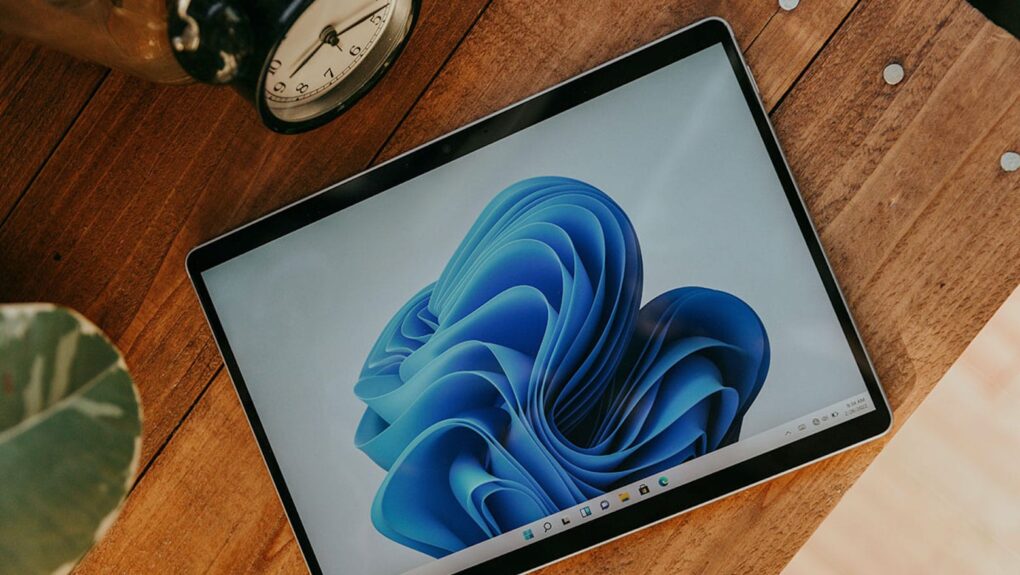
See what Windows 11 can do for you with this limited-time price drop. Photo: Cult of Mac Deals
Not every Cult of Mac reader is all Mac, all the time. We know many of you use PCs for various reasons — and here’s the big Windows 11 sale you’ve been waiting for.
It's the Great Pumpkin, Charlie Brown is always streaming on the Apple TV service. Photo: Apple
Families with a tradition of watching It’s the Great Pumpkin, Charlie Brown can enjoy the classic Peanuts Halloween special on Apple TV for free this weekend. And you can watch it online, not only with an Apple TV set-top box, Mac, iPad or iPhone.
Plus, Apple TV also announced when the Peanuts Thanksgiving and Christmas specials will stream for free in 2026.
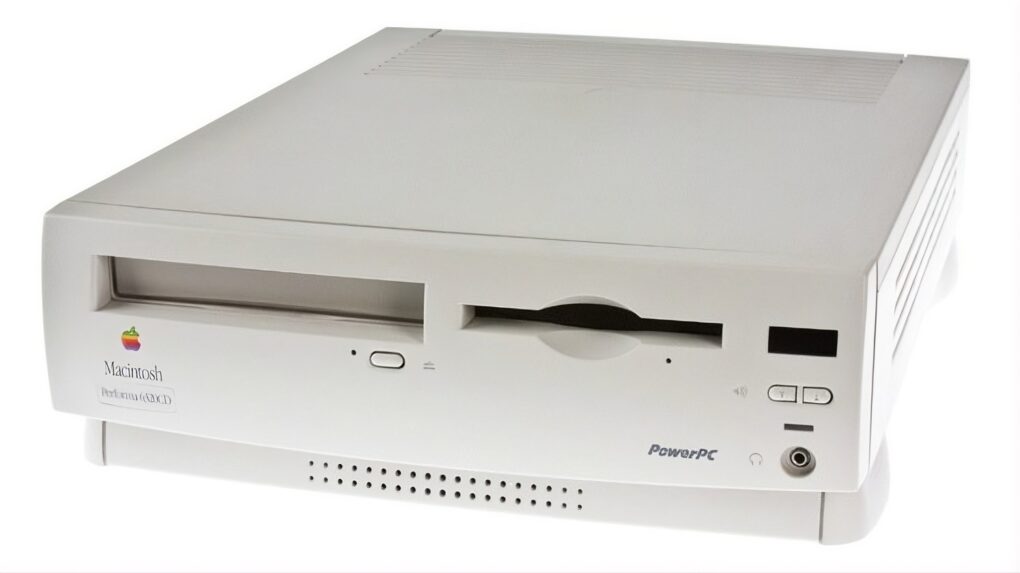
The Performa 6320CD Mac delivered great performance for the price, luring new users. Photo: Shrine of Apple
October 17, 1996: Apple launches its Performa 6360 Mac in North America, sold elsewhere as the Power Macintosh 6300/160.
An impressive multimedia Mac, the Performa 6360 comes bundled with a TV/video card. It also lets users make phone calls, listen to CDs, and watch television — all of which seemed amazingly futuristic at the time. As Macs went, it was pretty affordable, too.
Why HomeView is going to be great. Photo: Cult of Mac
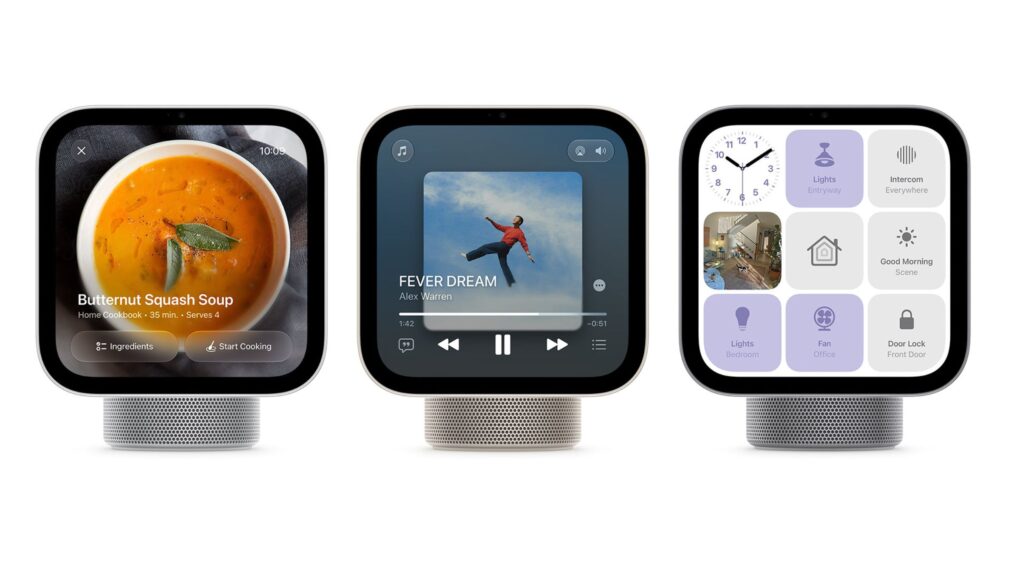
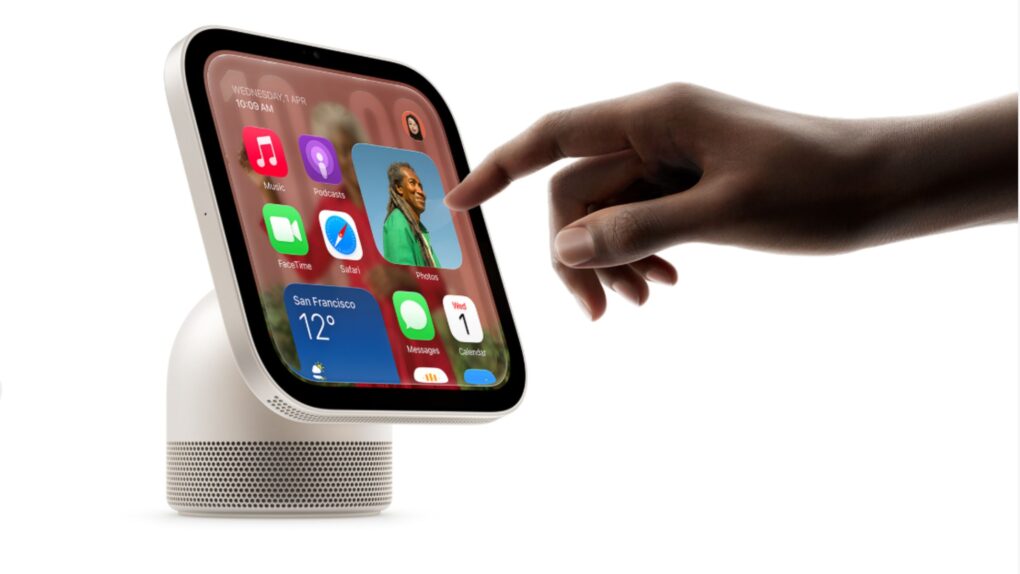
This week on the Cult of Mac podcast: Apple’s new HomeView hub is a getting a lot of criticism, especially for its lack of a built-in app store. But the absence of an app store is a feature, not a bug.
The situation is reminiscent of the charging port on the bottom of the Apple Magic Mouse, which is famously misunderstood. The placement of the port was designed to force users to use it wirelessly, just like ditching the headphone jack on iPhone forced users to adopt wireless Bluetooth headphones.
Apple is pulling the same trick with HomeView: The absence of apps forces users to use Siri AI as the primary interface, instead of tapping away on the screen as though it were a mini iPad. It’s genius!
Also on the Cult of Mac podcast:
HomePod mini gets a big update.
Apple TV 4K gets a remote you can actually find down the back of the couch.
Who exactly is the Apple Home Collection for?
And Apple’s next event looks set for October 28 in LA.
Listen to this week’s episode of the Cult of Mac podcast in Apple’s Podcasts app or your favorite podcast app. Or watch the video version, embedded below. (Be sure to subscribe and leave us a review if you like it!)
The Withings Apple Health sync now requires a Withings+ subscription for new accounts. Photo: Withings
New owners of Withings smart scales and other health devices must pay for a $9.99 Withings+ monthly subscription to sync their data with Apple Health. Previously, the data sync cost nothing — and many Withings fans are outraged over the change.
The subscription requirement covers automatic syncing to all third-party apps, not just Apple Health. While existing users’ data will continue to sync for free, anyone who created a Withings account after October 13 will need to pay or export their data manually.
Safari is picking up touch gestures ahead of the rumored touchscreen MacBook. Photo: Cult of Mac
Safari is apparently learning to play nice with fingers in the latest macOS beta. The reason could be the touchscreen MacBook. The tweaks are pretty small, but they do show Apple moving away from the app’s cursor-only interface and adding touch support.
For years, Apple has resisted touch on the Mac, but its first touch-enabled laptop is reportedly on the way later this month.
Incogni's free exposure scanner can reveal what websites know about you — and the results can be shocking. Photo: Sora Shimazaki/Pexels CC
Your name, home address and phone number are likely sitting on websites you’ve never heard of. Behind those listings are data brokers that collect and sell your personal information — to marketers, scammers and anyone else willing to pay.
Incogni’s free exposure scanner searches hundreds of these sites and reveals what personal information they publicly list about you. And it does it in less than a minute, with no account or credit card required.
Try out this Mac-compatible PDF editor and converter instead of the pricey Adobe Acrobat Pro. Photo: Cult of Mac Deals
Ever been annoyed when someone sends you a PDF instead of a file you can edit? An all-in-one PDF editor like AcePDF Converter & Editor can help, and it doesn’t need to cost a fortune.
Lifetime licenses for the Mac PDF app are on sale for $23.97 (regularly $99.99).
Demand for iPhone Duo is high on first day of preorders. Photo: Leander Kahney/Cult of Mac
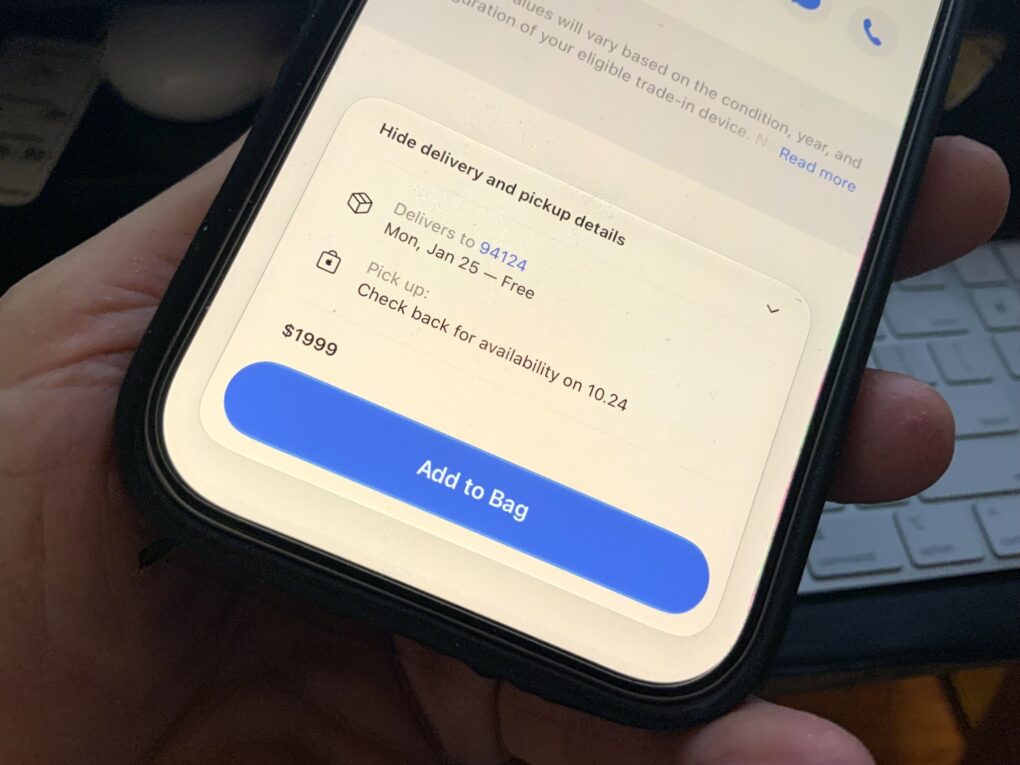
The new iPhone Duo is selling out fast, with deliveries already slipping into late January, three months after they were supposed to be available. The sellout is unprecedented, even for a new iPhone, which is always in high demand.
The first folding iPhone was meant to be ready for delivery on Friday, October 23. But preorders backed up by months within 15 minutes of the new handset going on sale this morning.
Currently, the checkout at Apple’s online store shows the iPhone Duo, which starts at $1,999, won’t be delivered until January 25 at the earliest. Customers hoping to pick up a handset before Christmas might still be able to get one, however.
Preorder now and get your iPhone Duo on October 23. Photo: Apple
You can now preorder the iPhone Duo from Apple. The company’s first foldable iPhone will reach customers and Apple Stores in a week, on Friday, October 23.
In the initial launch wave, the iPhone Duo will be available in more than 70 countries and regions. Another 28 countries will get the foldable on October 30.
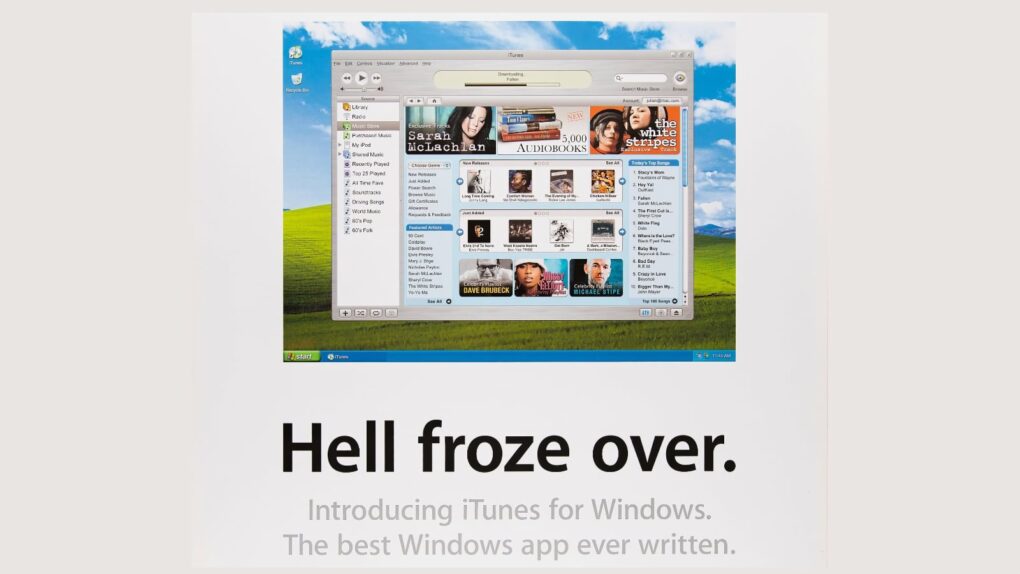
On this day in 2003, Steve Jobs revealed his plan to bring iTunes to Windows. Image: Apple
October 16, 2003: Six months after opening the iTunes Music Store for Mac owners, Apple expands the service to Windows computers. This gives PC owners a new, legitimate way to download — and pay for — songs at a time when digital piracy threatens the music industry.
Apple CEO Steve Jobs later quips that making iTunes available to Windows owners is akin to “giving a glass of ice water to somebody in hell.”
Meta and Apple collaborated to put Muse Spark Open on high-end Macs. Image: Meta
Meta and Apple are working together to bring a powerful new open-weight AI model to high-end Macs.
Meta announced Muse Spark Open on Thursday, describing it as “the most capable US open-weight model to date.” For its part, Apple updated its MLX machine-learning framework for the model.
“Leveraging the latest version of MLX, Muse Spark Open was optimized to run on Mac Studio with M5 Ultra, and together they’re the best way to run a powerful model on your own desktop,” said Meta in a statement.
Don't ditch your trusty Apple TV 4K (3rd gen) just yet. Photo: Apple
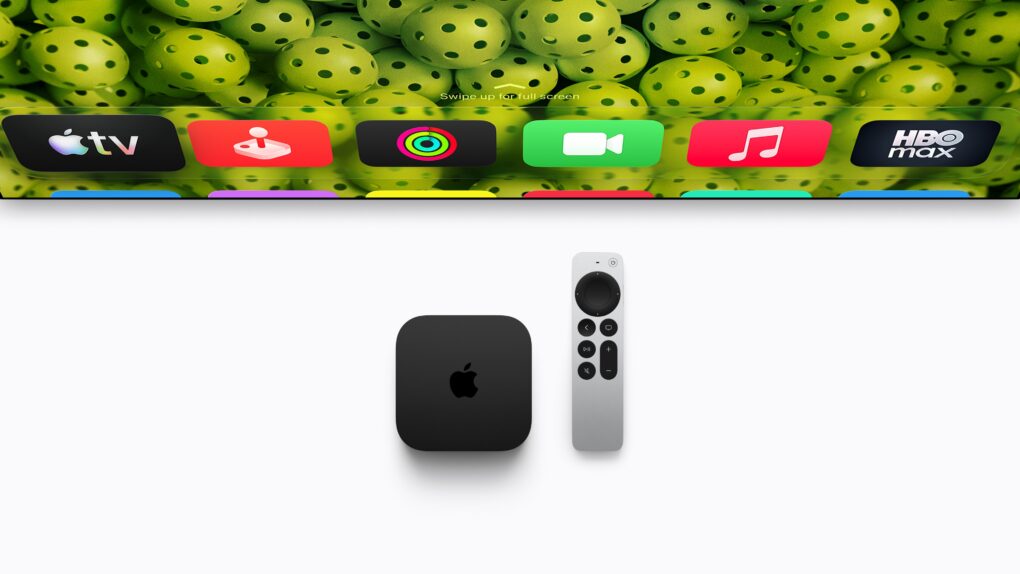
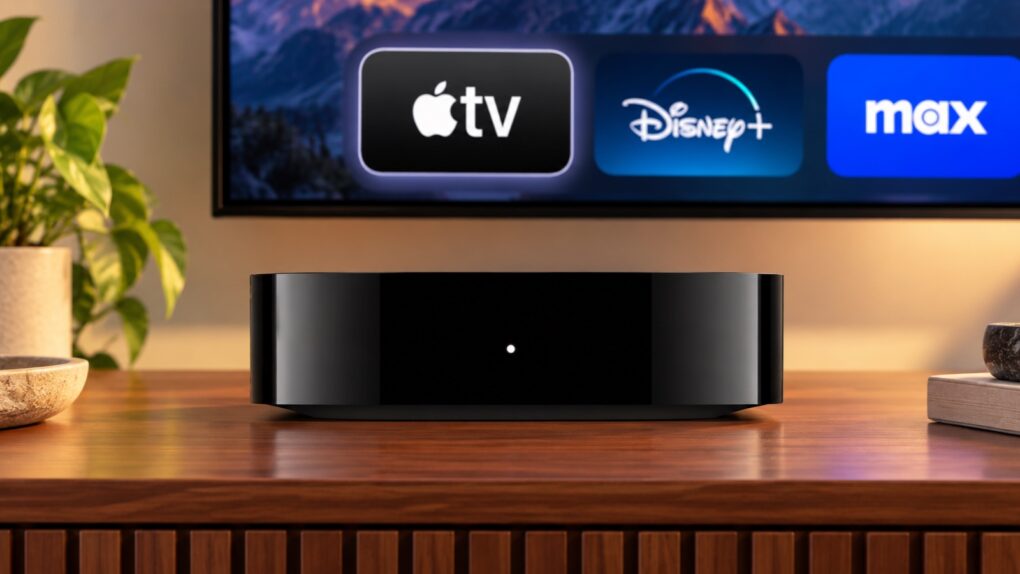
The fourth-generation Apple TV 4K comes four years after its predecessor. While the streaming box retains almost the same design as its third-generation sibling, it packs some notable usability upgrades. That’s in addition to faster internals for a better overall experience.
Do these improvements make the Apple TV 4K (4th generation) a worthy upgrade from the third-generation model?
Mark your calendars, Mac fans! Image: Apple/Cult of Mac
Apple is reportedly sending select journalists invitations to a product launch event that will be held on October 28. The company has yet to make an official announcement of the event, though.
Still, what’s on the agenda already leaked out. The highlight will be the first touchscreen MacBook, but two M6-powered Macs are also expected, as is an OLED iPad mini.
After Steve Jobs and Tim Cook, John Sculley is Apple's most memorable CEO. Photo: Web Summit/Flickr CC
October 15, 1993: John Sculley, the former CEO responsible for forcing Steve Jobs out of Apple, is forced to leave the company himself. When Sculley resigns as Apple’s chairman, he leaves with a golden parachute.
His parting gifts include $1 million in severance pay, a one-year consulting fee of $750,000, a commitment from Apple to buy his $4 million mansion and $2 million Learjet, and $2.4 million in stock options. Total take: around $10 million.
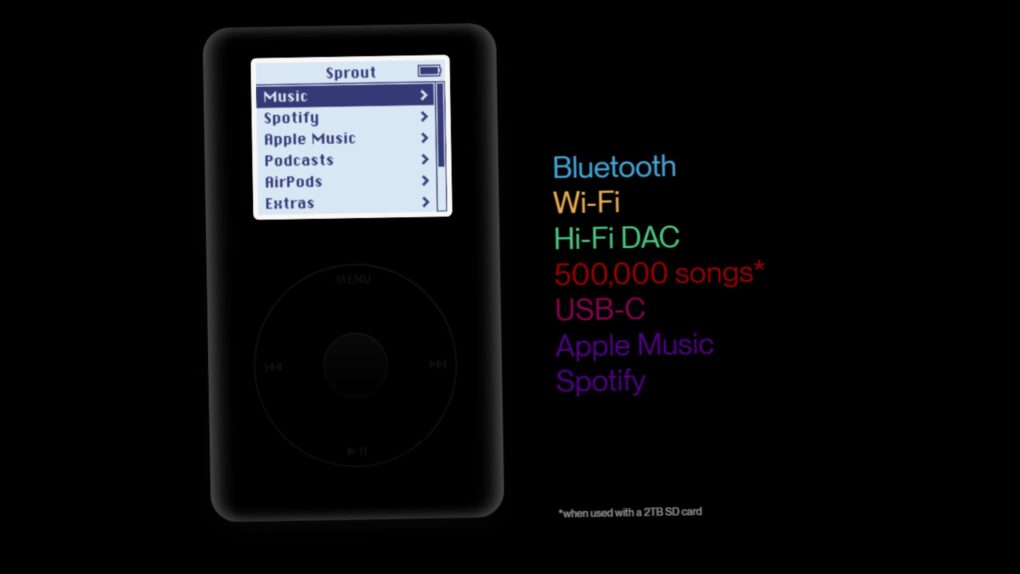
The Sprout replacement iPod motherboard brings a range of updates to Apple's beloved music player. Photo: Sprout
A new replacement iPod motherboard is promising to bring your old click-wheel player into the modern era. It adds Bluetooth, Wi-Fi and USB-C, all while keeping the classic look.
Called Sprout, the open-source board is designed so that it drops into select iPods with no soldering required. It is still in development, but if it works as promised, it could be a dream upgrade for retro fans.
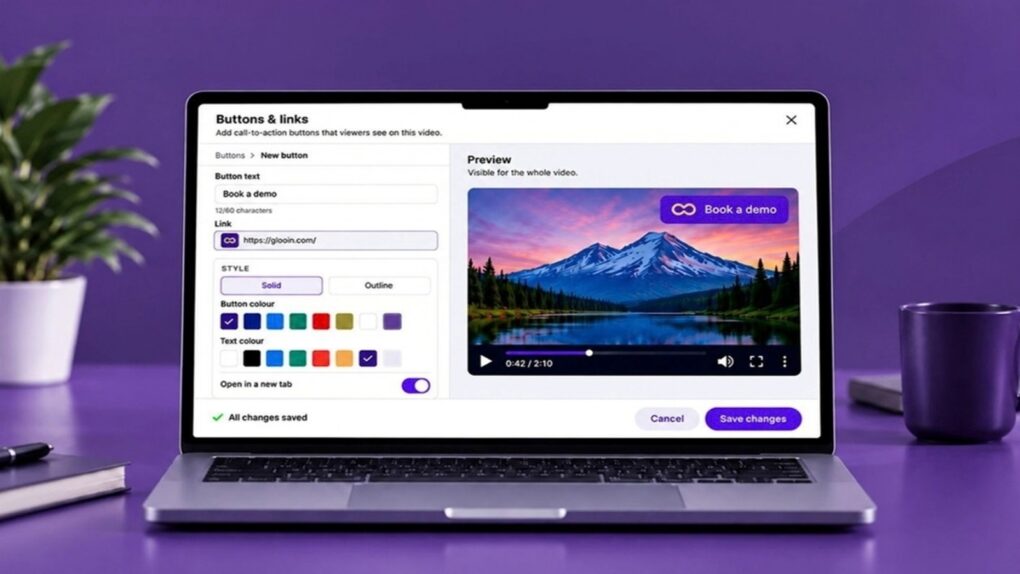
Record your screen and easily share the awesome results with Glooin. Photo: Cult of Mac Deals
Your Mac already provides a screen recorder to capture what’s happening on your display. The annoying part often comes later: getting that screen recording edited, uploaded, organized and in front of the person who actually needs to see it.
Advanced screen recorder Glooin streamlines that entire process. It lets you record, edit and instantly share your screen, webcam and audio. If you’re tired of hassling with screen recordings on your Mac or PC, grab lifetime access to Glooin’s Starter plan, with 25GB of lifetime storage, for just $24.99 (regularly $99).
The original HomePod is just as good as it was before. It's just not getting smarter. Photo: shyam mishra/Pexels
We have confirmation that Apple’s original HomePod mini will miss out on a Siri AI upgrade, even as the company prepares to bring the technology to older Apple TV 4K models. The same apparently goes for the larger HomePod 2.
To be clear, Apple never said the previous versions of its smart speakers would get the new AI-enabled version of Siri. And the devices still include classic Siri and work as AirPlay speakers, just like they did before.
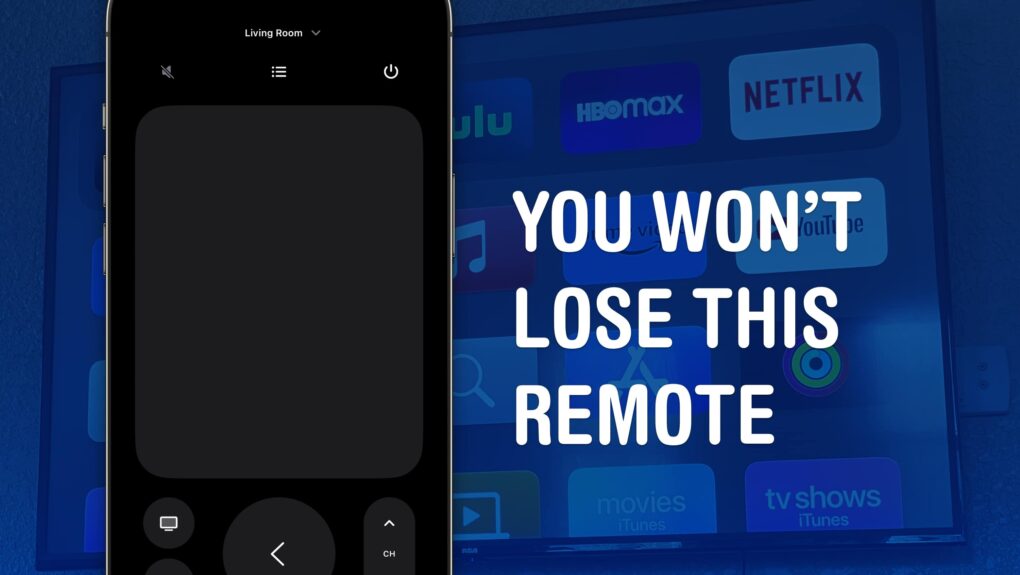
The Apple TV remote is easy to lose, but you have other options. Image: D. Griffin Jones/Cult of Mac
You can use your iPhone, iPad or even your Apple Watch as a remote for your Apple TV. It’s a convenient feature when you’ve lost the remote in the couch cushions.
And even if your remote hasn’t gone missing entirely, sometimes it’s sitting on the table way over there and you don’t want to interrupt a show by asking for someone to pass it to you. Or maybe someone is intentionally hogging the remote, and you want to pause the video on the Apple TV yourself. Either way, it’s really easy to do from an iPhone or an Apple Watch.
Do you really need the latest Apple TGV 4K? Maybe not. Image: Apple/Cult of Mac
The Apple TV 4K (4th Generation) is raising eyebrows and dropping jaws, but not with amazing new features. It’s the price: $299. Fortunately, owners of older versions of the streaming box can get many of the biggest upgrades without buying new hardware.
And for a small investment, the improved Siri Remote can also upgrade a current Apple TV 4K.
Break your HomeView? it might be simpler to buy a new one. Photo: Apple
Apple HomeView’s repair cost without AppleCare+ is $279, just $20 shy of buying a brand-new unit.
With AppleCare+, the fee drops dramatically to just $39. That gap makes repair coverage a tempting add-on for the $299 smart home hub, which Apple introduced on Tuesday.
Tim Cook was on his way to the top spot at Apple. Photo: Jim Merithew/Cult of Mac
October 14, 2005: Tim Cook takes the reins as Apple’s chief operating officer. His new role as Apple COO continues his climb through the company’s ranks and will lead to his appointment as CEO less than six years later.
“Tim has been doing this job for over two years now, and it’s high time we officially recognized it with this promotion,” Apple CEO Steve Jobs says in a statement. “Tim and I have worked together for over seven years now, and I am looking forward to working even more closely with him to help Apple reach some exciting goals during the coming years.”
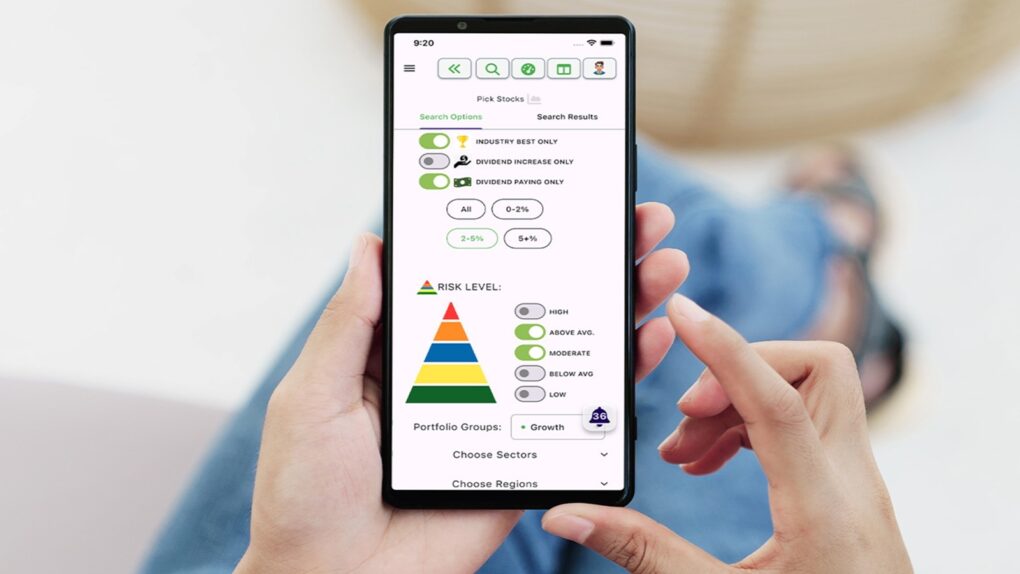
Set yourself up for a lifetime of success with the Financial Freedom Bundle. Photo: Cult of Mac Deals
Making smarter financial decisions isn’t just about picking the right stocks. It’s also about understanding the bigger picture — budgeting, saving, investing and planning for what’s next. The Financial Freedom Bundle tackles both sides of the equation, combining lifetime access to Sterling Stock Picker with the Pro$per financial education platform.
With Apple HomeView, recipes appear as a visual step-by-step guide. Photo: Apple
Using recipes on the new HomeView will apparently be even easier than Apple’s pitch suggests. Handoff will be able to move a recipe straight from your iPhone to the display, and then the smart screen can automatically display step-by-step instructions with hands-free timers.
That matters a lot in the kitchen, where messy hands and a locked phone rarely mix.


 October 17, 1996: Apple launches its Performa 6360 Mac in North America, sold elsewhere as the Power Macintosh 6300/160.





 October 16, 2003: Six months after opening the



 October 15, 1993: John Sculley, the former CEO responsible for forcing Steve Jobs out of Apple, is forced to leave the company himself. When Sculley resigns as Apple’s chairman, he leaves with a golden parachute.


 October 14, 2005: Tim Cook takes the reins as Apple’s chief operating officer. His new role as Apple COO continues his climb through the company’s ranks and will lead to his appointment as CEO less than six years later.