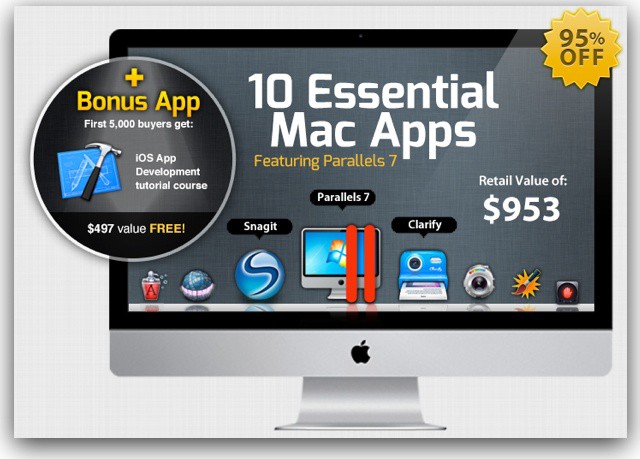
Let’s keep this simple. We all would love a new Retina MacBook Pro. So, how’d you like to win one?
It’s very simple. Go to the Retina MacBook Pro Giveaway page and enter your email address. Then once the iStack Mac Bundle is done (you’ve checked it out, right?) a winner will be picked.
This morning a story started circulating about a Russian hacker who had hijacked Apple’s in-app purchasing system in iOS. Alexey Borodin had figured out how to intercept in-app purchases within App Store apps to get free access to content. The most disturbing part of the “hack” was that it is actually fairly simple to replicate on any (non-jailbroken) iOS device.
Apple has now responded with an official statement saying that it is looking into the issue.
Apple’s reach in the consumer market is certainly great, but it turns out that they are just as influential when it comes to the retail world. This is pretty clear initially, when looking at how companies like Microsoft and Samsung blatantly rip off Apple’s retail store design.
Looking a little deeper, though, Apple also has a great amount of influence on salesmen themselves. Many companies are adopting Apple’s retail strategies due to the amazing success of the Apple Store.
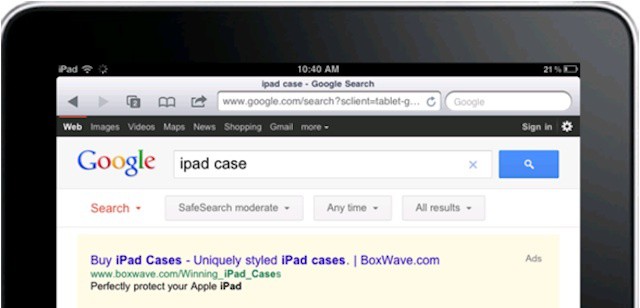
iPad user responses to search ads is changing how companies spend ad dollars.
Studies released earlier this year strongly indicated that the iPad is one of the most effective online advertising vehicles out there. iPad users are more likely to respond to ads than users of most other devices and more likely to purchase or research a product after seeing an ad on their device.
A new study confirms this trend and raises the possibility that the iPad may be subtly reshaping the online advertising industry.
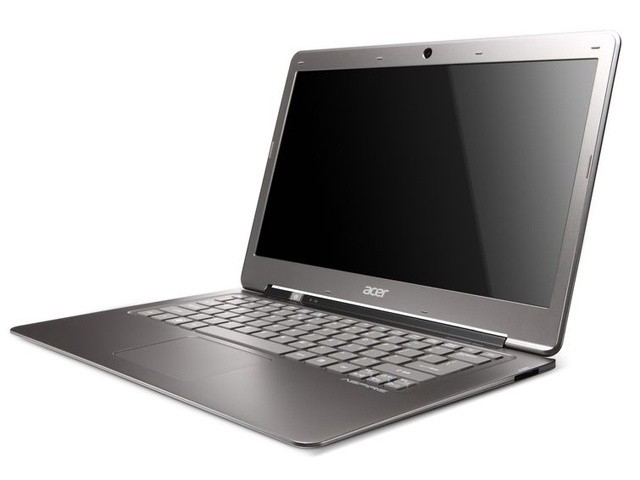
Intel’s attempt to knock the MacBook Air down a peg seems to be failing them. Some depressing sales figures were released that show how little of an impact the Ultrabooks have had on the MacBook Air. In Q2, only 500,000 total Ultrabooks were shipped, compared to 2.8 million MacBooks. Ouch.
Study: Majority of IT managers are planning migrations away from BlackBerry enterprise systems.
RIM’s trouble seem to be mounting exponentially these days. There’s been a lot of discussion in the tech media about companies significantly invested in BlackBerry devices and services drawing up contingency plans in case of a prolonged outage or service disruption should RIM go belly up or get bought out by another company. The situation for RIM is going to get even worse over the next few months as many companies put some pieces of those plans into action.
According to a survey conducted this week by finance-oriented research firm ThinkEquity, 50% of IT managers have decided to replace RIM’s BlackBerry Enterprise Server (BES) systems within the coming year. 70% plan to do so within the next two years.
It seems a tad unfair to be reviewing Waterfield’s Daily Outback Tote in the height of summer. Mid-July on the East Coast is particularly unforgiving toward large, leather items. When the entire city seems to be melting, the last thing you want on your sweaty arm are two handles of thick, sumptuous hide.
But while the Outback may not be best when paired with seersucker, it would look incredible holding a thermos and a stadium blanket come fall. And an extra wool sweater. And an iPad. A few books, a picnic, and a pair of gloves, even. Oh, didn’t you know? The Outback can hold everything. It’s a contemporary interpretation of Mary Poppins’s carpet bag.
Back in March, Max Petriv tweeted some images of a Spotify iPad app he had been working on. Not only was the app optimized for the iPad’s larger display (at that time there had not been a Spotify client even teased for the iPad), but the design and interface of Petriv’s app looked downright gorgeous.
The New York-based designer had no clue that his pictures would cause such a stir, with many publications, including Cult of Mac, reporting that an unofficial Spotify app was finally in the works. You see, Spotify had been promising the world an official iPad client for months and months, but when pressed, the music streaming juggernaut would only give vague hints, like “it’s definitely coming.” Hardly a satisfactory answer for iPad users wanting their own Spotify experience.
After showing off his early work on a Spotify iPad app, Petriv was blindsided by Spotify suddenly coming out of the woodwork to release its highly anticipated official app in May. The timing of Spotify’s announcement was interesting given that Petriv had just asked for help developing his own app less than two months prior.
Petriv is now publicly working on his own Spotify app again, but due to the restrictions Spotify imposes on developers, he needs your help.
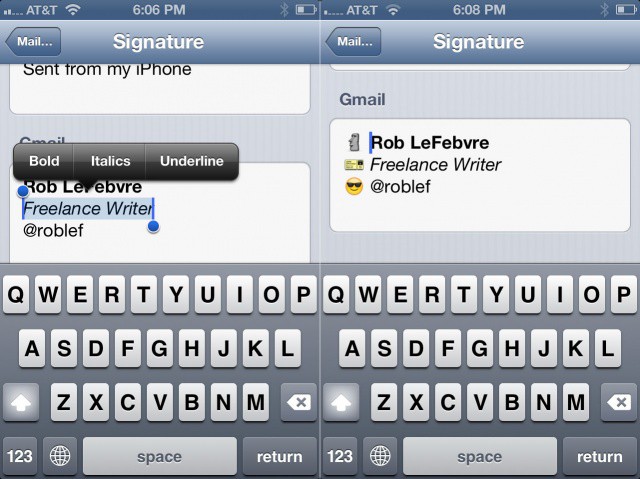
Getting tired of “Sent from my iPhone” as your mail signature on your iPhone? What about “Sent from my iPad?” Still bored? Yeah, me, too. I’ve changed my signature to something a bit more magical on the iPad, but I really didn’t think about adding some basic rich text formatting and some images in to really spice it up.
Lucky for me (and now you), Greg Sargent, student web engineer, has. Here’s how.
Passbook could be a brilliant way for Apple to trump any other mobile payment option.
Mobile payment technologies have an interesting and complicated relationship with local businesses. On the one hand, local mom-and-pop restaurants, shops, and services are probably the companies that you’d expect to adopt new payment technologies the slowest – particularly if those technologies require new point of sale hardware like an NFC reader. On the other hand, mobile payment systems could be poised to deliver a new wave of business to such local companies.
Making the situation more complicated is the fact that any mobile payment system (Google Wallet, PayPal in-store purchasing, or any system that Apple may be slowly developing) can’t be considered a solid winner or option unless that system strikes it big with local businesses. A system that only applies to large chains, like the in-store purchasing the PayPal rolled out to Home Depot and other retailers, can’t be considered mainstream unless it’s adopted very widely and by a significant percentage of small businesses.
Further complicating the relationship is the fact that many players in the race to create a true digital wallet are on focusing widely varying options for small and local businesses. That means that no one company is leading and no company really seems to have a consistent strategy for tapping this immense and important market.
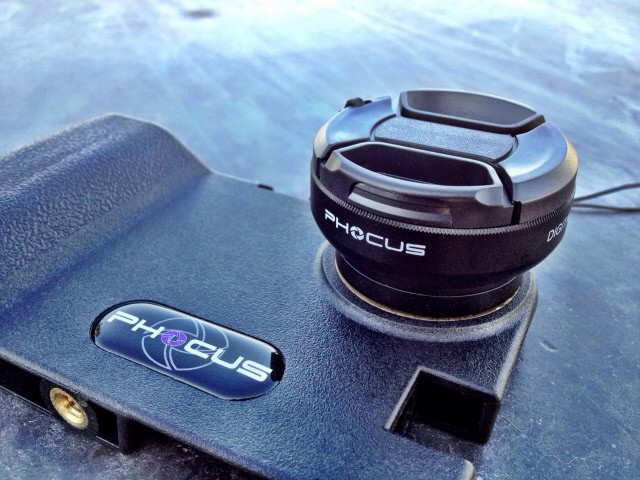
Another day, another iPhone camera lens case and adapter. This one is called the Phocus and manages to distinguish itself both by its angular, military-look styling, and by the fact that you can (with a further adapter) stick your SLR lenses on the front.
Let me count the ways that I have killed so many successive sets of earbuds, whether from Apple or otherwise. Rain, sweat (ears), sweat (general, dripping), wet ear canals from insufficient after-shower toweling. More rain.
You get the idea.
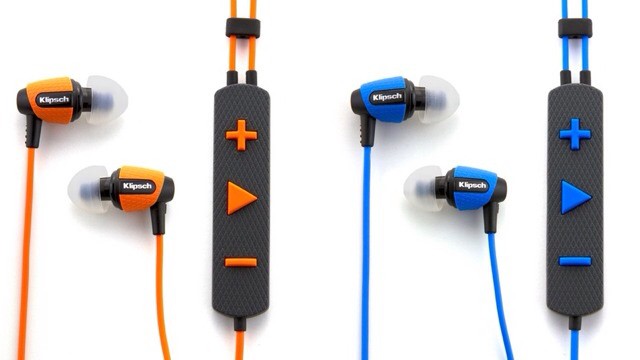
If only I’d had a pair of Klipsch’s new rugged S4i earbuds, which are rubberized against both the elements and also my deadly perspiration.
The earbuds are also fully iReady, with a mic for calls and a three button remote for play/pause/answer and volume control. The specs say that the sensitivity (a good measure of how loud they are) is 110dB and the frequency response goes from 10Hz to 19kHz – a respectable range for a ‘bud.
But the toughness is the thing, and these multicolored cans can put up with most exercise and outdoor activity.
I doubt they can resist my single most common way to break a pair of headphones though – the Tug. The Tug can be achieved in many ways, but has one common element: you forget about a dangling cord and catch it fatally on an immovable object, or your own body. I have ended the life of a pair of Porta Pros by standing from a crouch and catching the cable on a knee. And I butchered a pair of retro Panasonic over-the-ear headphones when the cable snagged on a post in the street.
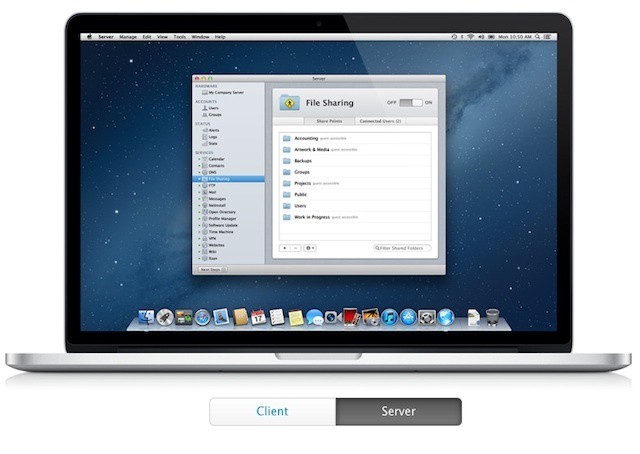
Appearances can be deceiving. Mountain Lion Server still has solid enterprise capabilities.
Apple has released two documents about Mountain Lion Server ahead of this month’s Mountain Lion (and Mountain Lion Server) launch. The first, a 25 page product guide, offered a some insights into the changes and new features that Apple wants to highlight for customers. The second is Apple’s Advanced Administration guide, an in-depth document that would be nearly 400 pages is it were printed or packaged as a PDF. This guide is the full documentation for Mountain Lion Server and it offers a lot of information about all the changes that Apple has made since Lion Server shipped last summer.
On the surface, these two guides are enough to make longtime OS X Server administrators nervous at Apple’s removal of the advanced admin tools and features that have been in nearly every previous OS X Server release. It’s very easy to look at the contents of the Advanced Administration guide and assume Apple is completing the consumerization of its server platform.
Digging a bit deeper, however, reveals that Apple may actually have a winning strategy in the way that it continues to integrate iOS and Mac management into a single workflow and that not all of the capabilities from previous iterations of OS X Server have been scrapped.
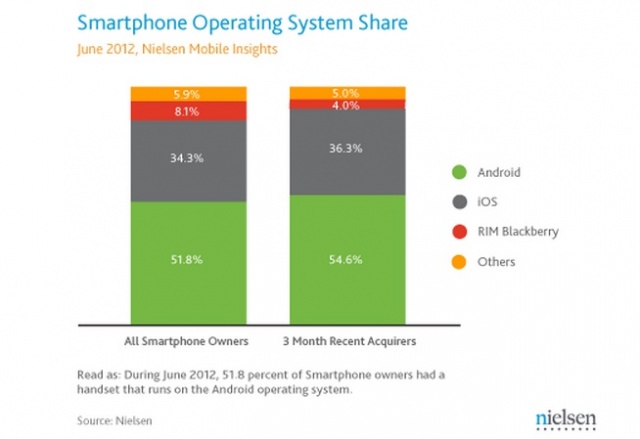
No surprises as the latest Nielsen numbers show Android and iOS leading U.S. smartphone market share. Both operating systems continue to gain at the expense of RIM — who has all but fallen into the “Other” category. Speaking of the “Other” category: Windows mobile, Windows 7, Symbian, and Palm/WebOS were all grouped together, combining for a measly 5.9% market share.
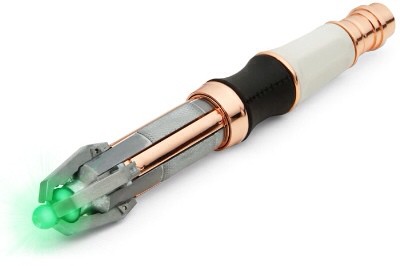
Hopefully this universal remote will be more reliable than the real Sonic Screwdriver.
This replica is probably the closest you’ll ever get to having a real Doctor Who Sonic Screwdriver. What does it have to do with Apple, you ask? After all, this is the Cult of Mac.
The Screwdriver is also a universal remote, which means that it will not only control your TV and VHS VCR, but also you Apple TV and – via the Universal Dock – your iPhone or iPod.
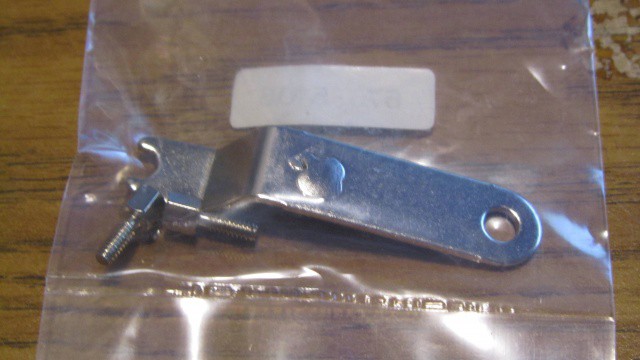
Nowadays, Apple locks its devices down pretty tightly: RAM soldered onto motherboards, proprietary torx screws and parts glued to each other inside cases. About the only tool you’ll ever find Apple shipping a product with that has been designed to help you actually open that device up is the iPhone’s liquid metal SIM ejection tool.
But that wasn’t always the case. Thirty years ago, Apple shipped every 5.25″ disk drive controller add-on kit for their Apple II computer with the adorable little wrench you see in the picture above, meant to help you actually install the card in your machine. It even had a cute little Apple logo stamped into the metal. I wish I had one of those for my keychain.
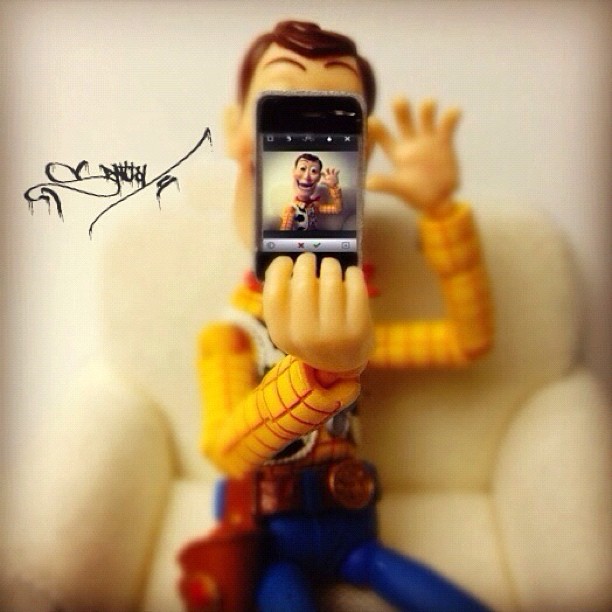
Toys are just lifeless pieces of plastic completely devoid of feelings – orarethey? It’s not like they could just walk around with an iPhone taking pictures of pretty sunsets and duckface self portraits for Instagram, right? Since science has yet to prove that toys are just just like us, Instagrammer Santlov provides fantastic images of toys playing with their iPhone, iPad, and Macs. Want to know what Scarface or Boba Fett would look like snapping Instagram pics? Take a look –
There’s no way to be nice about it: Microsoft is not cool. Their products aren’t cool (sans Xbox!). Their logo isn’t cool. And then there’s their dancing, prancing, screaming, bear of a man slash CEO: Steve Ballmer. And on our brand new CultCast, we have to ask: could Microsoft bring their sexy back with a CEO who isn’t the official jester of the tech community?
And then, don’t miss our discussion on how one simple hardware upgrade can transform your aged Macbook Pro into an unholy speed demon! That’s right, you don’t need a Retina Macbook, just $200 and ten minutes can bring you a renewed computing power that would make even Tim Cook’s glasses start to fog!
Subscribe to The CultCast now on iTunes, or easily stream new episodes right on your iPhone or iPad with Apple’s brand new Podcasts App.
When we review speaker docks here at Cult of Mac, one of the most common things we’ll ding them for in our ratings is lack of Bluetooth streaming support. Especially for the more expensive speaker docks, it just seems like a no brainer: why not just slap in a Bluetooth chip for a couple bucks and infinitely expand the usefulness of your product?
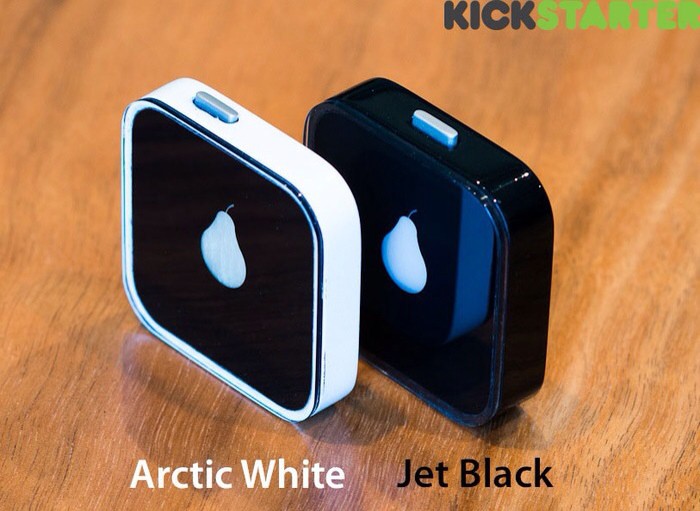
We assume that we will continue to be disappointed by Bluetooth-less speaker docks for years to come, but maybe this brilliant KickStarter project can help mitigate that disappointment. Called the Pear (get it?), it’s a tiny little Bluetooth dongle that plugs into your speaker dock’s 30 Pin Dock Connector and gives A2DP streaming Bluetooth audio support to any device!
There’s not much more to it, which is why this is such a great idea: imagine being able to upgrade that dusty old speaker dock going unused on your nightstand or in your kitchen with just a $40 add-on. Unfortunately, it’s a Kickstarter project right now, but with more than $29,000 dollars towards its $40,000 goal already attained with almost two months left to go, this looks like one idea that’s going to soon become a reality.
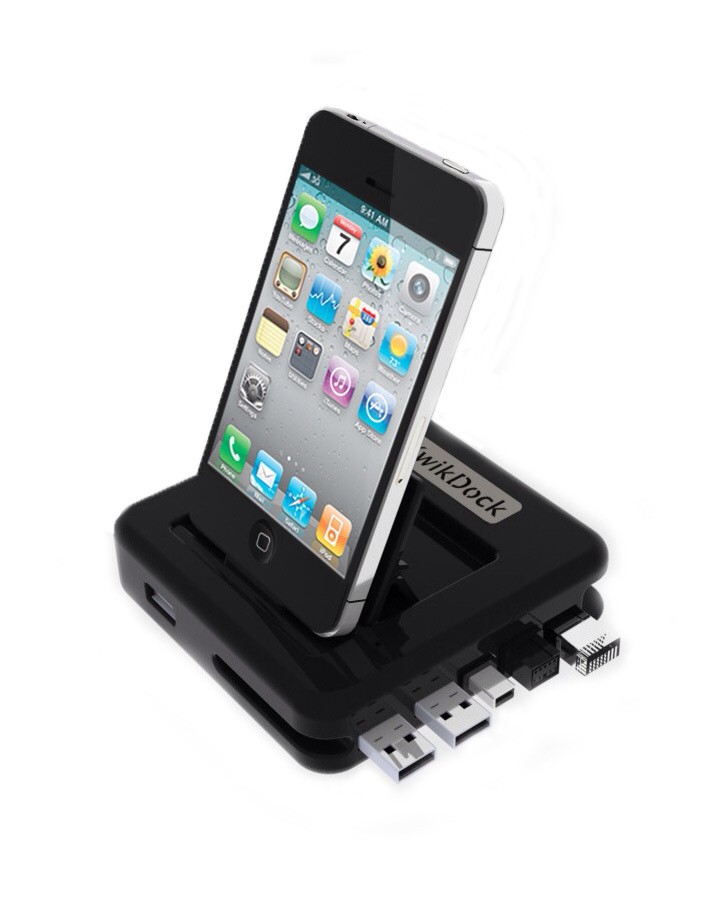
Sick of plugging and unplugging cables from your MacBook Pro every time you get back to your desk? Hate wasting one of the two USB ports just to keep your iPhone connected? And finally: don’t want to spring for a $1,000 Thunderbolt Display?
Then the KwikDock might be right up your alley: It’s a simple (and cheapish) pass-through dock with some handy extras.
Foursquare, Facebook, even Find My Friends… these are all services that are ostensibly designed to help us to find our real-life buddies when we’re around town. So why are they so bad at it? Why do they all feel so useless?
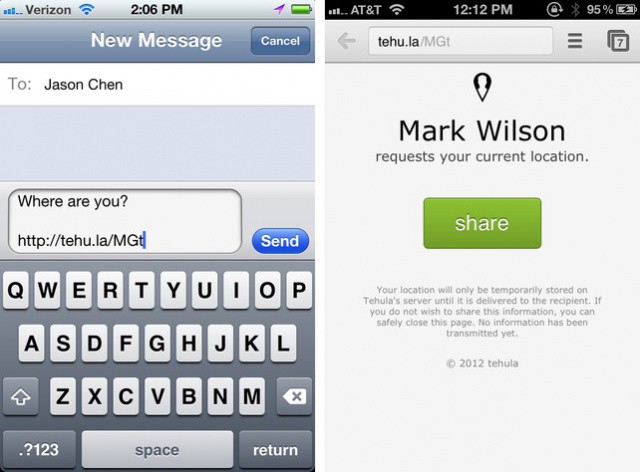
The reason’s pretty simple when you think about it: most of the time, you don’t really care where your friends are, or how many trophies they’ve earned, but when you do want to know where they are, you want to know exactly where they are at that precise moment, either because they’re running late or you’re hoping to meet up. And the only way to really know that with any certainty is to ask directly.
Tehula is a new iPhone app that makes asking people where they are just deviously simple. And it works even if you don’t have an iPhone or iPad: all you need is a phone with a GPS unit and a web browser.
Dr. Andrew K. Przybylski tries to explain why we all mourned Steve Jobs's death.
Most of us never had the opportunity to meet Steve Jobs, but as Apple fans and users, we knew a lot about the company’s co-founder and former CEO. Even though we didn’t know him personally, we all felt an immense sense of loss when Jobs passed away last October.
In an effort to try to understand why Jobs’s death had such an affect on his fans, Dr. Andrew K. Przybylski from the University of Essex has conducted a three-part study that looks at how we felt connected to Jobs though his devices.
This is the Pear, and it might just be one of the most useful iPhone accessories yet devised. It’s a little, puck-like Bluetooth receiver that is designed to slot into any speaker dock and free your iOS device from its needy clutches.
Laurene Powell with husband and former Apple CEO Steve Jobs.
Steve Jobs’s widow, Laurene Powell, who is said to be the richest woman in Silicon Valley, has reportedly purchased a $4 million home in Sun Valley, Idaho, where Apple CEO Tim Cook is attending the Allen & Company media conference this week. The new property is said to be located near a river’s edge in the wetlands area, and boasts three bedrooms and two and a half bathrooms.