The iPad’s large, beautiful screen has always been attractive for photography applications, and as the device becomes more and more powerful, developers and hardware vendors alike are taking advantage of all the iPad has to offer.
The latest device to do so, the CameraMator, lets you wirelessly transfer photos from your Canon or Nikon DSLR directly to your iPad or MacBook. It’s almost like magic.
If your iPad doodles are a little primitive, there are a few apps that can get you canvasing the art greats from Caravaggio to Picasso and creating some deft original strokes of your own.
So says Sumit Vishwakarma in a talk for Macworld/iWorld 2013, adding that if you’re willing to forgo one cinnamon latte at Starbuck’s, that money spent in apps will take your work to the next level.
Vishwakarma is an iPad art advocate whose work has been featured at the first Mobile Art Festival in Los Angeles, the Apple flagship store in San Francisco, and the Mobile Creativity & Innovation Symposium. He also teaches free workshops to promote iPad art and animation to kids, teens and adults.
At the opening of this year’s NFL season, we looked at how the iPad has become a popular training tool among many NFL teams. With the season over and the Super Bowl just days away, many players, coaches, and fans are already looking ahead towards the NFL draft in the spring and next season.
Next season, Apple’s tablet will be an even bigger part io the NFL and it may even revolutionize parts of the organization and even the sport of football itself. Here’s how.
SAN FRANCISCO, MACWORLD/iWORLD 2013 – There are plenty of cloud storage solutions out there these days, including services such as Dropbox. Having your files stored on the cloud comes with some downfalls, though, such as monthly payments as well as decreased security. The Transporter, a new device created by the people behind the Drobo tries to give you the best of both worlds.
With the Transporter, you have access to all of your files stored on the device as long as you have an internet connection, but the files themselves aren’t stored in the cloud. By using this approach, you can avoid the hassles of cloud storage while still having the ease of access that services like Dropbox provide.
While Apple’s newer notebooks like the MacBook Air and Retina MacBook Pro are certainly aesthetically pleasing, some trade offs had to be made in order to achieve such thin machines. Apple has been slowly paring down the number of ports it includes on its notebooks, most notable with the MacBook Air.
Even though these machines are becoming more and more capable all the time, the lack of connections on them puts a serious strain on their functionality. That’s where the Belkin Thunderbolt Express Dock comes in. This little attachment for your laptop gives you eight additional ports to work with right on your desk.
While the iPad’s audio has always been certainly passable in most situations, the tiny speakers that Apple crammed into the device aren’t anywhere near a suitable replacement for the sound quality that can be produced from larger, more substantial speakers.
In order to bridge this gap, Belkin is showing off at Macworld this year what they call the Thunderstorm Handheld Home Theater, a case for your iPad that integrates 2 4-watt speakers for a more immersive experience. Cult Of Mac’s Erfon Elijah talked to Brandon from Belkin at Macworld to learn more about the product.
I have a complicated relationship with gloves. On the one hand, I love that they keep my fingers from falling off in frigid weather. But then there’s the frustration at their complete lack of cooperation when I’m trying to use the touchscreen on my phone. As a result, I end up either constantly removing and re-donning my gloves in an endless cycle that freezes my delicate fingers anyway — or abandoning my phone altogether in disgust.
The problem is that most touchscreens rely on our fingers to act as conductors, and conventional gloves block that conductivity. But glove-makers have rolled with the times, and there are solutions — gloves that allow conductivity to pass through the glove’s fabric and onto the screen. One of the most buzzed about is Outdoor Research’s Sensor Gloves ($69), which use real leather that doesn’t appear or feel any different than leather used in non-conductive gloves.
SAN FRANCISCO, MACWORLD/iWORLD 2013 – Moscone West has been packed with exhibitors for the last three days as they peddle their latest wares to the Apple faithful. We combed through all the booths, and while there were a ton of underwhelming products, Macworld 2013 did feature some really cool stuff.
After some fierce debate among the Cult of Mac editors, we’ve settled on five things at Macworld 2013 that are truly deserving of a “Best of Macworld 2013” title. Without further adieu, here are our picks for the give best things at Macworld.
Whether all this universe denting was just Jobs’ reality distortion field or an actual change in human culture depends on your corporate loyalties, or lack thereof.
Any debate over the cultural impact of the Macintosh really boils down to how much of the graphical user interface revolution was determined or influenced by Apple, and how much of it would have happened regardless.
Because there’s no question that the shift from command-line computing to WIMP computing (windows, icons, menus and pointing-devices) radically changed the world, leading, for example, to the web, which is the dominant WIMP interface to the formerly command-line Internet.
WIMP computing also enabled powerful new tools for software programming, design (of everything), animation and a bazillion other things.
WIMP computing, and to some extent the Macintosh itself, really did make a dent in the universe, but not in the way most people imagine.
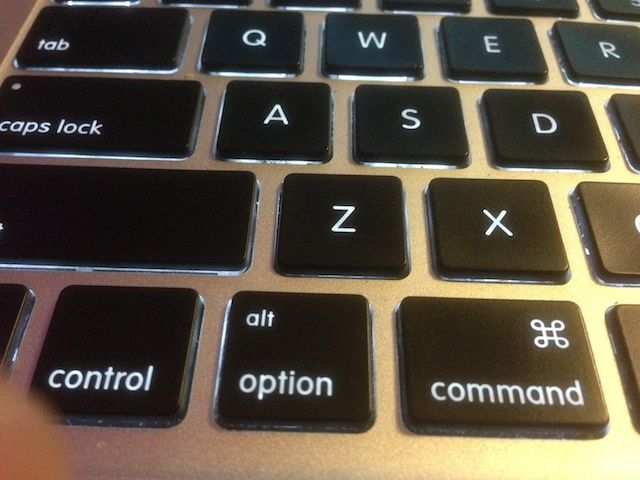
The Option key is a powerful ally in the transition from new, beginner user of OS X to the power user that you want to be. There are a ton of hidden features in the Finder alone that are hidden behind the underrated and unassuming Option key. There are Option key tricks for the OS X Menu Bar, for apps in the iWork suite, in Safari, and a few more random ones to boot.
So, sit back, relax, and get ready to hit that Option key a whole bunch of times in a row.
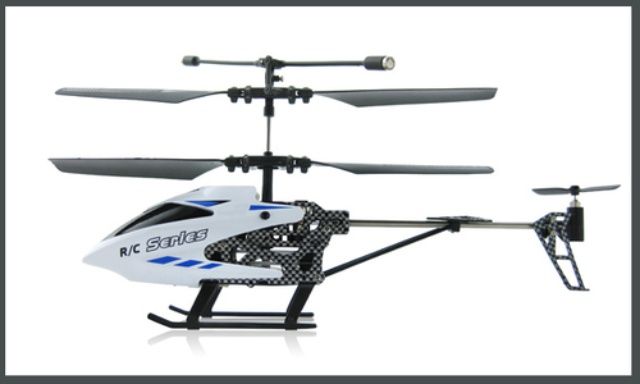
Didn’t get that remote-controlled helicopter on your wish list this past holiday season? Well, this Cult of Mac Deals offer has got you covered. The Sub-Zero Chopper is the adult version of remote control fun and from Extreme Fliers – the leading brand of remote-controlled toys – you really can’t go wrong.
For only $29 (that doesn’t include cost of shipping) you can let that inner-child live on forever. Simply put, if you’re looking to add a fun little gadget to your life, the Sub-Zero Helicopter is it.
When it comes to gaming on the iPhone, most people probably think of Angry Birds-style leisure games. The BowBlade, a new active-gaming device being shown off at Macworld, take an entirely different approach to gaming on iOS. The BowBlade is out to prove that you can stay fit and have fun playing games at the same time.
At first glance, the BowBlade probably looks a little unwieldy. After all, it is about the size of a typical bow. The cool thing about it, though is that the device lets you mount an iPhone inside it which can interact with 35 existing iOS apps for an immersive, active, gaming experience.
Keeping your posture in check likely isn’t something you often think about on a daily basis. With so many things going on everyday, you may not realize just how bad your posture is, though. That’s where the LUMOback sensor comes in.
The LUMOback is essentially a belt that you wear which detects exactly how you sit and stand throughout the day, and records the data to a companion iOS app. In addition, the sensor will vibrate to tell you if you’ve been sitting or standing poorly for too long.
We’ve seen dozens of kinds of styli released over the last few years for the iPad, in order to make drawing and painting easier onscreen. While none have been quite perfect, the new Adonit Jot Touch might just be one of the best attempts so far, utilizing some features not seen before in other stylus options.
Until now, there hasn’t been a great a way to use your iOS device to remotely control high end, DSLR cameras. While the iPad’s multi-touch display is great for monitoring your camera, it’s not always possible to have an internet connection when you’re out in the field shooting.
Thankfully, this problem might become a thing of the past thanks to the CamRanger, a neat device being shown off at Macworld that lets you remotely control your DSLR from your iOS device without an internet connection.
From the makers of World of Goo and Henry Hatsworth in the Puzzling Adventure comes a brand new iPad game, Little Inferno. The game released just two days ago, and is already the number four top paid iPad app on the US iTunes Store. That’s no small achievement, but neither is this iPad-only game.
Spend a few minutes with Little Inferno and, while recognizing a similar vibe to World of Goo, you’ll start to understand that there’s something dark, twisted, and incredibly hilarious happening here.
If you’ve ever played with a wooden puzzle in your local educational toys store, you’ll instantly understand Interlocked, a new iOS game from developer Armor Games (Kingdom Rush). It’s a fun little universal puzzle app for the low price of $0.99, and it should keep you gently entertained for some time to come.
The concept here is to rotate each group of interlocked wooden pieces, sliding each piece out in the right order to fully disassemble the puzzle. Once you’ve moved all the pieces off and away from each other, you get a new puzzle to rotate and solve. It’s very zen, and the whole thing reminds me a bit of Zen Bound, another rotating puzzle game with wooden sculptures and a gentle vibe.
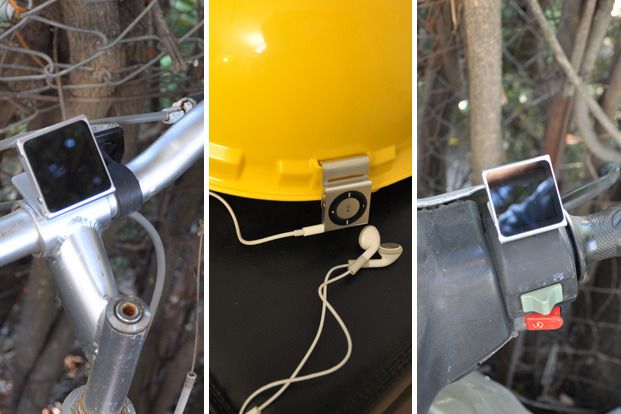
The iHook is back, folks, and it’s even better than it was the last time we told you about it. Unfortunately, it won’t open a beer for you, so that’s, um, out.
Recently re-upped at Kickstarter, the iHook Dual Edition will not only connect to your iPod Nano, making it an ideal way to mount the little square of joy, but it now allows you to connect an iPod Shuffle, too.
SAN FRANCISCO, MACWORLD/iWORLD 2013 – WritePDF, a PDF editing application for iPad / iPhone, does things that even Adobe’s mobile PDF reader cannot do, according to New Zealand software developer EuroSmartz. With WritePDF you can convert any files including your calendar and web pages to PDF files, print to any printer using your mobile device, and share your PDFs using in-app e-mail function. And it’s all done safely in the Cloud so you don’t need to download first.
SAN FRANCISCO, MACWORLD/iWORLD 2013 – There are tons of cases here at Macworld. Millions. Billions even. You can find cases for every sort of purpose. Want a case that can open your beer. Yep, it’s here. One that doubles as a mouse for your Mac. Sure thing.
Any case you can dream up for your iPhone, you will probably be able to find it here. But in one corner of Macworld there’s a booth that’s trying to sell Samsung smartphone cases to the hordes of Apple fanboys.
Jailbreaking has come a long way since the dark ages of the original iPhone. Now it’s a simple matter of plugging your iOS device into your computer for five minutes and following a few easy steps. But it used to be way more complex.
Let’s rewind to 2007, back when only a handful of hackers were tweaking and unlocking their iPhones and iPod touches. It took 74 individual steps to jailbreak the original iPhone OS.
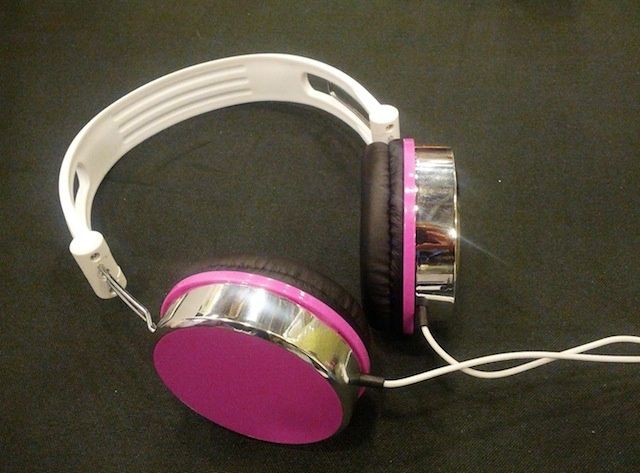
SAN FRANCISCO, MACWORLD/iWORLD 2013 – I’m not exaggerating — these headphones I found exhibiting at Macworld are just about the best iPod headphones I’ve heard. Full bass, beautiful high-end, loud, little incoming leakage from the outside world, really comfy and adjustable and look great in several bright color options. They are really well made. And the price! Guess how much they are?
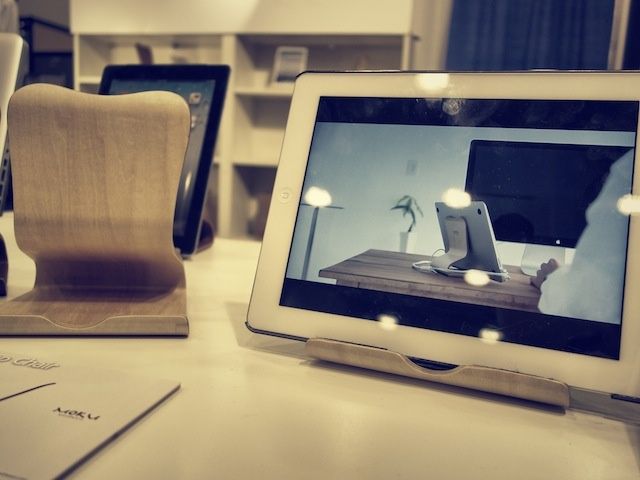
SAN FRANCISCO, MACWORLD/iWORLD 2013 – When you walk onto the Macworld Expo floor you’re immediately assaulted by a cacophony of iPad cases and stands. Everyone thinks they have the perfect solution for you to rest your iPad on.
Honestly, a lot of the iPad accessories here are pure crap, but I roamed around the floor all day and this is the best one I could find. It’s called the Desktop Chair from Moku Woodware, and it’s the only iPad stand from Macworld I might consider buying.
Walk into any Starbucks and be cast by the glowing eye-con of a thousand MacBooks, staring at you, poor PC laptop user, with a piercing gaze of recrimination and scorn. “You are not one of us,” they murmur. “You are not of the seraphim.”
If you’re stuck with owning a Windows laptop but want to fit in with the Starbucks set, maybe consider an ASUS Taichi 21? It’s a cool piece of hardware in its own right, featuring a touchscreen display on the back, and you can make it do cool, obfuscating things… like, say, flash a glowing Apple symbol even bigger and brighter than the most expensive Mac.