Samsung has struck a $100 million deal with the NBA that will see its tablets and televisions used courtside during games. The deal is seen as a strategic move that could expand the global reach of both parties, shoving Samsung’s logo and devices into the faces of NBA fans, and putting NBA content into the hands of Samsung’s customers.
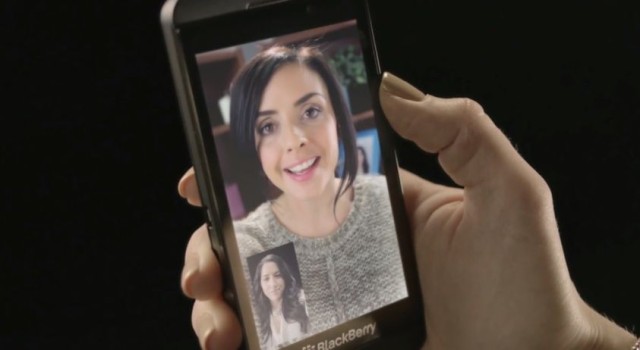
BlackBerry has now done away with its waiting list for BBM on Android and iOS, allowing new users to begin using the messaging service right after they’ve signed up. The Canadian company has also promised new features in future updates, including Channels, BBM Voice, and BBM Video.
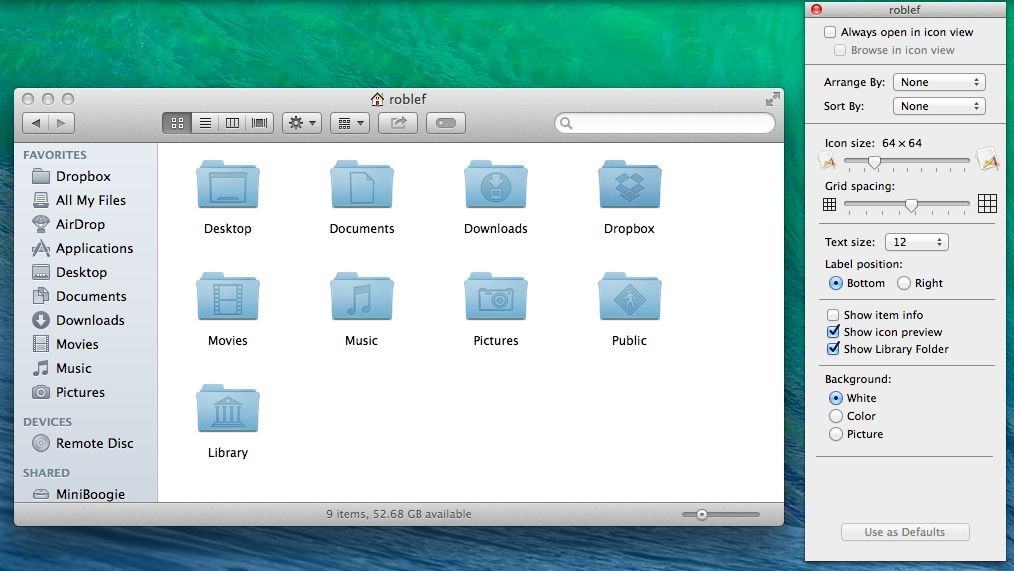
Back in OS X Lion and then again in OS X Mountain Lion, Apple hid access to the user Library folder to prevent neophyte OS X users from messing around in the areas of the file system that could cause some damage to their Macs.
That’s fine, of course, but it took a lot of messing around in the Terminal to get that access back, and who remembers Terminal commands from last year? Not us, that’s for sure.
Luckily, Mavericks has a much easier way to turn Library access on.
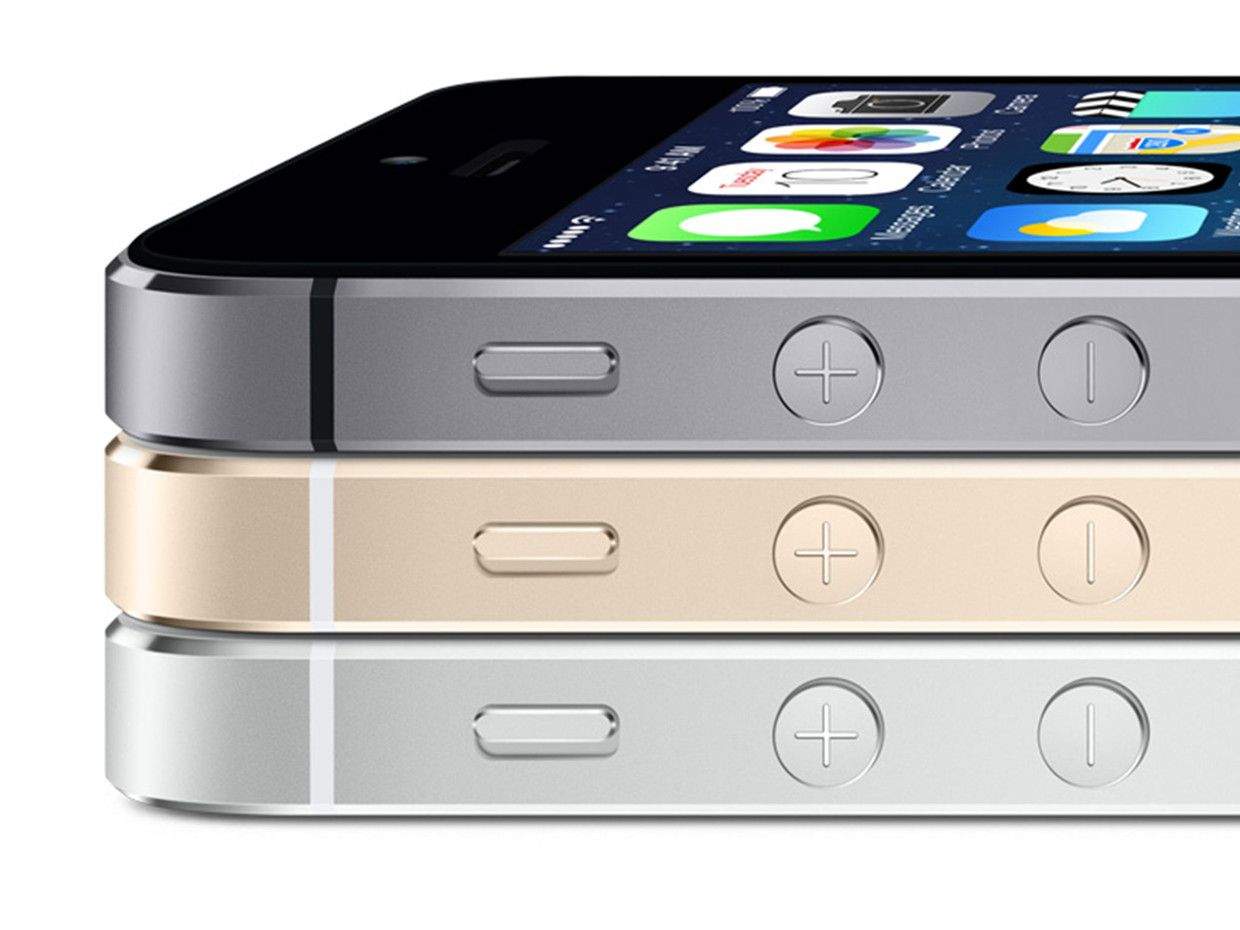
This Friday, Apple will be launching the iPhone 5s and 5c in sixteen new countries: Albania, Armenia, Bahrain, Colombia, El Salvador, Guam, Guatemala, India, Macedonia, Malaysia, Mexico, Moldova, Montenegro, Saudi Arabia, Turkey and the United Arab Emirates. But the fun’s not stopping there, with November 15th being pegged as the next launch window for Apple’s latest iPhones.
Last week, we reported that cutesy-wutesy-fuzzy-wuzzy-wumpus-bear (and Apple co-founder) Steve Wozniak was unimpressed with the new iPad Air and iPad mini with Retina Display. His supposed complaint? 128GB just wasn’t enough for a man with a huge media collection like him!
It seemed uncharacteristic for Woz to publicly bash the company he helped create. Woz is an innocent, and usually reacts to every new Apple product with wide-eyed glee, so his complaints seemed strange. For good reason, too, because Woz says he was misquoted, and actually likes the new iPads just fine.
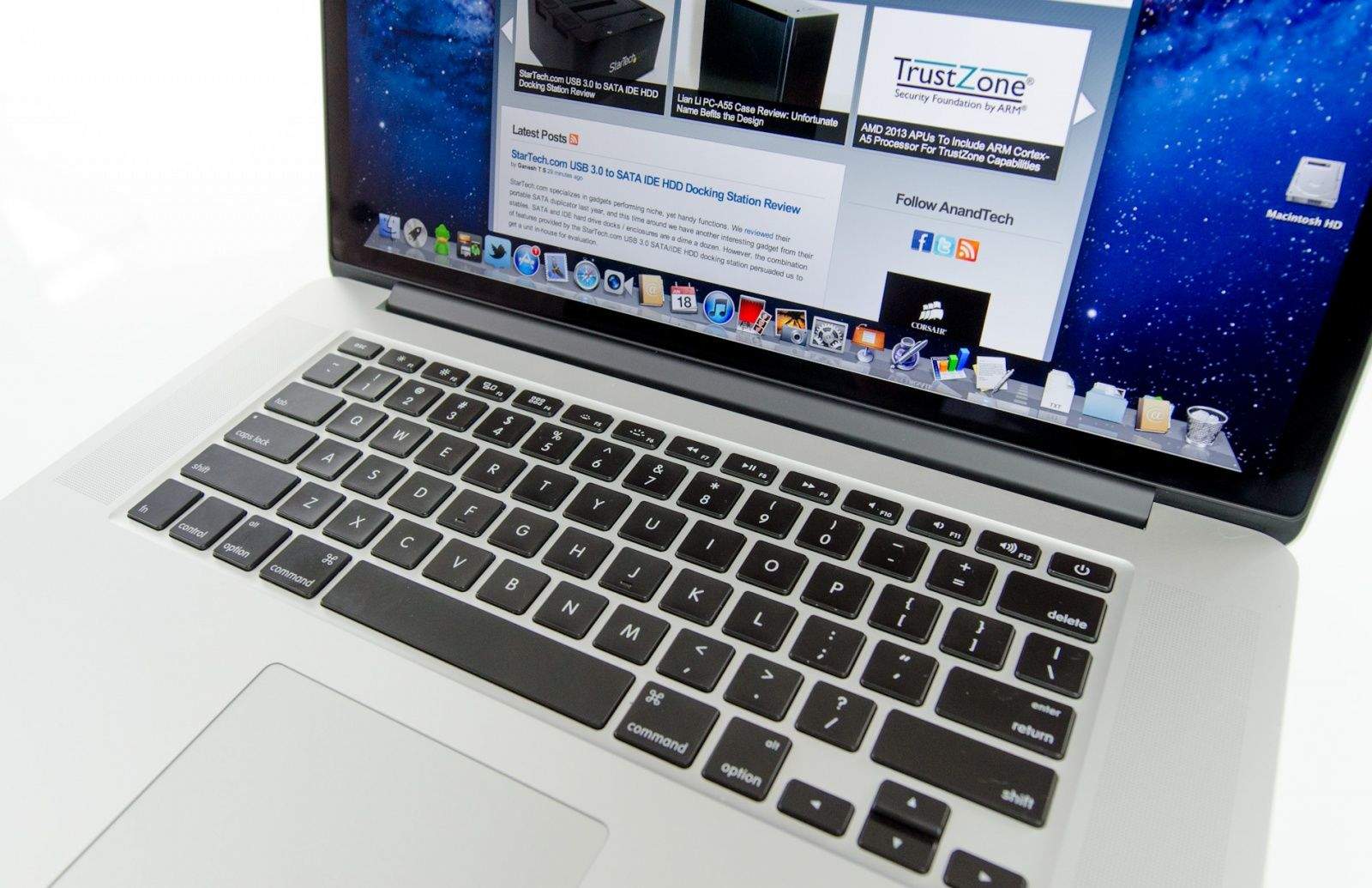
The new MacBook Pros with Retina Display may be Apple’s most powerful laptops yet, but a growing number of users are experiencing issues with both the 13-inch and 15-inch version of the laptop.
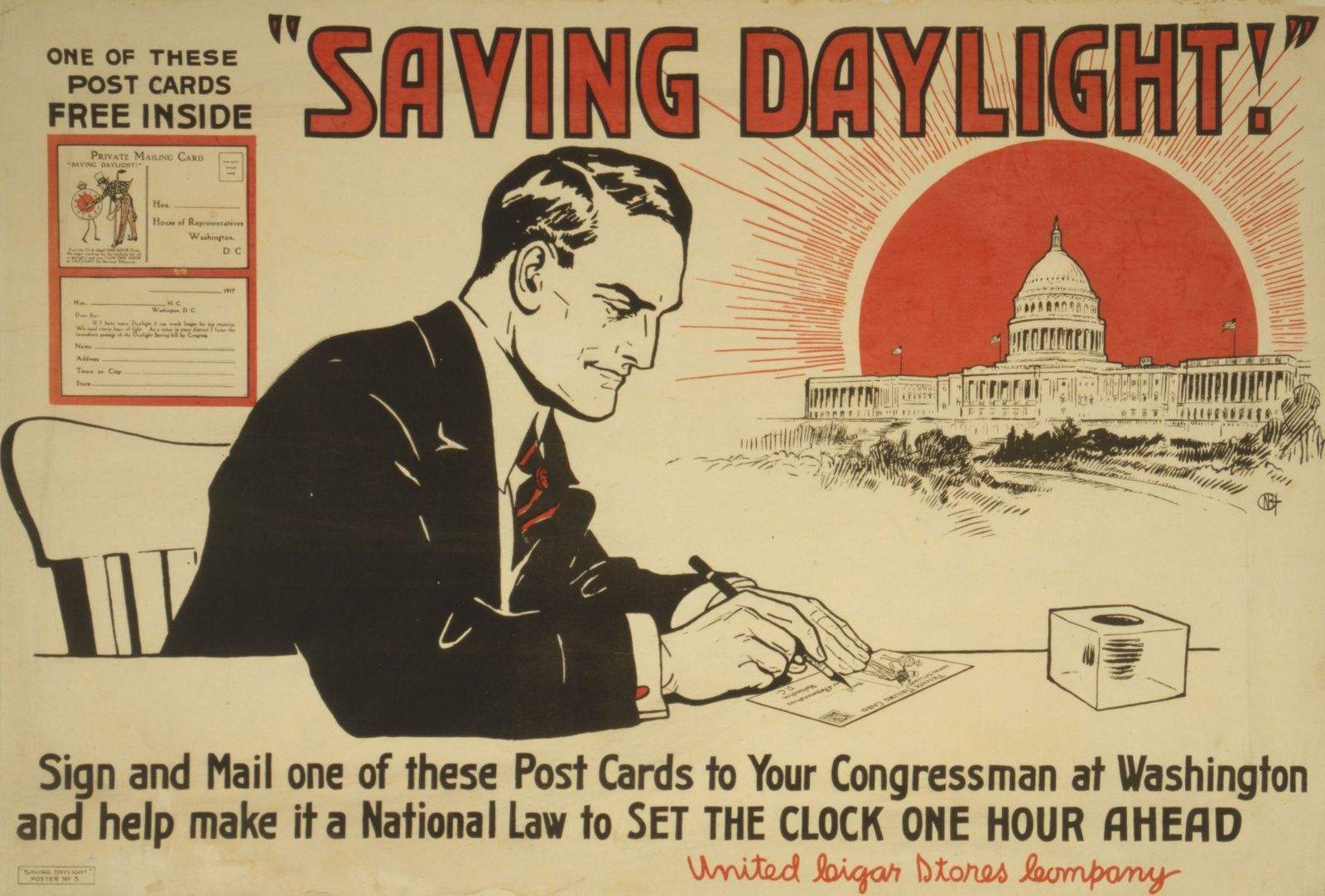
Understandably, the latest point-oh release of iOS always ships with quite a few bugs. Hey, it’s complicated making an operating system for millions of devices, things break! Almost invariably, though, there is one particular bug that repeats itself every year: an Daylight Savings Time bug that comes up time after time after time after time.
Guess what? iOS 7 has a Daylight Savings Time bug too.
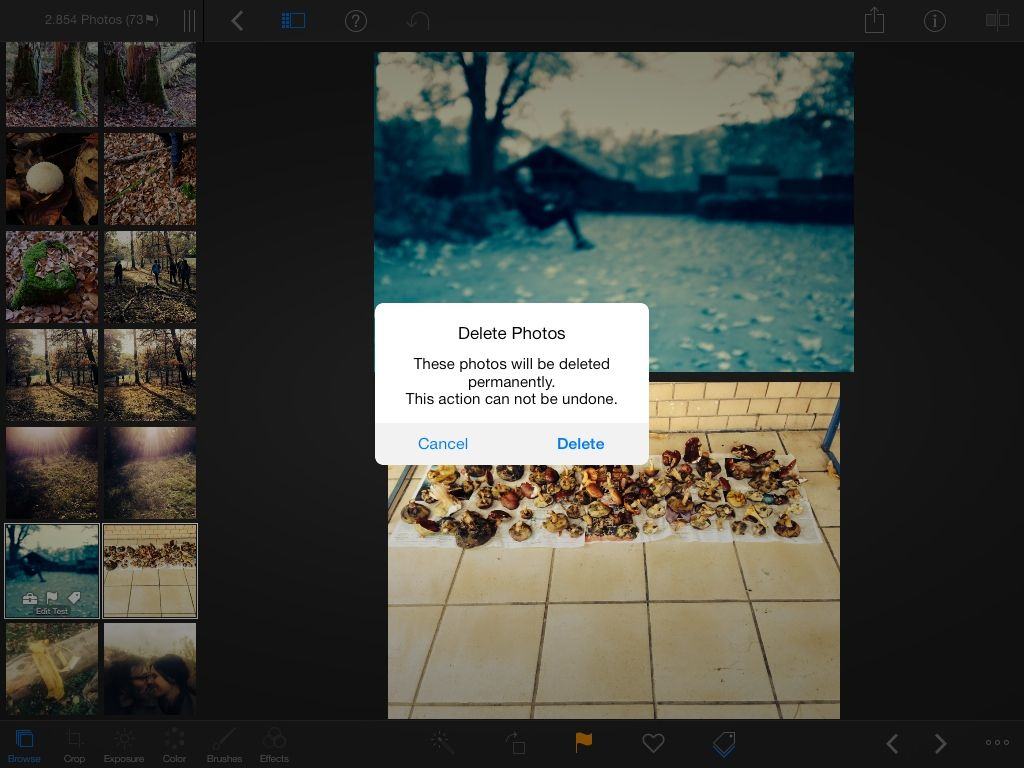
This will actually delete the photo from your iPad. Careful now!
IPhoto 2.0 for iOS has two amazing new features that no other photo editing has, nor will have for the foreseeable future: It can write its edits directly back to the iOS Camera Roll, and it can delete photos from the Camera Roll. This pretty much means you can now do all your photo organizing right from the app.
Federico Viticci, the sleepy-eyed sexpot founder of Mac Stories, made this discovery by the unusual means of actually reading the release notes of the app. And thank God he did, because it makes iPhoto around a zillion times more useful.
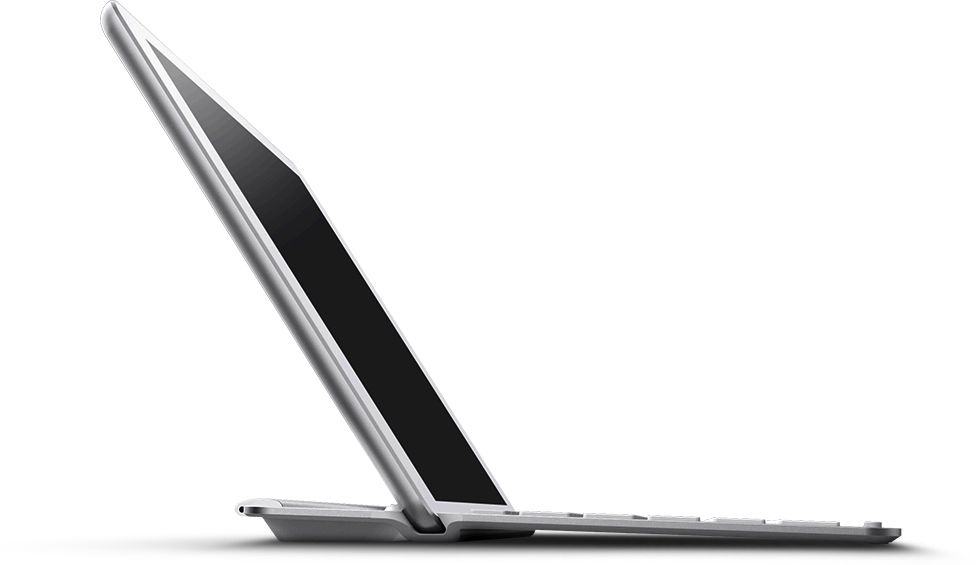
I wonder just what effect the new iPad Air will have on keyboard covers? The iPads one to four were all big enough that you could pretty much squeeze a full-sized keyboard into a matching cover, but all the keyboard cases I have so far tried for the iPad mini have been unusable, like a netbook keyboard.
Belkin’s new keyboards for the iPad Air hope that physics will continue to favor the former situation.
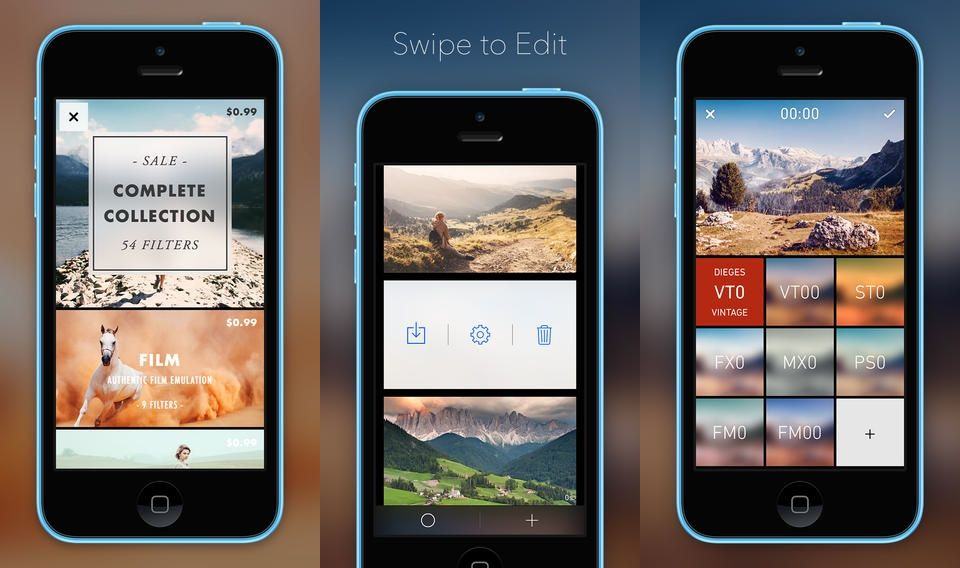
Chromic is both an video-grading app for the iPhone and a demonstration that we are all living in the future, carrying powerful supercomputers in our pockets. How else do you explain the fact that you can instantly apply any of Chromic’s filters to your video in real time as you watch it? You can even – and this is totally rad – scrub through the video and the effects are still applied as if a coat of paint had already dried on your pixels.
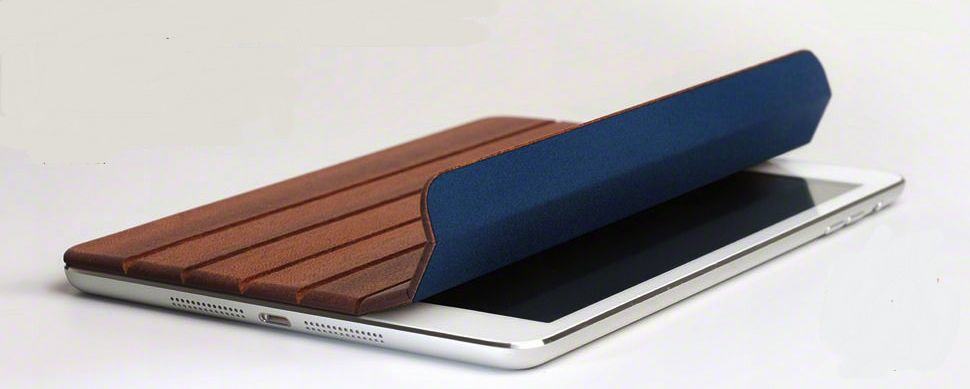
As long as Miniot keeps making its lovely wooden iPad cases, we’ll keep writing about them. The latest is this rather fetching little number for the iPad, arriving just in time to cover the front of your hot new Retina model with slivers of dead trees.
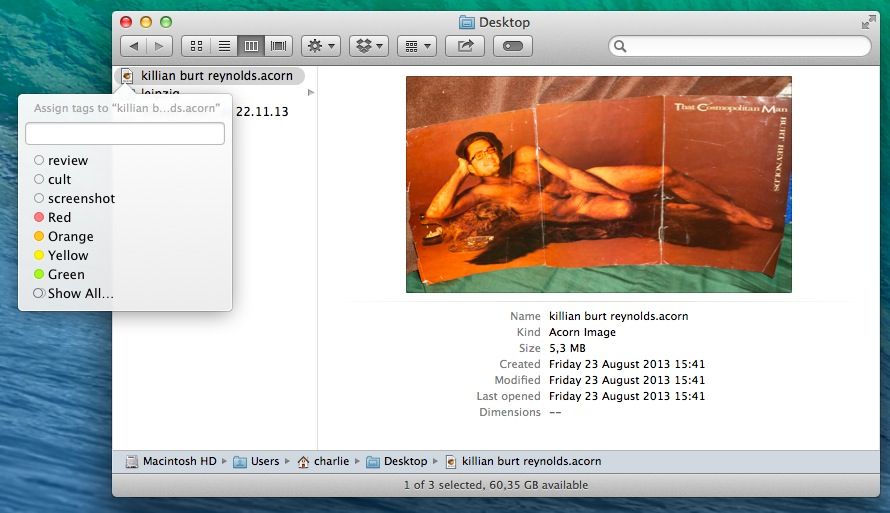
Mavericks’ new in-Finder tagging is great, letting you treat your files like you treat your Gmails and effectively keeping the same file in multiple “folders” at once. But actually tagging the files is still kind of a pain. Happily, Brett Terpstra is here to help with a rather simple tip.
CloudConvert, you will remember, is a web service that lets you convert any document from you Dropbox into pretty much any other file type that makes sense. Now, it has added support for iWork documents, letting you convert Pages documents to Word DOC and DOCX for example.
The killer for some, though, is that you can roll back your newly screwed-up iWork files to work with iWork ’09.
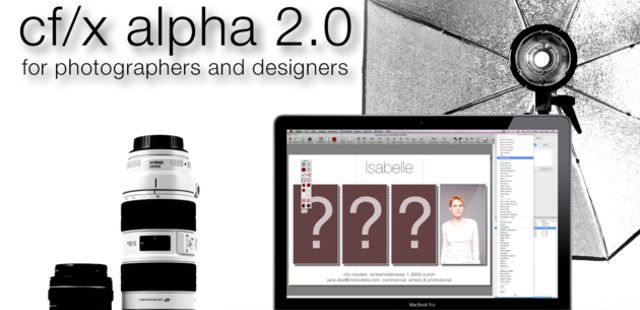
Boasting a powerful set of tools used by professional photographers, illustrators, designers, and hobbyists, cf/x alpha is the gold standard for image composition and design. If you’re looking for a better way to create multi-image compositions, this is your answer.
Dior designer Camille Miceli in the Wall Street Journal.
Even a designer at fashion house Christian Dior can’t get her hands on a gold iPhone.
Camille Miceli, Dior’s artistic director of accessories, loves her iPhone. According to a Q&A with the Wall Street Journal, she spends every morning reading daily “Le Monde” on it in bed. (Oh la la!)
Though we harbored doubts before the debut that it was the epitome of tacky, Apple’s golden iPhone 5S mines current fashion trends – the color has been glimmering more on store shelves by a whopping 88 percent.
The holiday season is quickly approaching, and if your (or a client’s) online storefront needs to be ready for seasonal discounting, we’ve put together The Complete Web Designers’ Fall Bundle from Vandelay Premier to ease your workload.
The big iPad event might be over, but take heart fellow Apple fans, there are still plenty of great Apple stories to chat about on our all-new CultCast. This episode: the iPhone stops giving motion sickness to the pukers; some of your favorite Apple apps get big redesigns; the new Macbook Pro gets benchmarked; Apple puts your passwords in the iCloud; and more!
Join us for our second CultCast this week! Stream or download new and past episodes of The CultCast now on your Mac or iDevice by subscribing on iTunes, or hit play below and let baseline roll. And don’t miss episode 96 for our MEGAsode coverage on all that was announced at Apple’s big Oct. 22nd event.
This week’s Cult of Mac Magazine is all about apps that push boundaries – enabling us to share, connect and get stuff done.
Think back: When was the last time you hitchhiked? Crashed on the couch of a stranger? Did you get your last job on the street corner? Or meet that special someone there?
You’ve probably used your iPhone recently to couch surf, catch a ride downtown, find a date or maybe even source a freebie for dinner.
We talk to experts to understand why we feel comfortable doing things with our iPhones that were traditionally “Stranger, Danger” territory and our intrepid reporters find out what happens when you catch a ride, look for work, open up your house and try to get rid of Cheetos snack packs to perfect strangers.
There’s a crazy gallery of apps that pushed Apple’s boundaries too far — remember Baby Shaker? — and an update on why you can still find your dictator of choice in the iTunes store.
Our exclusive Ask An Apple Genius column weighs in why Mavericks scrolling seem so sluggish and why the geniuses sometimes don’t seem as smart as you are.
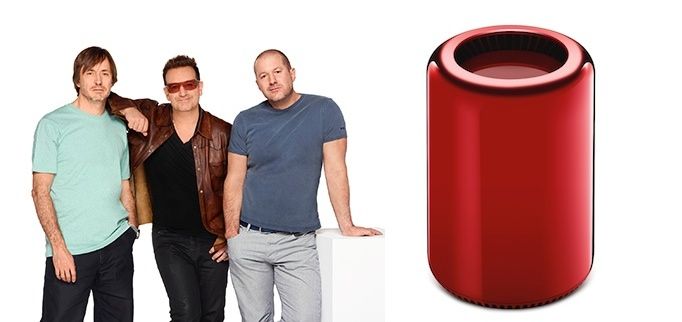
As part of their upcoming charity auction for Project Red, Jony Ive and Marc Newson announced that they’ve created a one of a kind, red Mac Pro as part of their auction for Bono’s Project (RED).
The red Mac Pro is estimated to sell for $45,000-$60,000 dollars and will be included in a lot of items to be auctioned off at Southeby’s on Nov. 23rd to fight AIDS, malaria, and tuberculosis. Jony and Marc collaborated on curating a list of items for the auction, as well as co-designing many products themselves, such as a custom Leica M, gold EarPods, and this aluminum desk.
A listing of the items in the auction block can be viewed on Sotheby’s site. Here are some more pics of the red Mac Pro:
It may be a cliche, but if the Internet has proven great at one thing, it’s connecting people. It’s allowed a million communities to bloom, big and small.
These days, the iPhone is having a similar bonding effect, but offline.
We trust our iPhones to reach out to people – sure, mainly friends and family – but also to contact complete strangers in the quest for a ride, a love match or a new job.
One effect is that we’re all becoming micro-entrepreneurs, according to Rachel Botsman, author of 2010’s “What’s Mine is Yours: The rise of Collaborative Consumption.” Peer-to-peer rentals alone are an estimated $26 billion market sector, she writes.
And it’s not just a bad economy that leads us to share our car, our leftovers or get a loan outside traditional channels, Botsman notes. That may have given it momentum, but increasingly it was the iPhone itself.
“People today are starved for community,” says Anthony Centore, a licensed counselor and founder of Thriveworks. “We’ll take some risks to connect.”
And that connection — tenuous at first — may be that you and I both have iPhones.
“I’d suggest there’s an element of trust there (with iPhones). Of ‘Well, we’re all in the same boat, they’re just like me, let’s help each other out’,” says Adrienne Andrew, a UX researcher for lifelogging app Saga. “I wouldn’t go so far to say that it’s as if we’re all vetted by Apple, but there is an element of self-selection.”
Smartphones may seem ubiquitous, but there are certain demographics that use them more and an even smaller subset that use these apps, adding to a feeling of safety when using them.
“We are more comfortable swapping houses, meeting people, and sharing rides with “strangers” because the same digital technologies that support these smartphone-facilitated encounters discourages anonymity and, with it, antisocial behavior,” says Dana Klisanin, psychologist, founder and CEO of think-tank Evolutionary Guidance Media R&D, Inc.
CC-licensed, via FromSandToGlass on Flickr.
Personal Boundaries And Sliding Doors
There seem to be two basic strategies that people take with sharing their lives with their smartphones: open book or peek-a-boo.
Centore, the counselor, decided long ago that he’s personally for the open book strategy. “Everything online is going to be who I am – everything I present needs to be public,” he says, though he has tweaked some privacy settings on Facebook but isn’t obsessive about who sees what.
His social media roster includes Vine, Twitter, Facebook, Foursquare, Yelp and Google Places. The 33-year-old, Boston-based therapist, who dated online when he was single, hasn’t tried Lyft but had a good holiday experience at a stranger’s beach house found on Airbnb.
Andrew, who holds degrees in computer science and learning design technology from MIT and Stanford, is more for the second strategy. She uses Saga’s lifelogging tool to track her bike commute to work, for example, but keeps her settings public or private depending on where the followers are based.
The app uses your iPhone’s Location Services to log where you are, connecting with apps including RunKeeper, Instagram, FitBit, Facebook, FourSquare and more. There’s a Twitter-like follow-follower model and users can decide who sees what as the stream of locations and activities is logged.
Andrew says she’s noticed her own tendencies as a “control freak” to tweak the default settings and now says she realizes she breaks down followers into three basic groups: “People I know and trust, and I don’t mind if they see most of what I’m doing, then there are people who maybe I know a little bit about them but they’re in the greater Seattle area – but I don’t know well or at all – and I don’t want them to see basically anything and then there are random people in Ireland or Florida, whom I’ll probably never meet and I don’t worry about how they’ll judge me.”
What takes most of the anguish out of sharing and participating in many of these formerly off-bounds activities is the fact that the device itself creates some accountability.
“Participants are trackable via their digital footprint and GPS technologies and in many cases, once an individual has participated in such a swap, etc., community feedback will be available to inform others,” Klisanin says.
“Providing such feedback is a form of digital altruism, an action that takes a little time, but supports individuals and their communities. While it is always important to be cautious, “strangers” who have signed up with “ride-sharing” sites are not the same as the completely anonymous hitchhikers our mother’s warned us about.”
What limits are there to sharing?
But are there limits to what you can do with an app? Some niche ideas – like exchanging breast milk – will get a lot of press but won’t necessarily take off — the target market is probably too small. However, the cost of developing an app to try out an idea is very low.
“As the cost of developing these apps goes down, it’s not that hard to throw your hat in the ring to create something,” Centore says. “Some will be wacky and some will fail, others may only appeal to a very small niche of people.”
Some services, he says, are ripe for disruptive tech. Once more of us can get our heads around the idea. For example, even though many clients use Google to find a therapist, Centore says they prefer face-to-face counseling.
When clients call one of the six Thriveworks centers, they are always offered the online counseling option but most say no. “The conversion rate is minuscule,” he says, adding that the resistance is likely because even though people are comfortable using Skype, if they’re going to therapy they want someone present with them.
“I won’t say there are no limits to what you can do with apps,” Andrew says. But when I ask about the flop of our trial with the Leftover Swap app as the outer limits to smartphone-enabled sharing, she tells me about a mom’s email list in Seattle that she belongs to where people frequently offer swaps of gluten-free flour or diapers in a heavily populated area of the city, often leaving items on their front porches for pick-up.
What’s the difference between swapping seconds on an email list and through an app?
“It’s kind of semi-curated thing and there’s a barrier to getting into it,” she notes. “That barrier is what convinces people that it’s safe. It gets back to ride sharing: finding common ground where you can say, ‘These people are like me,’ seems to be the key.”
This is Cult of Mac’s exclusive column written by an actual Apple retail store genius. Our genius must remain anonymous, but other than “Who are you, anyway?” ask anything you want about what goes on behind that slick store facade.
Answers will be published first in Cult of Mac’s Magazine on Newsstand. Send your questions to newsATcultofmac.com with “genius” in the subject line.
Did the scroll speed change on OS X Mavericks? How can I change it?
Mavericks is designed to make your Mac run faster and more efficiently with better RAM and CPU management. Depending on the hardware and contents on your Mac, these changes may cause scrolling to either speed up or slow down with the upgrade.
The day after Mavericks was released, a customer came to me with this same question. Apple hasn’t officially stated that the scrolling speed has changed and I haven’t noticed it on my own machine, but a quick search revealed a number of people were experiencing either faster or slower scrolling speeds than previously.
There is a simple fix. Go to the System Preferences app >> Accessibility >> Mouse and Trackpad >> Trackpad options or Mouse options, then adjust the speed with the slider there.
Smooth scrolling!
Why is it that every time I go to the Genius Bar I walk away believing that I’m smarter than they are?
Maybe you believe that Apple Geniuses know everything there is to know about every apple product and service and while many of us come pretty close to that standard, for most people this is just not the case. We see a wide variety of issues at the bar and everything is near impossible.
We get a lot of training, but Apple’s product lines are so vast and have been around for so long that it’s impossible for a new hire to pick it all up in just a few short months. If you encounter an issue that your technician is unfamiliar with, there are some basic troubleshooting steps they will perform to isolate and find the cause of your issue so it can be fixed. They may need to reach out to other resources. Be patient: they are working to help you.
Another thing to keep in mind is how much the average customer knows about their product.
I am amazed at the number of people who don’t even know how to backup their device, let alone what a backup is, so we gear our service towards those people. Sometimes we sound dumb when really we are just covering our bases to make sure we don’t get “hung by our lanyards” later for assuming that a customer knows what we’re talking about.
Why do iOS device home buttons fail so easily? Has Touch ID improved its durability?
The home button can become unresponsive for a number of reasons. You may be running low on application memory causing overall unresponsiveness. A reboot will clear the memory, but if it’s still a no-go then a restore might be needed.
Dirt and other debris (like remnants from today’s Cheetos) can also cause home button problems. Try cleaning the button with an alcohol wipe and keep your hands clean while handling your device. Seriously. The home button can take a hefty beating but some do fail. The cable that connects your home button may have failed, which can be replaced by a Genius, though sometimes we have to replace the whole display on newer iPhones to remedy home button issues.
The original home button function on Touch ID devices has improved, but many have reported issues using the sensor. A couple of rules to keep in mind with Touch ID: keep your fingers clean and make sure to scan all parts of your finger that press the button. Touch ID is brand new but Apple is supposedly improving the software for the button as it is used.
A few years ago, developers pushed a lot of boundaries in the iTunes store. Either that, or the minions who OK’d them in a Cupertino basement needed more coffee, better judgement and probably a raise.
As you’ve seen from our gallery of banned apps, the world really doesn’t need to play Baby Shaker with an iPhone. A lot of these apps made a peek-a-boo in the app store and were never more.
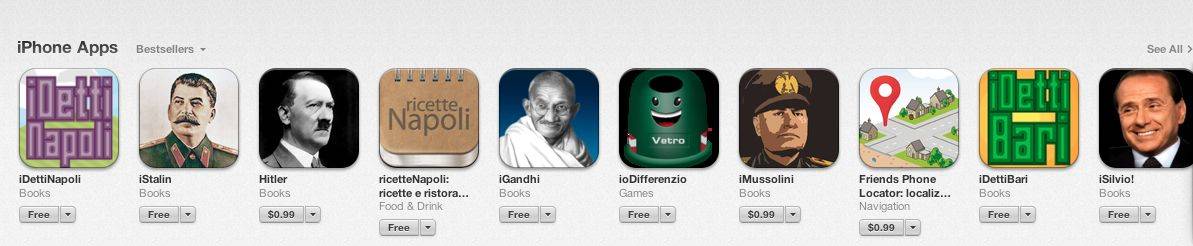
But as the virtual store becomes more like a bazaar for its wide range of offerings, you can find just about anything there – including apps about controversial figures like Hitler, Stalin and Mussolini.
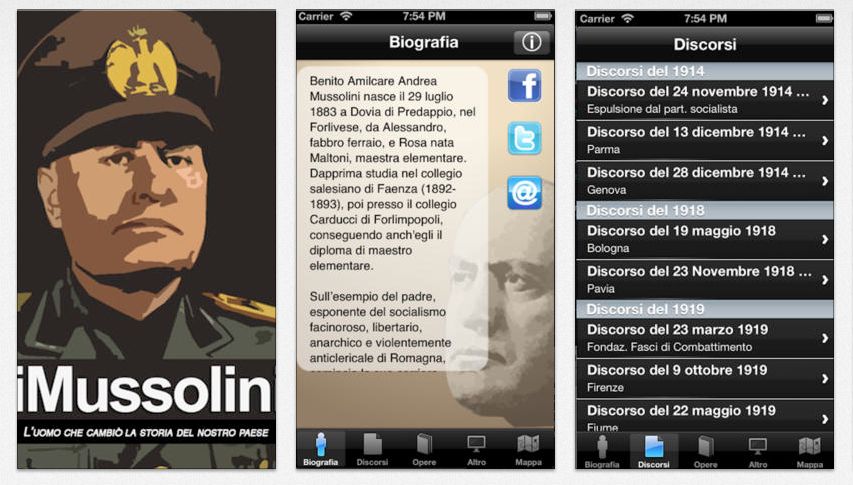
In 2010, Italian developer Luigi Marino made a media splash with an app about dictator Benito Mussolini. The iPhone app of Mussolini’s speeches was the second-highest paid app in the Italian iTunes store a week after launching despite criticism for giving voice to Il Duce’s diehard fans. The app, available in the US store but published in Italian, costs $0.99 with additional in-app purchases for maps and videos.
It seems there is a kind of double standard for quote apps of controversial figures. For example, the US iTunes store features a bunch Dalai Lama teachings and quotes apps, but these were all removed from China’s iTunes store leading to cries of censorship. And if Il Duce doesn’t do it for you, there are still apps available on Che Guevara and Franco, too.
Apps by Luigi Marino.
After Mussolini made a hasty exit for copyright violations, it was reinstated soon after and has been available ever since. Marino kept on developing apps, adding iStalin, Hitler and iGandhi to the store.
He told told Cult of Mac that there were some hiccups getting the Hitler app into iTunes. In fact, it remains unpublished in the Italian store after Jewish groups protested but it is on sale in Germany, where Mein Kampf has been banned since 1945. It’s the grim jaw of Mussolini, however, that Marino says attracts the most buyers.
“I still get emails every day about iMussolini,” Marino, who lives in Naples, Italy, said. “There is a lot of engagement – in my opinion it increases in times when there are more political problems.”
A $1.99 iPad app version released in March allows users to upload pics of fascist memorabilia to a gallery and share info from the app on Twitter, Facebook or via email.
Marino, now CEO at mobile development agency Creact, says he has about 20-25,000 users registered for push notifications for iMussolini.
When you buy an iPhone, you agree to live peacefully within the beautiful walled garden that Apple’s engineers have created. All the important decisions have been made for you, from the font size in iMessage, to wallpaper options, even the way you align app icons on a page and name folders.
Having Apple’s team do all the work is nice, but it also means you can’t install any app you want. However, some daring developers have managed to sneak their way through the App Store approval process long enough to completely shock us before being quickly ejected from paradise. Wander into darker corners of the App Store with us as we take a look at 10 of the most extreme apps Apple has banned.
Girls Around Me
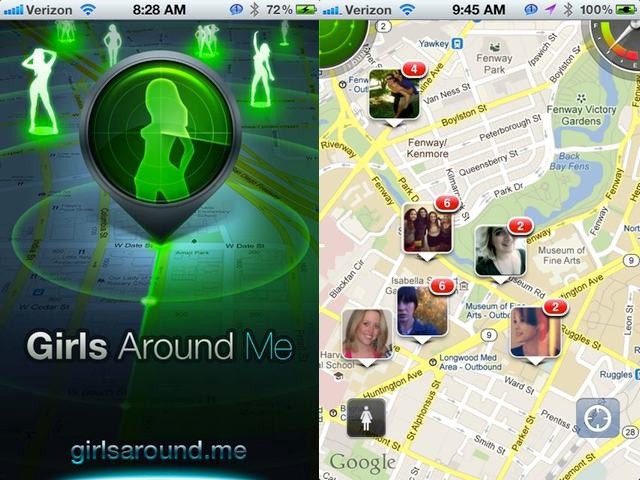
We caused quite a stir last year when we broke the story about Girls Around Me — an iOS app by Russian-based app developer i-Free that allowed users to stalk women in their neighborhood without those women’s knowledge, right down to their most personal details.
Foursquare was quick to respond within hours, cutting off the API access that the app relied upon to function. Facebook also reached out quickly with a reminder on how to keep your photos private, and then Apple dealt the final deathblow with official banishment from the App Store, but the app still served as a punch-in-the-face reminder that you never know who’s accessing your data and what they’re using it for.
I Am Rich
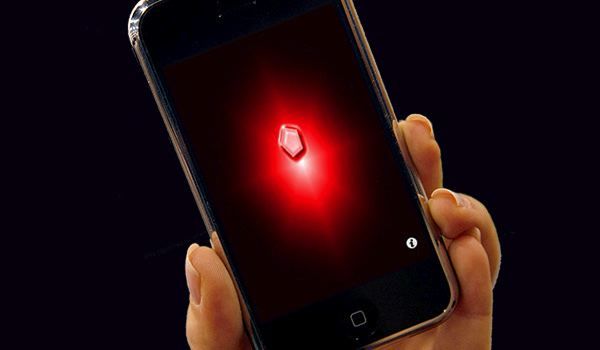
I Am Rich’s sealed its spot as a legend in the history of banned iOS apps, not because it gave users some controversial function, but because it charged users $999.99 to do absolutely nothing. Never again will you get to spend a grand for an utterly useless program that just displays a red gem to flaunt your wealth to passersby after Apple banned the app in 2008.
WikiLeaks
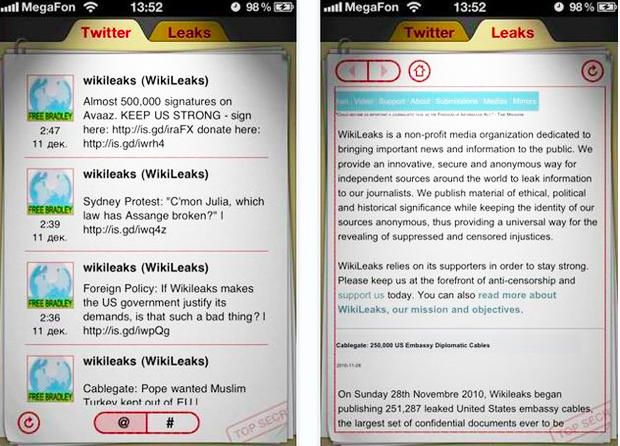
Ever since the Wikileaks dumped hundreds of thousands of diplomatic cables up on their site for everyone to see, traditional companies have been trying to disassociate themselves from the whistle-blowing wiki. In rapid order, Wikileaks lost the support of its host, Amazon, their DNS provider, PayPal, and MasterCard. Then Julian Assange got a ballsy idea to create an iOS app so users could get all his leaked docs on the go. Apple wasn’t keen on the idea and banned the Wikileaks app for failing to meet the personal attacks part of the user agreement, and said it could be a potential threat to iOS users.
Baby Shaker
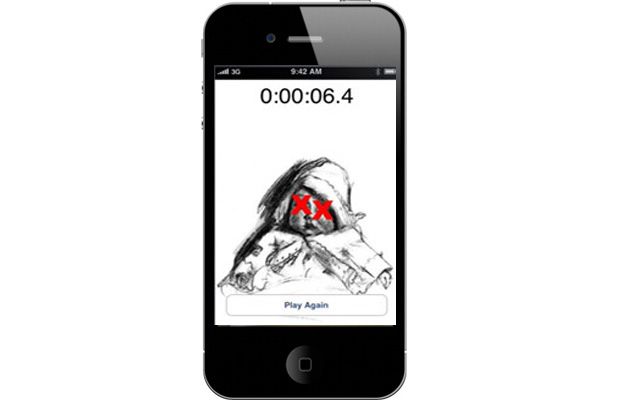
Baby Shaker only lasted a few hours before outrage over this game – where you silenced the kid by shaking the iPhone until their eyes get X’d out — got it whisked out of the iTunes store. Apple eventually admitted that approving the app was a mistake.
Prohibition 2: Dope Wars
Ever dream of being a dope dealer, slinging dope with the best of ’em just like those guys on the The Wire? Prohibition 2: Dope Wars allowed users to pretend to be drug dealers in New York City, trying to make fat stacks of mad cheddar in 30-days by selling PCP, ecstasy, cocaine, acid, and all manner of other illegal substances. Unfortunately, Steve Jobs didn’t have similar dreams of being the next Heisenberg, and the app was quickly banned.
Super Monster Bros By Adventure Time Pocket Free Games
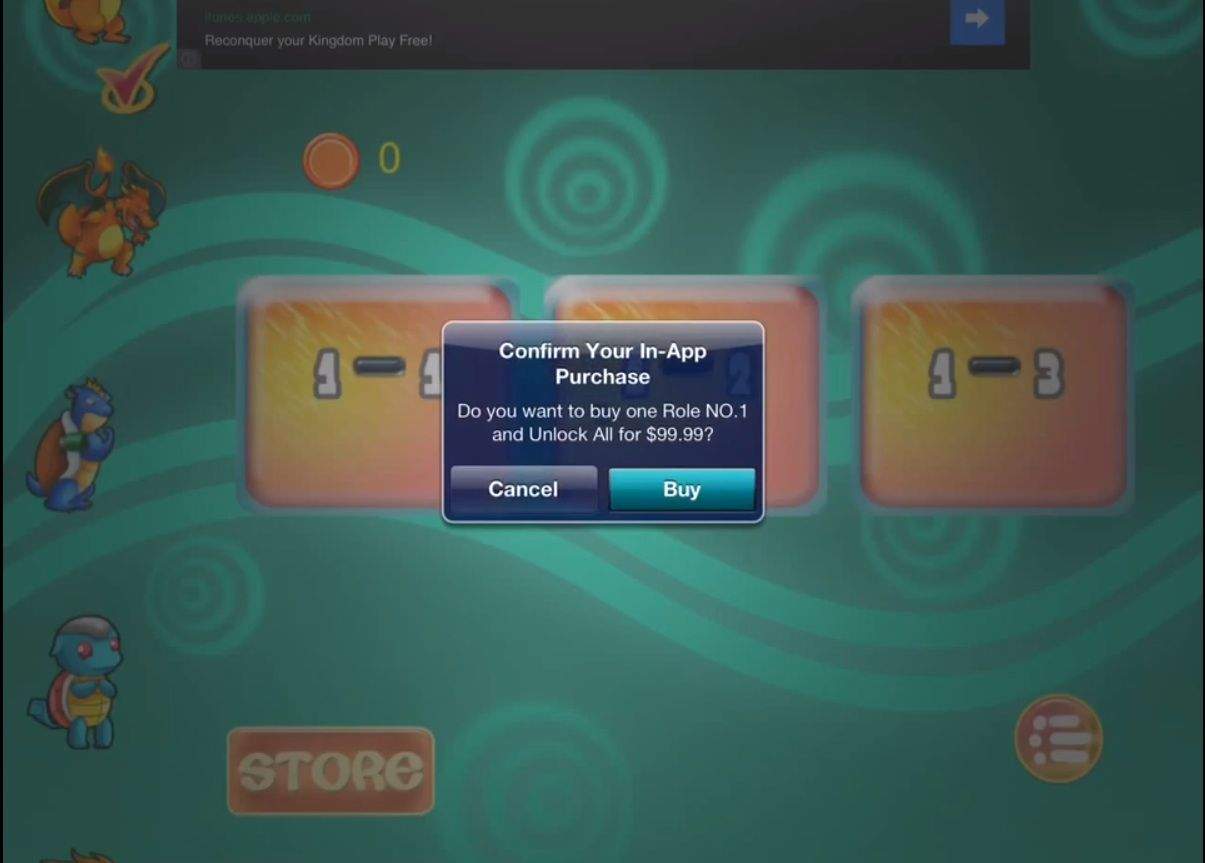
Super Monster Bros By Adventure Time Pocket Free Games. Yep, that’s the entire title. Bodes well, doesn’t it? I bet you’re itching to play it. Sadly, though, you can’t. Apple’s already yanked it from the App Store. You probably didn’t want to play it anyway, though: it has to be the most shamelessly abusive examples of in-app purchases that the mortal mind can comprehend.
The game itself is just a lame Super Mario Bros. shovelware clone, that bizarrely appropriates Pokemon characters and sounds from the Mario series. From that standard alone, then, this game would violate Apple’s policies because of blatant IP theft… but that’s not the only violation it committed. Everytime users tapped the screen, you’d get a pop-up asking if you’d like to drop $99.99 on a new character, or $49.99 on some more shots from your weapon.
The amazing thing here isn’t that Apple banned it, it’s that they didn’t catch any of this to begin with! Especially considering the fact that the developer, Mario Casas, seems to reupload this exact same game to Apple — with the exact same in-app purchase scheme — every couple of months with a new name and new graphics, scamming players until he’s caught. And thus the cycle starts anew.
Slash
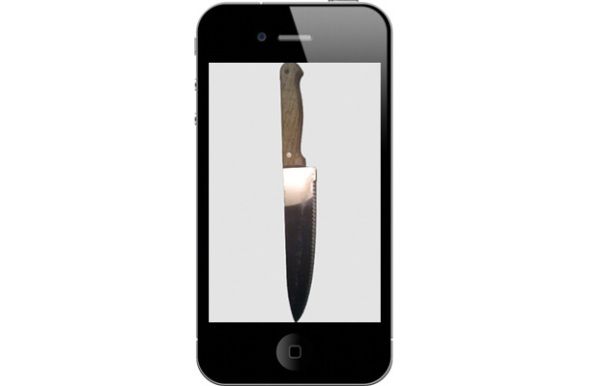
For those dressing up as a serial killer this Halloween, Slash is the app for you – if only you could still get your hands on it. Released back in 2009, Slash appears harmless at first by displaying a regular kitchen knife against a drabby background. But then you hold your iPhone in your hand and start making stabbing motions and, the app comes to life while playing the Psycho theme. Kind of creepy. After a wave of teen stabbings in the UK, Apple quickly decided to pull the app a few days after its release.
Exodus International
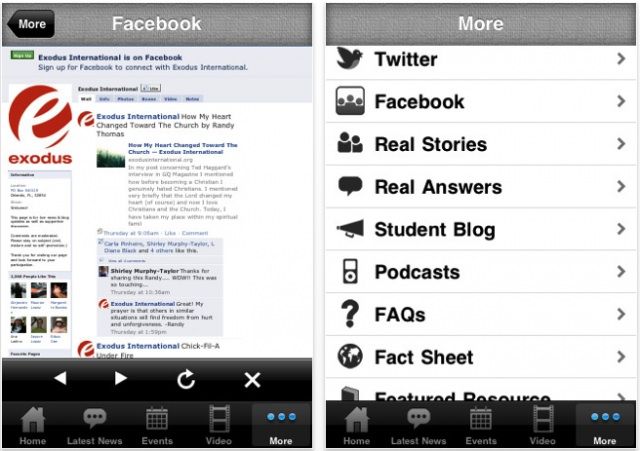
Exodus International was an app designed by Christian Ministry that claimed to be “a useful resource for men, women, parents, students, and ministry leaders” over what it calls “homosexual struggles.”
The organization behind the app touted that it had “over 35 years of ministry experience…committed to encouraging, educating and equipping the Body of Christ to address the issue of homosexuality with grace and truth,” which served to just piss off a lot of gay and straight people who hated the gay cure app. After some 145,000 people signed an online petition demanding it be removed due to its attacks on homosexuality, Apple finally pulled it from the App Store.
iHottiez
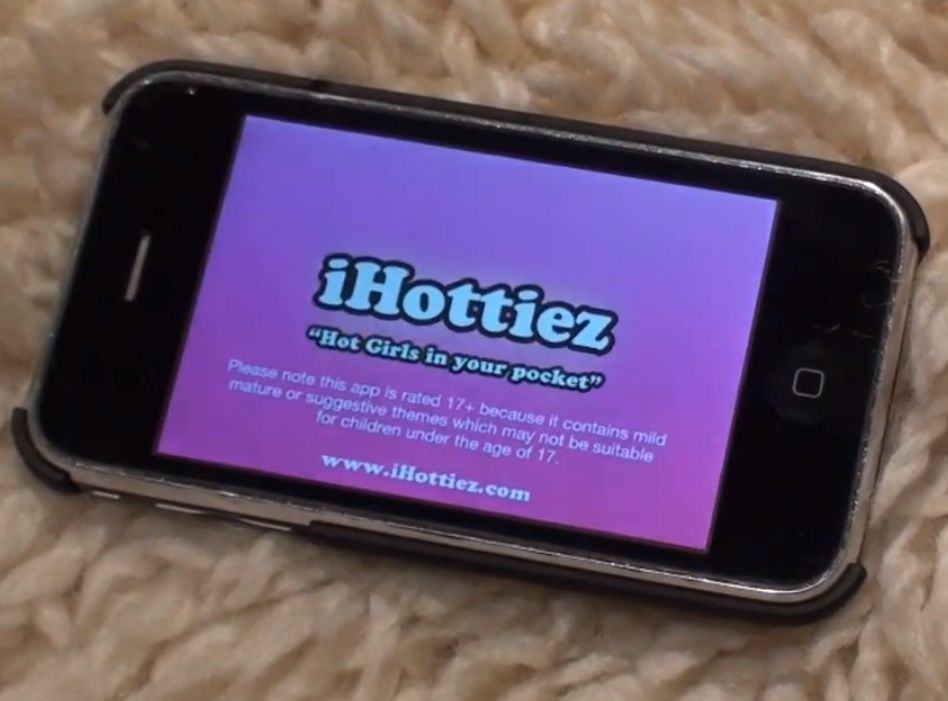
The iPhone and iPad have been a revelation for every type of media industry in the world, including porn. iHottiez dreamed of being a type of Girls Gone Wild app for the iPhone by providing users with “hot girls in your pocket.” You could swipe between different bombshells, tap on them to make them dance, catch private shows, and hear all the dirty talk your ears could stand. The app’s lifespan was cut short though as El Jobso put the kibosh on it as he declared the holy temple of the App Store is not fit for pornography.
Herb Converter
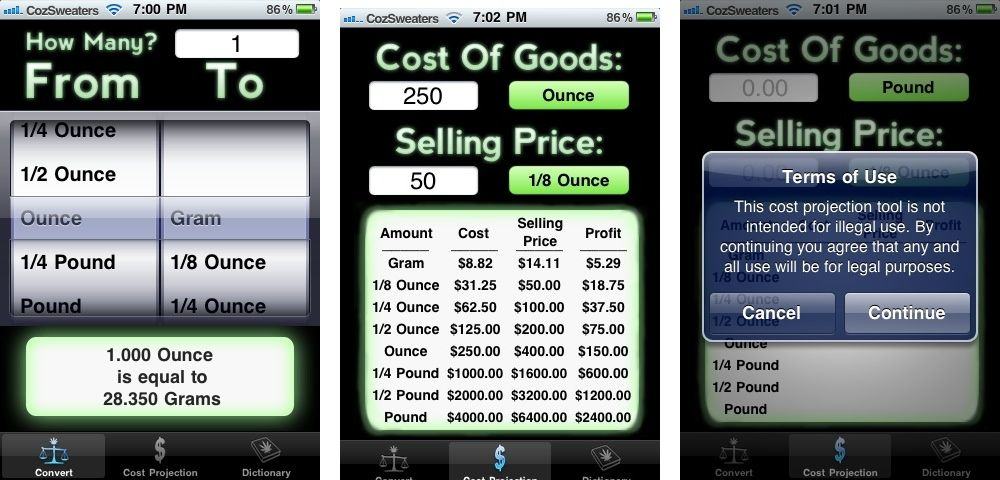
Buying and selling weed sounds like it would be a straight up process but calculating exactly how much you want and how that translates into grams and ounces can go over a stoners head quickly, especially when chemically enhanced. Herb Converter cleared up all the confusion with selling weed by providing an ounces to grams conversion tool coupled with a tool to calculate ounce fractions as well as profit projection for dealers.
Stoners complained that the app wasn’t fully developed and needed other features like price variations and how-to’s on rolling joints, but Apple had an even bigger problem with the app and decided to toss it from the App Store.