The external monitor support in Mavericks is much improved, as we noted in yesterday’s tip on getting the Dock to show up on your second monitor.
The menu bar itself will dim when you’re not actively on a specific monitor, as well. In other words, if you’re using monitor A, the menu bar will look opaque, as per usual, while it will dim and go see-through on monitor B. When you switch your active focus by using the cursor on monitor B, though, the menu bar will brighten and not let you see through it, while the menubar on monitor A will go semi-transparent and dim.
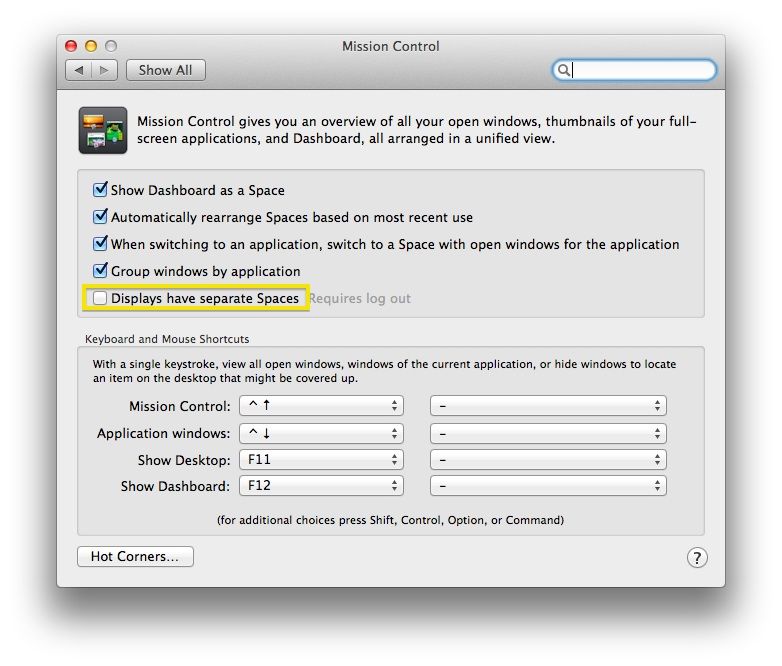
There is a way, however, to just hide the menu bar altogether on your secondary monitor, if that’s how you want things to work. The preference is in an unintuitive place, though.