Mobile menu toggle

Top iOS Apps Of The Week

By

Spender

Browsing the App Store can be a bit overwhelming. Which apps are new? Which ones are good? Are the paid ones worth paying for, or do they have a free, lite version that will work well enough?

Well, if you stop interrogating me for a second, hypothetical App Store shopper, I can tell you about this thing we do here.

Every week, we highlight some of the most interesting new apps and collect them here for your consideration. This time, our picks include some collectors of videos and interesting articles, an app to help you get better sleep, and another that might give you something to do while you’re doing that.

Here you go:

Spender: Expenses Only — Finance — Free $0.99 [thanks, commenters]

If I want to be reductionist here, money management has two general components: maximizing income and minimizing expenses. For many people, the second part is more difficult because sometimes you really, absolutely need to own that box set of The Adventures of Brisco County, Jr.

Spender: Expenses Only is a quick and easy way to itemize and organize your bills, and it even tells you how much you’re spending on average daily. And once you look at your costs in that vacuum and see just how much you’re blowing on Pez and action figures without seeing the income to offset it, you might want to change some things.

Spender – Expenses Only

Inlight

Inlight — Lifestyle — Free

If you have a few minutes to stare at your phone, and you don’t really feel like watching a video, you might want to look into Inlight. It’s a really good-looking app that collects articles from the Internet in one place and lets you browse by categories like “Me Time” and “Nourish.”

So that’s a little weird, but I found a lot of interesting stuff in there. For example, now I know, as a man, which 21 compliments I crave. And that’s just news I can use.

Inlight

5by

5by — Entertainment — Free

Everyone likes funny and/or interesting videos from the Internet, but who has time to go look for them? Especially when you just have a few minutes to kill while you take care of business in your “second office?” StumbleUpon is here to help with 5by.

The video aggregating app has been out for a little while, but it just got a shiny, updated look that makes it look all current and fabulous. You can find videos based on what you’re doing and how long you have, and it’ll just stream them along to you. So don’t worry; you don’t have to just sit there staring at your shoes anymore.

Or like your knees, or whatever.

5by

Road to Sochi

2014 Team USA: Road to Sochi — Sports — Free

The 2014 Winter Olympics are coming up fast, and if you feel like a bad American for not having any idea who is competing on our various national teams, The U.S. Olympic Committee has an app for you.

Here in one simple interface, you can find athlete bios, news, team rosters, and more handy information to prepare you to watch people in ridiculous shape do incredible things while you sit on your couch and create new and elaborate curses for various judges.

It’s the true spirit of the Olympics, really.

2014 Team USA: Road to Sochi

Best Sleep Hygiene

Best Sleep Hygiene — Health & Fitness — Free

Alright, so “sleep hygiene” is kind of a weird way of describing one’s sleeping habits, but this is a pretty useful app, regardless.

It starts out with a questionnaire that asks about your pre-bed routine, including how much TV you watch, alcohol consumption, and when you ate your last full meal, and then it ranks your results and offers suggestions for how you might make your sleepytime more effective.

My results put me in the bottom 25 percent of respondents, which is probably why I spend all day lapsing in and out of consciousnnnnnnnnnnnnnnnnnnnn–huh? I’m up. What are we doing?

Best Sleep Hygiene

Lucid Dream Ultimate

Lucid Dream Ultimate — Utilities — Free

While you’re getting all that sleep we talked about in the last app, you might as well pay some attention to your dreams.

Lucid Dream Ultimate is a dream journal and reality checker that plays a noise during the day that cues you to remind yourself that you’re awake. It’ll send you the same noise throughout the night; the idea is that when you hear the noise in your dream, you’ll realize you’re dreaming, and then you can start the important business of conjuring up all the Ancient Psychic Tandem War Elephants you’ve ever wanted.

Plus one of the tones is an Inception-esque “BWAAAAAAAH,” and that’s just straight-up magical.

Lucid Dream Ultimate

Dungeon Keeper Really Wants To Reclaim Its Former Glory [Review]

By

You tap on floating icons to interact with rooms or harvest resources.

Dungeon Keeper on iOS is a free-to-play re-imagining of the classic Bullfrog Productions/Peter Molyneux PC game from the late ’90s. I really loved old school Dungeon Keeper as a kid, and it is one of the few tower defense/strategy titles I’ve ever enjoyed. So, no pressure on this iOS version, right?

Dungeon Keeper by Electronic Arts
Category: iOS Games
Works With: iPhone, iPad
Price: Free

Unfortunately, the mobile version of Dungeon Keeper suffers from very predictable free-to-play problems. Expanding your dungeon was never totally carefree in previous version of the game, but as your imps work to clear out 3×3 or 4×4 spaces for new rooms, they’ll quickly plow through soft rock which takes a matter of seconds but suddenly run up against walls that can take an entire day to knock down! So the breakdown is a few seconds, four hours, or 24 hours. That’s not well balanced at start.

‘Slip’ Might Prevent Some American Psycho-Style Business-Card Freakouts

By

Slip

Slip — Utilities — Free

Slip knows that exchanging business cards can be annoying. You have to find your cards and then take theirs and then maybe jam it into the back of the thing where you keep your cards, and hopefully it fits. And then later, you find their card and can’t remember why you’d met in the first place.

So instead of that, Slip uses Bluetooth to exchange contact information wirelessly. You go in and toggle which bits of information you want to share and just flip it over to another user with a single swipe. You can also text or e-mail it to people without Slip, but that’s not as much fun.

Slip – Yodel Code

Moby’s Revenge: We Are All Made Of Starfish [Review]

By

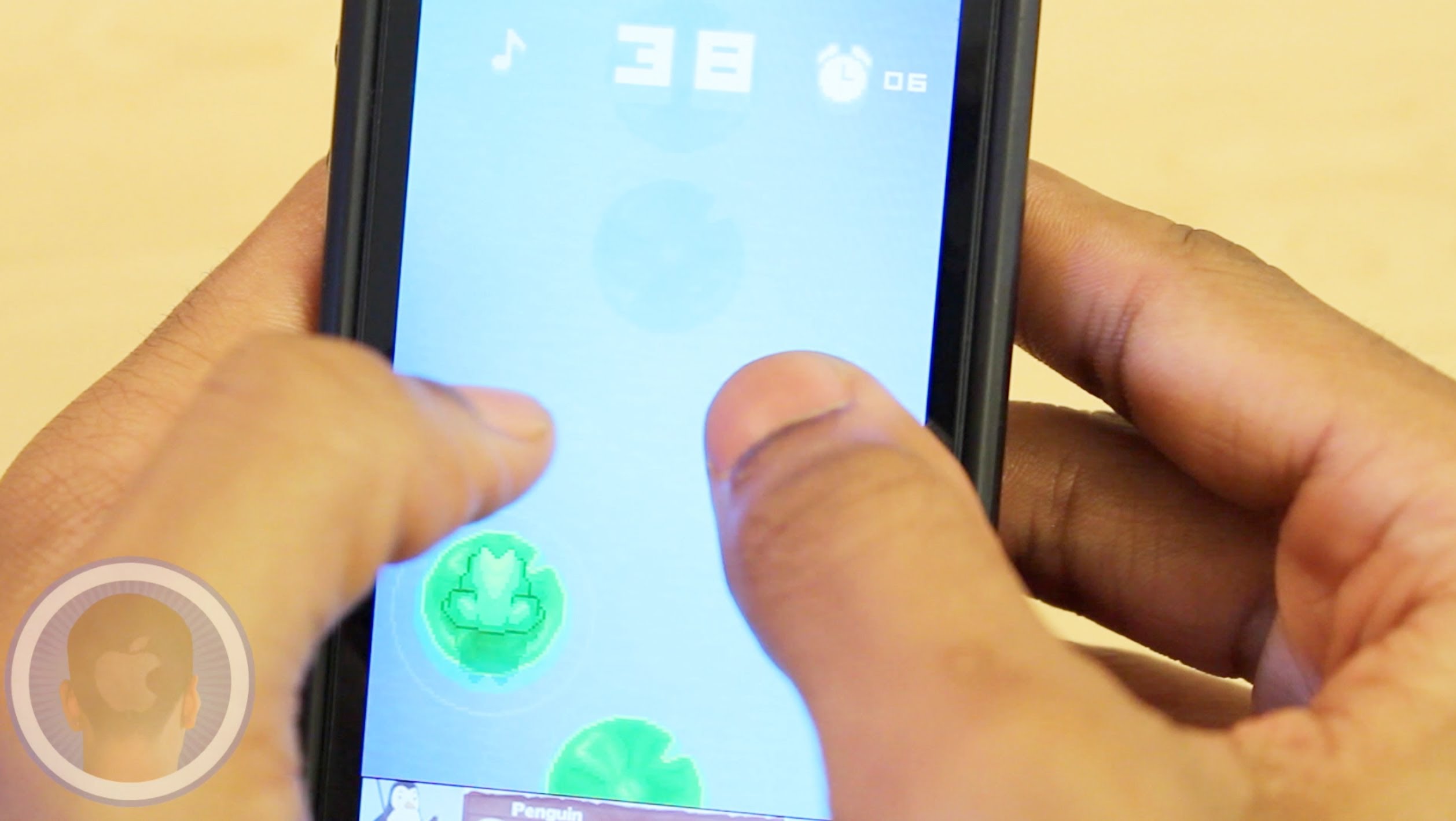
Moby's Revenge

I love developer Halfbrick’s endless runner Jetpack Joyride as much as anyone, but it always felt like it was missing something. And I never realized what it was until very recently. And then it hit me: baleen.

Baleen didn’t actually hit me; that would be gross. It’s all stringy.

Moby’s Revenge by Patrick Ferling
Category: iOS Games
Works With: iPhone, iPad
Price: Free

Moby’s Revenge is a new endless title about a cute whale who escapes from an aquarium and has to avoid harpoons, mines, nets, and boats on his frantic and infinite swim toward freedom and wholesale slaughter of evil, Seaworld-running humans.

It sounds dark, but it isn’t.

Wallgram Turns Instagram Photos Into iPhone Wallpapers

By

wallgram

If you’re anything like me, you’ll change your iPhone’s wallpaper on a regular basis to keep things fresh, but finding a good one isn’t always easy. At least that was the case — until Wallgram came along. Wallgram isn’t just another photo bank full of images; it uses Instagram photos uploaded by your friends to create beautiful parallax wallpapers.

How To Un-Clutter Your Mac’s Menu Bar [OS X Tips]

By

menu bar de-clutter

I swear, the more I learn about the Mac OS X operating system, the more there is to know!

There are so many little hidden key strokes on the Mac that help you do all sorts of things, and there’s really no way to find them out.

This little gem is something I just found out today, and I’ve been sending you OS X Tips for the better part of two years.

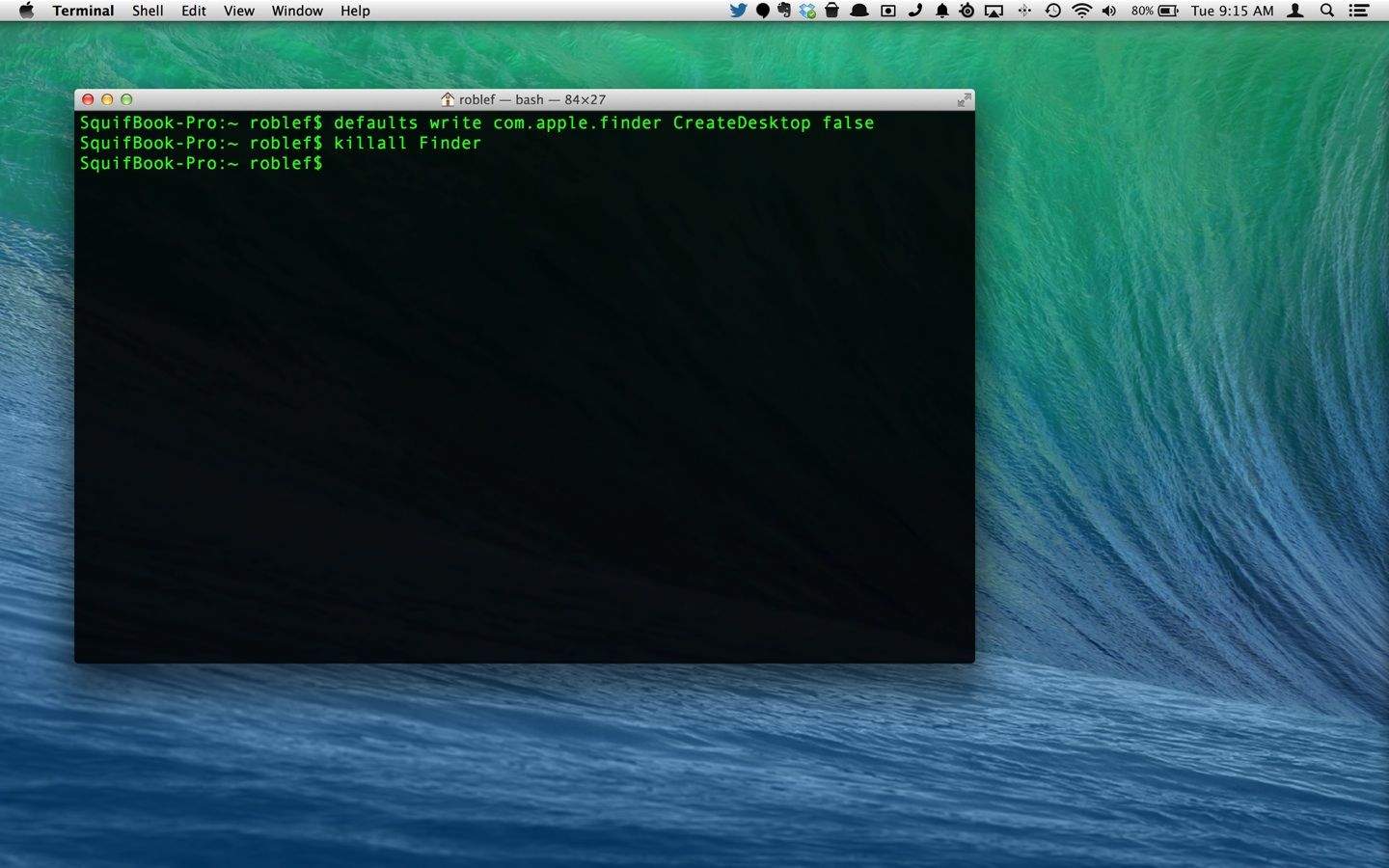
To get rid of the system menubar icons, you can drop into each System Preference pane and uncheck the “Show in Menu Bar” option, or you can just do this.

Facebook Paper For iPhone Is More Than Just A Beautiful Newsreader

By

Facebook-Paper

Facebook today announced a new standalone iPhone app called Paper, and you’ll be pleased to hear it’s nothing like any of the Facebook apps that came before it. Paper’s main focus is to make all the news you’re interested in easy to access it, but it’s much more than just a newsreader; in fact, it does enough to replace the regular Facebook app for more users.

Nintendo Backpedals On Its ‘No Smartphone Apps’ Claim

By

post-264607-image-b36ddaf51e7392a7f6a2c371aac334f8-jpg

For gamers, the question of whether Nintendo will/should develop titles for smartphones has been hotly debated in recent weeks — with reports suggesting either way seemingly being shot down on a daily basis.

In  a reversal of a previous denial (got that?), Nintendo has now confirmed that it will use smart devices as a platform for apps and promotions, after all — but that there are currently no plans to port core titles over to Android or iOS.

Apple’s U.S. Sapphire Glass Factory Might Open As Early As Next Month

By

Touch ID as you know it could be about to change.
Photo: Apple

Apple could open a sapphire glass manufacturing facility in Arizona as early as February, according to recently published correspondence between the company and state regulators.

Analyst Matt Margolis unearthed documents that mention the Mesa plant — described as “Project Cascade” — and note that it would be used to manufacturer “a critical new sub-component” for a future Apple product.

Carrot Fit Is An Hilarious Fitness App To Make Losing Weight Suck A Bit Less

By

post-264592-image-b788730e7e0ef6493bdf63926143c31e-jpg

Carrot Fit is the new app-with-attitude from the makers of Carrot To-Do and Carrot Alarm.

Welcoming you with a message of “Greetings, tubby human” from “your new fitness overlord”, Carrot Fit is a harsh-but-hilarious taskmaster dedicated to making weight loss suck a little bit less.

As the developers explain, “Carrot is a sadistic AI construct with one simple goal: to transform your flabby carcass into a Grade A specimen of the human race. She will do whatever it takes – including threatening, inspiring, ridiculing, and bribing you – to make this happen.”

Apple Spent More Than Half A Billion Dollars On Acquisitions Last Quarter

By

Apple suppliers are enjoying huge revenue boosts thanks to the iPhone 6

Having recently purchased both Nest and AI startup DeepMind, Google is currently on a high tech spending spree. Even Steve Jobs biographer Walter Isaacson has claimed that the search giant’s recent acquisitions have helped it take the lead over Apple when it comes to innovation in 2014.

But Apple is also putting its $159 billion worth of cash and investments to good use by carrying out its fair share of acquisitions.

Tunewear TUNEMAX Charger Can Handle 5 USB Devices At Once

By

post-264586-image-592887b064bfee0786b24425dfc0af8e-jpg

When I lived in an my crumbling old apartment in Barcelona, I had more USB-charing devices that I had power points in my office. And even in the relatively modernity of an East German apartment block, I don’t want to plug in a separate box my iPhone, iPad, bike lights, Kindle… Etc. What I need is the Tunewear TUNEMAX 5USB Charger, a five-way USB charger with a name a rapper could be proud of.

Image Blender 2 Now As Beautiful As The Photos It Produces

By

post-264581-image-011308d5cdc1a8ef585f24a49df9a15e-jpg

Image Blender is one of my favorite iOS apps. It’s a single-purpose tool that lets you combine two photos by stacking them and choosing the blend mode to get the effect and the opacity you want. If you ever wanted to take a photo and make it look like it was printed onto an old sheet of paper, or to, uh, make an astronaut sit in front of a pile of red sand, then Image Blender is for you.

And now Image Blender 2 is for you, too. The update adds some good functionality, but the best part is that – thanks to an iOS 7 makeover – it no longer looks horrible.

Mynd Smart Calendar Adds Weather Forecasts And iOS 7 Overhaul

By

mynd

If you’re a person who needs to balance lots of appointments on a daily basis, but hasn’t come across Mynd Smart Calendar yet, it’s something that’s well worth looking into.

The free app — which describes itself as an “intelligent mobile calendar” — accurately identifies the places you’re going on any given day and then predicts how much buffer time you’re going to need to schedule between meetings given the typical traffic levels at that time of day. As you get closer to appointments, the app reminds you when it is that you need to leave and even launches your preferred navigation app.

Folderol Colorizes Finder Folders With Drag’n’Drop

By

post-264568-image-a7d961b9de0363ff56431a3b744ff002-jpg

Sick of all those boring blue folders that crowd your Finder windows? I know I am. I can barely copy a file without my eyes starting to cross, my breathing slowing and the tendrils of sleep starting to soothe my brain. What you and I need is Folderol, a $1 Mac app that lets you change the colors of your folders by drag and drop.

Like Its Titular Attraction, Jurassic Park Builder Is A Good Idea… In Theory [Review]

By

jurassicpark

I can’t believe it took me so long to get to Jurassic Park Builder.

Jurassic Park Builder by Ludia
Category: iOS Games
Works With: iPhone, iPad, iPod Touch
Price: Free w/ in-app purchases

Originally released in 2012, I stumbled upon the game thanks to its latest December 2013 update — which added new missions and various options related to the Dinosaur Battle Arena. As its title suggests, Jurassic Park Builder essentially puts you into John Hammond’s shoes: asking you to build a dino-themed attraction, and then run it in a way that brings in a constant stream of punters to gawk at your prehistoric predators and gobble down raptor-shaped ice creams.

Booq’s Python Mirrorless Bag Carries Camera And iPad Mini

By

post-264559-image-fc533b5d90f13e3f0d417a64aa2155ad-jpg

If somebody were designing a camera bag just for me, it would probably look a lot like the Python Mirrorless from Booq. It’s small, but holds just what you need, and is designed to carry a mirrorless-sized camera, an iPad mini and a few accessories, form a paper notebook to a spare lens to your house keys.

It’s also $80, which in the realm of camera bags is roughly equal to free.