Mobile menu toggle

iPhone - page 479

Music to no-one’s ears: when an Apple event really doesn’t rock

By

cult_logo_featured_image_missing_default1920x1080

One thing stuck out about the build-up to Let’s Rock. It wasn’t the hype, nor people expecting the absurd (such as an all-powerful unlocked 128 GB iPhone for about $5), but Apple actively encouraging the media to attend. The event, we were told, would be a ‘big deal’. As it turns out, even fairly modest expectations were barely met, and I think it’s pretty safe to say most people left distinctly underwhelmed.

iTunes was first up, with Jobs routinely talking shop (lots of songs, lost of podcasts, and lots of NBC, who came crawling back to a distinct lack of rapturous applause). The app itself is now at version 8, but with seemingly few major changes: there’s a grid view, a Genius playlist that makes me think Apple’s been getting all jealous of last.fm, and iPhoto-style scrubbing over artists, but that’s about it.

The iPod classic’s clearly loved about as much as the Mac mini. This icon of Apple’s resurgence over recent years was pretty much dismissed, and the line knifed to a single model, 120 GB. 30,000 tracks fit on it, apparently, but that’s 10,000 fewer than on the 160 GB version that’s now like the dodo.

Things were better in the realm of the nano, even if the rumor mill had revealed most of the details. The new model resembles the second-gen model, but has a raft of new features, including voice recording, an accelerometer, and the amusing ‘shake to shuffle’ feature. The rainbow colors are arresting and presumably caught rivals out, who’ve largely been following Apple into muted-color-land.

As for the iPod touch, it got the predicted price-drop, weight-loss, volume control and speaker, along with a tag-line to make English teachers wince (“The funnest iPod ever”). New games were also on show, with Real Soccer 2009 rather depressingly dumping a D-pad and buttons on the screen, cunningly making it so players obscure the screen while playing. Woo. (How I wish the Belkin rumor hadn’t turned out to be a hoax…)

So, yeah, I’m rather wishing I’d spent the past hour doing something a little more productive and exciting, like fashioning a lint ball from my office’s windowsill that really needs dusting.

I know, I know—I’m usually the first to complain about people getting all pissed with Apple events letting them down. However, this time Apple was the one telling us we were going to see something big, when all we got were skinny things we already knew about anyway.

Let’s Rock with Cult of Mac

By

cult_logo_featured_image_missing_default1920x1080

Via our Twitter stream, we ran ongoing commentary on Apple’s Let’s Rock shenanigans. Below is a (somewhat) edited tweet-style stream-of-consciousness from the event.

iTunes store

  • 8.5m+ songs, 125k+ podcasts, 30k+ TV shows, 3000+ apps
  • New today: HD TV shows, and NBC has returned
  • SD shows: $1.99. HD: $2.99

iTunes 8

  • Grid view, as per the rumors. Can set by artist and scrub across them like a photo album in iPhoto
  • Genius “Automatically makes playlists from songs in your library that go great together—with just one click”.
  • Genius information sent anonymously. Click a button to get a playlist. Restrict by track number.
  • Available today

iPod sales and iPod classic

  • Zzzzingg! Jobs dissed everyone else’s player market share. iPod: 73.4%. Microsoft: 2.6%.
  • iPod Classic: 80 GB upped to 120 GB. 160 GB discontinued.

New iPod nano

  • Form factor as per rumors: skinny, tall, like the gen-2 nano, really thin.
  • Push-hold center button for Genius playlist creation.
  • Voice recording from attached mics.
  • New UI.
  • Photos/vids in landscape mode.
  • Accelerometer. Rotate 90 degrees to get Cover Flow, like with the iPhone.
  • Shake to shuffle.
  • Battery: 24 hours for music and four hours for video.
  • $199 for 16 GB, $149 for 8GB. Bright rainbow colors in addition to aluminium.

Accessories

  • New accessories: headphones and armbands, a mic for voice recording, and in-ear headphones.

iPod touch revamp, iPhone and App Store

  • Thinner, with integrated volume control and speaker.
  • Genius playlist creation.
  • Built-in Nike+iPod – just add a shoe transmitter.
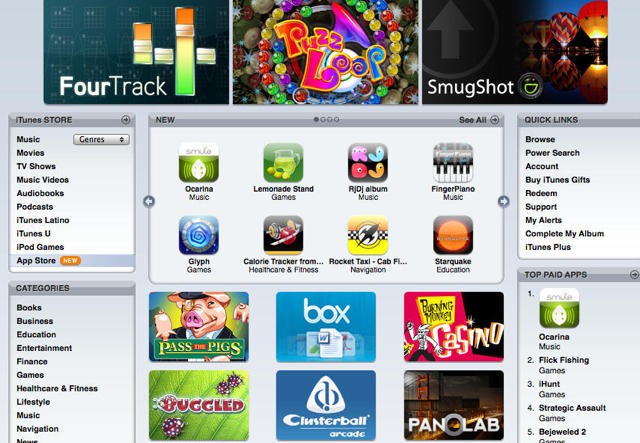
  • App Store: 100 million downloads in 60 days. Available in 62 countries.
  • Spore Origins, Real Soccer 2009 and Need For Speed: Undercover demoed.
  • iPod touch battery life: 36 hours for music, six for video.
  • New prices: 8 GB: $229, 16 GB: $299, 32GB: $399.
  • New firmware, free to 2.0 owners.
  • “Funnest iPod ever” strapline for the new ad.
  • iPhone owners to get 2.1 bug-fix—better battery life, less crashing, fewer gremlins, speedier back-ups. Free on Friday.

Touchscreen Copy and Paste Was Easy On Newton…

By

cult_logo_featured_image_missing_default1920x1080

The most controversial omission of the iPhone’s feature set is its bizarre lack of copy and paste. While anyone who has spent a cursory amount of time trying to figure out the interaction design for multitouch copy and paste using Apple’s guidelines will discover that it’s a little bit harder than it seems.

Even so, it shouldn’t be out of Apple’s depth — they’re kind of the best in the world for interface design. Which is why it should come as no surprise that Apple had touchscreen copy and paste figured out on the Newton 15 years ago, as shown in option8’s video above.

Via BoingBoing

Massive East Coast iPhone Data Outage?

By

cult_logo_featured_image_missing_default1920x1080

Zach over at Boy Genius Report shares that he’s getting tons of e-mail from iPhone owners on the East Coast reporting that data services are completely out, but that it’s iPhone-specific. AT&T is investigating and has issued  # TT000008107719 to blanket all such problems.

What are you seeing, Eastern Seaboard?

Create Your Own Custom iPhone Icons

By

post-2665-image-182abf3f987ae74d375d9eedf34e38d8-jpg

Blogger Ian Hoar details a method for creating a custom icon for your website that will show up on iPhones when someone bookmarks your site.

I made icons out of images I created for a couple of projects called China Works and Nickie’s BBQ, and bookmarked them to my iPhone. Hoar’s process is easy and it works!

  iphone_screen2.png

Basically, just save any graphic image you like as a 57×57 PNG file, name it apple-touch-icon.png, put it in the root directory of your webste, and iPhone will do the rest. Hoar details a method for saving multiple icons in different directories by using a “link rel=” line in the “head” of your web page, so be sure to check it out.

O2 reveals UK iPhone pay as you go rates

By

cult_logo_featured_image_missing_default1920x1080

O2 finally announced today its pricing for pay as you go iPhones in the UK. The 8 GB model will cost £349.99 and the 16 GB model will be an extra 50 quid. Bundled in is a year’s unlimited browsing and Wi-Fi, which then costs a tenner a month, although you can unsubscribe prior to that if you feel the need.

The all-important date: September 16. The all-important caveat: no visual voicemail (bizarrely) and call-merging on Pay & Go. Still, for those iPhone-loving Brits who think mobile phone contracts are the work of the evil one, this is clearly great news.

Belkin JoyPad Game Controller for iPhone?

By

post-2663-image-c57b611b046e2ea724c071f1f74f63e0-jpg

Images: Touch Arcade

Update: Belkin has now confirmed that this story is a hoax.

This past weekend saw the rumor mill go into overdrive regarding iPhone games controllers. While the chaps at iControlPad valiantly soldier on with their home-grown iPhone games controller that relies on jailbroken iPhones, Touch Arcade provided images of a rival (shown above)—supposedly from Belkin—that will have official App Store support.

The two-piece device would slide on to your iPhone, providing a joystick and six face buttons, akin to the configuration on the Nintendo DS. This means games developers wouldn’t have to rely on the iPhone touch-screen and tilting mechanism, instead being able to offer more standard control methods for iPhone games.

Predictably, some screamed “fake” once these images appeared, and others merely screamed, barely coherently ranting something about how AWFUL it would be to have a controller like this, because it’s the iPhone’s bizarre-o-controls that make it what it is regarding games.

Yeah, yeah, whatever. I love innovation, and I love people doing different stuff with iPhone gaming. However, I’m old, and I’d rather like to have a copy of Pac-Man on my iPhone that can actually be controlled via a non-stupid (sorry, non-innovative) method, as I hinted at a couple of months back. (Mind you, I’m probably not going to be totally happy until someone finds a way to run C64 games on iPhone and also plug in a Competition Pro…)

Greatest Mac Moment #22: iPhone

By

cult_logo_featured_image_missing_default1920x1080

iPhone

25 Years of Mac

Update: Lonnie’s interview with TalkingHeadTV below. 

Although not a Mac itself, iPhone instigated a major shift in the personal computing market not unlike the original Mac, and its arrival has propelled Apple’s remarkable turnaround onward–the one started by the Bondi Blue iMac, itself something of a successor to the original Mac. Therefore, at the very least, iPhone deserves to be on this list, because its success means a healthier Apple, which in turn means healthier Macs. However, it also has to be on this list, because iPhone undoubtedly provides a glimpse of what the future of the Mac will be.

Craig Grannell:
Of our list of 25 Mac moments, this is one of the most contentious for me. The iPhone is not a Mac. Its operating system is OS X, rather than Mac OS X. And the only obvious relationship it has with a Mac is that a typical iPhone user is somewhat likely to plug their iPhone into one at some point.

However, some commentators argue that the iPhone is effectively the next-generation of the Mac, and even if that isn’t the case, it’s pretty clear Apple’s smartphone is in one sense a sounding board for the future of its company, and that technology from the device will eventually trickle down to future Macs. And for that reason, iPhone justifies its place in our top 25 Mac moments.

Pete Mortensen: As an audience member when Jobs took the wraps off the iPhone, the biggest impact that it left on me was this: that Apple’s business plan was not just a pattern of steady upgrades across an established product portfolio. This was a company prepared to not just make the best media players and computers in the world, but one that was prepared to bring about world-changing innovations that are years ahead of the competition. It was confirmation, once and for all, that the iPod was never a fluke, but a signal that Apple could do something far more than what it was doing today.

In short, the iPhone made it exciting to think about where Apple is capable of going in the next five years.

Leigh McMullen: See now, I absolutely believe that iPhone is a Macintosh. It’s more powerful than all but the top of the line Macs from the 2002-2003 era.   As we move more towards “cloud computing” processing power “in hand” becomes less important than connectivity and functionality. iPhone may just be a phone / ipod / camera / blender today, but it is also very much the future of both Apple and Macintosh.

More Panoramas & Pics from the DNC in Denver

By

post-2654-image-8f3e751aec3ced1ad7738216893938bd-jpg

Photographer Pat St. Clair has a couple more panoramic images from Thursday’s big night for the Democratic Party at Invesco field in Denver.

Above is a still shot from his vantage point near the Jumbotron behind the media pavillions. St. Clair made it from three fisheye images stitched and interpreted usung PTGui Pro 7.8 on a McBook Pro. The original size image is here.

Go here for a dynamic four-image shot that captures the enormity of that historic evening.

Unlike St. Clair, I was in Denver without the benefit of a Press Pass or professional photographic equipment and struggled to capture my own memories with the rudimentary camera in my iPhone.

Judge for yourself the quality of the iPhone’s camera by clicking on the gallery thumbnails. Large pics and descriptions after the jump.

Crowd in Mile High Parking Lot Mile High Security
Stevie Wonder on the Jumbotron Thundercloud at Sunset
Flags in the Crowd Obama Stands Alone

Mod Your iPhone for Better Zoom Photos

By

post-2641-image-4d659242bf840fc3d2061734edb7ee43-jpg

Via Flickr

Flickr user Danial Forsythe has taken matters into his own hands and found a way to manually refocus the iPhone’s camera. Long derided as a deficient feature of Apple’s popular handset, the iPhone camera’s default focal length is set to infinity, which makes for less-than-stellar close up shots. Forsythe has posted instructions detailing a way to open up the case, get the screen out of the way, flip the camera up, break the glue, adjust the lens, and plug the screen back in to check the focus.

If that sounds like more getting “under the hood” than you might be comfortable with, third party lenses and filters do exist to help you try and get more out of your iPhone’s camera.

Via Ars Technica

Developers Get Creative to Skirt iPhone NDA

By

cult_logo_featured_image_missing_default1920x1080

Third party iPhone application developers have taken to paying each other $1 in order to get around communication restrictions in the iPhone developrs’ NDA, according to a story in the LA Times.

By making themselves “subcontractors” to one another, they can discuss issues related to programming for the iPhone, communications Apple has sought to restrict through the Software Development Kit’s Non-Disclosure Agreement. Developers have bristled at the company’s refusal to let the NDA expire now that the iPhone is available on the commercial market, with many feeling Apple’s continued restrictions are stifling innovation.

Major Security Hole in iPhone Firmware — And How To Fix It

By

post-2626-image-35e16506daa66f753d7c15b46df841c5-jpg

UPDATE: You can fix the hole by remapping the “Home” button. In the iPhone’s Settings/General/Home Button, assign double clicking the Home button to “Home” — not “Phone Favorites.”

iPhone’s 2.0.2 firmware allows almost full access to your iPhone even when it’s under password protection, according to a report in MacRumors. Access can be gained through the “Emergency Call” keypad that appears on the passcode entry screen, allowing unrestricted use of Safari’s browser as well as access to Mail, SMS, Contacts, Maps and more.

Here’s how it works:

1. On the passcode screen hit “Emergency Call” button at bottom left.

2. In the Emergency Call screen, hit the “Home” button twice. You’ll be taken to the Favorites screen.

3. From there, hit the blue arrow next to a contact’s name.

4. You can now access all the iPhone’s functions by selecting their email address, homepage URL or address.

5. For example — hit the contact’s “Homepage” URL — and you are straight into Safari.

6.  Hit the email address, and you enter Mail. Cancel the message, and you have full access to the iPhone’s email.

Via MacRumors

3rd Party Apps Crashing, iTunes Bug Persists in iPhones

By

cult_logo_featured_image_missing_default1920x1080

Some iPhone owners continue to report an alarming bug in the device that causes 3rd party applications to crash or fail to load and makes media stored on the phone inaccessible. Calling it a “tragedy of monumental proportions” given that the phone just launched in 22 additional countries over the weekend, writer Jonny Evans reports in MacWorld UK the “well-known bug means none of my third-party apps work, and I can’t access any media held on my iPhone.”

Others have reported the issue and some have speculated on comments by Steve Jobs promising a fix for iPhone crashes by September. But so far, the true nature of the problem remains uncertain, with possible fixes and workarounds seemingly complex and sometimes ineffective.

“Frequent requests to Apple PR have yielded no response at all – and people inside the company dance around the matter, or so it seems,” according to Evans.

Does Apple Want You to Have Cut and Paste on the iPhone?

By

post-2604-image-5e91d2280b3c912921ff1196b5974ae1-jpg

When I was researching material for a long article about third party development programs for the iPhone back in March, one of the most common complaints I heard from users and skeptics alike was leveled at the lack of cut and paste functionality on Apple’s groundbreaking mobile device. In July, Apple spokesman Greg Jowsiak basically said cut and paste was a low priority as far as the company was concerned.

No surprise then, that third party workarounds for the missing tool began to emerge, with one fashioned by student developer Zac White among the more promising. Unfortunately, Apple has placed new roadblocks in the path toward letting you cut and paste text on your iPhone, according to White.

No word yet from Apple on whether cut and paste has been re-prioritized in-house.

Via AppleInsider

iPhone is for Quitters

By

post-2599-image-029f20f1b1bf0f9bedaf51406d6a31bb-jpg

Track your progress toward cleaner living, or at least breathing. Every body needs somebody.

‘iMyst’ Will Bring Glories of Early ’90s Mac Gaming to iPhone

By

post-2596-image-a5fcfa37271eb5c92db28a1926c41cd8-jpg

Cyan games has announced that it has a three-person team working to port Myst to iPhone, a no-brainer decision that should finally provide something like a killer app game for the device. Way back in the early 1990s, Myst was briefly Mac exclusive, and it typified everything great about that era’s multimedia focus. It was HyperCard-based, it used CD-ROM, and the graphics were gorgeous. And now it’s making a comeback. Can’t wait.

Cyan via Wired

Beautiful Hoax iPhone App: iHologram

By

cult_logo_featured_image_missing_default1920x1080


iHologram – iPhone application from David OReilly on Vimeo.

The above video, “iHologram,” by animator David O’Reilly, is a fake. The awesome idea of using the accelerometers in the iPhone to manipulate a real-time animation is a great idea, and might even be possible in the right hands. But the video was made by pre-rendering the clip and then moving the iPod touch in time to show the right orientation.

O’Reilly explains:

The iHologram app was not real. It was an illustration of an idea I had which I believe could work with the technology (combining anamorphosis and motion sensing). Unfortunately I’m just an ideas person, and I can show how things should look, but I’m no hardcore programmer.

I’d be happy to collaborate with a developer or studio who want’s to make it happen, I’m bursting with ideas for the interactive world, but right now all my attention is on filmmaking.

My aim with this was to tackle the problem of 3d viewing in an original way using current technology, not fool anyone”¦ so for those who doubted but still supported it, respect. I hope it inspires some talented programmers out there.

Get cracking, iPhone developers!

Hulger Handset Caption Contest – Discount Offer Makes Everyone a Winner

By

post-2571-image-95241ec3e2124763aa955f8f8cef7a19-jpg

Hulger’s P*Phone handset comes in Black, Red, Pink & White, with iPhone adapter.

We held a caption contest last week in which we asked readers to play photo editor and come up with an appropriate caption for the image below, with the winner to receive a Hulger P*Phone handset, with iPhone adapter, in the color of their choice.

hulger_twins.jpg

The response was so great, we picked four winners! Read their excellent captions after the jump and click through to Hulger’s 20% discount URL that lets every Cult of Mac reader win this one.

Speed Testing Data Leaves 2.0.2 Effect on iPhone Unclear

By

post-2569-image-0757881370b6cb4375a4b96e44d230da-jpg

iPhone speed tests conducted through TestMyiPhone initially appeared to confirm our report earlier today suspecting the upgrade to 2.0.2 firmware may have had a negative effect on 3G connectivity, according to a site administrator. Closer looks at the data in response to a Cult of Mac request leave the question of causation unresolved, however.

“[We] did make a new file to get the average upload/download for both 3G and EDGE,” reports the admin, adding, “this is much more accurate and based off just the last 24hrs.” And there does appear to be a decrease in comparison with historical data comprising the over 175,000 3G and EDGE tests done on the site.

But closer inspection of 3G and EDGE test trends over the past week show no correlation related to the 2.0.2 release on Monday.

In response, then, to the question that has the internet buzzing over 2.0.2’s effect on 3G connectivity, whether it fixes bugs that have been widely reported, if only by anecdote, or whether it has actually made things worse for some users, we can fall back on the old quote attributed to Mark Twain. The one about there being three kinds of lies in this life: lies, dammned lies, and statistics.

Test Shows iPhone Download Speeds Fall Significantly After 2.0.2 Upgrade

By

post-2568-image-9f7e3c34abb10920f44ade1d1be6c14d-jpg

The iPhone 2.0.2 upgrade seems to have caused a significant drop in download speeds, according to statistics gathered by the Test My iPhone website.

The site, which allows iPhone users to test their iPhone’s download and upload speeds, shows that speeds for iPhones tested in the past 24 hours are significantly slower than the average speed in tests done prior to Monday’s release of the 2.0.2 firmware upgrade.

Prior to the upgrade, the average iPhone download speed is 2227.93 kbps (averaged from nearly 600,000 total speed tests made at the site).

But in tests made over the past 24 hours, the average is just 1429.31 kbps.

That’s a decrease of nearly 36 percent.

With widespread reports of 3G connection issues, the drop in download speeds seems to indicate that instead of fixing connectivity problems, the 2.0.2 update has actually made things worse. However, there could be several reasons for the speed decrease — from meteorological conditions to a spike in traffic on AT&T’s network.

The speed decrease may simply be  a bug in the site’s reporting tool. The average global download speed and the average upload speeds are the same: Both are 2227.93, which looks fishy.

We have contacted the site for further information, but have yet to hear back from them.

Apple released the 2.0.2 firmware for the iPhone a couple of days ago with cryptic release notes indicating “bug fixes.”

By yesterday afternoon, however, it seemed the company may be playing whack-a-mole with some issues, including widely reported 3G reception problems, and that disaffected users may be waiting until September for another shot at stable functionality across the iPhone product line.

Steve Jobs has written at least one iPhone customer, admitting that up to 2% of the iPhones out there could be suffering from “a known iPhone bug” that crashes 3rd party apps and will be fixed in the promised September 2.1 firmware release.

One thing is certain, with millions of iPhones now in the stream of commerce and credible expectations of Apple selling another several million in the next four months, if things are really broken the problem will soon move beyond a couple hundred complaints on Apple’s support forum.

iPhone 2.0.2 Update: No 3G Reception Fix — But Keyboard, Backup, App Loading Much Better

By

post-2551-image-1966ec9a6d1c9964b66d0cda53b040ec-jpg

UPDATE: I just downloaded the 2.0.2 update myself, and overall, it does seem an improvement. Backup is now much quicker — less than a minute with my 16-Gbyte iPhone 3G (which has about a dozen third-party apps installed). Apps seem snappier. The Contacts app, which was annoyingly slow, now loads instantly and scrolls smoothly with no lags. Keyboard also seems much better. It used to hangup occassionally, especially in Mail, but so far no lags at all (however, many people report that the lag gets progressively worse until a hard reset). It’s too early to tell if 3G reception problems are fixed — but then I’ve not had consistent problems. It’s always been unpredictably spotty.

With widespread complaints of iPhone 3G reception issues, you’d think Apple would say whether the latest iPhone software update — version 2.0.2, released Monday afternoon — addresses connectivity problems.

But no. In inimitable Apple style, the release note for the 2.0.2 update says simply that it includes ‘bug fixes.” Nothing more. Thanks Apple. So helpful.

To top it off, 2.0.2 apparently doesn’t fix 3G reception. According to commenters at Apple’s discussion forums, 3G reception is just as bad, and in some cases, worse than before.

“I was getting none-to-2 bars on 3G here in my home, stationary position,” reports commenter Jettergear. “After the 2.0.2 I am getting nothing but a solid NO SERVICE.”

However, it’s not all bad. Others say that the painful lags with the onscreen keyboard and scrolling are much improved.

“The phone is A LOT snappier now,” reports commenter alangsam. “Contacts works much snappier. Email is much snappier – almost instant. SMS is almost instant. Overall BIG improvement.”

Analyst Calls for New iPhone Roadmap

By

post-2546-image-7dd4167815350d22e72af8d90a15ec50-jpg

Gerry Purdy, a veteran mobile analyst with Frost & Sullivan says the next generation or two of Apple iPhones will have to adapt to different user requirements as Apple builds the franchise to address its growing audience. In a recent report to clients, he cites the many shifts Apple made in the iPod family to cater to different users, saying we can expect it will do the same with the iPhone.

Specifically, Purdy sees the phone being spun into separate consumer and enterprise models, with the consumer device focused on multimedia and ease-of-use features, while enterprise customers will get a phone that offers more ways to work with data and interact with enterprise services.

In all models, Purdy recommends that Apple add a small infrared (IR) transmitter so that future iPhones can be used as a universal remote in the home, a micro scanner so that all 1-D and 2-D bar codes can be easily read (useful for both consumers and enterprise customers), and a Near Field Communications (NFC) chip so that all iPhones can be used at retail to ‘swipe’ by credit card payment terminals. He agrees software would be necessary to make these three additions work properly, but sees the App Store and Apple’s iPhone development partners provide multiple solutions to those problems.

Another recommendation he has for all models is that Apple ‘open up’ the iPhone by adding a microSD slot that would allow users to add peripherals or more storage.

Purdy would like to see an iPhone “nano” that retails for $99 and an “extreme” version of the phone with an 8 megapixel camera and 32GB of storage for $499.

“What’s fun about doing a product roadmap for another company is being able to pretend that you’re working for them and that you’re in charge of Product Marketing,” Purdy says, adding, “of course, Apple’s Product Marketing team might feel differently about what they believe customers want and what they plan and will offer over the next year or two.”

Spend a Buck, Get Fit to Vote

By

post-2543-image-53f478d9c88e35666600f1d02e358650-jpg

The iPhone can help you test your political savvy, have some fun and get ready to cast your ballot in the Presidential election with the $0.99 game Fit 2 Vote, available now at the AppStore. With updated quotes coming out every two weeks, the game presents you with statements made by one of the two candidates, which you identify by tilting the iPhone to the left for Obama, to the right for McCain. Once you’ve answered 50 questions correctly, you’re deemed Fit 2 Vote.

Via Switched

iPhone Mod Makes Logo Glow

By

post-2540-image-9e9226ec2d495e2c2892339bf42974d8-jpg

Apple makes products people just can’t keep from trying to make better. Whether these “mods” actually improve the inventions coming out of Cupertino is a matter of some debate, but the latest one for iPhone makes the Apple logo on the back glow like it does on a Macbook. If you speak or read Russian you can learn more at gPda.ru.

Via Sizlopedia

Is iPhone Tilt Gaming No Great Shakes?

By

post-2534-image-46e20513b22d61738351a4dd360fe2d8-jpg

Sega’s Super Monkeyball made news this week for racking up the most sales among paid apps in Apple’s first month of business with the AppStore, a tsunami of consumer love amounting to $30 million in new business for Apple and its third-party iPhone application developers. But a report at Gizmodo says “the best implementation of iPhone tilt control is conceptually identical to a seven-year-old Game Boy title, which itself was based on the old wooden marble-in-a-labyrinth puzzles that have been around since, well, who knows?”

After all the novelty and hype have settled on the iPhone gaming front, will we continue to see the platform as something as revolutionary as Apple’s cadre of evangelists would have us believe it is? The Gizmodo report points out that, as least with respect to games that rely on the iPhone’s accelerometer to make things interesting, “A portable gaming device that…can make sensitive games like Crash Bandicoot Racing and Monkey Ball almost unplayable” isn’t truly portable and in fact may be little more than an impressive, elaborate gimmick.

Via Gizmodo