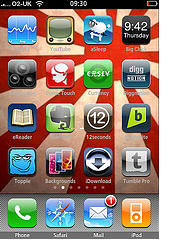
From the Get It While It Lasts department: ImageToys: iJiggles is an app whose developers somehow figured out what Apple’s AppStore gatekeepers didn’t like about the iBoobs app they rejected a while back.
Perhaps by marketing the application as image-reality-distortion magic they confused the AppStore police into thinking people would use it for anything but playing Hooray for Boobies!
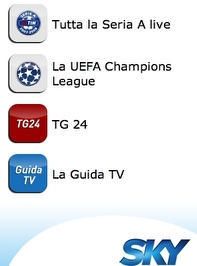
Soccer fans can keep up with Champion’s League games and Italy’s Serie A games on their iPhones thanks to a free web app developed in cooperation with Sky.
Stats, line-ups, photos and play-by-plays (for the moment, in Italian only) are available at https://i.sky.it/
The web app was developed by CEFRIEL, an ICT research hub for three Milan Universities, with a special eye to Apple-friendly design. One example: a list of team members can be rotated horizontally to a soccer field view which shows the positions they play.
A lot of men here in Italy used to walk around with transistor radios on Sundays listening to soccer games. Of late, these have been replaced by videophone services that allow fans ignore wives and friends while having a stroll. Although it would’ve been nice to be able to watch the games live, this lets sports fans keep on top of the score without ruining conversation over Sunday lunch.
You’ve got to love Japanese developer Yuki Yasoshima, whose free stopwatch app hit the iTunes AppStore this week. The version of the app on sale in the US store is “English,” but nowhere in the AppStore description is a word of it actually in English, just the same Japanese character information found on Yasoshima’s website, which is also in, yes, Japanese.
Now, that’s confidence in your product!
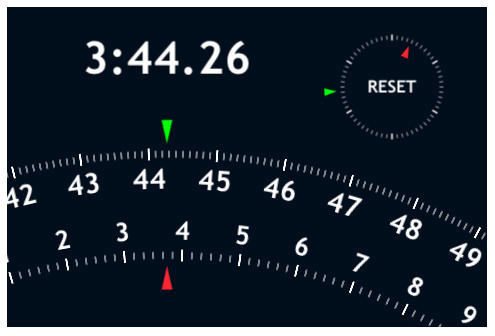
Fortunately, Big StopWatch is dead intuitive. Not to mention elegant, graphically boss and accurate to the 100th of a second.
If any of our Japanese-savvy readers want to take a shot at Yasoshima’s app description, it’s appended after the jump. Please let us know what we’re missing in comments.
Apple has begun approving the first wave of browser products to compete with Mobile Safari on the iPhone and iPod Touch, signaling the company may not be the great curmudgeon of handheld computing after all.
The apparent shift in Apple’s previous policy of denying AppStore certification to software products that “duplicate the functionality” of its own applications that ship with the devices, a handful of browser apps have begun showing up in recent days on the iTunes store.
Incognito, from developer Dan Park, promises completely anonymous browsing, with all history cleared simply by closing the application.
Edge Browser is a free app that opens up valuable screen real estate, but forces the address and navigation tools into the Settings menu, which doesn’t seem too promising a design feature to me.
WebMate is a 99¢ solution to tabbed browsing on the iPhone, that works by queuing up all the links you click on, then allowing you to view them one by one when you’re ready.
“Music of the Night” – she plays through the nose!
Smule, developers of the hit iPhone music app Ocarina, announced the winners of the company’s “This Contest Blows” Ocarina video contest Tuesday. Conceived as a way to reward its raving Ocarina fans with $1,000 per winner, the contest attracted a number of surprising and creative videos. Many contestants demonstrated musical talent, as well as Smulean je ne sais quoi.
Because the contest’s intent was to nurture budding Ocarina talent, Smule is extending the contest to Friday, February 13, and will announce 5 more $1,000 prize winners on Smule’s Mule live broadcast February 16th.
Check out a couple of our favorite winners here, plus more after the jump.
The Juice Wireless iPhone and iPod Touch app Mirror deserves some credit, we suppose, for putting a big bold **DISCLAIMER** right at the top of its description page on the AppStore, calling the application a “fun, joke…for your amusement only.”
99¢ buys you a selection of 9 frames which can be used to border the reflective glossy surface of the models released in 2008, giving the impression you’re holding a mirror instead of a mobile computing device. The developers say they’ve brought you this hilarious bit of software engineering and design so “you’ll never look stupid staring at your iPhone again.” Um, OK.
If you’re really interested in turning your iPhone or iPod Touch into a mirror, you may want to look into the benefits of a protective mylar screen cover from RadTech.
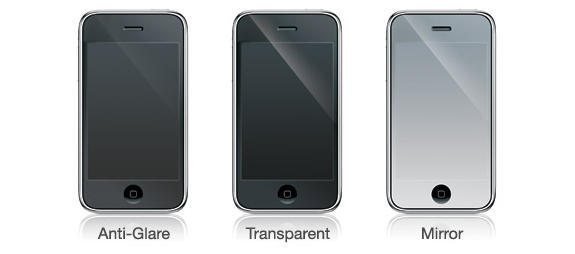
ClearCal is an ultra thin (5 mil) tension adhering screen cover available in Anti-Glare, Transparent and Mirror surface finishes. Its high quality adhesive stays on the film – which can be removed, cleaned and reapplied several times – magically leaving no residue on your device.
Two sets of protective films are included per pack, priced at $9.95 for the transparent version and $12.95 for the other two. The mirror version gives a clear, fully reflective appearance when the device display is off, turning it into a trés chic silver brick. When the display comes on the mirrored appearance fades away and the cover becomes completely transparent; it’s a very cool effect.
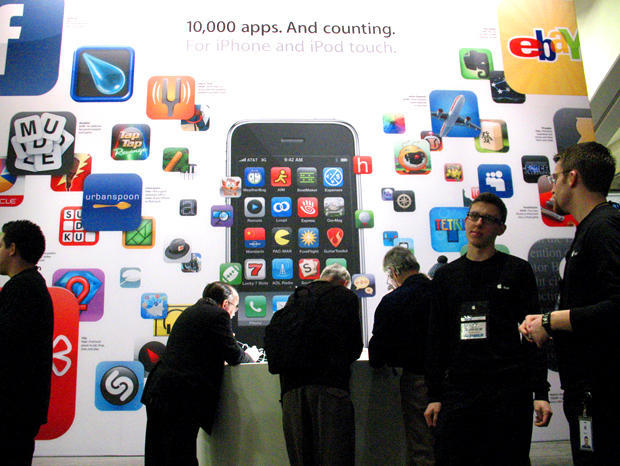
OK, the AppStore has over 10,000 apps for iPhone and iPod Touch. It’s a nice round number, impressive even. But it’s kind of like saying there are over 10,000 medicinal plants in the rainforests of the Amazon.
That’s great, but how do I find them and which ones are good for me?
I’m not paid enough, nor am I interested in wading through all 10,000 iPhone apps to cull pearls from the sea of fart and ringtone gems on offer, but I am happy to pass on a bit of wisdom published by the editors of Mashable, who’ve gone to the trouble of picking out 70+ free social media apps. Since the iPhone is essentially a mobile communication device, it seems to me social media is at least a good place to start.
Follow me after the jump for my picks of the best from Mashable’s list.
If you have ever wondered why you might want to jailbreak your iPhone, or considered the relative merits of Apple’s policy giving it complete control over applications that might run on its mobile operating system, Sarah Perez’s article at ReadWriteWeb should be grist for your mill.
“Jailbreaking” is a straightforward process that allows you to install unapproved third-party applications on your device. It can be confused with “unlocking” – the process that makes the phone capable of working on other carriers besides the one chosen by Apple for exclusive carrier status in a given market. But the bottom line is that, despite the 10,000+ apps available on the AppStore and despite the longterm service contracts Apple’s chosen cellular partners use to tie you down financially with the iPhone, “a non-jailbroken phone is only half the phone it could be,” according to Perez.
Perez recommends the user-friendly instructions at iPhone-Hacks.com for the easiest-to-understand instructions on how to make your iPhone be all it can be. There are a number of other useful tutorials on methods for jailbreaking and unlocking your device available at iClarified.
The Read Write Web artilce linked above has a list of the best “illegal” apps you can put on the phone as well as a reassuring method for hiding the fact you jailbroke your iPhone the next time you want to download Apple’s latest iPhone firmware.
I ran into Edison’s Chief Scientist, Owen Rubin, at Macworld last week, where he was very excited about the prospects for future app developers learning to work with both iPhone and Android, for which his school also offers courses. “This is an exploding field of software development,” Rubin told me, “and I think there’s a great opportunity to help people who want to pursue the path get a strong foundation in the knowledge they’ll need to be successful.”
Edison’s introduction to iPhone app development is focused on enabling a developer to build applications using the iPhone SDK, the iPhone simulator, and to download, test and debug applications on an iPhone and iPod touch device. The school plans to offer soon classes for novice developers who need to get a foundation in Objective-C and object-oriented programming as well.
Each 4 day training costs approximately $2000, which, when you consider the potential riches of a runaway AppStore success, seems like a pretty decent investment.
It’s not surprising that iPhone app training is beginning to spring up in the Bay Area, given our proximity to Apple and Silicon Valley. We’d be curious to know about any iPhone developer courses available in readers’ areas, how much they cost and how they are structured. If you’ve seen any, be sure to let us know about it in comments.
Viximo, creators of a Cambridge, MA based platform for creating and distributing virtual “goods” and art for social networks and mobile applications, has released a development platform called VixML that the company hopes may soon become an important tool for novice iPhone developers.
Lack of Objective-C knowledge and unfamiliarity with the mysteries of the iPhone SDK have kept many designers from reaching for the brass ring available to the likes of some fart app developers and ring tone merchants. Viximo seeks to remedy such an imbalance in the force with a programming language using a number of pre-designated tags, the VixML WYSIWYG SDK and emulator. Designers can use these tools to create in a matter of days rich, multimedia mini-apps that would have previously taken weeks or months of programing.
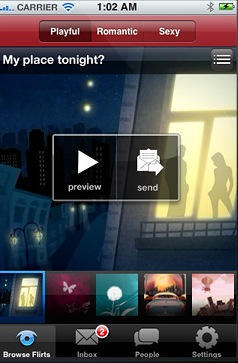
The catch is that Viximo is positioning itself as a pre-gatekeeper, initially requiring any app developed using VixML to be part of the company’s True Flirt application on the AppStore.
Viximo is currently not releasing details about its revenue sharing arrangement with potential developers, a wall that will likely have to come down if app developers are to adopt VixML in any significant numbers.
There are several “serenity” apps on the AppStore, though none may have the cache of Buddha Machine, an iPhone/iPod Touch version of the cultural icon brainchild of Beijing-based musicians Christiaan Virant and Zhang Jian.
Calling themselves FM3, the two pioneers of electronic music in China have brought the idea of their simple, palm-sized box to iPhone and iPod Touch with a $4 app that offers 9 different ambient loops and a zen-like 3D depiction of the real-life Buddha Machine in 7 different colors activated in sequence by simple swipes of the touchscreen or randomly by shaking the device.
Virant was kind enough to offer me a promo code to check out the app and as with many things related to Buddha nature, its simplicity is both disarming and fascinating. The nine ambient loops, ranging in length from five to forty seconds, amazingly synced with the natural rhythm of my breathing, perfectly complementing a meditative mood or providing welcome refuge from modern urban distractions.
FM3 released the first corporeal Buddha Machines, each of which is said to contain a little Buddha, in 2005. Recently released 2.0 versions sell for around $20 and feature 9 new loops and a pitch control. Virant says he is working on an app version for the Buddha 2.0 with new sounds as well as pitch-shifting and a few other functions. It should be released in a month or two.
There are a bunch of guitar-oriented apps on the AppStore but the one demo’d in the video above, from developers at Frontier Design Group seems to have a lot of promise.
Called, simply, Guitar, unlike many of the instructional apps or glorified tuners out there, this app focuses on playablity. Chords and scales are easily assigned to its fretboard buttons, making it possible to strum chords, play melodies, or both. With over 1500 built-in chords, and a built-in chord editor to create custom chords, Guitar relies on a variety of realistically sampled sounds to provide surprising depth and nuance to what a user can play.
The most recently updated version of this $4 app, compatible with iPhone and iPod Touch, lets users record performances or create backing tracks that can be played along with. Recordings can also be backed up over the web to the Frontier Song Server, where they can be shared between multiple devices.
Guitar may not be as huge a hit as Ocarina, but it serves notice that Apple’s mobile gadgets are limited only by their users’ own imaginations.
A working 3rd party application enabling MMS on the iPhone is now available as a free download on the UK AppStore, according to one report. Ross McKillop and Ed Lea appear to have addressed the lack of MMS in the UK with an app that remedies one of the most widely decried shortcomings of the iPhone outside the lack of copy & paste functionality.
The pair’s app makes it free to receive MMS messages and its UI fits perfectly to Apple’s iPhone interface, according to the report. It works by prompting for a user’s O2 Mobile Number and the PIN that O2 sends when a subscriber receives an MMS message. The application then retrieves the MMS messages from O2.
The catch is that sending an MMS will cost you coin of the realm. The current charge is 10 messages for £3.79 which works out to nearly 72¢ per message.
Microsoft often gets a hard time from true Mac people — usually with good reason. For decades, MS apps for the Mac have been less full-featured than their Windows equivalents, and it’s only been in the last eight years that the Mac Business Unit has had the support to even try to make a decent version of MS Office.
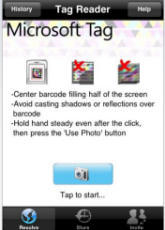
The Redmond juggernaut is now trying harder, and they’ve really been speeding up their efforts in the last month or so. First, Microsoft’s beta program Songsmith was promoted in an unintentionally hilarious ad running on a MacBook Pro running VIsta, then MS released its first iPhone app, Seadragon. And today, MS has released a second iPhone app, Tag, which uses the iPhone’s camera to read special barcodes in order to access exclusive content off of posters, magazine ads, and more.
All that, and the beta version of the Hail Mary of operating system known as Windows 7 has been successfully installed on a Mac using Boot Camp, a positive sign for dial-booting Mac users for years to come. Granted, that one is more about MS not explicitly making Windows incompatible with Apple’s Intel-based platforms, but it’s still mighty handy.
What do you think? Has Microsoft finally made peace with the fact that it can’t win over true Mac lovers and started, you know, realizing that they can still make software we might want to use? Or is it all a trap?
Of all the surprises to come out of the CES show this year, Palm’s revival as a serious player in the handheld device market is perhaps the biggest of all.
Most people – myself included – had long since consigned Palm to the dustbin, confident that it would never re-invent itself out of the hole it had fallen into, out-manouevred and out-featured by rival devices.
Not so.
The initial reports coming from CES are that the Palm Pre is an excellent device and offers the iPhone some proper competition.
And at least some of that success might be because the team at Palm has a few former Apple employees on board.
“How Apple centric is the new Palm team? Well, Chris McKillop is director of Software at Palm … One of the PR people at Palm did PR at Apple. Jonathan Rubinstein, who runs the Palm Pre team and led off the announcement, was a key person in development of the iPod and lots of people followed him from Apple to Palm.”
Partly because my first ever PDA was a Palm, and I was a happy Palm user for many years. I don’t want to see the company fail. And partly because any serious competition for Apple is a good thing – anything that gets people umming and ahhing over whether they should buy an iPhone or a Pre will make Steve Jobs sit up and start paying attention when people ask for simple, basic stuff like copy/paste and syncable text notes.
UPDATE: I’ve just noticed that this post is very similar to another post by my esteemed Cult colleague Mr Mortensen not four hours previously. My apologies for the repetition. At least we can be sure that two great minds here think alike. I’m not having a good week, am I?
I have a guilty secret to confess: I’ve been secretly hoping that one of the zillions of so-called “iPhone killers” might prove to be. After all, if the rest of the mobile industry continues to crank it crummy wannabes like the BlackBerry Storm or the Samsung Instinct, Apple will have far less incentive to actually take their own product to all-new heights of greatness. Apple makes awesome stuff, but they make even more awesome stuff when threatened.
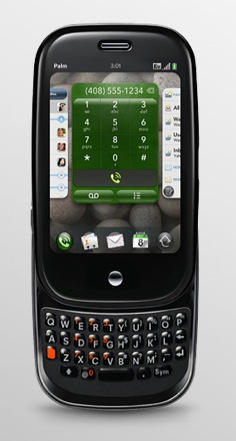
And so it was that I was very heartened by the announcement of the Palm Pre at the Consumer Electronic Show. If you haven’t had a chance to read up on the phone, I highly recommend that you do. It’s small, relatively sleek, has a nice keyboard, and it’s got the best UI for a mobile phone that I’ve seen outside the iPhone. And for some tasks (app-switching, most notably), it’s already better.
Now, have no fear, I have absolutely no intention of buying a Pre. The music syncing looks suspect, there’s no video support of any kind for the version set to launch this year, and I don’t need a full keyboard to be happy. All that, and it’s going to be Sprint-exclusive, and I travel enough that a GSM phone is pretty much a necessity for me.
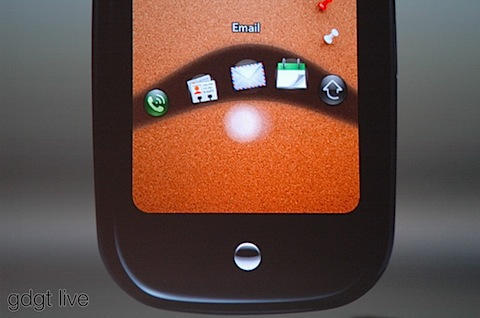
I am excited that the Pre is good enough to actually make Apple work hard, particularly on the software front. The Palm Web OS has a clear point of view, an attractive look, and some genuinely innovative features, such as the gesture bar and the very cool “wave” application launcher shown above. The Pre cribs a lot from the iPhone — not to mention OS X’s Expose feature — but it brings these ideas together in a way that even Apple hasn’t yet.
And the good news is that now Apple has a reason to go beyond the interface created for OS X iPhone 1.0. I wouldn’t be even slightly shocked if we see an Expose for iPhone update in firmware 3.0, or even before. And Apple needs to get more serious about rolling out the multitasking Push API it promised last July.
Kudos to Jon Rubinstein and Palm for pulling off a far better phone than I thought them capable of. It’s the first serious mobile platform that’s even coming close to besting the iPhone (sorry, Android), and it’s clearly going to have a life beyond its initial release. And hey — it’s got cut, copy, and paste!
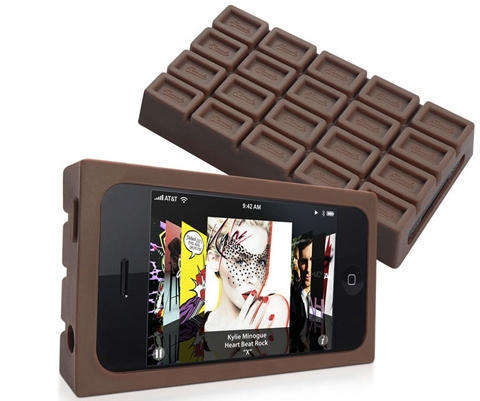
Sold in a package made to look like a candy bar, this brown silicone case wraps your iPhone 3G in yummy goodness, though it does bloat the sleek line of the device.
The fatten-up might make a high-tech phone look slightly tired, though it does bring to mind Wired co-founder-cum-chocolatier Louis Rossetto.
Among the underwhelming upgrades to iWork Apple announced Tuesday, I thought the ones made to Keynote seemed at least interesting. Call me crazy, but I’m rather fond of Apple’s presentation software and given the ubiquity of Powerpoint used in the business world, I’m always impressed when someone shows up with a Keynote presentation instead. It just tells me the person cares, you know?
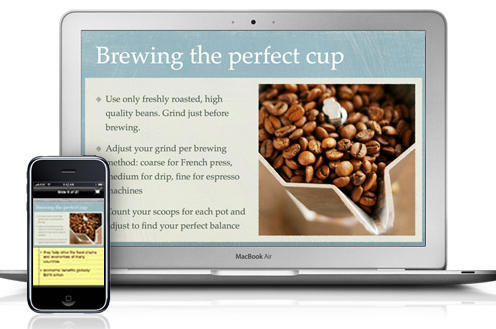
Helpfully, Apple itself has created Keynote Remote, an app for the company’s mobile devices that lets you control your Keynote slide presentation on your computer from your iPod touch or iPhone.
Swipe to advance or return to the previous slide. In portrait mode, see your presenter notes on your iPod touch or iPhone. In landscape mode, preview your next slide. Keynote Remote works with your Wi-Fi network, so you can control slide playback from anywhere in the room.
Great stuff, really. But, uh, you’ll need to drop another 99¢ in order to make it happen, even after you’ve bought the copy of iWork 09 needed to use the mobile app. Amazing.
Among the more interesting things I’ve come across so far at Macworld is an innovative calling application from Freedom Voice, called Newber. Somewhat similar, but with a couple of key differences to Grand Central, Newber lets you route every phone call made to you though a single number and, using GPS location awareness, lets you take the call on any phone that happens to be nearby.
If you’re in the office at your desk, Newber will send calls to your work phone. At home it can ring the house phone. On the road Newber will ring your iPhone, the phone extension in your hotel room, even the payphone at the gas station in the middle of nowhere where you’re getting a flat fixed – if that’s where you want it to ring. Your callers have one number for you and you can receive their calls anywhere.
I saw the app in a demo at a press event on Monday night and spoke further yesterday with David Gerzof, president of Bigfish Communications, the PR firm representing Newber, about the difficulty Freedom Voice has had getting the Newber app approved for distribution in the AppStore. “Newber was submitted in October and Apple authorized the product manager to contact them by phone, which he does every day,” Gerzof told me. “They haven’t said it will be approved or that it won’t be approved, in fact we can’t see from our activity logs where they have even begun testing it. It’s very frustrating.”
As a result, despite having already put several hundred thousand dollars into developing the platform for iPhone, Gerzof and Newber aren’t putting all their eggs in Apple’s basket. A Demo application for Blackberry is already operating and the company is also working on one for Android. “We love Apple and began work first with the iPhone SDK because we wanted it to be the launch platform, but if they aren’t interested, we have to move forward with the others,” Gerzof says.
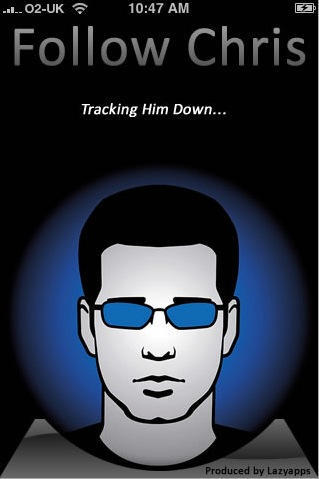
Geek blogger Chris Pirillo now has an iPhone application dedicated to him and all his prolific output: Follow Chris (iTunes Store link) is a single-person feed scraper and aggregator that pulls together content from Pirillo stuff posted on his personal site, Twitter, Lockergnome and the Geeks forum. That’s a lot of Pirillo.
But why?
I contacted developer Peter Birch (who, coincidentally, is based not far from me in Bristol) and asked him.
He told me it was just to make it easier to read all the Pirillo content that’s out there.
“I’ve been following Chris and his writing for about 12 months now. I like his stuff. Every day I wanted to see what was new and that meant checking a bunch of feeds or web sites. I just wanted to make it quicker and easier.”
So, for his very first iPhone app, Peter (normally a designer created something that aggregates a selection of feeds and puts them all together in an attractive app.
Sensibly, Peter did tell Chris what he was doing.
“I’ve told Chris about it and he thought it was a good idea. He’s given me some interesting suggestions for other apps.”
Indeed. It strikes me that this kind of single-subject or single-person aggregator might become very popular on the App Store. It would be trivially easy to build something for the internet superstar of your choice. A-list bloggers, this would be the perfect way to further inflate your already over-large egos.
Like I said, I rather think this kind of “ego app” will be very popular. If we’re lucky, it might even put the fart apps in the shade. Let’s hope so.
Bookmarklets are great little things. They’ve been proving themselves useful on desktop browsers for years, and are now getting an extra boost of interest from the iPhone community, because you can use them to make mobile Safari do more things.
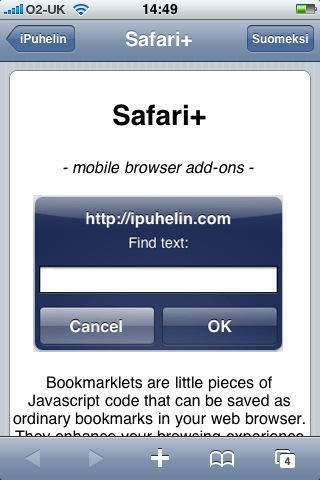
The latest I’ve seen is Safari+, which is a collection of a dozen or so useful little commands that you might be used to using many times a day on your computer, but can’t use at all on the iPhone.
So if you’ve been looking for a way to Find in page, or Display all images, or List all links, or Translate to Norwegian on your iPhone – well, your problem has been solved.
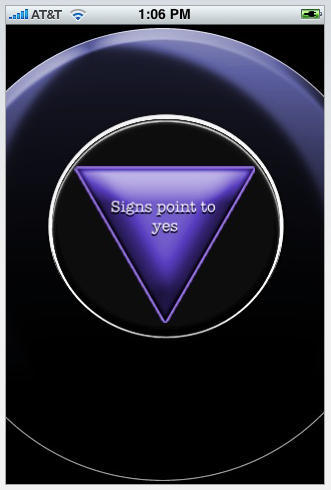
Did you know your iPhone and iPod Touch may contain the inscrutable wisdom of the Spheres? Two free applications on the iTunes AppStore promise to take the guesswork out of hard decision making, with the same whimsy and clarity offered by the once wildly popular Magic Eight Ball you might remember from your youth.
The Magic iBall app borrows its name and a similar look from the classic Eight Ball, and offers a choice of “themes” – from the standard black ball to a gold “bling” ball to a smiley face ball. It also offers a choice of answer “themes” – classic fortune teller, zen, weird and more – that are somewhat confusingly accessed and enabled from your device’s Settings menu and not from within the app itself.
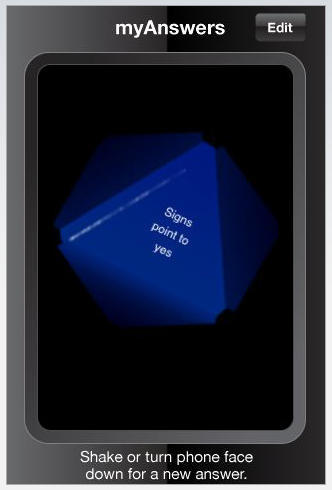
Not as groovy looking as Magic iBall at first blush, in the end I think I prefer the look and feel of My Answers, which features a multi-sided triangle die floating in dark liquid, similar to the old Eight Ball decision-making assistant.
Both apps work on the same principle: turn the touchscreen face down, ask your question, and turn the device over – your answer appears, like magic. Another attractive feature to My Answers is its 20 fully customizable answers. You can stick with the default yes, no, maybe-type answers delivered in “fortune teller lingo (Signs Point to Yes), or make up your own personal directives.
These apps could come in handy this week at Macworld. Will there be an iPhone Nano? Will there be a new Mac mini? Is Steve Jobs really OK? The Magic Eight Ball knows all…
Just in time for the NFL playoffs, you can relive the glory days of your youth (applies predominately to American males of a certain age; your mileage may vary) with a free PaperFootball game for iPhone and iPod Touch.
Just like you did on school cafeteria tables back in the day, use touchscreen swipe gestures to try and get a triangular “paper football” to hang over the edge of the table and even “kick” for extra points. Play against your device or against a friend.
PaperFootball has pretty cool, colorful graphics and is certainly nothing more than a time waster, but in this reviewer’s humble opinion, it’s better than having your mobile device make farting sounds. And I mentioned it’s free, right?