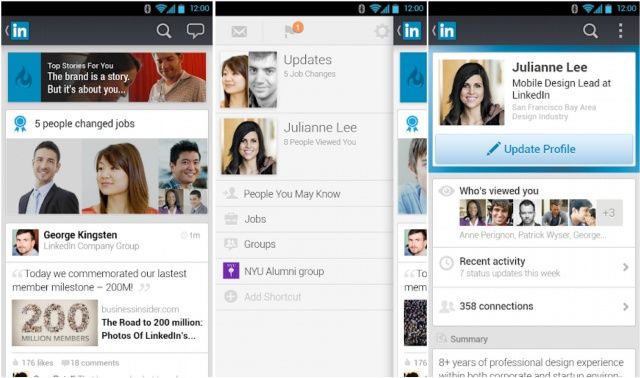
LinkedIn has rolled out new apps for Android and iOS that boast brand new designs, faster navigation, and new features. Users will now find an increased focus on their news stream, with conversations, network updates, and more now front and center. The update even comes with a fancy new demonstration video; check it out below.
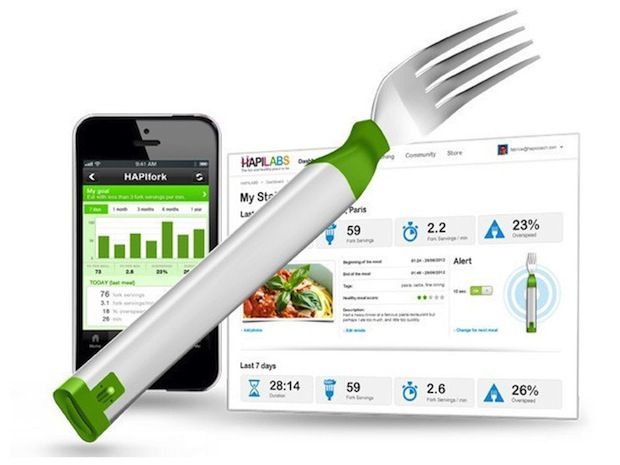
The French were everywhere at this year’s CES, measuring everything. Everything. The most imaginative expression of this peculiar (but useful) French obsession was the Hapifork, a Bluetooth-connected utensil that measures the user’s eating habits.
If that sounds interesting, good news: Hapifork has finally made it to Kickstarter, just two months behind schedule.
I have fond memories of the cassette tape. The first album I ever bought was on cassette — I won’t tell you what it was — and I used to spend hours taping songs off the radio so that I could listen to them on my cheap Bush walkman, which had just three buttons and a volume control.
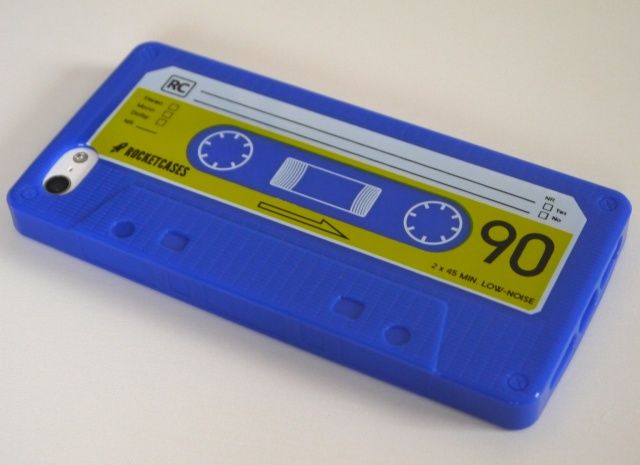
Cassette Case by Rocket Cases Category: Cases Works With: iPhone 5 Price: $14.99
The cassette’s pretty much dead now, of course, but you can help it live on with this cool cassette case for iPhone 5 from Rocket Cases. Priced at just $14.99, it’s made from a sturdy TPU plastic that provides your device with all-over protection from drops and scratches.
I’ve been testing it for a few weeks to find out whether it is worth its price tag, or whether it’s as useful as an actual cassette tape.
Mailbox for iPhone is revolutionary, sure, and it lets you “snooze” your emails to a point later in the day, week, or month. But what if you don’t like the way it does that?
By default, Mailbox defines the start of your day as 6 am, the start of your weekend as 10 am, and the end of your workday as 6 pm. It defines Later Today as +4 hours, and Someday as +3 months.
If that doesn’t fit your individual schedule or tastes, here’s how to change it.
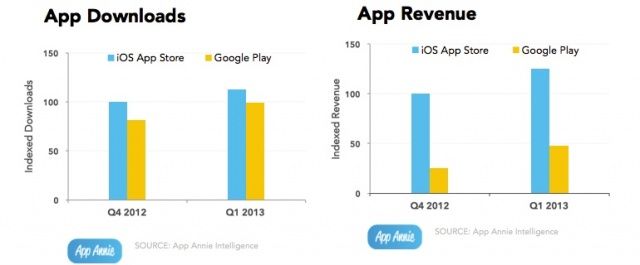
Apple got a head start on Google with the App Store, but over the last year, Google Play has continued to make up ground, not only with its offerings of apps, but also the amount of revenue it generates.
In Q4 2012, Apple’s App Store was still seeing four times as many sales as Google Play was, but fast forward to Q1 2013 and the App Store is now only making 2.6 times as much as Google Play.
I don’t know about you, but I find that displaying the battery percentage alongside the battery indicator in the iPhone’s status bar takes up too much room — particularly if you use tweaks that provide status bar symbols for outstanding notifications. I usually use Springtomize to remove the battery indicator altogether, leaving just the percentage.
But a new tweak called Live Battery Indicator gives you the best of both worlds — without taking up too much space.
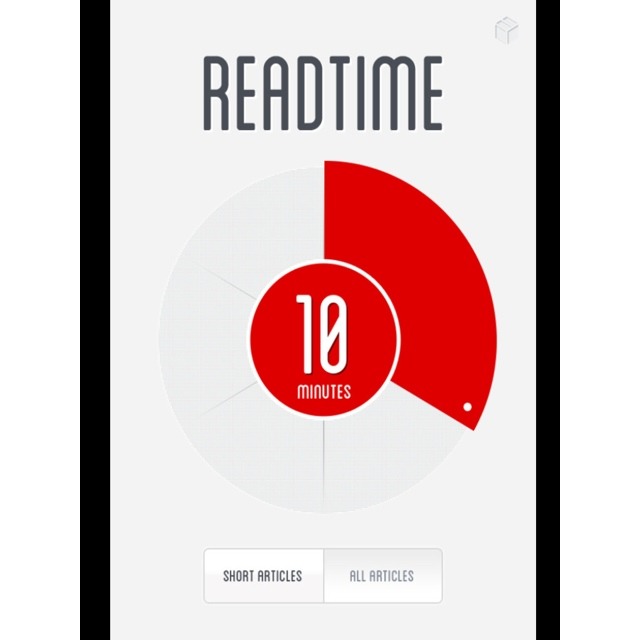
Got a few minutes to read something? Not sure which of your saved Read Later article to pick? Then you need Readtime, a new iPhone app which picks articles based on the time you have available. Dial in the length of your coffee break or the average time taken to clear your bowels in the morning, and Readtime will return a list of appropriately-long articles.
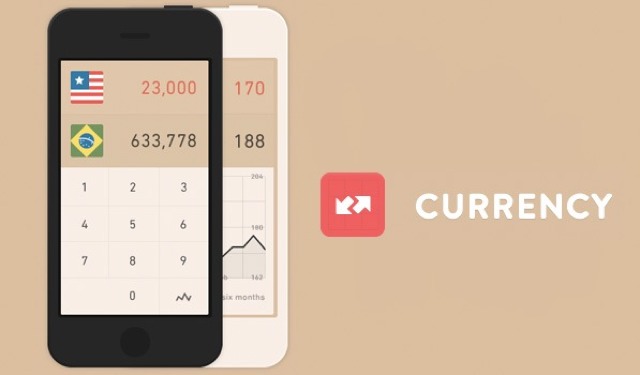
Who knew there was room for yet another iPhone currency converter in the store? The folks behind Currency, that’s who, a conversion app that is as minimal as its name.
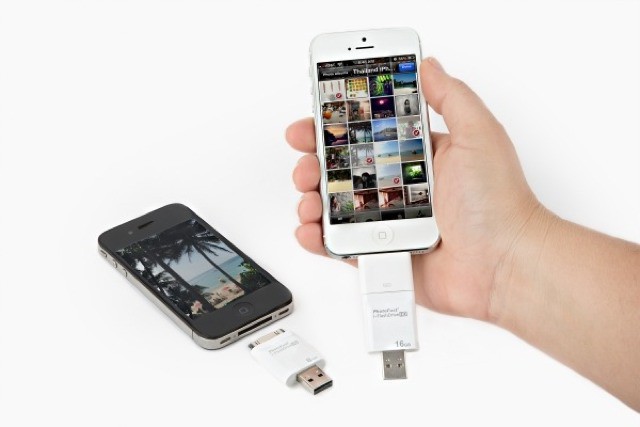
It’s gotten to the stage that I’m so loaded up on cloud storage for my photos that I could toss my iPhone into the toilet and not lose a thing (well, apart from the action shot of the toilet bowl framing my shocked face as the iPhone shoots its last photo). But while Dropbox and Everpix are great, sometimes you just want to rock an old-school USB stick and transfer photos to and from you iPhone with a stick of plastic.
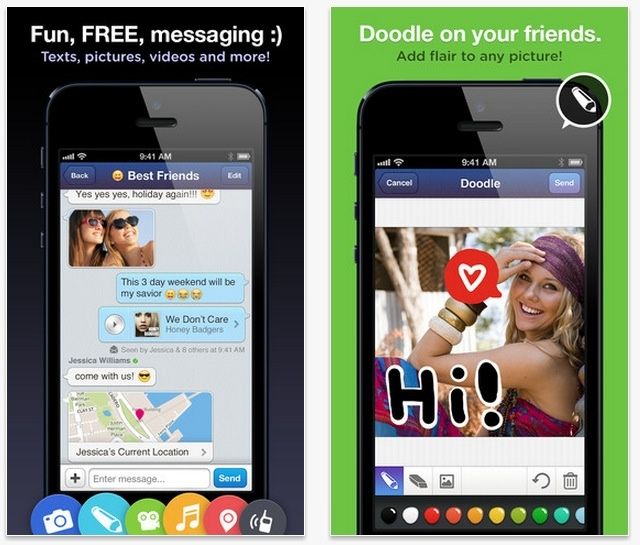
Doodle on your friends without the fear of retaliation.
Messaging alternative MessageMe just updated today with several new features, like the ability to chat in landscape mode if that strikes your fancy.
The iPhone app won’t save chat doodles to the camera roll by default anymore; you’ll be able to save them if you like, or turn the feature off completely, saving valuable space on your iPhone should you so choose. The Voice Notes feature has been improved, and you can search for other MessageMe users using their email.
Audio now works for messages with video, and you can save videos as well in the new version. There’s also other “minor fixes and performance improvements” to be found.
After being fired from his post at Apple for the Apple Maps fiasco last year, Richard Williamson has found a new home at one of tech’s other superstars – Facebook.
Richard Williamson played a key role in the development of the iPhone’s software under Steve Jobs. After working at Apple for more than a decade, Williamson was put in charge of the Apple Maps team that replaced Google Maps in iOS 6.
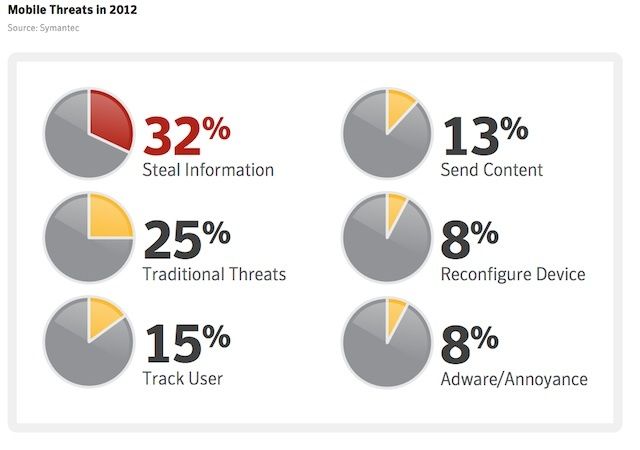
Android’s reputation as a nest for malware isn’t likely to heal anytime soon, thanks to a new report from Symantec.
According to the security company’s research, Android is still the main target when it comes to mobile malware writers, but iOS is technically a more vulnerable platform.
One of the central conceits of new iOS mail client, Mailbox, is getting to Inbox Zero, a zen state of pure joy, in which you feel much better having dealt with all your email. The way the app does this is with swipes. Swipe partway across an email to the right and you archive it with a pleasant green checkmark. Swipe completely from left to right and you send the offending email to the trash. It’s lovely, and easy, and oh so nice.
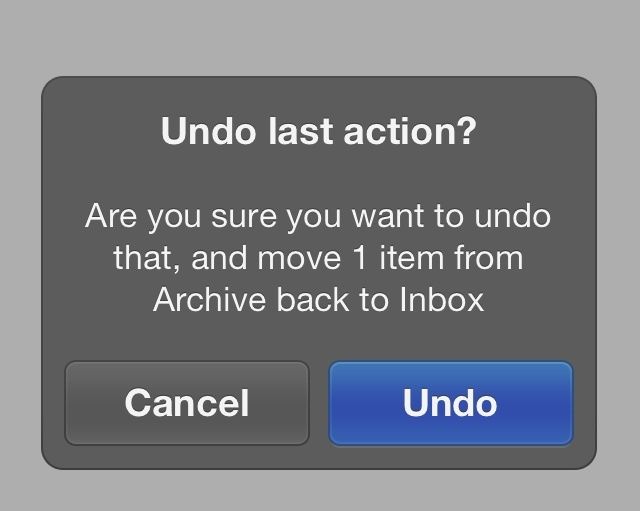
But what happens when you make a mistake and long swipe to Trash when you really meant to short swipe to Archive?
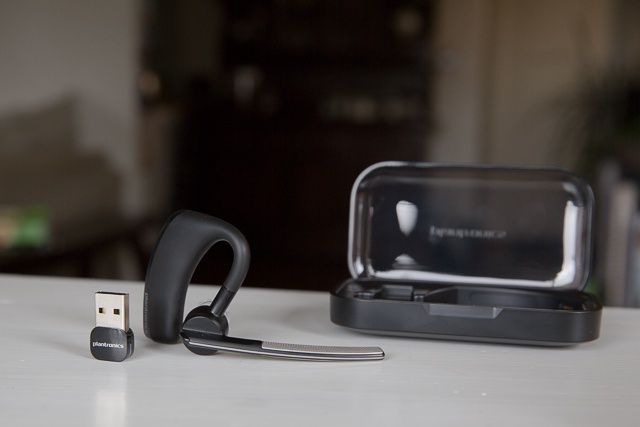
Plantronics Voyager Legend UC means hands-free calling on iOS or Mac.
There are a ton of Bluetooth headsets on the market today, and because I prefer talking hands-free, I’ve tried a lot of them. But as a Bluetooth enthusiast (yes, we exist), I’ve been continually frustrated. That’s because all the headsets I’ve tried thus far have missed the mark, especially when paired with an iPhone, delivering callers’ voices as muddy and hard to decipher, or making me sound like I live under the sea (I don’t).
Voyager Legend UC Bluetooth Headset by Plantronics Category: iOS and Mac Accessories Works With: iPhone, iPod, iPad, Mac Price: $200
So when I got my hands on the Plantronics Voyager Legend UC, with its promises of excellent audio, call routing touch technology, and the ability to work on both my Mac and iOS device, I was dubious. Not anymore. This little Legend hasn’t just proved my first impressions wrong, I’m now convinced it’s the best Bluetooth headset I’ve ever used.
As more cable subscribers start to embrace the idea of ditching cable for services like Netflix and Hulu Plus, cable companies are quickly trying to entice subscribers to stay by offering TV everywhere on every device.
Time Warner Cable announced today that starting tomorrow, TWC subscribers will be able to stream live TV to their Apple devices for the first time ever. An update for TWC’s iOS app should roll out tomorrow that will make 11 live national news, sports, and entertainment channels available to subscribers outside of their home, via an iPhone or iPad.
Even though there are rumors that Facebook and Apple might be working to bring Facebook Home to iOS, it’s hard to believe Apple would give up so much control of iOS to Facebook.
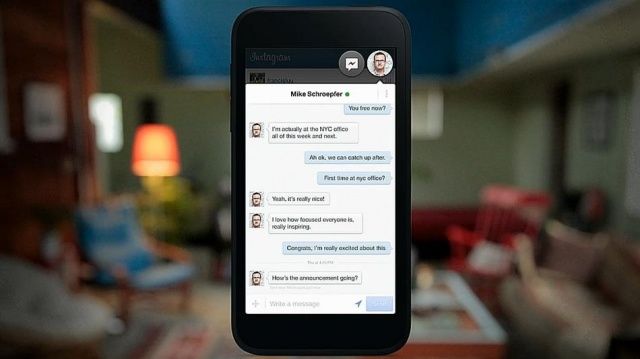
For those craving for some Facebook Home action on iOS, there’s a new Facebook app update that will bring the most buzzed-about features of Facebook Home to your iPhone: “Chat Heads.”
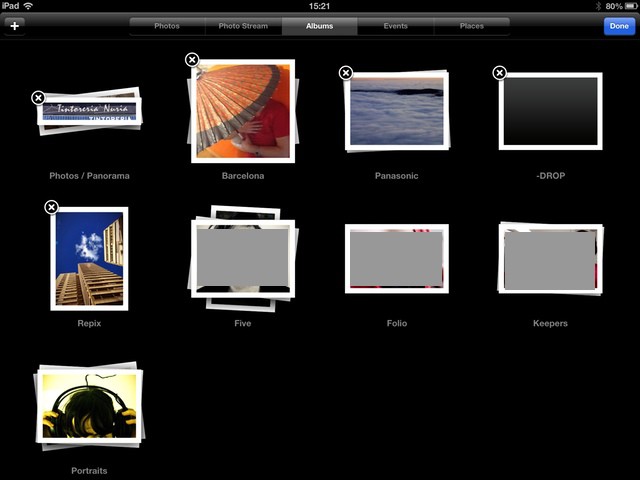
The state of iOS photo management is a mess. In typical Apple fashion, the built-in tools work fine, but if you try to add anything else to the mix things get messy, fast. And in “anything else,” I even include iPhoto on the Mac. If you want to have be able to see all your photos on your iPad, regardless of what gear was used to take them, you’re out of luck.
If you shoot with both an iPhone and a regular camera, things get even worse. Sure, you can suck it up and use Aperture or iPhoto, but Lightroom is (for me anyway) way better.
The iPhone 5 has one of the best cameras you’ll find on a smartphone, but Apple could be looking to make it even better for the iPhone 5S. According to the latest rumor surrounding the next iPhone, we can expect a 12-megapixel camera with improved low-light shooting, and HDR video recording.
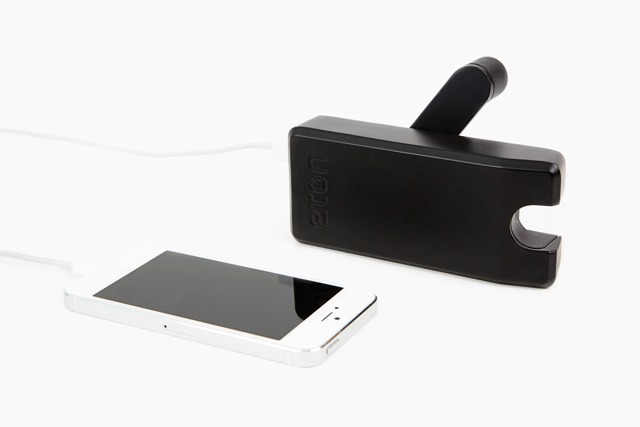
Photojojo’s Crankerator is a backup battery pack with a twist. Or rather, with a spin. You can charge it via boring old wall outlets, but when the juice finally runs low, you can reanimate it with a few twists of the crank-arm on the side.
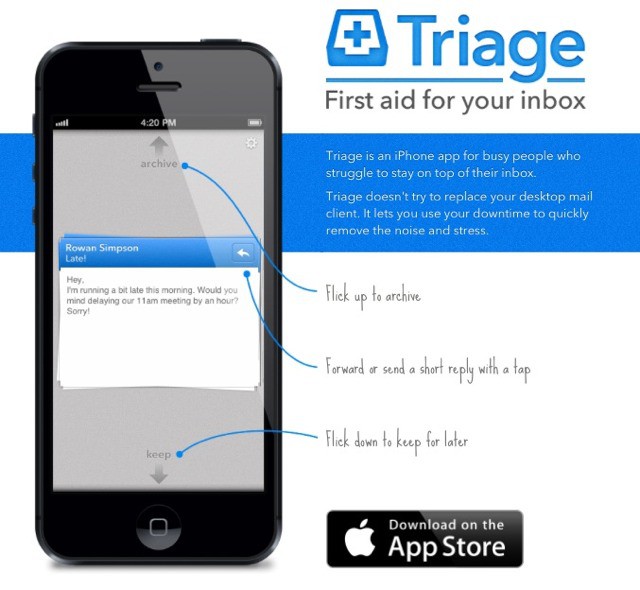
Triage is an app which makes it easy to quickly whittle down your incoming messages using your iPhone. The idea is that you can quickly scan (or triage) your mails, archiving anything unimportant and saving the rest for later.
Triage doesn’t try to replace your desktop mail client. It lets you use your downtime to quickly remove the noise and stress.
If you’ve ever been disappointed with the YouTube for iOS app’s inability to tune into Live streams, then we’ve got some great news for you today.
Google just released version 1.3 of YouTube for iOS, and along with some stability and performance improvements, the app now gives users the ability to view Live streams inside the app. There’s also a new Queue feature that will let you add a bunch of videos to a list to watch later, along with some UI improvements to give users quicker access to their My Subscriptions feed.
The free update is available in the App Store now.
Have you ever wanted to build your own iOS apps but have no coding experience whatsoever?
That’s not a problem with this easy-to-follow video course – a course that you can take on your iPad, meaning you’ve got access both anytime and anywhere. In this course you’ll learn how to create apps using the same tools and techniques used to make the top apps in the App Store. And you’ll be able to learn this thanks to Udemy and Cult of Mac Deals for only $29!
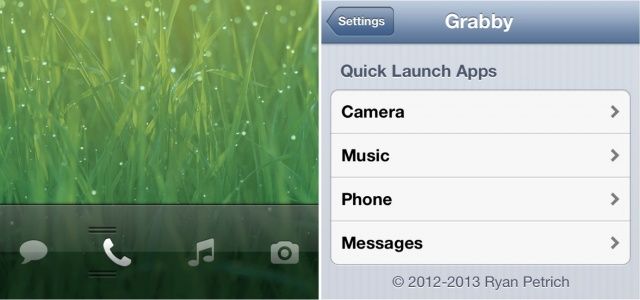
Grabby, a new tweak from esteemed jailbreak developer Ryan Petrich, allows you to quickly launch your most frequently used apps from your iPhone’s lock screen by extending the functionality of the built-in camera slider. Find out more about how it works and where to download it below.
If you are an extremely wealthy individual with questionable intelligence, horrible financial acumen and the good taste of a Teletubby, there are any number of horrible bling purveyors who will be happy to take your iPhone and encrust it in so much bling that even R. Kelly would think it was a tacky waste of blood diamonds.
So it’s no surprise that some Hong Kong businessman commissioned a $15 million diamong encrusted iPhone 5, which is, of course, absolutely hideous. The centerpiece? A giant, 26-carat black diamond as the home button.
Ecoute is one of the best third-party music players for iPhone, and it just got a whole lot better thanks to its latest update. In addition to the ability to download missing artwork, it also has new features and supports a new URL scheme that allows it to play nicely with Launch Center Pro.