Ever feel like the fact that using a tablet during takeoff and landing was banned for passengers — while allowable to pilots — was a bit of a safety double-standard?
Ages ago, my Cult of Mac brother in arms John Brownlee argued as much — and now it seems that European safety watchdogs are on his side, too.
Nothing makes a better gift than an iPhone, but if money’s an issue this Christmas, consider going to T-Mobile. Just in time for the holidays, T-Mobile is dropping the upfront price of an iPhone 5s or iPhone 5c to just $0. You can afford that, right?
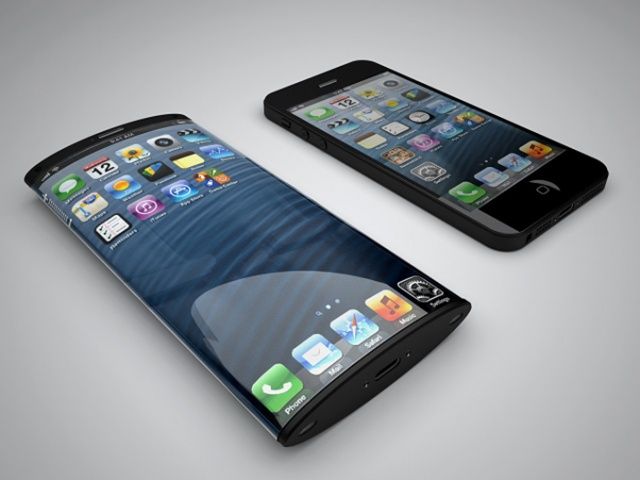
The U.S. Patent and Trademark Office has awarded Apple a patent, describing a means of manufacturing curved touchscreens.
The patent, which was filed back in November 2010, may lend credibility to the rumors that Apple is working on an iWatch with curved glass display to fit users’ wrists, as reported earlier this year.
During the Apple vs. Samsung patent trial, Apple industrial designers revealed that the company had a “strong interest” in featuring a curved glass display for its iPhone as far back as the first generation model — although it abandoned the idea at the time for reasons of cost.
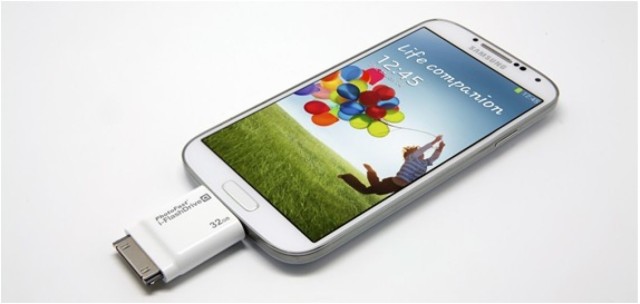
Here’s something you don’t see often: It’s an Android phone sporting a 30-pin connector. Blasphemy! Heretical! Nonsense. PhotoFast’s i-FlashDrive, which allows fast transfer of files between Android and iOS, is here to promote peace and understanding between all — even the heathenish Windows.
Pinning, posting or tweeting one’s way through a wilderness adventure always seemed a little antithetical to me; isn’t one of the reasons for going out into nature to get away from all this artificial electronic junk anyway? Yes, of course, I too am guilty of the odd flirt with Facebook from the bush — but I always feel so dirty afterward.
Yonder, a free app that creates a social circle for outdoor enthusiasts, won’t change how I feel about Tweeting from the trail — but at least it might push me closer to an equilibrium by turning the tables by inspiring me to get out there (boy, are those pictures gorgeous), and putting the outdoors in my social media instead of the other way around.
Automatic Link by Automatic Category: Auto Accessories Works With: iPhone & Android Price: $99.99
I’m a horrible driver. Each time a passenger gets behind the wheel with me they’re assaulted by a swirling barrage of sudden lane changes, quick breaking, faster acceleration and more near misses than I care to admit.
I’ve been driving since I was 13 which means I’ve probably picked up a slew of bad driving habits, but a new iPhone accessory, the Automatic Link, promises to help drivers make small changes to their driving habits by providing real-time feedback that can help you increase your fuel efficiency and make you a better driver. Bad habits die hard, so I put the Automatic Link to the test for 3-months to see if it would help improve my driving skills, here’s what I found:
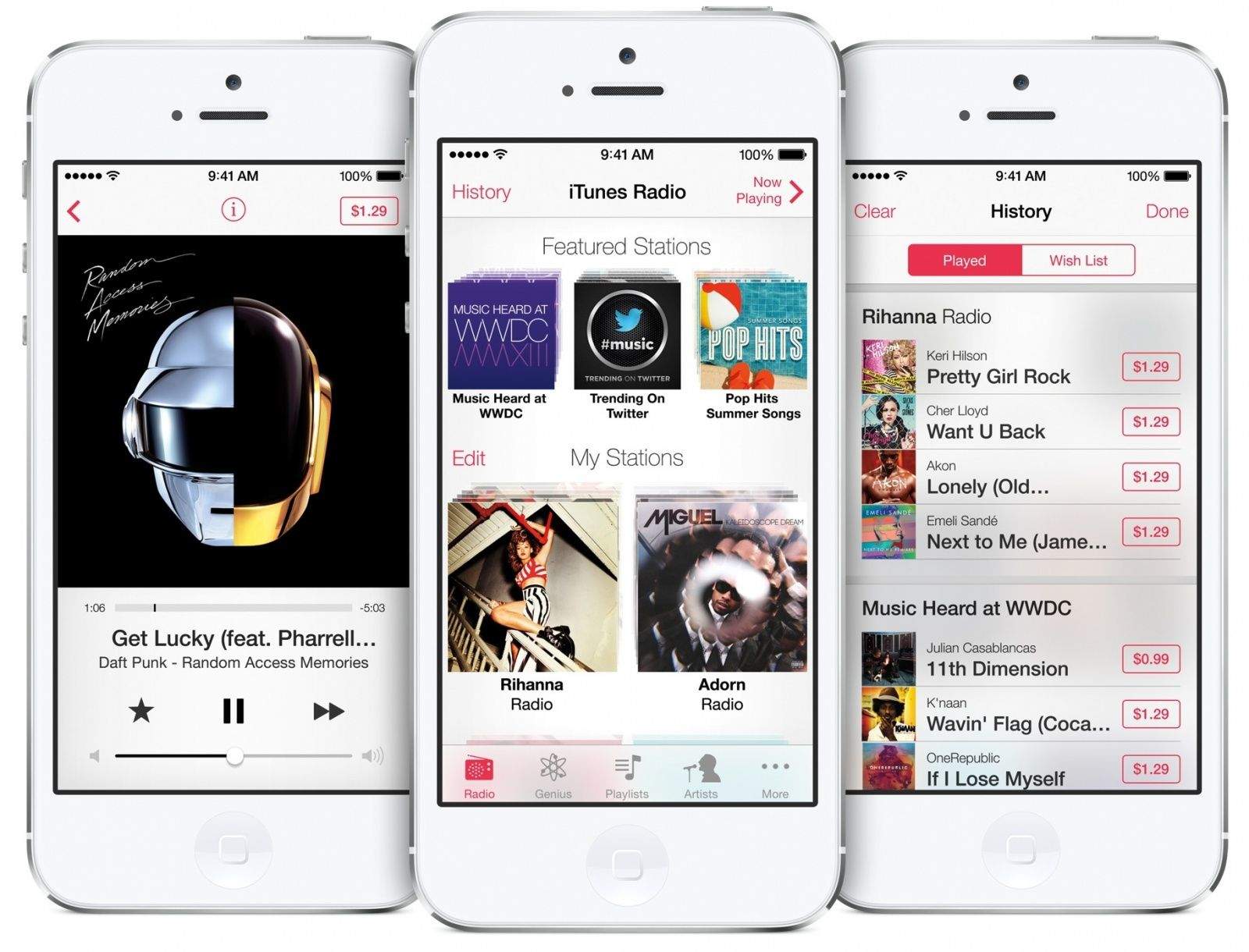
Michael Pallad, Apple’s new iTunes Radio AdmanApple is looking to beef up its ads on iTunes Radio and has poached a top radio ad exec in the process as it prepares to open its service to a wider array of advertisers in 2014.
Michael Pallad, former VP of sales at Cumulus Media, has left the radio giant to oversee Apple’s ad sales for iTunes Radio internationally according to a report from AdAge.
Pallad joined Apple on December 2nd and has spent the last week getting oriented at the Cupertino Headquarters, but he’ll be pressed to get up to speed ASAP as Apple’s initial iTunes Radio ad deals are set to expire at the end of the year.
Be honest…the first time you saw a cassette or Nintendo-style retro case, you wanted it. But quality-wise, these style of cases just hasn’t been up to snuff. Until now. Rocketcases did the right thing, and made the cases we all wanted the way they should have been made the first time.
Now you can choose two cases from a variety of options. Whether you pick the classic black or white GameBoy, multi-colored cassette tapes, or the black or grey “Ghetto Blaster” boombox, you’ll get them for an incredible deal – just $25 – during this limited time Cult of Mac Deals offer.
As Black Friday approaches, Cult of Mac Deals continues to deliver the goods at a fraction of the regular price. This offer is, once again, no excpetion.
This hand-picked Mac bundle includes 8 top apps valued at $401 – and for a very limited time, you can get all of them for only $39!
The latest game in the Adventure Time series of mobile games will go live on Google Play, the Amazon App Store, and in Apple’s own iTunes App Store this Thursday, according to Cartoon Network.
You’ll get to play as main characters Finn and Jake, along with several other supporting cast members, evading the crazy Ice King while skiing down an epic mountain. Mathematical!
Of course, you won’t use skis, but rather slide down the slope on your butt, true to the wacky television show on which the game is based.
Hoping to recreate the success Instagram has had doing a similar thing to still images, new app Spotliter Video allows users to add a range of effects to videos shot using iOS devices.
If you think back to the iPhone launch in 2007, one of the things Steve Jobs was most proud of was the fact that the phone didn’t feature any kind of fixed, built-in keyboard in the manner of the BlackBerry or the Palm Treo.
Well, leap forward six years and the Typo Keyboard (largely bankrolled by American Idol host Ryan Seacrest) has either set things back or forwards by introducing a BlackBerry-inspired physical iPhone 5 keyboard, designed for those who spend large amounts of time typing messages and emails on the device.
As the week ends for many of us (and starts for others), Cult of Mac Deals has a couple of offers that look appealing in more ways than one.
First up is KICK: the Game-Changing Portable Lighting Studio. KICK provides smartphone-controlled studio quality lighting and effects that you can add to all your images and videos – and it fits in your pocket! The other offer is The Icojam Raster Icons Bundle, which features over 4,200 high quality icons for your design arsenal. KICK is going to cost you only $149 and the Icojam Raster Icons Bundle will run you just $35 – but both are available for only a limited time.
Apple flipped a switch this week and enabled customers at 254 U.S. Apple Stores to get spammed with micro-location based promotional nagging.
The new system, called iBeacon, is a low cost, low-energy way to achieve actionable “indoor GPS” in which “beacons” use Bluetooth Low Energy (BLE) signals to figure out exactly where you are and send messages relevant to that specific location.
But Apple Stores are probably the least-compelling iBeacon scenario I can think of.
Your typical Apple store is a glass box, a single room with a door in the front, a Genius Bar in the back and tables and shelves in the middle. It’s impossible to get lost in a regular Apple Store and trivially easy for customers to find any of the tiny number of products for sale. Also: Apple doesn’t do in-store promotional discounts except for one day a year (Black Friday).
Right now, you participate in the Apple Store iBeacon system by launching the Apple Store app (which I imagine most iPhone owners don’t know exists) and changing your iPhone’s settings to use iBeacon (which most iPhone owners don’t know how to do) and granting permission to get in-store promotions (which most iPhone owners probably have no interest in).
Once all that happens, iBeacon interrupts you to nag you about trading in your old iPhone, and offers help like Microsoft’s Clippy when you’re looking at a specific section of the store: “I see you are looking at iPads? Would you like to know more about the iPad?” (I made up the wording, but the intent of some iBeacon messages is identical to that.)
As a result, iBeacon in Apple Stores mostly annoys. I can think of a hundred scenarios where iBeacon could be incredibly great. But the greatest of these: My house.
The iPhone is a great travel tool, but making your smartphone travel actually smart isn’t about packing it up with dozens of apps you never use or that won’t get you out of the plane seat next to the loo on a crowded holiday flight.
Enter Cult of Mac Magazine. In time for your holiday travels (or maybe escaping from your loved ones for some beach or ski resort time?), we sounded out dozens of road warriors to learn what they really find necessary for the daily commute or continental flight. These black tees and easy-to-launder socks of the app world, if you will, include some surprising picks, many of them free.
If your travel is mostly of the four-wheel variety, you’ll want to read what happens when reporter Alex Heath took smart-driving app Automatic for a month-long spin. (Can it reform his gas guzzling, donut-making driving style?)
In our exclusive Ask an Apple Genius column, we answer your questions about how to get your Mac repaired on the road and how to handle assistance when you live in a town without an Apple store.
You’ll also find our picks for the best in apps this week and what’s really rocking the iTunes store when it comes to books, movies and music.
Ah, to be ten years old again — and arrested for stealing £400,000 ($654,000) worth of Apple products.
That is the news coming out of Coventry, in the UK, where a dawn raid saw police arrest a boy and a 37-year-old man for their part in a series of commercial and domestic burglaries.
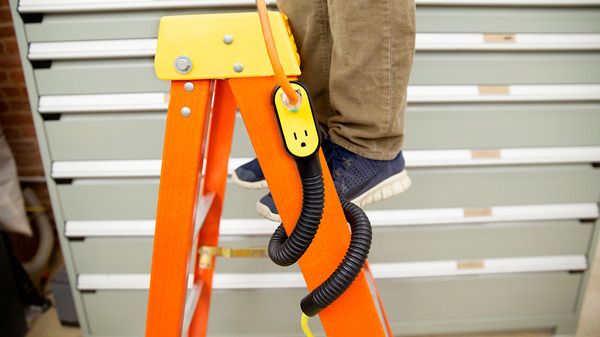
As ever with many of Quirky’s excellent crowd-sourced designs, the Prop Power Pro inspires me to make my own. I’m pretty sure a regular extension cable plus a bendy wire coat-hanger plus a length of flexible tubing would do the trick. The thing is, by the time I’d bought all the parts (plus a roll of gaffer tape), I’d be in the hole for way more than the $25 Quirky want for its version.
There are really only two obvious solutions for backpackers to keep electronics charged out in the boonies.
There’s the more conventional route of using a solar-powered battery, like the Joos Orange, or Solio’s line of chargers. Or there’s the less common alternative of using one of an increasing number of stoves that can charge gadgets while heating dinner or water for coffee.
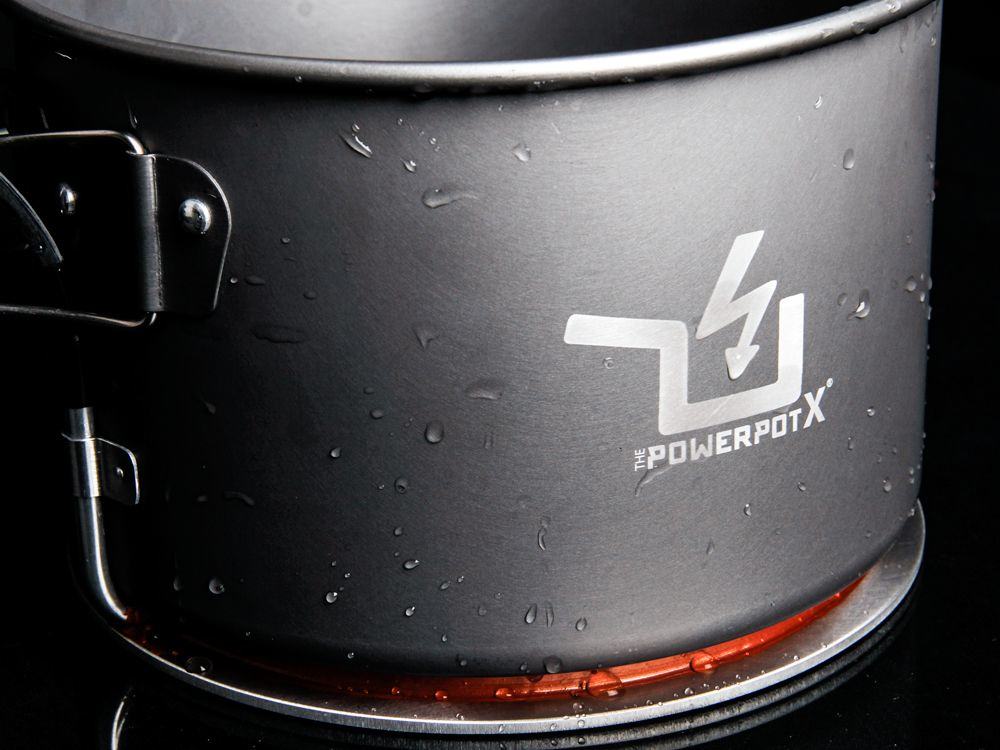
The upcoming newest member of the latter group, the PowerPot X (that “X” is a 10, btw), can even charge an iPad.
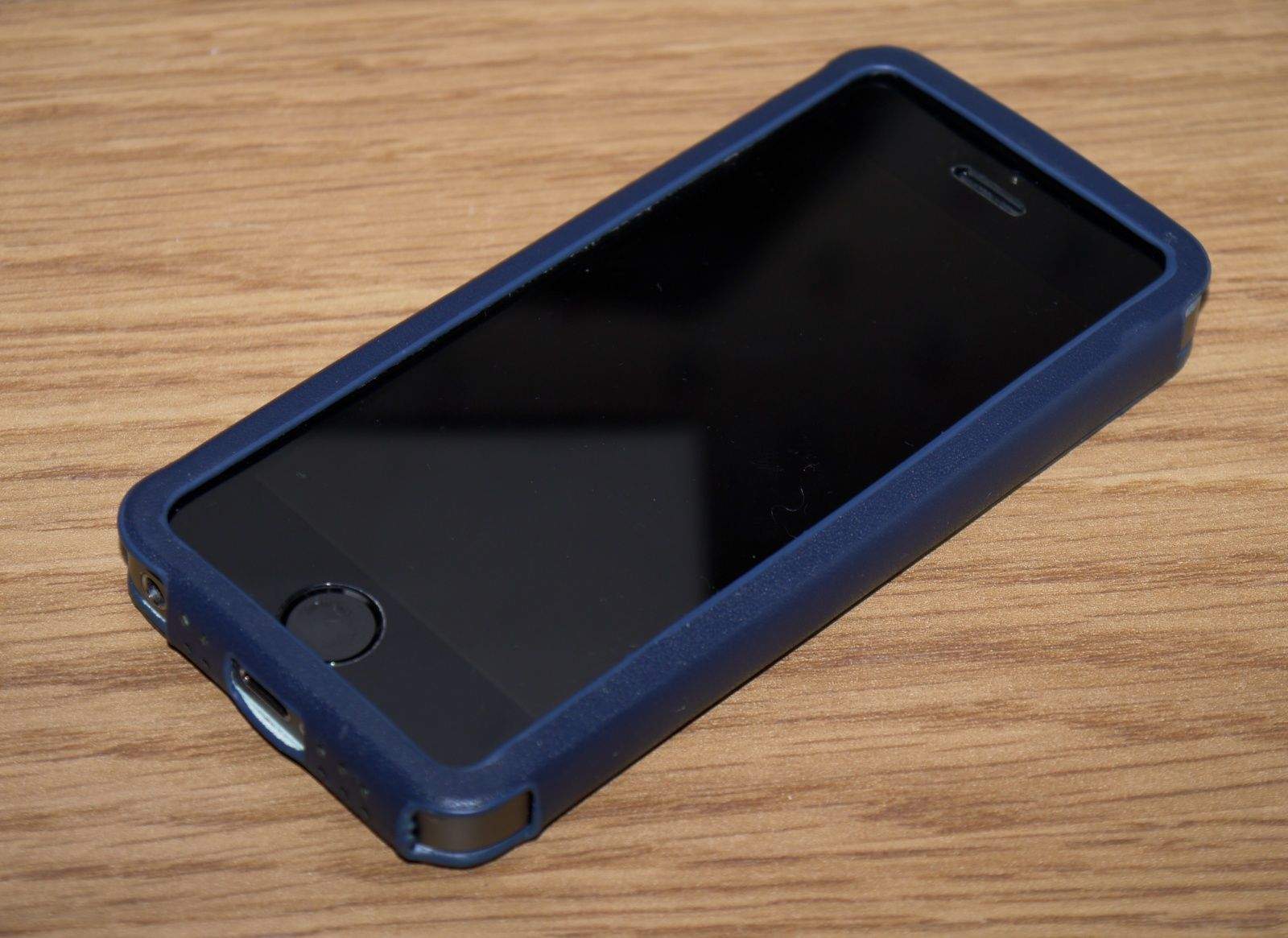
It’s not a folding case like Twelve South’s iconic BookBook, but rather a sleeve that your iPhone slips into that has a large hole in its front for your display, and a little pocket in its back for your credit cards.
It’s an ideal alternative for those who like to keep things simple and don’t want to have to deal with flappy front covers when using their smartphone. It makes everything easy to get to, and it doesn’t cover up any buttons, ports, or speakers.
The Wall St fits both iPhone 5 and iPhone 5s (there’s another version for iPhone 5c, too), and it’s available in a number of pretty colors, including brown, blue, orange, and red. It costs $34.95, so let’s find out whether it’s worth it.
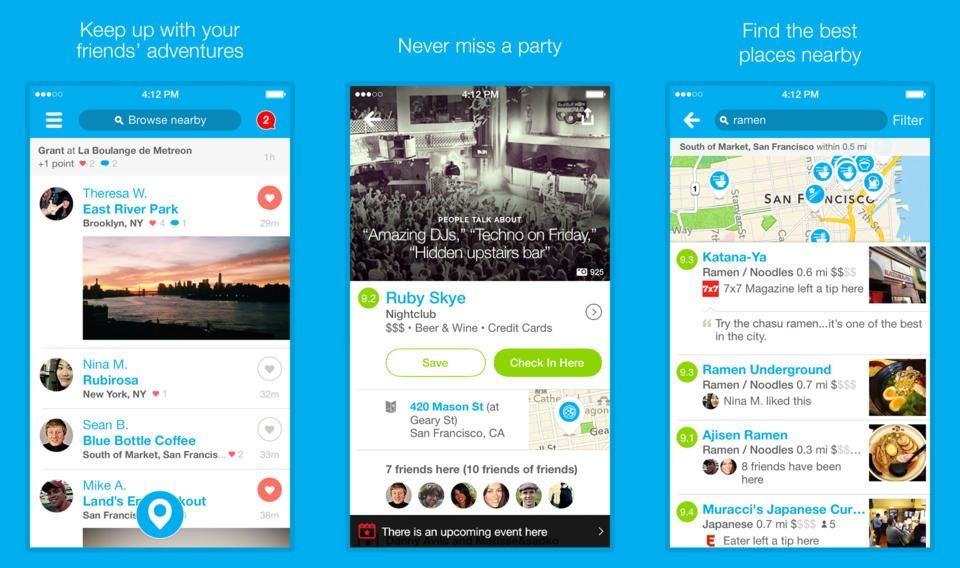
Foursquare released a new update for its iPhone app today that finally brings the app in-line with iOS 7’s new white and minimal UI along with some new enhancements that make the app more socially aware than ever before.
When Barack Obama first made his run at the United States presidency way back in 2008, much fuss was made about how this politician was so cool, he used a BlackBerry.
Seems laughable now, doesn’t it? Yet at the time, Obama was considered so technologically hip for using a BlackBerry that he once laughingly said that if the Secret Service wanted to take it from him, they’d have to pry it from his hands.
Flash forward five years, and President Obama’s BlackBerry doesn’t seem so cool anymore. In fact, it seems ridiculous. So why isn’t he using an iPhone?
Great news for corrupt restaurant employees and criminal scum everywhere: you can now use the latest Google Wallet app to skim credit cards right into your iPhone. In theory at least. And without actually recording the magnetic strip. But “Google Wallet update allows easy addition of credit cards using the iPhone camera” doesn’t have the same link-baiting ring to it. So scum and villainy it is.
One of my favorite parts of the Kanex Multi-Sync keyboard I reviewed in October. In fact, I said that “Kanex could sell it as a standalone product and do well.” And guess what? You can now buy it, in a pack of two, for just $18.
You know anamorphic, right? It’s a way of getting super widescreen film onto the relatively squarish frame of 35mm film. It’s done by using a special lens on the camera that squeezes the image sideways, and then a reverse lens on the projector that stretches it back out again when you watch it. This is why, in the bad old days of non-letterboxed video, you’d sometimes see the end movie credits squished up to fit them onto your TV screen, all while the rest of the move had just been shown with it’s sides chopped off.
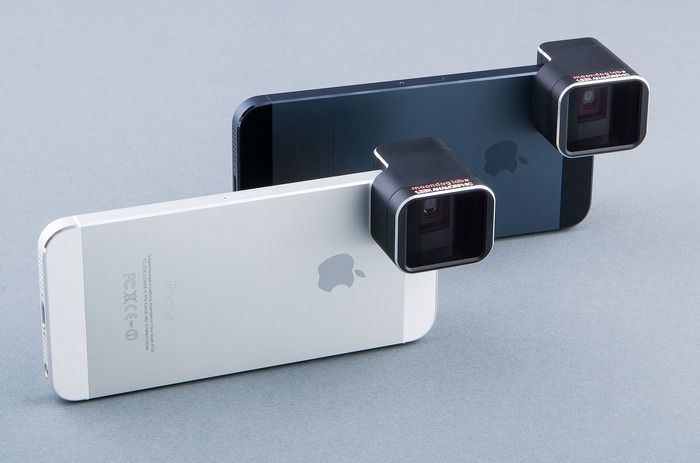
Which brings us to the Anamorphic Adapter Lens for the iPhone 5/S, from Moondog Labs.