Apple may have banned apps that helped drivers find DUI checkpoints, but it has approved a game where drinkers try to follow a straight line to see how drunk they are.

Apple may have banned apps that helped drivers find DUI checkpoints, but it has approved a game where drinkers try to follow a straight line to see how drunk they are.

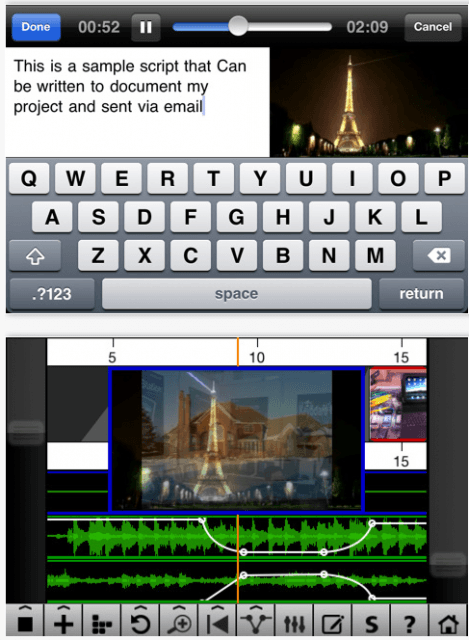
The iPhone is a powerful reporting tool, so much so that the BBC is creating an app that will help reporters make the most of it in the field, replacing more expensive and sometimes less reliable equipment like satellite phones.
Many other mobile journalists are using them in the field. Their tips for recording and editing audio and video can come in handy for any iPhone user who wants to capture a lecture, conference or family moment — then edit and send with minimum hassle.
For this week’s giveaway we’ve partnered up with the friendly folks at Appular to bring fans a great package of iOS gaming apps, for free. We’ve got codes for five of the hottest games in the iPhone App Store right now and we’re ready to dish em out to our awesome fans to liven up your iPhone gaming lives. Today’s package of apps includes Cars 2, Tiny Wings, Hanging With Friends, The Game of Life, and Sea Battles. If you want a chance to win all five games then hurry up and enter the contest.
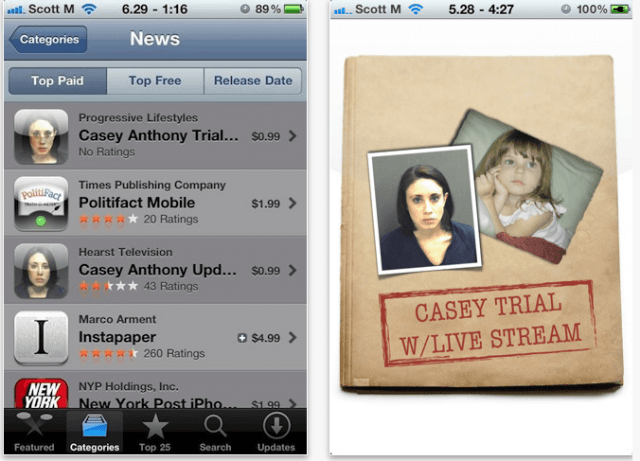
iPhone apps are live streaming the trial of a mother accused of killing her 2-year-old daughter.
Casey Anthony, 25, is standing trial in Orange County, Florida on a charge of first-degree murder. Her 2-year-old daughter Caylee’s disappearance in the summer of 2008 became a national obsession.
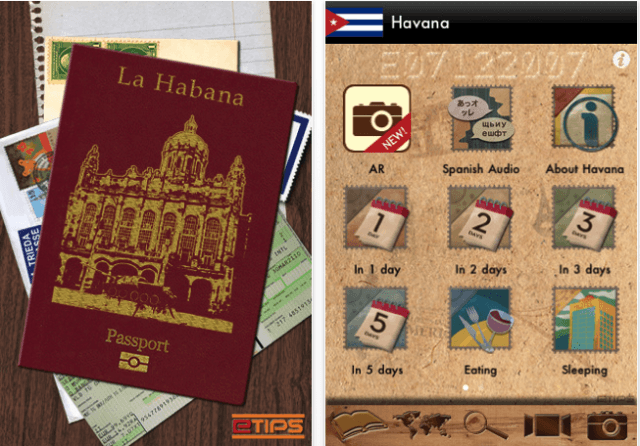
The first travel guide apps for Cuba are arriving in iTunes as a record number of Americans visit the country.
iCuba is billing itself as the first travel app for the island nation. In truth, it arrived in iTunes about a month after the Cuban Beaches in HD app, which offers hotel as well as beach info, and the Havana Travel Guide which promises an augmented reality feature. There are also a number of map apps for Cuba.
iCuba is offered in English, Spanish and Italian for $5.99. There are a few hiccups — notably, the English translation offers a category of “luxory” hotels — and other tourism info looks scarce. Still, the maps are available offline which makes consulting them easier when traveling and you can make hotel reservations via the iPad, iPhone and iPod Touch versions.
The Havana Travel guide for $4.99 offers up to five days of itineraries, hotels and restaurants by budget range, nightlife info, public transport and safety tips.
Havana Good Time, by resident expat author Conner Gorry, promises to “open doors to the forbidden city” with 160+ entries that will have you living like a local. If you want to check out the $2.99 app, though, you’ll download it in the U.S. iTunes store before you go — since restrictions will keep you from getting it when you are actually local.
The bump in travel to the communist-ruled island is attributed to the U.S. government easing some travel restrictions to Cuba, mostly for “purposeful” travel (family, some business and religious activities). However, a battle is currently ensuing to turn back restrictions to the Bush-era bans.
Via iPhone Italia

Now that the iPhone has sent the the common point-and-shoot camera the way of Kodachrome, there’s no excuse for bad pics.
Designer and photographer Dan Marcolina wrote a well-received book on iPhone Photography called iPhone Obsessed. Now he’s got an iPad app companion to the book, which teaches even more tips and tricks.
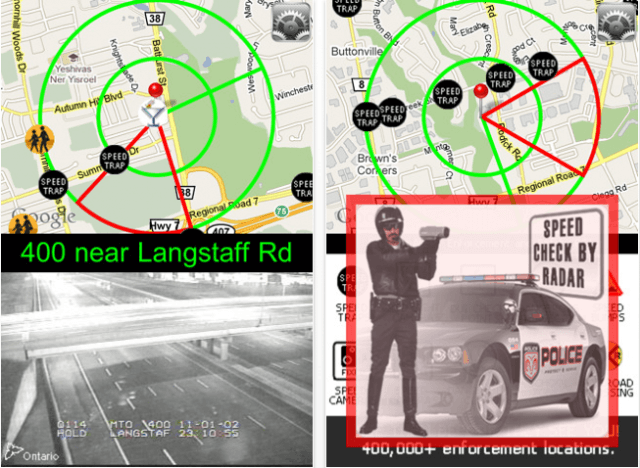
Yesterday, we published extracts from a press release where PhantomAlert, an app that helps drivers avoid all kinds of potential tickets, boasted that its DUI checkpoints were staying put and that it had “defied” the senators who convinced Apple to ban DUI info.
CEO Joe Scott wrote to us, essentially retracting the whole release, also stating for the record that the company does not condone or encourage drinking and driving.
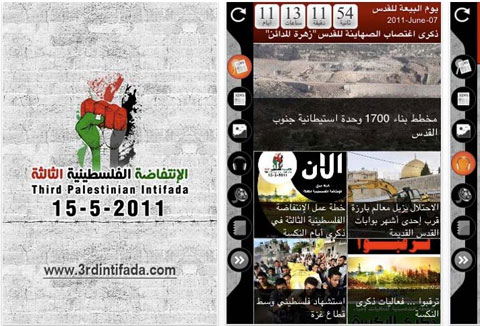
Once again, Apple has fallen back on its developer guidelines as a reason for pulling an app that caused a public-relations catastrophe.
In just about 24 hours after a letter of complaint from an Israeli minister, it removed the Third Intifada app from the iTunes store.
“We removed this app from the App Store because it violates the developer guidelines by being offensive to large groups of people,” an Apple spokesman said Wednesday evening.
The same reason was cited as cause for removal of the “gay cure” app back in March after it unleashed a huge protest.
The question remains: doesn’t anyone at Apple read these guidelines first?
You could (and for the purpose of discussion, please do) substitute or Baby Shaker, iSlam Muhammad — both apps Apple had to remove after a predictable public outcry.
It’d be so much easier if they vetted the apps instead of approving, then yanking them.

UPDATE: CEO Joe Scott retracted the statements made in the press release quoted below. That story is available here.
When Apple sidelined new apps that were tipping off tipsy drivers about DUI checkpoints, we wondered what would happen to the apps that were already in the iTunes store.
Some of them — like Trapster — pulled the DUI alerts while continuing to offer info on speed traps.
But PhantomALERT just issued a press release boasting about how it stayed in iTunes “defying” the senators who pressured Apple to ban apps with DUI checkpoint info.

Cloud Engines announced their new, software-only personal streaming service today for PogoPlug. While the free version of PogoPlug is pretty nice, their Premium service adds a few extra features, like being able to stream music and movies to your iOS device. Running out of room for new movies and music on your iPhone or iPad is always a downer, but PogoPlug ensures that will no longer happen. Lucky for our readers, PogoPlug graciously gave us a whopping 200 Promo codes for free Premium PogoPlug accounts.
We already gave out a couple codes to our loyal Twitter followers this morning, but we’re now opening the floodgates to all of our readers so that the first 195 people to come will get a free PogoPlug Premium account. Here’s how to get your promo code:
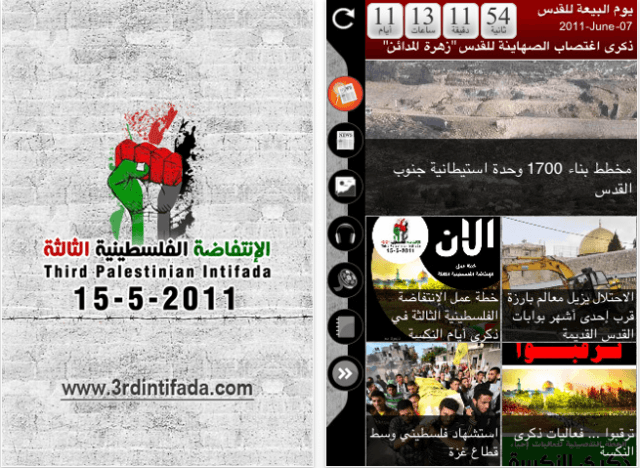
An Israeli minister has requested that Apple pull an Arabic-language app for iTunes that calls for a Palestinian uprising.
In a letter to Apple CEO Steve Jobs, Reuters reports that Israeli Public Diplomacy Minister Yuli-Yoel Edelstein said the app called ThirdIntifada “passed on information about protests, some violent, planned against Israel.”
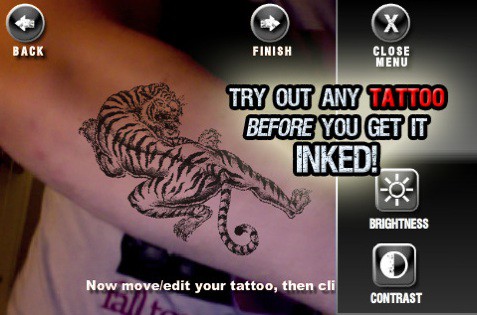
This is what the iPhone was made for. INK: Tattoo Simulator will save your ass (literally) from desecration by a massive tattoo of an obscure Star Wars character, the name of the girl you just met in your freshman college biology class and want to spend the rest of your life with, a portrait of Newt Gingrich or whatever kooky longing for ink your drunk mind might come up with.

Got an idea for a killer app? Consider huddling up for a weekend hackathon with designers and developers at iOSDev Camp 2011.
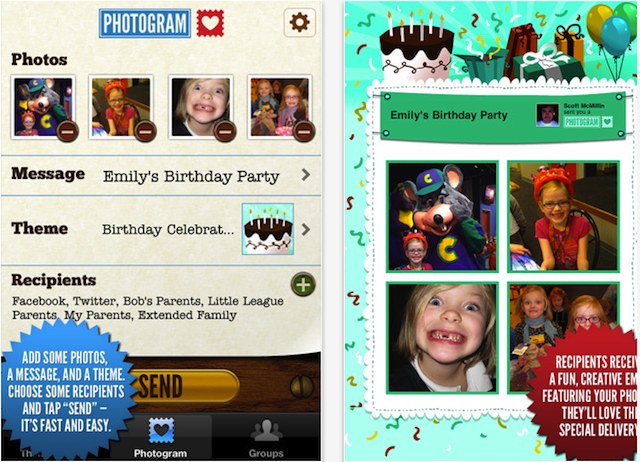
I always had a heck of a time figuring out what to get my dad for Father’s Day; he never wore ties, didn’t have patience for gadgets and wasn’t a big sports fan. I might have sent him one of these, though (and if he had ever read his email, he might have received it).

FaceKandi is a new app that uses Apple’s FaceTime chat to hook you up with real live people to “chat, flirt, make friends or simply have a bit of fun.”
The live, one-on-one FaceTime chat works on the iPhone 4, the iPad 2 and the fourth-gen iPod Touch. The devs say the app does not store your personal data, or record your Facetime ID.
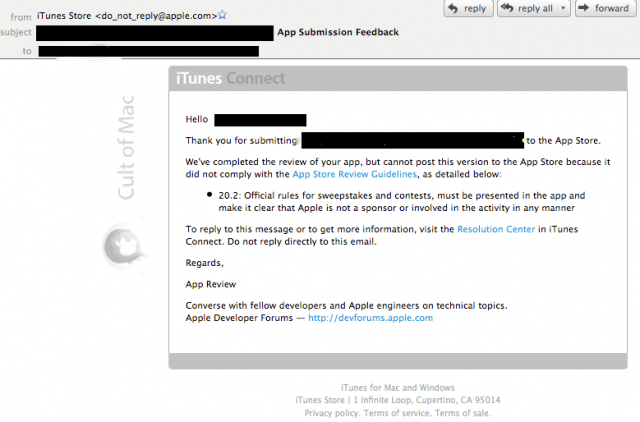
A company got in touch with Cult of Mac after our story about Apple enforcing the ban on iPad giveaways. Their apps were being held in limbo — see email above — during the iTunes approval process due to a contest they were running.
Stuck between the proverbial rock and hard place, they opted to pull the iPad contest. (The giveaway had been a major way, they told us, to get the apps better known.)
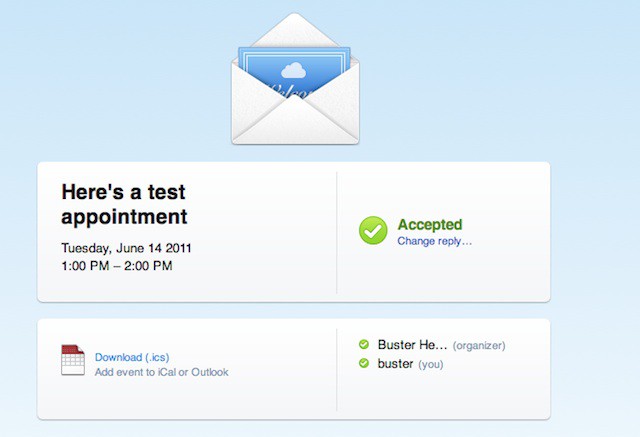
A full week has passed since WWDC, and yet we’re still finding little gems inside iOS 5. The latest finding is that the improved Calendar App allows creators of events to invite people to attend, and then see who all is coming once they’ve responded. The new magic is all made possible with iCloud. Here’s how it works:
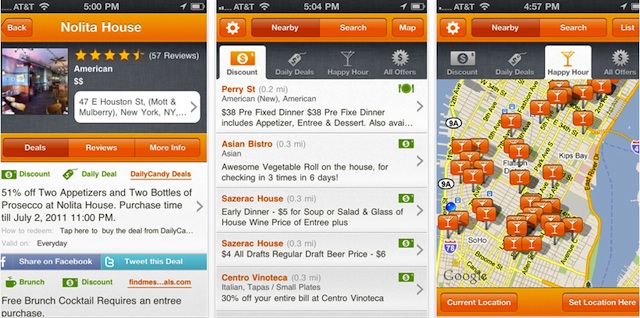
Deals — that’s what we want. No doubt about it. Combine our love of cuisine with our zeal for deals and a website like BiteHunter becomes a well-worn destination. And now, they’ve got an iPhone app.
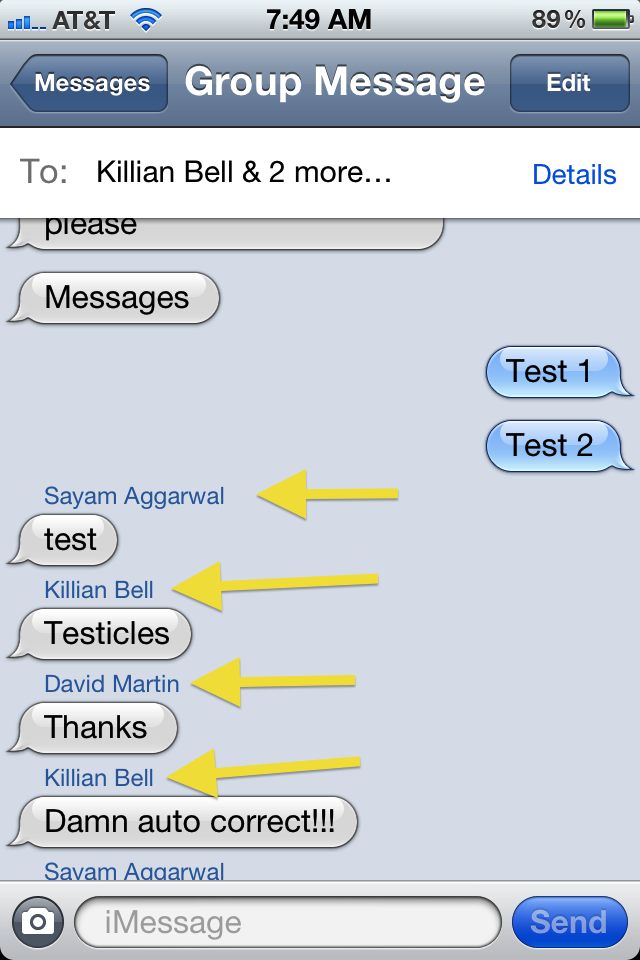
We’ve been raving about Apple’s new iMessage feature in iOS 5 all week. If our current findings haven’t piqued your interest in the new messaging service that let’s you ditch SMS messaging, then maybe this little tidbit will intrigue you. With iMessage, Apple is also introducing the best mobile group chat client to ever hit a smartphone.
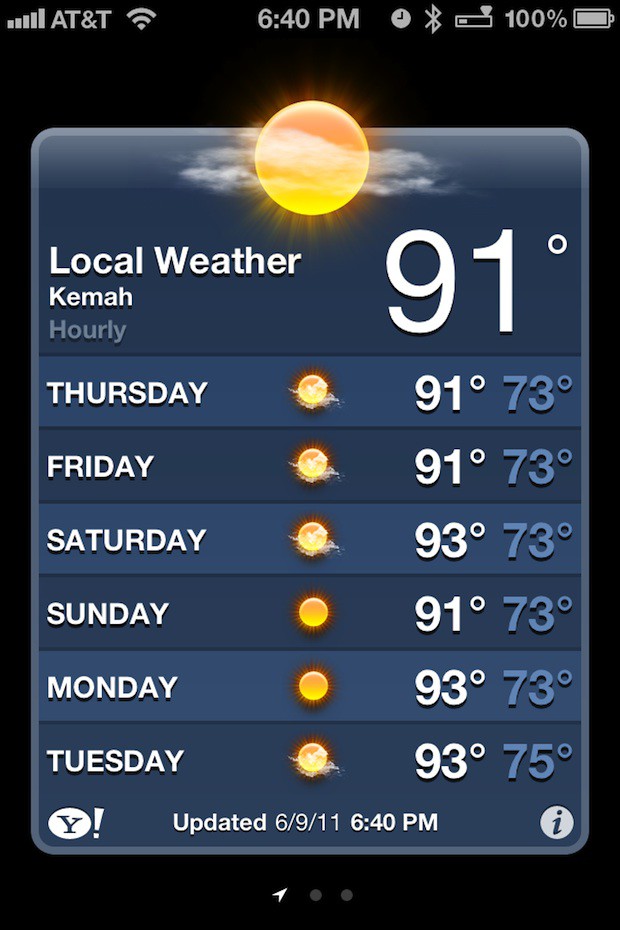
Apple’s new iOS 5 Weather app now delivers the local weather for your current location by default. Therefore you’ll always have a “here you are” weather report each time you open the app.
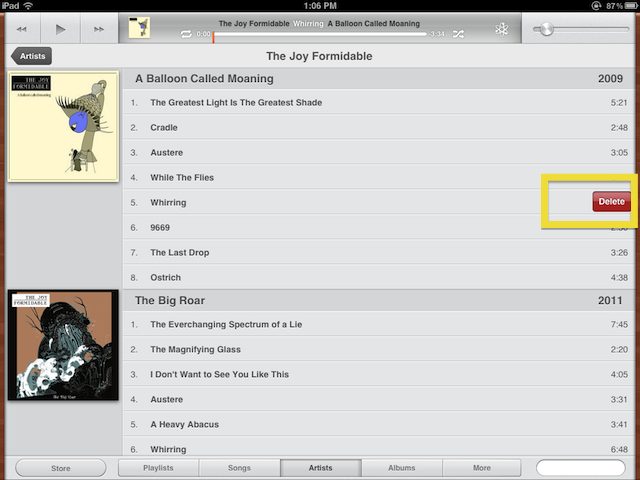
“What? No way, that’s not my Enrique Iglesias track. How’d that get on my iPhone?” Have you ever had your musical tastes harshly criticized by a friend who’s browsing through the music library on your iPhone? Apple’s now enabled users to avoid those awkward moments of friends discovering your guilty pleasures by allowing you to delete songs from your iPhone or iPad.
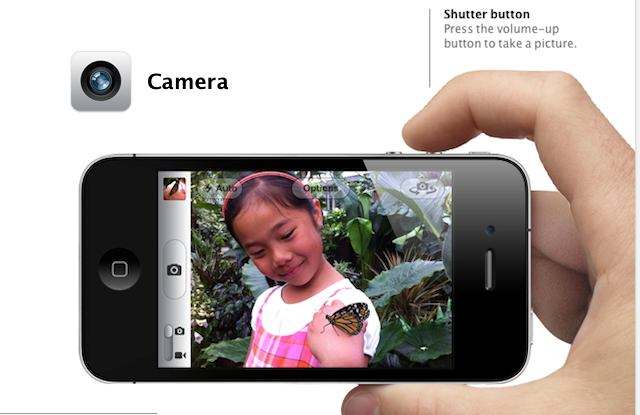
Apple didn’t announce a new iPhone with a beefed up camera on Monday, but they did inform us that they are making some big improvements to their camera app. With the ability to take pictures from the lockscreen, volume shutter buttons, basic photo editing and much more, Apple’s done a great job of making sure the iPhone will continue to be one of the most popular cameras on the web. Here is our run down of the new features in iOS 5’s camera app.
httpv://www.youtube.com/watch?v=vcXGLGRUEiY
Espen Horne, a filmmaker in Norway, had an eerie experience with an iPhone and a fire alarm, resulting in one of those Reese’s peanut butter moments.
The next logical step: he made a three-minute clip asking Steve Jobs to integrate a fire alarm sensor on the iPhone.
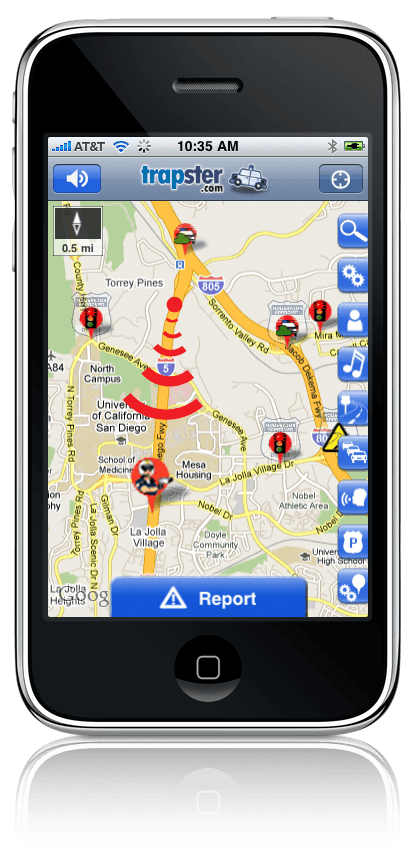
Bowing to pressure from lawmakers after a recent U.S. senate hearing, Apple has updated the review guidelines to sideline new apps that might be seen as aiding drunk drivers.
Section 22.8 of the updated App Store Review Guidelines reads:
Apps which contain DUI checkpoints that are not published by law enforcement agencies, or encourage and enable drunk driving, will be rejected.
Some of the apps in question are, however, still available in iTunes for download.
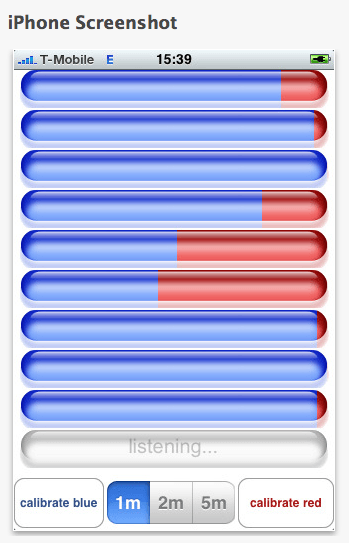
This could be the app that launches or resolves 1,000 spats: Talk-o-Meter monitors your conversation to show who talks more.
The iPhone app monitors the conversation by distinguishing between two voices to elaborate on who is getting the most air time and who is patiently listening.