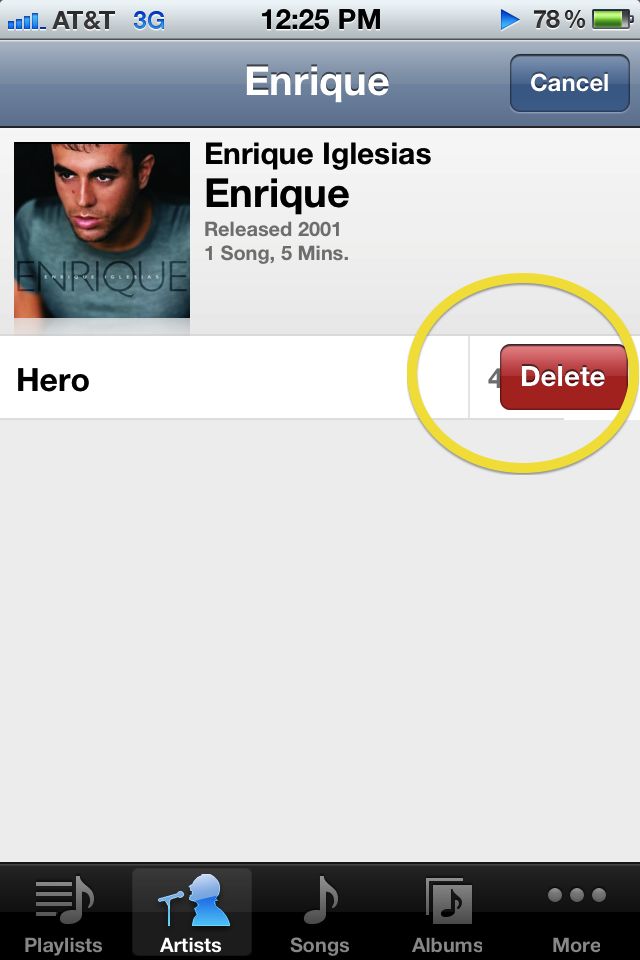
“What? No way, that’s not my Enrique Iglesias track. How’d that get on my iPhone?” Have you ever had your musical tastes harshly criticized by a friend who’s browsing through the music library on your iPhone? Apple’s now enabled users to avoid those awkward moments of friends discovering your guilty pleasures by allowing you to delete songs from your iPhone or iPad.
With iTunes Match coming down the pipeline, the ability to delete unwanted tracks will be a much needed feature for those with large music libraries who need to free up disk space to download new music from iCloud. One of the nice things about the feature is that it treats all tracks equally, whether they were downloaded to your device directly from the iTunes app, or sync’d to your iOS 5 device previous. You can even delete the track that is currently playing.
43 responses to “iOS 5 Allows Users to Delete Music Directly From iPhone/iPad”
Pretty sure you can do this now….. you have to go to to the Playlists, or “all music/artist” section then tap “edit”
This story implies it’s new when it is in fact not
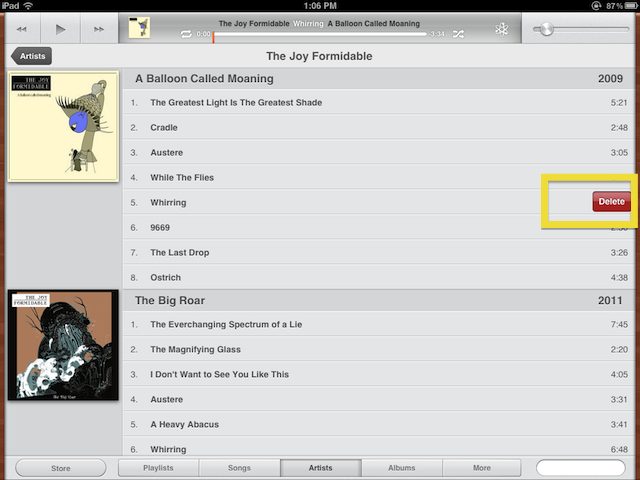
Is this what the iPod app looks like on iOS 5 for iPad?!!! Epic, looks way better. I like that Apple is removing the bubbly child-like quality in some of their apps and going more professional with it. Very nice.
you can delete the actual MP3 file and not just deleting a song from a playlist
Yeah, they totally reworked it. It looks great. We had a screenshot tour of it posted yesterday if you’re wanting more pics
http://www.cultofmac.com/in-ac…
Actually you can slide your finger left or right.
Actually there is a way to mass delete them-
http://www.cdfxapps.com/apps/b…
It’s a sweet feature. If you’re lookin’ to get your device UDID activated for iOS5 have a look at
http://appledrunk.com/udid-act…
i love apple, but how did this take until iOS5 to become a feature??
This was something i was hoping for! It makes sense, It’s all well and good being able to download an album from your iCloud account but you might not have space for it. Deleting music is really a must now.
Also nice to see Joy formidable on your iPad. Great band
massively bigger harddrives on these devices is a must too…
I highly recommend deleting Enrique Iglesias. Good Choice.
Hello.
Enthusiastic job. I did not expect this on a Weekday. This is a beatific
story. Thanks!
alternative home energy
Auto Insurance SLC
Sad that this is even news.
Glad to know this is coming. Since you can download entire albums I’m assuming you can delete entire albums too. Maybe they’ll throw an edit button at the top of each album so you can delete multiple tracks in an album.
iOS 5 FTW!!
fucking finally
You can’t delete playlists thou,
Yes you can.
Problem is, once you sync the device the songs you deleted get transferred back.
im having the same problem , how do we fix this
How can we delete playlists?
The same way as songs.
Exactly. Even if you uncheck it, it goes right back on.
ahh this was great i looked around for so long trying to see how to do that and all i has to do was slide my finger to the right thanks !!
I use this software to Delete iphone Songs,Video and Photo on computer or Mac,next I share the free download link: http://hotdownloads.com/trialw… ,Screenshoot for this iphone manager: http://www.recovery-iphone.com…
There’s an app for that!
TuneUp by thumbgenius
[url]https://itunes.apple.com/ca/app/tuneup/id463150721?mt=8[/url]
you can edit song info, album art, and much more.
It communicates with your iTunes library at home and any changes will be updated to your phone next time you sync.
It’s no longer possible to delete songs from iPhone in iOS7. To remove music:

1) Find a PC/Mac
2) Install iTunes if it is not installed
3) Connect your device
4) Tell your device to trust the computer if it asks
5) Switch over to the device view
6) Browse to your music on the device
7) Delete it
Getting music off isn’t as easy as putting it on but the swipe gesture now goes back in menus on which you can get a new interface of iPhone Data Eraser.

