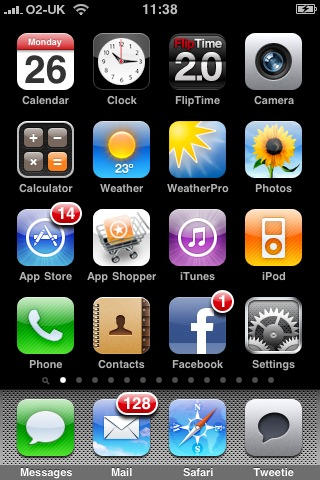
Apple in August said there were 65,000 apps. It took just another 10 weeks to approve more than 35,000 apps. (Apple has approved more than 100K apps, but the number actually available for download is slightly lower: about 93,000)
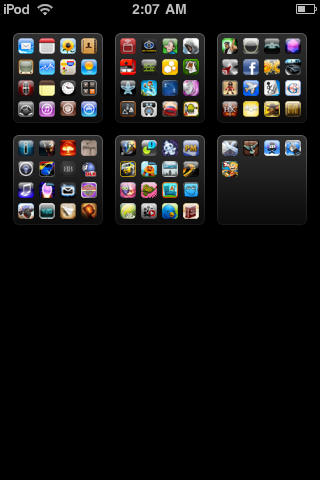
I recently came across orbit, which is one of the best navigation options available for the iPhone and iPod Touch. I have an iPhone that has over 100 applications and it’s definitely a pain to get to the applications on the last page. I can always put the useful applications on the first page but at this point, I have just stopped arranging them. This is when Orbit enters the scene. Instead of swiping across all these pages, it lets me jump to a particular page quickly using simple tile view, saving me a lot of time. That’s the reason it’s one of my favorites.
More than the default number of home screens, via a bug exploit.
As I noted a couple of weeks ago, I want a way to view all my iPhone apps on my iPhone, not just through iTunes. I review lots of iPhone apps and am a keen iPhone gamer. When apps vanish into the void, I forget they’re there (and so Spotlight isn’t much use), and it’s absurd that I can only delete apps in the void when using iTunes. I should be able to do this with just the device.
On Twitter earlier today, I said “iPhone now has 14 pages of apps (via cunning bug exploitation); time to do a major ‘review and delete’ session,” and people have asked me how I did this. Hat tippage must go to British games journo Stuart Campbell and web dev Dayanah, who independently discovered the exploit I now use, although the process of how to take advantage of it appears variable. In my case, it’s roughly as follows:
Ensure the device’s home screens are all totally full, and that Voice Memos is the last app on the final one.
Drag an app from one screen to the next, thereby ‘bumping’ Voice Memos into the void.
Download an app to fill the space left from app-dragging in step 2.
Voice Memos, irked at being bumped, should now make its way back to your first home screen, and you should have a brand-new second page. If you’re lucky, the new page will also include apps previously in the void. If not, reboot and these things will happen. Rinse and repeat the process to get more pages.
One warning: this is only a temporary solution. Open your device in iTunes and select then the Applications tab and your extra pages will probably vanish. In my experience, the same happens during a sync. However, as a means of accessing ‘hidden’ apps between syncs, it’s better than nothing, until Apple gets its finger out of its butt and finally provides a means of viewing more than an arbitrary number of apps on its mobile devices.
Spot the difference: Puzz Loop, Luxor and Stoneloops! of Jurassica
Are you seated comfortably? Then we’ll begin.
Once upon a time (1998), there was a company called Mitchell Corporation, and it created a game called Puzz Loop, and there was much happiness and rejoicing. The fun-filled game enabled you to shoot coloured marbles at a relentless stream of incoming ones, aiming to create chain collisions of like-coloured marbles, which subsequently vanished.
Like all good action puzzlers, lots of companies were upset because they hadn’t thought of the idea first, and so they went ahead and created their own versions. For example, in 2003, there was PopCap Games with Zuma, and then in 2005, Luxor by MumboJumbo.
For a time, all the Puzz Loops of the world lived happily in Videogameland, until the day they all decided to move to iPodWorld. There, they met Stoneloops! of Jurassica, and MumboJumbo decided to become a great big jerk and have Stoneloops! of Jurassica booted out of iPodWorld.
Stoneloops! of Jurassica might have had a a stupid name, but MumboJumbo’s real problem was that Stoneloops! of Jurassica was wearing a really similar T-short to Luxor, and therefore asked the Big Bad Apple to stamp on its rival’s head until it was dead and buried. And no-one lived happily ever after.
The end.
Clearly, rights infringement is a big concern on the App Store. However, Apple should not be placed in the position of having to nuke a product on the basis that it’s like another one, when the rival making the complaint rips off existing and older IP. If Mitchell Corporation had thrown a hissy fit, it might have had a point, but it didn’t. This incident, however, is the equivalent of TAITO getting the likes of Reflexion pulled from the App Store due to it being somewhat like Arkanoid, while Breakout owner Atari looks on, puzzled. However, TAITO hasn’t done this, because, unlike MumboJumbo, it hasn’t lost its marbles. [You’re fired—Ed.]
We’vereportedbefore about the legal spat between Mobigame, makers of fine indie game Edge, and Tim Langdell, who appears to make his money by suing anyone daring to use the name Edge in a videogame, and makes rather spurious claims regarding how he ‘spawned’ almost any major property with the word ‘Edge’ in its title, including Edge magazine by Future Publishing, Marvel comic Edge, and, er, 1997 Anthony Hopkins movie turkey The Edge. (He’s also laughably stated in the past how he has come to an ‘understanding’ with a guitarist of a very popular rock band.) TIGSource has a great overview of the madness.
Edge returned to the App Store recently, and Langdell will next year be battling EA, a company that’s had enough. Rather than just dealing with issues relating to EA game Mirror’s Edge—Langdell started advertising a game called Mirrors (a game by) Edge, which still doesn’t exist, and yet was in no way an effort to promote mark confusion—EA’s aiming to have Langdell stripped of all his Edge-related marks.
EA’s documentation cites numerous examples of Langdell filing out-of-date and falsified specimens, and the fact Edge Games isn’t a viable commercial concern. (ChaosEdge offers running commentary regarding Langdell’s so-called commercial concerns—a Mythora ‘reissue’ they bought from Edge Games was a home-made burned disc; and despite Langdell claiming its game Racers had sold out, the second purchase ChaosEdge made days later had an order number only one higher than their pre-Racers order.) Last month, company spokesman Jeff Brown said: “While this seems like a small issue for EA, we think that filing the complaint is the right thing to do for the developer community.”
Sadly, Langdell still won’t back down. We today heard Mobigame’s Edge is again under threat, with Apple giving the company five days to respond to yet another threat from Langdell. If you’ve an iPhone or iPod touch, get in there fast, because chances are that Edge is about to vanish yet again, and it may take an EA battering in court next year for Langdell to finally stop harassing indie developers.
If you’re a Douglas Adams fan, there’s a point fairly early on during iPhone ownership where you realise that you’re holding in your hands the Hitchhiker’s Guide to the Galaxy, which is a nugget of information that hits you suddenly, rather like having your brains smashed out with a slice of lemon, wrapped around a large gold brick. Naysayers might disagree, but Apple’s handheld enables access to a mind-boggling array of information, via a friendly interface, even if it doesn’t have the words ‘don’t panic’ inscribed in large friendly letters on its cover.
It therefore only seems fitting that the Hitchhiker’s Guide books are finding a happy home on Apple’s device, the latest of which is Eoin Colfer’s sixth Hitchhiker’s Guide novel, And Another Thing... In the US App Store, the novel is available in extended form, bundling the digital and audio versions, video clips, “bits of brilliance from the first five books”, and a bunch of other extras (App Store link).
Mindy Stockfield, VP of Marketing & Digital Media for Hyperion Books and Stephen Saiz, Director, Marketing for Digital Publishing, Disney Interactive Studios, gave us the low-down on the thinking behind the interactive version, and Eoin Colfer added his thoughts on getting the guide on your iPhone.
Condé Nast announced that it will launch a digital version of men’s mag GQ on November 18 in tandem with the print issue.
The digital version available on iTunes will cost $2.99, half of the newsstand price, and there’s no word on whether snail mail subscribers get a discount. Condé says digital GQ be a perfect clone of the dead tree GQ, right down to the ads.
Our mock-up of what GQ might look like, from their online gallery.
If you want to meet with Apple tech evangelists to discuss your iPhone apps — get a move on.
Dates for the second iPhone Tech World Tour were announced yesterday; spots are already scarce.
The full-day conferences, free but with a limited number of participants, kick off in San Jose on October 29.
There’s still space in Silicon valley, but London (Nov. 11) New York (Dec. 1) and Tokyo (Dec. 15) are already full.
Sessions include user interface design essentials, working with core data, testing and debugging your iPhone app and something new: adding “in app” purchase to your app.
To end your day with Apple, there’s even a wine and cheese wrap-up. (If you go, send us pics.)
You’ve still got a chance to hobnob with Apple and other devs in Seattle, Toronto, Bejiing, Paris and Hamburg.
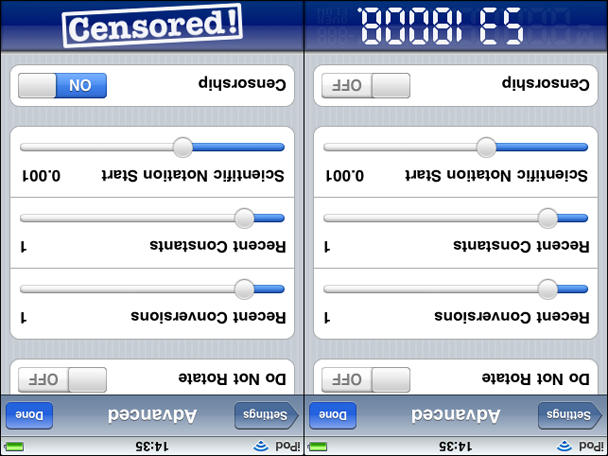
As we recently reported, PCalc recently added calculator censorship, protecting fragile little minds from seeing the word ‘boobies’ (and others) more or less spelled in old-fashioned upside-down numbers.
James Thomson, PCalc’s creator, states that the 1.8.1 upgrade is at least three times as draconian, now filtering ‘words’ punctuated by a decimal point, and those in languages other than English.
But wait! A hero looms on the horizon: the self-same James Thomson has rallied against iPhone calculator censorship and calculator-based freedoms, taking a stand against his “cruel paymasters” at TLA Systems, the evil umbrella corporation responsible for DragThing and PCalc, owned by evil, dictatorial James Thomson.
Get your calculator boobies back with PCalc 1.8.1
Now you can nip into PCalc’s advanced settings, scroll to the bottom, flip your device and turn off iPhone censorship, shortly before reverting to a five-year-old, typing 5318008, and never getting any work done again.
Hurrah for James Thomson and PCalc, freeing us from the calculator tyranny imposed by James Thomson and PCalc!
Left: Amusing unit converter 5ft Monkey. Right: Brave Man loses a finger.
It’s Friday and it’s time for our weekly digest of tiny iPhone reviews, courtesy of iPhoneTiny.com, with some extra commentary exclusive to Cult of Mac.
Under review this week: AboutTime, Privately, Pro Football Live!, Hanoi Plus, Brave Man, 5ft Monkey, Orbital. As always, all id.gd links are to the relevant App Store page.
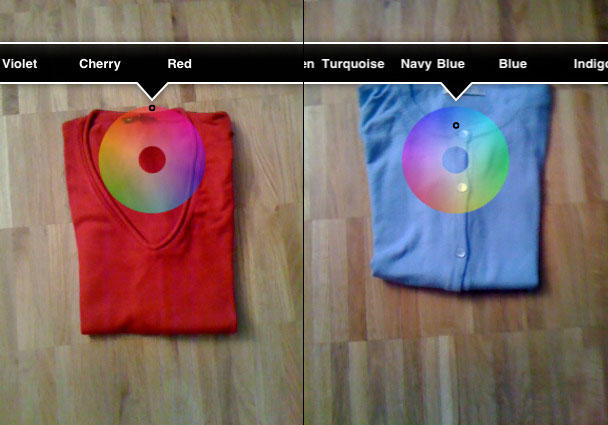
A week back, my interest was piqued by Retina (App Store link), a 99-cent augmented reality app that aims to assist color-blind users. I interviewed developer Stefan Fürst of Media Atelier for some background on the app.
Cult of Mac: What was the inspiration behind Retina? Why did you decide to make it?
Stefan Fürst: The idea was born when my red-green blind bicycle buddy was talking in a very convinced way about his green bike he likes so much. He had been riding it for two years and had no idea it wasn’t green at all.
How does it work, and how did you decide on the interface?
The interface has been kept very simple to make it suitable for everyday use. The list of colors might look very short and inaccurate to non-color blinds—but to figure out if an object is green or red this works perfectly.
What feedback have you had from colour-blind users?
One of them made me to add the saturation indicator and told me that this helps him a lot.
In which ways do you think augmented reality apps will evolve in the future?
I believe that there are almost endless possibilities, but most uses would need higher processing power to make them run smoothly on an iPhone or other mobile device.
What are your future plans for iPhone apps?
Actually I am more of a Mac Developer, extending my desktop apps with iPhone helpers. I developed Retina for my color-blind friends and hopefully a lot of other people having problems in recognizing colors.
Having garnered some feedback from early Retina adopters, it seems there’s definitely interest in this kind of app, although Retina itself appears to have trouble with subtler colors, and it often claims it’s ‘too dark’ or ‘too light’ to make an assessment. However, for 99 cents, it’s worth a look for anyone severely color-blind wanting a quick and easy way to ascertain the color of things like clothing.
HAVA just launched a mobile player for iPhone, putting it further into competition with rival service Slingbox.
They call it place-shifting, but lingo aside it allows you to control your live home TV from broadband Internet or computer or mobile phone — and watch it in another room, across town or while stuck in an airport abroad.
HAVA also has DVR capability to allow users to start a recording to their PC or attached storage, pause, rewind or fast forward live TV.
The Hava iPhone app costs $9.99 and you’ll need one of their devices, which start at $149.00 for the platinum HD model, plus broadband connections on both ends and a WIFI connection for your iPhone. (The Slingbox Solo starts at $179 and its companion iPhone app costs $29.99)
Ever since the two companies launched within a year of each other about five years ago, debate has sprung up — in both the Hava community and the Slingbox camp — about which one is better.
Let us know which one you’re using and whether you’d recommend it.
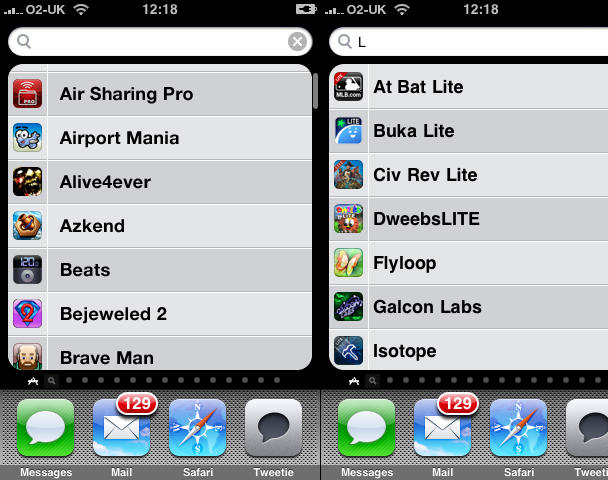
A list of all installed apps, which can be filtered, like in Finder on Mac OS X. C'mon, Apple - how about it?
Since getting my iPhone, I’ve become a certified app junkie, justified somewhat by the fact I review apps for various publications on- and offline, and for my own website, iPhoneTiny.com. Despite regular clearouts, my home screens often end up full, not least because many games remain on the device, to avoid my losing my progress. (Apple, in its infinite wisdom, still doesn’t provide any means of backing-up progress and optionally reinstating it when you reinstall an app. It’s like Apple saw the cheapskate end of the DS market—carts without battery back-up—and went “we’d like a piece of that pie!”)
Having been commissioned to write some group reviews recently, I’m now at the stage where I have eleven full home screens and dozens of apps in ‘the void’—that place apps go when they aren’t allowed to sit on a home screen. Apple’s suggestion: use Spotlight, and that’s fine if you can remember every app you have installed. If not, tough. (And rearranging them in iTunes to get the most ‘important’ ones on the 11 visible home screens isn’t a great tip, given that iTunes appears prone to crashing in a nasty fashion when rearranging apps—usually after you’ve spent an irritating 15 minutes doing so.)
Various people have tried designing an improved springboard for non-jailbroken devices, most recently including Bruce Tognazzini, but these tend to lack the elegance of Apple’s existing solution. Tognazzini offers labels and vertical scrolling in pages, but Lukas Mathis argues that this is too complex, and I agree. (Hat tip for these links: Daring Fireball.) The springboard Exposé concept also appears awkward and fiddly.
I wonder whether a simpler solution would assist anyone with lots of apps installed. Along with upping the number of home screens to 14—the most that could be displayed using the current UI before things start looking iffy—Spotlight could have a separate apps list page. This could be accessed by a swipe on entering Spotlight (as in, it would spatially live to the left of the standard Spotlight screen). By default, this screen would display an alphabetised list of your apps, and typing in the Spotlight field would filter them, just like the Applications folder in Mac OS X’s Finder in combination with a Finder window Spotlight-driven search field.
iPhone users can now go keyless, if they want to spend $500 for the Viper SmartStart system.
The app is available, gratis, on iTunes. But you need a Viper receiver that costs half a grand to be able to say goodbye to your keys. (If you’ve already got a Viper system, you can add on the iPhone SmartStart module for $299.)
SmartStart lets you lock or unlock your car, set the alarm, start it from remote, unlock the trunk and there’s a “panic or car finder” for those parking lot nightmares. You can also manage more than one car on it and assign more than one user per car — which the company says is great for families but somehow I imagine more “War of the Roses” shenanigans.
Cool idea, but I can’t imagine paying that for it. How much would you spend to control your car from your iPhone?
Canabalt's detailed pixellated graphics (zoomed here) draw you into the game.
With its simple tap-to-jump gameplay, high-speed scrolling and gritty dystopian atmospherics, Canabalt proved a hit Flash-based sensation when recently unleashed online. The game has now been released for iPhone and iPod touch—one of the first truly successful Flash-based games on the platform. We spoke to Adam Saltsman and Eric Johnson of Semi Secret Software about how the game came to be.
In the world of iPhone apps, there are generally three categories of quality:
Crapware that you throw away a few minutes after downloading
Moderately useful software that you keep around but use a few times a week
Daily tools that become a key part of your iPhone experience
With the release of Loren Brichter’s much-anticipated Tweetie 2 for iPhone, however, I think it’s time to establish a new category: “iPhone software better than anything Apple.” In fact, I’m willing to go so far as to claim it is the single-best app ever written for the platform. It’s incredibly useful, smooth as butter, innovative in design and features, and just works as you expect that it would. It’s as if it sprung, fully formed, from the skull of the iPhone, as if to say, “This is how it should work.” Not only has Tweetie 2 raised the bar for mobile Twitter clients, it’s raised the bar for mobile software.
I’ve been playing with it non-stop since its release yesterday, so there’s a lot of ground to cover. I’m going to break this review into three major categories: Interface, Features, and Magic. Hit the jump to see it all. There’s so much to talk about!
For one weekend only - buy Alchemize at 13 times its usual price! Barg!
On my blog a couple of weeks back, I wrote the article More proof the iPhone App Store destroys people’s understanding of good value, highlighting rampant idiotic reactions to Loren Brichter having the audacity to charge three whole dollars for a complete rewrite of his stunning Twitter app Tweetie. Patrick Jordan referred to Tweetie 2’s price-point as a “very,very,very Bad Call,” (his emphasis), suggesting it was “spitting in the face of existing Tweetie users”. My thinking: You’d pay more than three bucks for a crappy sandwich or a luke-warm beer in the pub. But, apparently, three bucks is too much of a ‘reward’ for the hard work a dedicated indie dev has put into a leading and brilliant product.
The dev of Alchemize has clearly had enough of this kind of attitude. On the TouchArcade forum, he reveals that his company has received an astonishing 3400 emails in one month moaning about the price of his three-dollar game. Although its Puyo Puyo-style mechanics won’t win too many awards for originality, Alchemize is a fairly good game, and one that would set you back considerably more on competing platforms. To that end, the dev’s now upped his app’s price to an eye-watering $39.99 in protest at people constantly complaining about paying a few bucks for a videogame.
It’s pretty clear that something needs to be done regarding App Store pricing and value perception, because the race to the bottom is hurting many developers. Apple’s recent ‘top grossing’ chart doesn’t really help. Personally, I like Eucalyptus dev Jamie Montgomerie’s suggestion that the App Store should split its chart in two, along the lines of British 8-bit videogames during the 1980s and early 1990s, offering separate ‘budget’ and ‘full price’ charts.
If you’ve ever wondered what the point of those flashlight apps are, wonder no more: they are kick-butt investigation tools.
The next time you need to crawl down a 150-foot electrical conduit and don’t have a flashlight — your iPhone can light the way, a recent episode of CSI reminds us.
In a cheesy bit of iProduct placement, the actor hands his iPhone-cum-flashlight over to the guy who will have to brave the crawl space saying “There’s an app for that.”
There are a bunch of these apps on iTunes, most are free, ranging from Funny Flashlight to myLite (also has strobe effects), with jokey descriptions like “Are you scared of the dark?”
Has anyone found the flashlight app handy — aside from helping solve heinous crimes?
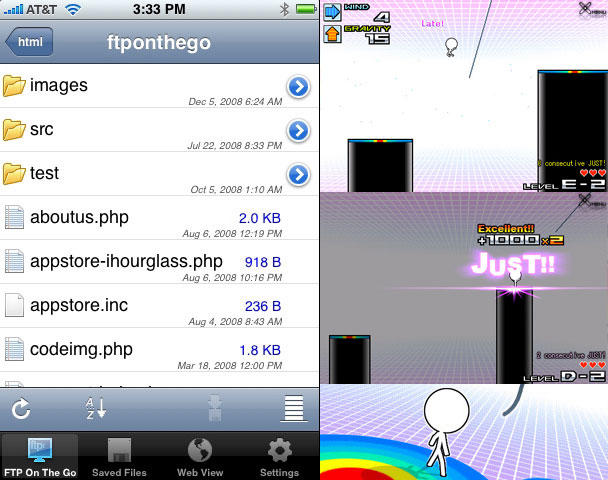
Left: FTP On The Go; right: the wonderful Mr.AahH!!
It’s Friday and it’s time for our weekly digest of tiny iPhone reviews, courtesy of iPhoneTiny.com, with some extra commentary exclusive to Cult of Mac.
Under review this week: Edge by Mobigame, Concertimatic, Juiced, Formula 1 Live Racing Free, Dude, FTP On The Go, Mr.AahH!!, Pinch n Pop!, iSplume, Edge by Mobigame Lite. As always, all id.gd links are to the relevant App Store page.
The New York Metropolitan Transit Authority (MTA) gave the green light to Station Stops, an app with handy time tables, after having it yanked from iTunes for intellectual property claims against the developer.
Station Stops, which costs $2.99, is back in the Apple store this week.
It’s a major victory for the developer/blogger/commuter Chris Schoenfeld, who saw his work pulled from iTunes in August and on the receiving end of a nastygram from MTA lawyers.
The app provides a timetable for the Metro-North Railroad for regularly-scheduled trains departing and arriving from Grand Central Station.
Schoenfeld ran into trouble with the MTA because although they provide schedules to Google Transit, they do not release the data publicly. To build his app, Schoenfeld did it the old way — by entering data manually from the published public schedule.
Earlier this year, we ran several articles about Mobigame‘s excellent iPod game Edge getting a legal smackdown from Tim Langdell, owner of Edge Games. Over time, his claims to the Edge marks have, according to commentators, become increasingly dubious and troll-like, to the point where internet sleuths have clubbed together as ChaosEdge to provide a legal fund for Mobigame and information repository that built on the investigative work of TIG Source.
Recently, EA filed suit against Langdell about an entirely different Edge trademark spat, but, to aid indie devs, EA aims via the suit to obliterate all Langdell’s Edge marks, making the world safe for people to use the word ‘Edge’ in the title of a videogame without someone who had a company that was marginally famous in the 1980s popping up and having a major hissy fit.
Possible upshot? Edge is back in the App Store ($4.99 US/£2.99 UK). Somewhat like what you’d get if Marble Madness was built from cubes, and then a load of other cracking gameplay components were added, Edge is a top game for iPod touch and iPhone. And while we hope it’s around for good this time, we strongly recommend you go and buy it right now, just in case it vanishes again.
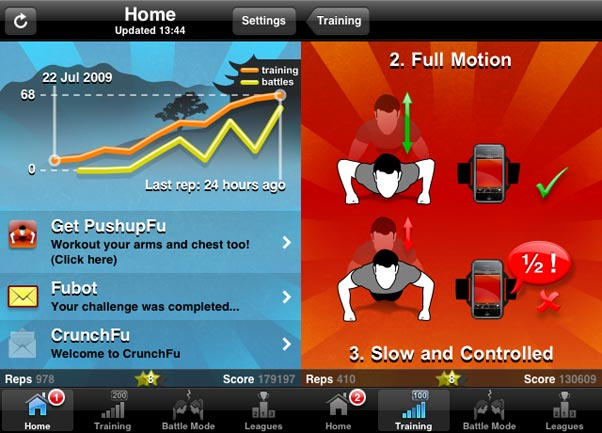
GymFu apps use your device's accelerometer to track 'reps'
GymFu has carved itself a niche on Apple handhelds, coming across like an affordable Nike+ for crunches, push-ups, pull-ups or squats. CrunchFu was also an app of the week on this site recently.
A criticism of the suite of apps has been the built-in ‘Fubot’ robot, which counts your reps and barks instructions, sounding like an angry, dispassionate Dalek with a sore throat. As of today, GymFu reports that you can switch out the voice for one of the alternatives from the ‘Sarge and Missy’ voice pack. Of those voices, one sounds like an angry drill instructor and the other resembles a schoolmarm. (Cult of Mac leaves it to you to decide which one is which.)
Initially, GymFu users can grab the voices for the princely sum of ‘nothing at all’ by sending a message to Twitter of Facebook via a GymFu app. “We’d originally intended it as an in-app payment but then we came up with a better idea; why not reward users for tweeting about us from within the app?” says Jof Arnold of GymFu, noting that other companies have tried rewarding uses for inviting friends, but GymFu’s enabling users to write whatever they want. He adds: “There’s nothing quite like getting shouted at in aggressive pseudo-army tones to inspire you to squeeze out some more reps,” and Cult of Mac agrees this is certainly better than being yelled at by a Dalek.
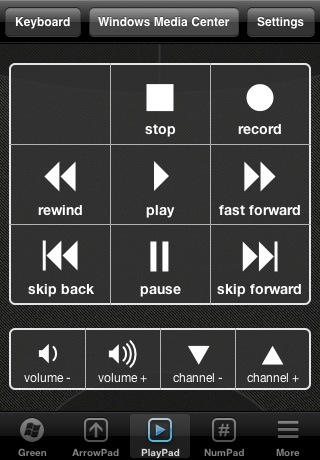
What it is: HippoRemote is an incredibly powerful remote control application for iPhone that enables you to control any Mac application from across the room. Though optimized for media apps like Plex Media Server or Boxee, it can do just about anything — including launching Spotlight from the keyboard.
Why it’s cool: Because it finally puts every possible thing you could do on a Mac at your fingertips. It uses Mac OS X’s built-in Screen Sharing features to provide a very responsive multi-touch trackpad that moves around with you. It also offers a keyboard including F-keys and command keys that can be viewed in Portrait or in Landscape. It’s absolutely seamless. It also includes 23 application-specific suites of buttons, so you have video controls for iTunes or Plex movies, but audio controls when you’re just listening to a song. Other apps, most notably Rowmote Pro, offer identical functionality, but this one just feels more accurate — possibly because it uses VNC Screen Sharing instead of a third-party program. I’m actually writing this on my iPhone into my Mac right now, and there’s virtually no lag. Additionally, it’s worked without a hitch. Simply fuss free, and perfect for your living room Mac mini.
Where to get it: HippoRemote sells for $5 in the App Store.
It’s Friday Sunday and it’s time for our weekly digest of tiny iPhone reviews, courtesy of iPhoneTiny.com, with some extra commentary exclusive to Cult of Mac.
Under review this week: Diorama, Bust-a-Move/Puzzle Bobble, Darkness, Nag-O-Meter Deluxe, Glypha, Rugby Zone, Otakukous and EPSN ScoreCenter. As always, all id.gd links are to the relevant App Store page.
Have a question? Aardvark Mobile is a great iPhone app that will find a real person to answer it – usually within minutes. It is a wonderfully useful app and has the potential to be an iPhone mainstay for years to come.
Aardvark Mobile is the latest addition to Aardvark: a social question and answer service that emerged from its beta phase earlier this year. Before Aardvark Mobile, users could only communicate with Aardvark through IM or email. The upshot of this was that if you needed a question answered from your iPhone, you had to go through your email or instant messaging app. In most circumstances you were better off finding an answer on your own using Google – even on an iPhone 2G.
But now Aardvark Mobile makes using Aardvark with an iPhone a cinch. So easy in fact, it makes Googling questions from your iPhone seem cumbersome and antiquated.