This is Fragile Earth, an interactive photo gallery designed to teach you a little about ecology, conservation and the natural environment.
Explore The World And Its Hazards With Fragile Earth Photo App [Review]
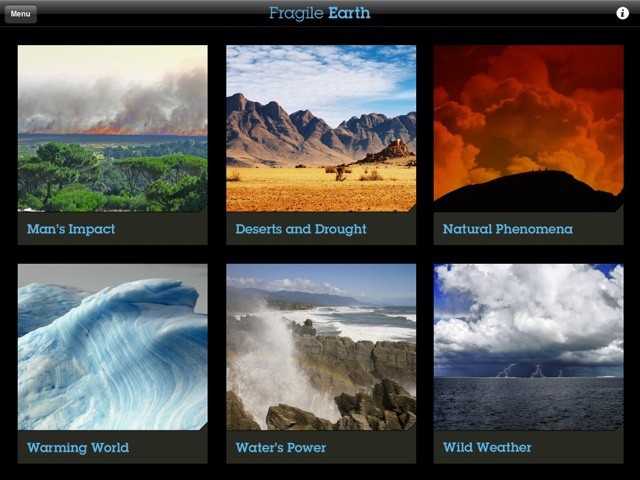

This is Fragile Earth, an interactive photo gallery designed to teach you a little about ecology, conservation and the natural environment.
What do you do when you have a huge DVD collection that you’ve been building for years, and combine it with Apple’s resolutionary new iPad? Your favorite movies are stuck in a physical format and you can’t even totally enjoy the awesome new Apple gadget you just bought. Repurchasing all your movies on iTunes would cost more than new iMac, but fortunately there’s a simple answer that is totally free.
This week we’re going to teach you how to take your DVDs, rip the movie files off them, and stream them to your iPad or iPhone courtesy of the folks at Digiarty. For the next 7 days Cult of Mac readers can get a free copy of MacX DVD Ripper Pro Streamer Edition provided by Digiarty, which will help change the way you watch movies.
Once you’ve downloaded your free software you’re going to need to know how to rip your old DVDs. It’s super easy, but we’re here to help you out. To get rip your movies from DVD to your Mac follow these 4 simple steps using MacX DVD Ripper Pro.
While Apple announced another record-breaking quarter yesterday, U.S. mobile carrier Sprint reported a significant net loss of $863 million – nearly twice the loss that it reported for the same quarter last year. iPhone sales, however, helped increase Sprint’s overall subscriber base – making this the eighth consecutive quarter where the company reported overall growth.

Forget stunning 3D graphics and fancy gesture-based gameplay; good, old-fashioned 2D arcade fighters are still some of the most entertaining games money can buy. And Marvel vs. Capcom 2 is the latest addition to that genre on iOS. It’s one of the most popular fighting games of all time, featuring 56 legendary characters and an insane, tag-team fighting experience.
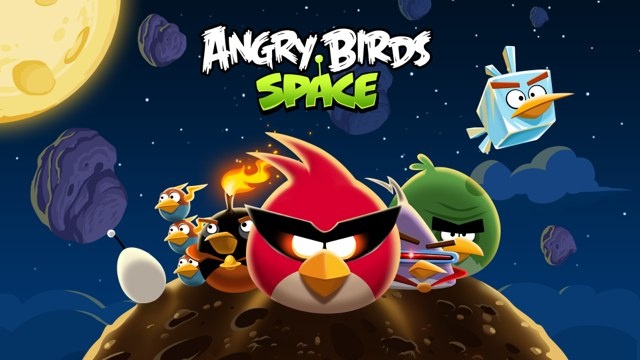
Angry Birds Space, the latest title in the hugely successful Angry Birds series, has received its first update today, bringing 10 new levels, a golden “eggteroid” and more to Android and iOS. Those playing on an iPhone or iPad will also receive 20 free Space Eagles, plus one extra Space Eagle every day they play.
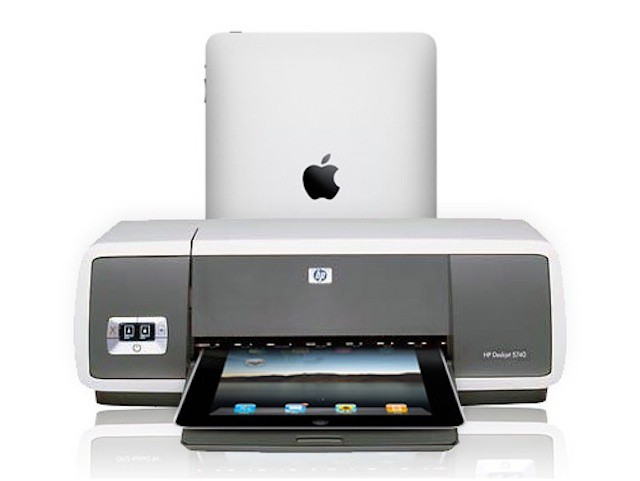
Apple introduced the iOS printing a year and a half ago in the form of the iOS feature AirPrint. Although the feature has been available for some time, only a handful of printers ship with AirPrint support. There are, of course, a couple of ways around that limited selection like the Lantronix xPrintServer, the OS X Printopia utility, and FingerPrint for both OS X and Windows.
Those are great options for home use, but what about business users? The iPad is the best selling business tablet by a huge margin and that should translate into at least some workplace printing – or should it?
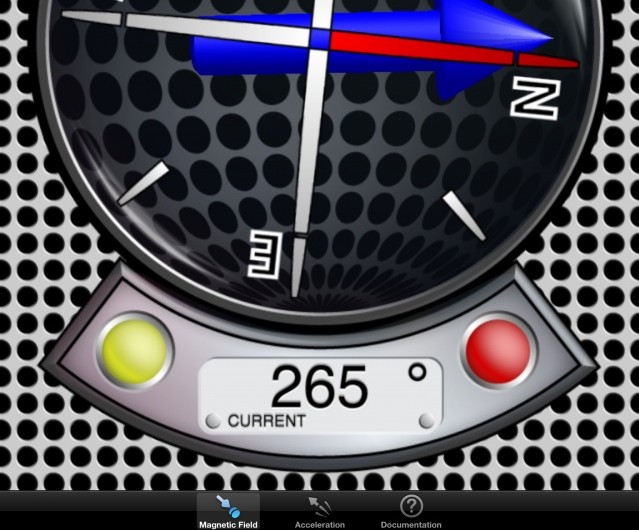
Hey, did you know that there’s a compass inside your iPad? Well, there is, and developer plaincode decided to geek it out with a ton of other things that compasses can do. Technically, it’s a Vector Magnetometer, which means it measures the magnetic field around you (which is what a compass does, basically) as well as acceleration. Apparently, the devs had an iPhone version, and are working hard on a Universal version of this app, so they’ve got this one up (iPad only, for now) for free.
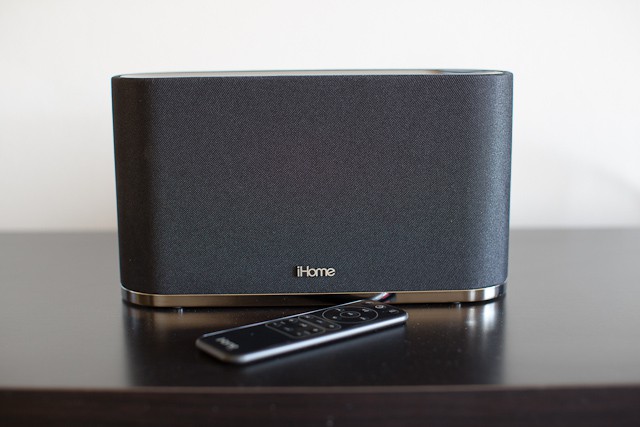
iHome’s new iW2 ($200) is an AirPlay-enabled speaker that allows you to send audio from any iOS (4.2 and up) device right to it with the click of a button. It has finally untethered me from my white-wired earbuds, and transformed my living room into a place of musical bliss.

Do you yearn for the time when your music required a hulking great box to play it? When that music came not in convenient playlists but separated out onto various discs and mechanical cartridges (aka “tapes”)? Do you wish to relive those wonderful days of the Midi System, the Mini System and even, back in the depths of the 1970s, the Music Center?
Then you’re in luck. By applying the latest in touch-screen technology and cutting edge software design, you can now have all the inconvenience of old-school recorded music rendered with the convenience of multi-touch. Behold: The BeatBlaster.
Arqball Spin is a curious mix of hardware and software, with a very niche but very cool purpose: to create interactive 3-D photos. By combining an iOS app with a hardware turntable, Arqball is able to “film” a spinning object and then render it as a touchable 3-D model which can be spun using your fingers.
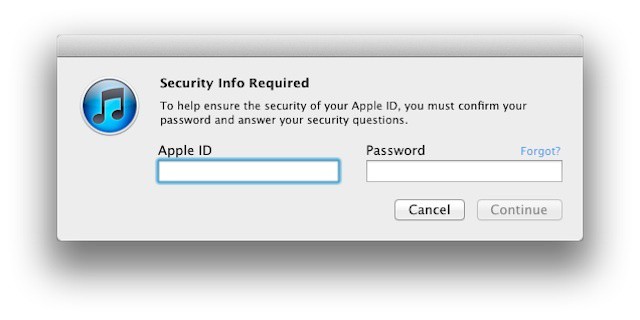
Apple recently began prompting users to select three security questions for their iTunes Store accounts. The move helps to ensure that you’re the authorized account holder if you have problems or forget your password.
The idea is well intentioned and a sensible protection for Apple and its customers. Unfortunately, Apple’s way of rolling out these security questions and the questions themselves highlight the old adage about the way to hell being paved with good intentions.
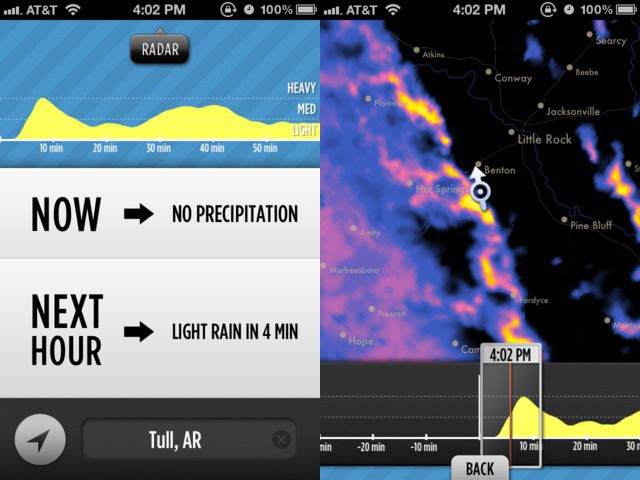
As an Englishman, I know all about rain. I’m intimate with sleet, drizzle, and driving rain both horizontal and vertical. I know about rain that slowly soaks you even though it seems that none is falling, about freezing rain that stings as hard as hail, about the rain that seems to ignore your umbrella and creep into even the best-sealed seams of your clothes.
Other countries might have spectacular monsoons, or driving rainstorms that flow for days, but for variety and ubiquity of precipitation, it’s hard to beat the British Isles. Which is why I’m sad that Dark Sky — an app that predicts the rain forecast for the next hour only — currently only works in the continental United States.
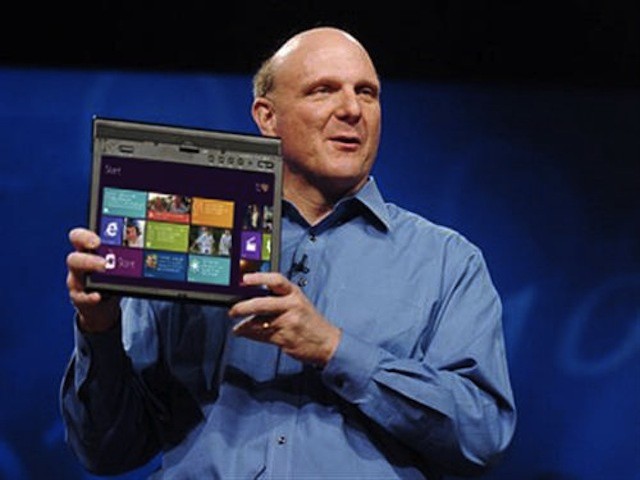
Microsoft is using its home field advantage in the business market to alter the playing field between its upcoming low cost Windows RT tablets (formerly called Windows on ARM or WOA tablets) and the iPad. To date, the iPad has been the business and enterprise tablet of choice and that gives Apple a significant leg up over competing Windows RT tablets.
Aiming to neutralize that advantage, Microsoft has written Windows 8 licensing for enterprise organizations in a way that makes supporting the iPad and other non-Microsoft devices more expensive – essentially penalizing companies that opt for the iPad and want to use a virtual desktop (VDI) solution such as those from Citrix and VMWare for remote access to a Windows desktop.
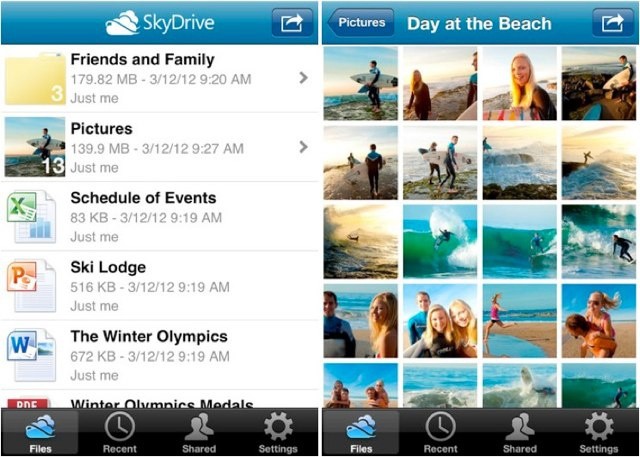
With the widely-rumored Google Drive service set to launch sometime this week, its rivals are scrambling to ensure they still have the upper hand when it comes to cloud-based storage. We’ve already seen an update to Dropbox this week, and now Microsoft is bringing new features to its SkyDrive app for iOS.
In addition to support for the iPad and its high-resolution Retina display, SkyDrive 2.0 also offers a number of handy new features.
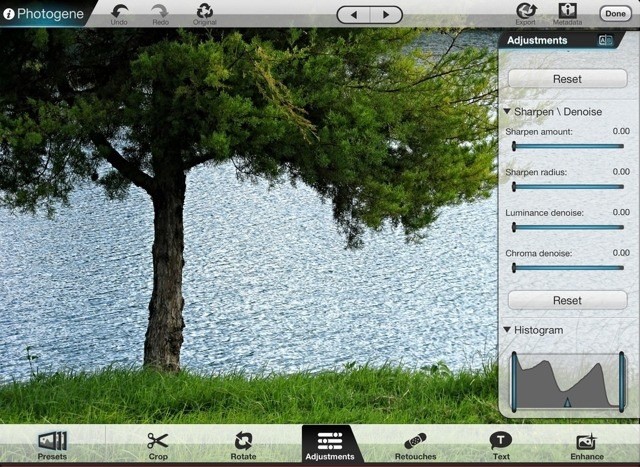
Photoshop Touch is a great iPad app, but it’s tightly focused on quickly gussying up your images and sharing them to the Facebook. To replicate the desktop Photoshop experience on your iPad you need to go somewhere else, and for me that “somewhere else” is Photogene, which this weekend was updated to v3.4. There are a few other additions, but the main new feature is compatibility with the new iPad’s Retina Display.
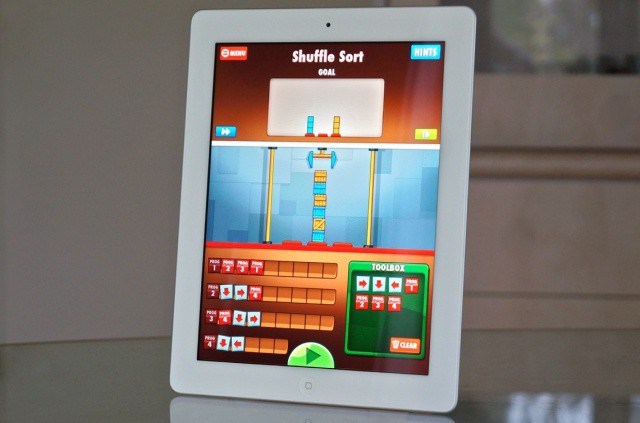
App studio Two Lives Left has launched its first App Store game for the iPad, called Cargo-Bot. What makes this release different from the thousands of other iPad games that came before it? Well, Cargo-Bot is the world’s first game to be coded entirely on an iPad itself.
Using a coding app for the iPad they created prior to Cargo-Bot, the guys from Two Lives Left designed and coded their new game on the iPad’s 9.7-inch screen.

Meet Sharleen – the terrifying quadrocopter that you’ll want on your side during Armageddon or the impending zombie apocalypse. Made by the guys at FPSRussia, Sharleen is a modified quadrocopter that has been equipped with a submachine and a 100-round magazine. Sharleen is built to thrill and kill, and it’s also completely controlled with an iPad so you can squash your enemies from the comfort of your lazy boy while mayhem spreads on your city streets. Just check out how insane this robot is in the video below.
Over the past two years, the iPad has shown up in a wide variety of workplaces. Some of those iPad at work are areas the come immediately to mind like salespeople using iPads to demo solutions and prepare quotes on the fly. Other places are ones that you might never expect like large combines in industrial agriculture.
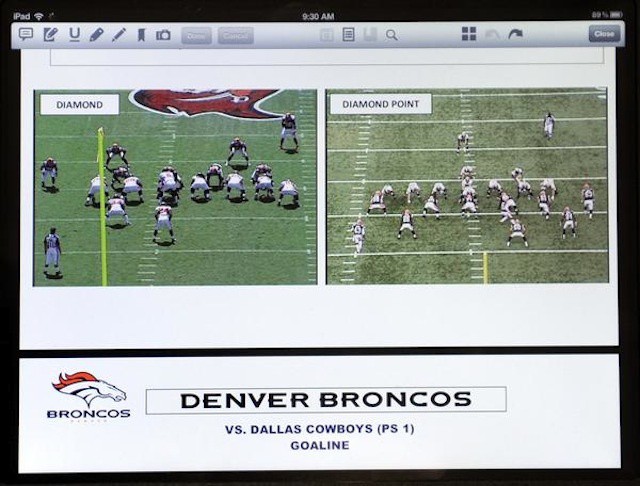
One of the most recent employers to embrace the iPad is the Denver Broncos. The football team will replace its existing paper playbooks with iPads.
Minimalism is a fascinating thing. Our world is getting increasingly loud and busy, yet many are starting to want more minimal and distraction-free experiences. Apps specifically are another way that the minimalism trend can be observed; more and more applications are getting back to the roots by cutting away superfluous effects and features.
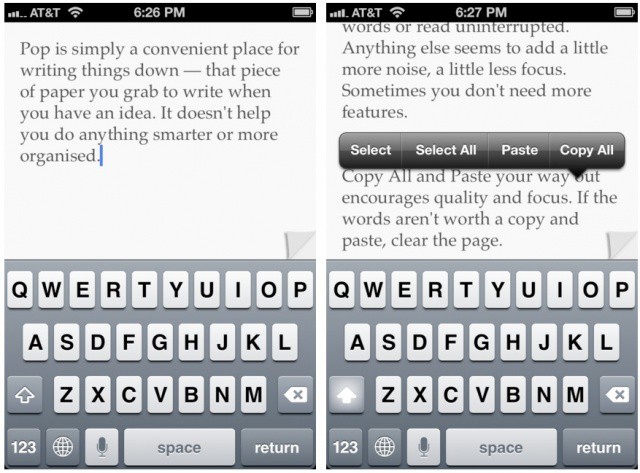
Pop is a perfect example of how minimalism manifests itself in a basic iOS app. Unlike other writing apps for the iPhone and iPad, Pop is just a blank pad to jot down text. Nothing else. Nothing at all… But really, that’s all there is.
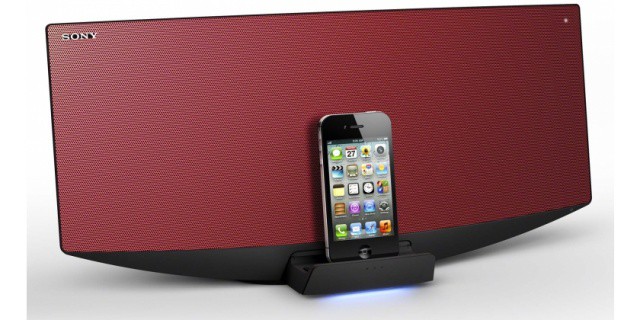
Sony has announced two new all-in-one speaker docks for the iPhone, iPad, and iPod today, which claim to be the world’s first speakers to use magnetic fluid for dampening. Both devices also feature built-in DAB radios and CD players, while one also offers wireless Bluetooth connectivity and your own light show.

Microsoft has decided to jump into the mobile management marketplace. The company has announced plans to retool its Intune cloud-based desktop management service to manage iPhones, iPads, and some Android devices. The news follows RIM’s similar decision to include iOS and Android management in the new BlackBerry Mobile Fusion console that it designed for its PlayBook tablet.
Microsoft’s Brad Anderson, corporate vice president of the company’s management and security division division showed off the new version of Intune at Microsoft Management Summit (MMS) in Las Vegas. Anderson’s presentation, however, wasn’t able to illustrate Intune’s upcoming iOS management capabilities because the iPhone used in his demo failed to perform properly with the Intune release being used – an event that The Register reported as seeming “as though the spirit of Steve Jobs was in the room.”
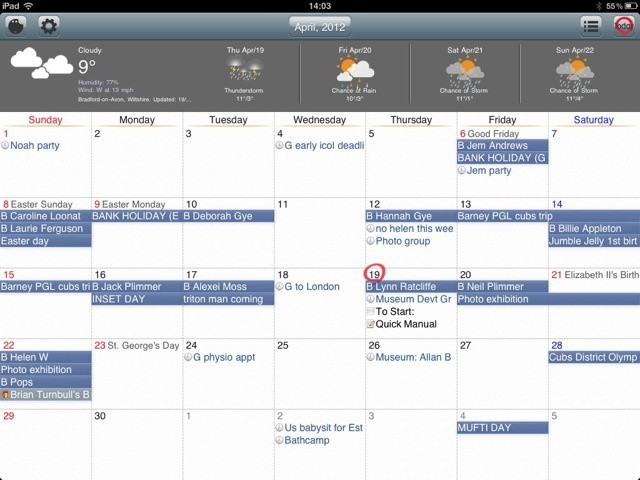
Awesome Calendar is a Google Calendar client for iOS, priced at three dollars on the iOS App Store (although a free Lite version is also available). Is it as awesome as its name implies? I wouldn’t say so.
Way back in the dark days of the 1990s, when smartphones had styluses and mobile apps were made from Java, I yearned for a way to stream music from my Sony Ericsson P900 to my stereo via Bluetooth. At the time, it was impossible.
Fast forward to the present day (by drilling down through several hard-to-navigate menus and hitting the tiny “skip” button with the tip of the stylus) and there is an embarrassment of choice. These days I’d rather pick up my JamBox and carry it into the living room rather than fire up the proper stereo that’s already in there.
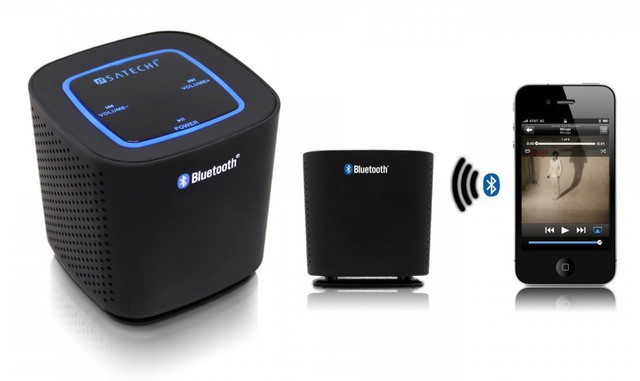
Joining this wealth of wirelessness is the Audio Cube from Satechi, an inexpensive, pocket-sized Bluetooth speaker with all of the features you’d expect.
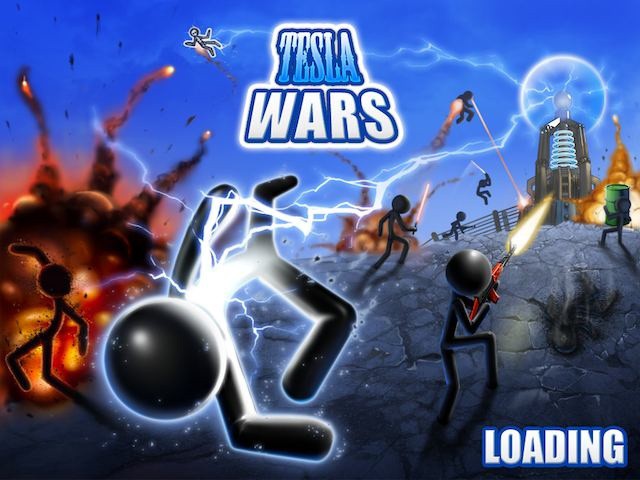
The iPad is hands-down, one of the best platforms to play video games on. Games just seem to envelop you in a wave of child-like wonder once you start playing. One of our favorite types of iPad apps are Tower Defense games that force users to employ strategy combined with realtime action. There are hundreds of games out there, but one of the coolest and unique games we’ve played is Tesla Wars by Synaptic Wave.
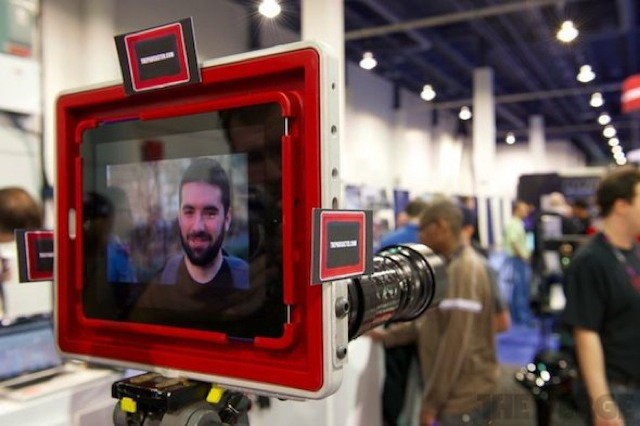
Remember the Padcaster? It was a photography rig made to turn the new iPad into a shallow-focusing movie camera, and it was [teased](https://www.cultofmac.com/156157/padcaster-turns-new-ipad-into-shallow-focusing-movie-camera/) by the makers Manhattan Edit Workshop last month. Now, the Padcaster has been revealed at NAB 2012, and it is just what we thought it would be — a way to mount big lenses on the iPad 3 and turn it onto a movie camera.