One of the best things about Apple’s iPod nano is its radio app that allows you to listen to live radio anytime, anywhere. Unfortunately, we don’t get that feature with the iPhone, iPod touch, or iPad… unless we use third-party apps.
TuneIn Radio allows you to listen live to over 50,000 stations around the world, pause and rewind your favorite shows, share stations and songs on social networks, and a whole lot more. Here’s how to get started.
This week’s Microsoft announcement of the details of Windows 8 on ARM-powered tablets raises a big question: Will Windows 8 tablets based on ARM or running on more tradition x86 hardware blunt the iPad’s surge in business and enterprise environments?
A few years ago, it would have been easy to say that Windows 8 devices would become the defacto standard in business, particularly for large companies with Microsoft-centric IT infrastructure. But conventional wisdom like that has broken down when it comes to workplace technology in the face of BYOD programs and the consumerization of IT trends. In today’s environment, there are many factors that could tilt the playing field in favor of either Microsoft or Apple.
Apple has added another profile to its iPad in Business site. This one covers a company called Theatre Consultants Collaborative. Like all the iPad in Business videos and profiles, it illustrates the flexibility that the iPad offers and how it can be used as a professional tool across a wide range of industries.
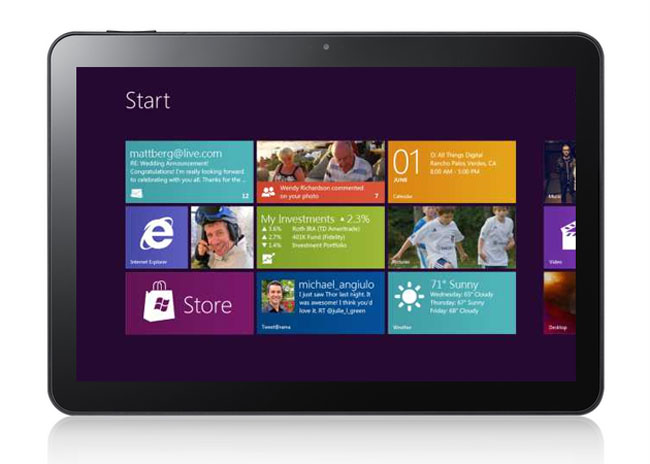
Microsoft released a number of important details about its plans for Windows 8 on Arm (WOA) tablets. WOA tablets will focus on having a long battery life as well as being light, thin, and inxpensive. They will feature some traditional Windows elements but have a focus on the Metro interface pioneered on Windows Phone and included as the default on all Windows 8 machines. They can be thought of as Microsoft’s response to the iPad, which will certainly be their biggest competition.
Not surprisingly, many of the first pieces discussing the announcements to hit the media have struck on the “Apple should be worried” theme and have used the fact that WOA tablets will include the major Microsoft Office apps to backup that assumption.
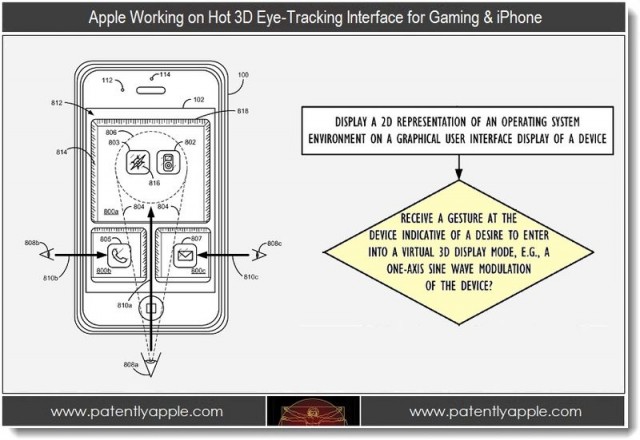
A new Apple patent published this week by the U.S. Patent & Trademark Office confirms that the company has been working on introducing 3D to our iOS devices. However, it may not be the glasses-free 3D technology we’ve already seen from devices like the Nintendo 3DS and the HTC EVO 3D.
Instead, Apple’s invention uses your device’s front-facing camera to track the position of your eyes and the location of light.
There’s no doubt that iCloud offers some great value to Mac and iOS users. It even has some potential as a business tool. Unfortunately, like many other personal cloud services, iCloud presents some major securtiy concerns when it comes into the workplace – either on a user’s iOS device or on a business Mac or PC. Those concerns stem from the ability to sync business data to outside devices and computers as well as its capacity to archive some of that data on Apple’s iCloud servers.
Unlike most personal cloud products, which can be difficult to effectively disable in corporate or business settings, iCloud use can be restricted or blocked. That leaves IT departments with the question of whether or not iCloud access should be managed or disabled. It’s a tricky question, particularly in BYOD settings where the device belongs to a user and not the company. It’s made even trickier because the choices involved in managing iCloud are rather blunt in approach and don’t offer much in the way of fine tuning to specific needs.
Today BYOD and the consumerization of IT aren’t just buzzwords on the horizon, they’re fact of business life and have begun transforming the workplace for millions of professionals. Many solutions exist to deal with managing user-owned mobile devices and integrating them to varying degrees with corporate resources and shared data – something that the explosion of cloud products is helping to drive. Many enterprise cloud solutions (public and private) exist to meet these demands while ensuring data management and security.
Unfortauntely, cloud solutions aren’t limited to the workplace and consumer cloud products including Apple’s iCloud, Dropbox, Box.net, Google Docs and many others have become staple parts of our daily lives. That’s great news for all of as consumers. It gives us access to our files and data anywhere at anytime on almost any device. But consumer cloud technologies pose a big headache for IT professionals who are responsible with keeping business and workplace data both readily available and appropriately secured.
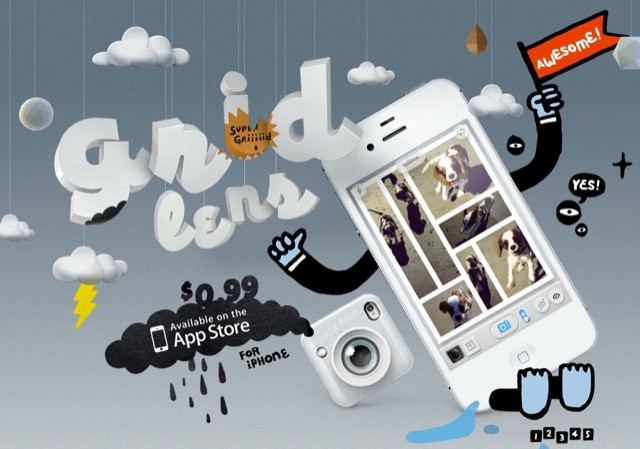
There are many grid cameras in the App Store, but Grid Lens by Bucket Labs caught my eye because it adds a little bit of fun, something you don’t see often in camera apps.
Apple’s concept of the App Store works well for consumers. Search for whatever apps you want or need and buy or download them with one-click shopping in iTunes of the App Store app on an iPhone, iPad, or iPod touch. That system starts to break down when it comes to iOS devices in the workplace, particularly for companies that create internal apps that need to be rolled out to a large number of users. It can become even more complicated when dealing with employee-owned devices because IT may never see the iPhone or iPads that are being used and therefore need a specific set of apps.
The best option for addressing this need is the concept of an enterprise app store – an app that users can install from a central location on their corporate network that will allow them to peruse a selection of apps developed by their company’s IT department as well as business apps from Apple’s App Store.
Apple’s decision to shun Flash Player for its iOS devices has been well documented over the years. But with the iPhone nearly five years old now, it’s no surprise third-party developers are offering up their own solutions for accessing Flash on our iPhones, iPod touches, and iPads.
One of those developers is Skyfire Labs, which is behind Skyfire for iOS — a web browser that allows you to watch Flash videos without unauthorized jailbreak tweaks. Here’s how to get started with Skyfire.
It seems as if everyone and their uncle are building iPhone apps these days. As a result, the competition is getting fiercer and fiercer by the day, and it’s becoming tougher to stand out amongst the crowd.
That said, there are a ton of apps that just don’t “cut the mustard” and the user experience suffers because of that lack of care and quality. David Sparks, the man behind the popular MacSparky blog, said the following about what he calls “speculative developers”:
If you want to develop apps, take your time and make something awesome. Make it fast. Make it beautiful. Make something you’re proud of. Don’t make 60 crappy apps: Make one really good one.
I couldn’t agree more, but when you’re faced with the haze of substandard apps that claim to be able to deliver the goods, how can a developer get their app noticed — and adopted — over the long-term?
The latest Cult of Mac Deal may have the solution to that problem.
Often the first and biggest question that confronts any company developing a new mobile presence (or revamping an existing one) is whether to focus on developing a native app or a mobile web site. While each approach has its pros and cons, one way to decide may be to look at how users are accessing content on their mobile devices like the iPhone and iPad.
Unfortunately, the latest news from comScore is that users are evenly split between using a dedicated native app or using a mobile web browser to access content – making that criteria alone useless when it comes to developing a mobile strategy.
EA has launched Battlefield 3: Aftershockin the U.S. App Store today, providing first-person shooter players with the opportunity to enjoy online multiplayer gaming for free on their iOS devices. However, it’s not quite the Battlefield 3 release we were expecting.
During the past few weeks, one quote from Walter Isaacson’s Steve Jobs biography has bounced around the tech and mainstream media. It’s the quote where President Obama asked Jobs about Apple manufacturing jobs that had been shipped oversees and Jobs responds “those jobs aren’t coming back” – words the President decided to ignore during his State of the Union speech last month. Instead, Obama called on tech companies to bring those jobs back.
With all due respect to the White House, it seems pretty likely that those jobs aren’t coming back. Anyone that doubts that needs to reread the first New York Times piece on Apple’s manufacturing partners. The U.S. simply cannot match the manufacturing capacity in China and elsewhere. Get over it. Those jobs are gone but that doesn’t mean Apple and other tech companies aren’t creating new jobs right here at home. In fact, Apple and other tech company have create an entire to category of jobs and filled half a million of them with American workers.
Forgetting a password to any service is frustrating, especially if you’re itching to download the latest Angry Birds update. But when it comes to your Apple ID, it’s actually very simple to change or reset your password on your iOS device.
One of the best accessories you can purchase for your new iPhone is a little device that allows you to control your television and other audio/visual gear from your smartphone. It means you don’t have to search around for that lost remote, get up to change the channel, or keep replacing the batteries in all the remotes already littering your home.
The VooMote Zapper combines a universal remote control with a well designed app that allows you to control all of your equipment in every room using nothing but your iOS device. And it’s available now at Apple retail stores nationwide.
A big challenge for businesses and organizations is cost management, particularly in the current economic climate. Many companies are trying to maximise their budgets – one of the big factors pushing the BYOD trend. Where BYOD isn’t feasible, however, businesses may still have the need to support mobile professionals – and need to do so as cost effectively as possible.
Despite the common presumption that Apple solutions are more expensive, the iPhone offers companies unique advantages when it comes to keeping costs down – and those advantages aren’t likely to be found in Android devices.
A recent survey of mobile carrier execs by Deloitte highlights some of the major concerns over the next few years. Chief among them is losing control of the mobile industry and market space to platform developers – namely Apple and Google. As Galen Grumen points out for Infoworld, this scenario actually gives Apple more power than Google because Apple controls the entire iOS ecosystem, from operating system to hardware to app and media sales.
This situation has mobile carriers worried. Carriers in Europe have actually gone so far as to consider developing their own smartphone platform to compete with iOS and Android in the hopes of enough success to maintain bargaining power against the demands of Apple or Android manufacturers. But the big question is whether or not this is good for consumers and business customers.
While Apple has previously dismissed the idea of porting its entire Mac OS X operating system to ARM-powered mobile devices, the Cupertino company has at least been working on it. That’s according to one intern who worked with Apple’s Platform Technologies Group — a subdivision of the CoreOS department — for four months back in 2010. But does it really mean anything?
A study by The NPD Group, a leading market research company, provided us with some interesting Q4 statistics. On the obvious side of things, the number of smartphones sold in Q4 were up, with Android and iPhone accounting for over 90% of those sales. While you probably didn’t need a study to tell you that iOS and Android lead the smartphone market, I bet you weren’t aware that Android was actually a favorite among first time buyers.
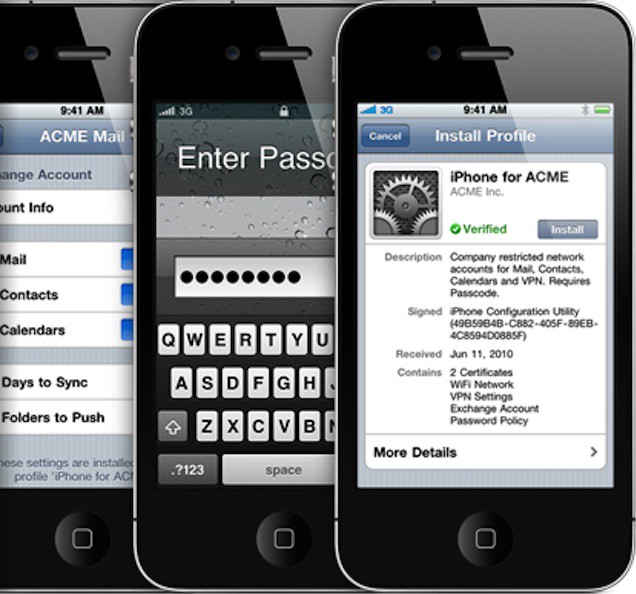
Haliburton’s decision to choose iOS as its new mobile platform was made after “significant research” indicated that iOS “offered the best capabilities, controls and security for application development,” according to a leaked memo published by AppleInsider. These capabilities, collectively known as mobile device management (MDM) features offer a solid framework that can be used to apply a number of security policies like complex passcode requirements and that a device’s data be encrypted. MDM features also include the ability to IT departments to restrict access to iOS features (say installing apps or taking photos) and to monitor devices remotely. Of course, they also include the ability to remotely wipe a device if it’s lost or stolen.
One excellent facet of MDM in iOS 4 and iOS 5 is the ability to monitor a device. There are a wide range of states that management software, including the Profile Manager service in Lion Server, can collect about managed devices. This includes seeing what apps have been installed, ensuring OS updates are rolled out, and being able to tell if a device has been jailbroken.
While all this may sound a bit like big brother, if you’re a major energy company with operations in dozens of countries, security can be a major issue. Of course, I could say the same thing about a medical practice needing to maintain privacy compliance.
In what appears to be a watershed moment for Apple’s iOS, a leaked memo published at AppleInsider indicates the one of the world’s largest energy companies, Haliburton, will be transitioning to the iPhone as its exclusive smartphone of choice. That comes as a huge opportunity for Apple and iOS, and a huge blow to RIM.
According to the memo, the move will take place over the course of the next two years, but will be a complete transition from one platform to another with no plans to continues to support BlackBerry devices once the transition has been completed.
Those handy weather widgets commonly found on Android-powered devices aren’t available to iOS users, thanks to Apple’s tight control over third-party software. But you can find some weather apps in the App Store that will display the current temperature on your home screen using the “app badges” feature built into iOS.
My favorite is called Fahrenheit. Here’s how to get it set up and get the temperature displayed on your home screen.