Forgetting a password to any service is frustrating, especially if you’re itching to download the latest Angry Birds update. But when it comes to your Apple ID, it’s actually very simple to change or reset your password on your iOS device.
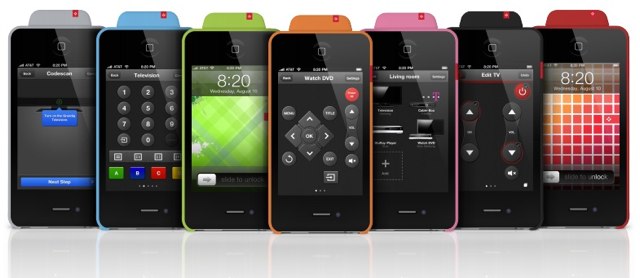
One of the best accessories you can purchase for your new iPhone is a little device that allows you to control your television and other audio/visual gear from your smartphone. It means you don’t have to search around for that lost remote, get up to change the channel, or keep replacing the batteries in all the remotes already littering your home.
The VooMote Zapper combines a universal remote control with a well designed app that allows you to control all of your equipment in every room using nothing but your iOS device. And it’s available now at Apple retail stores nationwide.
A big challenge for businesses and organizations is cost management, particularly in the current economic climate. Many companies are trying to maximise their budgets – one of the big factors pushing the BYOD trend. Where BYOD isn’t feasible, however, businesses may still have the need to support mobile professionals – and need to do so as cost effectively as possible.
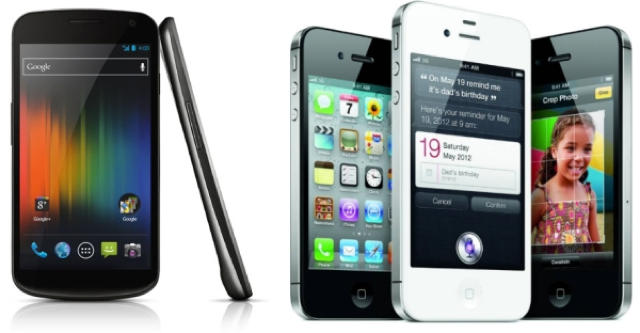
Despite the common presumption that Apple solutions are more expensive, the iPhone offers companies unique advantages when it comes to keeping costs down – and those advantages aren’t likely to be found in Android devices.
A recent survey of mobile carrier execs by Deloitte highlights some of the major concerns over the next few years. Chief among them is losing control of the mobile industry and market space to platform developers – namely Apple and Google. As Galen Grumen points out for Infoworld, this scenario actually gives Apple more power than Google because Apple controls the entire iOS ecosystem, from operating system to hardware to app and media sales.
This situation has mobile carriers worried. Carriers in Europe have actually gone so far as to consider developing their own smartphone platform to compete with iOS and Android in the hopes of enough success to maintain bargaining power against the demands of Apple or Android manufacturers. But the big question is whether or not this is good for consumers and business customers.
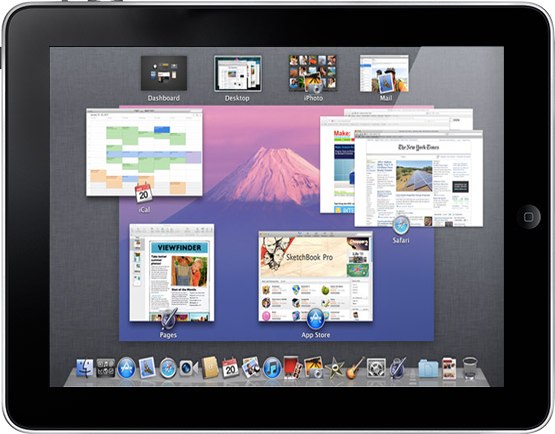
While Apple has previously dismissed the idea of porting its entire Mac OS X operating system to ARM-powered mobile devices, the Cupertino company has at least been working on it. That’s according to one intern who worked with Apple’s Platform Technologies Group — a subdivision of the CoreOS department — for four months back in 2010. But does it really mean anything?
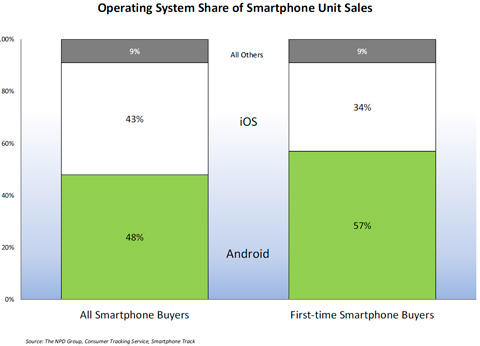
A study by The NPD Group, a leading market research company, provided us with some interesting Q4 statistics. On the obvious side of things, the number of smartphones sold in Q4 were up, with Android and iPhone accounting for over 90% of those sales. While you probably didn’t need a study to tell you that iOS and Android lead the smartphone market, I bet you weren’t aware that Android was actually a favorite among first time buyers.
Haliburton’s decision to choose iOS as its new mobile platform was made after “significant research” indicated that iOS “offered the best capabilities, controls and security for application development,” according to a leaked memo published by AppleInsider. These capabilities, collectively known as mobile device management (MDM) features offer a solid framework that can be used to apply a number of security policies like complex passcode requirements and that a device’s data be encrypted. MDM features also include the ability to IT departments to restrict access to iOS features (say installing apps or taking photos) and to monitor devices remotely. Of course, they also include the ability to remotely wipe a device if it’s lost or stolen.
One excellent facet of MDM in iOS 4 and iOS 5 is the ability to monitor a device. There are a wide range of states that management software, including the Profile Manager service in Lion Server, can collect about managed devices. This includes seeing what apps have been installed, ensuring OS updates are rolled out, and being able to tell if a device has been jailbroken.
While all this may sound a bit like big brother, if you’re a major energy company with operations in dozens of countries, security can be a major issue. Of course, I could say the same thing about a medical practice needing to maintain privacy compliance.
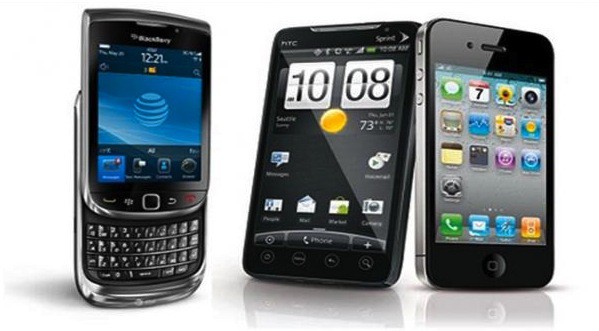
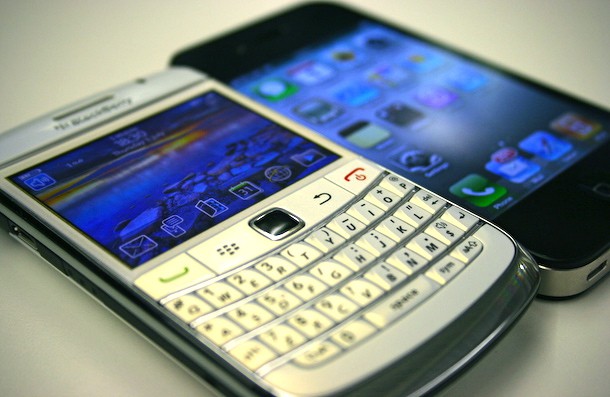
In what appears to be a watershed moment for Apple’s iOS, a leaked memo published at AppleInsider indicates the one of the world’s largest energy companies, Haliburton, will be transitioning to the iPhone as its exclusive smartphone of choice. That comes as a huge opportunity for Apple and iOS, and a huge blow to RIM.
According to the memo, the move will take place over the course of the next two years, but will be a complete transition from one platform to another with no plans to continues to support BlackBerry devices once the transition has been completed.
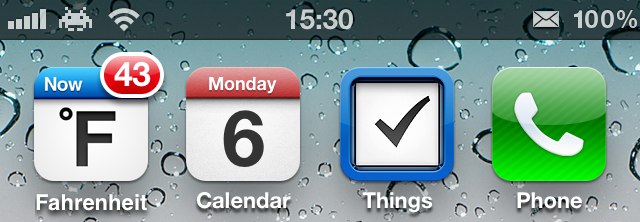
Those handy weather widgets commonly found on Android-powered devices aren’t available to iOS users, thanks to Apple’s tight control over third-party software. But you can find some weather apps in the App Store that will display the current temperature on your home screen using the “app badges” feature built into iOS.
My favorite is called Fahrenheit. Here’s how to get it set up and get the temperature displayed on your home screen.
Microsoft has been pretty noncommittal when it comes to creating business tools for the iPhone and iPad. The company has dipped its toes in the iOS pool with consumer-oriented release of My Xbox Live and an iOS port of its Kinectimals virtual pet game. That’s in addition to an app that lets users access files stored in Microsoft’s cloud-based SkyDrive storage and a version of OneNote.
Although we still haven’t seen any firms signs of Office coming to the iPad beyond the handful of reports last fall, Microsoft is taking the iPad and iPhone seriously enough to include mobile apps for the devices for its Dynamics CRM 2012 suite as noted by ZDNet and 9 to 5 Mac.
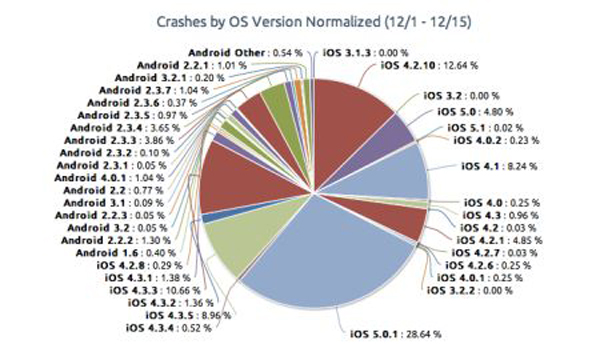
Crash analytics firm Crittercism released a new study this week, claiming that iOS applications crash more often than Android applications. After monitoring over 215 million apps across a wide range of different platforms, the report concluded that iOS 5.0.1 had the highest rate of application crashes. iOS in general also had more app crashes than its top competitor Android. These are interesting numbers that contradict the long held belief that iOS and the apps that run on it, are more stable than that of Android’s. So why such a large number of crashes on iOS?
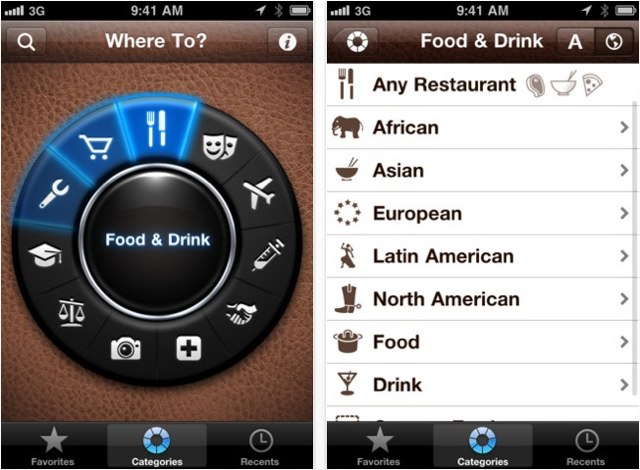
Where To?, the popular discovery app for the iPhone, has received its latest update today, introducing support for another five navigation apps, and a number of handy new features including support for multiple images for each place listing, more reviews, and new categories.
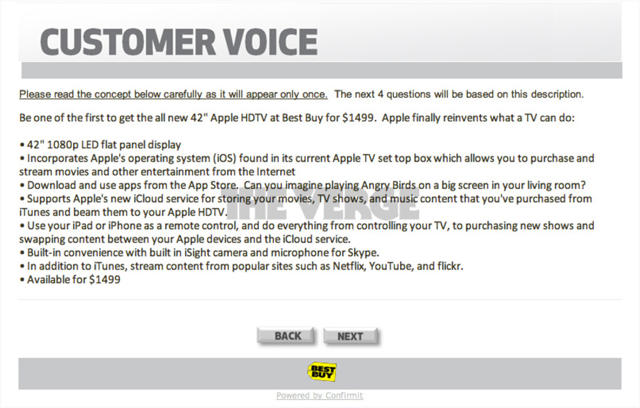
A rumored Apple television set has received just as much — if not more — attention than the company’s upcoming iPhone 5 in recent months, but the questions we’ve all been asking about its specifications have been answered… by Best Buy.
The retailer has been issuing surveys to its customers to obtain feedback on potential new products and services, but many were surprised to find details on a 42-inch “Apple HDTV,” which will apparently be available for $1,499.
Samsung’s bashing of iPhone users is becoming a regular occurrence. Its latest swipe came during yesterday’s Super Bowl, when it ran a commercial for its new, super-sized Galaxy Note smartphone, which sports a huge 5.3-inch display and includes a stylus.
As of this point, the current version of iWork for Mac has absolutely no iCloud functionality, while the iOS version fully supports it. This tends to be frustrating when moving files around, as it makes what should be a straightforward process into a disaster. In this video, I’ll show you how you can upload your documents directly to iCloud, to make file sharing much easier.
In Apple’s iconic “1984” commercial, it wasn’t a stretch to realize that the big brother figure was meant to represent IBM. That makes it very ironic that IBM now has more Macs, iPads, and iPhones deployed than any company except Apple.
The extent to which Apple devices are being used at IBM became clear during a presentation at MacWorld|iWorld last week by Chris Peppin that detailed the initiatives of Big Blue related to Apple. Those initiatives are pretty shocking considering the fact that IBM was once Apple’s number one adversary in the business technology market.
A few months ago, Days of Wonder released the $2 iPhone version of their overwhelmingly popular, award-winning board game, Ticket to Ride. Ticket to Ride Pocket amazed everyone by including all the elements of the iPad version in a smaller, tighter, but just as engrossing package — only with one huge hole: While you could play real people around you via a Bluetooth connection, there wasn’t any way to play against people who weren’t in the same room with you. All that changed yesterday, making TTR pocket one of the best board game on the iPhone, right up there with chess and Words with Friends.
Following the introduction of AirPlay mirroring to Apple’s iOS operating system, game developers have been slowly adapting their games to support gameplay on the big screen. The App Store is now home to a number of terrific titles for the iPhone, iPod touch, and iPad, that allow us to hook our devices up to our televisions and enjoy games as if they were being played on a traditional console.
In this App Guide, we’ve rounded up the best the best games with AirPlay support currently available. There’s something for everyone here — whether you’re into first-person shooters, soccer simulators, or adrenaline-pumping racers.
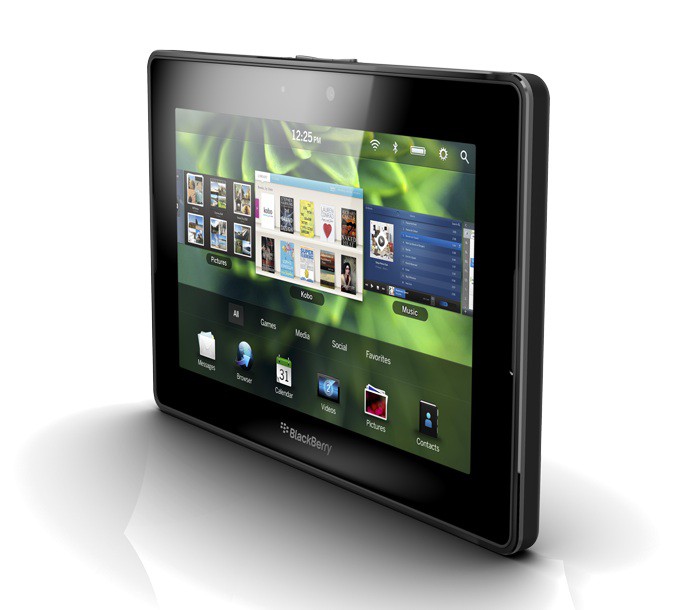
It’s no secret that RIM’s attempt to create an iPad-killer with its PlayBook tablet didn’t deliver a success. In a move that was common of last year’s parade of iPad competitors, the PlayBook shipped almost as a public beta with core functionality like a native email app missing from the device. The PlayBook’s dismal sales haven’t exactly inspired positive reactions from developers, which could signal the death of not just RIM’s tablet but also future smartphones based on the QNX operating system that powers the PlayBook.
In a desperate attempt to build up a developer community, RIM has turned to an unlikely source: Android developers. The company has already developed tools that allow Android apps to be ported with relative ease to the PlayBook, but interest hasn’t exactly been high. Now, the company is hoping to entice more developers by offering a free PlayBook.
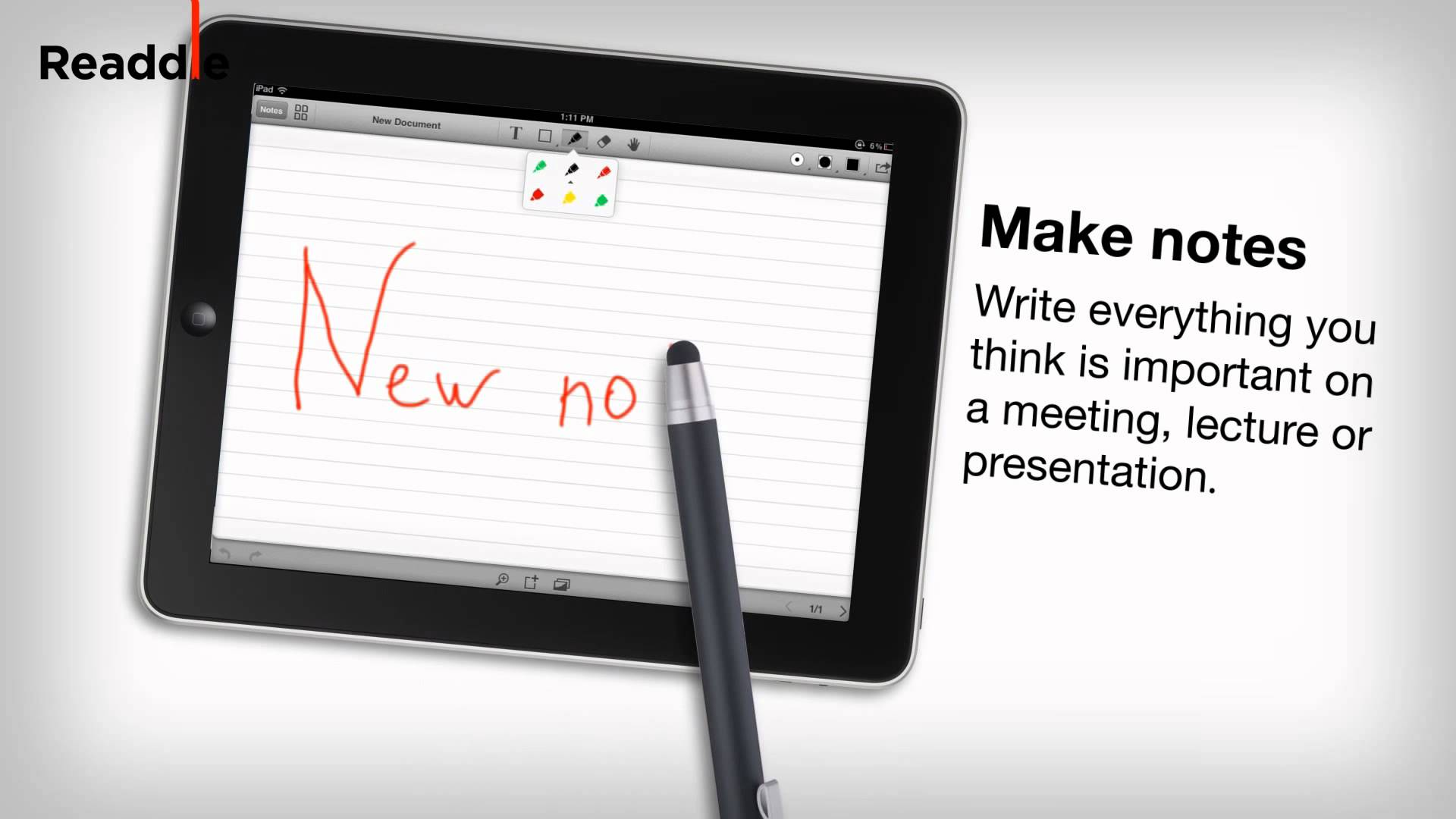
The latest iPad app from Readdle, a company famous for its excellent productivity apps for iOS, has perfected PDF annotation and note taking on a touchscreen device. It’s called Remarks, and it allows you to write and draw on PDF documents, outline notes in class or in the office, and sketch new ideas with your fingertip or a stylus.
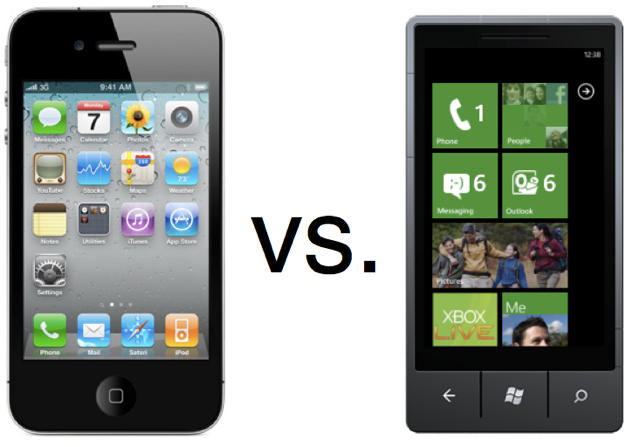
Windows Phone 7 hasn’t been the runaway blockbuster that Microsoft probably envisioned when it launched nearly a year and a half ago. Despite advertising campaigns and a strategic alliance with Nokia, Windows Phone use still ranks well below iOS, Android, and BlackBerry use. But new details about the platforms future that were leaked earlier this week show Microsoft may have a solid strategy for gaining marketshare with the next major Windows Phone update, which will likely coincide with the launch of Windows 8 for PCs and/or tablets.
One thing that seems very clear from this new information is Microsoft seems to be taking cues from Apple’s playbook when it comes to creating an ecosystem of devices – like making it easy to shift apps from a phone experience to a larger tablet experience.
The question is, can Windows Phone 8 and Windows 8 on tablets challenge Apple’s iPhone and iPad dominance in the business realms?
Apple’s new iBooks Author application for Mac is an impressive piece of work, even more so when you consider that it costs nothing. Although easy to use compared to many other page layout apps, it’s still quite a lengthy and complicated process to produce a book with it. It’s also squarely aimed at the education market. It was designed for the creation of textbooks.
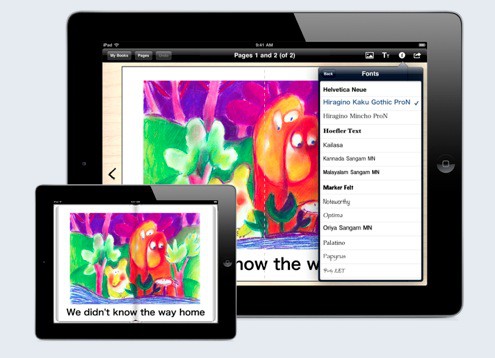
So what if you want to make a shorter, simpler ebook? What if your kids want to make one? iBooks Author, for all its benefits, would probably be overkill. Enter, stage right, Book Creator for iOS. This five-dollar app lets you create simple ebooks on your iPad with very little fuss.
Every major tech company offers training and certification programs for their solutions, including Apple. For years, it’s been common advice to pursue certifications if you’re looking to get a job in IT for the first time or to if you want to move up the IT ladder. Certifications can sometimes make up for lack of on the job experience since they provide a way of measuring knowledge. If you expend the effort to pursue certifications for technologies that you use (or have used) on the job, it’s common wisdom that they’ll give you a leg up not just in getting a job but in negotiating your salary and benefits package.
Based on that wisdom it isn’t surprising that tech training programs with a goal of getting you certified are a big business. It doesn’t hurt that some US education loan programs, including those for returning veterans, can be used to finance training classes as an alternative to college. Yet a recent study shows that some IT certifications no longer equal success and higher pay. Does this mean certifications are worthless? Yes and no. The truth is that it often depends on the certification(s) in question. With iOS devices and Macs becoming business staples, the an obvious question is… are Apple’s certifications worth pursuing?
The sheer volume of available apps is one selling point for iOS. For those using the iPad or iPhone in the workplace, there is an ever-growing selection of business and productivity tools. Some of these, like the apps from Salesforce.com, tie into existing business solutions and are available at no charge. Others may not be free but fill critical business needs like those that provide the ability to view and edit Office documents (examples include Quickoffice, Documents to Go, Office2, and Apple’s iWork apps).
This presents a conundrum to some IT professionals. In business environments most desktop applications (Mac or Windows) are purchased using volume or site licenses and delivered to workers using mass deployment tools. The software, or more accurately the license to run it, is purchased as and remains company property.
iOS apps, on the other hand, are treated by Apple much like music tracks or TV episodes. They’re purchased using an iTunes Store account and can be installed on any iOS devices tied to that account. Essentially, they become the property of the person who has purchased or downloaded them. That flies in the face of traditional IT tactics – a point reported by Network World as a constant source of issue to IT departments and a point of discussion at the MacIT conference that ran alongside MacWorld | iWorld last week.
Did you know that it’s incredibly easy to turn almost any document into a PDF directly on your iOS device, with a simple third-party app? That app is called PDF Converter from Readdle, the developers of a number of popular productivity apps for iOS. If you’re looking for a free PDF converter for iPhone, you can find all the essential tools inthis guide. Here’s how to do it.