This is Pinwheel, a new iOS app for leaving and finding virtual notes anywhere in the real world.
It’s in private beta right now, but you can join in if you ask nicely and leave your email address in the box of the Pinwheel home page.
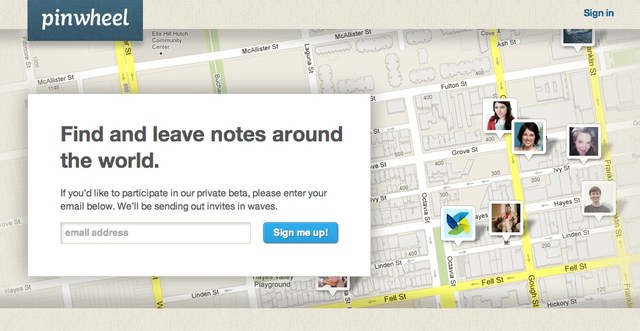
This is Pinwheel, a new iOS app for leaving and finding virtual notes anywhere in the real world.
It’s in private beta right now, but you can join in if you ask nicely and leave your email address in the box of the Pinwheel home page.

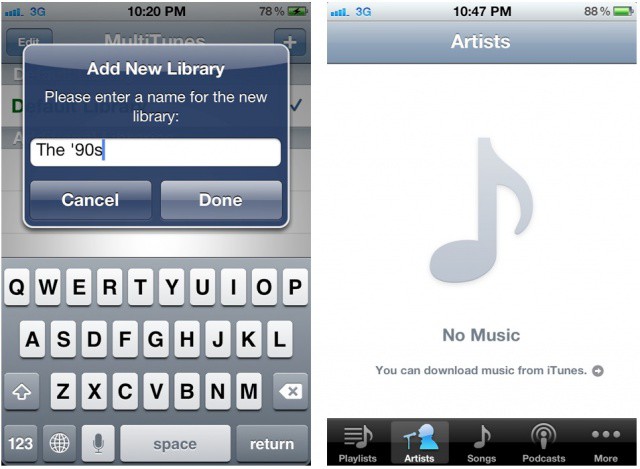
A new jailbreak app called MultiTunes lets you sync with multiple iTunes libraries on your iOS device. Apple limits you to one iTunes library at a time by default, and while iCloud and iTunes Match make it easier to access your music from anywhere, some would still like to sync with different libraries without deleting all locally stored music first. That’s where MultiTunes saves the day.

If you grew up during the 1980s, many of its style tropes will have been burned indelibly into your brain. Shoulder pads, snow-washed jeans, pleated pants, and tacky, tacky poster art, exemplified by selective-colored black and white photos. If you can imagine a monochrome image of a rose, with the petals colored lipstick red, then congratulations: your mind just traveled back to 1985. Now, with Paint FX, your iPad can do the same.
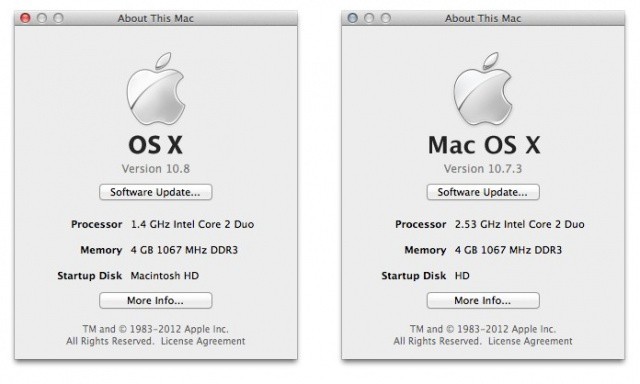
Apple has included a more subtle, yet very important, change in OS X Mountain Lion that points to the company’s focus moving forward. If you open the “About This Mac” window in the Mountain Lion developer preview, you’ll notice that “Mac” has been dropped for a simpler “OS X.” The prefix has also been dropped from promotional materials on Apple.com and the Mac App Store.
Why the change to just “OS X Mountain Lion?” Apple is continuing to blur the line between hardware and software. It’s about the unification of iOS and the desktop experience.

In case you hadn’t already noticed, Apple announced OS X Mountain Lion earlier today, its latest operating system for the Mac which will make its public debut this summer. Mountain Lion will further increase the iOS influence on Apple’s desktop operating system, with the arrival of features like Notification Center, Messages, and Notes.
But for gamers, undoubtedly the most exiting new feature will be Game Center’s arrival on the Mac. With promises of cross-platform multiplayer and the ability to rack up achievements on both your Mac and iOS devices, this is set to create a new bridge between mobile and desktop gaming that will revolutionize cross-platform play.
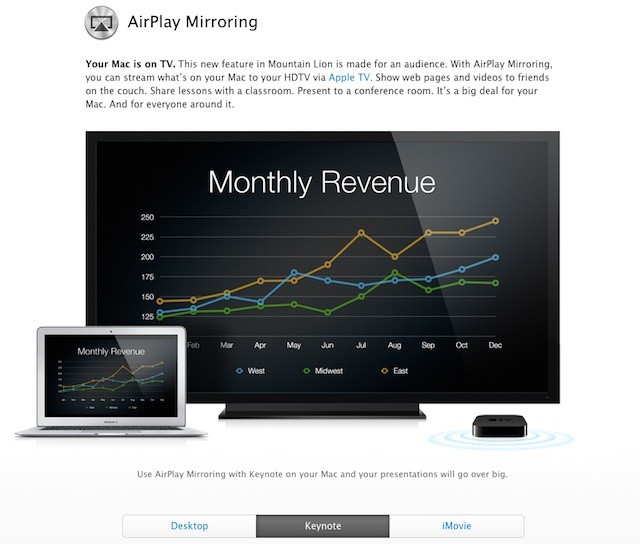
AirPlay Mirroring is one of the iOS features that Apple is bringing to the Mac in Mountain Lion. It’s a feature that offers a lot of potential for mobile professionals and educators in addition to being a great supplement to a family’s living room.
AirPlay Mirroring works the second generation Apple TV. The Apple TV itself as a small and easy to carry device that can plug into any HDTV or modern projector. That simple setup combined with a Mac running Mountain Lion makes for a perfect portable presentation solution.

Earlier this week, Centrify launched an open beta of the company’s DirectControl for Mobile service. The service, which supports managing iPhones, iPads, and Android devices in business and enterprise settings, currently includes a subset of the features typical in other mobile device management (MDM) systems. Centrify, which is known for providing enterprise integration technologies for OS X as well as various Unix and Linux distributions, plans to maintain the current selection of controls as a free solution when the product emerges from beta while adding further management capabilities to a commercially licensed version.
Most MDM solutions are of the bolted-on variety – they run on a dedicated server or cloud offering that can pull information from enterprise systems like Microsoft’s Active Directory but use a separate management interface and data store for management profiles and other information. Centrify’s DirectControl does offer a cloud management system, but it uses Active Directory itself as the primary interface and data store, an approach that has several advantages including a very minimal learning curve for experienced systems administrators.

httpv://www.youtube.com/watch?v=ogBm9DVtu5Y
No, Clear isn’t the only App Store release that is worth getting excited about today. League of Evil 2 from Ravenous Games is also on the list. This is the sequel to the popular platformer that became a huge success on iOS last year, and it’s on sale for launch at just $0.99.
Apple’s iAd hasn’t received much in the way of attention since it’s announcement as part of iOS 4 almost two years ago. The platform was designed as a way for advertisers to create powerful interactive mobile ads and to make it easy for app developers to integrate those ads into their products. Of course, it was also intended to help Apple take a big slice of mobile ad spending.
Despite a big introduction in 2010, iAd quickly fell off almost everyone’s radar. Apple initially set a high barrier of entry by requiring iAd campaigns to commit $1 million. The company later cut that in half and this week lowered the required initial investment to $100,000 – one tenth of its original requirement – something that speaks volumes about the company’s mojo when it comes to selling ads.
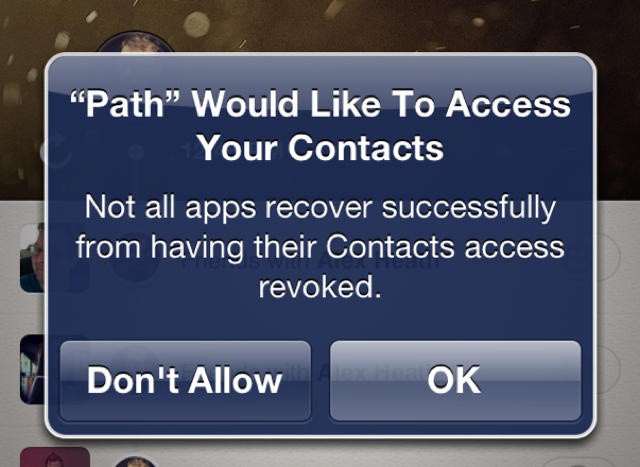
You’d be forgiven for thinking that unauthorized iOS apps obtained from the likes of Cydia aren’t as careful with your personal data as those approved by Apple for sale in the App Store. In fact, the opposite is true. Jailbroken iOS apps respect your privacy more than those obtained from the App Store.
Beyond the sheer number of devices sold, one of the biggest ways to Apple and Google try to position themselves as having the top mobile platform is by comparing the number of third-party apps available for users to download. Apple usually takes the number of apps available one step further when comparing iOS to Android by pointing out how many apps take advantage of the iPad’s tablet features such as screen size.
This is one of the reasons that an active and developer community is crucial a mobile platform’s success. Although Android entered the app race after Apple had begun to establish a successful developer community, the platform began to catch up quickly. All that seems to have changed over the past year, with a new report showing iOS developers are now creating three apps for every single new Android app.
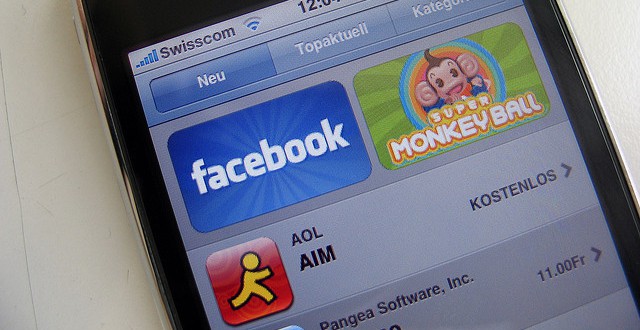
Ever wondered how come iOS titles make it into the App Store’s top 25 list? Some iOS developers have been using download bots to purchase their own apps and manipulate the App Store’s top 25 list, according to a new report from Inside Mobile Apps. The software has been in use for over 12 months to fraudulently promote iOS titles, and some marketing firms charge up to $15,000 a time for the service.
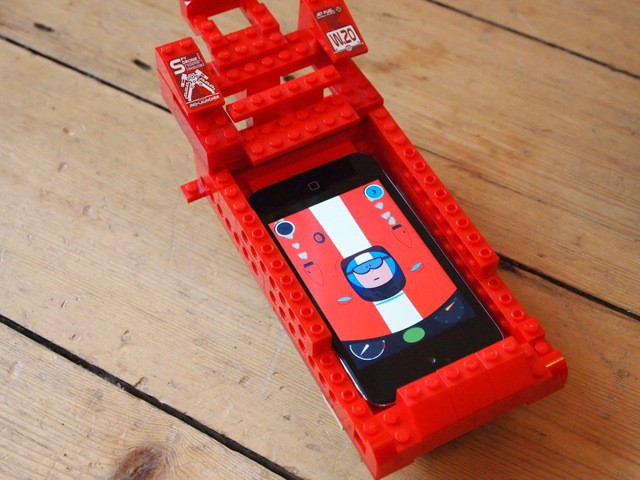
Makego is a cool new app that makes your kids’ real world creations come to life.
The two-dollar app comes with three virtual vehicles – a racing car, an ice cream truck, and a river boat. All you have to do is make one (out of Lego, paper, or anything else you can think of), plop your device inside, and run the app.
It has taken me a couple of weeks to refresh and recharge from my first Macworld experience (now known as Macworld | iWorld, of course). But during that time of getting clear I had the opportunity to give the latest offering by RealMac Software (Rapidweaver, LittleSnapper) in collaboration with Milen and Impending, Inc. a thorough “beta” test drive. Coincidentally, the iOS app is called Clear, and it is one of the more compelling list-makers/task managers I’ve seen for the iPhone.
The innovative thing about Clear is that it is entirely gesture-based in execution. There are no visible buttons or sliders; you use a series of gestures to interact with it, and that is what makes it stand apart from other iPhone list apps and task managers.

Readability is a nice little app that turns virtually any web page into a clean, comfortable reading view, with syncing to allow for the reading of articles at a later date. While the web app has been available for some time now, the iOS app has been sitting in limbo for 4 month awaiting approval. In the meantime, Readability has managed to develop an Android app which is now almost ready for launch. As you can see from a tweet from a Readability developer, they’re simply waiting for Apple’s approval so they can go ahead and launch the apps:
Tweetbot is undoubtedly the hottest Twitter client available for iOS right now, and thanks to its arrival on the iPad last week, there are thousands of new users discovering the app for the first time. If you’re one of them, the first thing you’ll want to know is how to enable push notifications.
Push notifications aren’t setup when you first install the app, so you’ll need to do it manually. Here’s how!

Remote server management has long since been a way of life for IT professionals. While there are many tools that allow systems administrators to perform the majority of their job functions remotely, those tools are typically run on an administration PC – an approach that is effective but not always convenient. Today, HP announced that it planning to make the life of sysadmins a bit easier by shipping mobile server management tools for its Gen8 server line that can run on iOS and Android.
The new tools will provide monitoring and overall server health dashboard functionality. More importantly, they will offer systems administrators login, management, and even shut down capabilities. For organizations centered around HP’s server lineup, this will allow significantly more remote troubleshooting and problem resolution options.
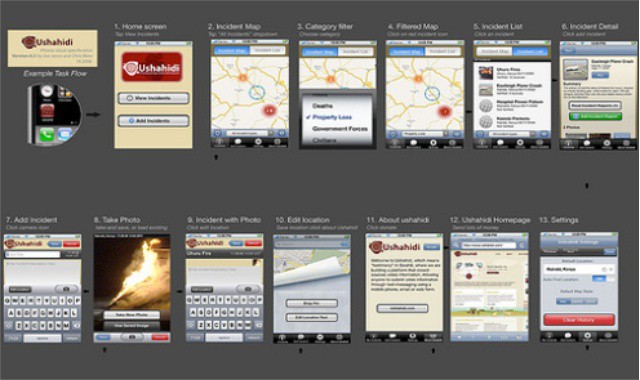
If you’ve ever considered taking a course on iPhone app design and you want to do it in a way that won’t put a serious dent in your pocketbook, today is your last chance to pick up a great deal that solves that dilemma. With iPhone App Design 101 you not only gain knowledge and insight on one of the hottest markets out there today, you’ll save a whopping 68% off the regular price by acting today!
Earlier this year Apple announced their plan to help revitalize the American Education System by putting digital textbooks on iPads into the hands of high school students. Apple’s belief is that learning on an iPad is a far superior experience to lugging around printed books that aren’t interactive. We compappletely agree that interactive learning is the road America needs to take, but getting there is going to be a huge problem. A recent study shows that using paper textbooks in schools is a lot cheaper than iPads, and that’s not likely to change unless Apple takes some drastic steps to reduce cost.
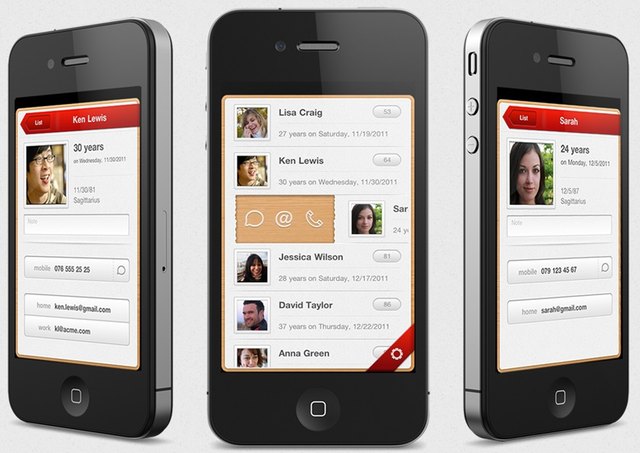
Hands up if you forget birthdays all the damn time. Hey, whoa, slow down. I can’t see all of you at the back. Waaaaay too many hands. Wait. No, OK, hands down. Let’s do this differently.
We’ll forget about the counting bit, and just assume that pretty much everyone forgets birthdays and ends up hating themselves just a tiny bit more each time. Especially when a few months later, the person whose birthday you forgot remembers yours, and sends a perfectly judged gift too. Dammit.
Using your iPhone on Valentine’s Day to maximize your chances for love is potentially a great idea, but it could also prove to be disasterous if you use the wrong apps. These are those apps.
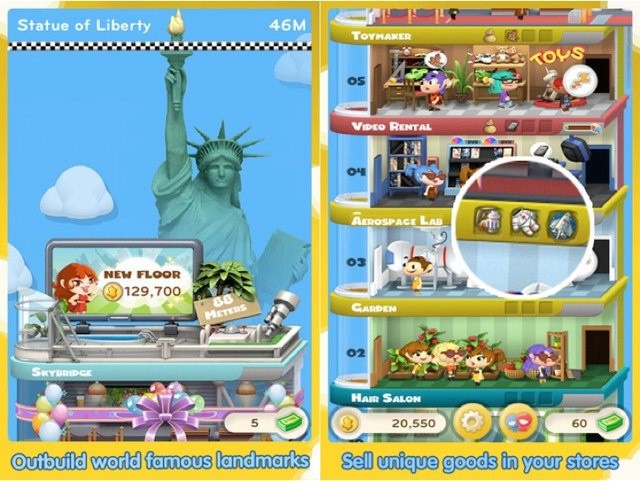
Zynga’s latest iOS game Dream Heights received a lot of stick when it was first announced, and there’s no denying that it was all deserved. After all, it is a blatant clone of Tiny Tower, the App Store’s best game of 2011, from a small team of independent developers called NimbleBit.
The title is now available to download from the U.S. App Store, and according to the reviews it’s already received, Zynga employees love it.
Everyone’s favorite 8-bit world building game just got better thanks to an update. Minecraft Pocket Edition received its first Survival update, allowing users to choose between Survival and Creative mode when creating a map. Other great additions include:

Fashion and photography go together like peanut butter and jelly, or Kentucky and Bourbon. So it’s not surprising that the newest Hipstamatic Pak, Made in America, is influenced by famed fashion photographer Chiun-Kai Shih, and released just ahead of New York Fashion Week. And it’s free throughout the 16th.

Some arguments about Apple never seem die despite the fact that reality has moved on. Arguments like the Mac not being compatible with Windows file sharing or disk formats and that all Apple products being inherently more expensive than any competitors. This morning, Computerworld’s Preston Gralla pulled several of these outdated arguments together to support his opinion that Apple would never unseat Microsoft in the enterprise.
Virtually every argument in this piece is easy to debunk with facts. What’s more important than responding to these outdated myths, however, is realizing that Apple doesn’t want to unseat Microsoft from its current place in the enterprise. Microsoft is actually doing a lot of enterprise heavy lifting for Apple.