Today’s Best Thing Ever has to be Stuck on Earth, an app for travellers who haven’t left home yet.
Stuck On Earth, Perhaps, But Not Stuck For Lovely Photos To Look At [Review]
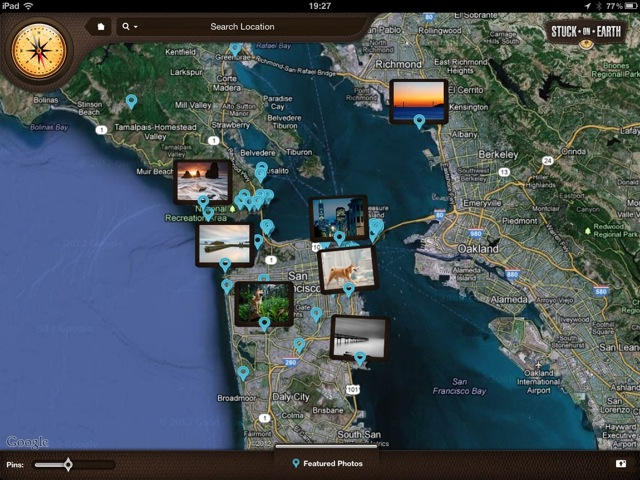

Today’s Best Thing Ever has to be Stuck on Earth, an app for travellers who haven’t left home yet.

Business and technology are two words that have gone together for decades. Business and Apple technology – well, not so much. Let’s face it, Apple made a name of itself by calling out “the man” and not bending to his authority. That rebellious attitude and freedom to be yourself has always typified Mac users and it’s a razor sharp contrast to the image of guys in suits with BlackBerrys and Windows-based laptops.
So, it may be surprising to realize that one in five people use Apple products in the workplace. How do you explain that? Easy. Apple is launching nothing less than a revolution of what technology means in the workplace,
The first warning shots of that revolution were fired in January 2007 when Steve Jobs announced the iPhone. Most people then didn’t realize the iPhone was going to change the business world – RIM actually sarcastically thanked Apple for creating what its executives considered a toy.
Who’s laughing now?

Apple has made another addition to its team this week with a former Microsoft Product Marketing chief, Robin Burrowes, joining the ranks to become the head of App Store Marketing for iTunes Europe. Burrowes was previously part of Microsoft’s Xbox LIVE team, and he’s not the first gaming executive to head for Cupertino as Apple gets serious about battling consoles head on.

It’s been a of couple years since the social food finding photogasm app Foodspotting hit the scene, and now — thanks to many hours of hard work — the guys over at Foodspotting are proud to introduce Foodspotting 3.0. In what they’re calling “Pandora for food,” Foodspotting 3.0 has received a complete visual makeover with a Pandora-like interface for discovering and rating dishes. In version 3.0, user can:

httpv://www.youtube.com/watch?v=uhLz1MwgFzI
We’ve been covering the teaser trailers for Reckless Racing 2 in the run-up to its launch, itching to get our hands on the latest release. This is the sequel to the hugely popular Reckless Racing from Polarbit, and it promises to be even more incredible, with a new selection of 18 highly-detailed cars, 24 different routes, and new game modes. And it’s available to download now.
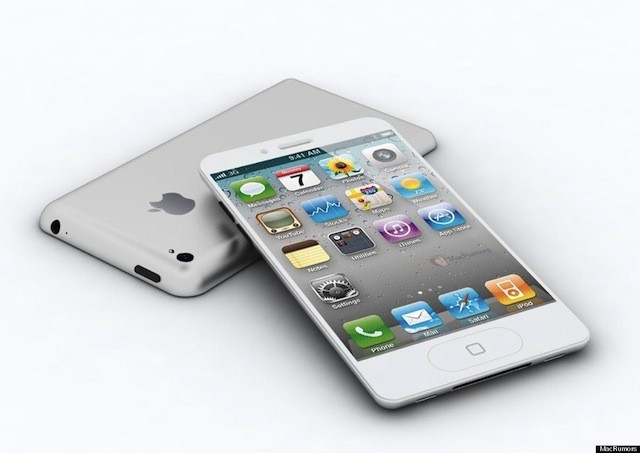
Apple broke from its traditional June unveiling for the iPhone 4S, choosing instead to launch the device at a dedicated “Let’s talk iPhone” event in October. But we may not have to wait until October of this year to see the iPhone 5.
According to one analyst, the sixth-generation device will get back its traditional June announcement at Apple’s Worldwide Developer’s Conference in 2012.

If you’re the kind of geeky person who experienced a little thrill of joy when the hacking scene in Tron:Legacy included realistic use of a genuine command line interface, you (or perhaps your kids) might also enjoy playing with Hacker Typer.

Having someone snoop into your private life is a horror that sends most Americans into a state of demonic rage. People went completely nuts over the Carrier IQ controversy, and we wonder how most people would react if the internet had transparent access to all their text messages. Unfortunately, Apple’s iMessage has revealed what such a scenario might look like, and it’s not only not pretty… it’s something that can happen so easily that even an Apple Store Genius has had his private text message history exposed, sexting and all.
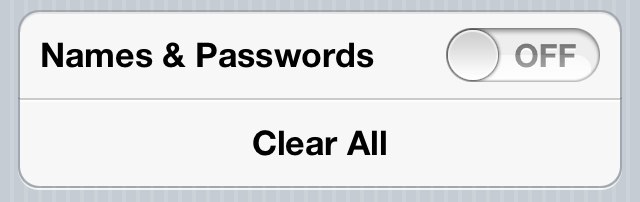

The ability to have mobile Safari save the usernames and passwords that we enter frequently on our iOS devices can be hugely helpful, especially for the forgetful minds amongst us. But not everyone feels comfortable having these details saved on their device. After all, if it gets into the wrong hands, anyone can login to our favorite sites at the tap of a button.
So what if you save these credentials accidentally, or you decide that you no longer want these details saved on your device. Well, fortunately, it’s very simple to delete them without having perform a complete restore on your device. Here’s how to delete saved usernames and passwords in mobile Safari.
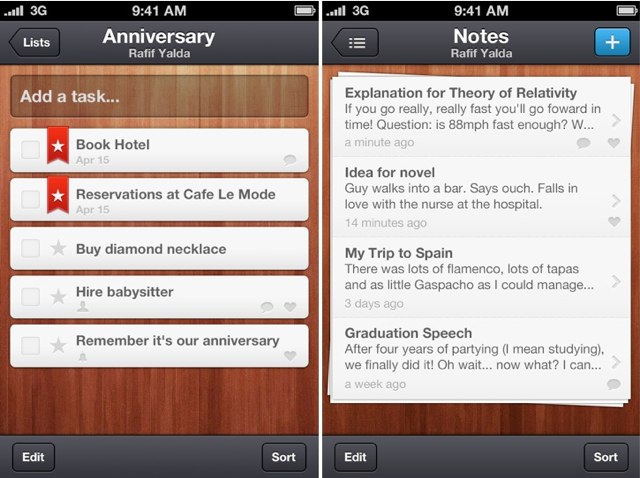
Wunderkit, a new iOS app from 6 Wunderkid, the developers behind the popular Wunderlist task manager, has hit the App Store today, promising to help you organize and accomplish all of life’s projects, however big or small, on your iPhone.
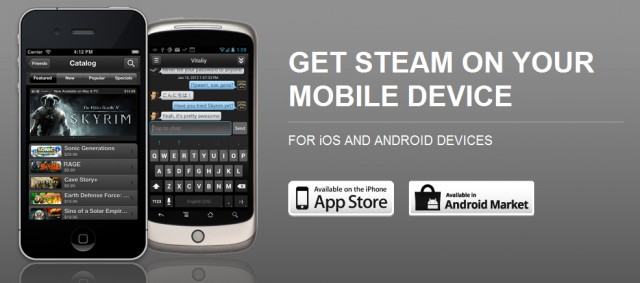
Late last week, Valve released an official app for iOS and Android devices that allows gamers to stay connected to its Steam community wherever they may be. It was instantly popular with the Steam users who were able to gain access to it, but the only problem was, it was in beta testing and not many had that privilege.
But today the service is out of beta and available to all.

We’ve already shown you how to sync your address book with the Facebook app for iOS to add profile pictures and other credentials, but what if you prefer to use Twitter instead? Well, fortunately for you, you can also sync your address book with Twitter, and it’s incredibly easy thanks to iOS 5’s Twitter integration.

Are you following Cult of Mac on Instagram yet? If not, you probably should because it’ll change your entire Instagram experience from “kinda cool” to “insanely amazing.” Last week we asked readers to show us where you spend your time blogging or surfing the web. You guys took to Instagram and Twitter and showered us with photos revealing small glimpses into your digital lives. There was a lot of great photos to sort through but here are the ones that we thought stood out the most.
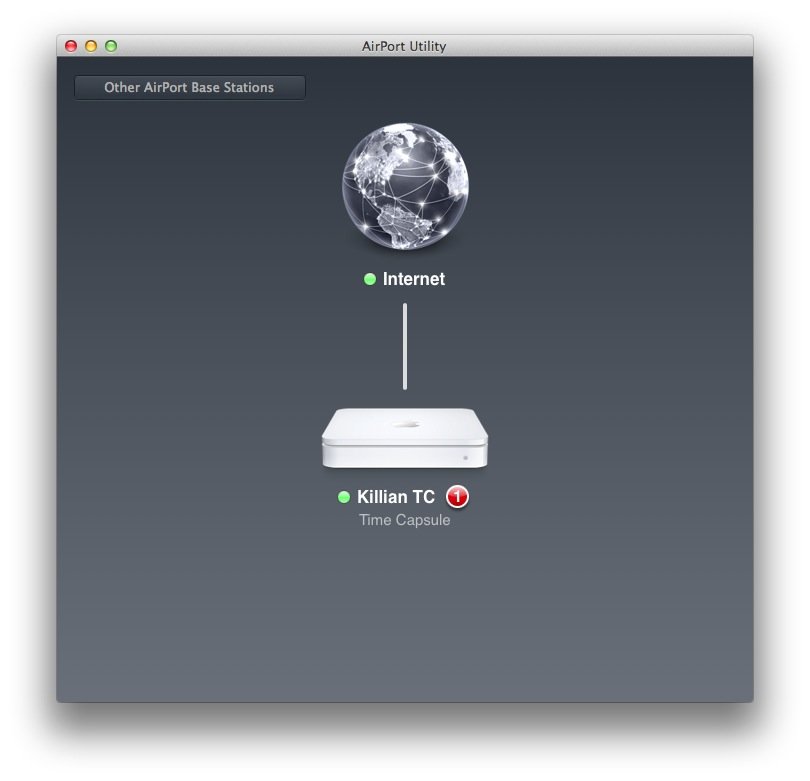
Apple has issued an update to its AirPort Utility application for the Mac, introducing a new user interface that looks a lot like its AirPort Utility app for iOS. It has also updated the firmware for its AirPort base stations, and the Time Capsule.

Autodesk makes industry-leading software for animators, architects and industrial designers, so maybe the fact their Pixlr-o-matic app is a stunning, gasp-worthy photo-effects tool for the iPhone (and iPad) shouldn’t be surprising; what is a surprise, though, is that it’s free.

Fitness buffs love Runkeeper (and its accompanying iPhone app) for its ability to gather data from a wide variety of cloud-based services and gadgets they might use, so it can be stored and viewed in a central location; we haven’t exactly counted, but it’s a good bet that the all-knowing fitness service can import data from more fitness apps, services and gadgets than any other cloud-based fitness service on the planet. But with the nine more they added today, well, now it’s just getting ridiculous.

Outstanding reliability is just one of the reasons why we fall in love with our Apple products. But unfortunately, everything goes wrong from time to time. That’s why we have the Genius Bar.
Did you know it’s incredibly easy to book Genius Bar appointments on an iOS device using the official Apple Store app? Here’s how to do it.
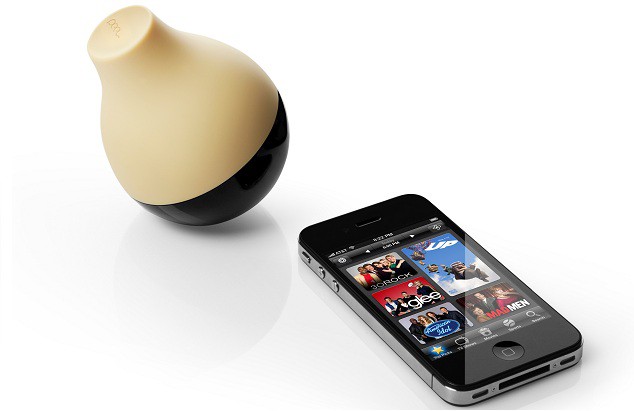
There are a couple of solutions on the market that combine simple hardware with an iOS app to take control of your entertainment system, but Peel is probably the coolest and most easy to use solution that we’ve played with. Peel invisibly controls your entire entertainment system — TV, cable box, Blu-ray player, AV receiver, Apple TV, and more — without the extra hassles of plugging stuff into your phone and dealing with network passwords. Normally the Peel system retails for $99, but for the next 3 days you can pick one up from Fab.com for only $45.

Back in 1981, Bill Gates co-wrote a PC game called Donkey, commonly known (as some apps were back in those days) by its filename, DONKEY.BAS. If you’re old enough to remember those days and old enough to yearn for them, you might enjoy playing Donkey all over again on your iPhone.
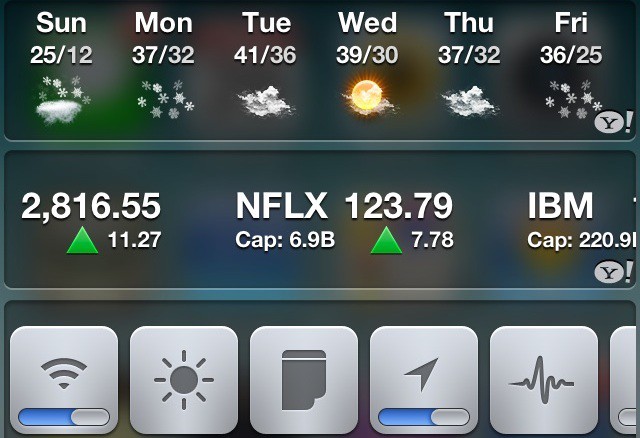
Notification Center, one of the biggest features in iOS 5, is a great step in the right direction, but is somewhat lacking. In this video, I’ll show you some great tweaks for jailbroken devices that let you customize notification center to no end.
ATTENTION all devs, designers, geeks, engineer-newbies, iLovers, creatives, and dreamers who want to learn the mastery of iPhone app design from the beginning – we have a special offer that will BLOW you away!
This iPhone app design course not only comes with a complete video tutorial overview of how to design your first iOS app, but also comes equipped with 40MB of pixel-perfect photoshop templates to accelerate you along the way.

Once you’ve connected to a Wi-Fi network on your iPhone, iPod touch, or iPad, your device remembers its credentials and, for your convenience, connects automatically next time. However, this isn’t always helpful. Sometimes we connect to hotspots accidentally, and it’s frustrating when your device connects to a network you don’t want it to.
You can prevent this by “forgetting” the networks you’ve previously connected to. Once forgotten, your device will no longer connect automatically, and only when you tell it to. Here’s how to forget a Wi-Fi network.

SAN FRANCISCO, MACWORLD/IWORLD 2012 — One of the closing events from the first day at Macworld / iWorld was the RapidFire session. If you wanted to learn about one cool thing about a variety of Apple-related stuff, it was the place to be.
Each presenter delivered a quick-paced talk that offered information, tips and tricks that shed some light on a little known or understood piece of software or hardware. The scope of the talks ranged from unconventional uses of Photo Booth to how to fix some of your Apple devices on your own, but here were the ones that I felt were the best of the bunch.
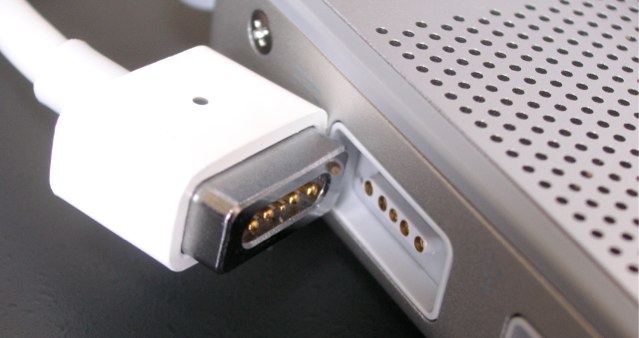
We already know from previous reports that Apple is working on a magnetic charging system for iOS devices, similar to the MagSafe connectors on its MacBooks. But one hurdle that stood in the company’s way was the MagSafe’s inability to transfer data.
However, a newly published patent entitled “Programmable Magnetic Connectors” seems to confirm that Apple is making progress on a magnetic connector capable of transferring power and data, which could spell the end of its 30-pin dock connector and even the headphone jack.
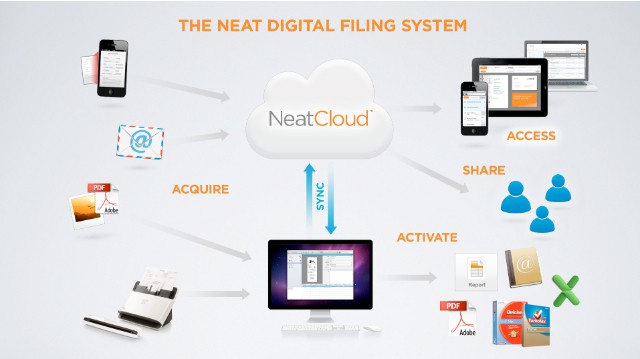
SAN FRANCISCO, MACWORLD / IWORLD 2012 — The Neat Company has long been known for its scanning devices, like NeatReceipts and NeatDesk. Those devices let you take your paper receipts, documents and business cards and scan them into your Mac so that you can organize them in a way that makes sense to you.
But here at Macworld/iWorld 2012, The Neat Company is focusing on their latest venture: conquering the digital realm. The thrust of what they are presenting here is all about the cloud. NeatCloud and NeatMobile, to be specific.