Mobile menu toggle

How-To - page 102

How Do I Migrate Accounts From Two Macs Without Duplicating Applications? [Ask MacRx]

By

Migrate-Two-User-Accounts.jpg

Apple’s Migration Assistant is a handy utility for moving data between old and new Macs, but sometimes you can get duplicates of existing applications. Here’s one way to avoid the issue:

I’ve transferred over my user account from old to new mac. I’m just about to transfer a second user account from another mac to this same new mac. The new Mac has all the applications from the first transfer in the System level Applications folder.

The second user account that I’m about to transfer also has apps in the System Level Application folder. I was wondering what would happen, would they replace the existing apps on the new Mac when I transfer the second user account using Migration Assistant? – Phillip

Why Does Safari On My Mac Keep Saying “Missing Plug-in”? [Ask MacRx]

By

Missing-Plug-In.jpg

On a Mac everything is supposed to “just work”, and usually it does. However, sometimes a missing internet plug-in or other component may be required for correct operation:

I have been a Mac user since the first home/small Mac computers were available. My recent eMac was 9 years old, so I was out of sync with EVERYTHING. Just bought a new iMac and I have Safari. Sometimes I click on a document on the Internet, and I get a basically blank page that says “Missing plug-in.” So I can’t open everything I need.

How To Move or Rename Your Mac Home Folder [MacRx]

By

Move-Mac-Home-Folder.jpg

Your Mac’s home directory, or home folder, is represented by a little house in the Finder and is the default location for your documents, music, photos and other items on your computer. The name of the home folder is also your Mac account username, or “shortname” in UNIX parlance.

Since these items are related, the process for renaming the home folder and changing your username is similar to moving your home folder to another location such as a second hard drive. Here’s how it’s done.

Can I Dual-Boot My Mac But Share Apps and User Data? [Ask MacRx]

By

Dual-Boot-Mac.jpg

Apple operates under the philosophy that the latest and greatest OS is what everybody should use, but many of us prefer to try things out first and upgrade a bit more slowly. When you dual-boot your Mac among two different versions of Mac OS X some things will work fine, while others require one system or the other:

I’m running Snow Leopard 10.6.8 on a MacBook Pro 3,1 and I just got a new 750GB, 7200rpm drive to put in. Can I create say a 100GB OS X 10.7 Lion partition and share the apps / data from the 10.6.8 partition?

Why Does My MacBook Keep Ejecting My Recordable CDs? [Ask MacRx]

By

mac-eject-ed.jpg

When an optical CD/DVD drive begins to fail, it usually has trouble with recordable media first. A few simple tests can help verify whether the problem is with the drive or the media:

I have a macbook and recently I cannot put a cd in to record or have recorded. This happened before with toast. And I found I had something set wrong. What am I supposed to set this on so it will quit ejecting my cds?

Ernie

How To Hack Siri To Use Twitter, Facebook Or Google+

By

Siri-iPhone-4S-Assistant

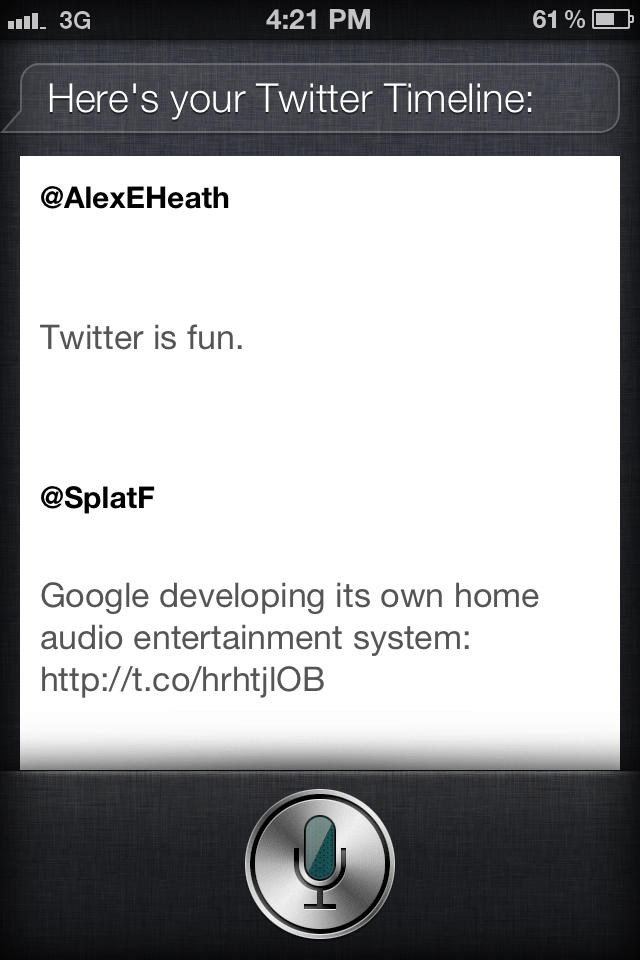
Siri’s an amazing advancement in the way that we interact with out iPhones, but it doesn’t exactly do everything you want it to do out of the box. In fact, three conspicuous abilities absent from Siri’s feature set include the ability to make a Facebook status update, send a message to Google+ or even tweet… doubly absurd given iOS 5’s native Twitter integration.

Don’t worry, though. It’s easy enough to hack any iPhone 4S to Tweet, Facebook or Google+ through Siri. Here’s how.

Can I Use an Old Mac to Get Pictures Off an iPhone? [Ask MacRx]

By

iphone-with-old-mac.jpg

Apple is all about the cutting edge, but in the real world people use older computers that may not have the latest and greatest software. Here’s how to use an old Mac with a new iPhone:

My mom is about to get an iPhone for the first time. She has an older iMac that only supports Leopard, no Snow Leopard or Lion, so she cannot sync with her pc at home. The new iOS 5 allows her to get an iPhone that does not need to sync to a pc. How can she get her photos off her new iPhone 4S onto her existing iMac to load into iPhoto? Will the iMac recognize the device as a camera source even if otherwise unsupported by her version of Leopard and iTunes?

Toby

Why Is iTunes Randomly Moving My Music Files? [Ask MacRx]

By

iTunes-Moving-Files.jpg

Many of us are convinced our computers have minds of their own. In this bizarre case of iTunes moving music files around, there may well be a ghost in the machine:

Ok. I got one for you that has stumped EVERYONE that I have proposed this problem to, including Mac Geniuses and numerous techie friends.

iTunes keeps all music organized inside the Music folder in the Home folder. For the last several months, periodically when I add a new song, or change something regarding songs already in the library (add artwork, adjust genre, etc) SOME songs will relocate themselves to Macintosh HD >Music >iTunes >iTunes Music [outside the Home folder].

How to Edit Your Conversations With Siri on the iPhone 4S

By

IMG_0028

Siri is the intelligent assistant that comes with the iPhone 4S. You simply hold the iPhone’s Home button and speak your question or command — Siri does the rest.

While the obvious benefit of Siri is the handsfree aspect of voice technology, you can actually edit your Siri conversations the good old fashioned way with your keyboard.

How to Delete Photos from iCloud’s Photo Stream

By

photostream_hero

Photo Stream is a feature in iCloud that allows Apple users to wirelessly sync photos and video between multiple devices. The service lets you take a picture on your iPhone or iPad 2 running iOS 5 and have it uploaded automatically in the background to your Photo Stream folder. That folder is then made available on all of your devices that are logged into iCloud, including iPhoto on your Mac.

There currently isn’t a way to individually delete photos from Photo Stream, but there is a way to completely reset Photo Stream and start over.

How Do I Repair a MacBook Pro from Hell? [Ask MacRx]

By

MBPro-from-Hell.jpg

We’ve all had the experience of a computer being a lemon, one problem after another. Here’s one story of a MacBook Pro from hell that has a happy ending thanks to a sympathetic support rep at Apple:

I have a MBP 2.4ghz – the logic board failed 6 months ago and was replaced and worked fine. Last week the battery overheated and “swelled” ruining it. It was removed and run on AC adaptor only after that. The adaptor cable was tripped on and disconnected from the magsafe. The unit would not boot on after that point. After letting it cool completely down, it started up normally. I shut it down and it would not reboot.

How to Put Newsstand in a Folder [iOS Tips]

By

Screen Shot 2011-10-13 at 5.33.45 PM

Apple released Newsstand as one of the many new features in iOS 5 yesterday. Newsstand delivers subscription content from publications that have partnered with Apple in the App Store.

You can learn more about Newsstand here, but this time around we’re going to learn how to put Newsstand in a folder on iOS 5.

Having Problems After Installing iOS 5? Here Are General Troubleshooting Tips For iPhone, iPad and iPod touch

By

iphone4s

A number of Cult of Mac readers, and many more on Apple’s Discussion boards, have reported problems after trying to upgrade to iOS 5 on Wednesday. A good percentage of the time these updates go well, but they didn’t today. On Friday, we may see problems when people try to upgrade from an existing iPhone to a new iPhone 4S. Therefore, I’ll give you five troubleshooting tips that generally fix most, but not necessarily all iPhone, iPad, iPod touch (aka your iDevices) or iOS problems.

How To Jailbreak iOS 5 On Your iPhone 4, 3GS, iPad or iPod touch Using Redsn0w [Jailbreak Superguide]

By

redsnow-3.0

The Redsn0w software by DevTeam has always allowed you to jailbreak your iOS device, giving you complete control over your iPhone, iPad or iPod Touch (see why you should jailbreak here). This morning, though, redsn0w version 0.9.9b5 was released with iOS 5 support, meaning you can now jailbreak devices and run Cydia apps on devices with iOS 5 installed. Here’s how to jailbreak iOS 5!

Survive The iPhone 4S Launch Day Lines And Walk Away With The Model You Want [How-To]

By

iphone4-line-sf-dsc3014-rm-eng

Obviously, the best way to make sure you got an iPhone 4S on launch day was to order one online, but that ship has sailed, and if you didn’t get your order in, braving launch day lines is your only option at this point. After four iPhone launches though, we’re now pros at the line-waiting game. Here are our killer tips and tricks for not just surviving the iPhone 4S line-waiting madness and walking away with the model you want.