Back in the web’s Dark Ages, before anyone even dreamed of creating a logo for a markup language, and when messing around with default link colors was adventurous web design, the closest thing anyone had to online video was the animated GIF.
It was just a small series of still image files glued together, but when played in sequence they looked like movement. A million “UNDER CONSTRUCTION” animated signs bloomed across the early web.
Since then, the animated GIF has gone out of fashion. You don’t see them so much. But you might see more soon, and enjoy making your own, thanks to a new photo toy for iPhone called GIFvid.
Mizage, makers of the Divvy window management application, have come up with a clever way round the problem of migrating customers from traditional online purchases to official Mac App Store purchases: if you can prove you’ve bought their app twice, they’ll refund your original payment.
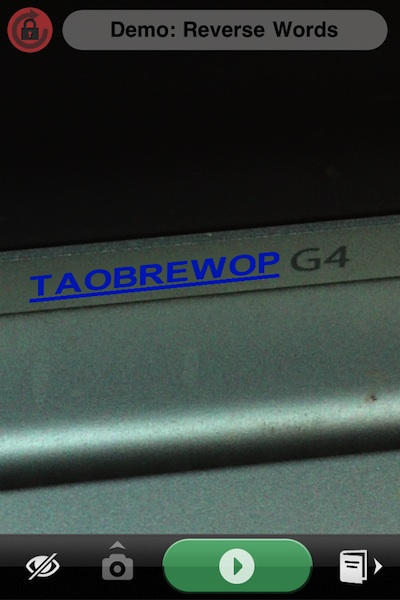
This week’s photographic obsession is Dominik Seibold’s Hough Transform Camera, which I can explain in two different ways: the simple way, and the science way.
You probably know Bump as the guys behind the iOS app that allows you to exchange contacts by “bumping” your device against someone else’s while the app is running. It’s such a good product that I’m mystified Apple hasn’t stolen their idea, integrated it directly into iOS and put them out of business already.
I’m glad they haven’t, though, because the Bump guys have just posted some interesting statistics gleaned from their 25+ million downloads. According to their figures, over 89% of their users are running iOS 4.0 or above.
It’s a problem I’m sure you’ll be familiar with: whenever you want to take a picture of your cat, said cat suddenly becomes utterly disinterested in you and everything you stand for.
Will the cat humor you, and turn its face to the camera? Will it hell.
What you need in situations like this is Cat Camera, the camera app that makes a reasonable stab at meeowing like a cat, in the hope that this provocative sound will make your cat turn its head in the right direction. It’s a bit basic and rather buggy, but hey, it’s a start.
I tried it on my neighbour’s cat, it still continued to ignore the hell out of me, despite Cat Camera’s fake meeowings:
In just a little over 200 million downloads, the App Store will serve up its ten billionth app , and to celebrate the occasion, Apple’s going to give the lucky S.O.B. who downloads the 10 billionth app a $10,000 iTunes gift card.
Well, technically, Apple’s only saying that the person who downloads the ten billionth app has a chance of winning a $10,000 gift card. Note the verbiage (emphasis ours):
As of today, nearly 10 billion apps have been downloaded from the App Store worldwide. Which is almost as amazing as the apps themselves. So we want to say thanks. Download the 10 billionth app, and you could win a US $10,000 iTunes Gift Card. Just visit the App Store, and download what could be your best app yet.
The explanation for Apple’s wishy-washiness are pesky American laws that require companies to give an equal chance to no-commitment entries, which is why Apple has provided an entry form that you can fill out up to twenty five times a day. These entries count as make-believe app downloads; if one of these cheapskate entries triggers the ten billionth download, they’ll walk away with $10,000, just as if it were a real download.
Either way, this is super cool. A $10,000 iTunes gift card is probably large enough that even the most addicted app fiend will never have to spend another real-world dime in the App Store again.
What does Capcom’s new App Store game MaXplosion and the Twisted Pixel Xbox Live Arcade game ‘Splosion Man have in common? Everything, much to Twisted Pixel’s dismay.
Even if you haven’t heard of Michael Göbel before, perhaps you’ve encountered his software. A prolific worker, Michael’s been building an impressive portfolio of applications over the last few years.
Like all developers, he now faces the new challenges of selling via the Mac App Store, and today sent out an email to customers explaining his plans for the future.
If you saw our previous posts about light painting using an iPhone or iPad, you’ll enjoy this brief video demonstration of how to make a very cool New Year greeting.
The lightpainting was done using Penki, an app developed by the people who sparked off this idea in the first place, Dentsu London/BERG.
All that’s needed in addition is a ruler, a camera with a flash (for the portraits), and a shiny table. And perhaps a few rehearsals to get the timing right. There’s a pile more lightpainting images in the Penki Flickr pool, if you feel the need for some further inspiration.
Fresh to the iOS App Store is Trimensional, which takes real 3D photos on your iPhone, and is this week’s Best Thing Ever, without a doubt. It’s one of those photography apps that stands out against all the rest because it’s so different. And at one dollar, it’s a bargain.
The father of a five year old boy born with a rare genetic disorder that delays the development of speech has designed a new iPad app that aims to help the speechless communicate.
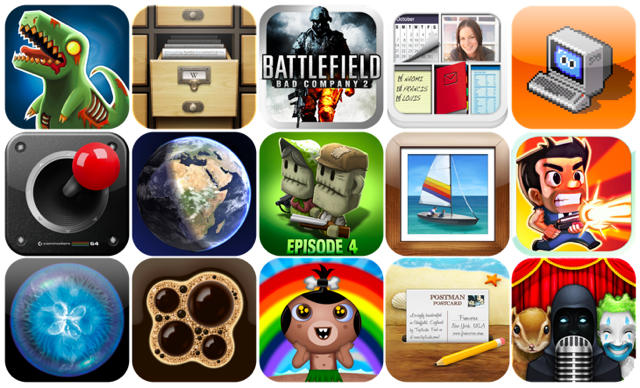
As part of our review of all the great things we’ve come across in 2010, we’ve picked 15 of our favorite iOS icons that stand out from the rest for being beautifully designed, brilliantly colorful, and wonderfully unique.
We’ve selected icons that make you want to find out more about an application, icons that you’d proudly place on your home screen for all to see, and icons that represent the awesome apps behind them.
There are, of course, hundred of thousands of iOS apps in the App Store, and we’ve selected just 15 of our favorites – we hope you like them. Check them out after the break.
Of course, we probably missed a bunch. Please nominate your favorite icons in the comments. We’ll give out free app codes for the best ideas.
For the iPhone user who has everything except his arms, meet the NoseDial, a new app that makes your contacts larger so that you can dial them using simply your face’s bulging proboscis. You don’t have to be a double amputee to use it, though: it’s also good if you’re trying to call someone with gloves you don’t want to take off.
Our favorite gadget vivisectionists over at iFixIt have just released a new iPad app that aims to be a free, easily-referenced glossary for their healthy library of open source self-repair manuals for every gadget under the sun: from the first generation iPod to the new, nigh-un-self-serviceable MacBook Air.
When you try to open a file that your Mac doesn’t already have a default app registered to, it doesn’t know what to do, so it either asks you to choose the application you want to use, or it will — if you so desire it — unceremoniously dump you back to Finder.
That’s actually not a very elegant way to handle unrecognized file extensions. Windows has a better system, for goodness’ sake: it will automatically search the web for applications that can open the file.
Luckily, with the arrival of the Mac App Store in January as well as the release of Mac OS X 10.6.6, that’s all slated to change. As it turns out, Apple has very cleverly deigned to integrate the App Store into the prompt you get when OS X doesn’t know what to do with a file: you can now search the Mac App Store for one that’ll work to open it. Keen!
You might not be able to watch a Blu-Ray DVD on your Mac, but Pioneer’s just unveiled a new line of 3D Blu-Ray players which not only feature DTS-HD and Dolby TrueHD surround as well as 1080p video upscaling… but come with a new app called iControlAV that will allow you to control your new Pioneer player from the comfort of your iDevice. If you want one, it’ll cost you somewhere between $299 and $499.
Square Enix just released a iOS port of one classic JRPG from the SNES era, Secret of Mana, and now it appears that they’re teasing another: Joystiq just sussed out a cryptic new teaser site for what appears to be a smartphone compatible (and hopefully iOS specific) port of Chrono Trigger, their famous 16-bit time travel RPG first released way back in 1995.
Chrono Trigger is still one of my favorite games. The site says “Spring 2011.” Oh please, oh please, oh please.
Behold! An iPhone fit for a Brobdingnagian! This is the world’s biggest iPhone, located in the heart of London’s famous St. Pancras International Train Station. But while it is impressively enormous, a Bunyan-sized handset for the on-the-go colossus, it’s something of a cheat: it’s made up of 56 interconnected iPads.
With the holidays now only days away, we are all starting to think about the true meaning of the holidays – food and drink, and copious amounts of the stuff! Whether you are in charge of the full roast on Christmas day, or just the cranberries, having a helping hand is always appreciated.
Being the lovely people we are, we have put together a list of the best apps and accessories for both iPhone and iPad that can help your holiday season be as full flavoured and stress free as possible!
Are you a developer who wishes your game could look good as Infinity Blade? Great news: Epic is publicly releasing their Unreal Development Kit for iOS today, which should vastly simplify the creation of a games’ graphics and animation. Best, it’s free… within limits.
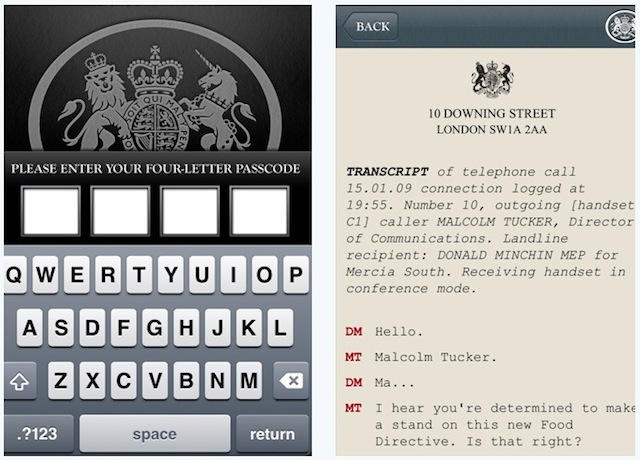
British iPhone owners who enjoy foul-mouthed comedy will be delighted to learn that there’s a new, official Malcolm Tucker iPhone app to download for a mere four fine English pounds.
Tucker is the brutal, thuggish political spin doctor character in UK comedy show The Thick Of It. His adventures in swearing are legendary.
“Foul-mouthed” hardly does him justice, to be honest. If there’s a %^&@ way he can think of to @*(! your day and shove your @*($@$@% through your @£[/*$ until you’re bleeding £!*++ out of your !&@*, Tucker will say so.
And now he’s on your iPhone – or you’re on his, so to speak. The Missing Phone app pretends to be Tucker’s phone, and you’ve just found it. I’ll leave you to guess which four-letter passcode might unlock it, and discover the top-secret emails and text messages stored within.
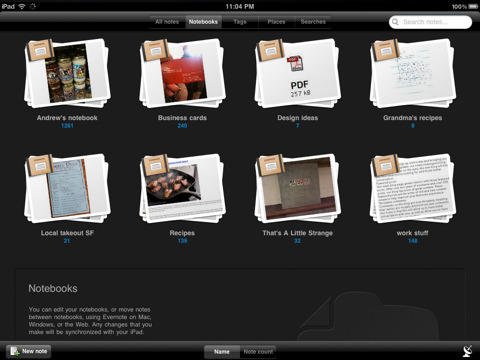
There are some great iPad apps out there (Evernote is one of my personal favorites). The tablet form factor and the touch screen make for some incredible mobile computing experiences.
One would think that app developers would always strive for excellence and innovation in their work. Sadly, this is not always the case. One would further think that market forces, evolutionary pressures and/or iTunes executives would remove all terrible apps from the Apple App store. This, also sadly, is not the case.
So for fans of terrible iPad Apps and developers looking to cash in on low hanging fruit (pardon the pun), here are 10 tips for creating a terrible iPad App.
Sick of waiting for Apple to make up its mind on when its going to pilot iTunes into the cloud? Skeptical that Google’s going to do it any quicker? Recognize Spotify in the United States for what it is: a pipe dream that the music publishers will never let happen?
Time to throw your collected tracks online yourself, and cloud-streaming music service mSpot is here to help you make that happen, in conjunction with a free, just released iOS app.
Judging by the video above, mSpot’s actually got me interested: $3.99 for 40GB of online storage is actually a pretty decent price, especially given the slickness of their web interface. I’m about to move, shipping my iMac over and working entirely on my 64GB MacBook Air for the next month… maybe it wouldn’t be a shabby idea to throw my music collection up on mSpot before I leave.