Oooh, this is nice. Capture is a one-trick video recording app for iPhones that reduces the whole concept of snapping a video down to its very basics.
Capture Video App For iPhone Lets You Capture Those Moments Before They Pass


Oooh, this is nice. Capture is a one-trick video recording app for iPhones that reduces the whole concept of snapping a video down to its very basics.

Magic Hour is a photo app for people who love the filter effects you get from apps like Instagram and Hipstamatic.
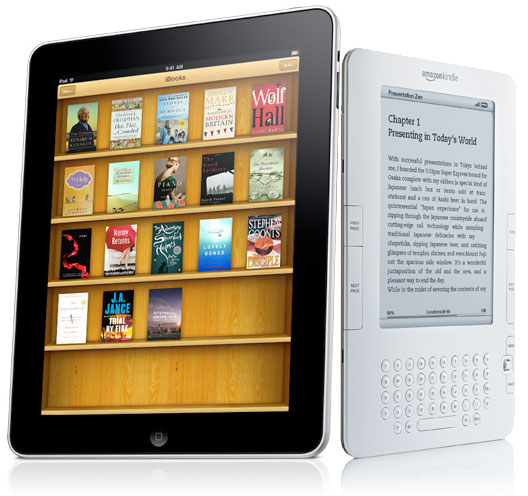
Today’s June 30th. That’s an important day for app developers. It’s the day Apple expects app makers to comply with new guidelines saying you can no longer link directly to a way to buy in-app content out of app. Hulu Plus has already jumped through that hoop, but you know who hasn’t? Amazon with its Kindle app.

Apps, those tiny games and other bits of code on your iPhone or iPad, are adding up to serious money. After doubling to $14.1 billion this year, revenue from apps will generate more than $36.7 billion by 2015. But can web apps cash-in on this goldmine?
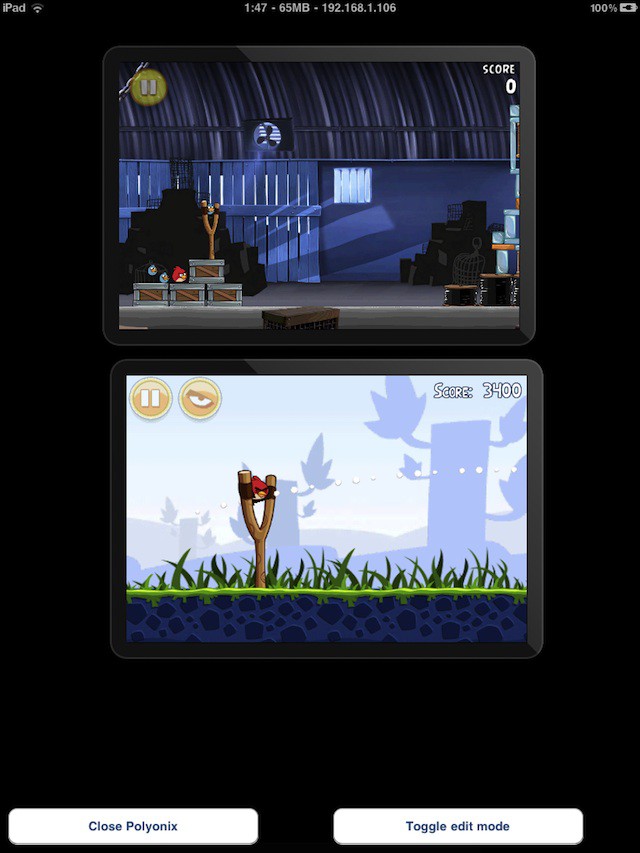
One of Windows 8’s key tablet features is the ability to run two apps on the same screen side-by-side. It’s a feature that iOS 5 has yet to adopt, but that hasn’t stopped one jailbreak dev from swiping the idea and creating a hack that can allow two or more iPhone apps to run side-by-side on any iPad. Sick.
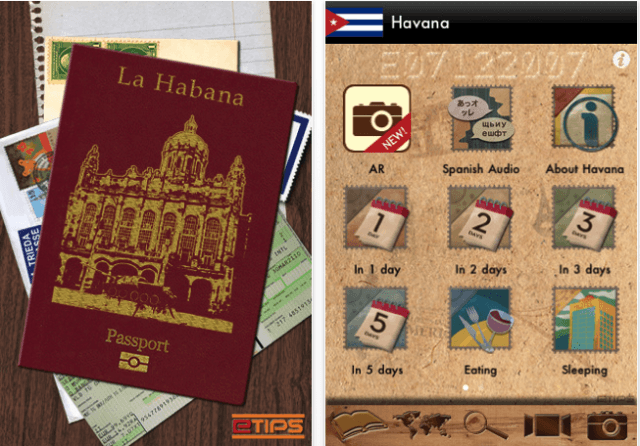
The first travel guide apps for Cuba are arriving in iTunes as a record number of Americans visit the country.
iCuba is billing itself as the first travel app for the island nation. In truth, it arrived in iTunes about a month after the Cuban Beaches in HD app, which offers hotel as well as beach info, and the Havana Travel Guide which promises an augmented reality feature. There are also a number of map apps for Cuba.
iCuba is offered in English, Spanish and Italian for $5.99. There are a few hiccups — notably, the English translation offers a category of “luxory” hotels — and other tourism info looks scarce. Still, the maps are available offline which makes consulting them easier when traveling and you can make hotel reservations via the iPad, iPhone and iPod Touch versions.
The Havana Travel guide for $4.99 offers up to five days of itineraries, hotels and restaurants by budget range, nightlife info, public transport and safety tips.
Havana Good Time, by resident expat author Conner Gorry, promises to “open doors to the forbidden city” with 160+ entries that will have you living like a local. If you want to check out the $2.99 app, though, you’ll download it in the U.S. iTunes store before you go — since restrictions will keep you from getting it when you are actually local.
The bump in travel to the communist-ruled island is attributed to the U.S. government easing some travel restrictions to Cuba, mostly for “purposeful” travel (family, some business and religious activities). However, a battle is currently ensuing to turn back restrictions to the Bush-era bans.
Via iPhone Italia
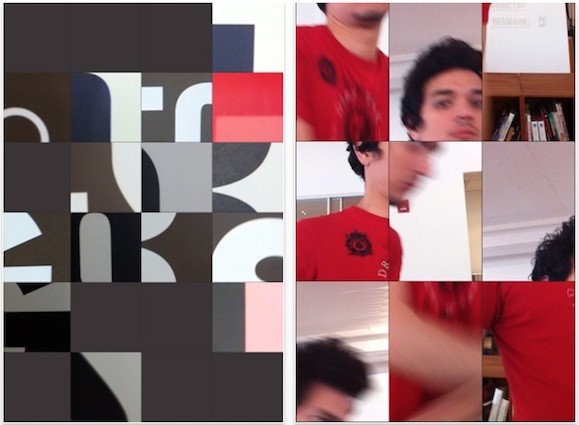
Here’s a little gem I found on the App Store this week. +Loop is a video recorder app for iDevices, but it stands out from the crowd because it records multiple mini video clips in one, and costs nothing.

If your audio taste is anything like mine, you’ll want to mute this music video for “Undivided,” the first single for the group Blush, feat. Snoopy Dog. It’s like someone vomiting jolly ranchers down your cochleas.
That said, make sure to watch it, because it was made by animator Shawn Harris using iOS app Brushes. Impressive, right? And we have the making off too!
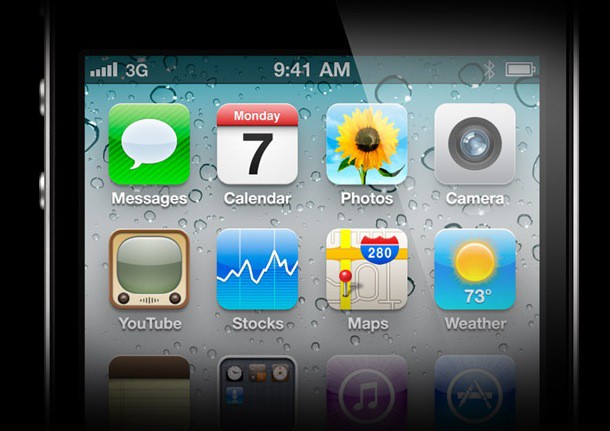
Here’s a great post over at 37 Signals, posing the question: how many of the apps on your iPhone do you actually make frequent use of?

Every day, there’s another app bundle, and sometimes it seems like each is more forgettable than the last. Code Canyon’s Freelance Mac App Bundle is a wonderful exception: it’s the first app bundle we’ve seen in ages worth getting excited about.
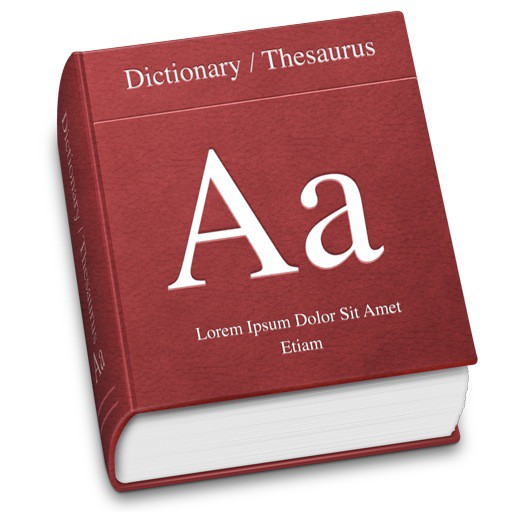
While you can hardly blame Microsoft entirely for this one, you’d think they’d at least notice that the featured Dictionary application on their official Windows Phone page had stolen its icon wholesale from the competition. Could we get a slow clap, please?

The most impressive ebooks on the iPad aren’t ebooks at all, but dedicated iOS apps. With the power of HTML5, CSS3, Javascript and ePUB3, though, there’s no reason that has to be the case at all: you can put together a truly interactive, animated ebook right within iBooks.
Check out this awesome look at the iBook put together by Walrus Books for the upcoming Lovecraftian tome Kadath: The Guide To The Unknown City. Not only does it feature interactive maps, embedded fonts, integrated pop-ups and more, but it even has its own in-book meta game and version of in-app purchases.
This is super cool. I wish we saw more iBooks like this, but unfortunately, it seems like most publishers design their ebooks for the lowest common denominator platform — the Kindle.
httpvhd://www.youtube.com/watch?v=uSJmTByABG0
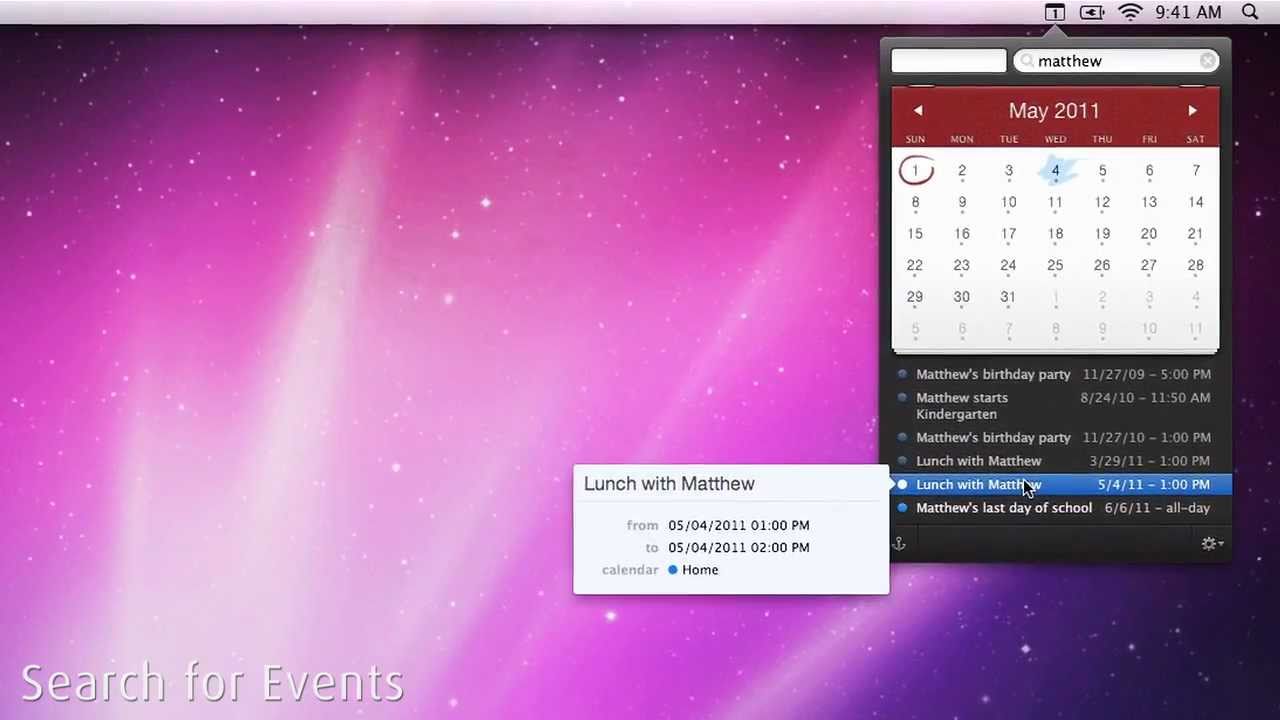
Calendar apps are usually pretty boring. You log an appointment in it and then you never think about the app again. Fantastical is here to bring a little bit of flavor and awesomeness to your drab calendar app. Fantastical allows you to create events instantly via natural language input. One of the great things is that the app works perfectly with iCal, Entourage, and Outlook so you don’t have to change over to a new calendar system.
Lucky for you, the team behind Fantastical, Flexibits, wanted us to share the love with all our readers, so today we’re giving away 3 promo codes for this awesome new calendar app. Soon enough you’ll be using natural language to create events in no time. Of course you have to enter to win. Here’s how to enter today’s contest.

Remember when Mark Zuckerberg scoffed that there was no reason to release a native Facebook iPad app because the “iPad’s not mobile!”
Guess he’s changed his mind: Facebook’s prepping an official iPad app, and it’s already in final testing.
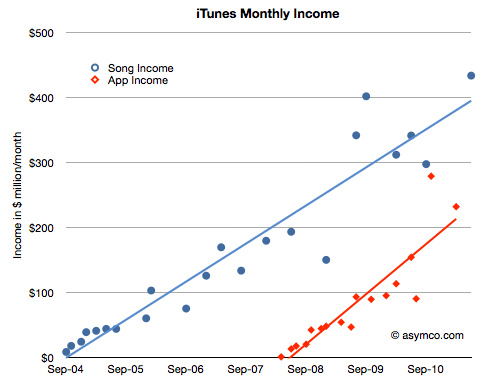
Apple users are embracing the App Economy with abandon. Indeed, by 2015, income from apps will exceed that of iTunes music downloads, one analyst projects.
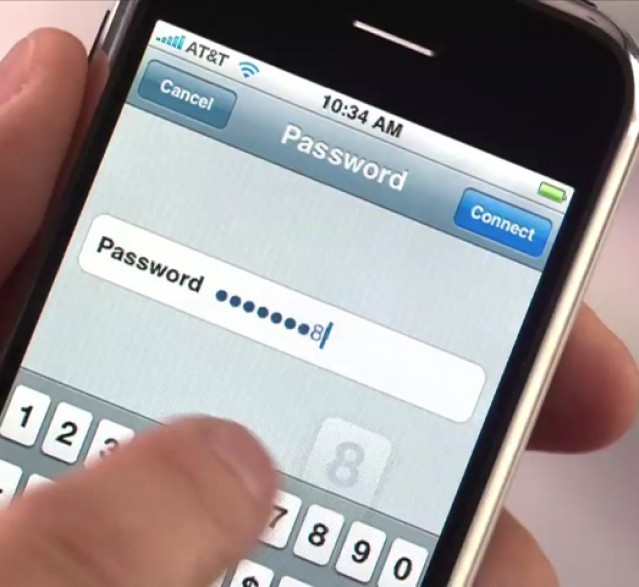
Just one day after we posted the top ten most common iPhone passcodes, Apple has yanked the app that generated them. According to the developer, though, he was only following Apple’s own rules.
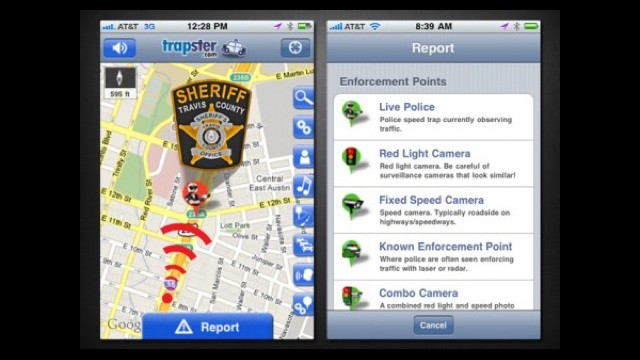
Looking to avoid an outright banning ahead of Apple’s move to jettison all such apps from the iOS App Store, Trapster has taken the preemptive step of removing the DUI Checkpoint functionality from their popular app.
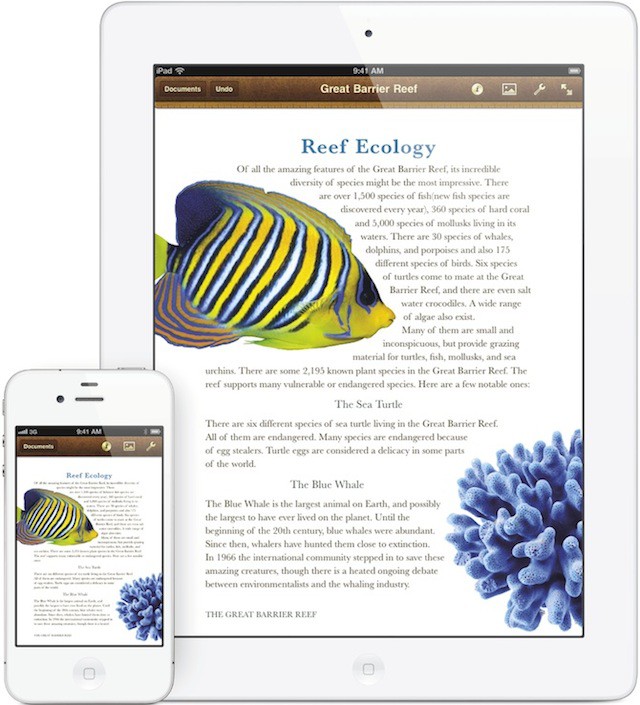
After months of rumors, Apple just gave us a nice little pre-WWDC present: if you don’t mind a little bit of cramping, you can now use Keynote, Pages and Numbers on your iPhone or iPod Touch.
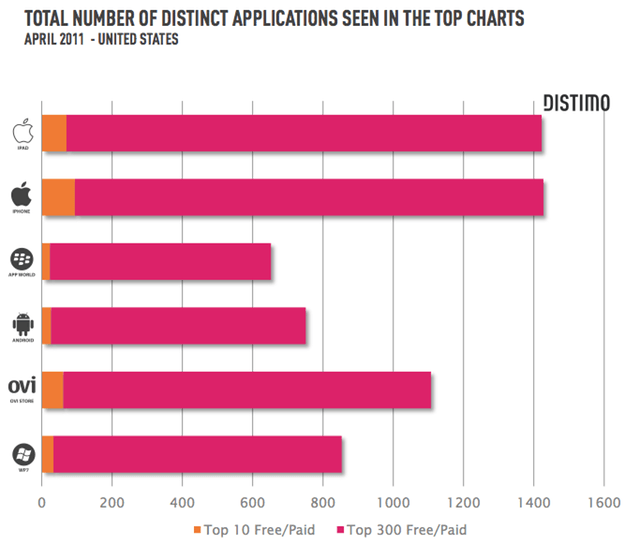
Counter to the perception that Android is closing the gap with Apple, a new report shows the iPhone maker’s App Store is miles ahead when it comes to making money for developers.

Opera has finally released Opera Mini 6 for iOS for iOS, with a bunch of very welcome new features.
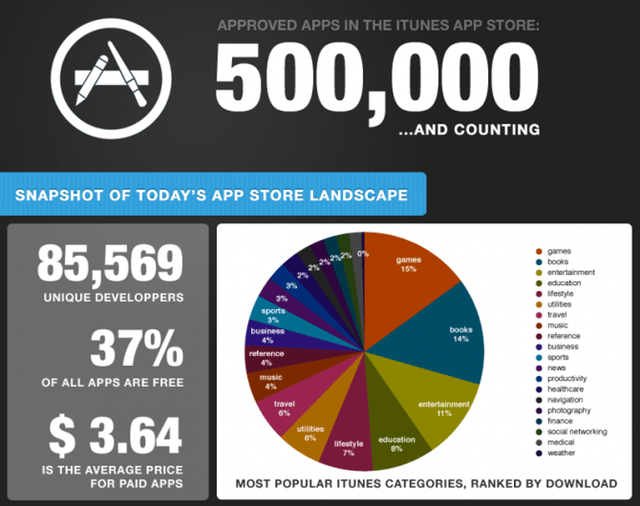
It’s enough to bring a smile to an angry bird: Apple’s iTunes can boast a half-million apps. That figure likely will get an official stamp of approval when CEO Steve Jobs speaks June 9 before developers at the annual WWDC in San Francisco.

Lodsys seems to be hell-bent on ruining things not just for application developers but for Apple as well, and it seems owing to its new-found skill in patent trolling for the odd buck, the App Store’s approval process for in-app purchases has now been frozen.
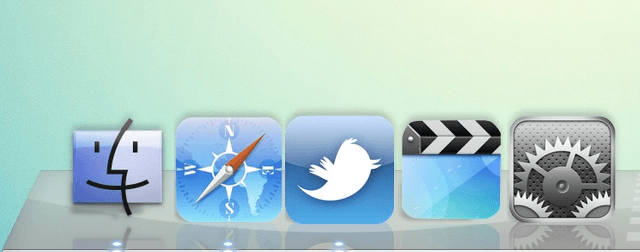
Have you ever had the desire to change how your applications look your Mac? Perhaps you want them to look like the icons found in iOS, as seen in the picture above? Although fairly unknown, it is possible in Mac OS X. All you’ll need to get started is img2icns. While there is no plain and obvious way to go about it, it’s actually fairly simple once you know what to do, as demonstrated in this video.
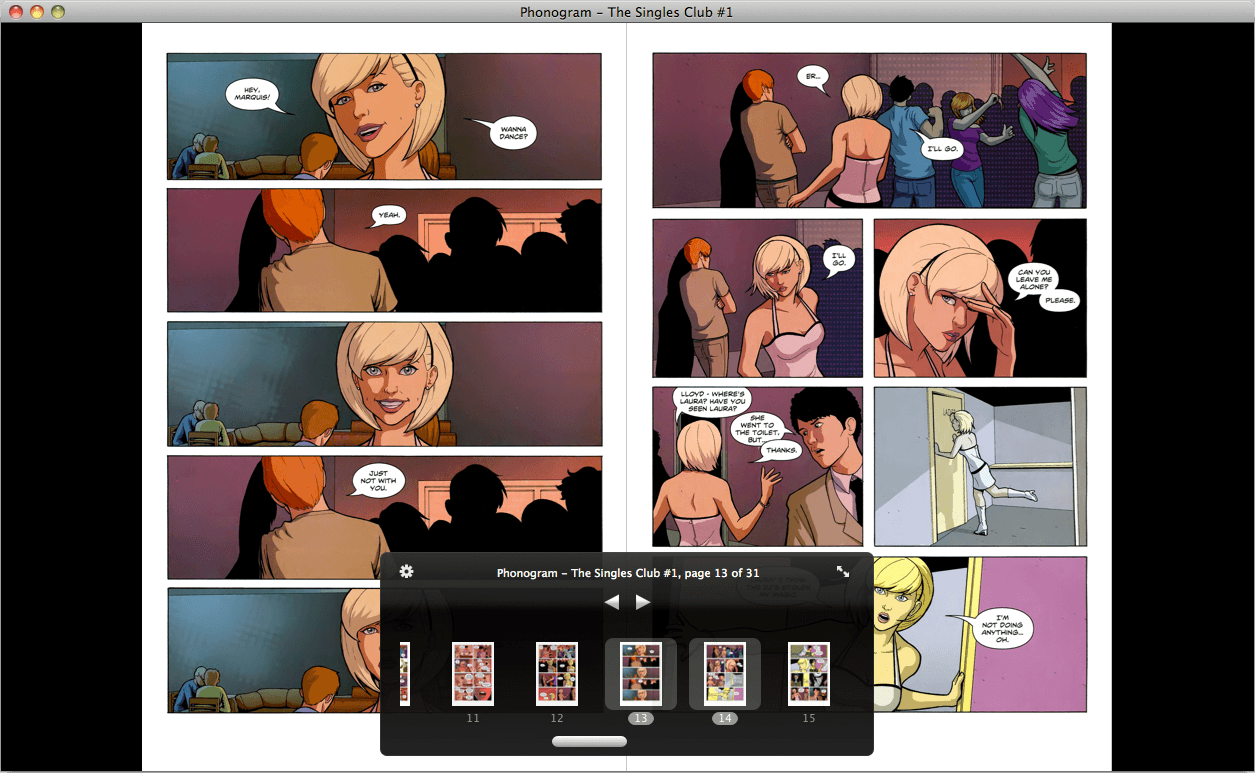
The paper-based comic book has been, for at least a decade, an absurdity. Each 32-page issue takes up a significant amount of space without delivering very much story. And the idea of taking a fat stack of them on vacation or a plane ride is as bad an idea as it appears on its face. Even more so than the novel, comics and electronic readers are a natural match. And the Mac now has a signature way to read comics in the form of ComicNerd, a new app from A Nice Cut of Tea and a Sit Down LLC. As the owner of a huge comics collection, much of it digitized at this point, I can state unequivocally that this is pretty much exactly what I’ve been looking for. And it’s hard to imagine anyone doing it better.
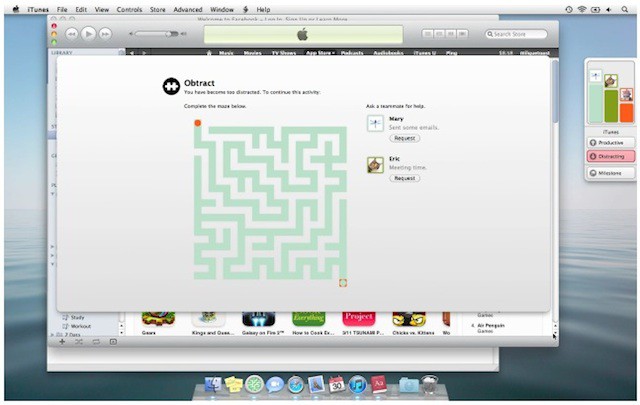
How often do you find yourself goofing around on Facebook when you should be working? It’s OK, you’re not the only one. But in future, you might be able to keep yourself productive with a clever little app called Obtract.