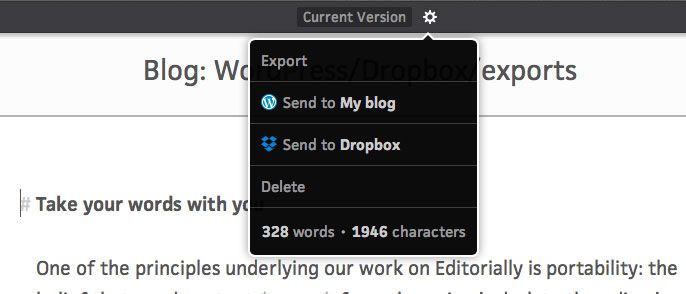
Editorially is a web-based text editor that I wish I used. It has a gorgeous interface, lots of great collaborative features, and now it even exports to Dropbox and WordPress, which would let me write pretty much anything I ever need to write in it.
Sadly, I have no need for collaboration, and I swore of writing anything but an email address in the browser years ago after losing work to crashes.
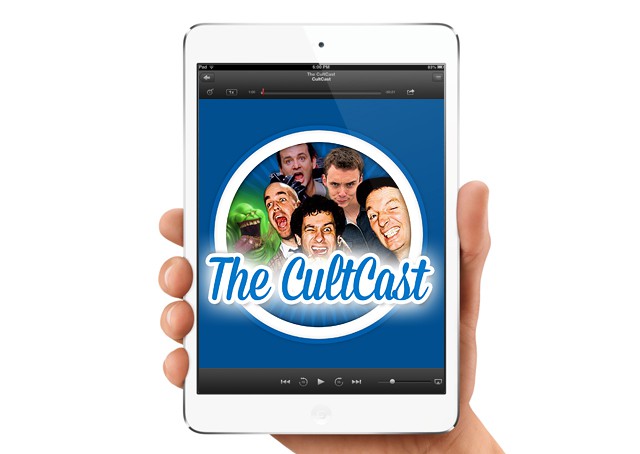
Get your silver bullets and holy water ready dear friends, because our new CultCast: some Dell laptops are emitting a mysteriously pungent smell; iPad Air gets benchmarked, is murderously speedy; our fave photo app brings darkness… out of the shadows; Apple says some 5S batteries are dieing… faster than they should; Tim Cook says upcoming Apple products will blow… your mind; and we chant… aloud our favorite apps so you can vote on which is best… it’s an all new Faves N Graves!
Put down that candy and join us for this week’s best Apple stories! Stream or download new and past episodes of The CultCast now on your Mac or iDevice by subscribing on iTunes, or hit play below and let the spookiness begin.
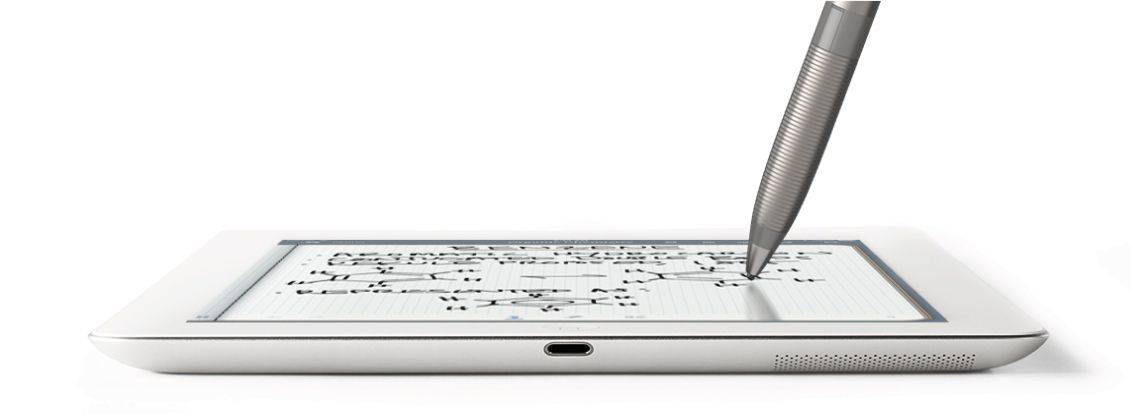
Somehow, Adonit and Evernote have together managed to solve the biggest problem in iPad styluses: the size of the tip. Instead of a big fat pinkie-sized blob of rubber, the new Jot Script has a point that’s more or less the size of a regular rollerball ball.
And best of all, the latest version of Penultimate, Evernote’s note-taking app – has been developed in tandem with the pen to work like, well, to work like an Apple product.
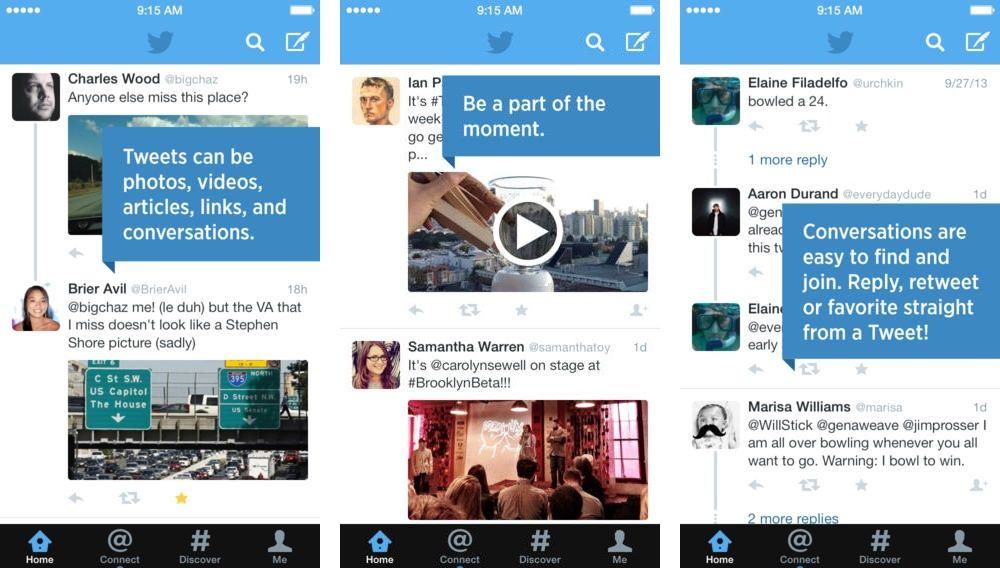
Twitter has released an update for its iOS and Android apps today that adds the ability to preview video and photos directly in your timeline.
Users can now view a preview of Twitter photos and Vine videos in your home timeline without having to tap out of the main feed. You can still view a full screen version of photos and videos by tapping on the image. While the update may seem minor, it opens the door for users to try new forms of tweeting – like posting a picture with no commentary that’s automatically previewed in your timeline – but only as long as other tweeters are using its homegrown app.
If you hate the new preview feature you can simply turn it off in Settings. Twitter also updated its UI so that users can easily reply, retweet, favorite, or follow someone directly from a tweet in your timeline.
Here’s a Vine from Twitter showcasing the new features:
CloudConvert, you will remember, is a web service that lets you convert any document from you Dropbox into pretty much any other file type that makes sense. Now, it has added support for iWork documents, letting you convert Pages documents to Word DOC and DOCX for example.
The killer for some, though, is that you can roll back your newly screwed-up iWork files to work with iWork ’09.
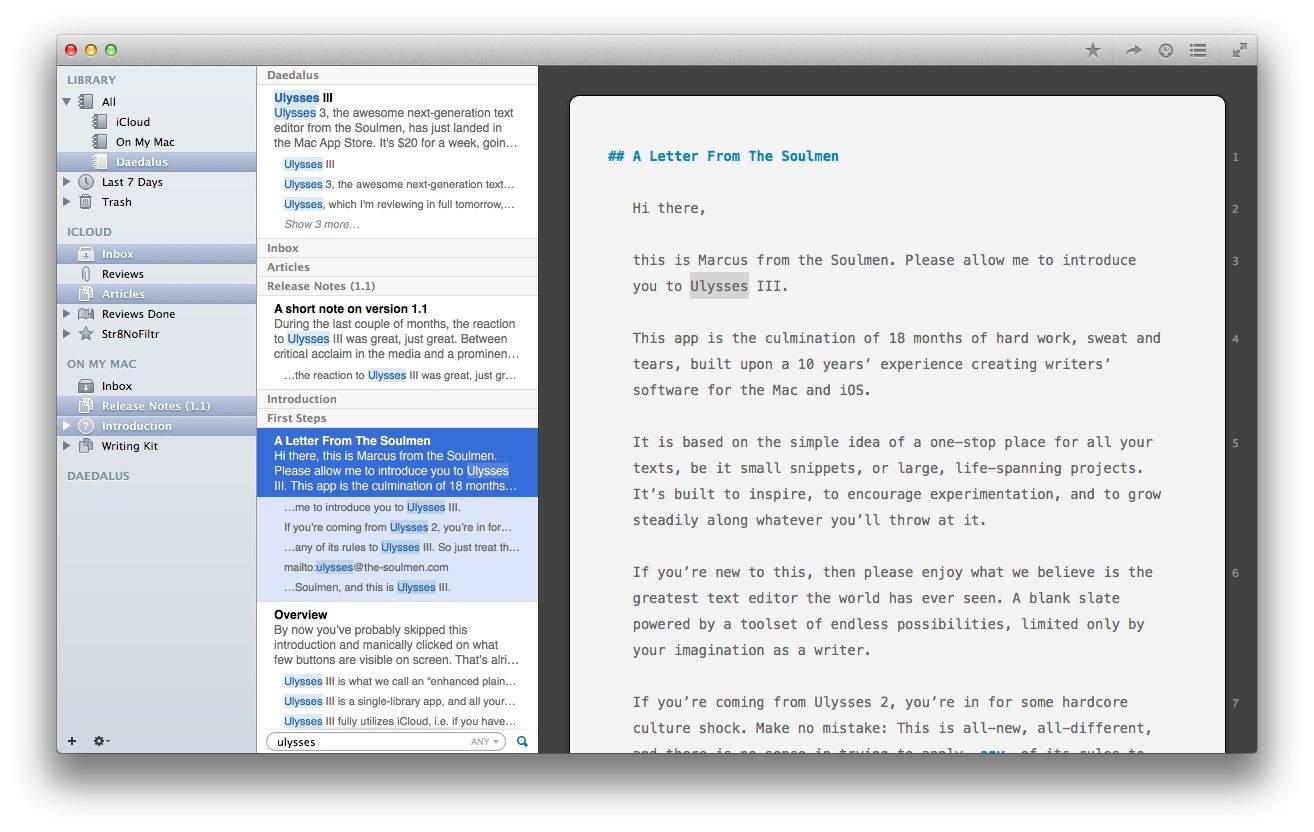
If you read Ulysses III 1.1’s release notes, you’d be forgiven for thinking that the Soulmen (Ulysses’ developers) have just aded a few features that should really have been in v1.1. But take it for a spin and you’ll see that the the app has been polished in so many places that it feels both completely familiar and full of new tweaks.
If you thought there wasn’t much Junecloud could so to improve its already-great deliveries-tracking app Delivery Status Touch, then you’re about to be amazed. In fact, so long is the list of changes in the newly-launched v5 that I have pasted them below for your goggle-eyed viewing pleasure.
In short, it now looks great on iOS 7, can sync via iCloud if you prefer, integrates with 1Password and is way way quicker.
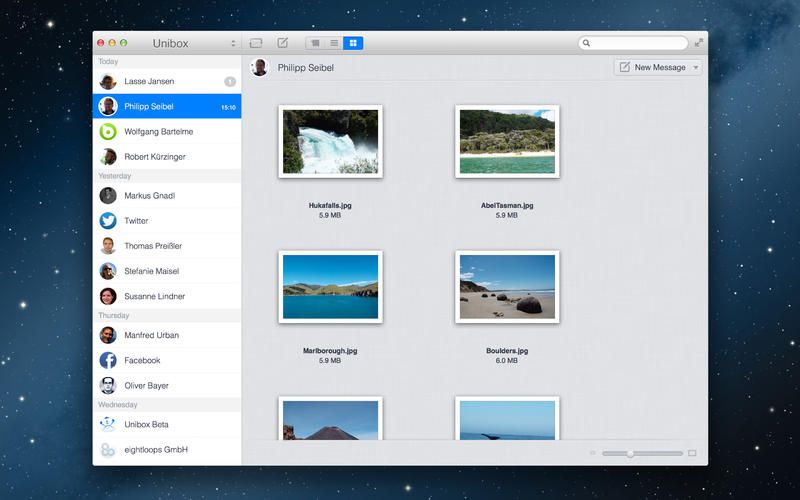
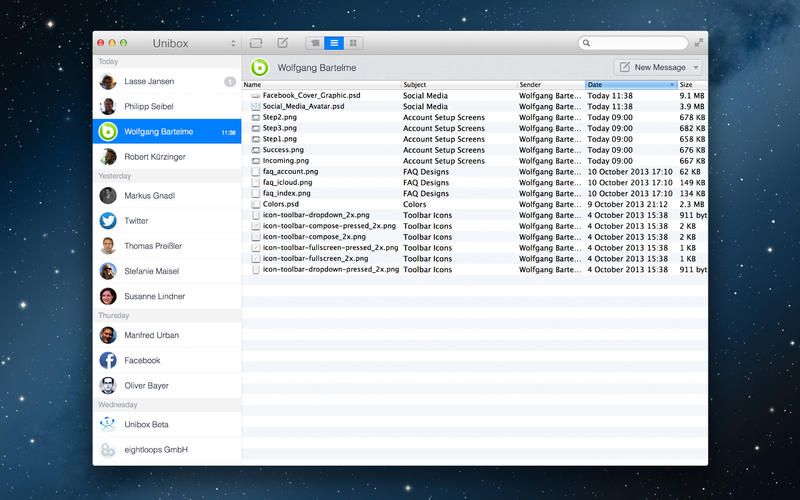
There’s another new e-mail app available now for OS X, and it takes a different approach to your usual e-mail clients. It’s called Unibox, and it focusses on people, not messages.
ForeverMap 2’s brand-new update is ostensibly an iOS 7 makeover. But if you’re a regular user, one look at v3.3 will tell you that it has been improved almost everywhere.
Tublme is possibly the stupidest name for a thing, ever. But it’s also a fantastic name if you think about anagrams, lost vowels, Tumblr and .me domain suffixes. It’s got em all.
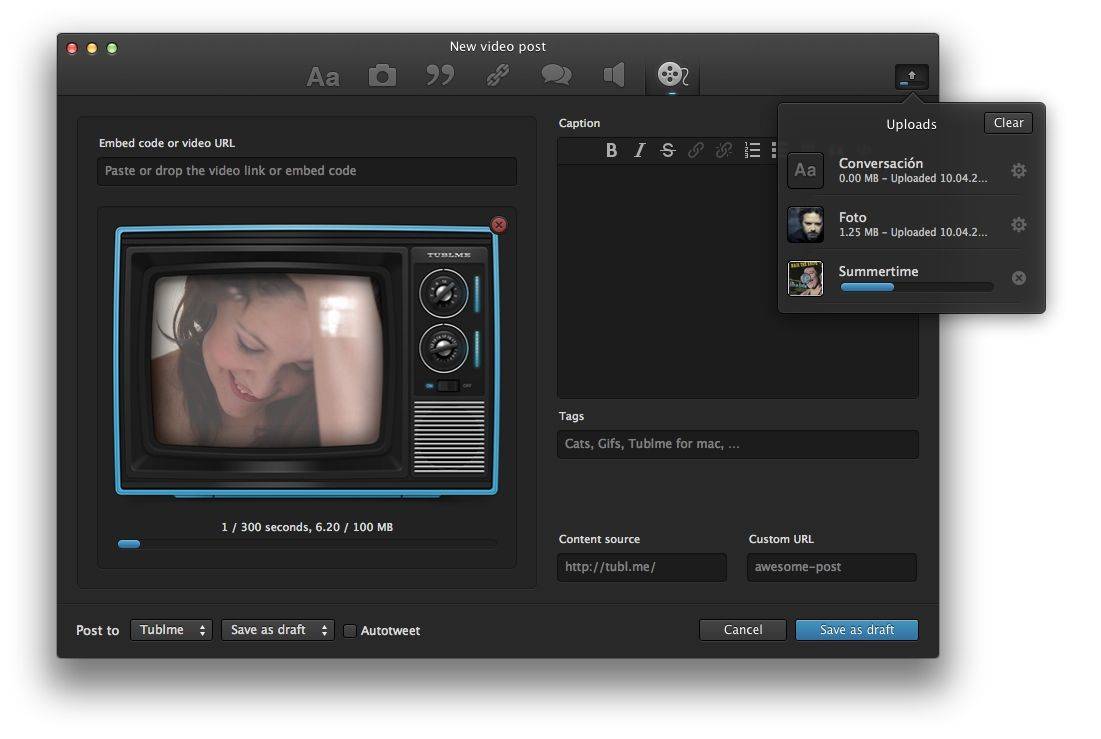
Tublme is also an OS X Tumblr app, and it’s pretty gorgeous.
It happens to all of us at some point: you get a little tipsy, you open up your computer and you’re trying out some fancy new contacts app; or you’re just not really paying attention to what’s happening in your browser. And then BOOM, you’ve signed up for a LinkedIn account. Good luck. You have now ruined your e-mail forever.
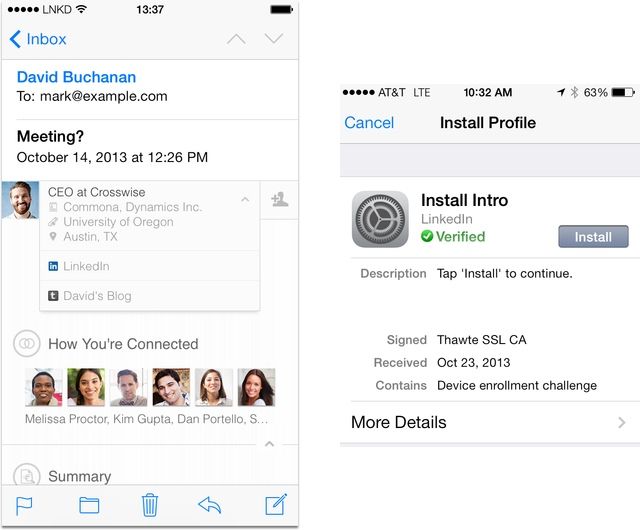
We all hate the seemingly unstoppable spam that LinkedIn loves to spray all over our inboxes almost daily, but now the company has gone one better, able to inject its insidiousness right inside the native mail app of your iPhone, using a kind of “plug in.” How is this sorcery done?
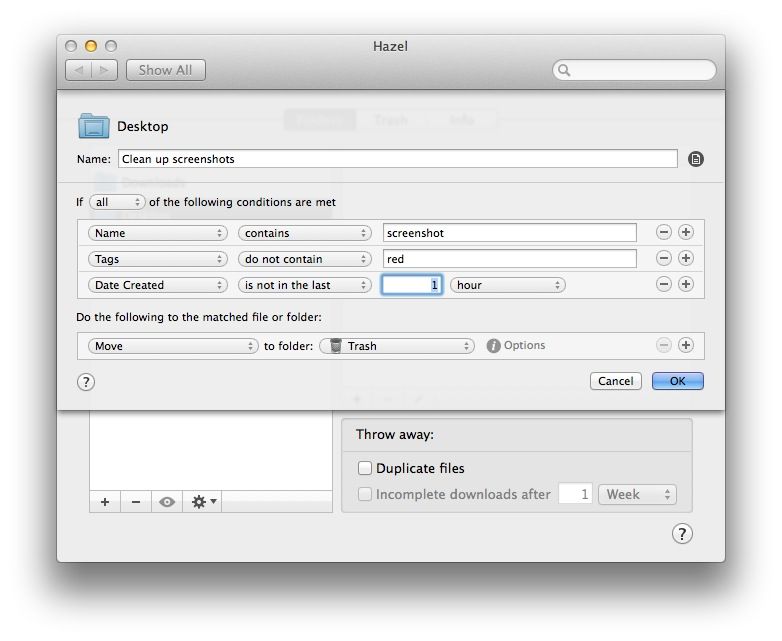
This one cleans up the desktop, but avoids tagged files, letting you keep them around until you remove the tag.
Hazel users who have already installed OS X Mavericks have reason to be cheerful today: An update to the app brings support for Mavericks Finder tags, letting you do all kinds of neat things with your files, automatically based on how you tag them.
If you keep a diary, you probably know about Day One, Bloom Built’s indispensible Mac journaling app. With the release of OS X Mavericks, Day One has received a major new update. The big feature? Integration with Mavericks’ Maps app.
We last caught up with Pics.io back in the summer, when it was just starting out in beta form. Now the service has gone live, and you can convert and edit your RAW photos right there in the browser. Yes, the future really has arrived.
In a fit of either obliviousness or hubris, Evernote yesterday released an update to its iOS app in the middle of some other clearly less-important news. The update is actually pretty solid, although not nearly as radical as the last one which revamped the entire interface for the second time in less than a year.
Apple’s pro apps aren’t being left out of the update-a-thon surrounding the launch of new iPads and Macs. Aperture has just gotten bumped to v3.5, and gets some nice new features, including full Photo Stream support and integrated Apple Maps.
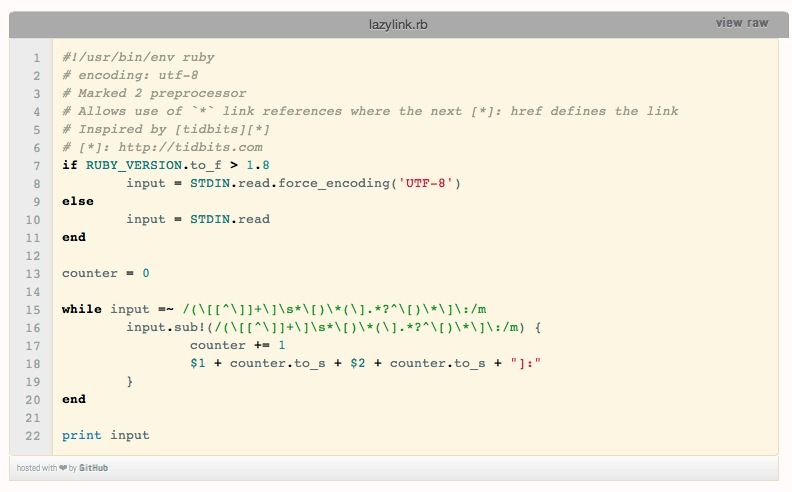
This one’s pretty nerdy, but if you use Markdown to write anything with links in it (web articles, e-mails and so on) then you’re going to love it. It lets you use “lazy” reference links in Markdown to keep your text nice and tidy, but it does it without the references. Reference links without references? What? Wait…
Users of EvoMail are about to find the iOS app getting a whole lot more reliable, and a whole lot cooler. The company has just launched its EvoCloud, which adds a whole bunch of neat server-side tricks to your e-mail.
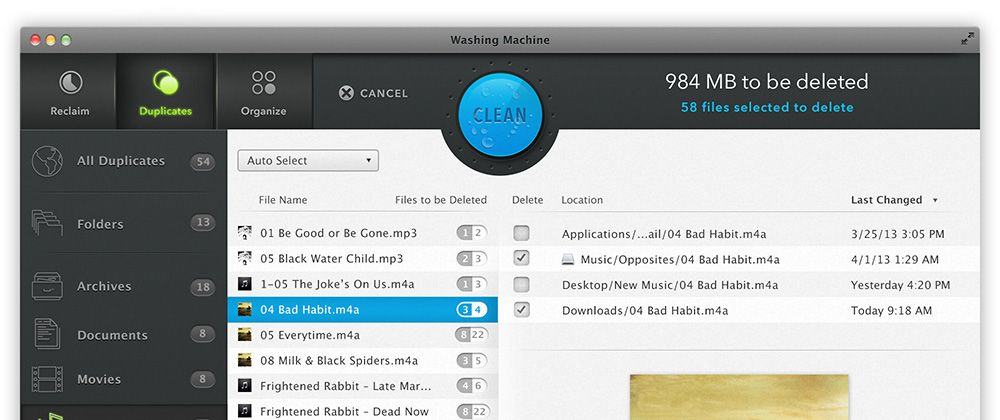
You’d have a hard time forcing me to remove the fantastic Gemini duplicate removal tool from my Macs, but that’s not to say I don’t like to have a little fling now and then (in fact, I regularly two-time Gemini with Daisy Disk, another great app for seeing what’s taking up space on your hard drive or SSD). And that fling might just be with Intego’s WashingMachine 2014, another duplicate finder app which adds in some distinctly different features.
Fastmail, a mail device which really is fast, has just gotten even faster, and even slicker. The best alternative to Gmail just launched a brand new mobile interface that is so good that you might even ditch the native mail app on your iPhone and iPad.
TeeVee, my go-to TV episode listings app, has just gotten a super-useful update: calendar integration. Now the app not only keeps you updated about airing TV shows via push notifications, it can also integrate them right into your calendar.
Love Dropbox, but hate the mobile app on your iPhone? Join the club; while having access to my Dropbox folder on all of my iOS devices is a fantastic productivity booster, the user experience of the default app is pretty bare bones.
What’s a Dropbox loving tech writer to do, then, to enjoy his Dropbox experience even more? Boxie thinks it has the answer, with a brand new Dropbox client app. Boxie connects to Dropbox, lets you access and use all the files in there, and promises to be much prettier and intuitive than the official app.
I'm pretty sure Urban Dictionary will have my back with this one...
Dictionaries, dusty tomes full of words. Books that are pointless now we can just tap a word and define it in-place. Who’d buy a dictionary app in 2013? Me. And you, probably, once you’ve seen what Terminology 3 has to offer.
You know how Flickr is cool and all but whenever you just want to see the info about a photo, you have to search all over the page and click a bunch of buttons and they all take forever to load and OH GOD WHY ME? Well, you can say goodbye to that crap forever, with Flickr’s sweet new “Photo Experience.”