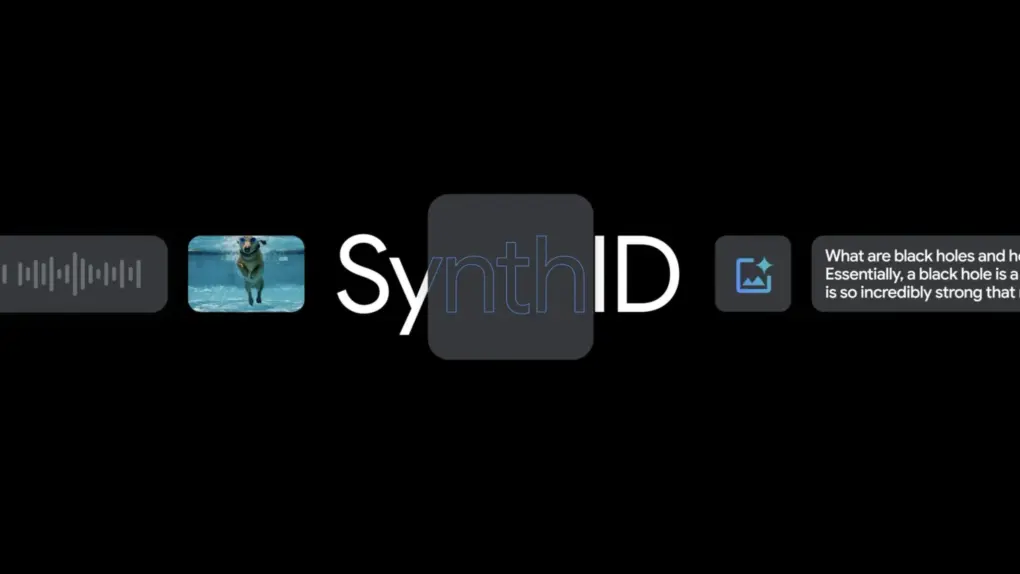
In an effort to help users spot fakes, iOS 27.2 adds a watermark to some AI images. Photo: Google
iOS 27.2 now stamps AI-generated iPhone images with an invisible watermark called SynthID.
Every Image Playground creation carries the mark, as do some AI-edited photos. This should prove really helpful for spotting fakes — but only if you know how to check.
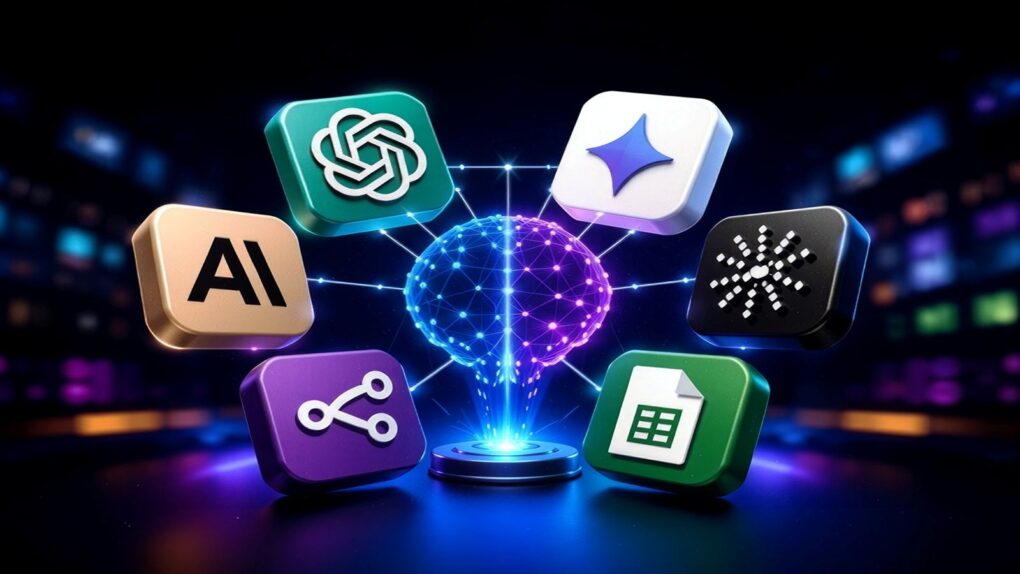
Access multiple AI apps with a lifetime subscription to ChatPlayground AI. Image: BoliviaInteligente/Unsplash License
ChatPlayground AI gives you easy access to more than 20 of the top AI models, all in one place — and all for one low price. It includes big names like ChatGPT, Claude, DeepSeek, Llama, Perplexity and Gemini, and it lets you send one prompt to multiple AIs simultaneously.
Ever wonder if your favorite chatbot is making stuff up? Of course you do. Photo: Cult of Mac Deals
Caveat isn’t another chatbot competing for your attention: It’s a browser extension designed to examine responses from the AI platforms you already use. Think of it as a fact-checker for AI chatbots, which are notorious for their ability to authoritatively fluff the facts.
Type in one prompt, get multiple answers from leading AI models using AskAnyModel. Photo: Cult of Mac Deals
AskAnyModel is a new multi-AI platform that gives you lifetime access to more than 50 models like GPT, Claude and Mistral. It makes it easy to compare results from various AI models with just one prompt, so you can choose the best output for any given task.
And right now, you can secure lifetime access to AskAnyModel for just $29.97 with code SAVE10 (regularly $499), with no recurring fees. For one low price, you get unlimited use of supported AI models, plus 500 monthly credits to access 20 advanced AI models.
Meta and Apple collaborated to put Muse Spark Open on high-end Macs. Image: Meta
Meta and Apple are working together to bring a powerful new open-weight AI model to high-end Macs.
Meta announced Muse Spark Open on Thursday, describing it as “the most capable US open-weight model to date.” For its part, Apple updated its MLX machine-learning framework for the model.
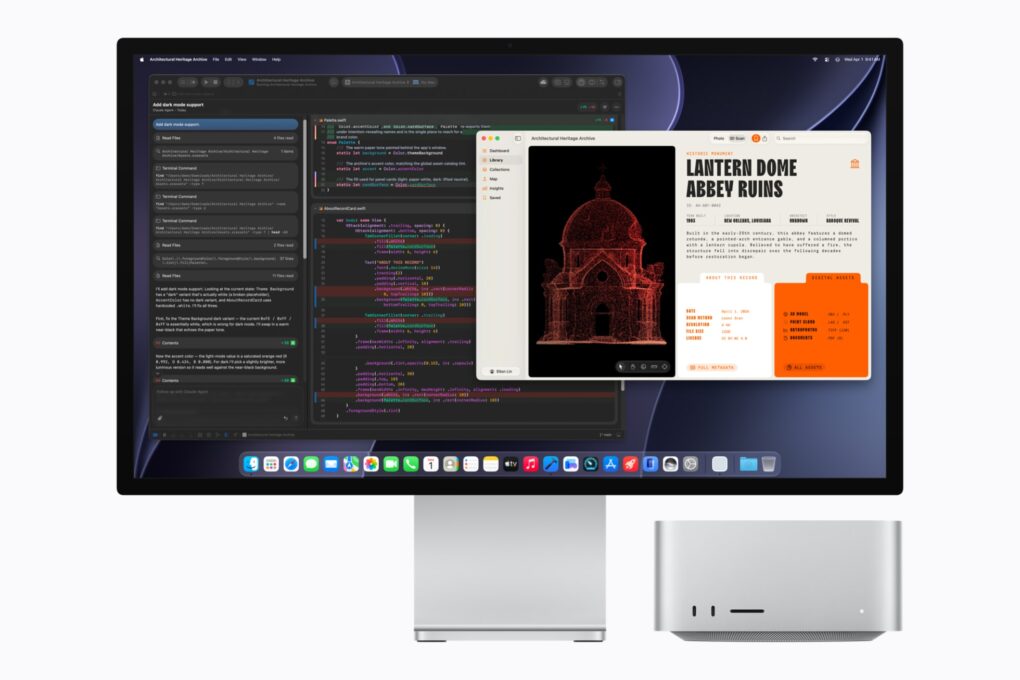
“Leveraging the latest version of MLX, Muse Spark Open was optimized to run on Mac Studio with M5 Ultra, and together they’re the best way to run a powerful model on your own desktop,” said Meta in a statement.
The Apple Huxe deal gives Apple access to Huxe’s AI podcast tech. Photo: Pixabay
Apple signed a deal with Huxe, an AI-powered podcast generator, giving it the right to hire staff and license its technology.
The move signals Apple’s bigger AI audio plans for Apple Podcasts. But Apple isn’t buying Huxe outright, though the startup’s application is already gone.
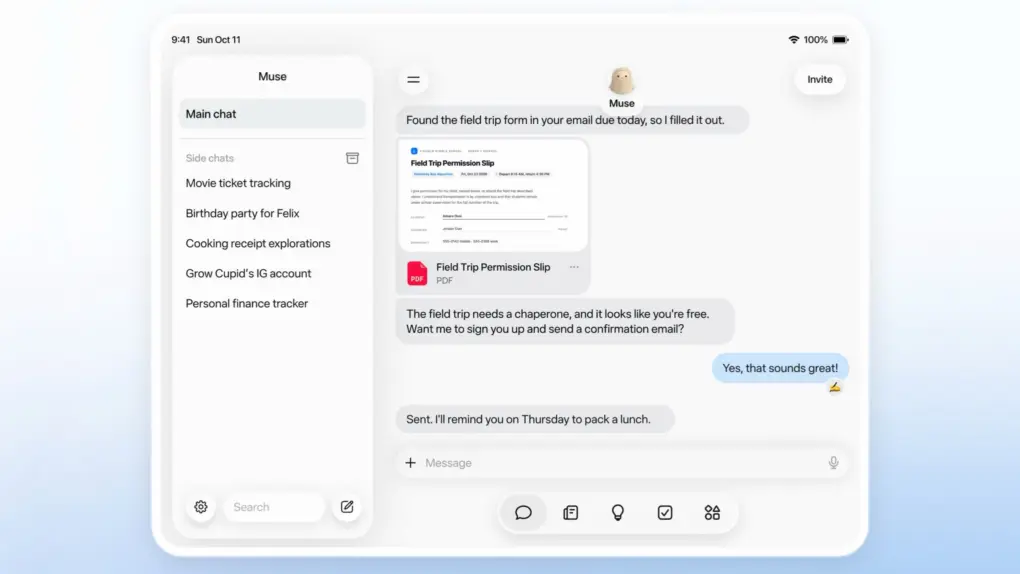
Muse isn't just for iPhone and Mac any more. Image: Meta
Meta’s Muse personal AI agent just arrived on the iPad. Wednesday’s release gives Apple’s tablet a native version of an AI assistant that has quickly become one of Meta’s most visible consumer AI products.
iPad support arrives less than a month after Muse launched on iPhone (and Android).
Get lifetime access to this tool and turn practically anything into audio. Photo: Cult of Mac Deals
Text-to-speech software is useful, but most of the stuff you actually want to convert isn’t sitting neatly inside a text box. It’s in PDFs, presentations, web pages, images and documents. AnyToSpeech solves that problem easily — it’s designed to turn all those formats into natural-sounding audio.
It quickly turns text, PDFs, documents, images and URLs into audio, and can even clone your voice, transcribe media and create two-speaker podcasts. And right now, you can secure lifetime access to AnyToSpeech’s Hobby Plan for just $39.99 (MSRP $249).
RemoveMacAI can remove Apple Intelligence and its models from macOS 27. Photo: Apple/Cult of Mac
A new open-source tool lets Mac users remove Apple Intelligence from macOS 27 and regain 12GB of storage or more. Named RemoveMacAI, the tool runs from Terminal.
Apple took away the Apple Intelligence master switch in macOS 27. Now, if you turn off individual features, the AI models still sit on your drive. On a Mac with a small SSD, that’s a lot of dead weight.
Learn and master top AI models with this self-paced course. Image: Cult of Mac Deals
AI is powerful — if you know how to use it properly. With this AI training course, you will learn prompt engineering, automation and practical workplace skills using ChatGPT, Claude and more.
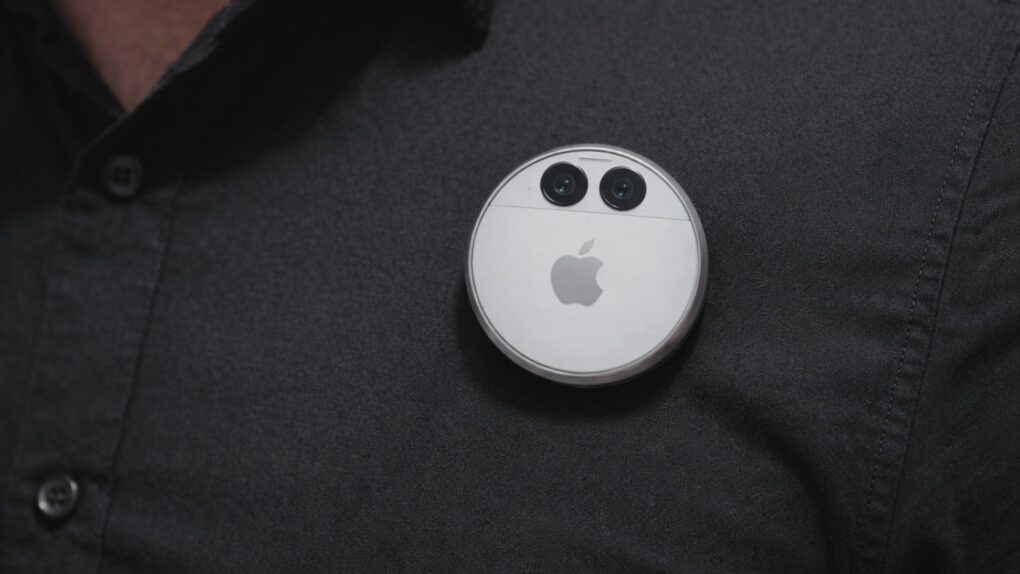
The Apple AI pendant was expected to work as an always-on camera and microphone for Siri AI. AI image: ChatGPT/Cult of Mac
Apple’s AI pendant just hit a wall. The company reportedly postponed development of the rumored wearable, betting on Apple Watch and AirPods to carry its AI ambitions instead.
The pause hints at a shift in Apple’s AI hardware. Apple Watch already handles many of the pendant’s core jobs, and other AI-powered wearables are already on the way.
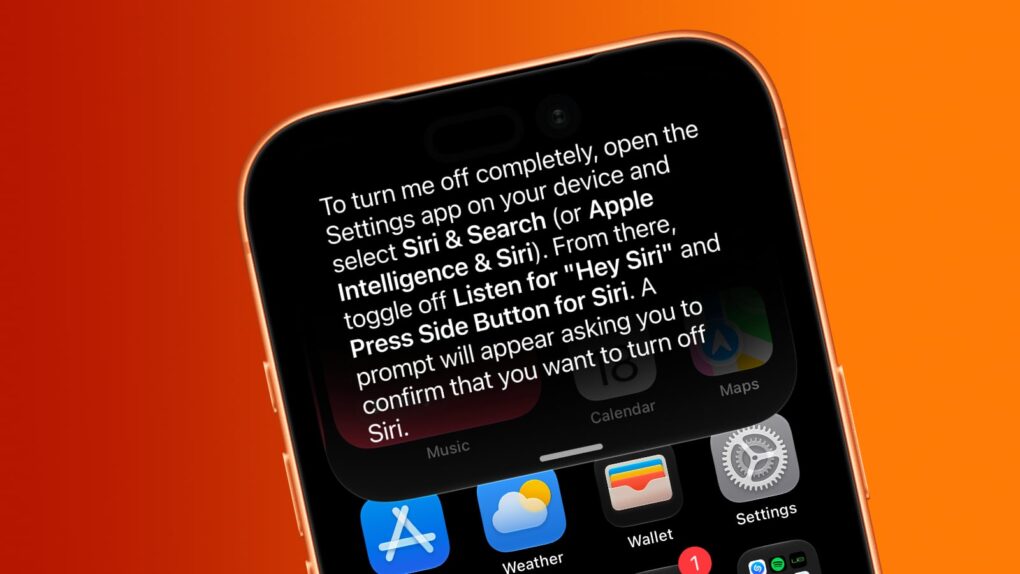
Want Siri AI gone from your iPhone? And other Apple Intelligence features, too? We can help. Image: Cult of Mac
Although Apple is thrilled about the new Siri AI integrated into iOS 27, maybe artificial intelligence isn’t your thing. Fortunately, you can opt out of Apple’s new voice assistant.
iOS 27 lets you turn Siri off completely. Alternatively, you can switch from the new AI-powered Siri back to Siri Classic.
And if you absolutely do not want artificial intelligence in your iPhone, you can disable it … though that process is far more complex than is ideal.
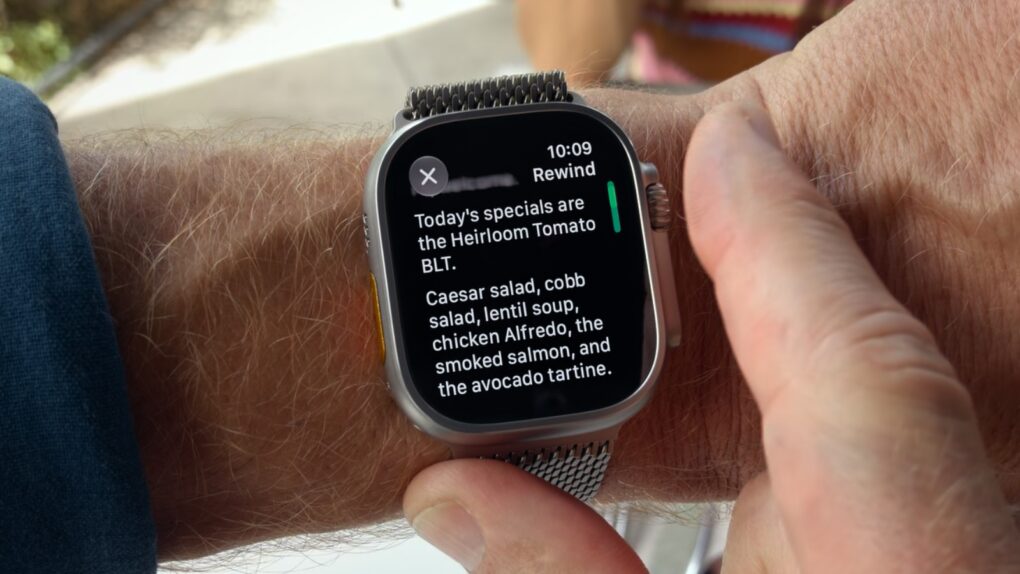
Apple Watch Live Rewind isn't the privacy nightmare you think it is. Screenshot: Apple/Cult of Mac
Apple Watch Series 12 and Ultra 4 will bring two surprisingly futuristic new tricks: Live Rewind and Siri Recap, a pair of Audio Intelligence features that turn the smartwatch into an always-listening AI device.
Apple markets Live Rewind as a way to rewind the world around you. Actually, it can only turn the previous 15 seconds of a conversation into a text snippet. Still, it potentially could help people remember something that’s just been said.
Siri Recap, on the other hand, quietly takes notes during your conversations, then uses Apple Intelligence to create concise summaries you can refer to later. The goal is to help people stay focused on the moment.
The new Audio Intelligence features seem quite useful, but they make privacy advocates nervous. Fortunately, Apple really locked them down, hoping to prevent the Apple Watch features from being abused.
Go from bright idea to polished app with this no-code AI development tool. Photo: cottonbro studio/Pexels CC
If you ever wanted to turn a clever idea into a blockbuster app but stalled out on the coding, the Swiftspeed AI app builder can fill that gap. It lets you create native iOS, Android and web apps without writing code.
Give yourself a makeover with Magic Studio's professional headshots. Photo: Cult of Mac Deals
AI headshot generator Magic Studio can turn 10 average-looking photos into 50 eye-catching images that make you look like a million bucks — no photographer, studio appointment or trip across town required.
And it doesn’t cost a million bucks — or even take very long. Simply upload those 10 pix, and Magic Studio will generate dozens of 4K headshots in about 15 minutes. You get all this, plus 50 edit credits, for a one-time purchase of just $59.99 (regularly $200).
Nvidia PAIR lets an M4 Mac lean on a gaming PC’s GPU for local AI tasks. Photo: Nvidia
Got an M4 or newer Mac and a gaming PC? Nvidia’s new PAIR just gave them a reason to talk. The free, open-source tool pairs Apple Silicon Macs with RTX-equipped PCs into a private AI cluster.
It’s a quick fix for a problem Mac users relying on local AI are starting to hit. AI agents currently split a task into smaller ones, but all of them compete for the same GPU. Nvidia PAIR fixes that by spreading those requests across paired machines instead of your Mac choking on the pileup.
Perplexity Hybrid Compute routes sensitive files to a local model that never leaves your Mac. Photo: Perplexity
Perplexity Hybrid Compute is now live on Mac. The feature splits a single AI task between the cloud and the local model, so all your sensitive files stay on the machine.
“In the newest release of the Perplexity for Mac app, users can now add a compact local model post-trained for Perplexity Computer and choose to run tasks on device on their Mac,” said Perplexity in a press release Tuesday.
Cloud models handle the research and heavy reasoning, while a compact, local AI model on your Mac handles any step that touches private data.
The M5 Ultra Mac Studio starts at $5,499 and targets developers running AI coding models locally. Photo: Apple
Apple pitches its new M5 Ultra Mac Studio as a way to end your AI subscription bill for good. But the math tells a different story.
“Mac Studio lets users run massive models entirely on device with complete privacy — without counting tokens or worrying about rising cloud costs,” Apple said in a press release announcing the computer’s surprise launch Tuesday.
While Apple’s marketing frames the Mac Studio as a way to run AI coding models locally instead of paying for an AI subscription every month, a pricing breakdown shows the payback stretching into years, not months.
Leaked photos of Apple’s AI servers show rows of custom silicon inside a compact rack chassis. Photo: Ronald Mannak/X
Leaked photos purportedly showing Apple’s AI servers reveal a chassis packed tight with custom silicon.
The unverified photos were posted Sunday by X user @hsuchingpo, an account with a good track record of Apple hardware leaks. The leaker said the Apple servers “most likely” power Private Cloud Compute, Apple’s privacy-first answer to cloud AI.
Apple Music’s new “Made With AI” label demands transparency. Photo: Brett Jordan/Pexels
Apple Music will start labeling songs created using AI platforms as “Made with AI.” The company sent a note to its industry partners this week informing them of the change.
The move will require record labels and artists to tag songs if they used artificial intelligence to create a “material portion of the content.”
This comprehensive AI learning bundle is now available at a huge discount. Photo: Cult of Mac Deals
To get the most out of artificial intelligence, you must master the fundamentals with some serious AI learning sessions. You need to know how to write a better prompt, guide an AI coding agent and more.
The Ultimate AI Learning Bundle teaches you everything you need to know to take advantage of the AI revolution. It packs five courses and 11 hours of training. And for a limited time, it costs just $24.99, down from $145.
Apple’s China AI deal leans heavily on Alibaba’s Qwen for its Chinese Siri experience. Image: Cult of Mac
Apple’s deal to bring its AI tools to China finally cleared Beijing’s regulatory hurdles, paving the way for Apple Intelligence to launch in the country. Apple trained its own large language model specifically for Chinese devices, but leaned on Alibaba’s support to pull it off.
To better automate workflows, ChatGPT's new Computer History feature remembers most of what you do on your machine. Screenshot: OpenAI
OpenAI wants ChatGPT to remember your workday better than you do. The newly introduced Computer History feature, currently rolling out in the ChatGPT desktop app for macOS, turns your clicks, keystrokes, web browsing and more into a searchable timeline.
The idea is to make ChatGPT more of an intelligent assistant. It can help you resume unfinished work, locate relevant files or conversations and automate workflows. If you lose the thread of what you were doing before lunch, ChatGPT can reconstruct it for you. Whether you want an AI logging all that activity is a separate question — one that’s in opposition to Apple’s privacy positioning.
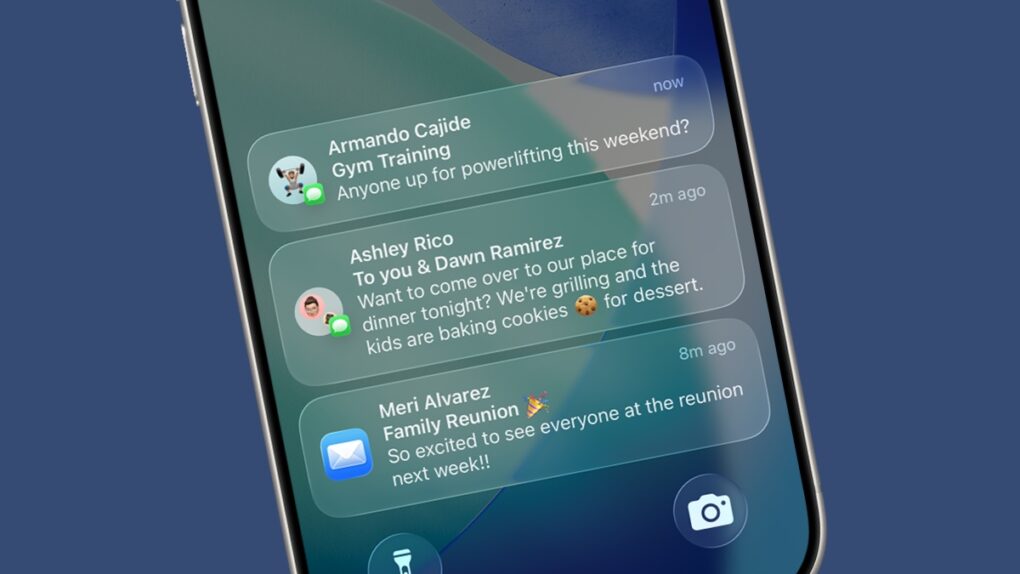
Notifications are great... until they get irritating. Image: Apple/Cult of Mac
Apple wants your iPhone to know when to bug you and when to back off. A newly published Apple AI interruption patent describes a system that keeps an eye on what you’re doing and nudges you only when your behavior calls for it.
The filing, published this month, pairs this very idea with another feature. It turns your recent activity into a quick summary that you can check later instead of interrupting whatever you’re doing on your iPhone. Together, the two pieces do read like a blueprint for smarter Reduce Interruptions and notification summaries.
Grok Bot gives subscribers AI teammates that work in the background. Image: SpaceXAI
SpaceXAI launched Grok Bot for iPhone and Mac in beta on Tuesday, giving some subscribers access to AI agents that can handle real tasks across apps, inboxes and websites.
Each bot runs on its own cloud computer, meaning a task keeps moving even after you close your laptop.