
If you love YouTube but hate YouTube ads, Vinegar is the best Safari extension you can download. It can block YouTube ads on your iPhone and Mac and restores many native system features like playing videos in the background, picture-in-picture, and more.
YouTube ads are freaking insufferable. But if you don’t want to plunk down the dough for YouTube Premium (currently $13.99 per month), you can pay a one-time fee of just $1.99 to buy Vinegar and block YouTube ads on all your Apple devices.
If you ever watch YouTube, Vinegar is life-changing. Get it now on the App Store for iOS, iPadOS and macOS.
Vinegar: Block YouTube ads on iPhone, iPad and Mac with native video playback
YouTube ads just keep getting more irritating. Ads that interrupt the middle of a video are now enabled by default on monetized channels. That means that after being annoyed by the ads at the beginning of a video, you might be stopped every 10 minutes for yet another commercial assault.
Unfortunately, the only way to get out of the ads in the YouTube app are through YouTube Premium. But if you can stand to use YouTube in a web browser, you can watch videos ad-free. That’s all thanks to web extensions — apps that can modify web pages in your browser.
Vinegar is an absolutely essential Safari extension for people who watch a lot of videos, because it effectively blocks YouTube ads.
How to use Vinegar
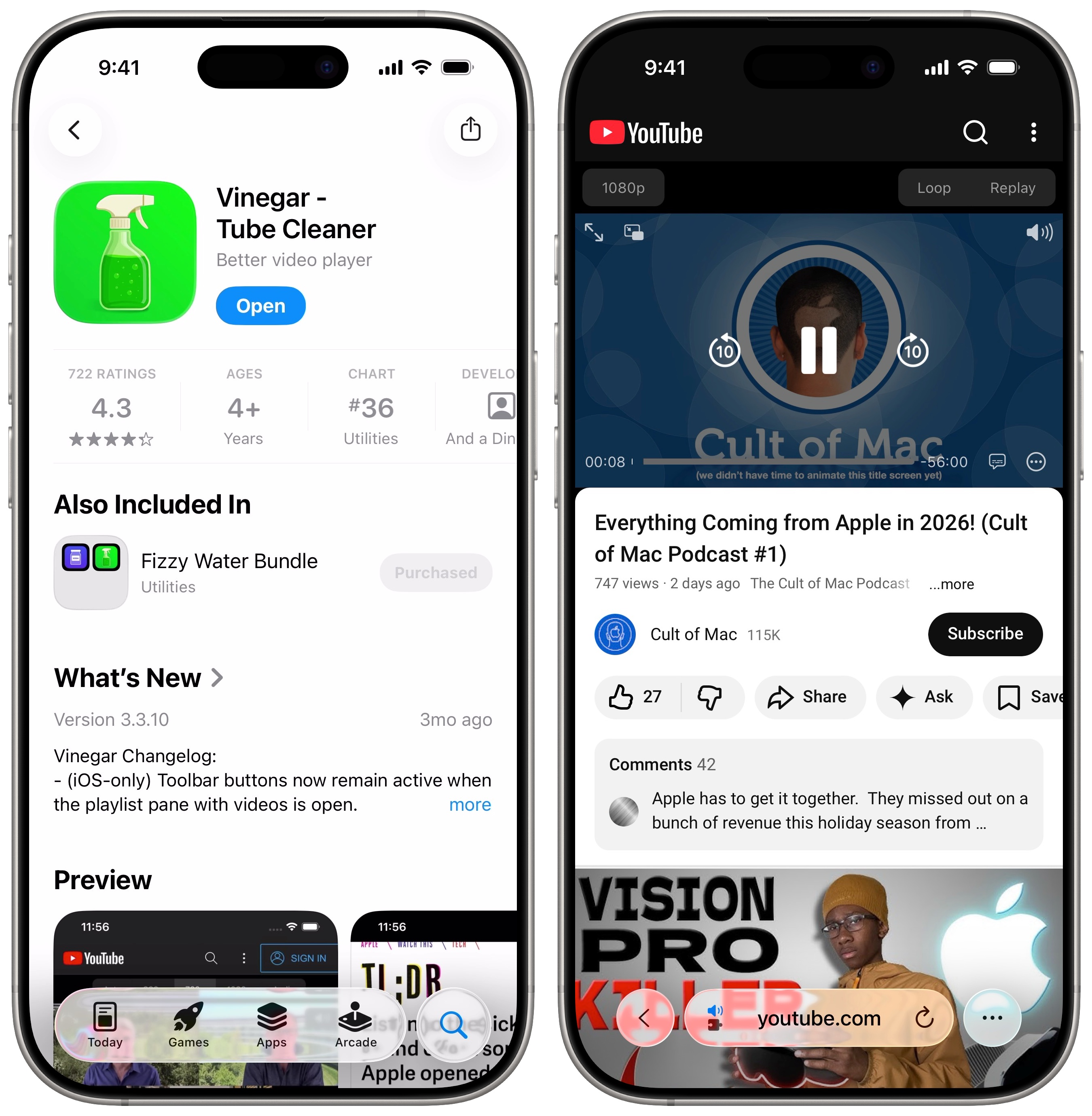
Effectively, what Vinegar does is really simple. It replaces the YouTube video player with the built-in iOS (or macOS) video player. That gives you all kinds of benefits — and blocks YouTube ads completely when viewed in Safari.
First of all, you won’t see any ads. Nothing before the video, nothing interrupting the video, nothing in the sidebar. Need I say more? With Vinegar, you always jump straight into the YouTube content you want to watch.
Second, you get a bunch of features back that YouTube takes away from you. You can play a video picture-in-picture to keep watching while you send a text, scroll through social media or play a game. Or, you can play audio in the background without the video: Just start a video, go back to the Home Screen and hit the play button from Control Center.
Finally, if you care about such things, Vinegar uses Apple’s own video player instead of the YouTube interface. It’s a matter of personal preference, but I’m biased toward Apple’s design. I find the YouTube player cluttered and messy.
What’s the catch? Not much.
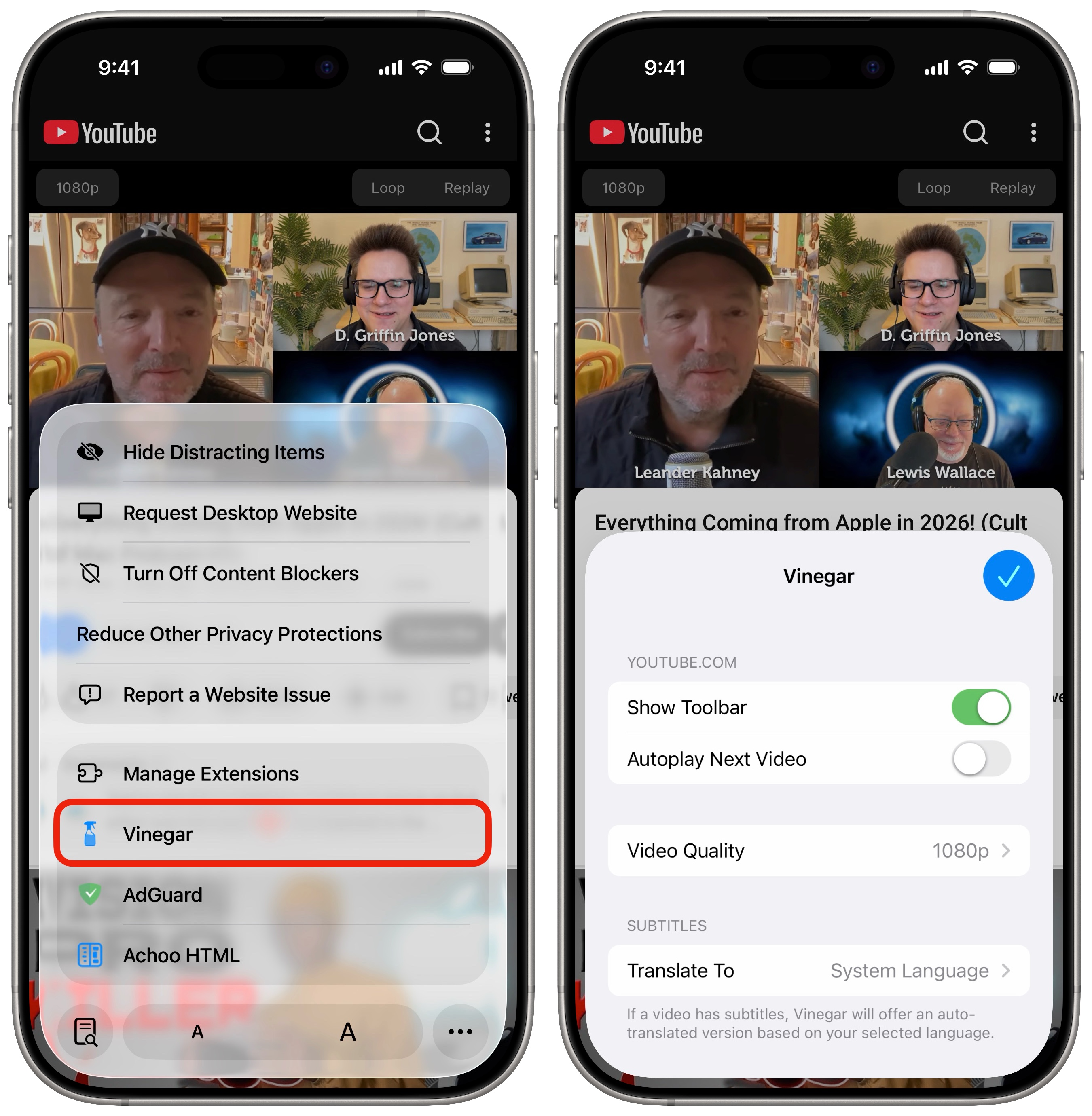
Screenshot: D. Griffin Jones/Cult of Mac
Keep in mind that, since Vinegar is a Safari extension, this only works on the youtube.com website, not the YouTube app. For best results, you should actually uninstall the YouTube app to prevent links from opening in it instead of Safari. That’s the only major downside of using Vinegar.
On a more minor note, some YouTube-specific features don’t work, like information cards that show up in the middle of a video and end-screen buttons. But that’s a small price to pay in exchange for ad-free watching, in my opinion.
Block YouTube ads on iPhone for an astonishingly low price
The literal price you must pay for Vinegar is $1.99, an absolute steal compared to the $13.99 monthly subscription fee for YouTube Premium. Vinegar has a totally clean App Privacy Report, with no data collected at all. And it’s a universal purchase that supports Family Sharing, so you only have to buy it once for your whole household to enjoy ad-free YouTube on all their devices.
Vinegar is a no-brainer to block YouTube ads on iPhone, iPad and Mac. I recommend it for everyone.
Price: $1.99
Download from: App Store
We originally published this article on how to block YouTube ads on iPhone, iPad and Mac on November 16, 2023. We updated it with the latest information on January 7, 2026.

D. Griffin Jones was a writer, podcaster and video producer for Cult of Mac. Griffin has been a passionate computer enthusiast since 2002, when he got his first PC — but since getting a Mac in 2008, he hasn’t turned back. His skills in graphic and web design, along with video and podcast editing, are self-taught over 20+ years. Griffin has a bachelor’s degree in computer science and has written several (unpublished) apps for Mac and iOS. His collection of old computers is made up of 40+ desktops, laptops, PDAs and devices, dating back to the early ’80s.
Griffin writes for his personal blog, Extra Ordinary, and is currently looking for work.


One response to “Block all YouTube ads with the best Safari extension ever [Awesome Apps]”
Awesome app find! This article is for people like me who want what they want and don’t need the constant buzz of ads, thank you for informing me!