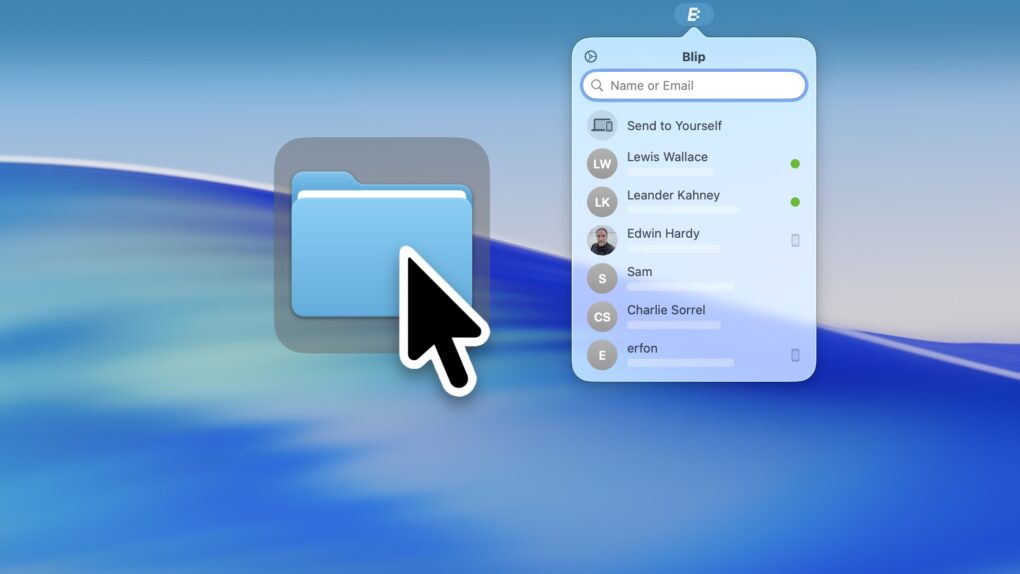

The Blip file transfer app is a delightful utility that lets you move extremely large files and folders quickly across the internet — directly from your computer to somebody else’s.
With Blip, there’s no middleman uploading to and downloading the file from a cloud, and no pesky web app to sign into. It’s like beaming your files onto someone else’s computer.
It’s the easiest, most straightforward way to send someone large folders of files or complex projects from your Mac, iPhone, PC or Android device. And best of all, it’s totally free and secure. You can get it from blip.net.
Blip file transfer app directly beams anything over the internet
The trouble with Dropbox, Google Drive, iCloud and just about any other traditional solution for sharing files is that there’s a middleman. First, you must upload the files to the service. Then your recipient needs to download them again.
Uploading huge files many dozens of gigabytes in size, especially through crummy web apps, can prove unreliable. And you can lose all your progress if something interrupts your internet service.
We ran into this very problem when sharing our video recordings from the Cult of Mac podcast, which can be gigabytes in size. Until I shared the good news about Blip.
Direct peer-to-peer transfers of anything
Screenshot: D. Griffin Jones/Cult of Mac
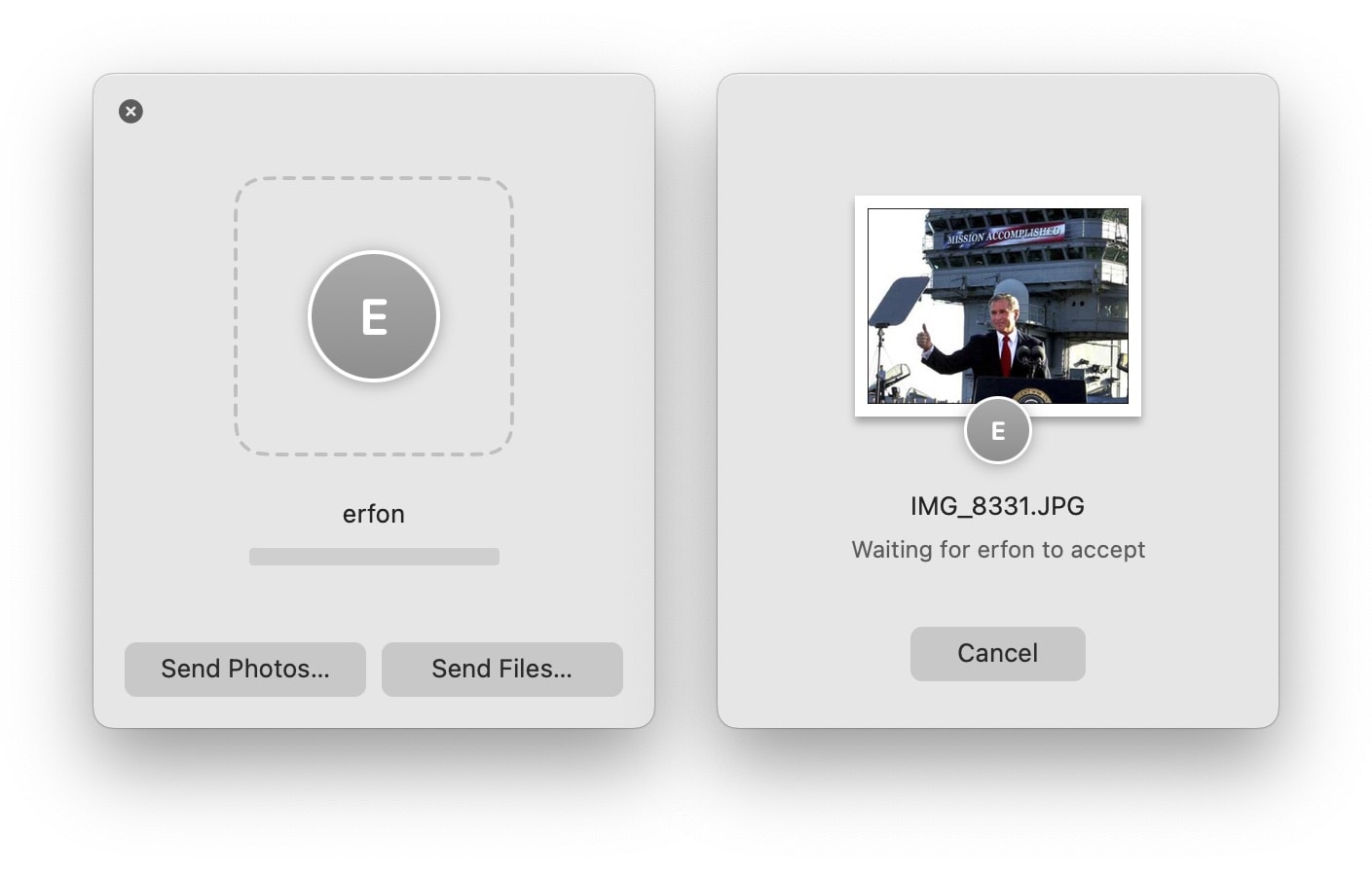
Once you download the Blip file transfer app, just enter your name and email address. It only takes a minute. Then, to start sharing files, just enter the recipient’s name or email address.
To transfer files, just drag whatever you want into Blip’s pop-up window. Files, entire folders, images, videos, documents, ZIP files, Logic projects, Final Cut Pro bundles — literally anything.
Screenshot: D. Griffin Jones/Cult of Mac
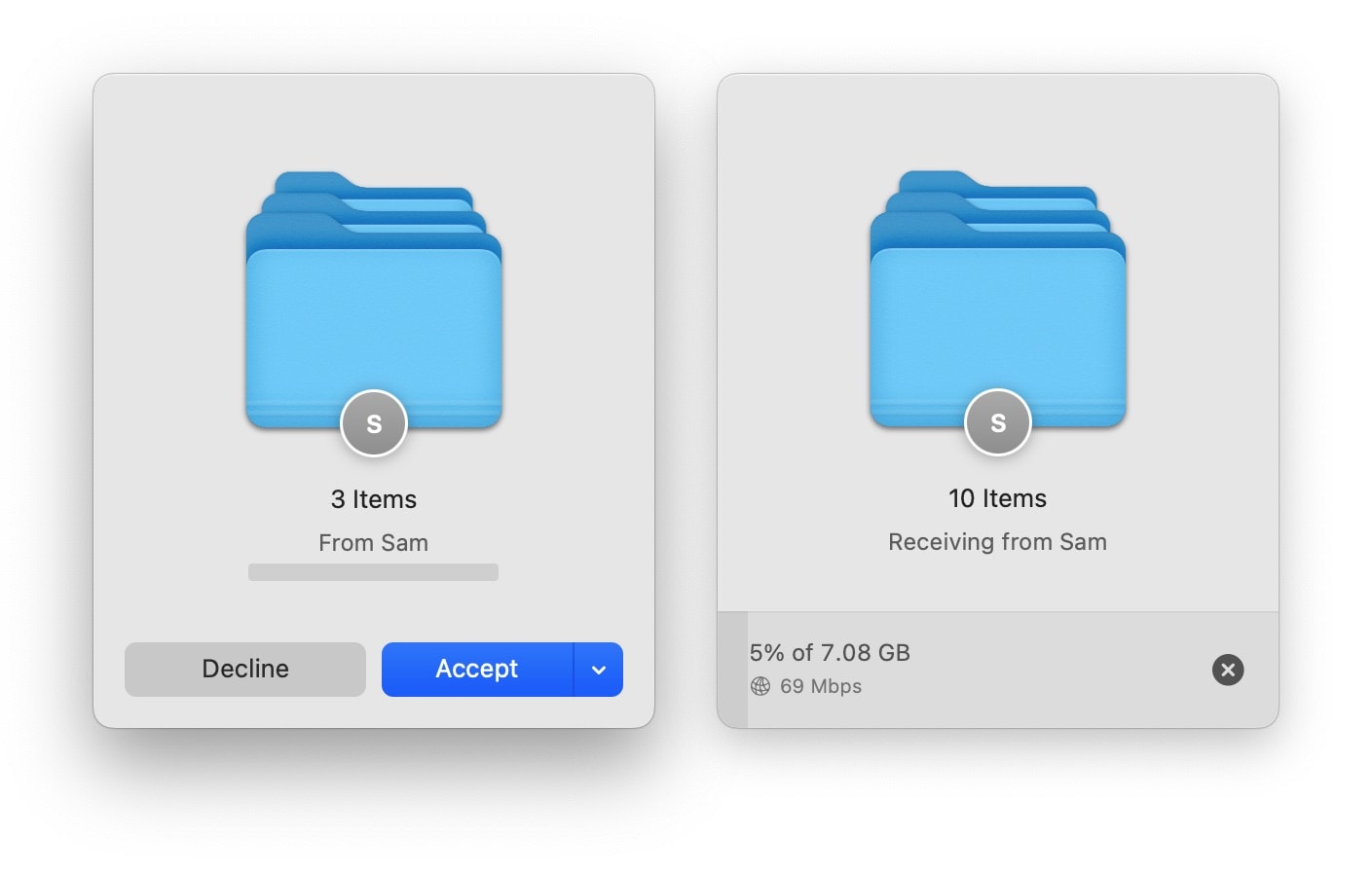
If you’re on the receiving end, you’ll see a pop-up that someone wants to share some files with you. After you accept, you can download the files to your default folder or choose a specific destination.
During the process, Blip beams the files directly from one computer to the other. Your computer becomes a server that the recipient downloads from.
The Blip file transfer app is private, too. The files are “encrypted in transit” between you and your recipient, according to Blip’s website. Your files never touch any Blip servers unless your firewall gets in the way; even so, your data is never saved, only passed through.
Finally, I have a quick pro tip for anyone sending files to someone overnight, or to someone who doesn’t immediately accept the transfer: You can double-click Blip’s floating window to minimize it.
Blip: A free file transfer app to use on a growing number of platforms
Blip supports iOS 15, macOS 12.1, Android 9, Windows 10 and newer operating systems. You can sign up to request early access to an upcoming Linux version.
Blip is free for personal use. For businesses, it costs $25 per user per month. And if you’d like to support the project, you can donate.
Price: Free
Download from: Blip
We originally published this article on Blip file transfer on December 5, 2023. We updated it with the latest information on January 20, 2026.

D. Griffin Jones was a writer, podcaster and video producer for Cult of Mac. Griffin has been a passionate computer enthusiast since 2002, when he got his first PC — but since getting a Mac in 2008, he hasn’t turned back. His skills in graphic and web design, along with video and podcast editing, are self-taught over 20+ years. Griffin has a bachelor’s degree in computer science and has written several (unpublished) apps for Mac and iOS. His collection of old computers is made up of 40+ desktops, laptops, PDAs and devices, dating back to the early ’80s.
Griffin writes for his personal blog, Extra Ordinary, and is currently looking for work.

