Mobile menu toggle

Search results for: shortcuts

Get busy with 4 great apps on World Productivity Day

By

Setapp has great productivity apps for macOS and iOS.
Photo: [email protected]

A subscription service might not sound like a great way to get your apps, but don’t sell it short. Many folks find subscribing to Setapp is an easy and worthwhile way to get more than 200 apps that help with a variety of tasks — and that someone else has already curated.

After all, the main alternative is diving into the vast app ocean of the App Store. Good luck finding just what you need in there before you drown.

In honor of World Productivity Day — that’s right, at least try to look busy on June 20 — we take a look at some of Setapp’s great tools.

Try these 6 great utility and productivity apps for Mac

By

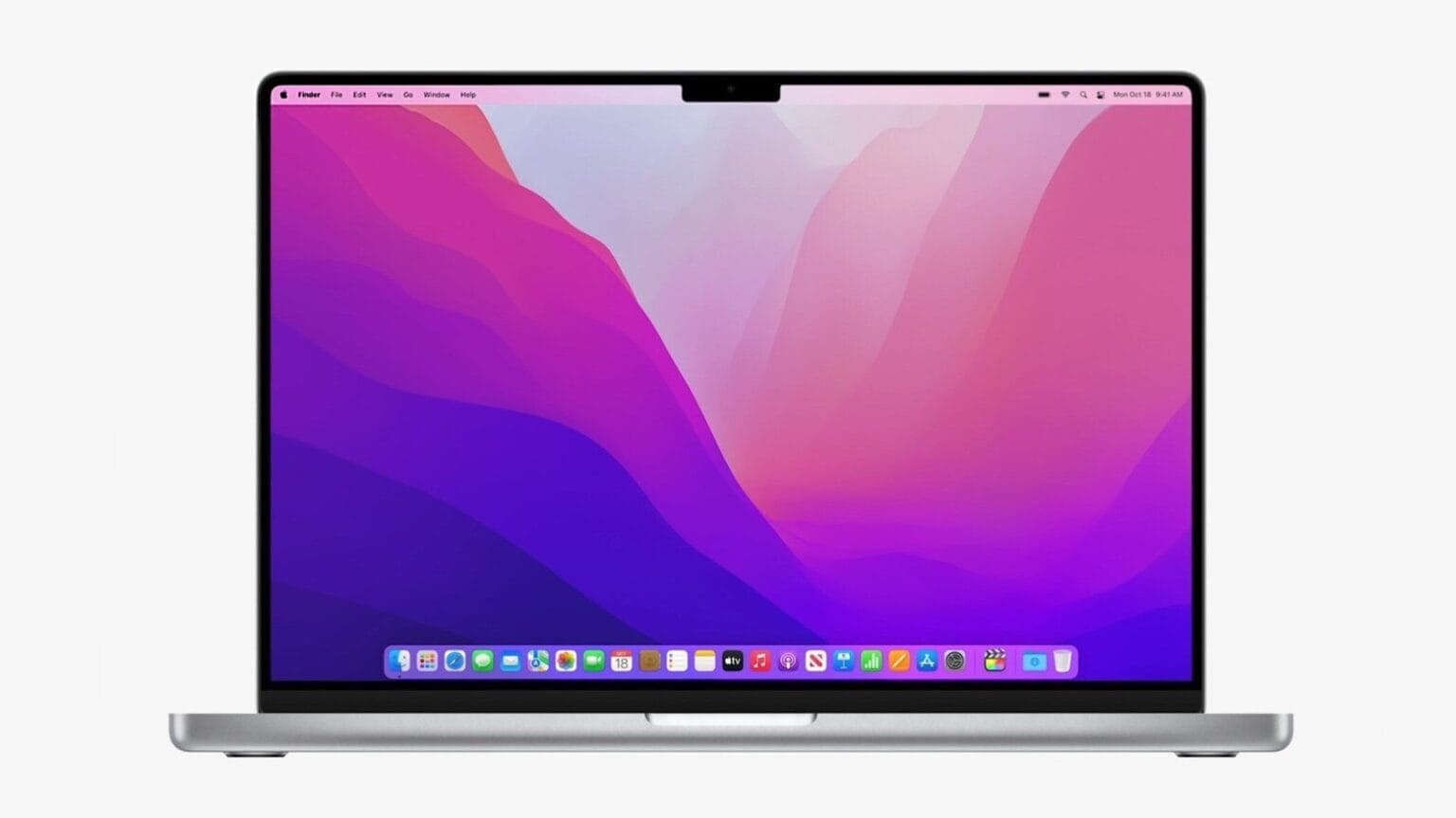
Many apps can make using your MacBook or iMac even easier, as well as more productive.
Photo: Apple

Want more out of your Mac? These six suggestions for solid software are presented by our friends at SaaSGenius.

Though many of us associate the wide world of apps with our iPhones and iPads, they’re crucial for making the most of your MacBook or iMac, too. The best Mac apps can help you expand on your Mac’s capabilities in fun and interesting ways.

Macs are famously easy to use, but great apps make them even easier. And the right apps can jack up your productivity, too. Sometimes the only trouble is finding the best ones.

The list below covers some of our favorite apps to install on a new Mac. Some are free in the App Store (available in your Mac’s Dock or under the Apple menu at top left of your screen). Others you can download from developers’ websites.

macOS Ventura will supercharge Macs with innovative features

By

macOS Ventura is packed with features.
Photo: Apple
WWDC22 - Brought to you by CleanMyMac X

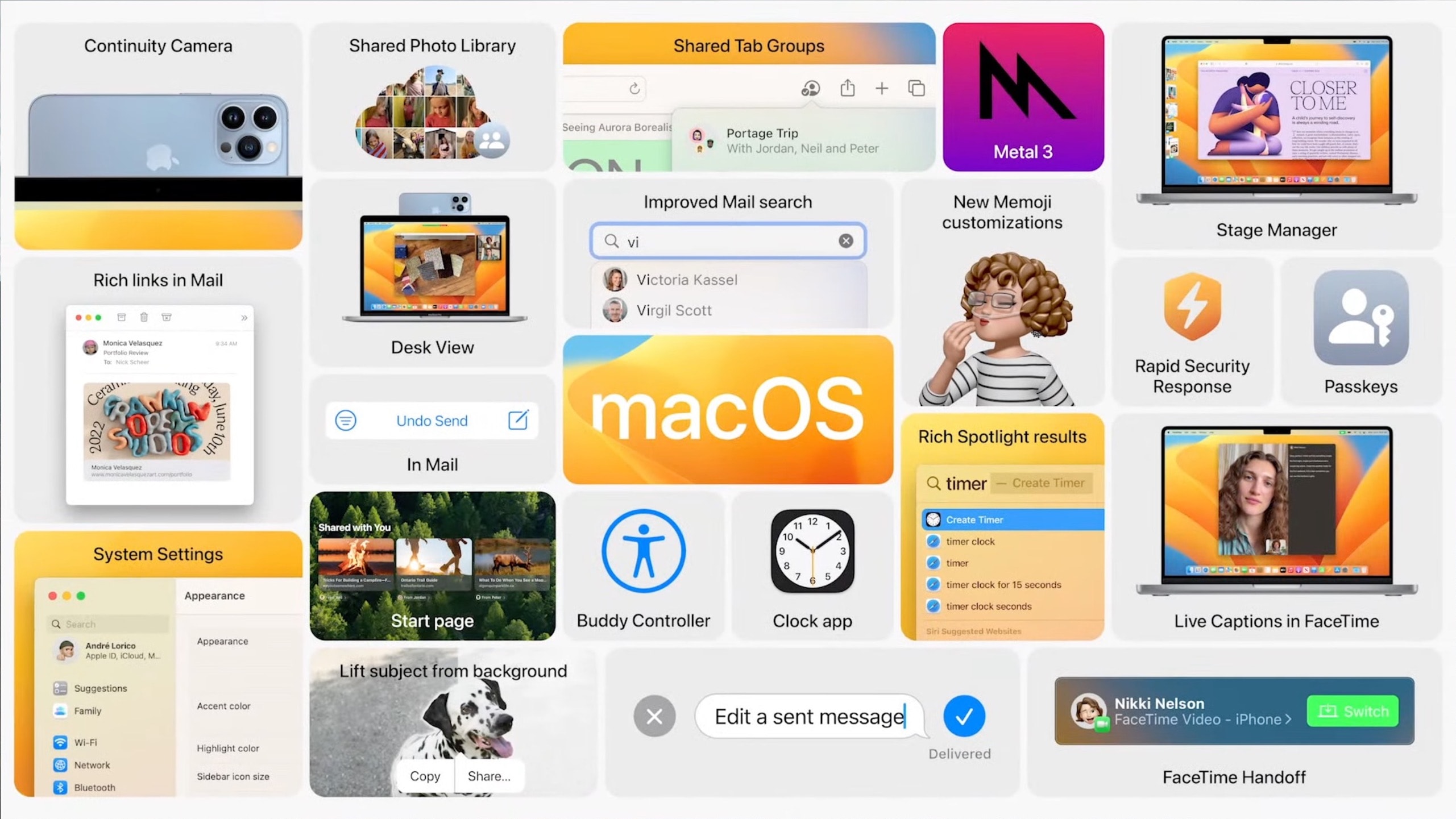
Apple announced macOS Ventura at WWDC22, focusing on better window management, enhanced system apps, new Continuity features, smarter Spotlight, better gaming performance and more.

The first developer beta of macOS Ventura is already out for developers, with the public beta set to start next month.

Why Mela is top chef of recipe apps [Awesome Apps]

By

Mela is the perfect culinary sidekick.
Photo: cottonbro/Pexels

Forget your whisk, chef’s knife or food-mixer. Apple’s iPhone should be your go-to device when it comes to preparing delicious meals in the kitchen. While it’s incredibly handy having Siri nearby to set multiple cooking timers, our iPhones, iPads and Macs can also double as digital recipe-books. And when it comes to recipe apps, trust me: The best out there is Mela.

PC gamer converts to all-Mac rig plus PS5 and gaming handhelds [Setups]

By

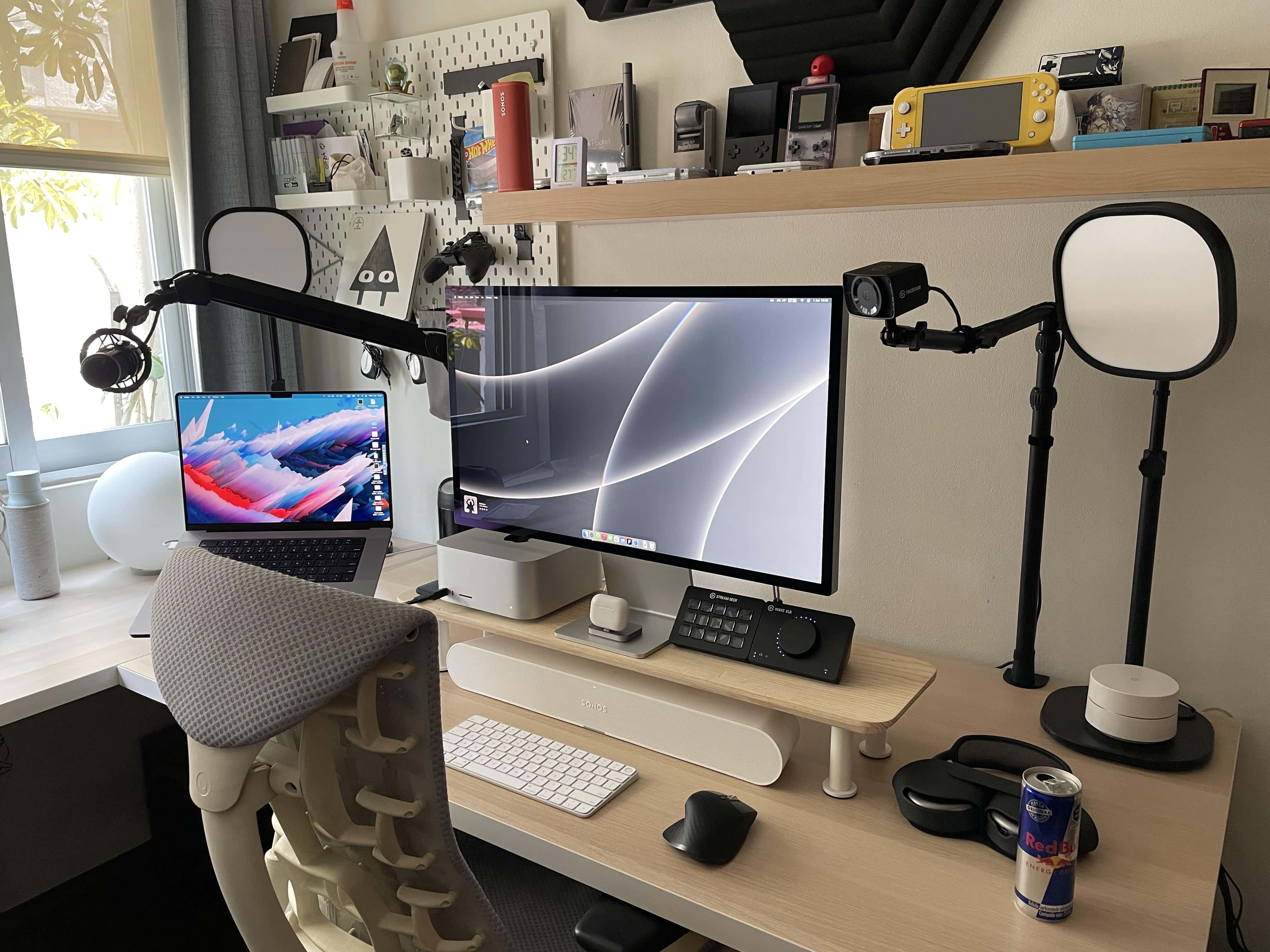
Plenty of oohs and ahhh were uttered over this setup on social media.
Photo: [email protected]

We’ve seen a fair number of PC gamers converting to one or more of the new Macs lately, including some who let go of their main gaming machines entirely.

Today’s featured setup fits that bill. It belongs to a UI designer who ditched a gaming PC and got himself a Mac Studio and Studio Display to go with his work-provided MacBook Pro.

But he kept a few gaming devices around, along with a suite of Elgato AV streaming gear and a new Sonos Ray Soundbar used, strangely enough, as a wireless desktop speaker.

Full-on ‘Dark Mode’ brings creativity into focus [Setups]

By

The setup proper in
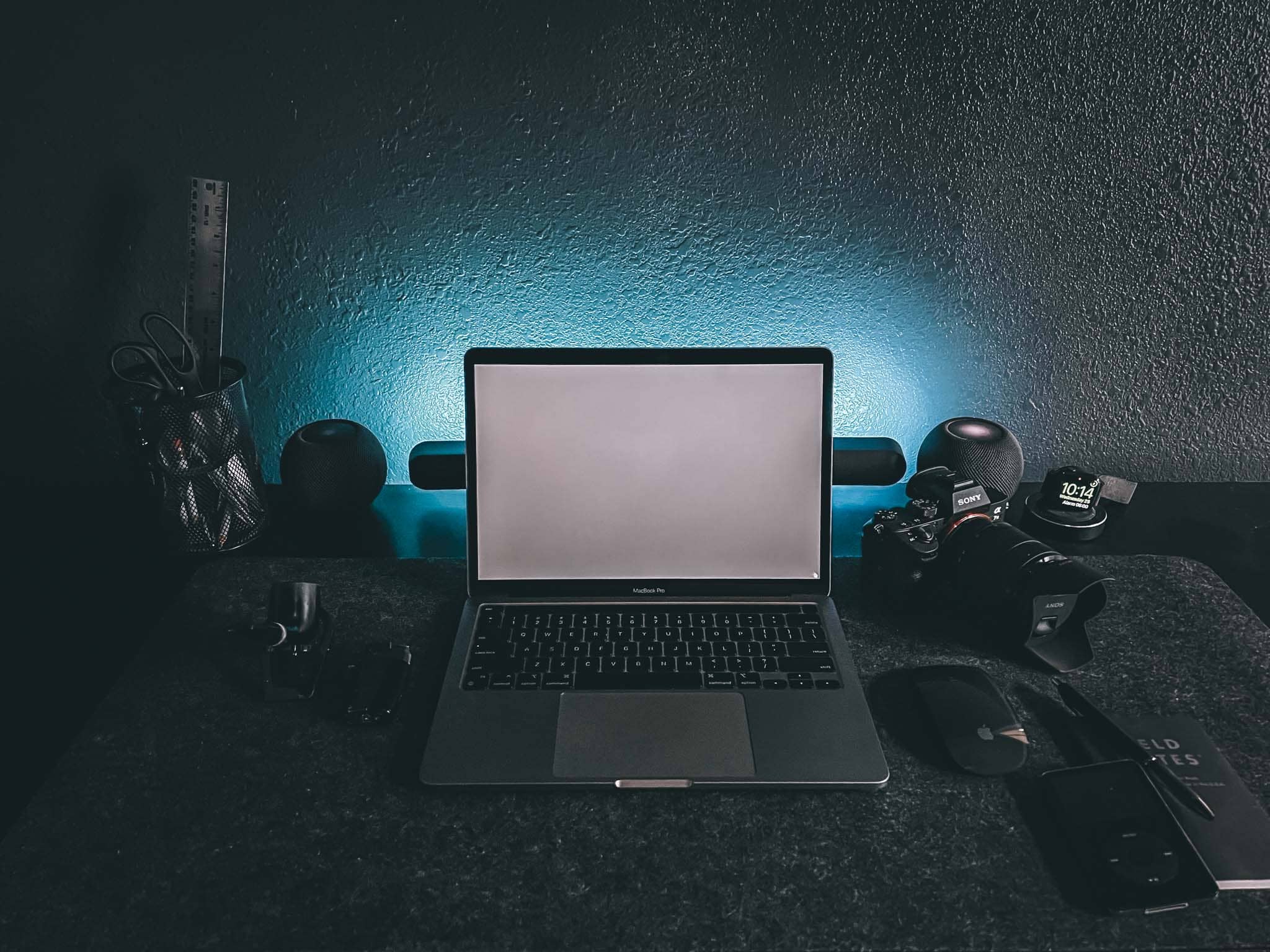
The setup proper in "Dark Mode." Atmospheric, eh? It's a space dedicated to creativity, but it also helps with focus.
Photo: Chris Denbow

Photographer and writer Chris Denbow puts an interesting twist on his computer setup. He credits its “Dark Mode” — which is obvious in the photographs of the desk and the room, but extends to the machines and the software he uses — for boosting his focus and creativity. He said the dark theme gives him a “space dedicated to creativity.”

“Introducing ‘Dark Mode,’ a minimal, monochromatic home office/workspace that helps eliminate distractions, [and] allows focus and productivity,” Denbow told Cult of Mac.

Would this dual Studio Display rig be your ‘dream setup?’ [Setups]

By

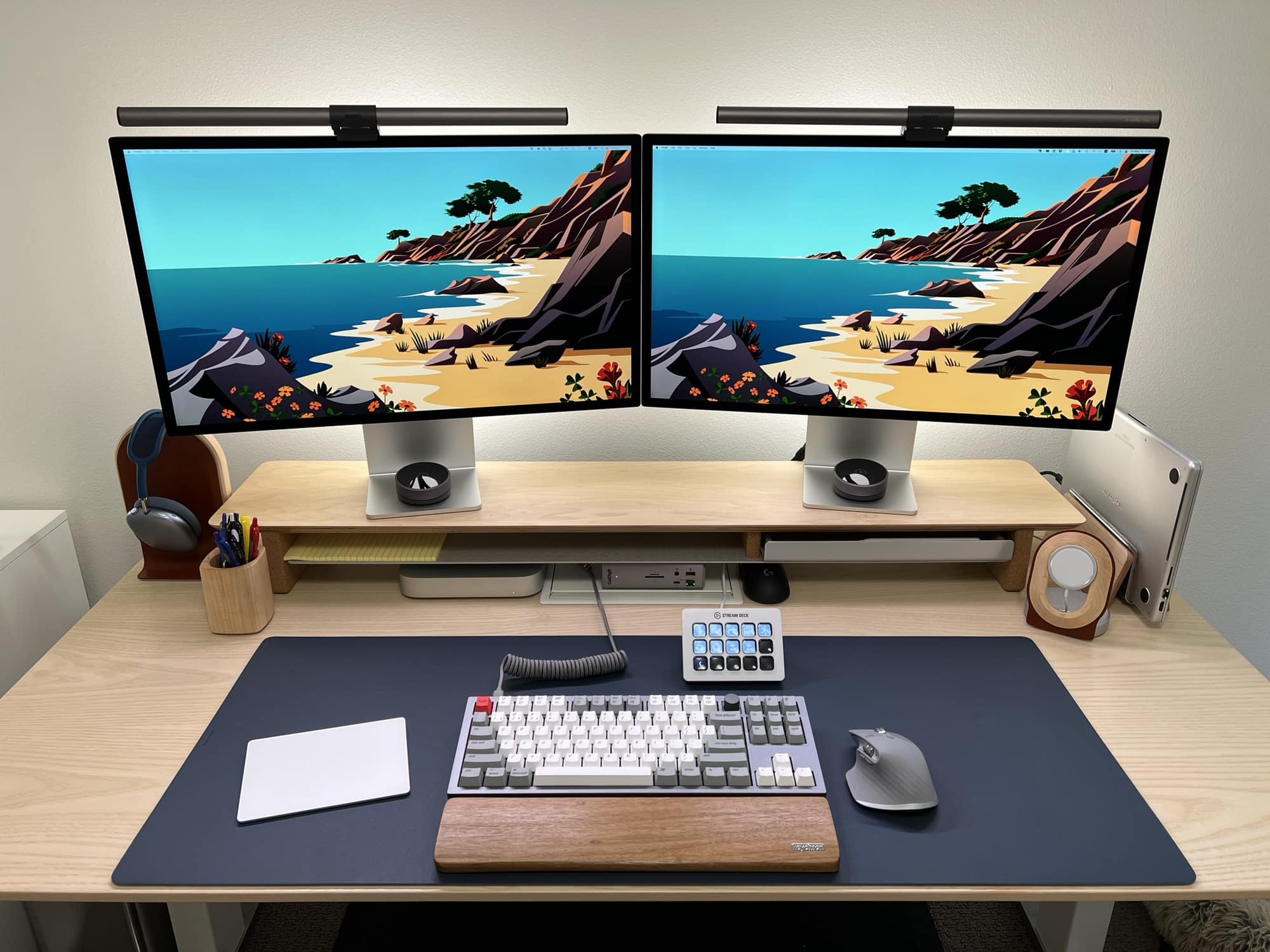
This is someone's dream setup. Is it yours?
Photo: [email protected]

You look at enough computer setups online and you realize people are never really done with them. There’s always something to add. It could be some gear got held up by shipping delays, or the setup’s owner got a sudden urge to try another type of input device or some other gadget. And people often take ages to tame the cable clutter.

So you rarely see people claiming a setup’s done for good. Or it’s the best it can be. Or it’s the proverbial “dream setup.”

But sometimes they say that. Today’s setup got called a “dream setup” by its proud owner. Would you agree?

Get started with Focus modes and eliminate unwanted distractions

By

These are my custom Driving and Writing Home Screens.
Find out how to use Focus modes on iPhone, iPad and Mac. Your frazzled nerves will thank you.
Screenshot: D. Griffin Jones/Cult of Mac

Apple’s new Focus feature is like Do Not Disturb on steroids. It is much smarter than the Do Not Disturb of old. Since not all work or relaxation is created equal, you can set up Focus modes for specific situations to keep unwanted distractions at bay.

When you’re working, you might want email and Slack to come through, unless you’re in a meeting.

When you’re at home, you may want most notifications to come through, but not if you’re having have friends over, playing games or watching a show.

This article will cover setting up Focus modes on iOS 15. If you have the latest iPhone, a brand-new Mac or you’ve kept up with software updates, you’ll want to check out our guide for iOS 16.

If you have an old device and you want to see how Focus modes work, keep reading.

Turn iPad into professional drawing tablet with Astropad Studio for PC

By

Turn iPad into professional drawing tablet with Astropad Studio for PC
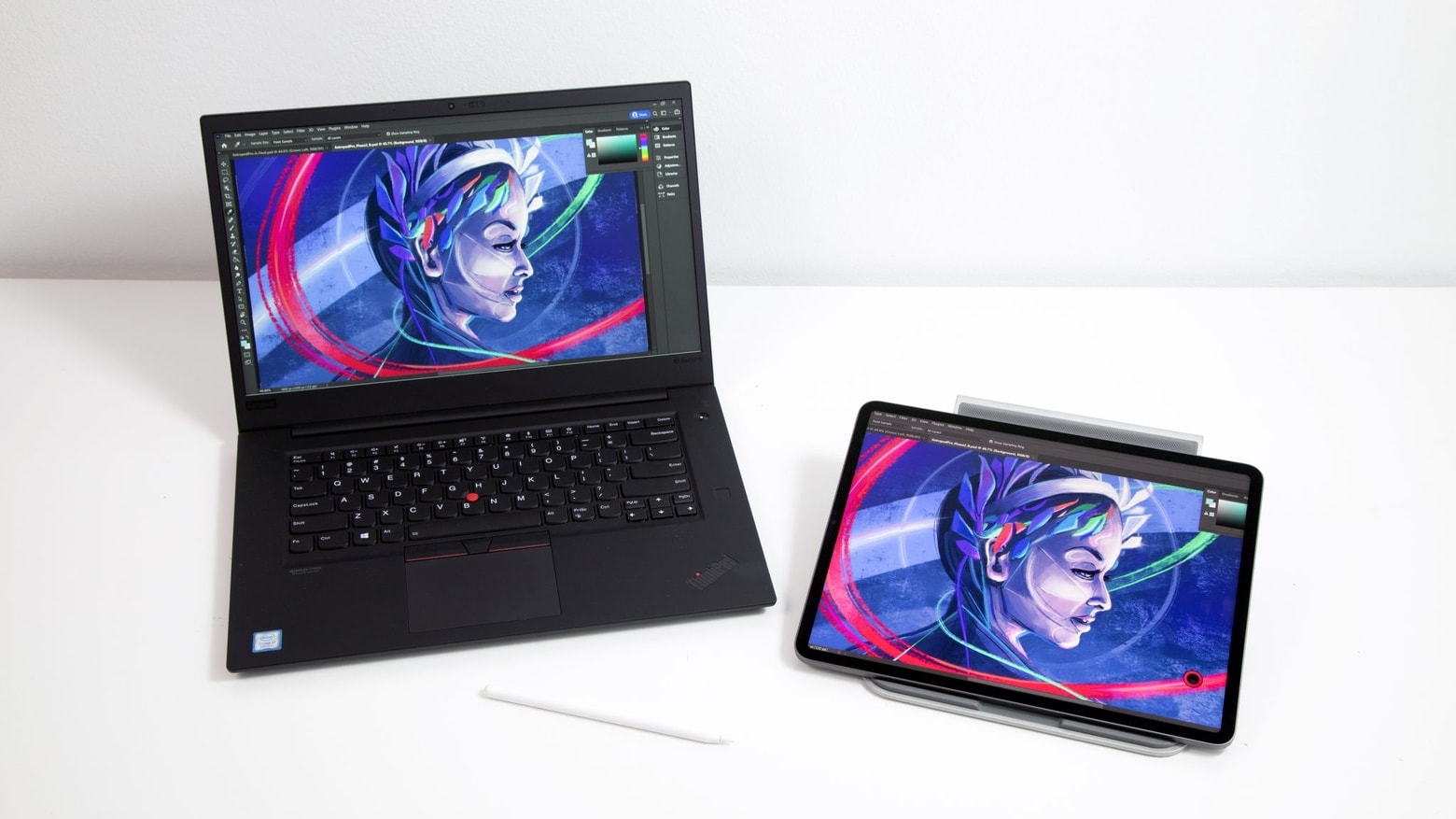
Artists, grab your iPad and Windows laptop. Astropad Studio for PC is here.
Photo: Astropad

Astropad released the first Windows version of Astropad Studio, software that turns an iPad into a drawing tablet wirelessly communicating with a laptop or desktop. With it, artists can mirror their favorite professional drawing or painting apps on the tablet, including using an Apple Pencil with Windows software.

The software has been in beta testing for a year.

iWork 12 adds features to better compete with Microsoft Office

By

iWork 12 adds features to better compete with Microsoft Office
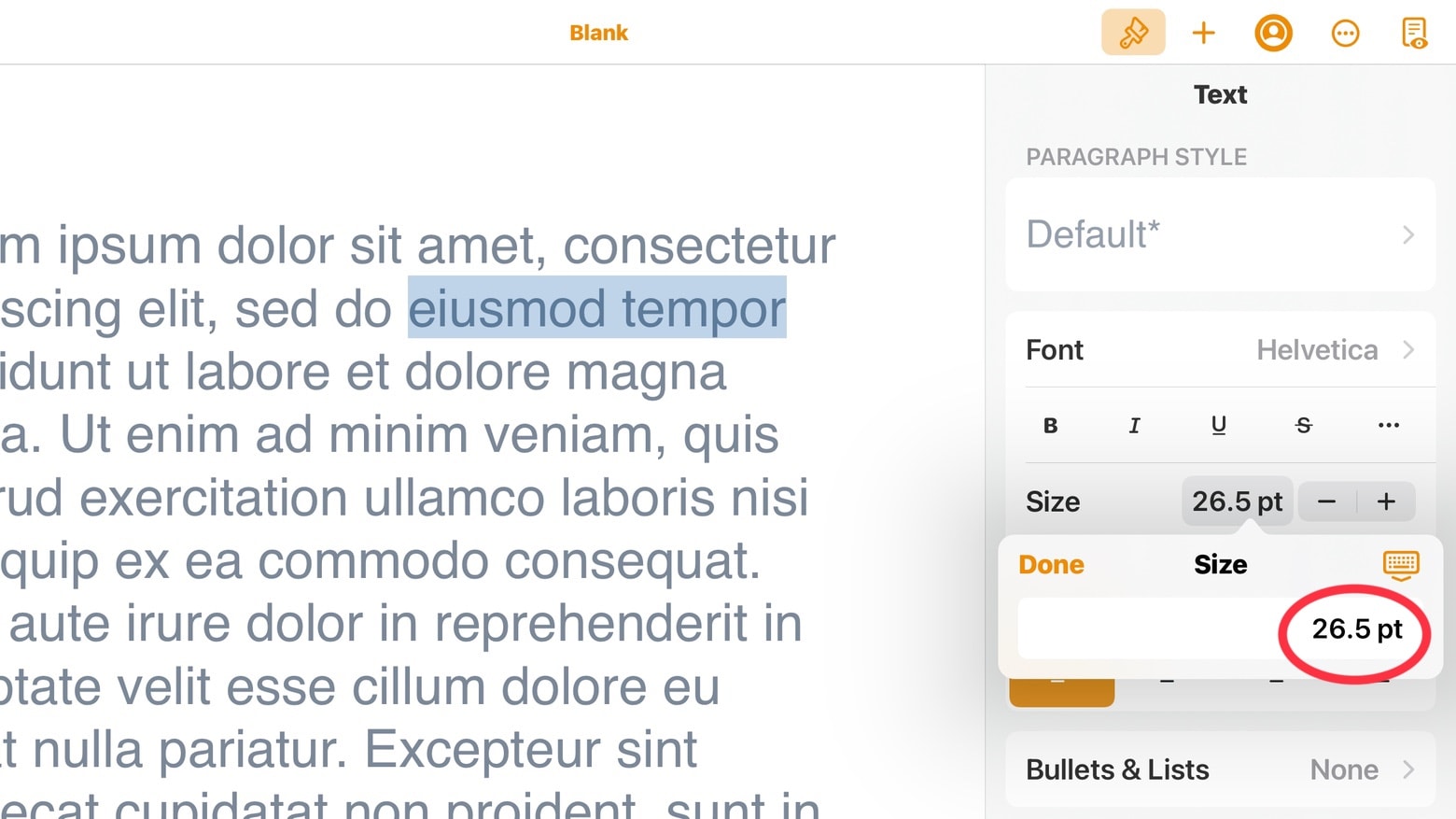
All the iWork 12.0 applications for iPad and iPad let users edit font sizes more precisely.
Screenshot: Ed Hardy/Cult of Mac

The just-released Pages 12.0, Numbers 12.0 and Keynote 12.0 offer a variety of new features, including much finer control over font sizes in the iPad and iPhone versions.

And there are additional new features available in all versions of the iWork suite, including the one for Mac.

1 32 33 34 35 36 121