Mobile menu toggle

Search results for: shortcuts

See ups the ante with cannibals and an evil power couple [Apple TV+ recap] ★★★☆☆

By

See recap: You can't keep a crazy ex-queen down!★★★☆☆
You can't keep a crazy ex-queen down!
Photo: Apple TV+

It’s wedding bells for lovely new couple Sibeth Kane and Tormada on this week’s episode of See, the Apple TV+ show set in the not-too-distant future in a world full of blind people. The deposed queen has consolidated her power and is ready for her next move.

Elsewhere in this dystopian world, Lord Harlan recommends a fateful shortcut, Maghra’s done playing Mr. Nice Guy, Lucien’s luck runs out, and Baba Voss kills lots and lots and lots of people.

It’s an above-average outing for the Nietzschean, not-quite-samurai epic.

How to use Live Captions to get subtitles for absolutely anything in iOS 16

By

Live Captions will let you read a podcast! …kinda.
Live Captions are great! You’ can watch videos wherever you are, in places where you can’t be loud and you don’t have headphones, like late at night in bed or on the train. At least, you will once it works.
Image: D. Griffin Jones/Cult of Mac

Live Captions, in iOS 16, generate subtitles of any audio playing in any app on your iPhone. Powered by the Neural Engine in Apple’s custom silicon, the capability to turn words from music and/or videos into real-time text is a boon to many users, in many different situations.

If you’re hard of hearing, for instance, the ability to see instant captions on the screen is a game changer. Or, if you don’t have headphones when you’re sitting in bed late at night and your partner is asleep – or you’re in any situation where you don’t want to make noise, like on the bus or in an office – you can turn on Live Captions to get subtitles.

The applications are endless and exciting. Here’s how to use Live Captions in iOS 16.

9 things you probably didn’t know about Apple Watch Ultra

By

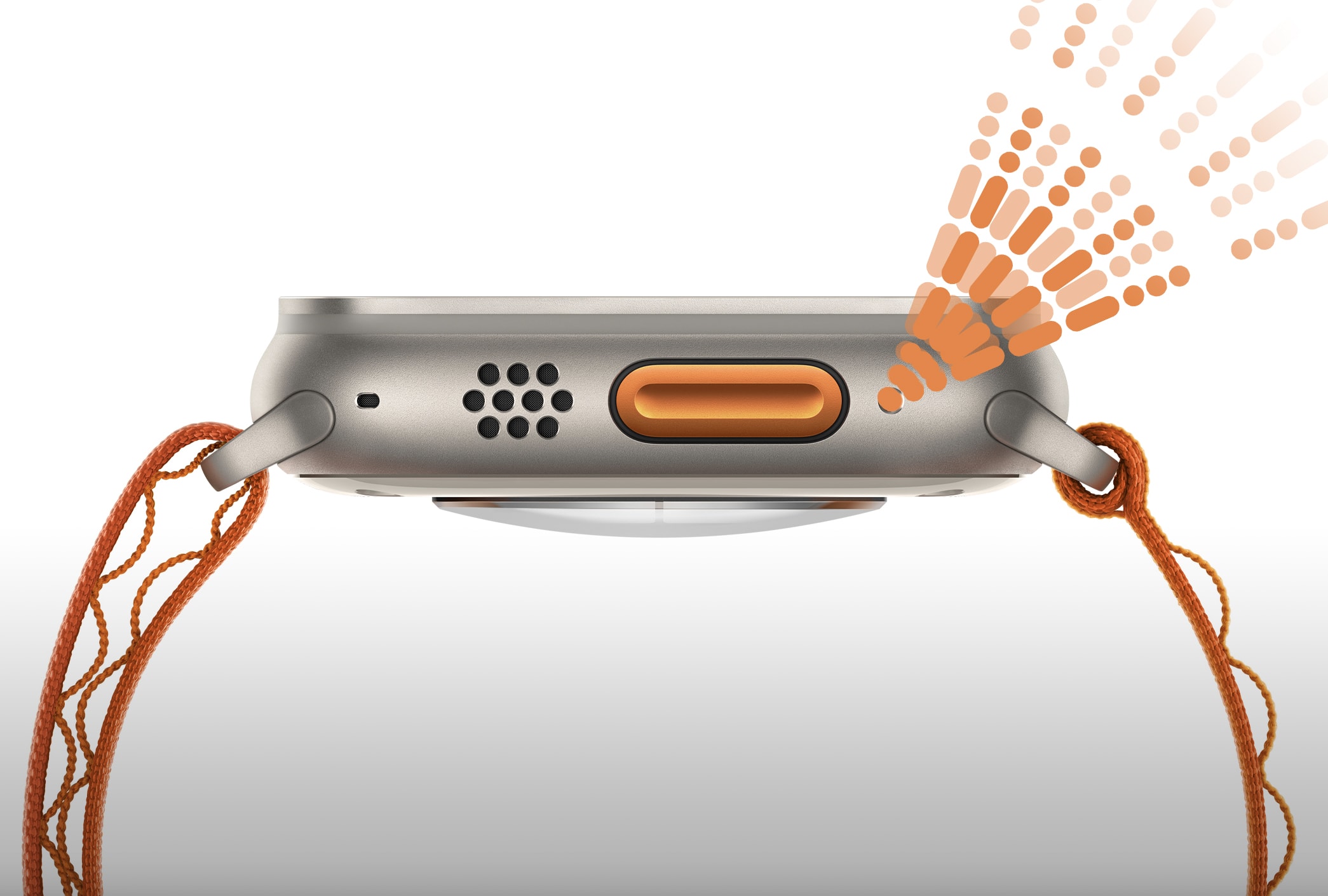
The Ultra's siren sounds like nothing else.

The big and rugged Apple Watch Ultra is a very different beast than the “normal” Apple smartwatches that came before it. With so many new features, there’s still a lot we don’t know about it.

But over the past couple of weeks, I have discovered nine fascinating factoids that most reviewers haven’t picked up on yet. So to celebrate Ultra’s launch day, I’m sharing them with you now.

Mac Studio with dual displays boosts rendering a staggering 12x [Setups]

By

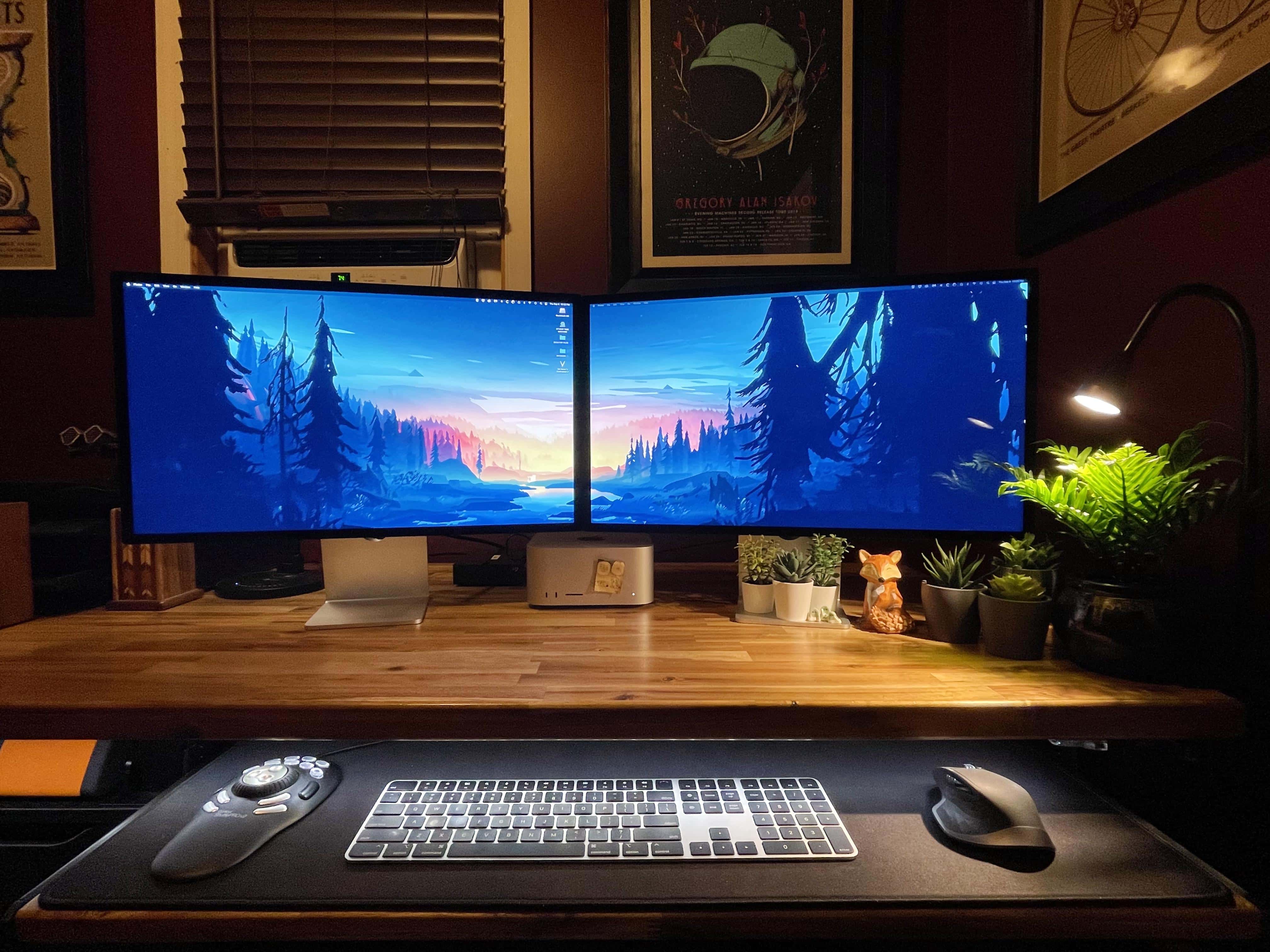
Mac Studio, check. Dual Studio Displays, check. Crippled bank account, check.
Photo: [email protected]

The term “money pit” usually refers to an old house that needs a lot of expensive work that never seems to end. But it could actually refer to a computer setup, too. After all, it’s never really finished and the next round of irresistible gear is always about to come out.

Today’s featured Mac Studio setup is a good example. After years of saving and planning, a setup centered on a struggling 2015 iMac metastasized, at great cost, into a Mac Studio powerhouse with dual Studio Displays.

Get $15 off SwitchBot and turn your dumb lock into a smart one

By

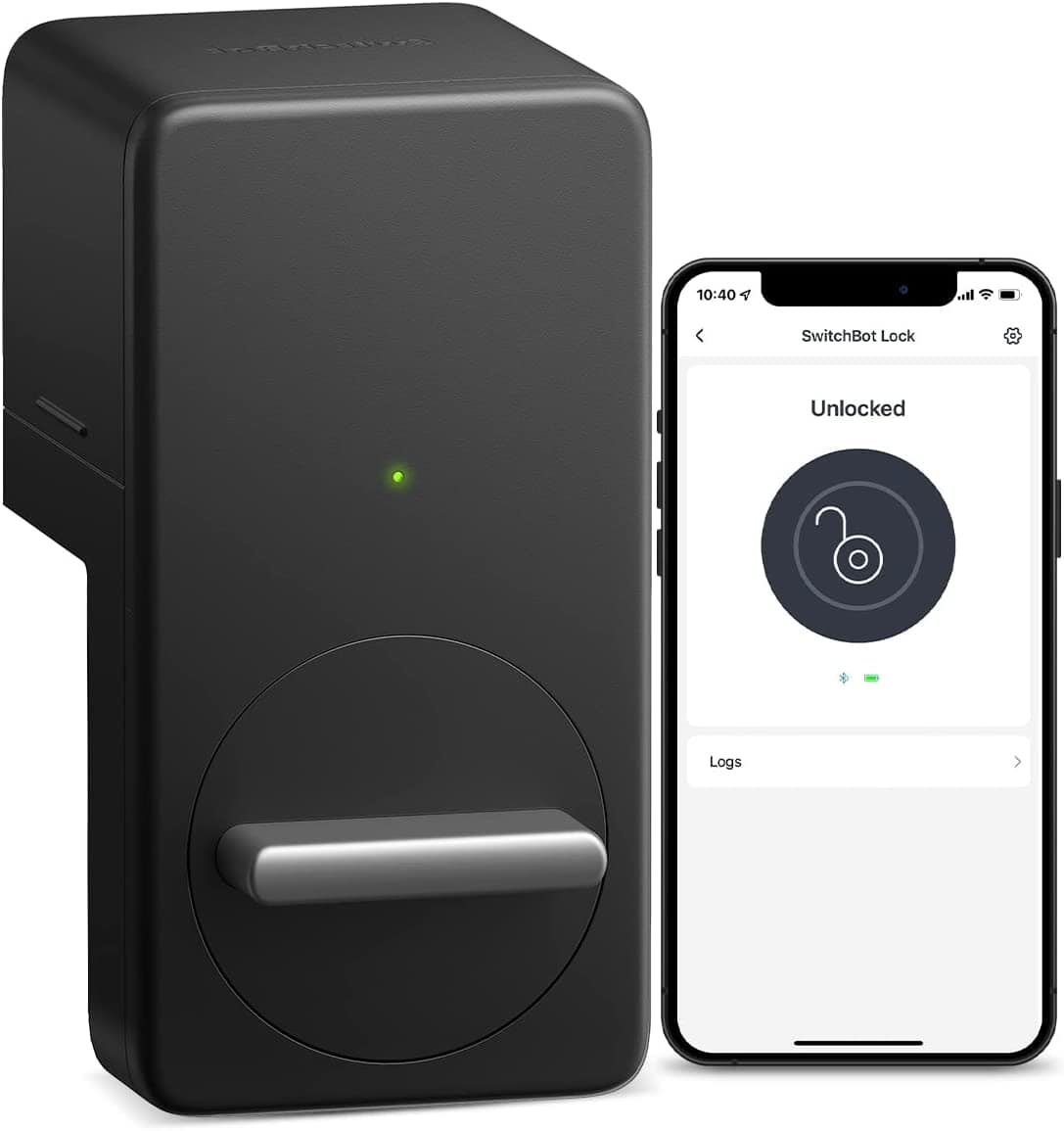
The SwitchBot Lock fits over your existing
The SwitchBot Lock fits over your existing "dumb" lock.
Photo: SwitchBot

Users who aren’t ready to to take the plunge into full home-automation system like HomeKit and related accessories have another option to make a dumb lock smarter.

SwitchBot recently launched a new version of SwitchBot Lock. The company said it’s the best way to make a door lock smart without refitting, so users can lock or unlock their door via devices like iPhone or Apple Watch.

Better yet, right now you can get 15% off on Amazon, or about $15 off the $100 price.

iOS’ handy Developer Mode lets you run your own code on your iPhone

By

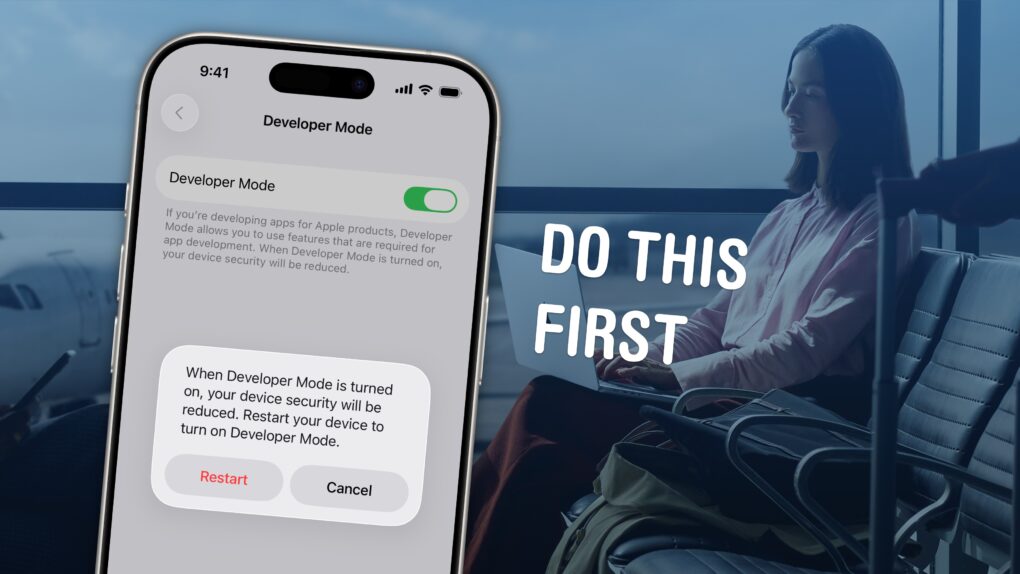
iPhone Developer Mode: “Do This First”
You'll need to turn on Developer Mode to put your own apps on your iPhone.
Image: D. Griffin Jones/Cult of Mac

Developer Mode is a security feature. It will prevent unsigned code from running on your device — apps that are not on the App Store, app marketplaces or TestFlight. Most people can enjoy the added layer of security for free. But, this also means that if you’re writing your own apps in Xcode, you will need to enable Developer Mode on your iPhone or iPad before running your app.

There are also a few apps you can only install by sideloading onto your device from a Mac, using an app like Sideloadly. These could include apps that aren’t allowed on the App Store, such as Hot Tub, a porn app; or apps that are no longer available from their original developers, like Apollo, the former Reddit client. For side loading to work, you’ll need Developer Mode enabled as well. 

Read on to see how to turn it on.

New Keychron Q9 mechanical keyboard is miniscule

By

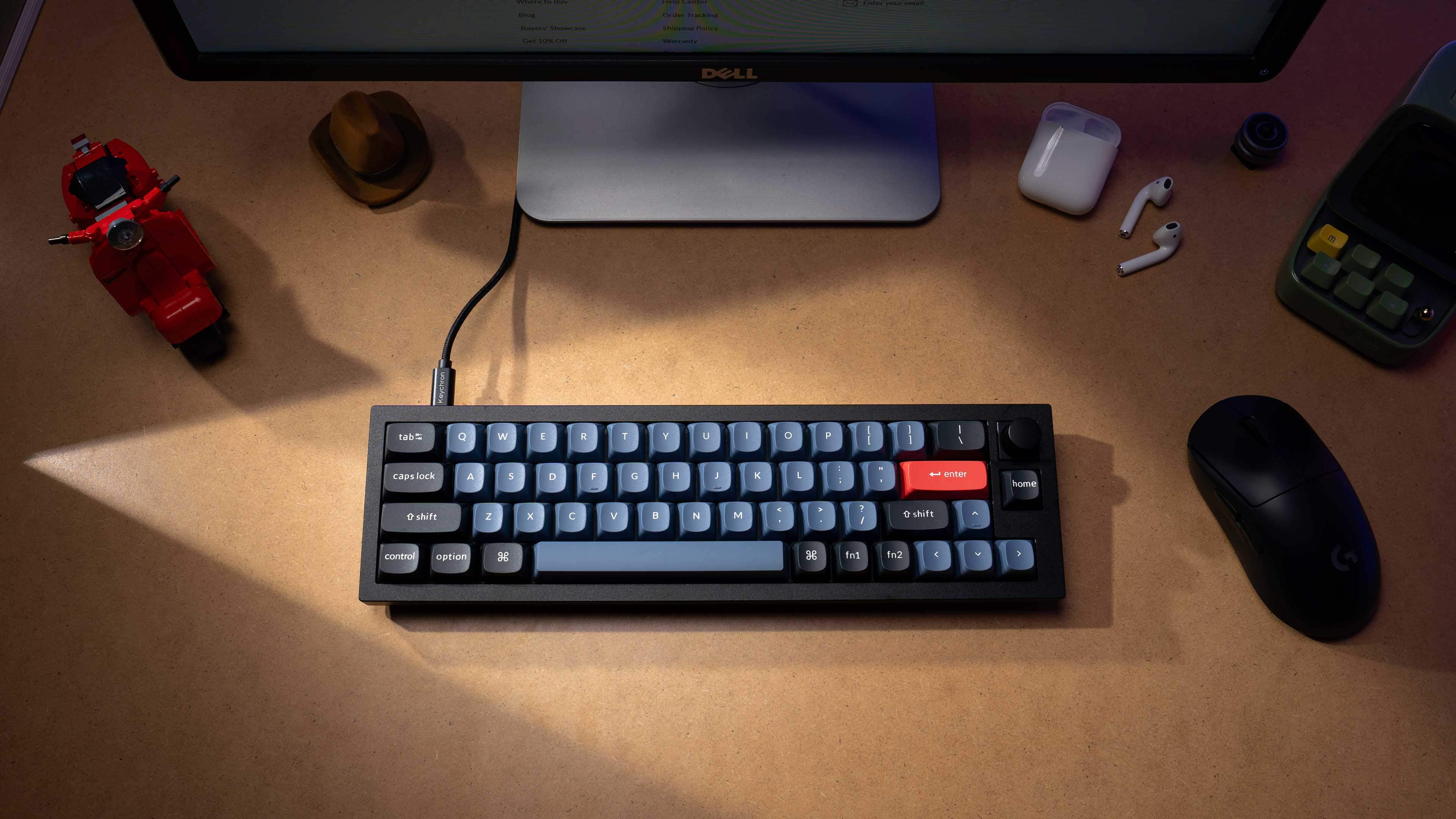
With just four rows of keys, the new Keychron Q9 mechanical keyboard features an unusually small 40% layout.
Photo: Keychron

The ninth entrant in Keychron’s custom mechanical keyboard line came out Wednesday, making it abundantly clear the company wants to cover every corner of the market. The new Q9 is for folks who want a tiny keyboard they can customize — maybe one that’s smaller than anything they’ve ever used.

As a 40% layout mini keyboard with just four rows of keys, the all-aluminum Q9 makes even a compact 60% keyboard look big.

Made for iPhone hearing aids suck, but I bought them anyway

By

Made for iPhone hearing aids, like Oticon More, connect directly with your iPhone.
Photo: Graham Bower

Imagine if Apple sold AirPods for $5,000, and they were so buggy they kept disconnecting from your iPhone. Sounds crazy, right? But that’s the reality faced by me and millions of other hearing aid users today.

Apple offers a solution for hearing aids called Made for iPhone (MFi). This enables third-party hearing aids to work like regular AirPods. In hardware terms, there’s not much difference between them anyway these days. But while AirPods will set you back just $129, MFi hearing aids cost 30 times more, and they’re far less reliable.

So, why did I just buy a pair? It’s complicated.

If you’re anti-mouse and anti-trackpad, what device can you use? [Setups]

By

That thing in the foreground is a Wacom Intuos Pro M tablet.
Photo: happy_haircut

Some people dislike using a mouse. Others can’t fathom a trackpad. And believe it or not, some folks hate both. So what do they do to get their brilliant thoughts onto the computer screen?

Knowing it’s hard to get by in life on just a keyboard, what input device can they use in addition to it? As today’s featured computer setup illustrates, they might try using a certain tablet like it’s a cross between a trackpad and a mouse.

Designer’s MacBook Pro-driven office swims in Apple collectibles [Setups]

By

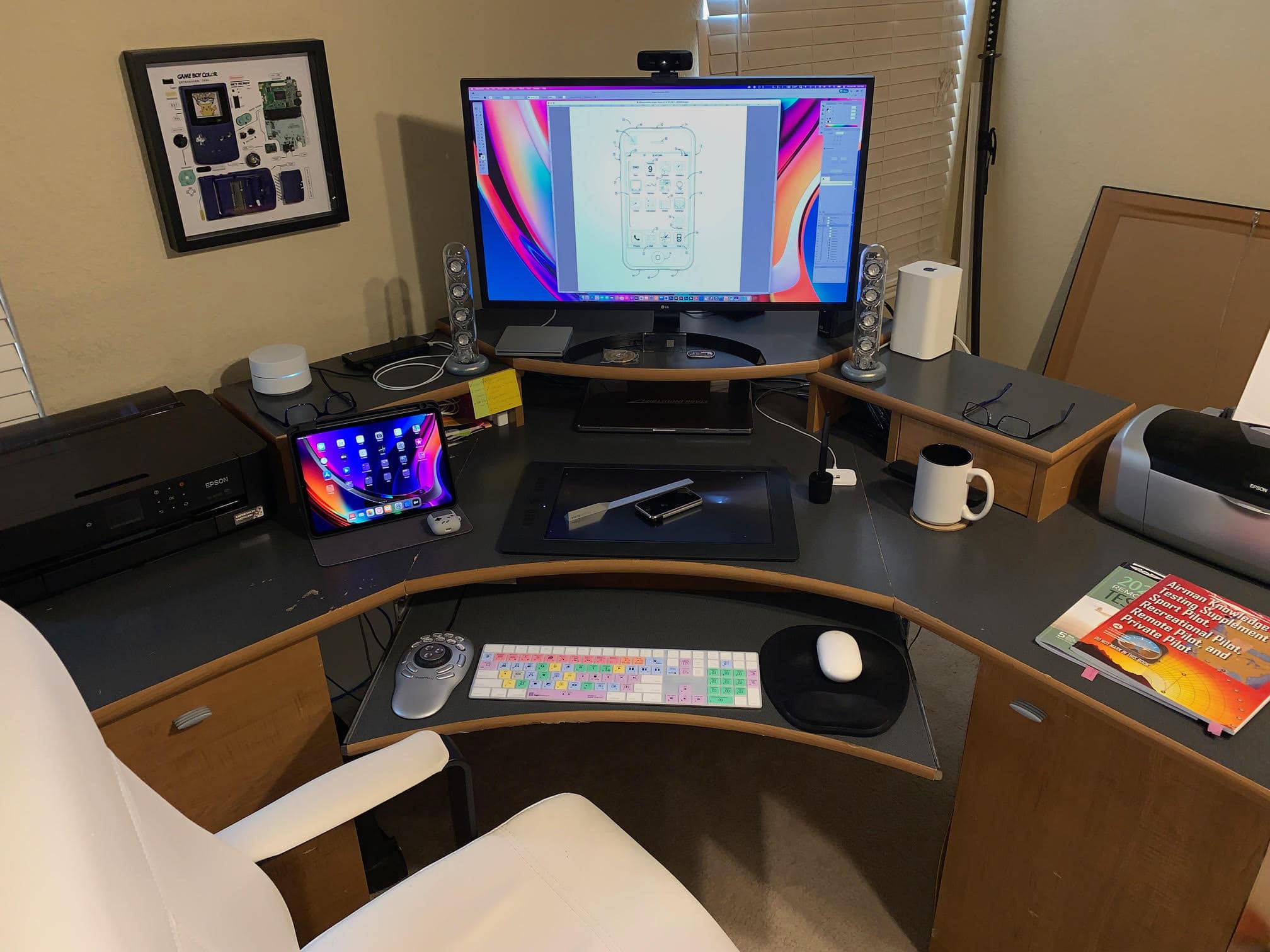
A MacBook Pro and a 4K LG display anchor Smelker's setup.
Photo: Terry Smelker

Graphic designer and illustrator Terry Smelker’s workstation includes many interesting elements, like a specialized drawing tablet and a multimedia controller he uses along with his tricked-out MacBook Pro. But even if you’re not curious about his setup proper, get a load of that Apple gear collection! Fortunately, he provided plenty of photographs.

“I’ve always been a huge fan of Apple’s design aesthetic,” he told Cult of Mac. And that started him on his collection of vintage Apple products, which complements the rest of his gear.

1 31 32 33 34 35 121